
Single clinic
- 1 × 55"waiting-room screen$3,450
- 1 × 43"check-in / queue screen$3,150
2 screens, installed$6,600
Software from year two: $40/month.
Healthcare digital signage for hospitals, clinic networks, dental groups and pharmacies. One company does the whole job: survey, screens, mounts, install, software and monitoring.
A static directory and welcome loop can stand alone. Patient queue connections need separate scoping and an anonymous display format.
Fictional brand and sample content. Schedules, prices, and directions are illustrative.What is healthcare digital signage?
Healthcare digital signage covers waiting-room information screens, patient education displays, queue management, wayfinding, and pharmacy dispensary boards installed in hospitals, clinics, dental practices, and retail pharmacies. The system must respect HIPAA — no patient names, DOBs, or chart numbers on public screens. CrownTV ships clinical-grade commercial panels with cleanable finishes, software scoped so EHR data never leaves the back of house, role-based Dashboard permissions separating patient-facing from staff-facing content, and SAML SSO for hospital IT. Anonymous queue identifiers handle pharmacy and exam-room signage without exposing PHI.
Four walls where a screen earns its place. Pick a zone.
Front door
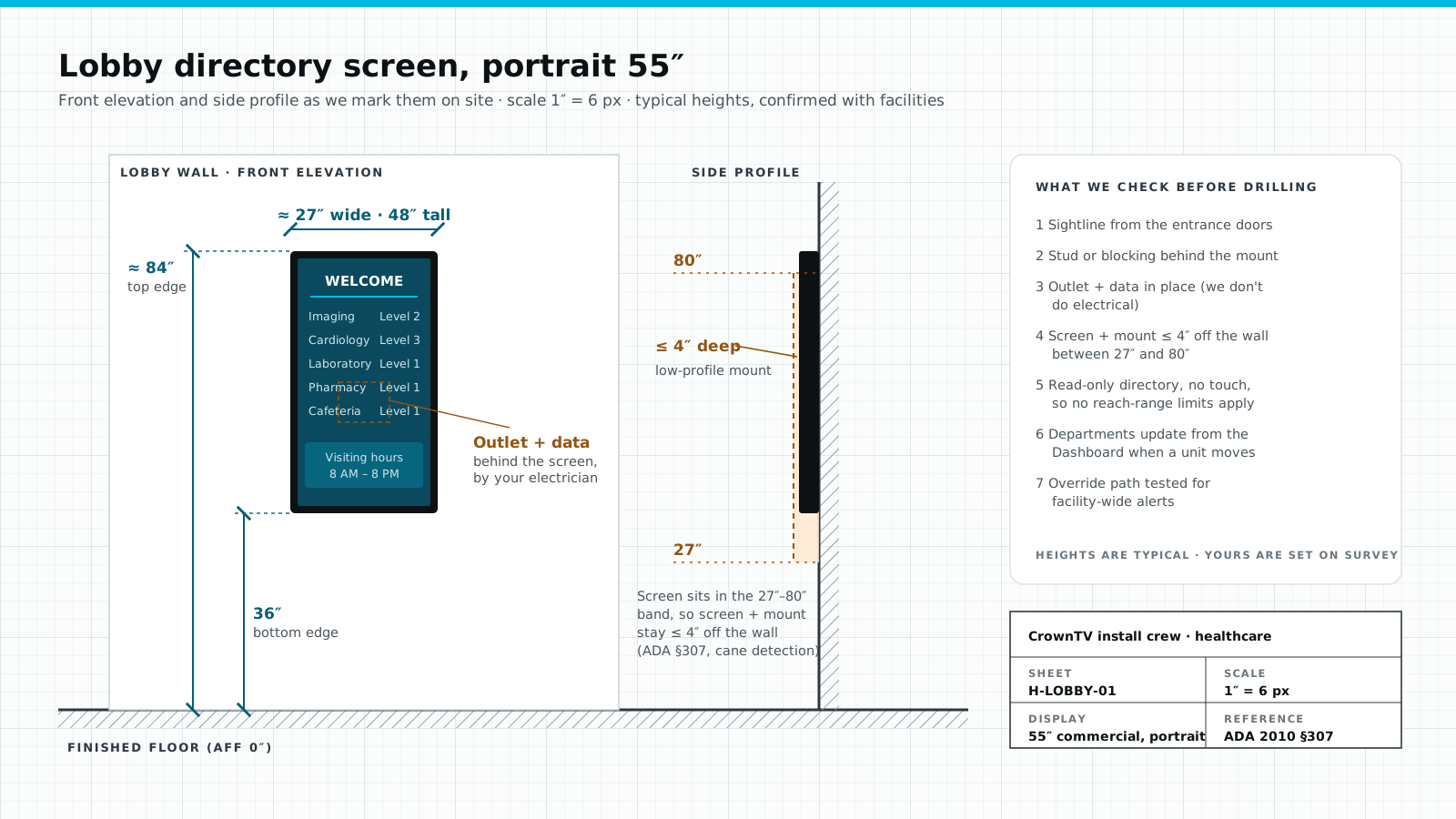
Visitors arrive unsure where to go. A portrait directory you update from the Dashboard saves the front desk from giving the same directions all day. We keep the mount shallow for the ADA protruding-object rule.
Where every patient looks
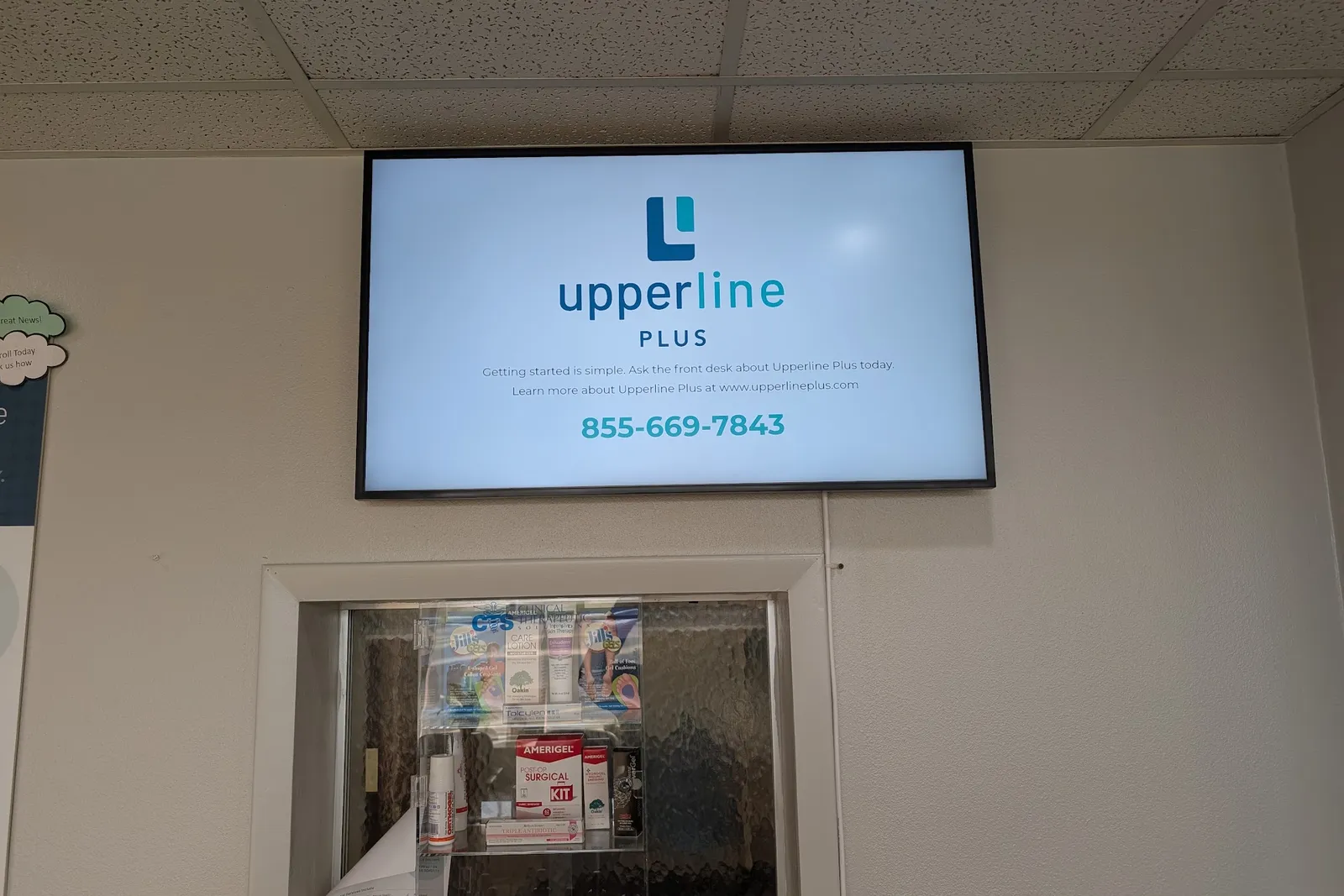
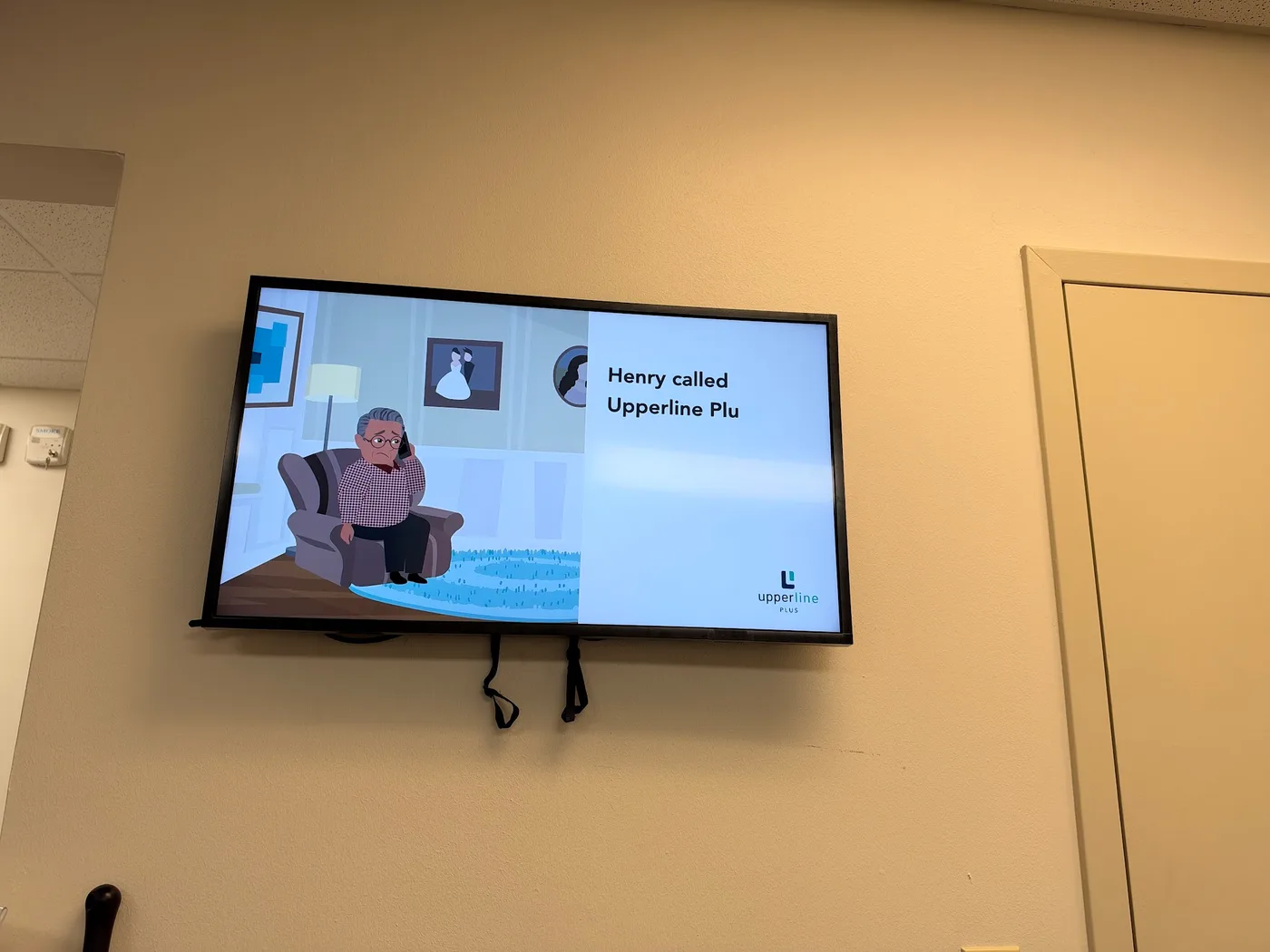
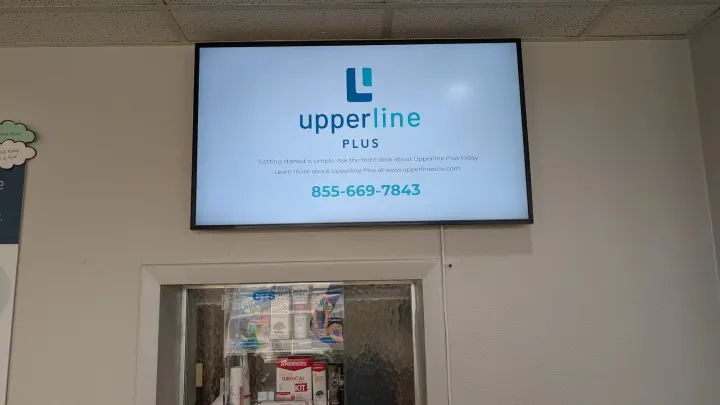
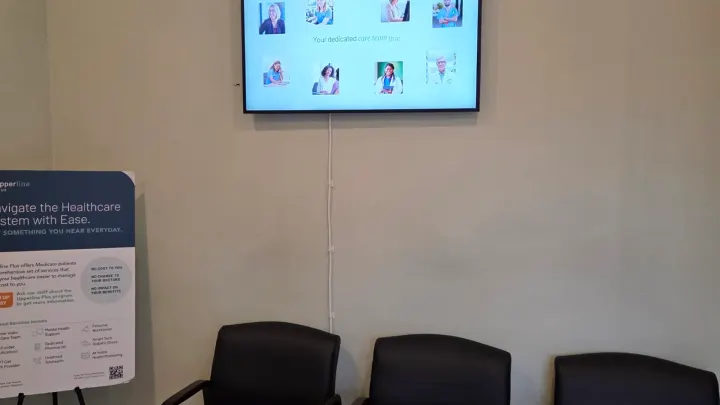
The one wall every patient faces. In the Upperline Health clinics we install, it carries the clinic's own program and its scheduling number, so the line at the window doubles as an introduction.
Longest dwell time
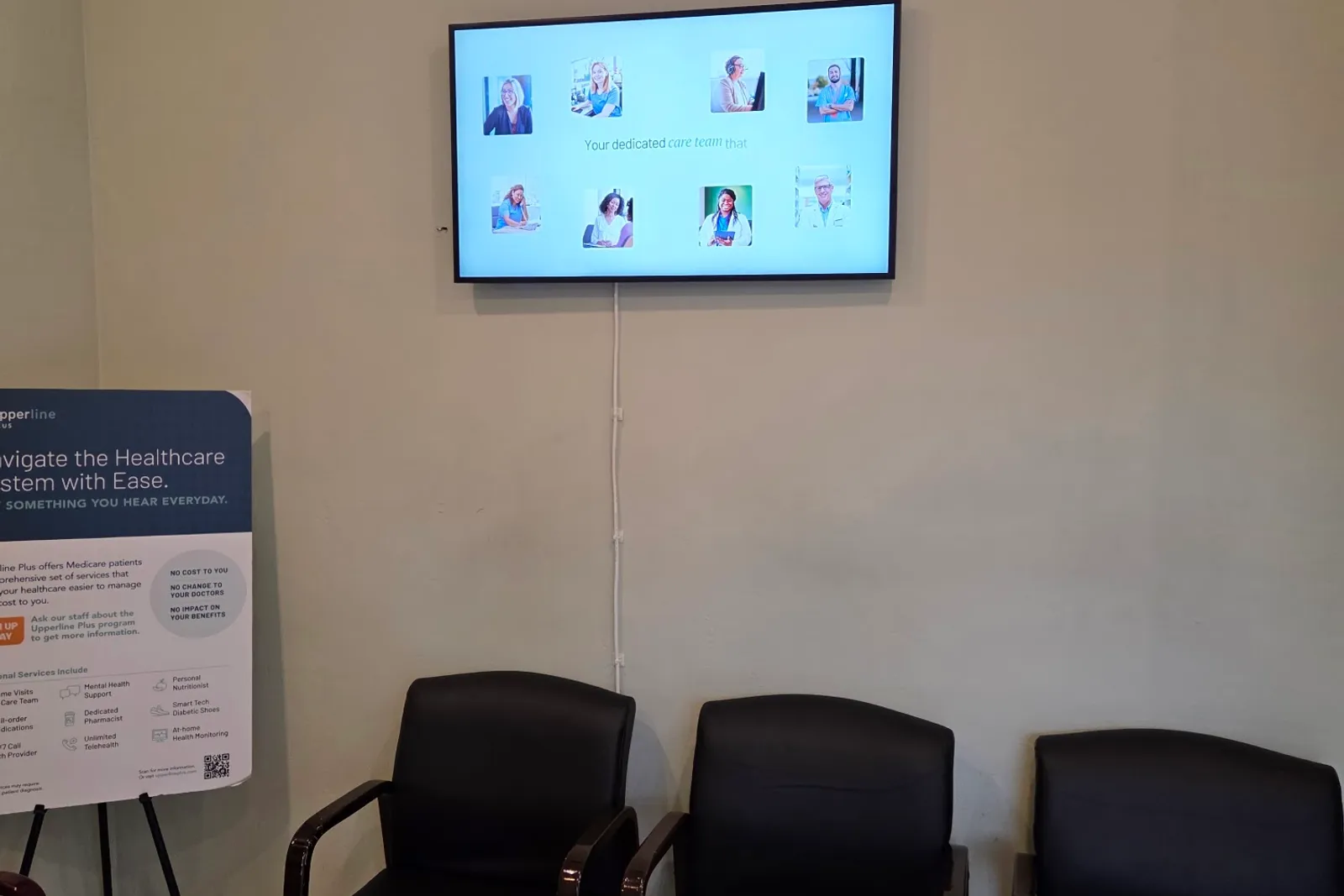
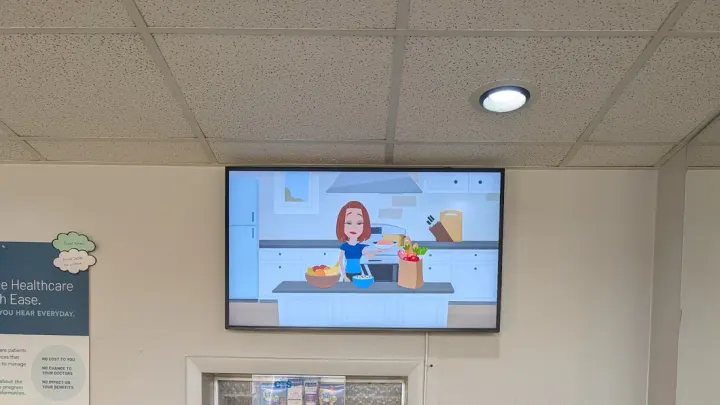
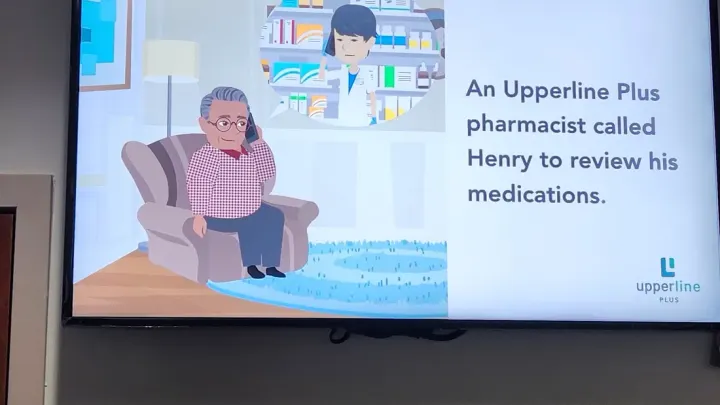
Make the loop about this clinic: who the providers are, what it offers, what happens next. Silent and captioned beats a TV channel, because nobody has to hear it.
Dispensary counter
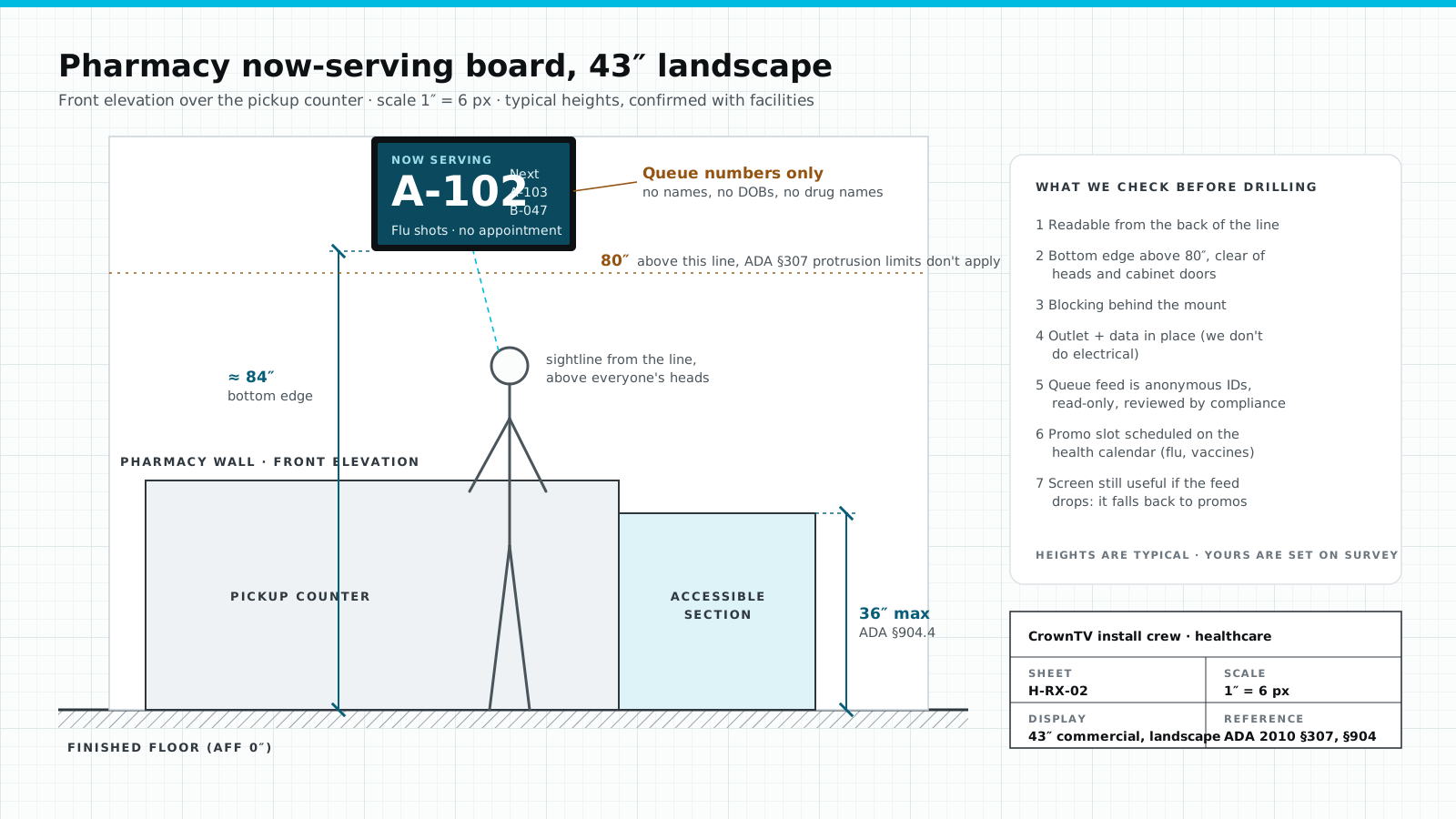
Anonymous queue IDs keep the line moving with no names on screen. If the read-only queue feed drops, the board falls back to the vaccine slides on the health calendar.
Also on the same network
Software-only vendors sell the loop. Step through what it takes to get one screen playing in a clinic, and watch whose to-do list grows.
Stage 1 of 6
CrownTV does it
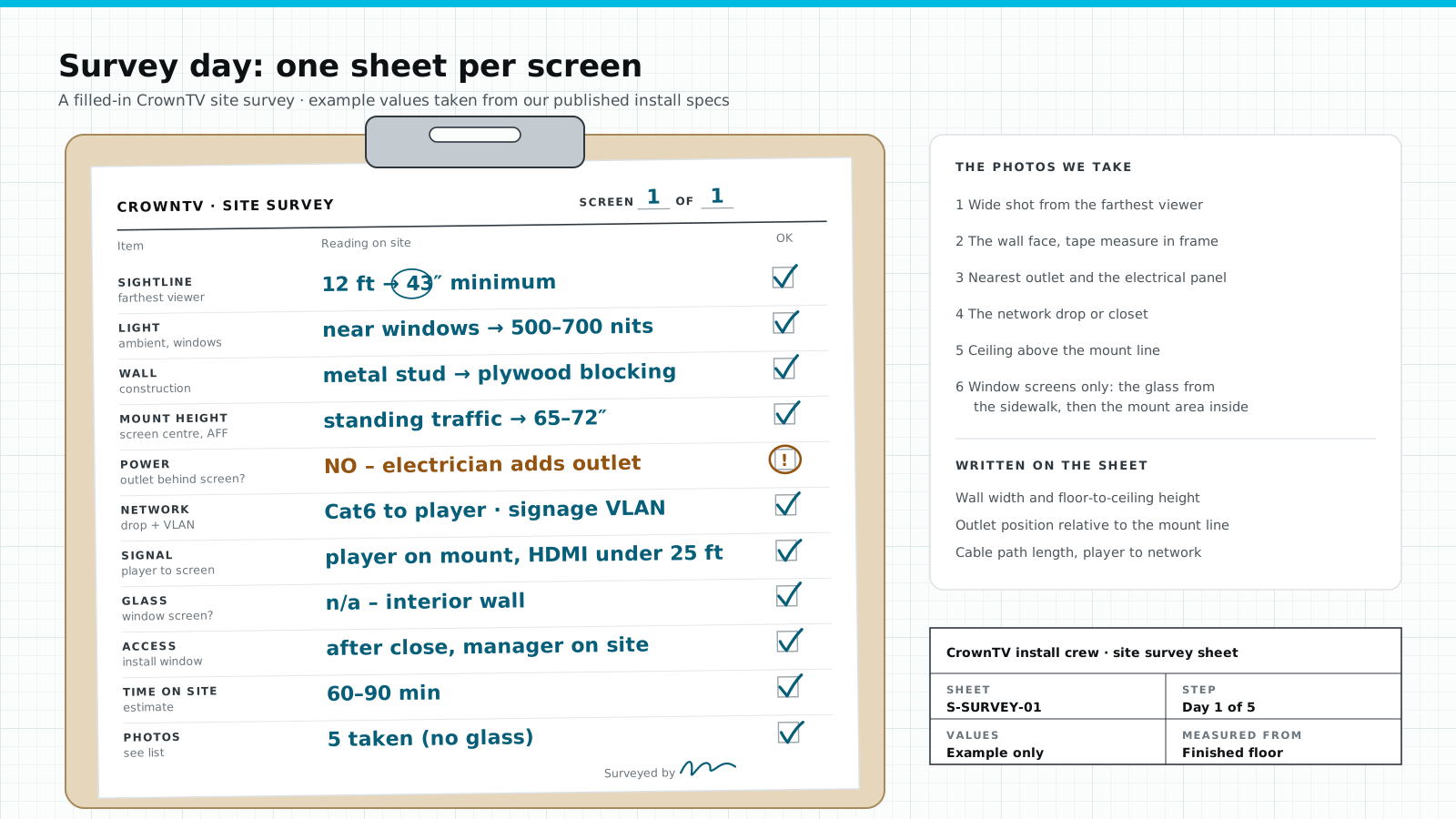
We survey every site: the wall, the outlet, the Wi-Fi, the sightline, and any working TV already on the wall.
A software-only vendor leaves you
You measure the wall, find the outlet and email photos.
Stage 2 of 6
CrownTV does it
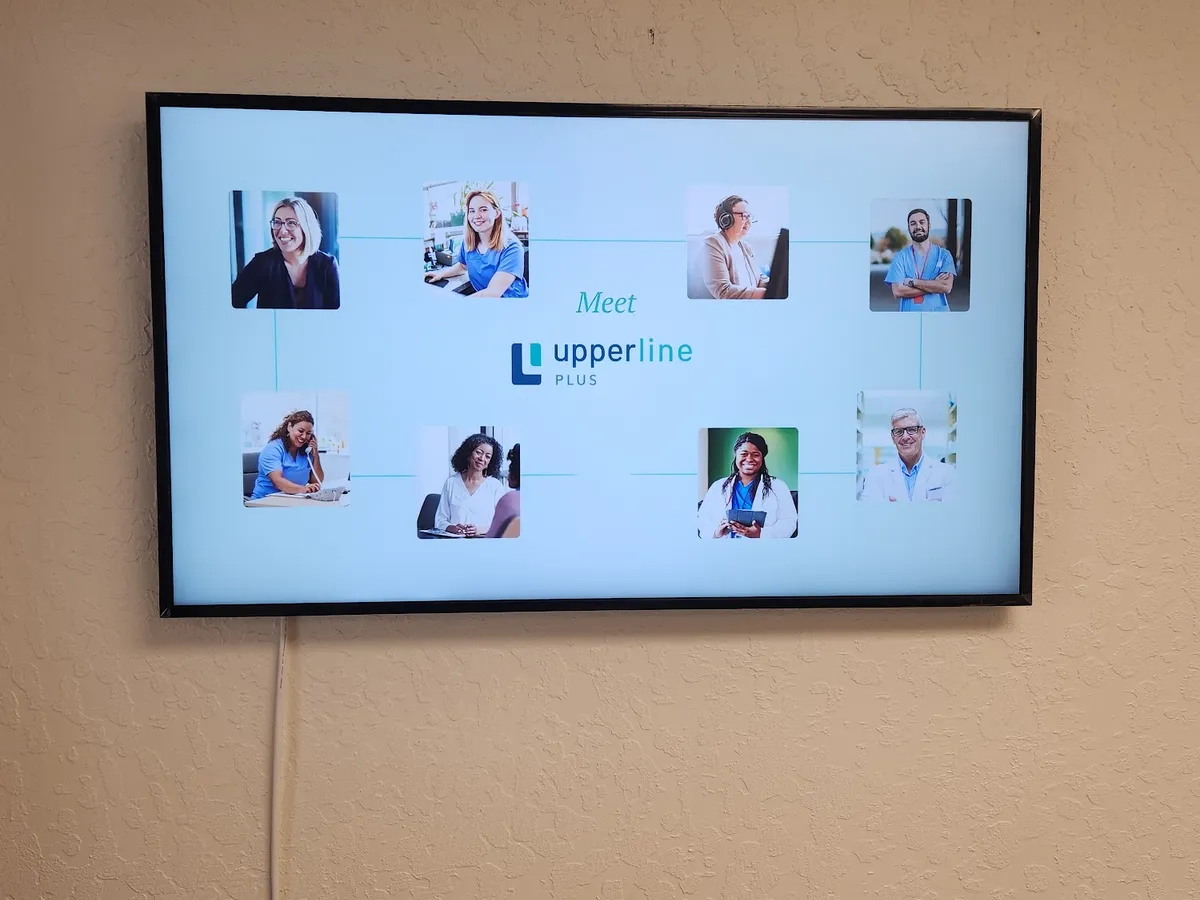
We source the commercial display, Samsung with a 3-year commercial warranty, and ship it to the site.
A software-only vendor leaves you
Bring your own screens, and handle the warranty claims.
Stage 3 of 6
CrownTV does it
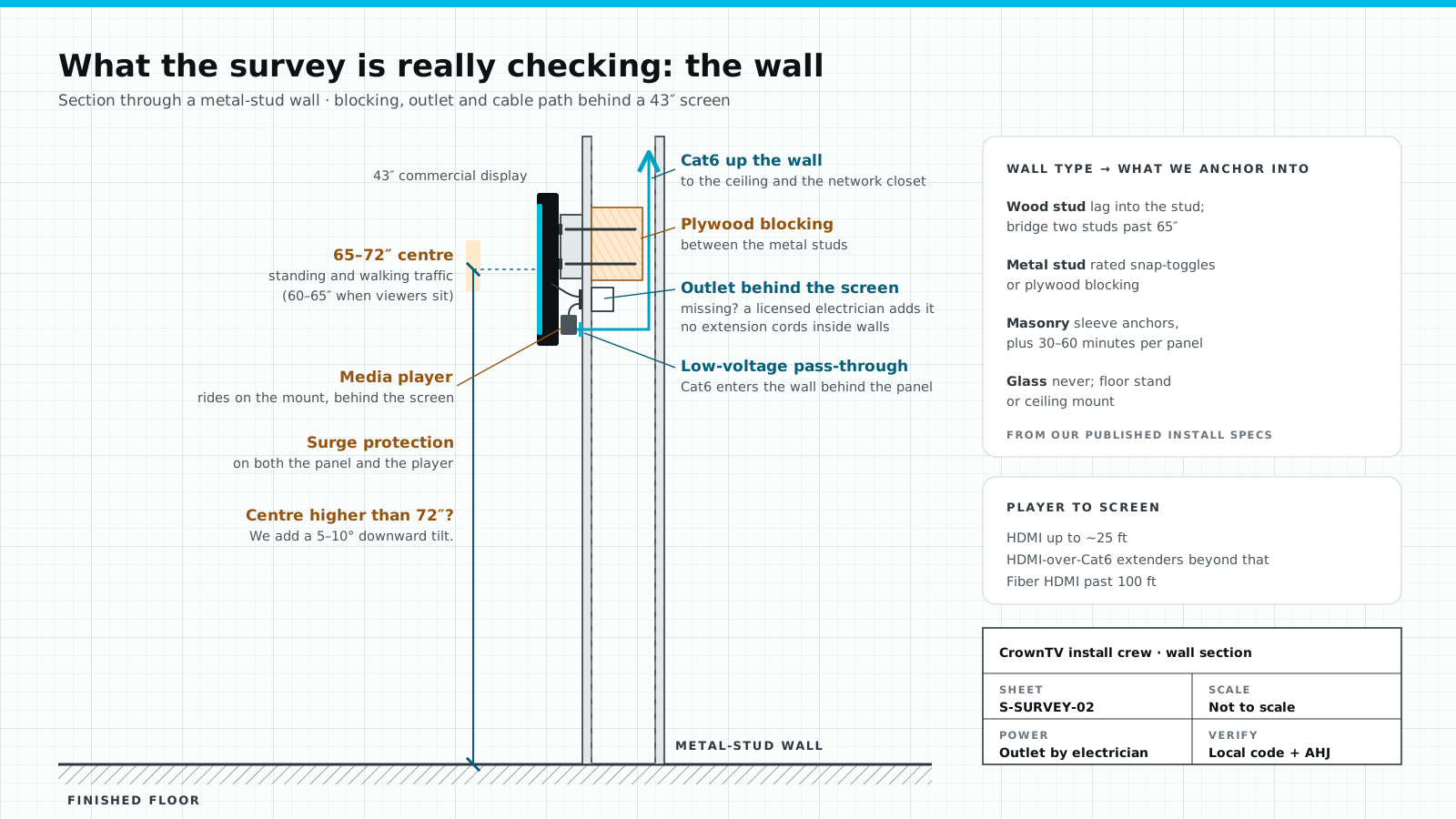
We match the mount to the wall and the screen: wood stud, metal stud with blocking, or masonry. Never on glass.
A software-only vendor leaves you
You pick a mount and find out on install day whether the wall agrees.
Stage 4 of 6
CrownTV does it
Licensed, insured technicians work around clinic hours and confirm the outlet before they drill. Outlets are your side; we don't do electrical.
A software-only vendor leaves you
Hire, schedule and supervise an AV installer yourself.
Stage 5 of 6
CrownTV does it
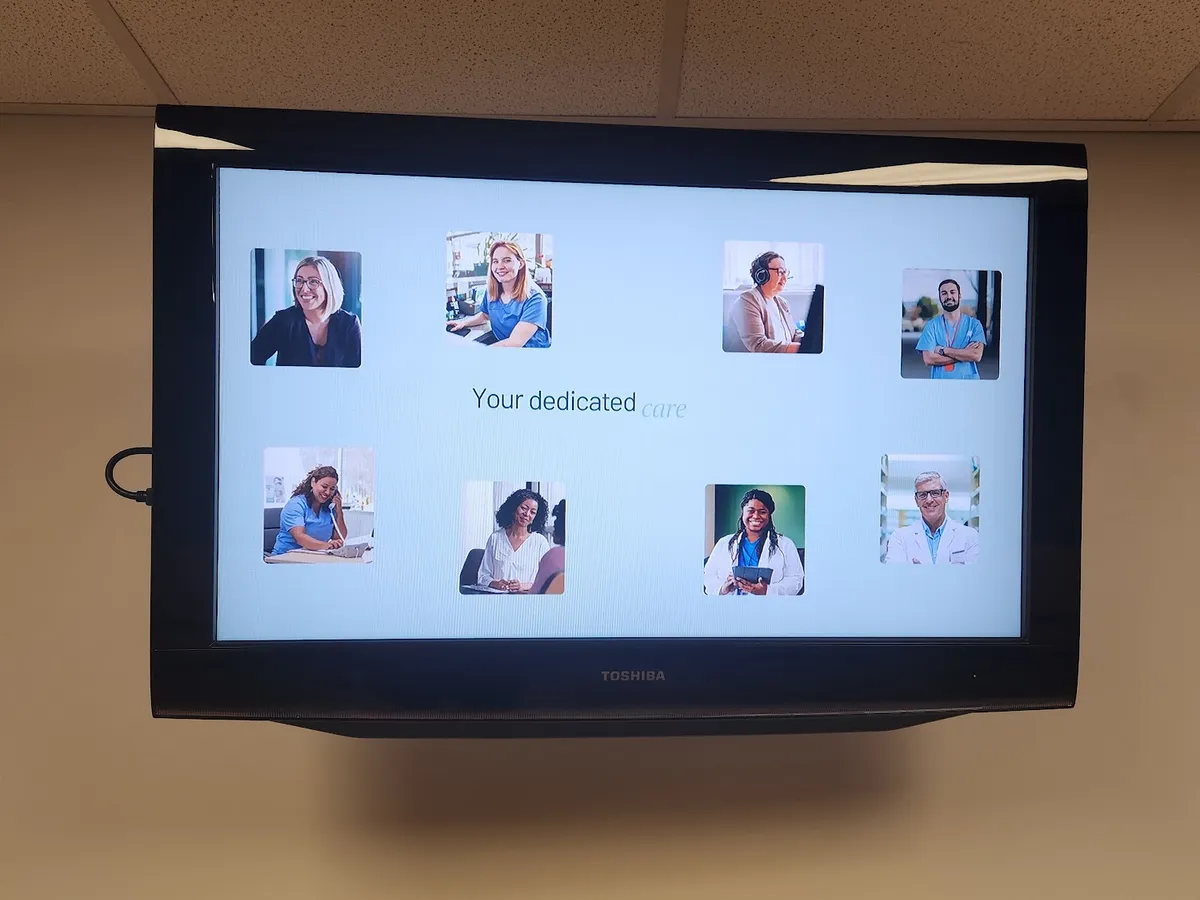
The media player is set up and named for its site before it ships. We load the loop, and our team can design the content.
A software-only vendor leaves you
A license key. You pair players on site and build every slide.
Stage 6 of 6
CrownTV does it
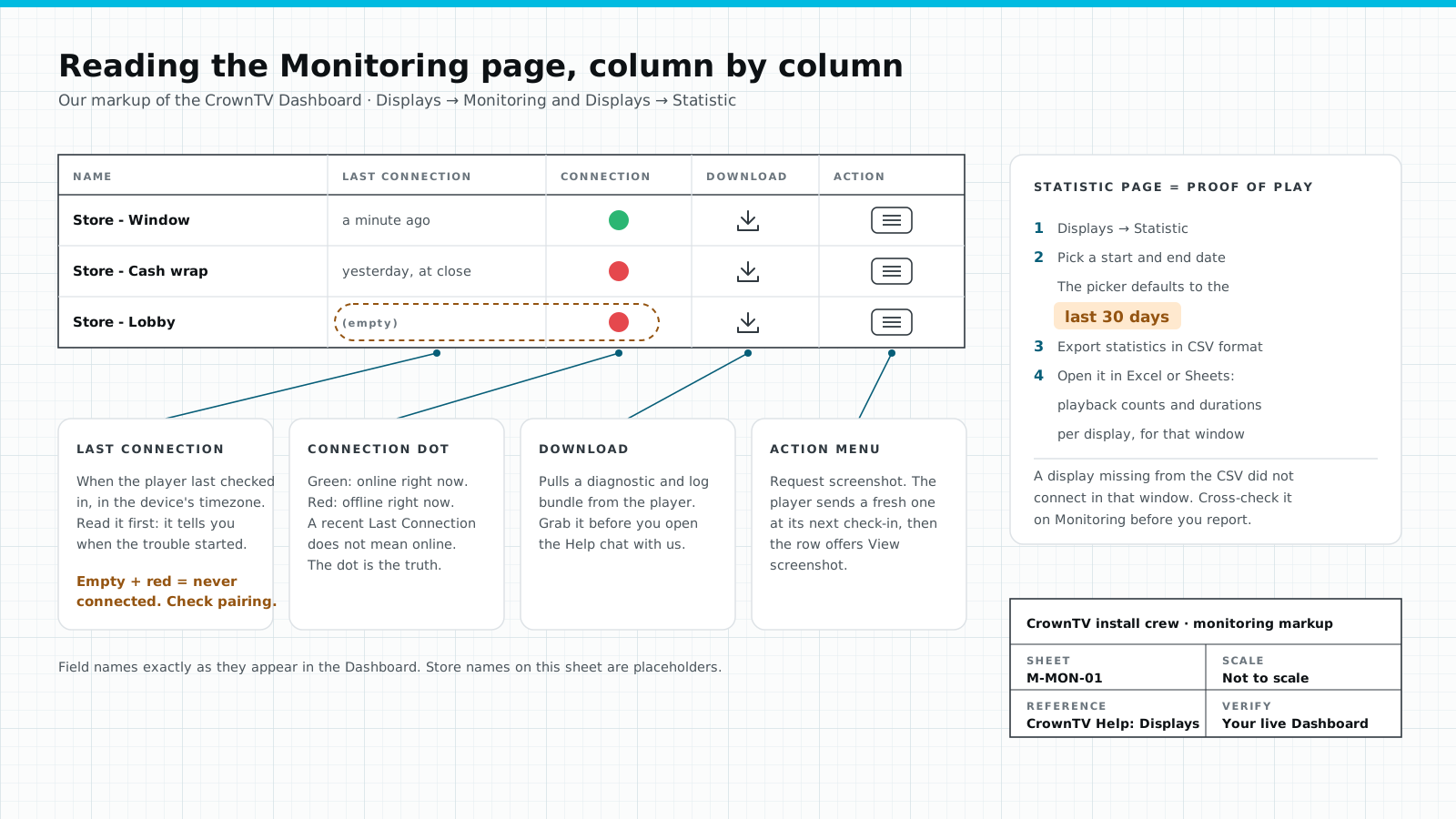
Every player reports to the Dashboard and an offline screen raises an alert. We respond within 2 business hours and swap a media player within 48 hours.
A software-only vendor leaves you
Once the screens light up, support is a new ticket queue.
Your to-do list with a software-only vendor 7 jobs
Your to-do list with CrownTV 1 job
We don't do electrical. Everything else on that list is ours.
| Part of the job | CrownTV | Typical signage vendor |
|---|---|---|
| Scope | Displays, mounts, media players, install, software and support under one contract | A software subscription. Hardware, install and content are yours to sort out |
| Site survey | Every site surveyed: wall, outlet, Wi-Fi, any working TV already there | You measure the wall and send photos |
| Display sourcing | Commercial displays sourced and shipped to each site, Samsung 3-year commercial warranty | Bring your own screens |
| Mount fit & install | Mount matched to the wall and screen; vetted technicians, scheduled around clinic hours | Hire and manage an AV installer yourself |
| Player & software | Media player set up and named per site before it ships; content managed from one Dashboard | A license key. You pair players on site |
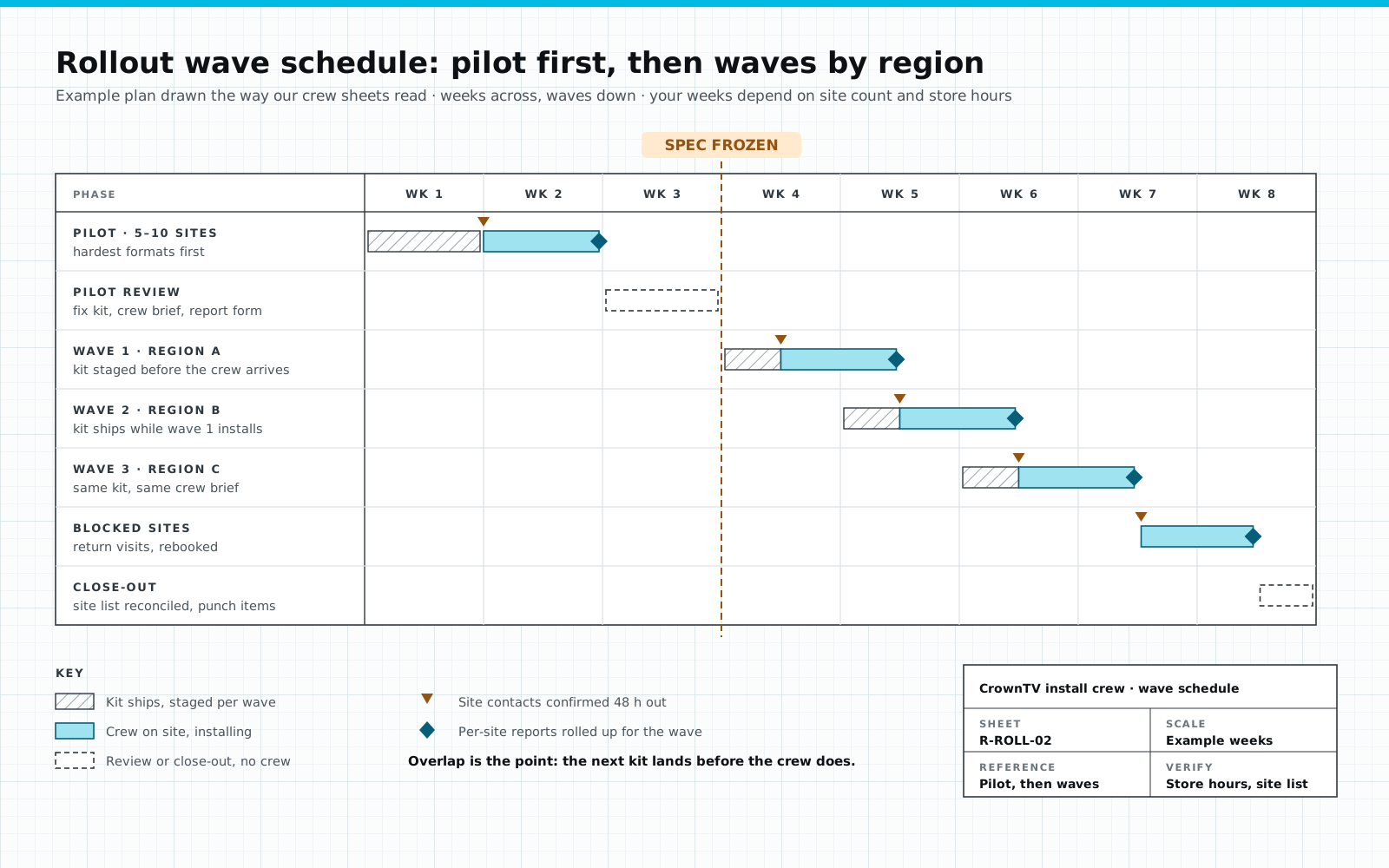
| Multi-site rollout | Pilot first, then waves; one site code on every box, player and report; photo close-out per site | Not part of the product |
| HIPAA discipline | Anonymous queue IDs, patient/staff permission scopes, audit logs, read-only anonymized feeds | Generic CMS with no PHI guardrails. Compliance review falls on you |
| After go-live | Monitoring with offline alerts, response within 2 business hours, 48-hour media-player swaps | Once screens light up, support is a new ticket queue |
How we run the waiting-room program for Upperline Health. Same four steps at every clinic.
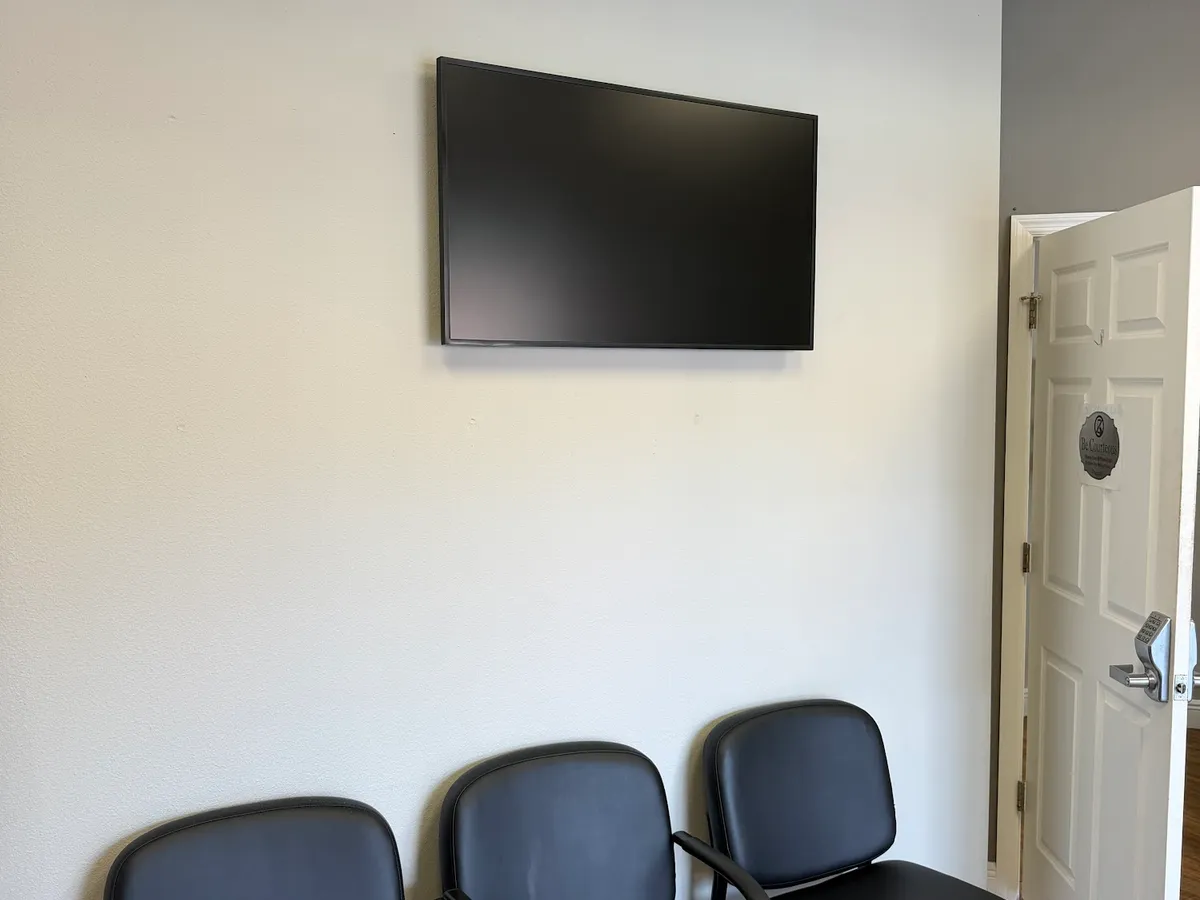
Working TV with a free HDMI input? Where's the outlet, what's the Wi-Fi, when can a technician get in? The answers sort each site into a kit.
Working TV: a media player only. No TV: a new 32″ or 43″ commercial screen package. One site code on the box, the player, the work order and the photos.
Technicians run routes of nearby clinics and check in by GPS. The outlet is confirmed before anyone drills.
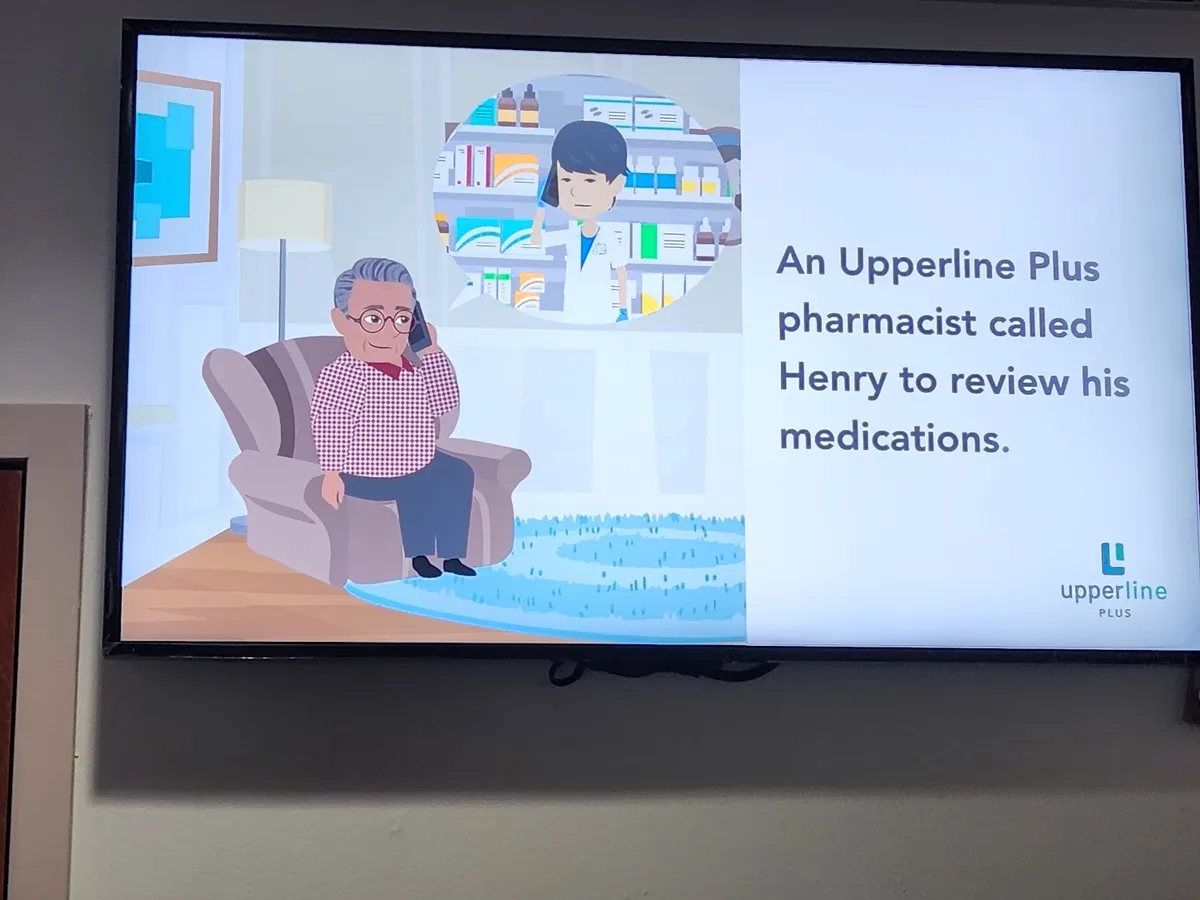
Content playing, then seven close-out photos with no patients in frame. From then on, an offline screen raises an alert.
Pick what plays. The screen runs a 30-second preview: silent, captioned, and about this clinic.
CCOur nurse practitioners, pharmacist and front desk team.
No PHI, ever: no names, no appointment times, nothing from the chart.
Break rooms, nurse stations and staff corridors run their own loops from the same Dashboard used for internal communications.
Census, on-call and shift priorities where the care team stands.
Recognition, benefits deadlines and training reminders staff actually see.
Days since incident, hand hygiene, quality scores, where the work happens.
Staff loops never share a permission scope with patient screens.
Code alerts, severe weather, lockdown, evacuation. One trigger takes over every scheduled loop at once.
Display, mount, media player, install, setup and the first year of software. No second quote from an installer.
Price it in 30 seconds
$3,450 installed
From our published per-screen prices. Typically installed 5–7 business days after the paid invoice, sooner available.
Email me this estimate
Or call (347) 410-6890. A person replies within 2 business hours.
Real installed budgets
Worked examples built only from our published per-screen prices. Each price covers the commercial display, mount, media player, licensed install and the first year of software. Software after year one is $20/screen/month; installs typically land 5–7 business days after the paid invoice.
2 screens, installed$6,600
Software from year two: $40/month.
7 screens, installed$26,050
Software from year two: $140/month.
20 screensvolume pricing
List-price math before volume pricing.
Per-screen ladder: 32″ $2,950 · 43″ $3,150 · 55″ $3,450 · 65″ $4,550 · 75″ $4,950 · 85″ $5,850 · 98″ $9,950.
Names, dates of birth and chart numbers don't belong on a public screen. We set it up so they can't get there.
Who does what
Most healthcare signage software stops at the dashboard. The clinic still has to buy screens, find an installer, run power and network to each waiting room, and chase warranty claims. Here is the split by provider type.
| Part of the rollout | Software-only platform | Display store or reseller | CrownTV turnkey |
|---|---|---|---|
| Site survey and screen placement plan | Not offered | Not offered | Included |
| Power and network cabling to each screen | Not offered | Not offered | Included |
| Commercial displays rated for 24/7 duty | Not offered | Included | Included |
| High-brightness displays for windows and sunlit spaces | Not offered | Sometimes | Included |
| Wall, ceiling and portrait mounts | Not offered | Sometimes | Included |
| Media player | Sometimes | Sometimes | Included |
| Content management software | Included | Not offered | Included |
| Licensed, insured installation | Not offered | Not offered | Included |
| Content templates and design | Sometimes | Not offered | Included |
| Multi-location rollout project management | Not offered | Not offered | Included |
| Screen monitoring and media-player replacement | Sometimes | Not offered | Included |
| Manufacturer warranty claims coordinated for you | Not offered | Sometimes | Included |
Provider types are general categories; individual vendors vary. CrownTV runs 16,000+ screens for 1,800+ operators and has deployed 10,000+ commercial displays since 2012.
Field guide
Which screen goes where in a clinical building, how a 100-clinic network rolls out without chaos, and the five errors that sink healthcare deployments.
| Placement | What we install | Why |
|---|---|---|
| Waiting rooms | Samsung QM43C–QM55C | 500-nit 4K, rated for 24/7 duty, no consumer menus for visitors to change |
| Queue / wait-time boards | QM43C, landscape or portrait | Crisp text at reading distance; fed from the queue system |
| Wayfinding / directories | QMC portrait, touch optional | Vertical content; touch adds self-service lookup |
| Staff stations / break rooms | QM43C–QM50C | Readable across the room; permissioned staff feed |
| Street-facing / ER wait signs | OM / OH high-brightness series | 2,500–3,000+ nits; standard panels vanish in daylight |
Clinical details that matter: closed, fanless media players where infection control frowns on dust-movers; bezels that tolerate hospital-grade cleaners; and every screen on its own media player so content survives a network hiccup. A frozen “now serving” board is worse than none.
Read-only, anonymized integrations only — we never display PHI on patient-facing screens. Staff-facing rotations live on a separate Dashboard scope.
We never display PHI on patient-facing screens. All EHR-adjacent integrations are read-only, anonymized, and reviewed with your compliance team before go-live.
Trusted by 1,800+ operators in all 50 states since 2012








Real Google reviews from CrownTV deployments — refreshed live.
Read all reviews on Google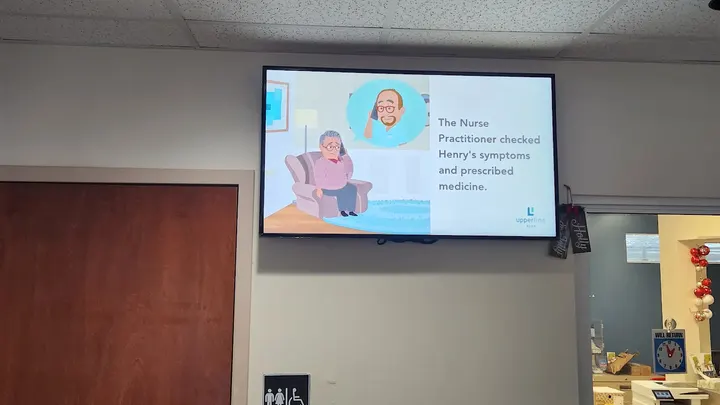 Shortlist The best healthcare digital signage companies Software-only, screen sellers and full-service installers, compared.
 Buyer's guide Best TVs for doctor's offices Duty hours, warranty and lock-out features, ranked.
 Ideas Waiting room display ideas 19 screen ideas and a sample 30-minute loop.
 Design Hospital waiting room design ideas Seating, signage and small fixes that calm a room.
 Pharmacy Pharmacy digital signage Queue boards, vaccine campaigns and what it costs.
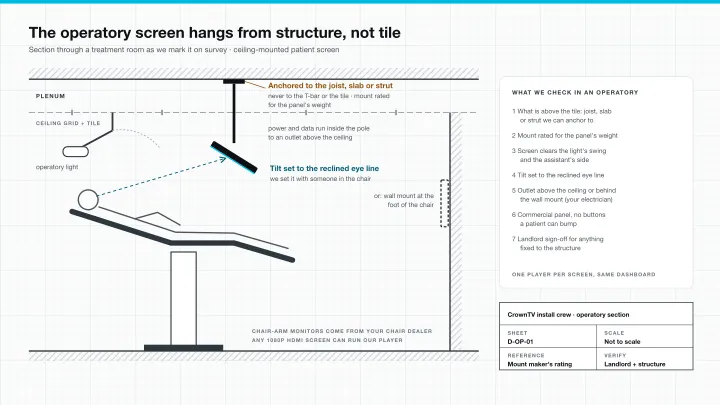 Dental Dental office TV setup Waiting room and operatory screens, mounts, cost.
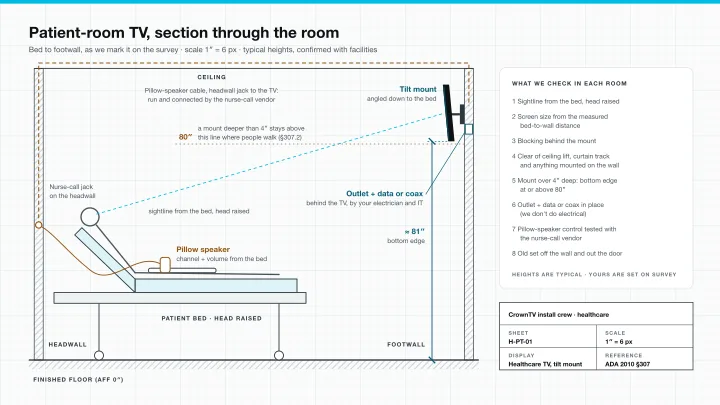 Patient rooms Hospital patient-room TVs, installed Pillow speakers, Pro:Idiom and a room-by-room install plan.
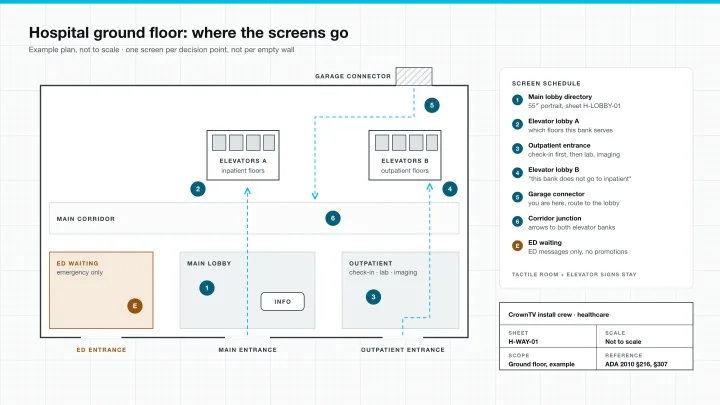 Wayfinding Hospital wayfinding signage Where directory screens go, from the ED door to the elevators.
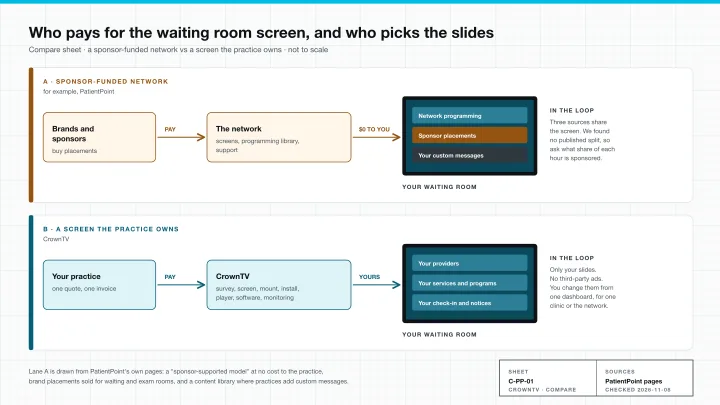 Compare PatientPoint vs CrownTV Sponsor-funded screens or a waiting room TV you own.
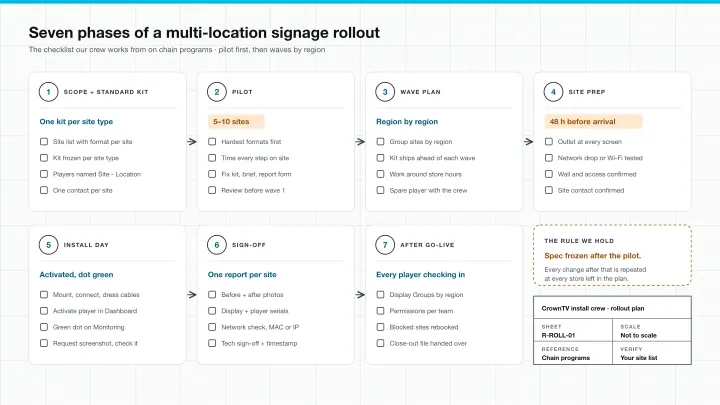 Checklist Digital signage rollout checklist Pilot, waves and per-site sign-off for clinic networks.
Healthcare signage by city
Same crew network, same Dashboard, same 2-hour quote — pick your metro for healthcare-specific install context.
Cambridge-corridor campuses + Back-Bay corporate, year-round-rated.
Midwest rollouts, winter-rated panels, one project manager.
Mile-High UV-rated signage + Mountain-region rollouts.
Energy-corridor scale + chain-rollout discipline.
Heat-rated outdoor + sun-readable retail across the Valley.
Rain-rated outdoor + corporate-campus signage from Bellevue to Tacoma.
Federal-aware deployments + DMV corporate, Section-508 baseline.
Also available in
Tell us what you're building — all inquiries responded to within 2 business hours.
Frequently asked
Related industries
Same Dashboard, same install crew, same SLA — sharpened for the workflow of every vertical we cover.
Corporate & offices
Lobby brand walls, KPI dashboards, conference status, and recognition.
See corporateSchool digital signage
Campus calendar, dining, residence comms, and emergency overrides.
See educationGym digital signage
Class schedules, member spotlights, trainer reels, and live leaderboards.
See fitnessHospitality
Lobby video walls, conference wayfinding, F&B menus, and spa service menus.
See hospitalityAlso serving: Digital Signage for Retail Digital Signage for Restaurants & QSR Digital Signage for Convenience & gas stations Digital Signage for Salons & spas
All inquiries responded to within 2 business hours.
No commitment. No hard sell.