
Best TVs for Doctor's Offices in 2026: the buyer's shortlist
The best TVs for doctor's offices in 2026, ranked on duty hours, warranty for business use, lock-out features, healthcare specs and price.

On this page
Reply within 2 business hours Ask a signage specialist Tap to open the quote form
The best doctor office TV is a commercial display that can run all day, lock out fiddling hands and keep its warranty in a business. We compared 9 current displays, from waiting-room screens to hospital-grade patient TVs, on duty hours, warranty, lock-out features, healthcare specs and price. Our #1 is the Samsung QM-C series: 500 nits, 24/7-rated, a 3-year warranty, from $830 for a 43″. It's the screen CrownTV installs in clinic waiting rooms, which we disclose below.
Key Takeaways
- A waiting room is a business, and consumer warranties know it. TCL's 2025 warranty drops from 1 year to 6 months for commercial use, and Samsung's consumer warranty covers noncommercial use. Every pick below has a business warranty.
- Waiting rooms and patient rooms need different TVs. A waiting-room screen needs long hours and a lock mode, while a patient-room TV needs a hospital-grade UL listing and a pillow-speaker jack. Don't pay for the second when you need the first.
- Lock-out features matter more than picture quality. Samsung's PlayLock, Sony's Pro Mode and LG's lock mode stop patients changing channels or inputs. That's the most common reason a waiting-room TV ends up on cable news.
- Patients are there long enough to read. Vitals' 2018 report put the national average wait at 18 minutes 13 seconds. A 2018 systematic review concluded that waiting-room screens probably improve what patients know.
- The screen is half the decision; the content is the other half. Free, ad-supported services like Atmosphere and sponsor-funded ones like PatientPoint cost nothing, but they control what plays. Paid or self-managed content keeps the screen about your practice.
What a doctor's office TV actually is (and what it is not)
A doctor's office TV is the screen in the waiting room, reception area or exam room that shows something useful while patients wait. In practice it is three different products. A waiting-room display plays your own loop: welcome slides, services, new providers, check-in instructions and short patient-education videos. A reception screen, often mounted above the check-in window, tells people what to do next. A patient-room TV, in hospitals and some surgery centers, is a hospital-grade set with a pillow speaker so the patient can control it from the bed.
For a medical or dental practice, the first two matter most. They need to run 10 to 12 hours a day, lock out the remote and buttons, and keep their warranty in a commercial setting. They also need to play content without staff touching them, from a media player, a USB stick or a content service.
We keep a page of sourced digital signage statistics if you need numbers to justify the spend.
What it is not: it is not a medical device. Samsung's QM-C and QB-C include a "DICOM Simulation Mode" for showing X-ray style images, but Samsung's own spec sheet notes it is "not intended for diagnosis purposes". Use a certified diagnostic monitor for reading images. It is not a content service either. Atmosphere, PatientPoint, ViewMedica and Dear Doctor TV supply programming, usually through their own player plugged into any TV with HDMI. And a consumer TV on a $15 bracket is not a cheaper version of the same thing, because the warranty and the hours are the difference.
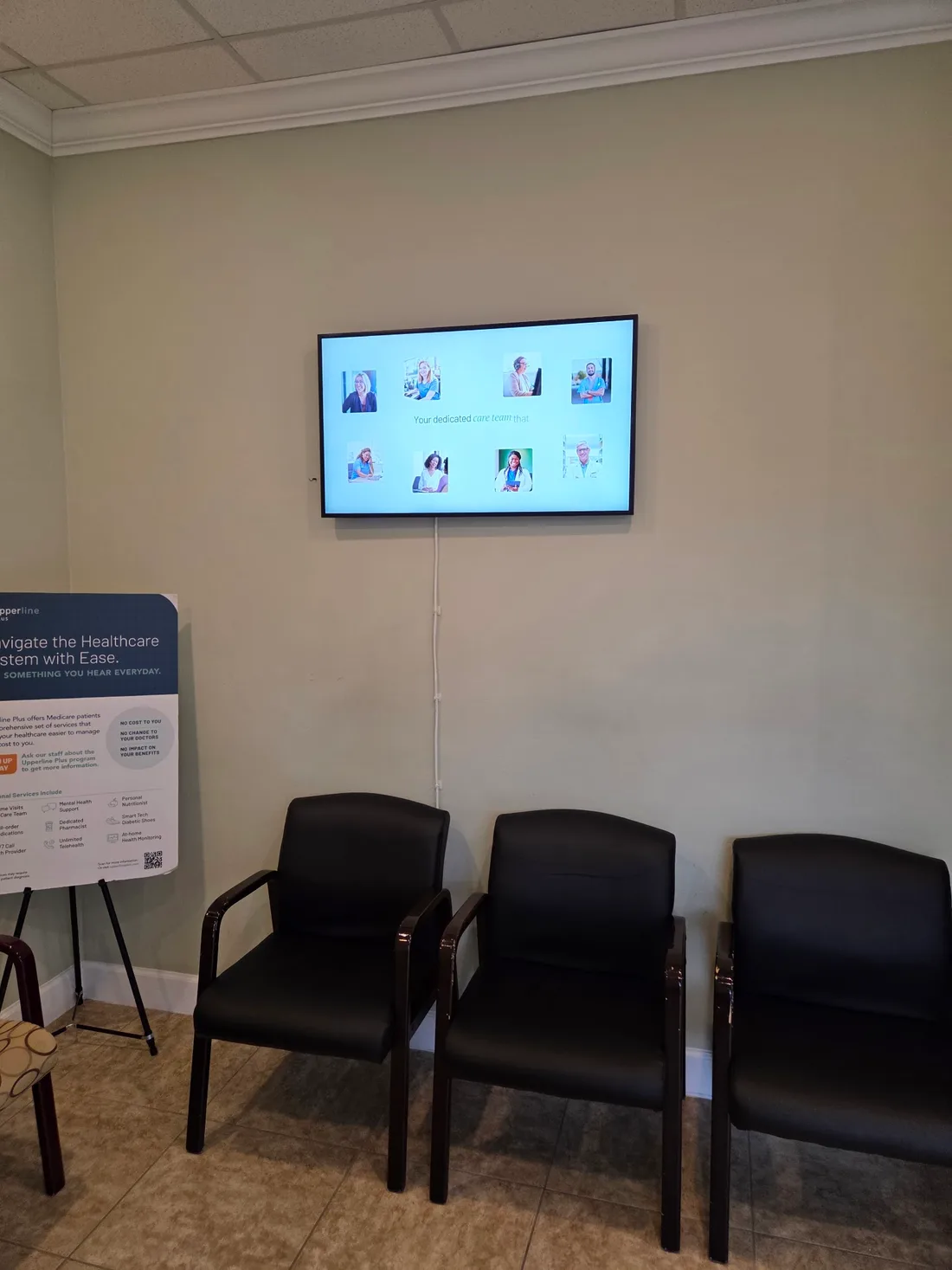
Real CrownTV install · clinic waiting room
A waiting-room screen, installed and loaded with your content, from $3,150.
Get a free quote in 2 business hours →How We Ranked These TVs for Doctor's Offices
We compared 9 displays using manufacturer spec pages and sheets, Samsung's US warranty leaflet, and retailer listings read on November 8, 2026. We scored six things you can check:
- Rated duty cycle. 24/7 scores above 16/7, and both beat a consumer TV with no duty rating.
- Warranty in a business. Years of manufacturer coverage that still applies in a commercial setting.
- Lock-out and scheduling. Button, remote, input or USB locks, and on/off timers, so the screen behaves without staff.
- Healthcare features. Hospital-grade UL listing, pillow-speaker or nurse-call support, and EHR integrations where they matter.
- Brightness. 300 nits is enough for a windowless room; 500 handles daylight.
- Price. The manufacturer's own US price, or a named retailer's, for the 43″ or nearest size. "On request" is noted.
LG's UR770H and several LG hospital TVs (65US772M, 75UR762M, 32LN572M) were dropped because LG lists them as discontinued, and there is no current Samsung "HG-D" healthcare line on Samsung's US site.
The Best TVs for Doctor's Offices in 2026
Picks 1 to 5 are waiting-room and reception displays; picks 6 to 8 are hospital-grade TVs for patient and exam rooms. Our #1 is the screen CrownTV installs, and we've spelled out its gaps. If you only need something for a small windowless waiting room, look at #3.
1. Samsung QM-C series, best for most waiting rooms and reception screens
- 43″ $830 (Samsung.com) · $702.22 (Best Buy)
- 500 nits · 24/7
- 3-year warranty, parts and labor
The QM-C is the commercial display we install in clinic waiting rooms, and it covers every requirement a practice has. Samsung's US site lists the 43″ QM43C at $830 and the 55″ at $1,260; Best Buy had the 43″ at $702.22 on November 8, 2026. Sizes run from 43″ to 98″.
Samsung's US page lists 500 nits, 24/7 operation, Tizen 7.0, three HDMI inputs plus DisplayPort, RS-232C and LAN. Samsung's US warranty leaflet for its large-format displays gives 3 years parts and labor. That's the number to rely on, because Best Buy's listings disagree with each other. A MagicINFO S10 player is built in, though Samsung sells the license separately, so the screen can play scheduled content without a separate box.
Its gaps for healthcare: it carries no hospital-grade UL listing and no pillow-speaker jack, so it's not a patient-room TV. Its DICOM Simulation Mode is for display, not diagnosis.
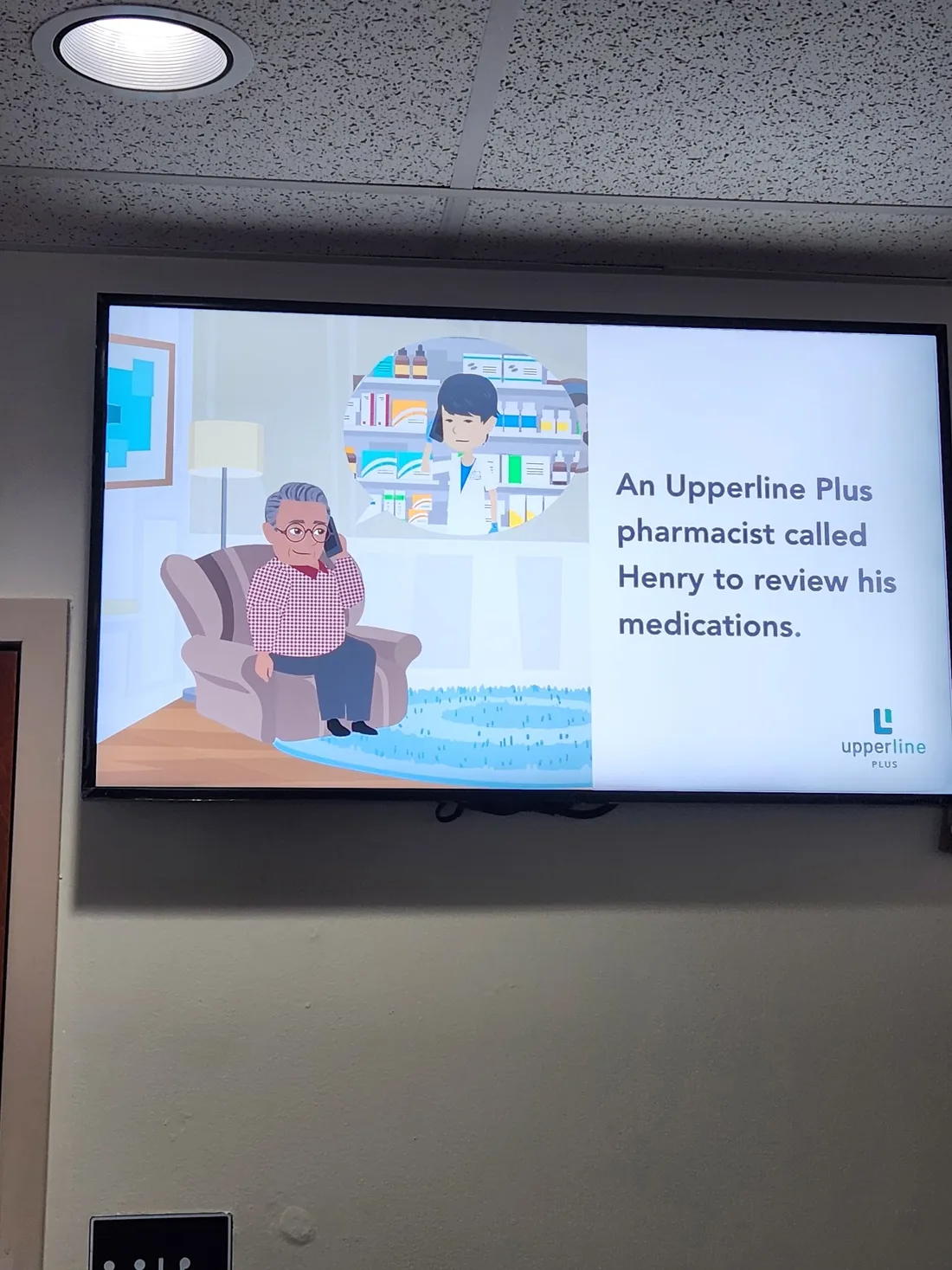
This is the panel in CrownTV's installed package: $3,150 for a 43″ and $3,450 for a 55″, including the display, mount, a CrownTV media player, installation and the first year of content software. It's the screen in the package we install in Upperline Health clinics that need a new display; clinics that already have a TV on the wall get a media player instead. Either way, each screen loops the clinic's own services, provider faces and the Upperline Plus pharmacist program.
Medical, dental and specialty practices that want a waiting-room or above-the-desk screen running all day with the practice's own content. It's also the simplest choice for multi-clinic groups standardizing one model.
Disclosure: CrownTV installs the QM-C series, and our sister store DisplayDetails, an Authorized Samsung Reseller, sells it. We scored it on the same six criteria as the rest.
2. Sony BRAVIA BZ30L, best for practices that want to play content from a USB stick
- 440 nits · 24/7
- 3-year warranty (Sony)
- Free built-in signage player
The BZ30L is the easiest screen here to run without any extra hardware. Sony's US page says its built-in BRAVIA Signage Free software "automatically plays out HTML content, video and photos when a USB stick memory is slipped into BRAVIA". For a practice that updates its loop a few times a year, that means no player and no subscription.
It's also the best-behaved in public. Sony's Pro Mode can "disable input or remote control functions, schedule on/off times, remove labels and block buttons", which covers the usual waiting-room problems. Sony's page lists 440 nits, 24/7 operation, Android TV with Chromecast and AirPlay, four HDMI inputs, RS-232C and IP control. Its warranty, stated by Sony, is 3 years, with an advance replacement program.
Sizes run from 43″ to 85″. Sony lists pricing "upon request", and B&H had the 65″ at $799 on a limited holiday sale against a $1,310 regular price on November 8, 2026. We couldn't verify a current 43″ street price.
Like the QM-C, it has no hospital-grade listing or pillow speaker, so it belongs in waiting rooms and offices, not patient rooms.
Single-location practices that want a self-running screen with no media player or monthly fee. It's also good for practices where staff want to cast a video from a phone now and then.
3. Samsung Business TV (BEHX), best budget screen with a PIN lock
- 43″ $449 · 55″ $699 (Samsung.com)
- 16/7 rated
- PlayLock PIN + button and USB locks
The Business TV is the lowest-cost way to get a business-rated screen into a small waiting room. Samsung's site lists the current BEHX line at $449 for the 43″ BE43HX-H and $699 for the 55″, in sizes from 43″ to 85″. It's rated for 16/7 operation, enough for a practice open 7 to 7.
Its best feature for a medical office is control. Samsung describes PlayLock as "an integrated PIN-code security system which protects the screen from tampering and unauthorized access", and the spec sheet adds a panel button lock and a USB port lock. Staff can schedule content from the Samsung Business TV app on a phone, and Samsung's 2025 BEFX-H spec sheet names "pharmacies, clinics" among the places it's built for. It has three HDMI inputs and an over-the-air tuner.
Two things to check. Samsung's BEHX page doesn't list brightness; the previous BED-H generation was 300 nits, which suits interior rooms only. And the BEHX page doesn't state a warranty term, while Samsung's BED-H leaflet gave 3 years, so confirm it for the model you buy.
No reviews were showing on Samsung's site when we checked.
Small practices with a windowless waiting room and a tight budget. It's a good replacement for a consumer TV that patients keep switching to another channel.
4. Samsung QB-C series, best for windowless rooms on Samsung's managed software
- 43″ $750 · 55″ $1,010 (Samsung.com)
- 350 nits · 16/7
- 3-year warranty
The QB-C sits between the Business TV and the QM-C. Samsung lists the 43″ QB43C at $750 and the 55″ at $1,010, and Best Buy had them at $675 and $980 on November 8, 2026. Samsung's page gives 350 nits, 16/7 operation, Tizen 7.0, three HDMI inputs, RS-232 and LAN. Samsung's large-format warranty leaflet gives 3 years; Best Buy lists 1 year for these models, which conflicts with Samsung's own document.
Samsung's page says medical teams "can simulate medical images such as X-rays with DICOM Simulation Mode", useful for showing a patient an image in a consult room, not for diagnosis. Content scheduling runs through Samsung VXT, sold separately with a 60-day free trial. VXT's basic remote-management plan includes lock and unlock features.
Compared with the QM-C, you give up 150 nits and 24/7 operation, plus SmartView+ wireless sharing. In a windowless room open office hours, that won't matter, and you save $80 on the 43″ at Samsung's prices.
Best Buy shows one 4-star review for the QB43C and none for the 55″.
Practices with interior waiting or consult rooms that want to manage several screens from Samsung's cloud. It's also a fit for showing images to patients in consult rooms.
5. LG UR640S, best low-cost screen with a built-in scheduler
- 43″ $413 · 55″ $609 (LG.com)
- 300–400 nits · 16/7
- 3-year limited warranty
The UR640S is LG's signage TV, and it has the most built-in content tools of the budget picks. LG's spec page lists an embedded Contents Manager, a Group Manager, a time scheduler, play via URL and failover, so a practice can build a simple loop and schedule it without buying a player. It also has a lock mode (LG marks it "limited") and port block, plus an ATSC tuner.
LG.com listed the 43″ at $413 and the 55″ at $609 on November 8, 2026, the lowest prices on this list. The 43″ showed out of stock for our test ZIP code. Sizes run from 43″ to 86″. It's rated 16/7 with a 3-year limited warranty, and runs webOS 6.0 with three HDMI inputs and one USB port.
Brightness differs by size: LG's spec table lists 300 nits for the 43″, though its own feature badge says 330, and 400 nits for the 55″. That's fine for interior rooms. The series dates from 2021, so it is the oldest design here, and LG has discontinued the 65″ at some retailers.
No reviews were showing on LG's page.
Budget-conscious practices that want scheduling built into the screen without a player or subscription. It suits a single waiting room with staff who will build the loop themselves.
6. Samsung HCU7030, best hospital TV for exam and recovery rooms
- 50″ $808 · 55″ $964 (Samsung.com)
- Pillow-speaker interface
- Launched August 2023
The HCU7030 is Samsung's current healthcare TV in the US, and it's built for rooms where the patient is in a bed or a chair for a while. Samsung's page describes a "pillow speaker interface for patients to enjoy clear audio without external headsets". It doesn't publish a UL hospital-grade listing for this model (2023 launch coverage ties the UL 62368-1 Annex DVB listing to the sister HCF8000), so if your facility requires a hospital-grade set, ask Samsung for the certification sheet in writing.
Samsung lists the 50″ at $808 and the 55″ at $964, and the 43″ at $626 showed out of stock. At launch Samsung offered 43″ to 75″; its site now shows 43″ to 55″. We install hospital TVs room by room; see hospital patient-room TVs.
Samsung's page doesn't state brightness, duty hours, HDMI count or the warranty term. Its smaller sibling, the 32″ HCF800, states a 2-year warranty. Ask for the HCU7030's warranty in writing before you buy.
For a waiting room, it's more TV than you need.
Surgery centers, infusion suites and recovery bays where patients control the TV from a pillow speaker. Hospital-owned practices that must use hospital-grade sets should get Samsung's certification sheet first, or look at LG's UK672M.
7. LG UK672M, best hospital TV for nurse-call integration
- 43″ to 75″
- Pillow speaker + nurse call
- 3-year limited warranty
The UK672M is LG's current hospital TV. LG's earlier hospital models, including the 65US772M, 75UR762M and 32LN572M, are all marked discontinued on LG's US site. It runs webOS 25 with LG's Pro:Centric management, and LG lists pillow-speaker and nurse-call compatibility, a UL listing, Hotel Mode, Lock Mode and port block. It has three HDMI inputs and two 20 W speakers, and LG gives it a 3-year limited warranty.
For hospital IT teams, Pro:Centric is the reason to choose LG: one system manages channels, apps and settings across every room. LG also lists Pro:Idiom DRM for protected TV channels and webRTC support.
The downsides are price transparency and brightness. LG shows no price on its page; you need a MyLG Business account or a quote. Brightness and duty hours aren't listed either. We found no antimicrobial claim; LG's discontinued 75UR762M explicitly listed "ISO 22196 (Antimicrobial): No".
Sizes run from 43″ to 75″. It's a hospital product, so for a typical medical office waiting room, picks 1 to 5 are better value. If you do buy it, ask which nurse-call systems it has been tested with in your region.
Hospitals and large outpatient centers that already run LG Pro:Centric or need nurse-call integration. It's a fit for patient rooms, not front-of-house screens.
8. PDi A-Series, best for bedside TVs connected to Epic
- 24″ to 75″
- Epic MyChart Bedside compatible
- 3-year standard, 5-year optional warranty
PDi Communication Systems builds TVs only for healthcare, and its A-Series is the most hospital-specific display on this list. PDi's 2025 catalog says the A-Series is "compatible with Epic MyChart Bedside TV" and is available as bedside hardware on Epic's showroom. That matters if your health system runs Epic.
The 43″ PDI-A43C2 runs Android 11 at 4K, with three HDMI inputs and two USB ports. PDi lists a "UL Hospital Grade" listing, universal pillow-speaker recognition, a minimum and maximum volume limiter, a setup-menu password lock, channel enable and disable, and three channel tiers. Warranty is 3 years standard with a 5-year option. Sizes run from 24″ to 75″, and PDi says the line suits "lobbies, waiting rooms, or your patient room".
PDi doesn't publish prices, brightness or duty hours, and we found no retail reviews. The distributor page we tried was rate-limited. Expect to buy through a healthcare AV distributor.
It's the right TV for an Epic bedside program, and overkill for a private practice waiting room. Ask PDi or your distributor for a reference site already running MyChart Bedside.
Health systems on Epic that want bedside TVs tied to MyChart Bedside. It also suits patient rooms that need tight volume and channel controls.
Side-by-Side Comparison
The same six criteria: duty cycle, warranty, lock-out and scheduling, healthcare features, brightness and price. Sources are manufacturer pages and Samsung's US warranty leaflet, with retail prices where the manufacturer doesn't publish one, all read on November 8, 2026.
| Model | Use | Duty | Warranty | Lock-out / scheduling | Healthcare | Brightness | Price (size) |
|---|---|---|---|---|---|---|---|
| Samsung QM-C | Waiting room | 24/7 | 3 yr | Built-in player (license extra) | DICOM sim (not diagnostic) | 500 nits | $830 (43″) |
| Sony BZ30L | Waiting room | 24/7 | 3 yr | Pro Mode locks, USB signage, timers | None | 440 nits | On request |
| Samsung BEHX | Waiting room | 16/7 | Not stated (BED-H: 3 yr) | PlayLock PIN, button + USB lock | None | Not stated | $449 (43″) |
| Samsung QB-C | Waiting / consult | 16/7 | 3 yr | VXT (extra), lock via VXT | DICOM sim | 350 nits | $750 (43″) |
| LG UR640S | Waiting room | 16/7 | 3 yr | Built-in scheduler, lock mode, port block | None | 300–400 nits | $413 (43″) |
| Samsung HCU7030 | Patient room | Not stated | Not stated | Not stated | Pillow speaker | Not stated | $808 (50″) |
| LG UK672M | Patient room | Not stated | 3 yr | Hotel Mode, lock, port block | Pillow speaker, nurse call, UL | Not stated | On request |
| PDi A-Series | Bedside | Not stated | 3 yr (5 optional) | Password lock, volume limits | UL hospital grade, Epic Bedside | Not stated | On request |
What to play on it: waiting-room content services
If you don't want to make your own loop, these services supply programming, mostly through their own player plugged into any TV with HDMI. To see them ranked against full-service providers and signage software, read our best healthcare digital signage companies shortlist. Their published terms, as of November 8, 2026:
| Service | Cost | Hardware | Trade-off |
|---|---|---|---|
| Atmosphere TV | Free, ad-supported | Its own free device; your own device can't be used | Ads run in your waiting room |
| PatientPoint | "At no cost to your practice" (sponsor-supported) | Supplied by PatientPoint | Sponsor messages share your screen |
| ViewMedica VMcast | $85, $125, $375 or $1,665 per month | Amazon Signage Stick and any HDMI screen | Patient-education library; extra streams $20/month |
| Loop TV | Not published; ad-free option is paid | Its own player, one per screen | One or two ad spots per break |
| Dear Doctor TV (dental) | Not published; month to month | Its own media player, any HDMI TV | 30-day risk-free trial |
Which TV fits your practice
| Your practice | Best fit | Why | Ask before you buy |
|---|---|---|---|
| Medical or dental practice, waiting room with windows | Samsung QM-C | 500 nits, 24/7, 3-year warranty | "Who loads and updates the content?" |
| Single office, wants no player or subscription | Sony BZ30L | Plays from a USB stick; Pro Mode locks | "What's the 43-inch price today?" |
| Small windowless waiting room on a budget | Samsung Business TV | PIN lock and button lock, low price | "What warranty applies to this model?" |
| Several screens managed from the cloud | Samsung QB-C | VXT management and DICOM simulation | "What does VXT cost after the trial?" |
| Lowest cost with built-in scheduling | LG UR640S | Scheduler and content manager built in | "Is our size in stock?" |
| Surgery center or recovery bays | Samsung HCU7030 | Pillow-speaker interface | "What's the warranty in writing?" |
| Hospital on LG Pro:Centric | LG UK672M | Nurse call and Pro:Centric management | "Which nurse-call systems are supported?" |
| Health system on Epic | PDi A-Series | Epic MyChart Bedside compatible | "Which distributor covers our region?" |
What results look like
We don't publish patient-outcome numbers we can't prove, and the research on waiting-room screens is honest about its limits. A 2018 systematic review in the European Journal of General Practice (Berkhout et al.) found good-quality studies were scarce, and concluded that screens "probably enhance patients' knowledge" while effects on behavior "remain controversial". What we can show is how a clinic rollout looks when it's done properly.
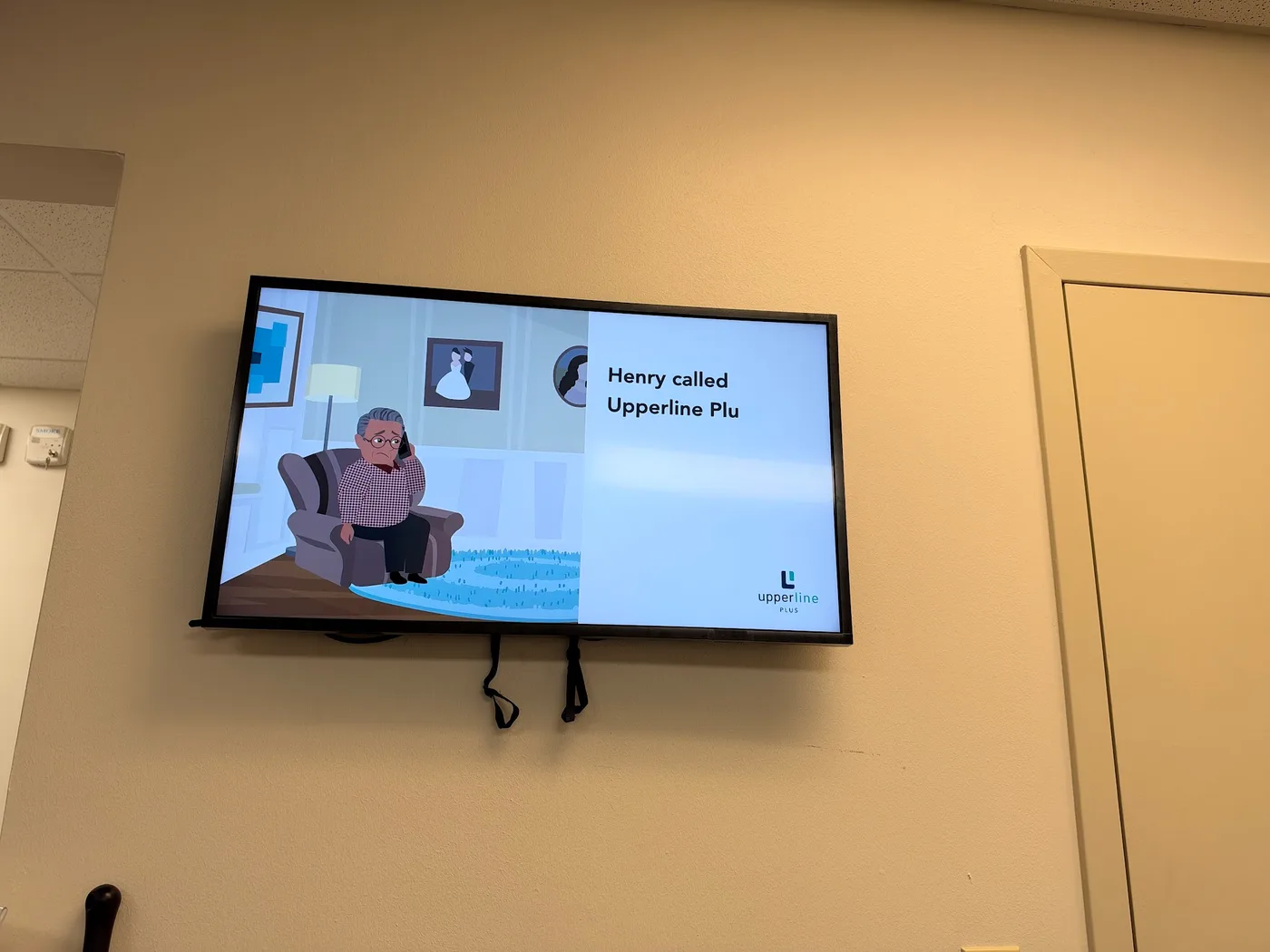
- Upperline Health, multi-state clinic program. We ran a pilot first, then rolled out state by state, with Georgia as the first full wave in September 2026. Each clinic gets a site code and a survey that decides between a new screen and a media player for a TV already on the wall. The full rollout process is on our healthcare digital signage page. The outlet is confirmed before a crew is booked, and every clinic is closed out with 7 photos taken with no patients in frame. Most of the clinic photos in this article come from that program.
- Janie and Jack, 115+ US stores plus a London flagship. One media player per location keeps every store on the same content at the same moment. That's the same model a multi-clinic group uses to keep every waiting room current. Read the case study.
- CBD Kratom, 55+ stores. The whole fleet was installed in under 10 days with no pre-install site survey. That shows the speed a regional rollout can run at. Read the case study.
See more installs on our case studies page, and the full step-by-step in our multi-location rollout checklist.
Frequently asked questions
What size TV is best for a doctor's office waiting room?
A 43-inch screen suits most single-provider waiting rooms, and a 55-inch suits rooms where the farthest chair is more than about 12 feet away. Dear Doctor TV, which supplies dental waiting rooms, says most of its practices use screens between 32 and 50 inches.
Can I use a regular TV in a medical office?
You can, but check the warranty first. TCL's 2025 warranty cuts coverage from 1 year to 6 months when the TV is used in a business, and Samsung's consumer warranty covers noncommercial use. A commercial display is rated for long hours and carries a business warranty.
What is a hospital-grade TV and do I need one?
A hospital-grade TV carries a UL listing for patient-care areas and usually a pillow-speaker jack, like LG's UK672M or PDi's A-Series. You need one for patient rooms and bedsides, not for a waiting room or reception area.
How do I stop patients changing the channel or volume?
Pick a display with a lock mode. Samsung's Business TV has a PlayLock PIN plus button and USB locks, Sony's BZ30L Pro Mode can disable the remote and inputs, and LG's UR640S has a lock mode and port block.
What should a waiting room TV play?
Short, captioned loops work best: your services, new providers, check-in instructions, and patient education. Keep sound low or off, since many patients are on the phone or reading.
How much does a waiting room TV cost installed?
CrownTV's installed package is $3,150 for a 43-inch and $3,450 for a 55-inch, including the commercial display, mount, media player, installation and the first year of content software. Software after year one is $20 per screen per month.
How long do patients actually spend in the waiting room?
The last named national figure we found is Vitals' 2018 report: an average 18 minutes 13 seconds wait to see a doctor. PatientPoint's own 2025 survey says patients spend up to 19 minutes in the practice before seeing a provider, 11 of them in the waiting room.
Get a free quote from CrownTV
Tell us how many locations you have and where each screen should go. We'll send an itemized, installed price within 2 business hours. That covers the Samsung commercial display, the mount, a CrownTV media player, installation and the first year of content software. If a clinic already has a decent TV on the wall, we'll quote a media player for it instead of a new screen. Get your free quote here.
Whatever you choose, pick the screen with the right warranty for a business, and plan who will keep the content fresh. If you'd like us to handle both, send us your clinic list.
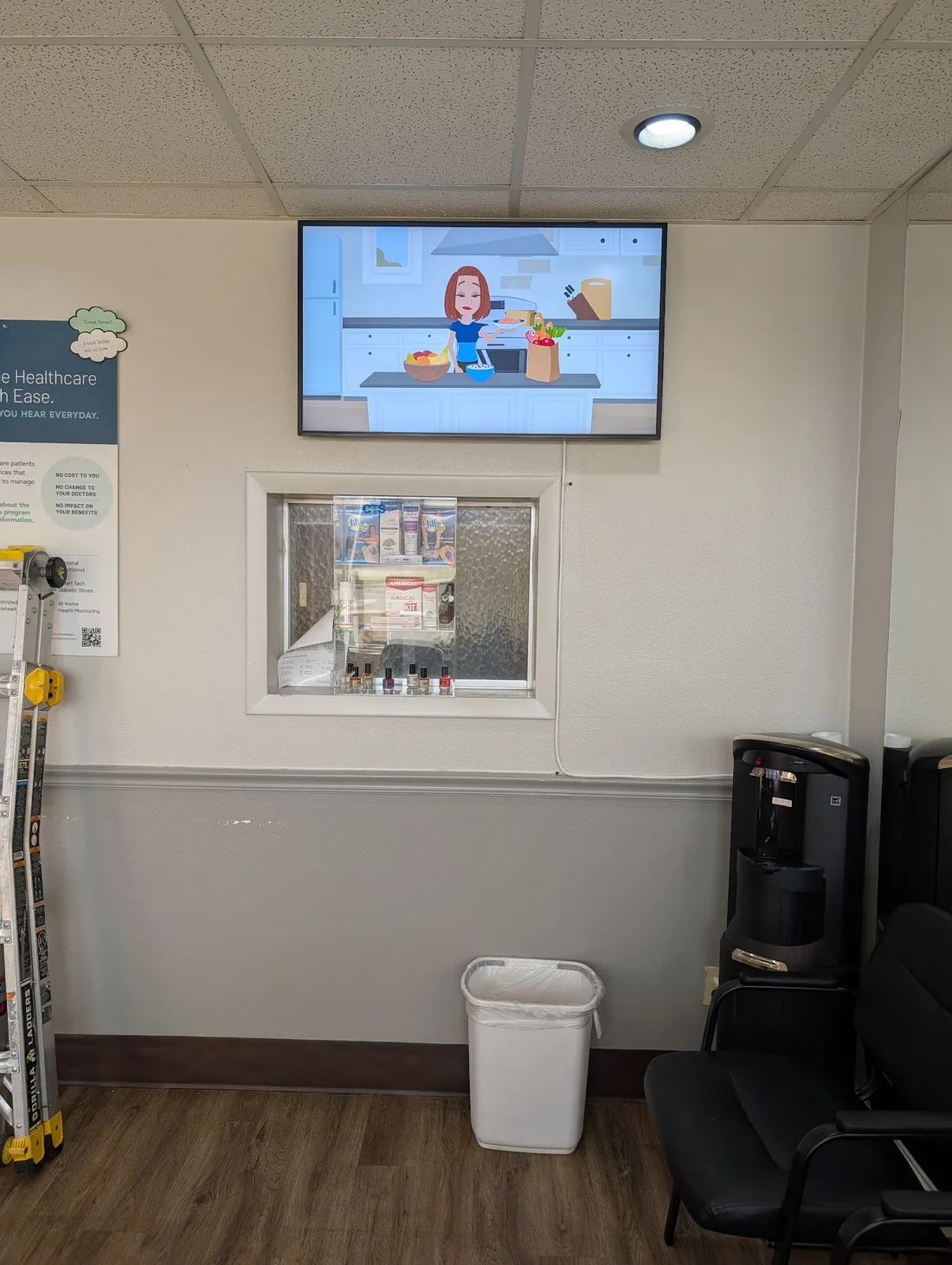
Real CrownTV install · clinic reception
Every waiting room on the same content, managed from one place.
Get a free quote →Itemized and installed, back within 2 business hours.
Keep reading
More guides like this
Operator-grade playbooks, weekly.
Proof, not pitches
See real installs
Live deployments across hospitality, retail, and offices.
Ready to deploy?
Get a quote in 2 business hours
Reply within two business hours. No call required.