
Content
Use the Google Reviews app
Show live Google Business Profile reviews on your digital signage screens. Configure star rating, language, duration, and layout.
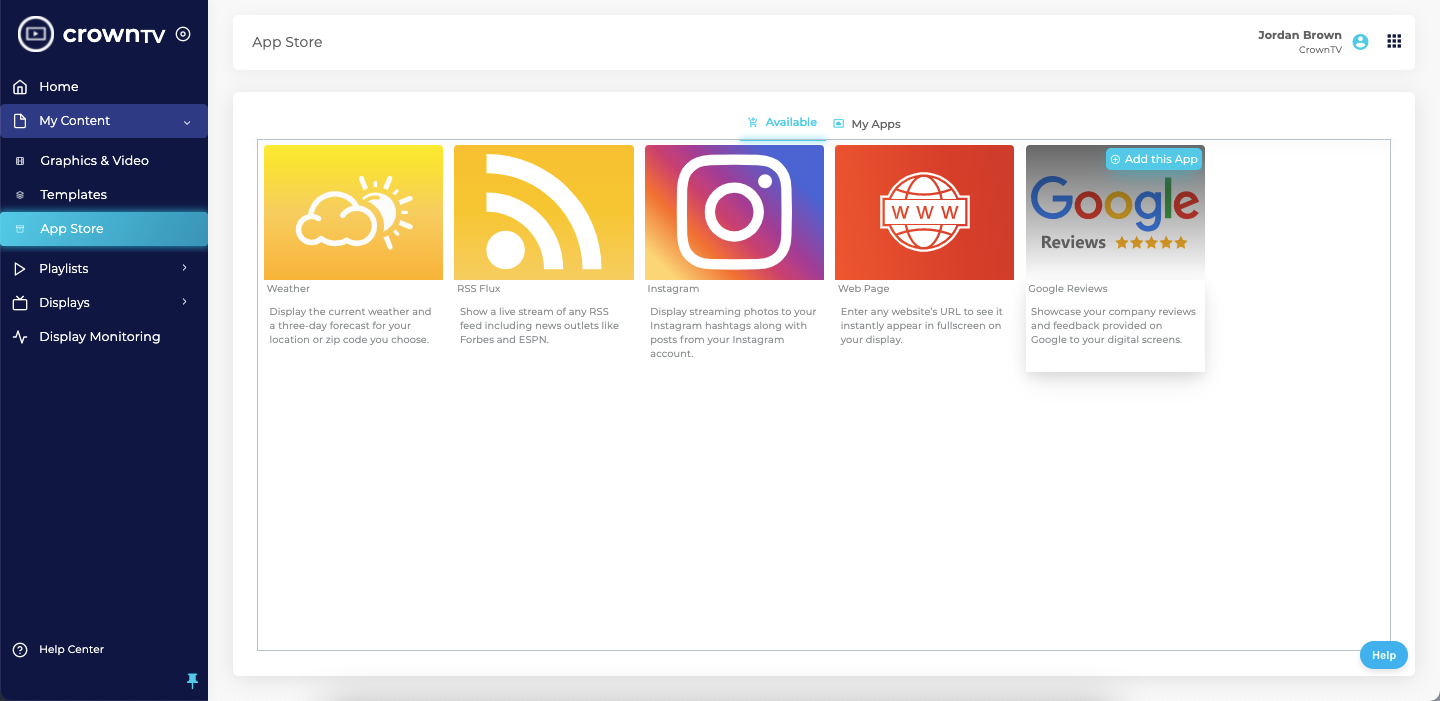
If your business has Google reviews you’d like to display on your digital signage, the Google Reviews app lets you do exactly that. Here’s how.
1. Add the Google Reviews app
In the dashboard, go to the App Store. Under the Available tab, hover over the Google Reviews app and click Add this App.
2. Configure the app
A dialog box pops up. Here you can:
- Name — what to call this app instance.
- Name of a business or location — identifies which business reviews to pull.
- Language — the display language for the reviews.
- Duration (between reviews) — how long each review stays on-screen (in seconds).
- Rating minimum — only show reviews at this star rating or above (e.g., 4+).
- Display company information — toggle whether the business name + address appears under each review.
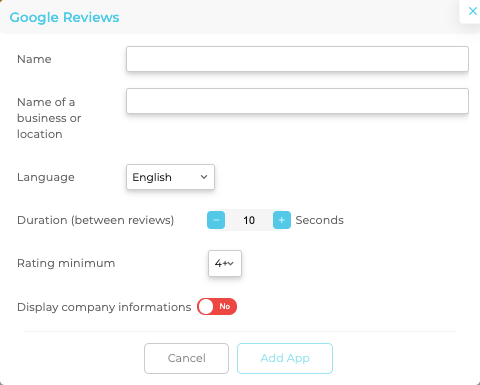
Click Add App when you’re done.
3. Preview your reviews
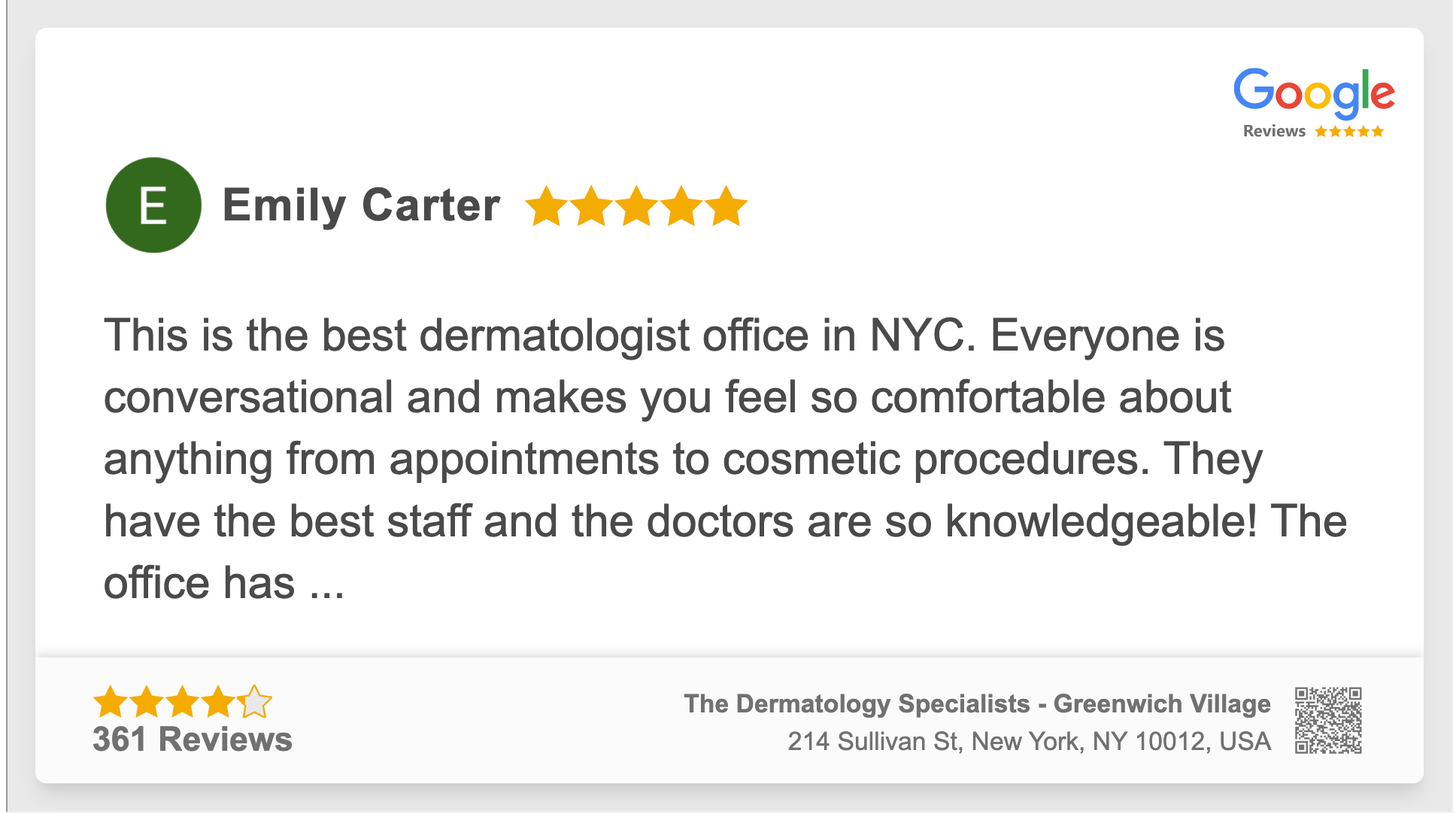
Your app appears under the My Apps tab, where you can preview it, edit its settings, or delete it. Reviews can be previewed in both landscape and portrait mode.
Landscape preview — review takes up most of the screen, with the Google Reviews badge in the top right and the company info bar at the bottom:
Portrait preview — Google Reviews badge at the top, full review text below:

Hide the company info bar
If you’d prefer not to show your business information at the bottom of the screen, edit the app’s settings and toggle off Display company information.

Bonus — use Google Reviews as a layout widget
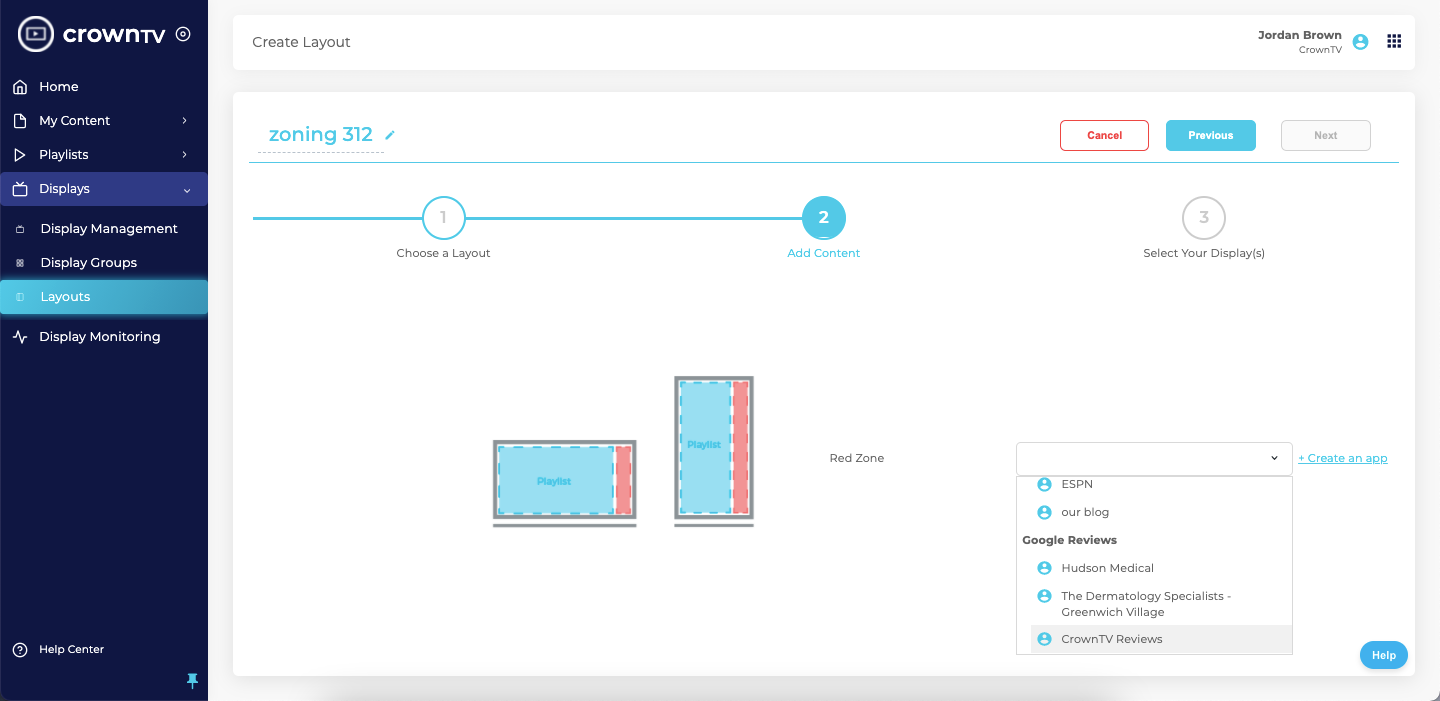
You can also display your Google Reviews as part of a layout — alongside other content like videos, weather, or RSS feeds. Create a layout, and on the Add Content step, select the Google Reviews app you just created from the app picker.
Related
Still stuck?
Submit a ticket and a CrownTV specialist will reply within 2 business hours.