
Content
Use the NFT app
Display NFT artwork on your CrownTV screens from any public wallet or contract address. Auto-rotates the collection. Add via the App Store in 60 seconds.
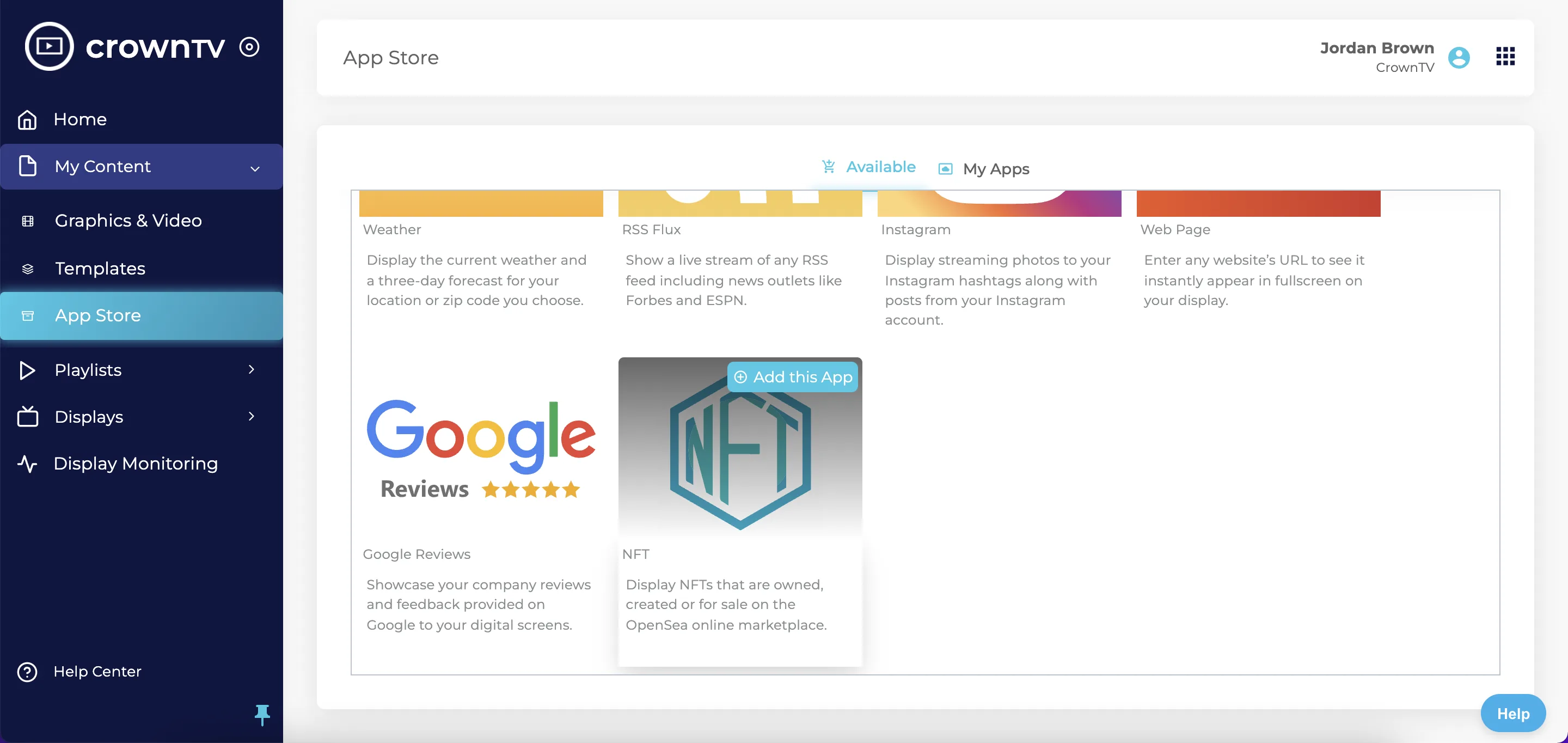
The NFT app pulls NFTs you own, created, or listed for sale on OpenSea and displays them.
Steps
- Open App Store.
- Hover NFT and click Add this App.
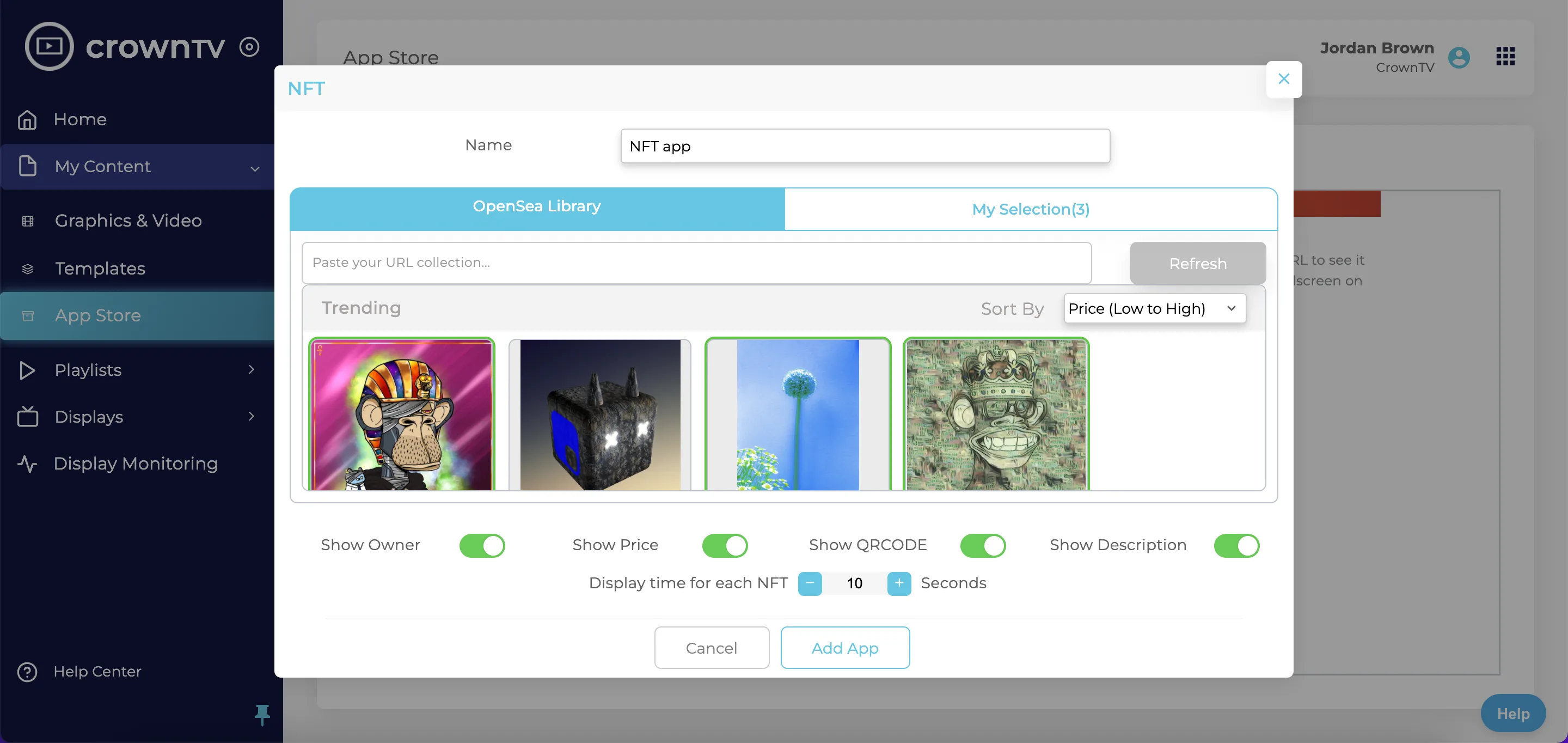
- Name the app instance.
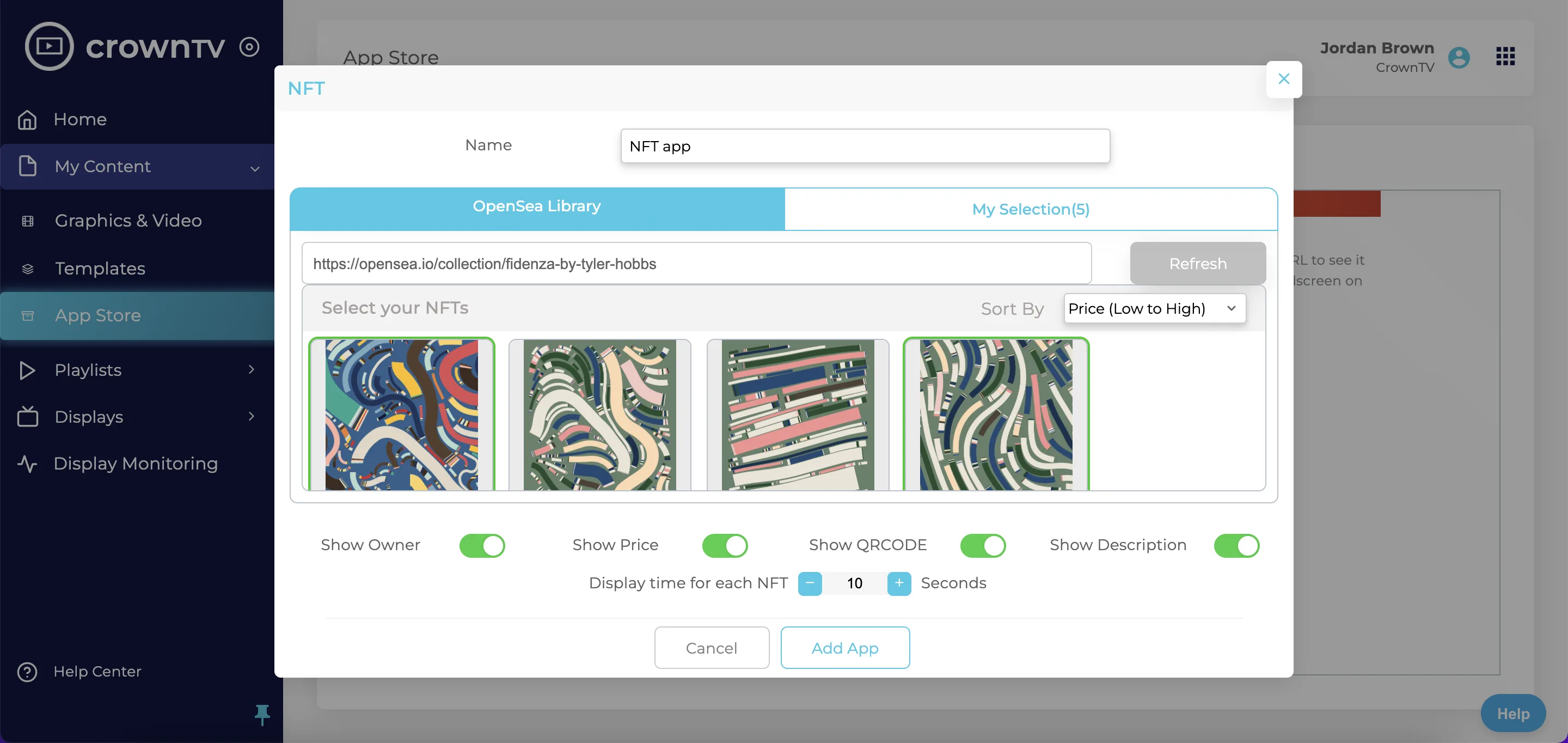
- Provide the wallet address or OpenSea collection URL.
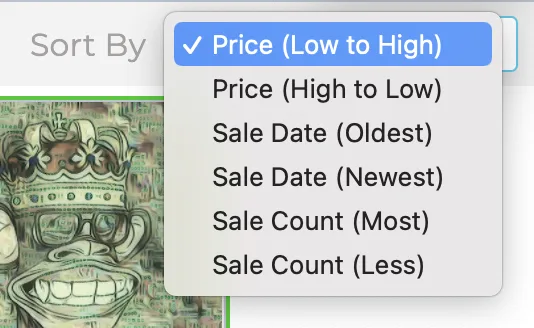
- Configure the rotation (number of NFTs per page, seconds per slide) — confirm fields next pass.
- Save → appears under My Apps, add to a playlist.
Reference screenshots
Migrated from the legacy CrownTV help center. The dashboard UI may have evolved — refer to the live dashboard for current screens.

Still stuck?
Submit a ticket and a CrownTV specialist will reply within 2 business hours.