
Restaurant Digital Signage: 12 High-ROI Uses Beyond the Menu Board (2026 Guide)
Restaurant digital signage beyond the menu board: 12 screen placements ranked by ROI — drive-thru, dayparting, bar TVs, pickup boards — with hardware picks and real all-in costs.
On this page
Reply within 2 business hours Ask a signage specialist Tap to open the quote form
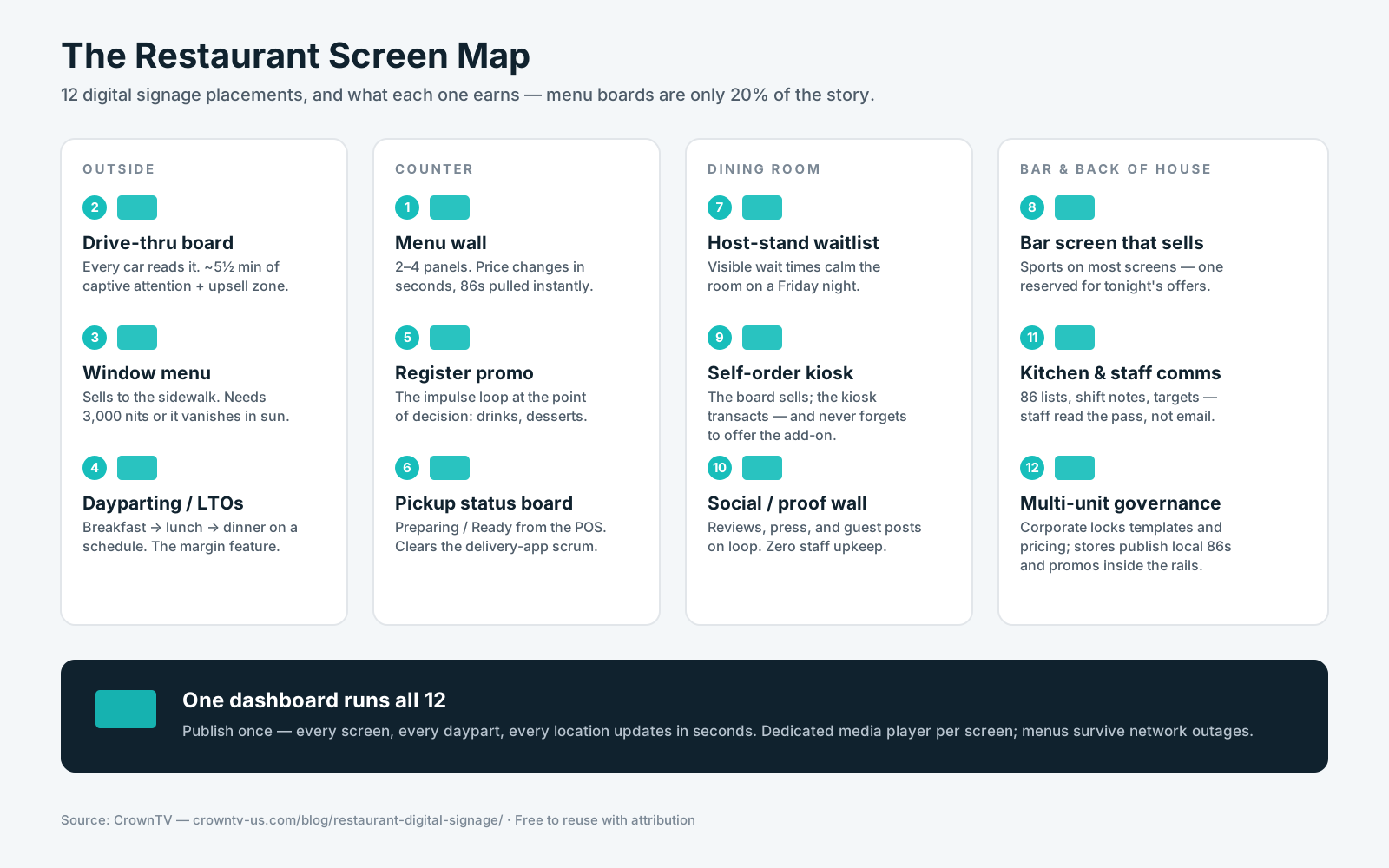
Restaurant digital signage is every screen an operator controls from one dashboard — the menu wall above the counter, the drive-thru board, the window display, the bar screens, the order-status board, the kitchen comms screen. Here's the opinion this guide is built on, after thousands of restaurant screens installed: the menu board is only about 20% of what signage earns in a restaurant. The other 80% comes from the placements most operators never install — dayparting, upsell loops, drive-thru, pickup boards, and the bar.
CrownTV has deployed digital signage for 13+ years across 1,800+ businesses with 16,000+ screens live — and restaurants are our single most common quote request: coffee shops converting paper menus, BBQ joints replacing sun-bleached drive-thru boards, and franchise groups standardizing menus across 200+ units. This guide reflects what those deployments actually look like, from a team that installs them for a living — White Glove installation on every project.
You'll get:
- The 12 restaurant screen placements, ranked by what they return
- Hardware by placement — which panel, which brightness, and why
- The software criteria that matter for restaurants (POS integration, dayparting, multi-unit governance)
- All-in pricing per screen and per deployment
- What NYC and other strict jurisdictions add to the project (permits, calorie rules, power)
What is restaurant digital signage?
Restaurant digital signage is a network of commercial displays — menu boards, drive-thru screens, window menus, promo displays, order-status boards, bar and back-of-house screens — managed from a single content platform. Staff publish once from a dashboard; every screen updates in seconds. Restaurants use it to change prices without reprinting, pull 86'd items instantly, switch menus by daypart, and put promotions in front of every guest at the moment they're deciding what to order.
The 12 high-ROI uses, ranked
1. Indoor digital menu boards
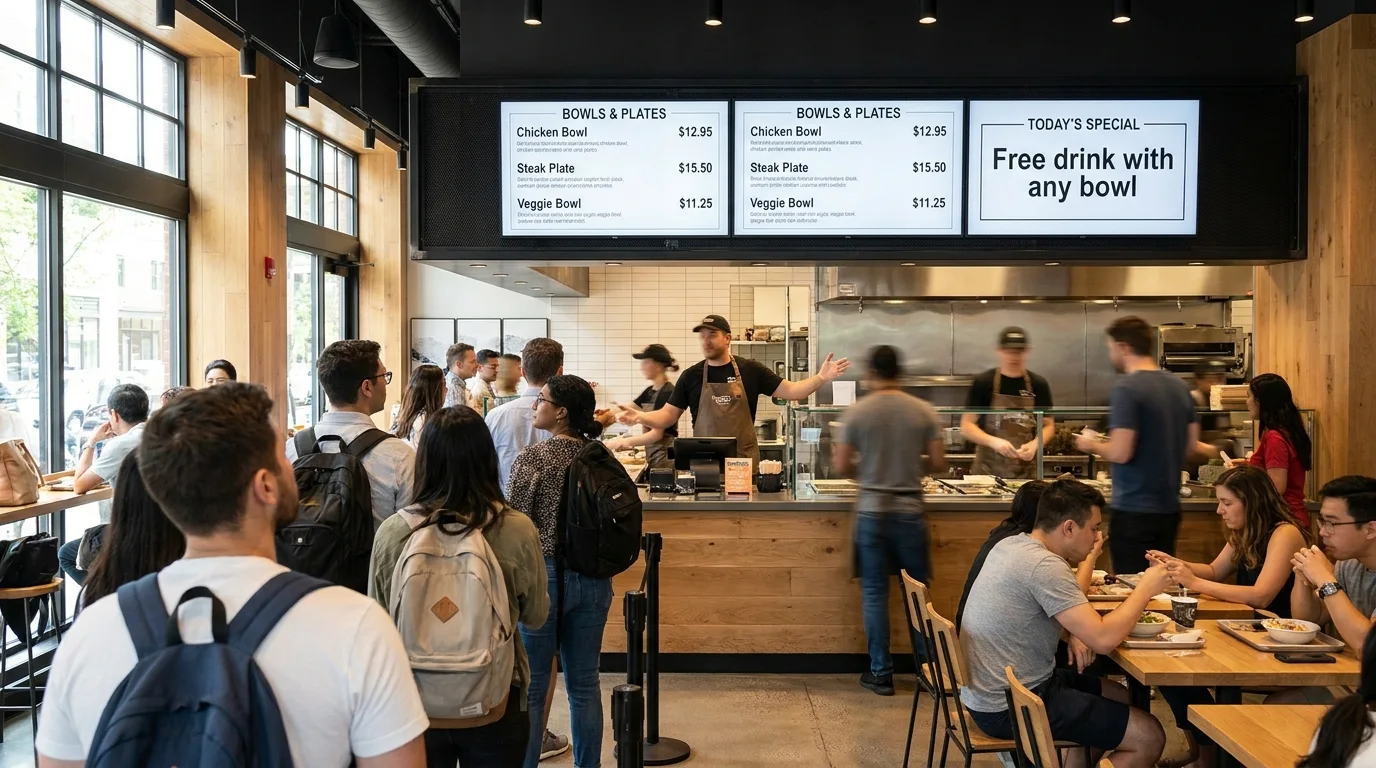
The foundation: two to four 43″–55″ panels above the counter replacing printed boards. Prices and items update from the dashboard in seconds — no reprints, no ladder, no laminated "NEW PRICE" stickers. If a chain has 20+ locations, U.S. FDA menu-labeling rules require calorie counts on the board itself, and digital layouts handle that as a template field instead of a reprint cycle. Layout and photography rules live in our guide to building attractive digital menu boards; format ideas in TV menu board ideas.
2. Drive-thru menu boards
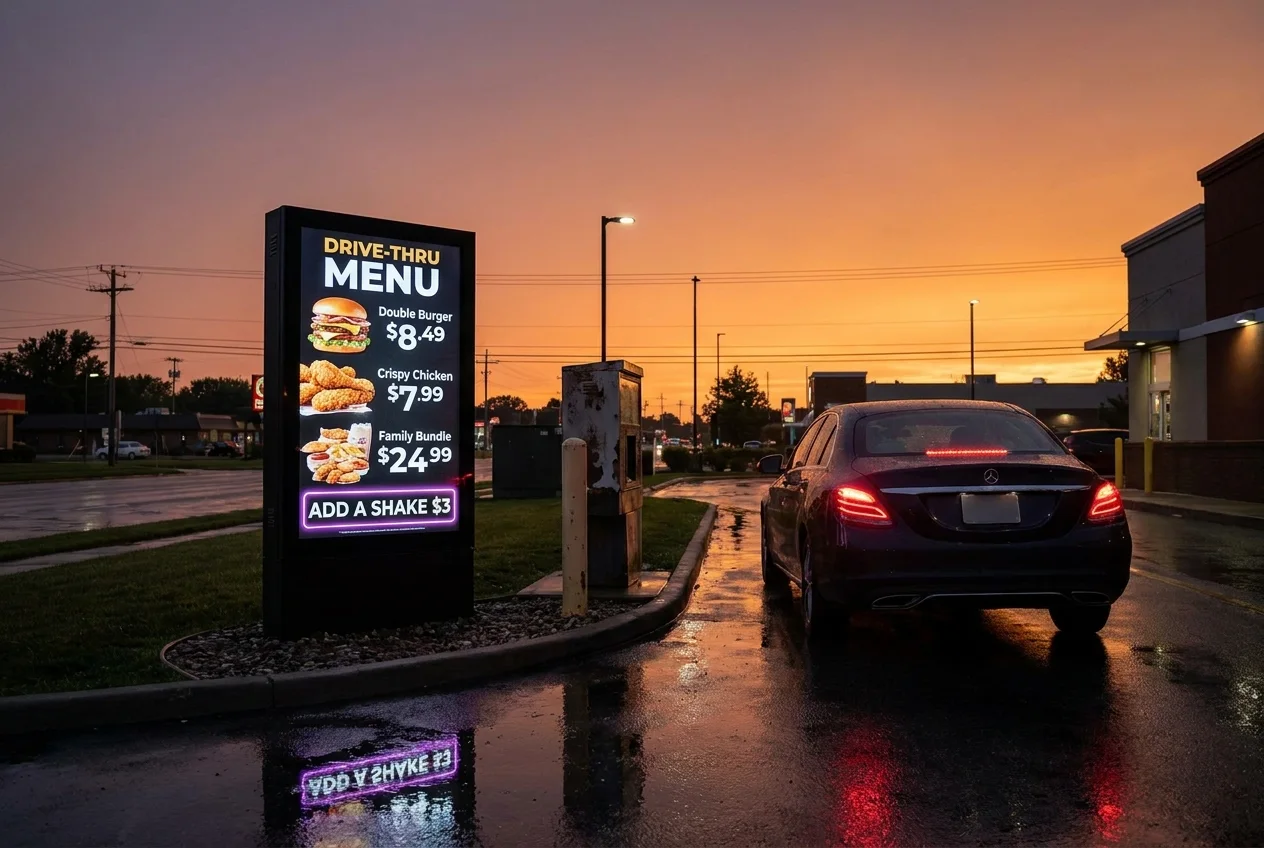
QSR Magazine's annual drive-thru study clocks the average total drive-thru experience at around five and a half minutes — captive reading time no indoor placement matches. An outdoor high-brightness board with a dedicated upsell zone works every car in line, and pre-sell boards earlier in the lane cut order time at the speaker. This is its own hardware discipline (IP-rated panels, heat management, trenching) — the full breakdown is in our drive-thru digital menu boards guide.
3. Window and sidewalk menus
A menu facing the street is marketing to people who haven't come in yet — but a standard 500-nit panel behind glass goes invisible by mid-morning. Window placements need 3,000-nit high-brightness panels like the Samsung OM series, full stop. See window displays and our high-brightness outdoor display guide for the hardware ladder.
4. Dayparting and limited-time offers
The highest-margin feature in restaurant signage costs nothing extra: scheduling. Breakfast menu until 11, lunch until 4, dinner and cocktails after — automatically, across every screen and every location. LTOs go live chain-wide the second corporate hits publish and disappear the day the promotion ends, instead of lingering on printed boards for a month. If you buy signage for one reason, buy it for this.
5. Promo and upsell screens at the register
A dedicated screen at the point of decision — beside the register or above the pickup counter — runs the impulse loop: add a drink, today's dessert, the loyalty app, gift cards. It's the digital version of the counter card, except it changes by daypart and never gets coffee-stained.
6. Order-status and pickup boards
Third-party delivery and mobile ordering turned pickup counters into crowds. An order-status board ("Preparing / Ready") pulls names from the POS or KDS and clears the scrum — guests stop asking staff where their order is, and the counter stays workable during rush.
7. Host-stand and waitlist screens
Full-service restaurants apply the same psychology as medical offices: a visible waitlist with estimated times measurably calms the room. The waiting-room signage playbook applies almost verbatim to a Friday-night host stand.
8. Bar screens that sell
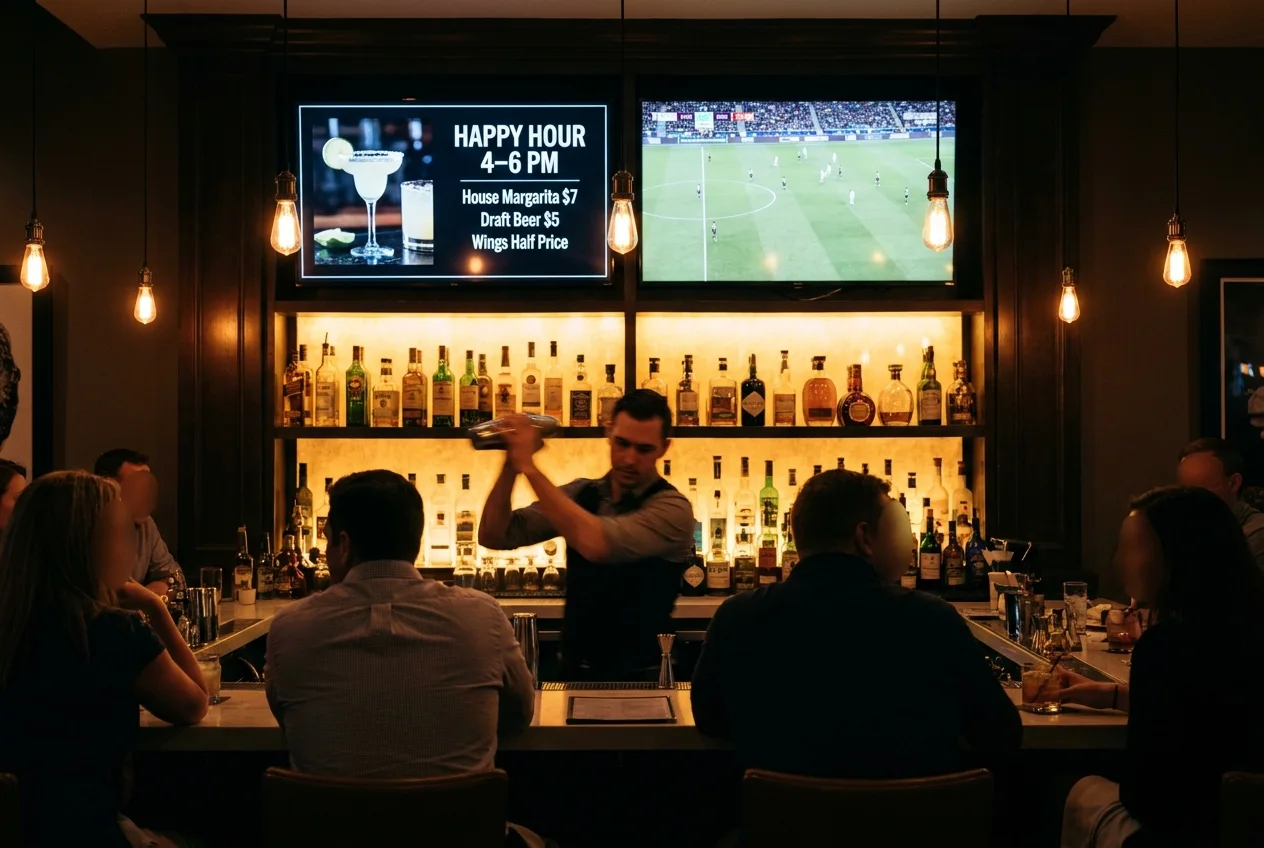
Most bar TVs play muted sports and earn nothing. Keep the game on some screens — and give one screen to the menu: tonight's special, happy-hour countdown, the high-margin cocktail list. Our sports bar TV setup guide covers the wiring and layout; the money move is reserving one panel for offers.
9. Self-order kiosks
Kiosks pair with menu boards rather than replace them: the board sells, the kiosk transacts (and upsells with perfect consistency). Types, costs, and when they make sense are covered in our digital signage kiosk guide.
10. Social walls and proof screens
A dining-room screen cycling Instagram posts, reviews, and press builds the same trust online menus can't. This works best in fast-casual concepts with strong visual food — and it's a content feed staff never have to touch. Ideas in social media digital signage.
11. Back-of-house: kitchen and staff comms
The screen guests never see: shift notes, 86 lists, safety reminders, sales targets, and recognition in the kitchen and break area. Deskless staff don't read email between tickets; they do read the screen above the pass. One network, two audiences — the CMS just needs per-screen permissions.
12. Franchise and multi-unit brand governance
For groups, the dashboard is the product: corporate locks menu templates, pricing rules, and brand assets; each store publishes its own hours, local promos, and 86s inside those rails. A 200-unit operator pushes a national LTO to every store in one publish — and the franchisee in store 41 still can't change the logo. This is the difference between signage software and restaurant-grade signage software.
Scoping screens for your restaurant or group?
Tell us your counter layout, drive-thru situation, and location count — we'll spec hardware, software, and install in one quote, with menu design help included.
Get a restaurant signage quote in 2 business hours →The restaurant screen map
Hardware by placement: what we actually install
Restaurants are hard on screens: long hours, heat, grease-adjacent air, sun through storefront glass, and static menu content that burns consumer panels in. The answer is commercial hardware from Samsung's commercial line, matched to the placement — never consumer TVs, which fail in 18–30 months on restaurant duty cycles with the warranty voided.
| Placement | Display | Why |
|---|---|---|
| Indoor menu wall | 2–4× Samsung QM43C–QM55C, landscape | 500-nit 4K, 24/7-rated, slim bezels read as one board |
| Register promo screen | Samsung QM32C or QM43C | Compact, portrait or landscape at the decision point |
| Window-facing menu | Samsung OM55B, 3,000 nits | Standard panels wash out behind glass in daylight |
| Drive-thru lane | Samsung OH55A-S outdoor series | IP-rated, high-brightness, survives rain, heat, and direct sun |
| Bar | QM50C–QM65C mixed with sports TVs | One commercial panel reserved for offers |
| Order status / kitchen | QM43C–QM50C | Feeds from POS/KDS; readable across the room |
Two rules we hold on every restaurant project. First, every screen runs off a dedicated media player, not a smart-TV app — players cache menus locally, so a router hiccup during Saturday rush changes nothing on the boards. Second, brightness is determined by where the screen points, not where it hangs: a screen indoors facing a west-window gets the 3,000-nit panel too. Panel-by-panel comparisons live in best digital signage displays and our best TVs for digital signage ranking.
What NYC (and other strict cities) add to the project
Dense-city installs carry extra steps most guides skip, and we've deployed enough NYC restaurant screens to know them cold. Chain locations must show calorie counts at the same prominence as item and price on digital boards. Street-facing and window-mounted menus trigger sign permitting — in NYC that's DOB review with limits on brightness, animation, and area, and a 4–8 week permit cycle to budget. Older buildings have real electrical constraints: a 4-screen menu wall pulls 800–1,500W continuous, which matters on a maxed-out panel. The full field guide is in dynamic digital menus for NYC fast food.
What to look for in restaurant signage software
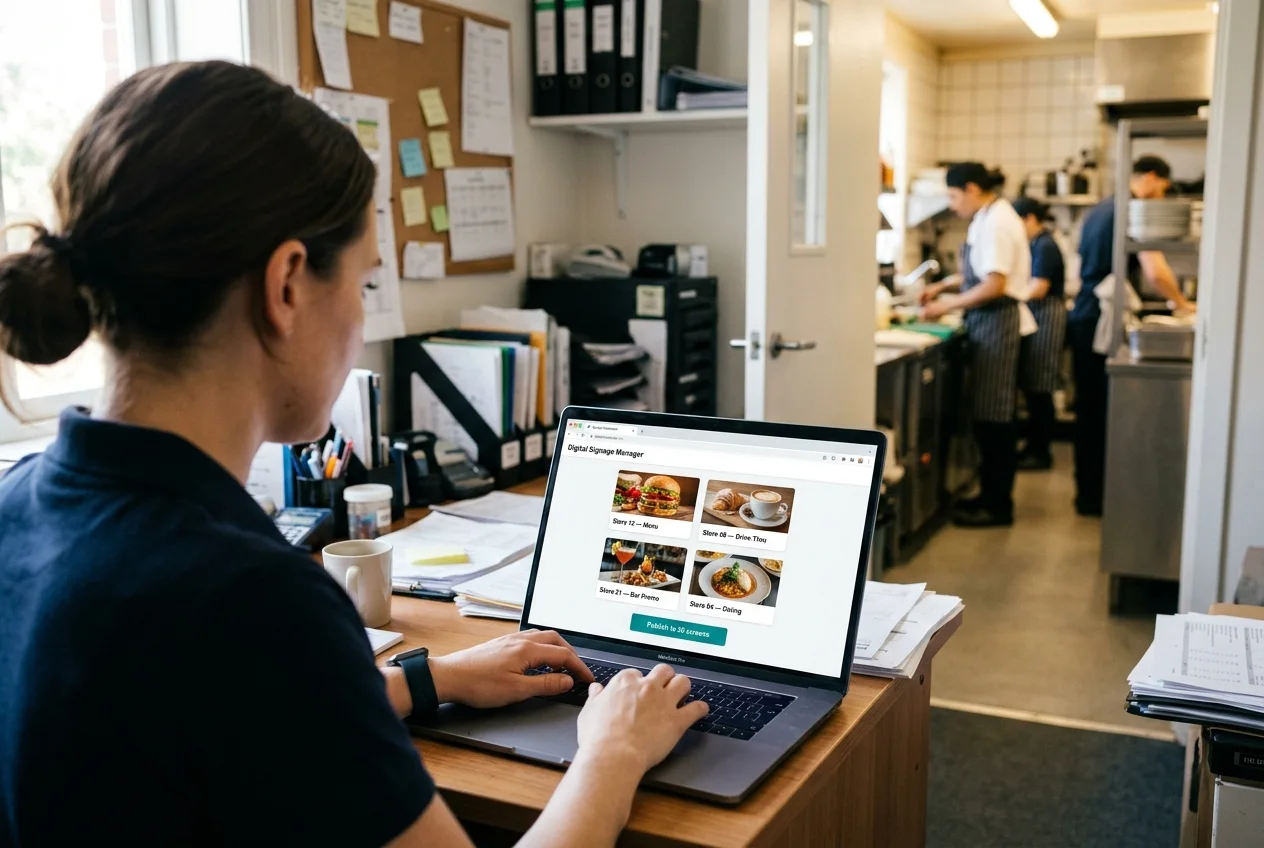
1. POS and menu-data integration. Prices and items should flow from the system that already owns them — Toast, Square, or your POS — so an 86 in the POS pulls the item from the board automatically. If the platform can't integrate, someone maintains two menus forever, and they will drift.
2. Dayparting that runs itself. Menus, promos, and bar content scheduled by hour and day, per screen, set once. This is where the margin lives; a platform that makes scheduling clumsy costs you money every single daypart.
3. Multi-unit brand governance. Template and price locks at corporate, publishing rights per store, approval workflows, audit log. One dashboard for 3 locations or 300.
Beyond the big three: offline caching on the player (menus survive network outages), per-screen permissions (the kitchen feed never hits the dining room), and portrait support for window units. Platform comparisons live in best digital signage software — and our best digital signage players ranking covers the hardware those platforms run on.
How much does restaurant digital signage cost?
CrownTV pricing is all-in and one-time per screen — commercial display, mount, media player, professional install by licensed and insured technicians, setup, and the first year of software in one number:
| Screen size | All-in price (per screen) | Typical restaurant placement |
|---|---|---|
| 32″ | $2,950 | Register promo, small pickup boards |
| 43″ | $3,150 | Menu wall panels, order status |
| 50″ | $3,250 | Menu wall, bar offer screen |
| 55″ | $3,450 | Larger menu walls, dining room |
| 65″ | $4,550 | Dining room hero, social wall |
| 75″ | $4,950 | Flagship dining room or lobby |
Working estimates by deployment:
| Deployment | Screens | Estimated all-in (year 1) |
|---|---|---|
| Counter menu wall | 3 | $10,350–$11,550 |
| Full front-of-house (menus + promo + bar) | 5–8 | $18,000–$30,000 |
| Multi-unit rollout | 3–6 per store | Volume pricing below per-screen rate |
Indoor pricing only. Drive-thru lanes, window-facing menus, and any outdoor placement use high-brightness OM-series or IP-rated OH-series hardware — quoted separately, never at the indoor rate. Ask for a custom quote for any drive-thru, window, or outdoor board.
Standard installation runs 7–10 business days from approval. Full cost math including the DIY-vs-turnkey comparison lives in our digital signage cost breakdown, and menu-board-specific numbers in digital menu board prices.
Common restaurant deployment mistakes
- Consumer TVs running static menus. Static content burns consumer panels in, and the warranty won't cover commercial use. 24/7-rated commercial panels or nothing.
- Standard panels in windows. 500 nits behind glass is invisible by 10 a.m. Window means 3,000-nit OM-series.
- Buying screens without dayparting discipline. If the breakfast menu is still up at 2 p.m., the hardware is earning nothing. Schedule everything on day one.
- No POS integration. Two menus maintained by hand always drift — usually on the busiest night.
- Skipping permits on street-facing boards. Sign code applies to digital menus in most cities; in NYC it's a 4–8 week DOB cycle. Plan it, don't discover it.
- Unrestricted franchise logins. Give every store full edit rights and the brand fractures in a quarter. Templates locked at corporate, publishing rights per store.
How CrownTV Helps
One contract for hardware + software + install + service:
- Samsung Authorized Reseller — QMC menu panels, OM window displays, OH outdoor drive-thru units at commercial pricing
- All-in per-screen packages — display, mount, media player, White Glove install, and first-year software — with a 3-year commercial warranty; typical install 7–10 business days
- CrownTV Dashboard with dayparting, per-screen permissions, and multi-unit brand governance
- Menu board design help — layouts built with your menu, photography, and calorie data before launch
- Site survey, mounting, cabling, commissioning, and warranty service in all 50 states — 13+ years across hospitality, QSR, and retail
Get a restaurant digital signage quote in two business hours →
Frequently asked questions
What is restaurant digital signage?
Restaurant digital signage is the network of commercial screens a restaurant controls from one content platform: indoor menu boards above the counter, drive-thru boards, window-facing menus, promo and upsell screens, order-status boards, bar displays, and back-of-house staff screens. Content is published once from a dashboard and every screen updates in seconds — prices, 86'd items, dayparted menus, and limited-time offers change without printing anything.
How much does restaurant digital signage cost?
CrownTV restaurant signage is priced all-in and one-time per screen: $2,950 for a 32″, $3,150 for 43″, $3,250 for 50″, $3,450 for 55″, $4,550 for 65″, and $4,950 for 75″. Each price includes the commercial 4K display, mount, media player, professional installation by licensed insured technicians, setup, and the first year of content software. A typical 3-screen menu wall runs about $10,350–$11,550; a full front-of-house deployment lands around $18,000–$30,000. Drive-thru, window-facing, and outdoor boards use high-brightness or IP-rated hardware and are quoted separately.
Does digital signage increase restaurant sales?
The mechanisms are concrete: dayparted menus put higher-margin items in front of the right customers at the right hour, drive-thru and register screens prompt add-ons on every order, and limited-time offers go live across all locations the moment corporate publishes them. Operators typically report meaningful lift on promoted items — and just as importantly, digital boards eliminate the lag where a price change or promotion takes weeks of printing to reach every store.
What screens do restaurants use for digital signage?
Commercial panels matched to the placement. Indoor menu walls run 43–55″ Samsung QMC-series 4K panels rated for 24/7 duty, usually two to four in a row. Windows and glass storefronts need 3,000-nit Samsung OM-series high-brightness panels or the menu disappears in daylight. Drive-thru lanes need IP-rated outdoor displays like the Samsung OH-series that survive rain, heat, and direct sun. Every screen runs off a dedicated media player rather than a consumer smart-TV app.
Can restaurant staff update digital menu boards themselves?
Yes — that's the point. A manager updates prices, pulls sold-out items, or swaps the special from a phone or laptop dashboard, and the change hits the screens in seconds. Good platforms add role-based permissions: store managers can 86 an item or run a local promotion, while pricing, layout templates, and brand assets stay locked at the owner or corporate level.
Do restaurants need commercial displays or can they use regular TVs?
Commercial displays. Restaurant screens run 12–18 hours a day with largely static menu content — the exact recipe for burn-in on consumer panels, which typically fail inside 18–30 months with the warranty voided for commercial use. Commercial panels are rated for continuous duty, carry a 3-year commercial warranty, run brighter, and mount flush in portrait or landscape.
Read Next
DISPLAYDETAILS · BY CROWNTV · SHIPS NATIONWIDE
Restaurant-grade displays, direct from CrownTV
Slim 4K commercial display, 24/7 rated, Tizen built-in.
Samsung QM43C
43-inchSamsung Authorized Reseller — direct allocation, full warranty
- Price-match guarantee — find it cheaper, we'll match it.
- 3-year Samsung commercial warranty — RMAs handled by us.
- Free nationwide shipping — every panel, every order.
- Purchase orders, tax-exempt orders accepted.
Browse the full Samsung QMC series lineup at DisplayDetails →
Keep reading
More guides like this
Operator-grade playbooks, weekly.
Proof, not pitches
See real installs
Live deployments across hospitality, retail, and offices.
Ready to deploy?
Get a quote in 2 business hours
Reply within two business hours. No call required.