
Drive-Thru Digital Menu Boards: Hardware, Costs, and ROI (2026)
Drive-thru menu board buyer's guide: real Samsung OH hardware specs (3,500 nits, IP56), lane configurations, POS price sync, and what installs really cost.
On this page
A digital drive-thru menu board is not an indoor menu screen bolted outside. It's a different hardware category: a factory-sealed, high-brightness outdoor panel — think Samsung's OH series at 3,500 nits and an IP56-rated front face — on an engineered structure, wired for POS price sync and daypart switching. Get the hardware right and the rest is content and workflow. Get it wrong and you're replacing washed-out, rain-killed screens by year two.
CrownTV has deployed outdoor OH-series panels for 13+ years across 1,800+ businesses and 16,000+ live screens — multi-location QSR drive-thru lanes, gas forecourts, and food-service operators like Pressed Juicery among clients that also include L'Occitane and Herman Miller. This guide covers what the drive-thru hardware actually is, what it costs, how lanes are configured, and where the ROI genuinely comes from.
You'll get:
- The direct answer on what a drive-thru menu board requires (and why indoor panels fail)
- Real Samsung OH-series specs — nits, IP ratings, operating temperatures, prices
- Single-lane and dual-lane configurations, panel by panel
- Content, photography, and price-update workflows that move the average ticket
- POS integration and order-confirmation basics
- The honest cost conversation: what's fixed, what's quoted per project
What does a drive-thru menu board require?
A drive thru menu board requires sealed outdoor commercial displays — 2,500 to 3,500 nits brightness, IP56-rated against dust and water jets, operating from -22°F to 122°F — mounted on engineered concrete-footed structures with trenched conduit for power and data. Each lane typically runs a pre-sell board, a two- or three-panel main board, and an order-confirmation display, all managed from one signage CMS with POS price sync.
Why drive-thru went digital
The printed drive-thru board with translite panels and a letter kit survived for decades because it was cheap. It died because it was slow — and because the lane became the revenue center. For most QSR operators the drive-thru is now the majority of sales, and three capabilities pushed the switch:
- Daypart switching. Breakfast rolls to lunch at the exact minute you schedule it, at every location at once. No manager on a ladder, no lane showing hash browns at 1 PM. Late-night menus, limited-time offers, and regional pricing all run on the same scheduler.
- Order-confirmation accuracy. A confirmation display shows the order as the crew enters it, so the customer catches the wrong burger at the speaker post — not at the window. Fewer remakes, fewer refunds, shorter arguments, faster line.
- Upsell that updates itself. The board promotes what you want to move right now: high-margin combos at lunch, coffee in the morning slump, the LTO in week one and the clearance item in week four. A printed board promotes whatever was true at the last reprint.
There's a quieter fourth reason: price agility. When commodity costs move, a chain with digital boards reprices a market overnight from head office. A chain on print schedules a vendor, waits for panels, and hopes every franchisee swaps them the same week. If you're weighing formats more broadly, our digital menu boards guide covers the indoor counter-line side of the same decision.
The hardware truth: this is an outdoor high-brightness problem
Every failed drive-thru deployment we've been called to rescue made the same mistake: treating the screen as a menu problem instead of an outdoor-survival problem. The environment sets the spec, and the environment is brutal — direct sun, wind-driven rain, road dust, -20°F mornings, 115°F afternoons, and a duty cycle that never ends.
That's why CrownTV specs Samsung's OH ("Outdoor High-bright") series — the sealed tier of Samsung's outdoor display line — for drive-thru work. These are factory-sealed all-in-one units — panel, anti-glare glass, cooling, and cold-climate heater engineered together — not commercial panels retrofitted into third-party enclosures. The numbers that matter:
| Panel | Size / resolution | Brightness | IP rating | Operating temp | Duty | Status / price |
|---|---|---|---|---|---|---|
| Samsung OH55F (legacy) | 55″ FHD | 2,500 nits | IP56 front / IP54 rear | -22°F to 122°F | 24/7 | Discontinued late 2023 — service-only |
| Samsung OH46F (legacy) | 46″ FHD | 2,500 nits | IP56 front / IP54 rear | -22°F to 122°F | 24/7 | Discontinued late 2023 — service-only |
| Samsung OH55A-S (current) | 55″ FHD | 3,500 nits | IP56 front | -22°F to 122°F | 24/7 | $5,499 (reg. $5,774) |
| Samsung OH46B (current) | 46″ FHD | 3,500 nits | IP56 front | -22°F to 122°F | 24/7 | $4,499 (reg. $4,724) |
Reading that table like an installer:
- Brightness is the make-or-break spec. An indoor signage panel is 500 nits; a consumer TV less than that. The legacy OH55F's 2,500 nits handled canopied lanes and most orientations, but could read borderline-washed in direct mid-day sun on south-facing installs — the reason the current generation moved to 3,500 nits. Our high-brightness outdoor display guide goes deeper on the nit math.
- IP56 is the sealing floor. Protected against dust ingress and high-pressure water jets — which covers rain, snow, and the pressure washer your night crew will eventually point at it. The F-series' IP54 rear face taught the industry to mount the panel's back against a structure or canopy; the failures we saw were almost always wind-driven rain on exposed rears, not front-face leaks.
- -22°F to 122°F with an integrated heater. The heater is what prevents condensation and keeps the panel readable on freezing mornings. It also pulls peak power — the OH55F drew 380W typical but 580W at peak heater load — so the electrical circuit gets sized for winter, not for the spec-sheet typical.
- FHD is deliberate, not dated. Samsung keeps the outdoor line at 1920 × 1080 as an engineering trade-off for sun-readable polarizer compatibility. At drive-thru viewing distances of 6-12 feet, FHD menu content is fully sharp.
- The F-to-current transition. Samsung discontinued the OH55F and OH46F in late 2023. CrownTV still services legacy F-series fleets — we deployed hundreds, and our OH55F/OH46F field review covers how they've aged — but every new 2026 lane gets the OH55A-S or OH46B.
Lane configurations: what goes where
Single lane (the standard build)
Three positions, three jobs:
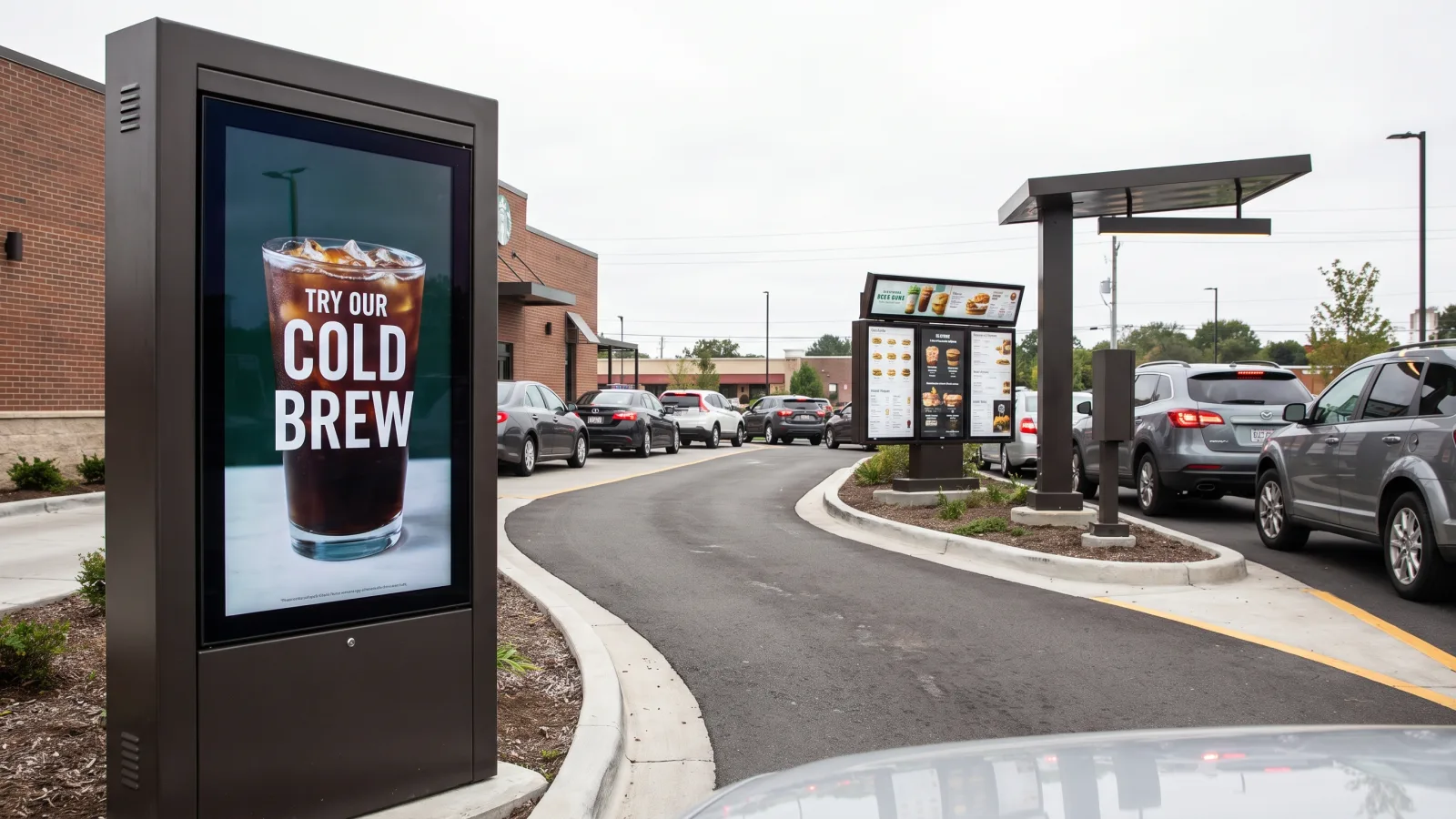
- Pre-sell board — one 46″ panel, upstream of the speaker. Reaches the car while it's still rolling. One decision, not the whole menu: the featured combo, the LTO, the breakfast hero. The OH46B's tighter footprint fits the narrower pre-sell structures most lanes allow.
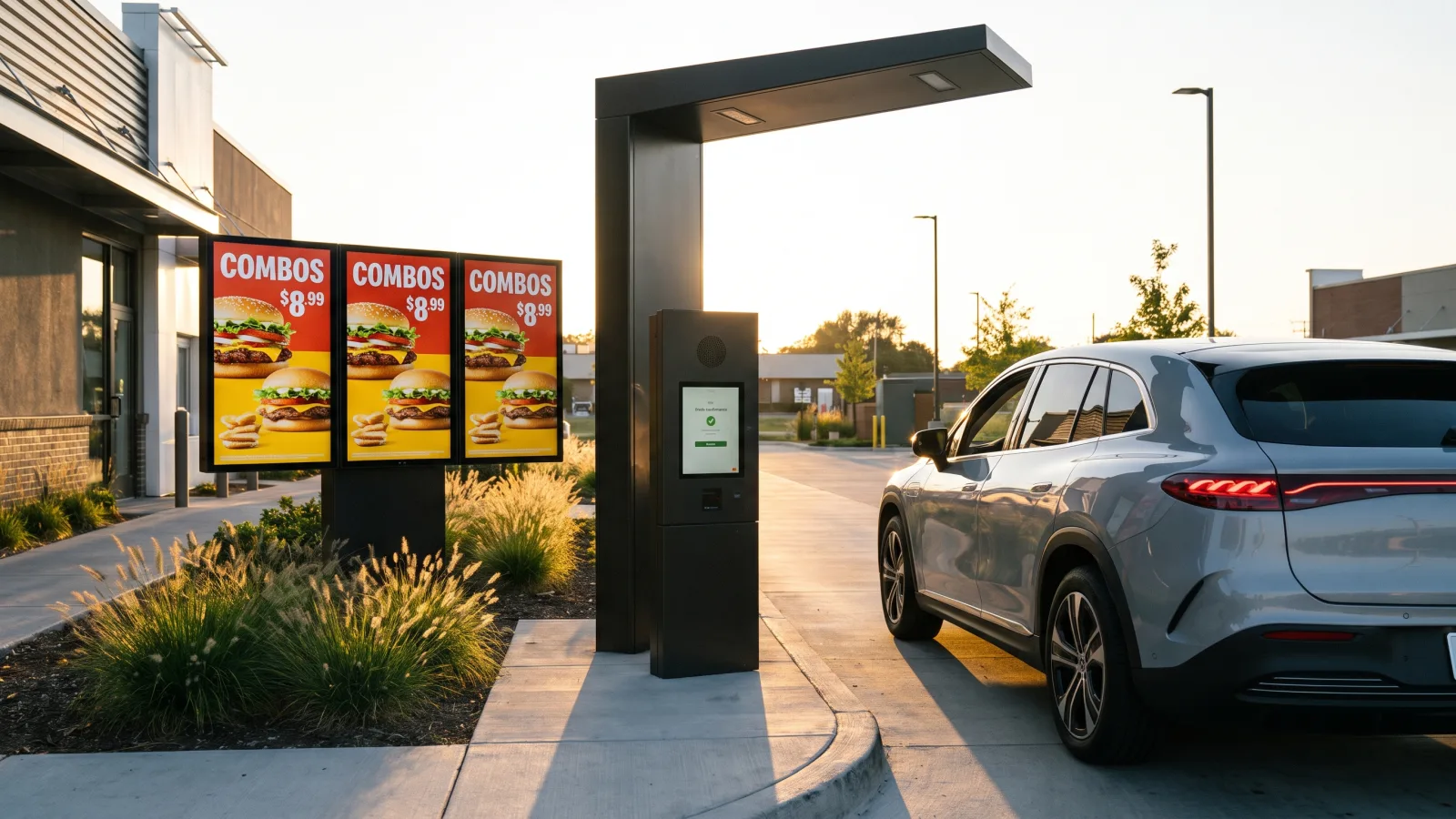
- Main board — two or three 55″ panels in portrait at the order point. This is the menu. Two panels cover a focused QSR menu; three covers a full menu plus a dedicated promo panel. Portrait orientation matches how menus read and how the structures are framed.
- Order-confirmation display — at or just past the speaker post. Shows the order as it's entered. This is the accuracy screen; on multi-location fleets it's the panel operators tell us they'd never give back.
Dual lane (tandem)
Duplicate the main board and confirmation display per lane; the pre-sell board can serve both lanes if the approach geometry allows. Tandem lanes exist to increase throughput, which raises the stakes on daypart timing — both lanes must flip menus at the same instant, from the same scheduler, or the two lanes quote different breakfasts.
Where to trim
If the budget forces a choice, cut the pre-sell board first — the main board and the confirmation display are the two that carry the lane. Never trim by substituting indoor panels or consumer TVs "for now." A food truck or walk-up window is the one context where a single OH panel does the whole job; our food truck digital menu build shows that pattern on real hardware.
Scoping a drive-thru build or a fleet refresh?
Send us your lane count, locations, and a site photo — we'll scope panels, structures, electrical, install, and software in one quote.
Get a drive-thru signage quote in 2 business hours →Content that sells (and stays readable at 3,500 nits)
Outdoor menu content has rules indoor content doesn't, because the viewer is in a car, in sunlight, deciding in seconds:
- Daypart menus, scheduled to the minute. Breakfast, lunch, dinner, late-night — each daypart is its own layout, and the scheduler flips every lane at every location simultaneously. Build the overnight menu as its own daypart too; a full menu at 2 AM slows the lane.
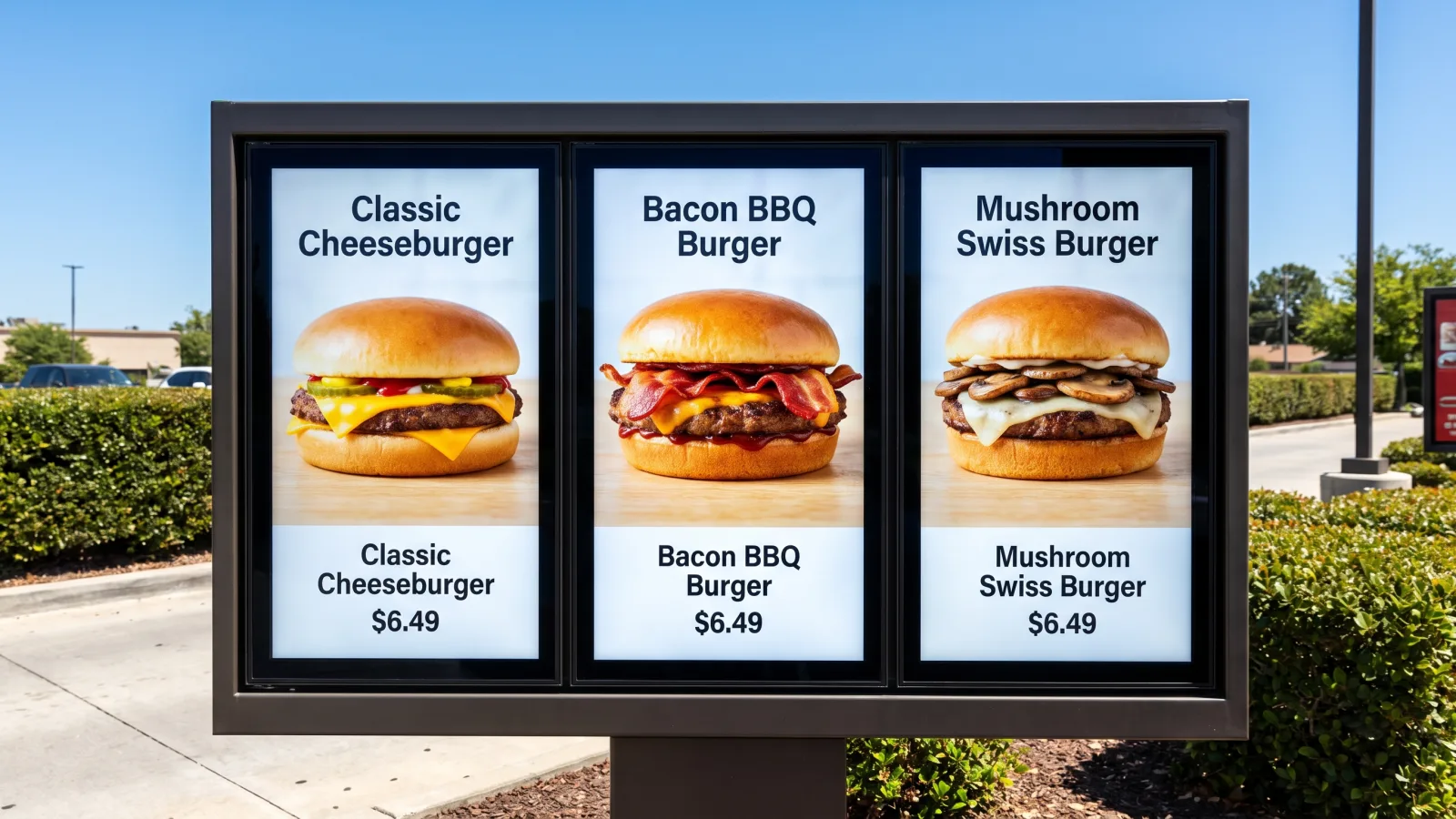
- Photography rules. Shoot the actual product, one hero item per panel, on high-contrast backgrounds — sunlight compresses contrast even at 3,500 nits, so subtle gradients and thin type disappear. If the photo wouldn't survive being printed on a highway billboard, it won't survive the lane.
- Type sized for a car length. Item names and prices must read from 6-12 feet through a windshield. That means fewer items per panel than the print board carried — which is a feature: menus that cut low-velocity items from the board (while keeping them orderable) consistently order faster.
- The price-update workflow. Prices live in one place — the menu data feed — not baked into artwork. A price change is a data edit that flows to every panel; a design change is a template edit that doesn't touch prices. Separate the two and repricing a 40-location fleet becomes a Tuesday-morning task, with an audit log of what ran where.
For layout ideas that translate from counter line to lane, see our TV menu board ideas for restaurants and the design fundamentals in creating attractive digital menu boards.
Integration: POS price sync and order confirmation
Two integrations separate a drive-thru menu system from a slideshow on an outdoor TV:
- POS price sync. The board pulls item names and prices from the same source of truth the register uses. When the two systems disagree, you're either giving margin away or arguing with a customer at the window — both cost more than the integration does. Central menu management also handles regional pricing tiers and franchisee-level overrides without forking the design.
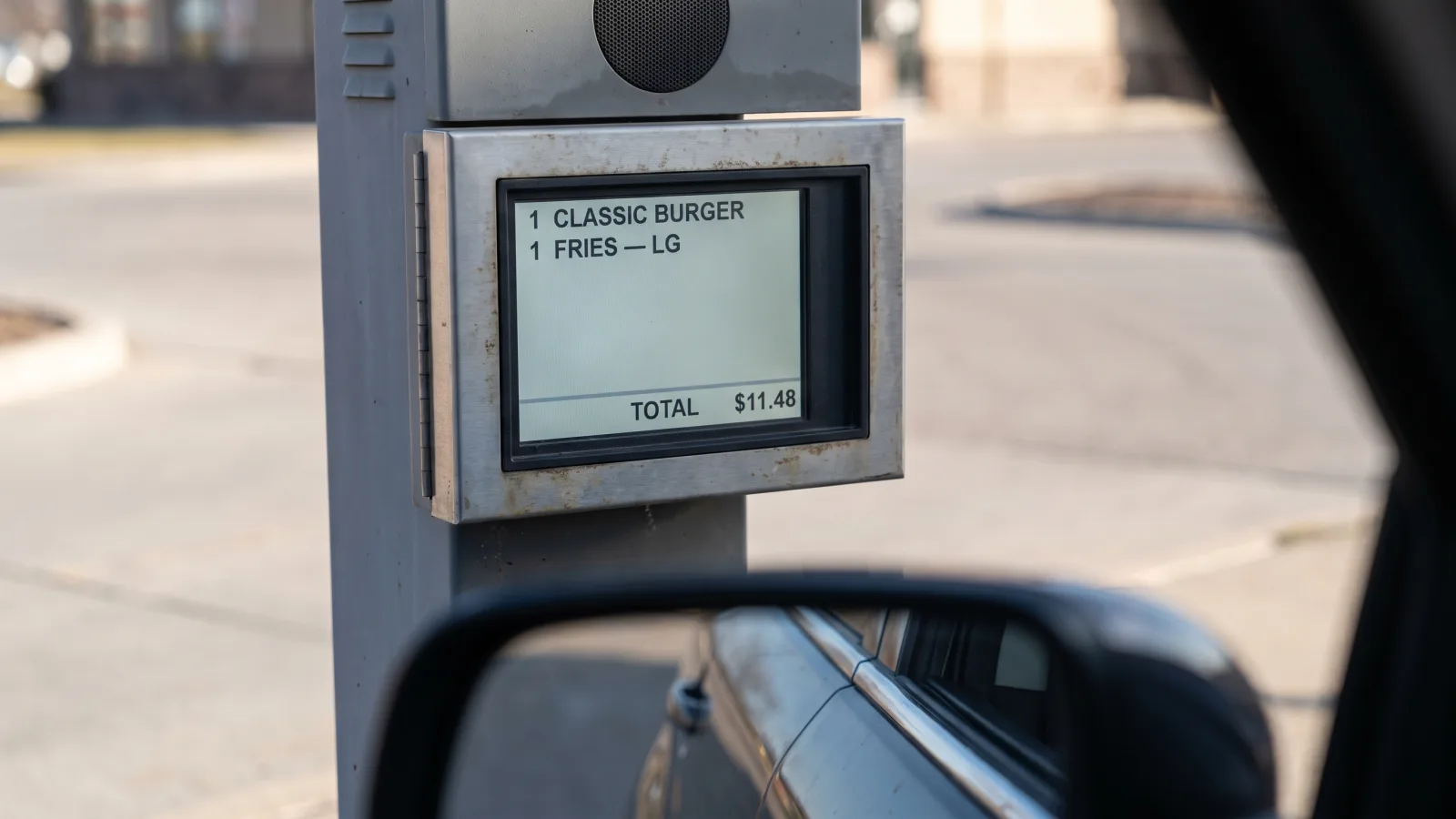
- Order confirmation. The confirmation display listens to the POS order stream and mirrors items as the crew keys them. The customer verifies at the speaker, errors get fixed before the kitchen fires, and the window transaction shortens. It's the least glamorous screen in the lane and the fastest one to justify itself.
Ask any vendor — us included — to demo both against your actual POS before you sign. "We integrate with everything" means nothing until you've watched your own SKU prices land on a panel.
What a drive thru menu board costs: the honest version
Here's the part most vendor pages dodge. The panel pricing is fixed and public: $4,499 for the 46″ OH46B, $5,499 for the 55″ OH55A-S — each with a 3-year Samsung commercial warranty. A three-to-five-panel single lane therefore carries roughly $14,000-$26,000 in display hardware alone before anything touches the ground.
Everything after the panels is site-specific, which is why outdoor drive-thru installs are quoted per project — our indoor per-screen pricing ladder does not apply outdoors. The variables that move the quote:
- Structures and footings. Engineered steel posts or monolith structures on concrete footings, sized to local wind-load code and frost depth.
- Trenching and conduit. Power and data have to reach the middle of a parking lot. Cutting and restoring asphalt or concrete is often the largest line item after the panels.
- Electrical. Dedicated circuits sized for peak heater load, surge protection, and outdoor-rated terminations.
- Permits and code. Outdoor signage permits, zoning review, and inspection vary by municipality — and by how your jurisdiction treats digital boards.
- Lane count and phasing. Multi-site fleets get phased rollouts and volume pricing; a single-site build carries its mobilization alone.
Anyone who quotes you a flat national price for an outdoor lane without a site survey is guessing with your money. For context on how the indoor side prices — and why it's so much simpler — see our digital menu board prices guide and the broader digital signage cost breakdown.
Installation realities: concrete, conduit, and the glare angle
The install details below are where outdoor deployments succeed or fail — the panel almost never dies first:
- Concrete footings, engineered. Footings poured below frost depth, structures stamped for local wind load. Underspec'd mounts — not panels — are what we've seen fail in storm seasons.
- Conduit for power and data, trenched once. Run spare conduit while the trench is open; adding a lane or a camera later through existing conduit costs a fraction of re-cutting the lot.
- Protect the rear face. Mount the panel's back against the structure or under the canopy line so wind-driven rain never works on the rear seal.
- Set the glare angle. Aim and tilt the panels for the sun path, not just the car window: a few degrees of downward tilt and the right orientation prevent both mirror-glare into the driver's eyes and low-sun washout. On south-facing installs, this is the difference between 3,500 nits looking brilliant and looking barely adequate.
- Surge protection and bollards. Outdoor electronics on a pole in a parking lot face lightning-induced surges from above and bumpers from below. Both protections are cheap relative to what they protect.
CrownTV handles this as one scope — site survey, structural engineering, electrical coordination, licensed install, and commissioning — across all 50 states, then manages the content fleet through the same Dashboard that runs your indoor restaurant screens. If you're doing a like-for-like legacy refresh, our OH55F/OH46F installation guide covers what carries over (most mount hardware does).
Where the ROI actually comes from
We're deliberately not quoting industry lift percentages here — every operator's menu, margin, and lane volume is different, and the generic stats floating around vendor sites rarely survive contact with a real P&L. The mechanisms, though, are concrete and yours to measure:
- Fewer remakes. Order confirmation catches errors before food is made. Count your current remake rate; that's the ceiling this screen attacks.
- Higher average ticket. The pre-sell and promo panels put your highest-margin item in front of every car, every daypart, and you can A/B what's featured week to week.
- Print costs to zero. Every menu change, LTO launch, and reprice that used to be a print-and-ship cycle becomes a scheduled content push.
- Price agility. When costs move, you reprice the fleet in a day — with margin protected across every location simultaneously.
- Labor minutes back. Nobody climbs a ladder to swap translites at 5 AM, at any location, ever again.
Run those five against your own numbers for a 3-5 panel lane and the payback math writes itself — which is exactly the exercise we'll do with you in a quote.
Frequently asked questions
How much does a drive-thru digital menu board cost?
Panel hardware is the predictable part: a 46″ Samsung OH46B runs $4,499 and a 55″ OH55A-S runs $5,499 at DisplayDetails, each IP56-rated at 3,500 nits with a 3-year commercial warranty. The full install — concrete footings, steel structure, trenched conduit for power and data, surge protection, permits, and labor — varies too much by site to publish a flat rate, so outdoor projects are quoted per project. Send lane count and a site photo for an exact number.
Can I use a regular TV in a drive-thru?
No. A consumer TV tops out around 250-350 nits — unreadable in daylight — and has no sealing against rain, dust, or temperature swings, so it fails fast and voids its warranty outdoors. Even a standard commercial panel inside a third-party enclosure struggles with heat buildup and glare. Purpose-built outdoor panels like the Samsung OH series integrate the sealing, brightness, anti-glare glass, cooling, and heater into one factory-engineered unit rated for 24/7 outdoor duty.
How bright does a drive-thru menu board need to be?
Plan on 2,500 nits minimum, and 3,500 nits for full-sun exposures. Samsung's legacy OH55F and OH46F shipped at 2,500 nits, which held up under canopies and in most orientations but could wash out in direct mid-day sun on south-facing installs. The current OH55A-S and OH46B run 3,500 nits, which closes that gap. For comparison, an indoor signage panel is 500 nits — one-seventh the output a drive-thru lane needs.
Do drive-thru menu boards work in extreme weather?
Yes, if you buy sealed outdoor hardware. The Samsung OH series carries an IP56-rated front face, operates from -22°F to 122°F, and includes an integrated heater for cold-climate condensation control. CrownTV has OH-series drive-thru panels running through Minnesota winters and Phoenix summers. The install details matter as much as the panel: rear-face protection, surge protection, and wind-load-engineered mounts are where outdoor deployments actually fail.
How do digital menu boards sync prices with the POS?
The menu content pulls pricing from a data feed tied to your POS or menu-management system, so the price on the board and the price at the register never disagree. Change a price once at head office and every lane at every location updates on the next content refresh. This is the workflow that kills the ladder-and-letter-kit era: no printed panel swaps, no franchisee lag, and a change log showing what price ran where and when.
How many screens does a drive-thru lane need?
The standard single-lane layout is three to five panels: one 46″ pre-sell board upstream of the speaker post, a main board of two or three 55″ panels in portrait at the order point, and an order-confirmation display showing items as they're entered. A dual-lane (tandem) layout duplicates the main board and confirmation display per lane. Tighter sites drop the pre-sell board first — the main board and confirmation screen are the two that earn their cost.
Is the Samsung OH55F still available for drive-thru projects?
Samsung discontinued the OH55F and OH46F in late 2023, and remaining new-old-stock is limited. Both were excellent drive-thru panels — 2,500 nits, IP56 front, -22°F to 122°F — and existing fleets remain serviceable and CMS-compatible. For new 2026 installs, the OH55A-S (55″) and OH46B (46″) are the direct successors: same sealed all-in-one form factor, 3,500 nits, current Tizen platform, fresh 3-year warranty. The panels run content on their built-in Tizen SoC, so no external media player is required outdoors — the player earns its keep on your indoor screens instead.
How CrownTV Helps
One contract for the whole lane:
- Samsung Authorized Reseller — OH55A-S and OH46B outdoor panels in stock, plus service support for legacy OH55F/OH46F fleets
- Site survey, structural engineering, trenching and electrical coordination, licensed install in all 50 states
- Surge protection and outdoor-rated cabling included in install bundles
- CrownTV Dashboard for daypart scheduling, POS price sync, and fleet management across every lane and location
- 3-year Samsung commercial warranty, free nationwide shipping, price-match guarantee
- 13+ years of outdoor deployment experience — QSR drive-thru lanes, gas forecourts, and 1,800+ operators
Get a drive-thru menu board quote in two business hours →
Read Next
- Outdoor Digital Signage for Business: Packages, Installed
- Samsung OH55A-S: The 55-Inch Outdoor IP56 Display
- Restaurant Digital Signage: 12 High-ROI Uses Beyond the Menu Board
- Digital Menu Boards: The Complete Guide
- Digital Menu Board Prices
- Samsung OH55F + OH46F Field Review
- Samsung OH55A-S Buyer's Guide
- High-Brightness Outdoor TVs Guide
DISPLAYDETAILS · BY CROWNTV · SHIPS NATIONWIDE
Outdoor-rated Samsung OH displays for drive-thru
Legacy outdoor 55-inch — successor: OH55A-S in current allocation.
Samsung OH55F
55-inchSamsung Authorized Reseller — direct allocation, full warranty
- Price-match guarantee — find it cheaper, we'll match it.
- 3-year Samsung commercial warranty — RMAs handled by us.
- Free nationwide shipping — every panel, every order.
- Purchase orders, Net-30 (approved accounts) and tax-exempt orders accepted.
Keep reading
More guides like this
Operator-grade playbooks, weekly.
Proof, not pitches
See real installs
Live deployments across hospitality, retail, and offices.
Ready to deploy?
Get a quote in 2 business hours
Reply within two business hours. No call required.