
Digital Signage for Manufacturing: KPI Dashboards, Safety Boards & Shift Comms
Digital signage for manufacturing: how to put KPI dashboards on TVs, run safety and shift boards, and what a factory rollout really costs per screen.
On this page
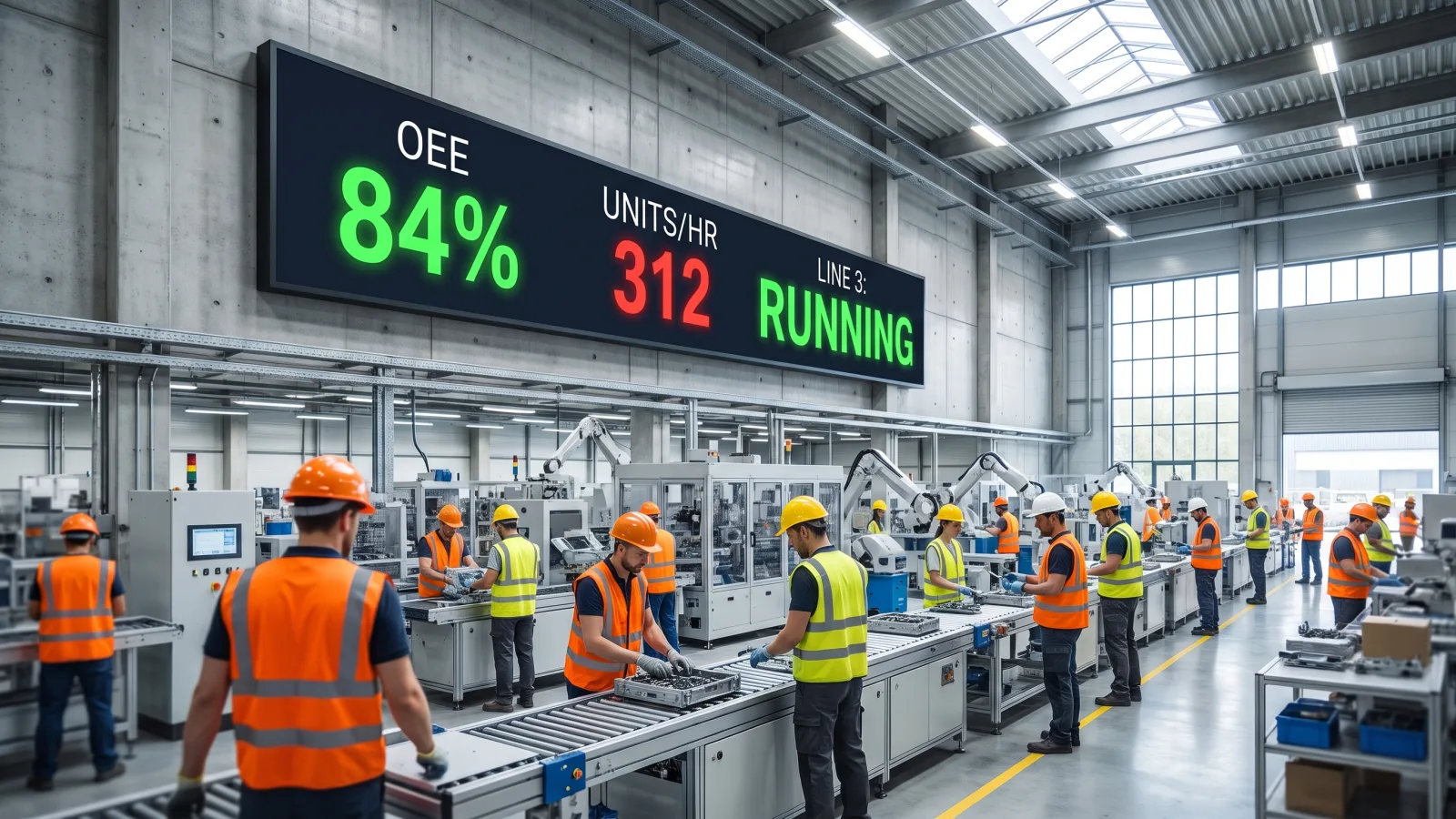
Digital signage for manufacturing does one thing email, Slack, and the bulletin board can't: it puts live production numbers, safety status, and shift information in front of people who work on their feet, away from a desk, often without a company inbox. The screens that earn their keep on a plant floor fall into four jobs — KPI and OEE dashboards, safety boards, shift-handover screens, and plant-wide employee comms.
CrownTV has deployed digital signage for 13+ years across 1,800+ businesses, with 16,000+ screens currently live — from retail floors for L'Occitane to corporate and industrial facilities for clients like Herman Miller — installed by our own White Glove service, not a subcontractor lottery. This guide covers what actually works on a production floor: which use cases pay off, how to get a manufacturing KPI dashboard onto a TV without babysitting it, and what the hardware costs.
You'll get:
- How manufacturers actually use digital signage, zone by zone
- A practical walkthrough: putting a manufacturing KPI dashboard on a TV (data sources, refresh cadence, design rules)
- Floor use cases — safety boards, shift handover, OEE, andon-adjacent messaging
- Hardware that survives dust, heat, and three shifts — and when you need an enclosure
- Real per-screen pricing and what to ask any vendor
How is digital signage for manufacturing used?
Manufacturers use digital signage for live KPI and OEE dashboards above production lines, days-since-incident safety boards, shift-handover screens at time clocks, downtime and escalation alerts, and HR communications in break rooms. Screens pull data automatically from the MES, ERP, or BI tools, refresh in near real time, and reach deskless workers that internal communication tools like email and chat consistently miss.
The deskless-worker problem: email doesn't reach the floor
Most plant employees don't sit at a computer. Many don't have a company email address at all, and the ones who do check it at the start or end of a shift — if that. So the channels office teams rely on land on the floor days late or never. The result is familiar: a policy change nobody heard about, a shift running to yesterday's priorities, a near-miss that never becomes a lesson.
Paper solves nothing here. Printed KPI boards go stale by mid-shift, and a whiteboard is only as current as the last person who walked past with a marker. Screens fix the trust problem, because the data updates itself — the floor learns fast whether a board is live or decoration, and only the live one changes behavior. That's the same reason screens beat every push channel for frontline audiences, a shift we've written about in how digital signage is changing business communication.
Our opinion after years of plant installs: put the first screen where the metric is made, not in the lobby. A lobby screen impresses visitors; a line-side dashboard changes throughput.
How to put a manufacturing KPI dashboard on a TV
The most-requested project in this vertical, and the flow is simpler than most teams expect: data source → signage CMS → media player → commercial display. Each step has one decision that matters.
Step 1 — Pick the data source
Feed the screen from wherever the numbers already live. In practice that's one of four places:
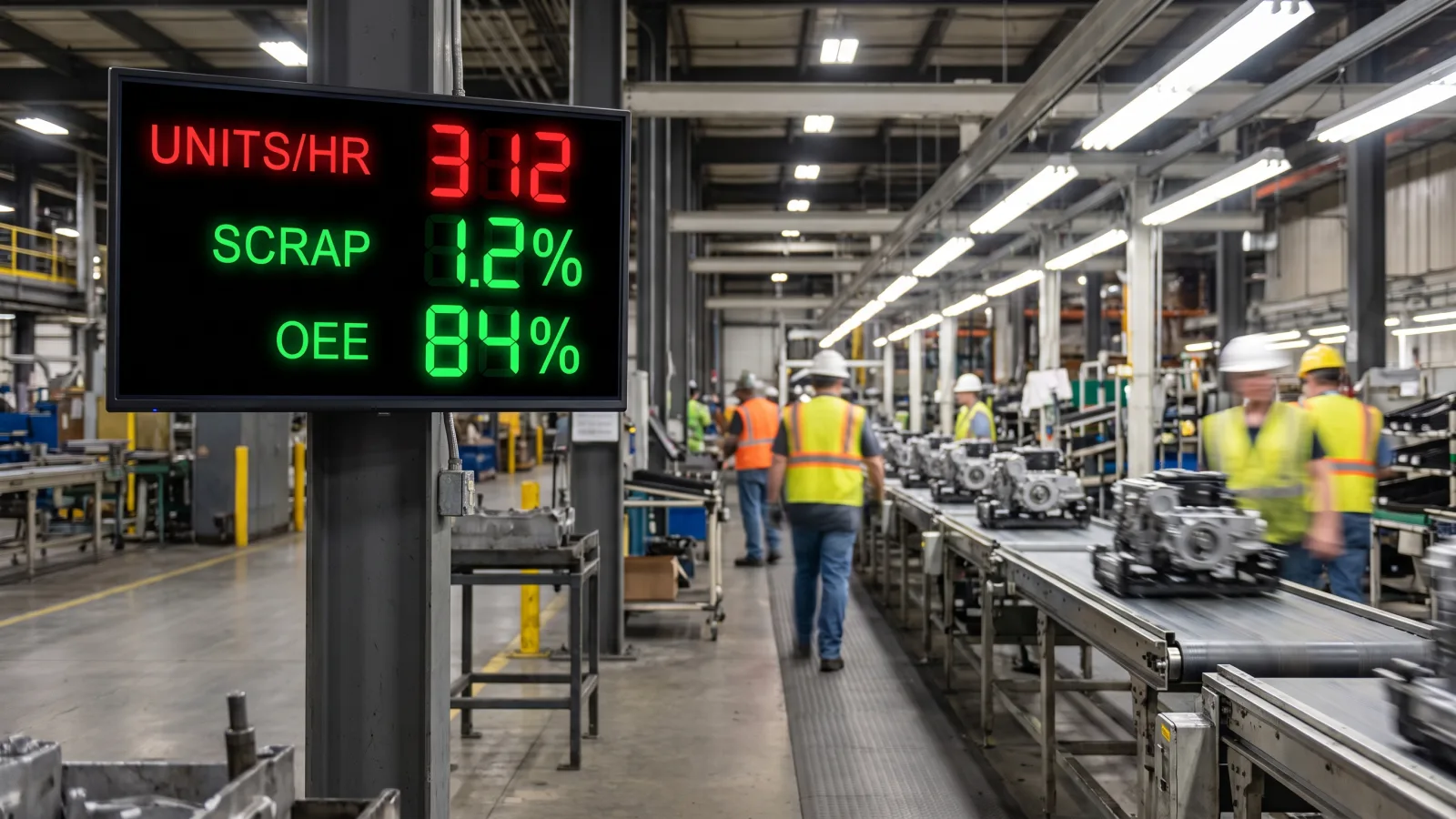
- MES. The best source for real-time line data — units per hour, cycle time, scrap, OEE. If you run an MES, wire the dashboard to it directly.
- ERP. Orders, inventory, on-time shipping, backlog. Slower-moving but essential for planning and shipping boards.
- BI layer (Power BI, Tableau, Looker). If your ops team already builds dashboards here, the signage CMS can display that live dashboard URL as-is. Fastest path to a screen for most mid-size plants.
- Spreadsheets. Honest answer: plenty of smaller shops run their production tracking in Google Sheets or Excel, and a good CMS renders a live sheet cleanly. It's a legitimate starting point — upgrade the source later without touching the screens.
The one rule with no exceptions: the screen must update itself. The moment a supervisor has to re-upload a slide, the board is stale within a week and the floor stops looking at it.
Step 2 — Set the refresh cadence
Match refresh rate to how fast the number actually moves. Over-refreshing hammers your MES API for no benefit; under-refreshing kills trust.
| Data | Refresh | Why |
|---|---|---|
| Line status, andon mirror, downtime alerts | 15–30 seconds | Operators act on it now |
| Units/hour, OEE, cycle time, scrap | 30–60 seconds | Fast enough to feel live, easy on the API |
| Inventory, order backlog, shipping performance | Hourly | The underlying number moves hourly at best |
| Safety stats, HR announcements, recognition | Daily | Scheduled content, not streamed data |
Step 3 — Design for a three-second glance
A TV dashboard is not a desktop dashboard made bigger. A desktop report rewards study; a floor screen gets a three-second glance from 40 feet by someone mid-task. The design rules we hold every deployment to:
- 5–7 metrics per screen, maximum. If the team needs more, rotate a second board every 10–15 seconds — don't shrink the numbers.
- Numbers sized for the distance. Roughly one inch of character height per 10 feet of viewing distance. A KPI read from 40 feet needs 4-inch digits.
- Red/green thresholds, decided in advance. The screen should answer "are we winning this shift?" before anyone reads a digit. Agree on the thresholds with the floor, not just the ops office.
- High contrast, dark background. Plant lighting is harsh and inconsistent; light-on-dark survives it best.
- No scrolling, no tiny legends, no pie charts. If a chart needs a legend to decode, it belongs in a meeting, not on the wall. (One exception worth knowing: a ticker-tape strip along the bottom works well for low-priority rotating notices without stealing space from the KPIs.)
Step 4 — The TV dashboard hardware
Three components, and the middle one is where DIY projects die:
- Commercial display, not a consumer TV. A dashboard runs 24/7 across three shifts. Consumer panels aren't rated for it and fail in 18–30 months of continuous duty; 24/7-rated commercial panels like the Samsung QMC series are built for exactly this and carry a 3-year commercial warranty.
- Dedicated media player. The player caches content, auto-recovers after power cuts, restarts the dashboard when a browser session dies at 3 a.m., and lets you manage every screen remotely instead of climbing a ladder with a USB stick. Here's what a digital signage player actually does and why we never rely on built-in smart-TV apps for production-critical screens.
- CMS with role-based access. One dashboard controls the fleet: who publishes what, to which screens, on what schedule.
Scoping screens for your plant?
Send us your floor plan and screen count — we'll spec display sizes for your sightlines, enclosures where the environment demands them, and the data hookups, in one quote.
Get a manufacturing signage quote in 2 business hours →Manufacturing floor use cases beyond the dashboard
The KPI board gets the budget approved. These four are what make the network earn it every shift — all covered in more depth on our manufacturing industry page.
Safety boards
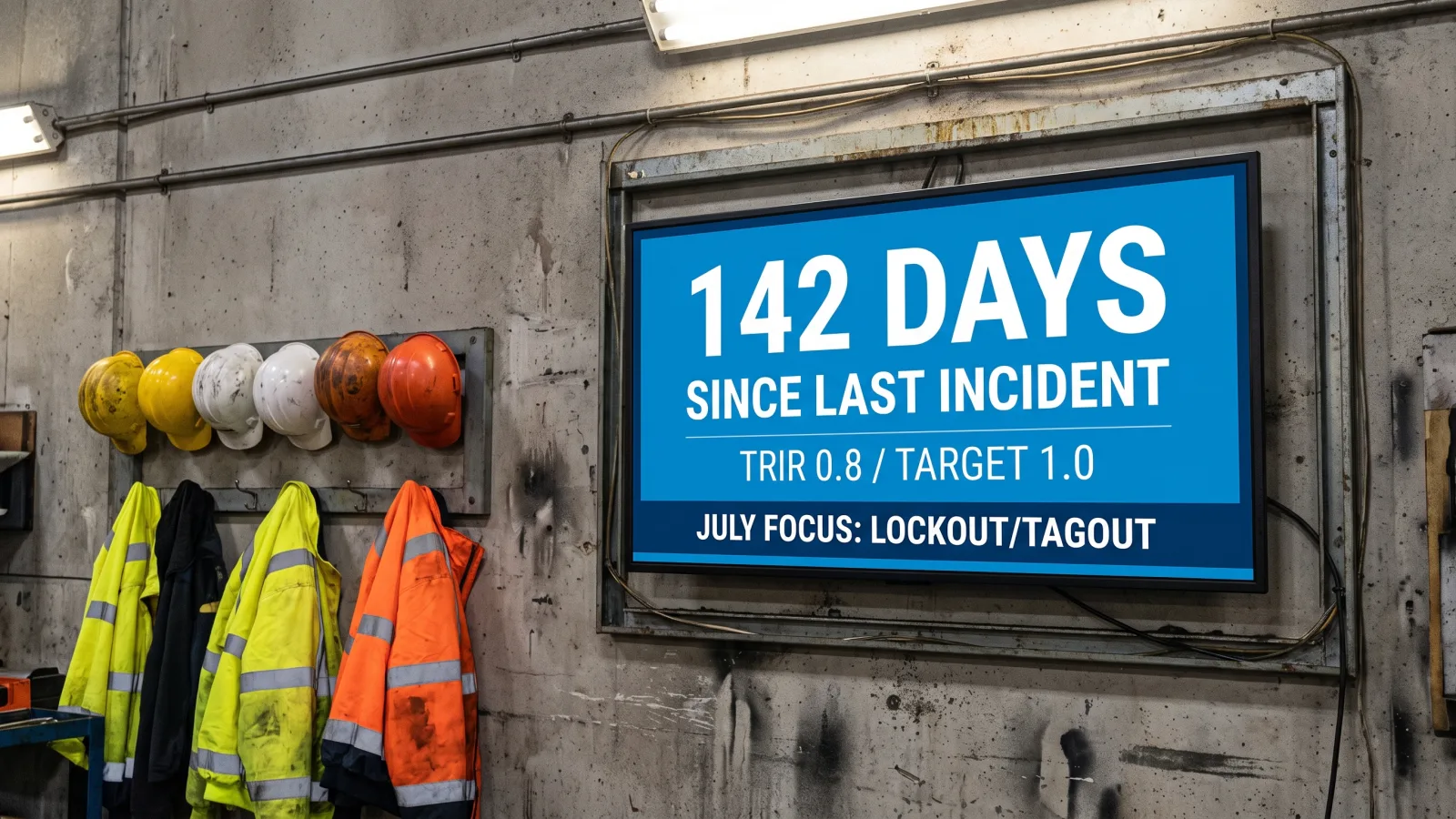
The classic "days since last recordable incident" counter, done properly: updated automatically from your EHS log, paired with the current TRIR against target, this month's safety topic, and rotating hazard reminders specific to each zone. Two upgrades worth making: put near-miss reporting instructions on the same screen (near-misses are leading indicators; incidents are lagging ones — a distinction OSHA's safety management guidance emphasizes), and give safety managers an override to push an urgent alert — chemical spill, evacuation, weather — full-screen to every display at once.
Shift-handover boards
Mount a screen at the time clock or shift-start muster point showing exactly what the incoming shift needs in the first five minutes: line status by area, open work orders, carryover issues from the previous shift, staffing notes, and today's priorities. This replaces the handover ritual of a half-legible whiteboard and a rushed verbal download — and unlike a whiteboard, it's identical for the 6 a.m. and the 10 p.m. crew. For plants coordinating handovers across sites, some pair the boards with a video conferencing setup in the supervisor's office so leads can walk the same screen together remotely.
OEE and downtime callouts
Beyond the headline OEE number, the screens that change behavior are the ones that show why: top downtime reasons this shift, current bottleneck station, and changeover countdowns. When the top downtime cause is on a 75-inch screen in front of everyone, it gets fixed faster than when it lives in a Monday-morning report. That's not a slogan; it's what plant managers tell us after the first month.
Andon-adjacent messaging
To be clear about what signage is not: it doesn't replace a hardwired andon system, and anyone who tells you otherwise hasn't stood on a floor when a line stops. What it does is extend the andon's reach — mirroring line status and escalation alerts onto big screens across the floor, in the break room, and in offices, fed by the same MES data, so the people who can't see the light stack still know line 3 is down and maintenance is en route.
Break room and HR comms
The break room screen is where deskless workers finally get what office staff get by email: benefits enrollment deadlines, open internal roles, recognition and service anniversaries, cafeteria menus, and company results. It's routinely the most-read screen in the building because it's the one place people sit still — we've covered how to program it well in our guide to the break room digital signage experience. Keep it human: less policy, more people.
Hardware that survives the floor
A plant is a hostile place for electronics — dust, heat, vibration, forklift traffic, and in some zones, washdown spray. Three decisions determine whether your screens last a decade or a year:
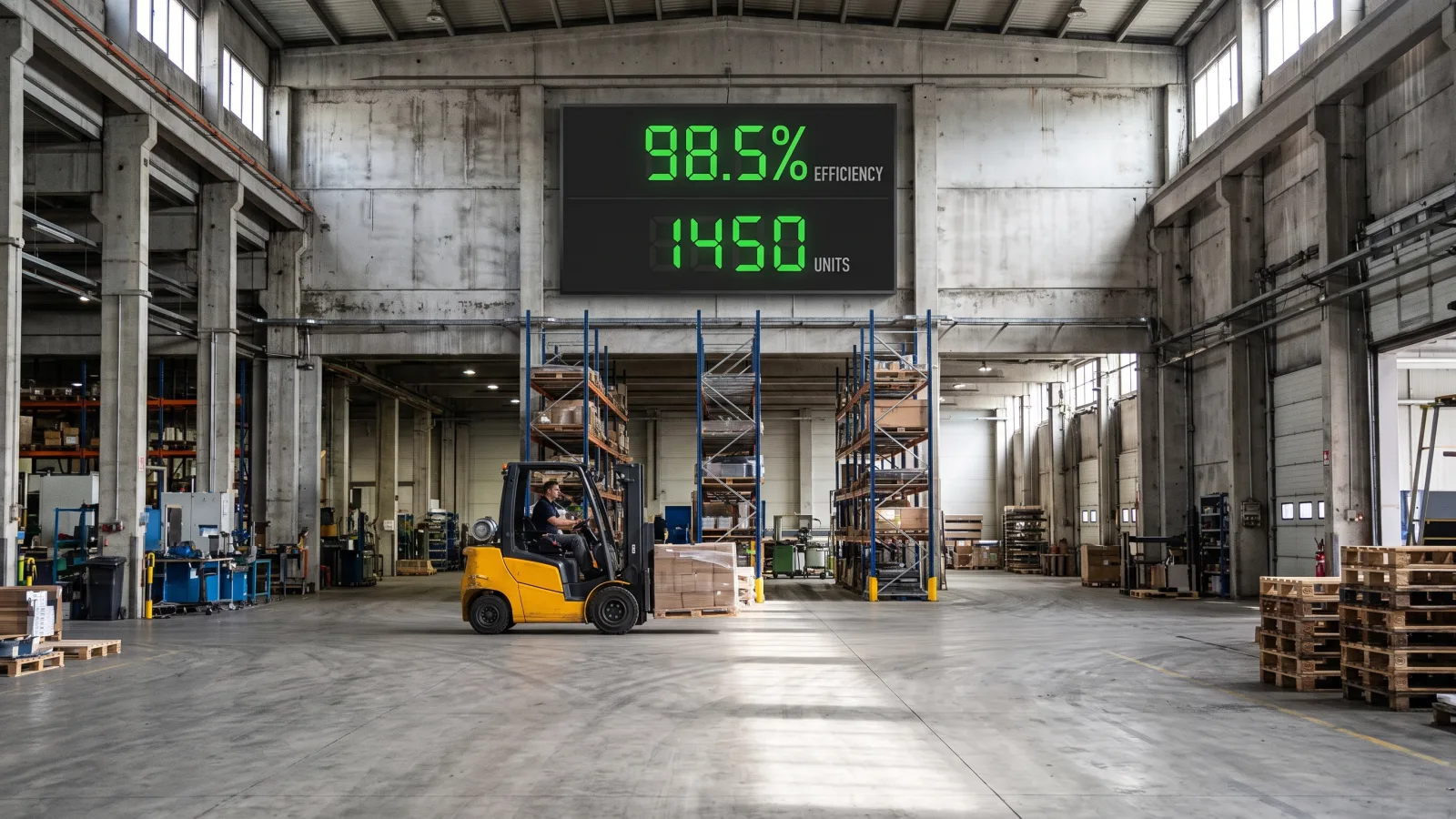
- Size to the sightline. The one-inch-per-10-feet legibility rule pushes production floors toward the large-format end of the QMC line: the 75-inch QM75C for typical line-side placement, and the 85-inch QM85C or 98-inch QM98C where operators read the board from 40–50 feet. All are 4K, 500-nit, 24/7-rated panels with a 3-year commercial warranty. Break rooms, corridors, and offices do fine at 43–55 inches.
- Commercial duty rating, always. Three shifts means the screen never turns off. Consumer TVs void their warranty in continuous use and typically fail inside 18–30 months; the second replacement erases everything you "saved."
- Enclosures for the harsh zones. Standard commercial panels handle typical assembly, packaging, and supervisor areas. High-dust operations (grinding, woodworking), weld bays, and washdown zones in food and beverage plants need the display inside a sealed protective enclosure with filtered ventilation — quoted per project, because the enclosure spec depends entirely on the hazard. Also practical: mount high enough to clear forklift masts, and run conduit, not dangling cable.
Who controls the screens: governance
The failure mode isn't technical; it's organizational. Give everyone publishing access and the OEE board grows a bake-sale flyer by week three. The setup that works:
- Zone ownership. Operations owns line dashboards, EHS owns safety boards, HR owns break room screens — each publishing only to their own zone, with per-screen permissions enforced by the CMS.
- Data screens are locked. Nobody hand-edits a dashboard fed by the MES. If a number is wrong, fix the source.
- One emergency override. A predefined full-screen alert (evacuation, severe weather, plant-wide stop) that EHS or plant management can trigger in seconds across every screen — and that clears back to normal content when the event ends. Test it monthly.
- An audit log. Who changed what, when. Boring until the day you need it.
What digital signage for manufacturing costs
CrownTV pricing for indoor screens is all-in and one-time per screen — commercial 4K display, mount, media player, installation by licensed insured technicians, setup, and the first year of software in a single number:
| Screen size | All-in price (per screen) | Typical plant placement |
|---|---|---|
| 32″ | $3,250 | Supervisor offices, station-level boards |
| 43″ | $3,450 | Time clock, corridors, quality stations |
| 50″ | $3,650 | Break room, training areas |
| 55″ | $3,850 | Break room, shift-handover points |
| 65″ | $4,450 | Department dashboards, cafeteria |
| 75″ | $5,200 | Line-side KPI and OEE boards |
Two honest footnotes. First, the ladder covers 500-nit indoor panels — the right spec for plant interiors. Screens in washdown, weld, or heavy-dust zones need enclosures and are quoted per project, as is anything window-facing or outdoors. Second, the extra-large formats floor-scale dashboards often need — the 85-inch QM85C ($4,750 display-only) and 98-inch QM98C ($7,950 display-only) — sit above the standard ladder, so full installed pricing for those is also quoted per project. A typical plant deploying 6–10 screens (a couple of large line-side boards plus break room, safety, and handover screens) lands around $25,000–$45,000 all-in for year one. Full cost mechanics, including software renewal after year one, are in our digital signage cost guide.
How CrownTV Helps
One contract for hardware + software + install + service:
- Samsung Authorized Reseller — QMC indoor panels from 32″ to 98″, OM high-brightness, and OH outdoor lines at commercial pricing
- All-in per-screen packages with a 3-year commercial warranty; typical install 7–10 business days
- CrownTV Dashboard CMS with role-based access, emergency override, and live data feeds from BI dashboards, spreadsheets, and web sources
- Site survey, mounting (including high-bay placements), cabling, enclosure specification, and warranty service in all 50 states
- 13+ years and 16,000+ live screens across industrial, corporate, and retail clients including Herman Miller and L'Occitane
Get a manufacturing digital signage quote in two business hours →
Frequently asked questions
How much does digital signage for manufacturing cost?
CrownTV prices indoor screens all-in and one-time: $3,250 for a 32″, $3,450 for 43″, $3,650 for 50″, $3,850 for 55″, $4,450 for 65″, and $5,200 for 75″. Each price includes the commercial 4K display, mount, media player, installation by licensed insured technicians, setup, and the first year of software. A typical plant running 6–10 screens lands around $25,000–$45,000. Larger 85″ and 98″ panels for long sightlines, plus protective enclosures for harsh zones, are quoted per project.
How do I put a manufacturing KPI dashboard on a TV?
Connect your data source — MES, ERP, a BI tool like Power BI, or even a shared spreadsheet — to a digital signage CMS, then push that dashboard to a commercial display driven by a dedicated media player. Set line metrics to refresh every 30–60 seconds and slower data like inventory hourly. Design for a three-second read: 5–7 metrics maximum, oversized numbers, and red/green thresholds. Skip consumer smart-TV apps; a dedicated player keeps the dashboard running around the clock without manual restarts.
What size display do I need for a factory floor?
Size to viewing distance, not budget. The legibility rule we spec against: roughly one inch of character height per 10 feet of viewing distance. Across a production floor where operators stand 30–50 feet away, that means 75″, 85″, or 98″ panels with oversized dashboard numbers. In break rooms, corridors, and supervisor offices where people stand within 10–15 feet, 43″ to 55″ screens do the job at half the cost.
Can I use a regular TV on the production floor?
We don't recommend it. Consumer TVs are built for a few hours of evening viewing in a living room, not 24/7 duty across three shifts — run continuously, they void their warranty and typically fail within 18–30 months. Commercial panels like the Samsung QMC series are 24/7-rated, carry a 3-year commercial warranty, and hold up under the vibration, heat, and around-the-clock runtime a plant actually produces. The cheaper panel becomes the expensive one after the second replacement.
What data sources can feed a manufacturing dashboard?
Most plants pull from one or more of: an MES for real-time line and OEE data, an ERP for orders, inventory, and shipping performance, a BI layer like Power BI or Tableau that already aggregates both, or a maintained spreadsheet for smaller operations. A good signage CMS displays a live BI dashboard URL or connects to these sources directly, so the screen updates itself — the moment someone has to update a screen manually, the data goes stale and the floor stops trusting it.
How does digital signage survive dust, heat, and washdowns?
Placement first, protection second. Standard commercial panels handle typical plant-floor conditions — supervisor areas, assembly zones, packaging lines — because they're 24/7-rated and built for continuous duty. For high-dust zones like woodworking or grinding, washdown areas in food and beverage plants, and weld bays, the display goes inside a sealed protective enclosure with filtered ventilation, quoted per project. Never mount a bare panel where it gets sprayed, and keep intakes clear of dust-heavy airflow.
Does digital signage replace an andon system?
No — it complements one. A true andon system is wired into the line for instant stop/call signaling, and that stays. What signage adds is reach: mirroring line status, escalation alerts, and downtime callouts onto large screens across the floor, in the break room, and in supervisor offices, so people who can't see the andon light stack still know what's happening. Plants typically feed the same MES data to both, keeping one source of truth.
Read Next
DISPLAYDETAILS · BY CROWNTV · SHIPS NATIONWIDE
Factory-floor displays that survive three shifts
75-inch 4K commercial display — flagship signage size.
Samsung QM75C
75-inchSamsung Authorized Reseller — direct allocation, full warranty
- Price-match guarantee — find it cheaper, we'll match it.
- 3-year Samsung commercial warranty — RMAs handled by us.
- Free nationwide shipping — every panel, every order.
- Purchase orders, Net-30 (approved accounts) and tax-exempt orders accepted.
Keep reading
More guides like this
Operator-grade playbooks, weekly.
Proof, not pitches
See real installs
Live deployments across hospitality, retail, and offices.
Ready to deploy?
Get a quote in 2 business hours
Reply within two business hours. No call required.