
Hotel Digital Signage: The Complete Guide for 2026 (Lobby, Events, Wayfinding)
Hotel digital signage zone by zone: lobby, event readerboards, wayfinding, menus, elevators — with hardware picks, all-in costs, and a hotel case study.
On this page
Hotel digital signage is every guest-facing screen a property controls from one dashboard: the lobby welcome wall, the readerboards outside ballrooms, the wayfinding directory, the bar menu, the elevator screens promoting the rooftop. Done right, it replaces the daily print-post-discard cycle with content that updates itself — and quietly sells the property's amenities to a captive audience all day long.
CrownTV has deployed digital signage for 13+ years across 1,800+ businesses, with 16,000+ screens live today — hospitality installs among them, alongside retail clients like L'Occitane and corporate clients like Herman Miller. One of our longest-running hotel deployments, Gansevoort Hotel Group's elevator screens, is covered in detail below. Everything else in this guide reflects what actually works on hotel properties, from a team that installs this hardware for a living — with White Glove installation on every project.
You'll get:
- The six hotel signage zones and what runs on each
- Hardware by zone — which Samsung panel, which orientation, and why
- A real deployment: how Gansevoort Hotel Group uses its elevator screens
- The two software criteria that matter for hotels (PMS integration and brand governance)
- All-in pricing per screen and per property
What is hotel digital signage?
Hotel digital signage is a network of commercial displays — lobby screens, event readerboards, wayfinding directories, menu boards, elevator and amenity screens — managed from a single content platform. Staff publish once from a dashboard; every screen on the property updates in seconds. Hotels use it to promote amenities, direct guests, post daily events, and replace printed signage that goes stale overnight.
Use cases by zone
Hotels aren't one signage environment — they're six, each with its own audience, dwell time, and content job. Here's how we scope a property, zone by zone.
Lobby and reception
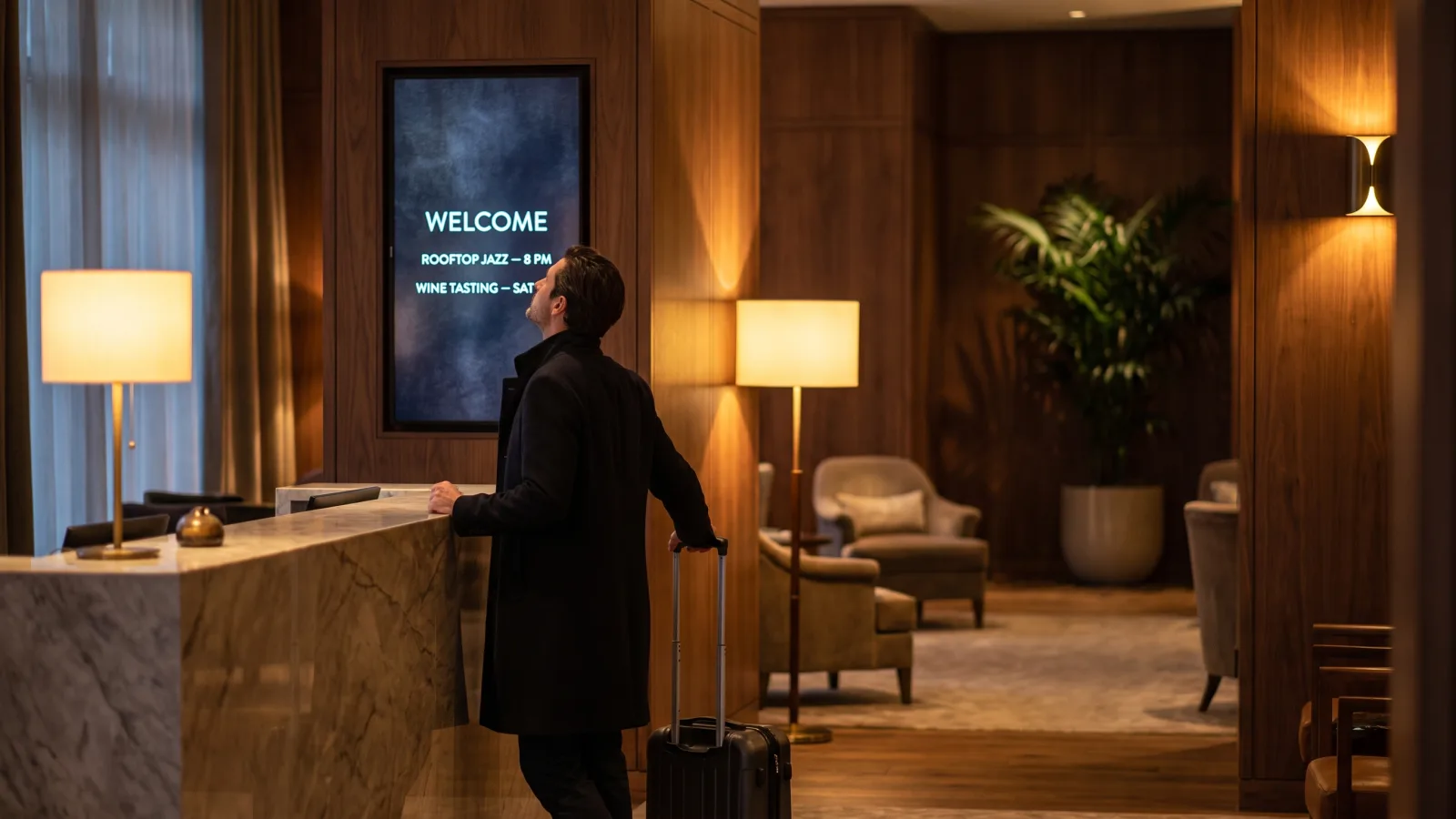
The lobby screen is the property's first impression after the front door. A 55″ or 65″ landscape display behind or beside reception runs the welcome loop: today's events, weather, amenity highlights, and — for properties that earn them — press mentions and awards. Check-in queues give this screen the longest guaranteed dwell time in the building, so this is where amenity promotion pays off most. For placement and content patterns, see our guide to lobby digital signage.
Events and meeting rooms: readerboards
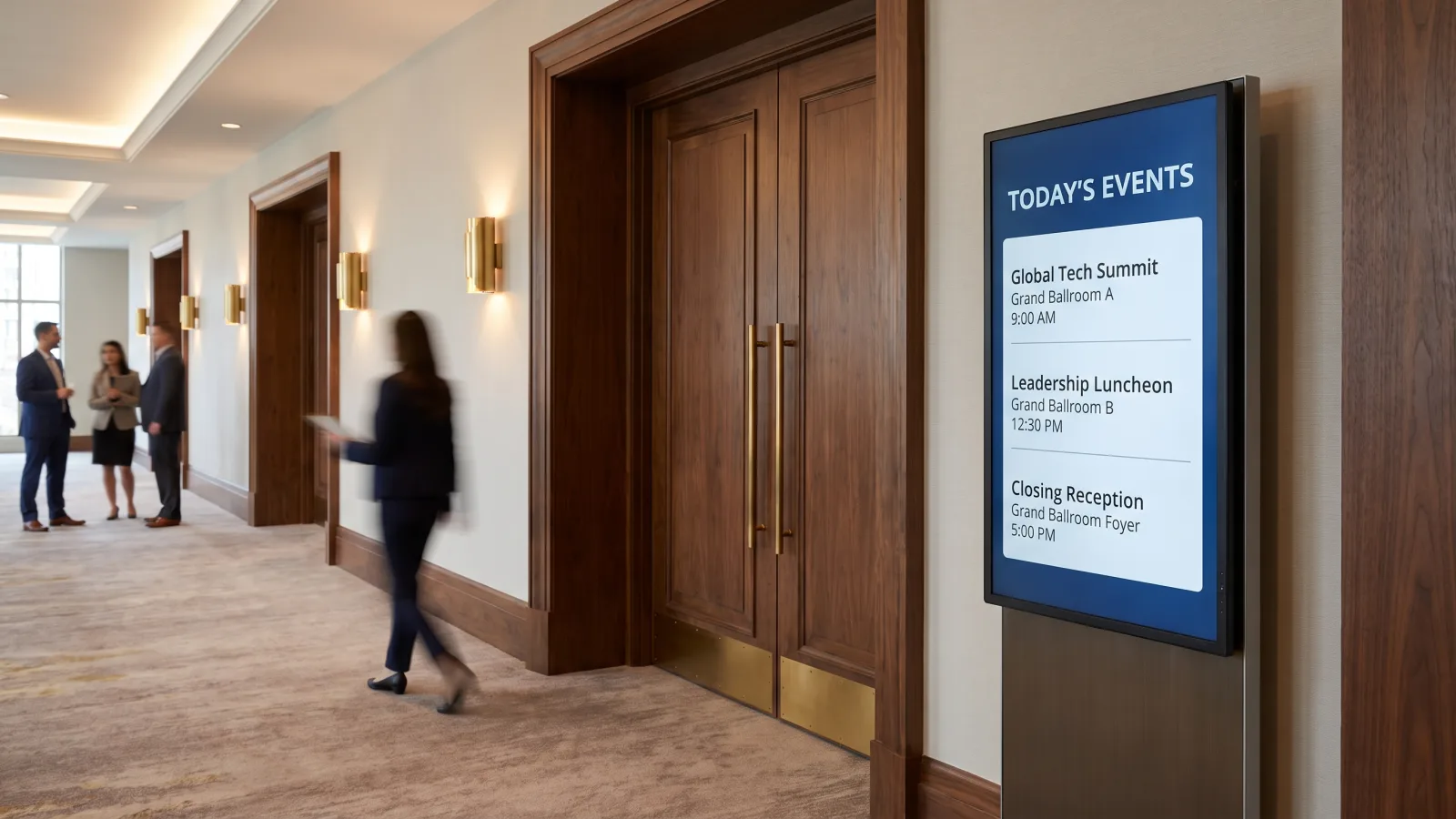
Conference and banquet business runs on readerboards — the screens outside each ballroom and meeting room showing what's happening inside, for whom, and when. A 43″ portrait panel at each room entrance plus a larger pre-function summary board covers most properties. The content should feed straight from the event calendar (more on that in the software section), because a readerboard showing yesterday's wedding is worse than no readerboard at all.
Wayfinding and directories
Larger properties — resort footprints, convention hotels, anything with a spa on 3 and a ballroom on the mezzanine — need wayfinding screens at decision points: elevator lobbies, corridor junctions, the path between the front desk and the event space. A touch directory near reception absorbs the "where is…" questions that otherwise stack up at the desk during a conference check-in wave. Our breakdown of directory signage systems covers the directory formats and hardware in depth.
Restaurant, bar, and F&B menus
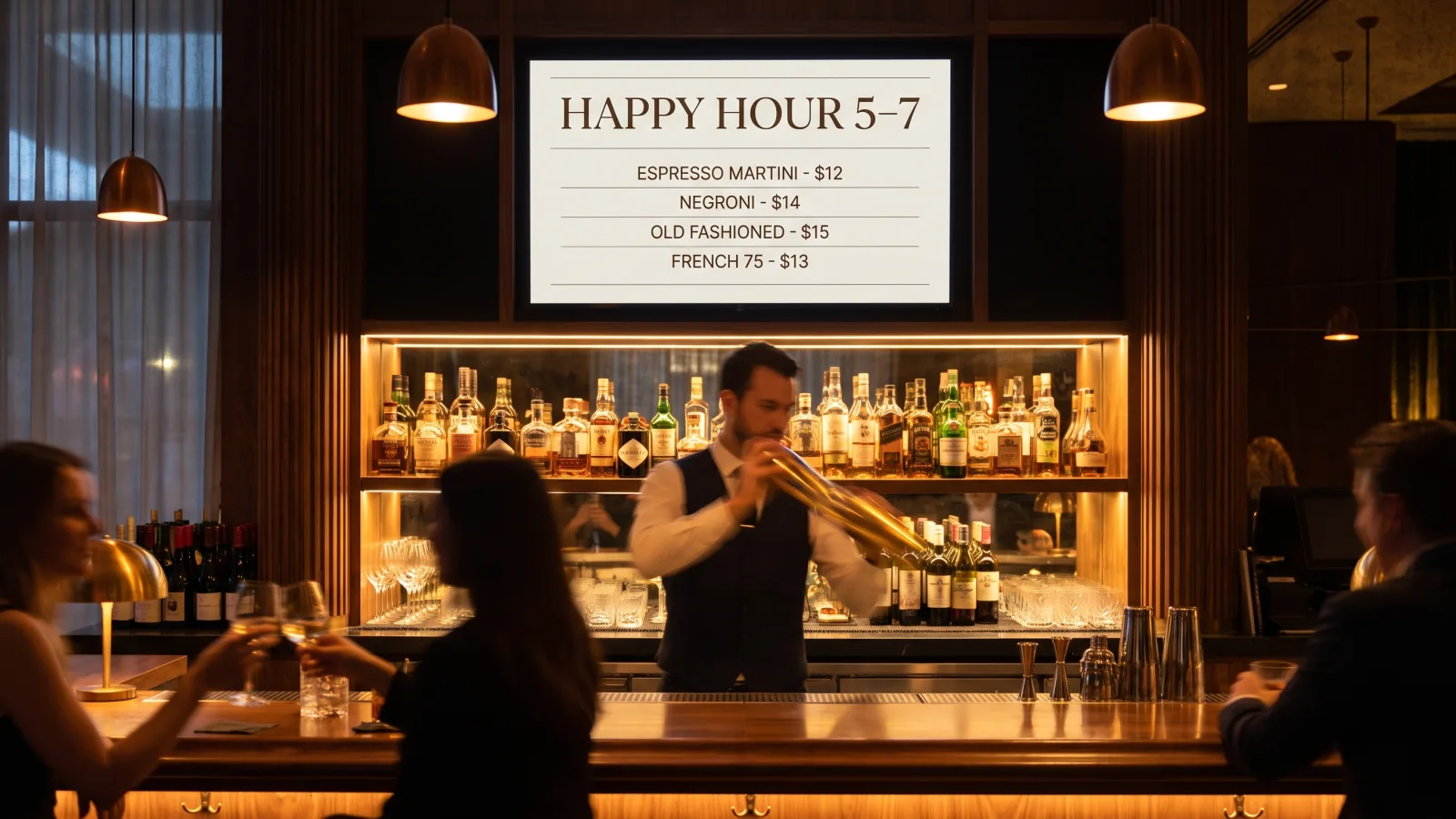
The hotel restaurant, the lobby bar, the grab-and-go counter by the elevators — each one is a menu-board install. Daypart scheduling does the heavy lifting here: breakfast menu until 11, lunch until 4, dinner and cocktails after. Price changes and 86'd items get fixed from the dashboard in seconds instead of reprinting table tents. Our guide to building attractive digital menu boards covers layout and photography rules that apply directly to hotel F&B.
Elevators and amenity floors
Elevator screens are the highest-frequency touchpoint on the property — every guest, multiple times a day, with nothing else to look at. That's why hotels use them for amenity promotion: the spa, the rooftop bar, tonight's live music, the late-checkout offer. Amenity-floor screens (pool deck entrance, fitness center, spa reception) extend the same loop with hours and class schedules. The Gansevoort deployment below is exactly this play, and it's the highest-impact placement most hotels are missing.
Back-of-house staff communications
The sixth zone guests never see: screens in the staff cafeteria, housekeeping corridors, and kitchen line. Shift notes, occupancy forecasts, VIP arrivals, recognition, and safety reminders reach deskless staff who don't check email between room turns. One property network, two audiences — the CMS just needs per-screen permissions to keep the staff feed off the lobby wall.
Scoping screens for your property or group?
Send us your zone list and property count — we'll spec hardware, software, and install in one quote, with PMS integration and brand governance scoped from day one.
Get a hotel signage quote in 2 business hours →Hardware by zone: what we actually install
Hotel environments are hard on screens: long operating hours, sun-drenched entrances, design teams that veto anything bulky. The hardware answer is commercial panels from Samsung's commercial display line, matched to the zone — never consumer TVs, which fail in 18–30 months on hotel duty cycles and void their warranties running continuously.
| Zone | Display | Why |
|---|---|---|
| Lobby / reception | Samsung QM55C or 65″ QMC, landscape | 500-nit 4K, 24/7-rated, slim enough for design-led lobbies |
| Event readerboards | Samsung QM43C, portrait | Right size for a room entrance; 4K text stays crisp at reading distance |
| Wayfinding / directory | QMC panel, portrait; touch overlay optional | Portrait suits directory lists; touch turns it into a self-serve kiosk |
| F&B menu boards | QM43C–QM55C, orientation per menu | Daypart-scheduled menus, updated from the dashboard |
| Elevator / amenity | Compact QMC panels | High-frequency dwell; slim mount depth matters in cabs and corridors |
| Window- or sun-facing | Samsung OM55B, 3,000 nits | A 500-nit panel goes invisible behind glass in daylight |
Three rules we hold on every hotel project. First, anything behind glass or facing an entrance that catches sun gets a high-brightness OM-series panel — the Samsung OM55B pushes 3,000 nits and stays readable through midday glare, where a standard 500-nit lobby panel washes out completely. Second, every screen runs off a dedicated media player rather than a smart-TV app; players cache content locally, survive network hiccups, and reboot remotely at 3 a.m. instead of during check-in. Third, portrait mounting for readerboards and directories — event lists are vertical content, and rotating the panel beats shrinking the type. For a broader panel comparison, see the best digital signage displays guide.
How Gansevoort Hotel Group uses its elevator screens
Gansevoort Hotel Group runs luxury properties in New York City — one in the Meatpacking District, one on Park Avenue — with rooftop pools, bars and lounges, and large event spaces. The group had already put screens in its elevators, but was managing them with USB drives: every content change meant physically updating each screen. CrownTV replaced the USB workflow at both hotels with digital signage players and software, so the team updates every elevator screen remotely from one dashboard.
The placement logic is the part worth copying. Gansevoort chose elevators because every guest passes through them multiple times a day, and uses the screens for promotions, upselling, and programming awareness — showcasing what's on the property. "We use CrownTV for promotions, upselling and programming awareness. It allows us to showcase features on the property," Cutter Lakind, Gansevoort's Digital Marketing Manager, told us.
The content mix: amenity promotion for the Exhale Fitness + Spa and The Drift, the bi-level rooftop bar and lounge; video montages of rooms, rooftop pools, and lounges; press reviews from outlets like Yahoo! Travel and Curbed; food and beverage photography for the hotel restaurant; and local weather, so guests know whether they'll need an umbrella. The team leans heavily on content scheduling — programming loops in advance and letting them run — and the payoff is guests who actually know what the property offers, and increased patronage at the pools, bars, spa, restaurants, and events as a result. The full write-up is in the Gansevoort Hotel Group case study.
What to look for in hotel signage software
Hardware decisions are mostly solved problems; software is where hotel deployments succeed or quietly rot. Two criteria matter more than everything else on the feature list.
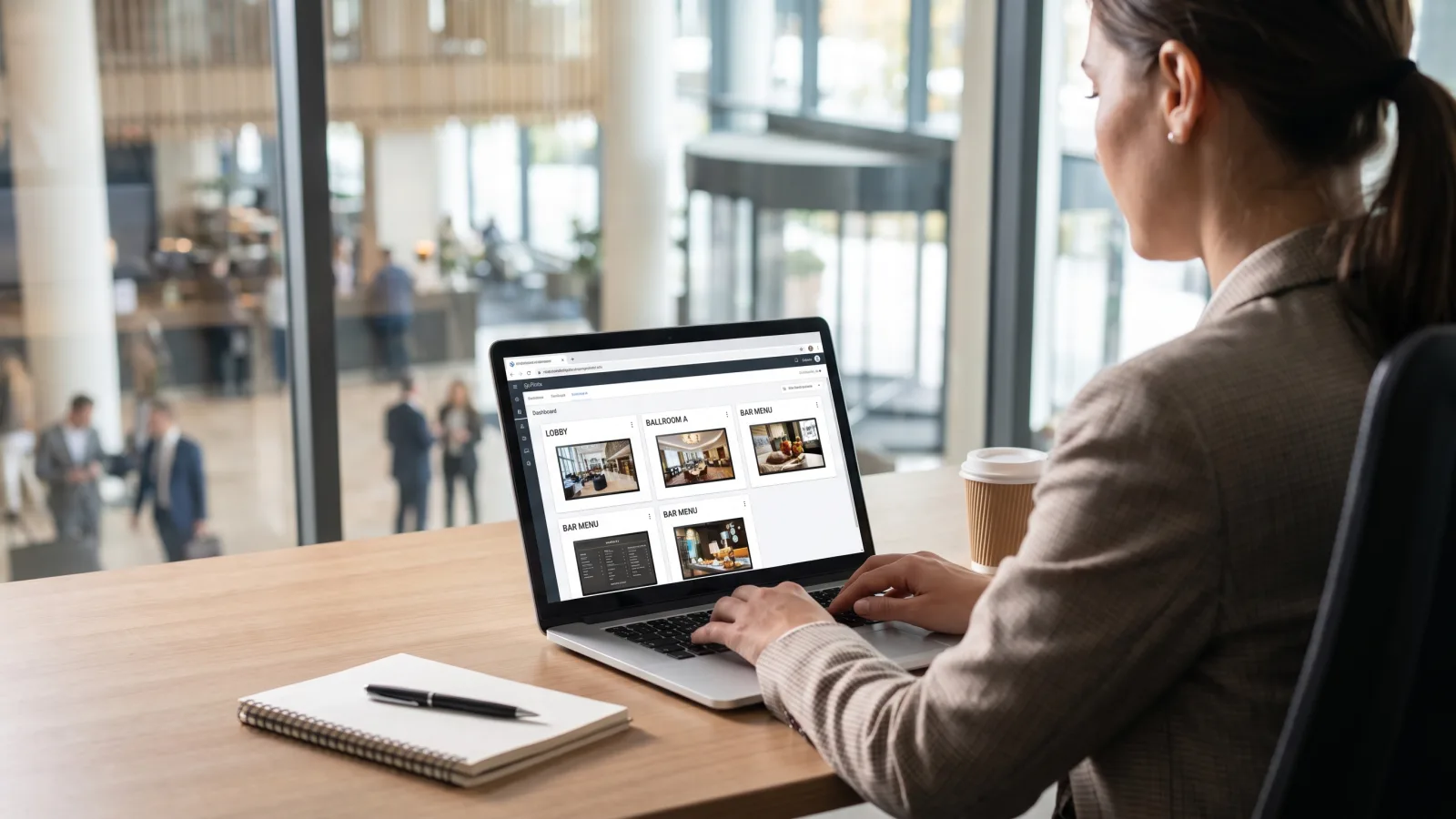
1. PMS and event-calendar integration. Readerboards and daily-event screens should populate from the systems the hotel already runs — Opera, Mews, Cloudbeds, or the banquet event software. When the booking changes, the board changes. If the platform can't integrate, a staff member is retyping the day's events every morning, and the screens go stale the first week that person is on vacation. This is the single question that separates hotel-grade platforms from generic ones.
2. Brand governance across properties. For groups, the dashboard needs brand-tier permissions: corporate locks templates, fonts, and approved imagery; each property publishes its own events, menus, and promotions inside those rails. Add approval workflows and an audit log showing who changed what. That's how a portfolio stays on brand without routing every pool-hours update through a central team.
Beyond the big two: daypart scheduling for F&B and event loops, per-screen permissions so the staff feed never hits the lobby, offline caching on the player so screens run through network outages, and support for the odd-hours reality of hotels — content pushes at 5 a.m. before the breakfast rush, not during it. If the property also runs guest-facing apps, our roundup of hospitality apps covers the wider stack the signage platform should play nicely with. And if guests wait anywhere — valet, spa, restaurant host stand — the waiting room signage playbook applies verbatim.
How much does hotel digital signage cost?
CrownTV pricing is all-in and one-time per screen — commercial display, mount, media player, professional install by licensed and insured technicians, setup, and the first year of software in one number:
| Screen size | All-in price (per screen) | Typical hotel placement |
|---|---|---|
| 32″ | $3,250 | Elevator cabs, spa reception, small readerboards |
| 43″ | $3,450 | Meeting-room readerboards, directories, menu boards |
| 50″ | $3,650 | Corridors, pre-function areas |
| 55″ | $3,850 | Lobby, restaurant, bar |
| 65″ | $4,450 | Lobby hero, large pre-function boards |
| 75″ | $5,200 | Grand lobby, ballroom pre-function hero |
Working estimates by property type:
| Deployment | Screens | Estimated all-in (year 1) |
|---|---|---|
| Boutique property | 6–10 | $21,000–$40,000 |
| Full-service hotel with event space | 15–25 | $55,000–$100,000 |
| Multi-property group (4–8 hotels) | 60–150 | Volume pricing below per-screen rate |
Indoor pricing only. These prices cover indoor placements on 500-nit QMC panels. A screen facing out a window, sitting in a glass-walled entrance, or mounted poolside needs a high-brightness OM-series or outdoor-rated panel — quoted separately, never at the indoor rate. Ask for a custom quote for any window-, storefront-, or outdoor-facing display.
Standard installation runs 7–10 business days from approval. After year one, budget for software renewal and extended warranty service. Full cost math, including the DIY-vs-turnkey comparison, lives in our digital signage cost breakdown.
Common hotel deployment mistakes
- Consumer TVs in 24/7 zones. Lobby and elevator screens run 16–24 hours a day. Consumer panels burn out in 18–30 months and the warranty won't cover it.
- Manual event boards. If the readerboards don't feed from the event calendar, they will show yesterday's wedding within a month. Integration or nothing.
- Standard panels behind glass. A 500-nit screen facing an entrance or window disappears in daylight. Sun-facing means 3,000-nit OM-series, full stop.
- Skipping the elevator. It's the highest-frequency guest touchpoint on the property and the cheapest square footage to activate — and most hotels leave it bare.
- No governance for groups. Give every property an unrestricted login and the brand fractures in a quarter. Templates locked at corporate, publishing rights at the property.
How CrownTV Helps
One contract for hardware + software + install + service:
- Samsung Authorized Reseller — QMC indoor panels, OM high-brightness window displays, and video walls at commercial pricing
- All-in per-screen packages — display, mount, media player, White Glove install, and first-year software — with a 3-year commercial warranty; typical install 7–10 business days
- CrownTV Dashboard with daypart scheduling, per-screen permissions, and multi-property brand governance
- Site survey, mounting, cabling, commissioning, and warranty service in all 50 states
- 13+ years across hospitality, retail, and corporate — Gansevoort Hotel Group, L'Occitane, Herman Miller, and 1,800+ other operators
Get a hotel digital signage quote in two business hours →
Frequently asked questions
How much does hotel digital signage cost?
CrownTV hotel signage is priced all-in and one-time per screen: $3,250 for a 32″, $3,450 for 43″, $3,650 for 50″, $3,850 for 55″, $4,450 for 65″, and $5,200 for 75″. Each price includes the commercial 4K display, mount, media player, professional installation by licensed insured technicians, setup, and the first year of content software. A boutique property running 6–10 screens typically lands around $21,000–$40,000; multi-property groups buying at volume get custom pricing below the per-screen rate. Window-facing and outdoor screens use high-brightness panels and are quoted separately.
What is hotel digital signage used for?
Hotels run screens in six zones: lobby and reception welcome content, event and meeting-room readerboards, wayfinding and directories, restaurant and bar menu boards, elevator and amenity-floor promotion, and back-of-house staff communications. The common thread is time-sensitive information — today's events, tonight's happy hour, this week's spa schedule — published once from a central dashboard instead of printed, posted, and thrown away the next morning.
What screens do hotels use for digital signage?
Commercial panels, matched to the zone. Indoor placements — lobbies, corridors, pre-function areas — run 500-nit Samsung QMC-series 4K displays rated for 24/7 duty. Event readerboards outside ballrooms and meeting rooms are typically 43″ panels mounted in portrait. Any screen facing a window or glass entrance needs a 3,000-nit Samsung OM-series high-brightness panel, or it goes invisible by mid-morning. Every display runs off a dedicated media player, not a consumer smart-TV app.
Can hotel digital signage pull events from our PMS or event calendar?
Yes, and this integration should be a hard requirement. A platform that connects to your property-management or event-calendar system (Opera, Mews, Cloudbeds, or your banquet event software) populates readerboards and lobby screens automatically — room names, times, and organizations update the moment the booking changes. Without the integration, someone on staff retypes the day's events every morning, and the boards drift out of date by the afternoon.
Can a hotel group manage digital signage across multiple properties?
Yes. Multi-property groups run every screen from one dashboard with brand-tier permissions: corporate locks the brand templates, fonts, and approved imagery, while each property publishes its own events, menus, and amenity promotions inside those rails. Look for per-property roles, approval workflows, and an audit log. That structure keeps a 12-property portfolio on brand without routing every pool-hours change through a central marketing team.
Do hotels need commercial displays or can they use regular TVs?
Commercial displays. Hotel signage runs 16 to 24 hours a day, and a consumer TV run on that schedule voids its warranty and typically fails within 18–30 months. Commercial panels like the Samsung QMC series are rated for 24/7 operation, carry a 3-year commercial warranty, ship without TV tuners or consumer menus that guests can mess with, and are readable under lobby lighting. The cheaper panel becomes the expensive one after the first replacement and re-install.
Read Next
DISPLAYDETAILS · BY CROWNTV · SHIPS NATIONWIDE
Hotel-grade displays, direct from CrownTV
Most-deployed 4K commercial display in the QM lineup.
Samsung QM55C
55-inchSamsung Authorized Reseller — direct allocation, full warranty
- Price-match guarantee — find it cheaper, we'll match it.
- 3-year Samsung commercial warranty — RMAs handled by us.
- Free nationwide shipping — every panel, every order.
- Purchase orders, Net-30 (approved accounts) and tax-exempt orders accepted.
Keep reading
More guides like this
Operator-grade playbooks, weekly.
Proof, not pitches
See real installs
Live deployments across hospitality, retail, and offices.
Ready to deploy?
Get a quote in 2 business hours
Reply within two business hours. No call required.