
Digital Wayfinding: 9 Systems Compared (Kiosks, Directories, Interactive Maps)
Digital wayfinding compared across 9 system types — touch kiosks, directories, interactive maps, mobile handoff — with the environments each fits, hardware specs, and real costs.

On this page
Reply within 2 business hours Ask a signage specialist Tap to open the quote form
Digital wayfinding fails for one reason more than any other, and it isn't the software: screens get hung where wall space was free instead of where people actually stop to decide. A directory in a corridor everyone walks straight through is wall art. The same screen at the elevator lobby — the spot where every visitor pauses and looks around — is a working system.
CrownTV deploys wayfinding across office towers, hospitals, malls, and campuses — the lobby-directory upgrade is one of the most consistent quote requests we see from property managers, law firms, and public agencies. This guide compares the 9 system types, which environments each fits, and what they honestly cost.
What is digital wayfinding?
Digital wayfinding is navigation delivered on screens: self-updating building directories, touch kiosks with searchable maps, "you-are-here" route displays, and QR handoff to a visitor's phone — all managed from one dashboard. When a tenant moves or a department relocates, every directory and map in the building updates in a single publish.
The 9 wayfinding systems, compared
1. Live directory screens. The engraved letter board, replaced: tenants, departments, and suites on a portrait display, updated from the dashboard. The workhorse for lobbies and medical office buildings — deep dive in directory signage systems.
2. Touch directory kiosks. Search by name when the tenant list passes ~30 entries. An office tower with 80 suites needs search, not scrolling.
3. Interactive "you-are-here" maps. Floor plan plus highlighted route from this screen to the destination — the format that measurably cuts wandering in hospitals and large facilities.
4. Multi-stop route kiosks. Campus and hospital variant: search a department, get the cross-building route including elevators and skybridges.
5. Mobile handoff. QR code on the route screen sends turn-by-turn directions to the visitor's phone — the answer to "nobody memorizes a map." Highest-impact add-on for hospitals.
6. Outdoor campus totems. Weatherized freestanding units at parking transitions and quad junctions; hardware realities (brightness, footings, permits) live in the outdoor signage guide.
7. Accessible/ADA-height units. Reach ranges, contrast, and audio support designed in, not retrofitted — see FAQ for the spec points.
8. Emergency-mode wayfinding. The underrated one: every wayfinding screen converts to exit guidance on trigger, with an audit log. Shared infrastructure with your emergency messaging.
9. Hybrid directory + signage screens. Directory content dayparted with announcements and amenity promotion — how most buildings actually run it, one screen doing both jobs on schedule.
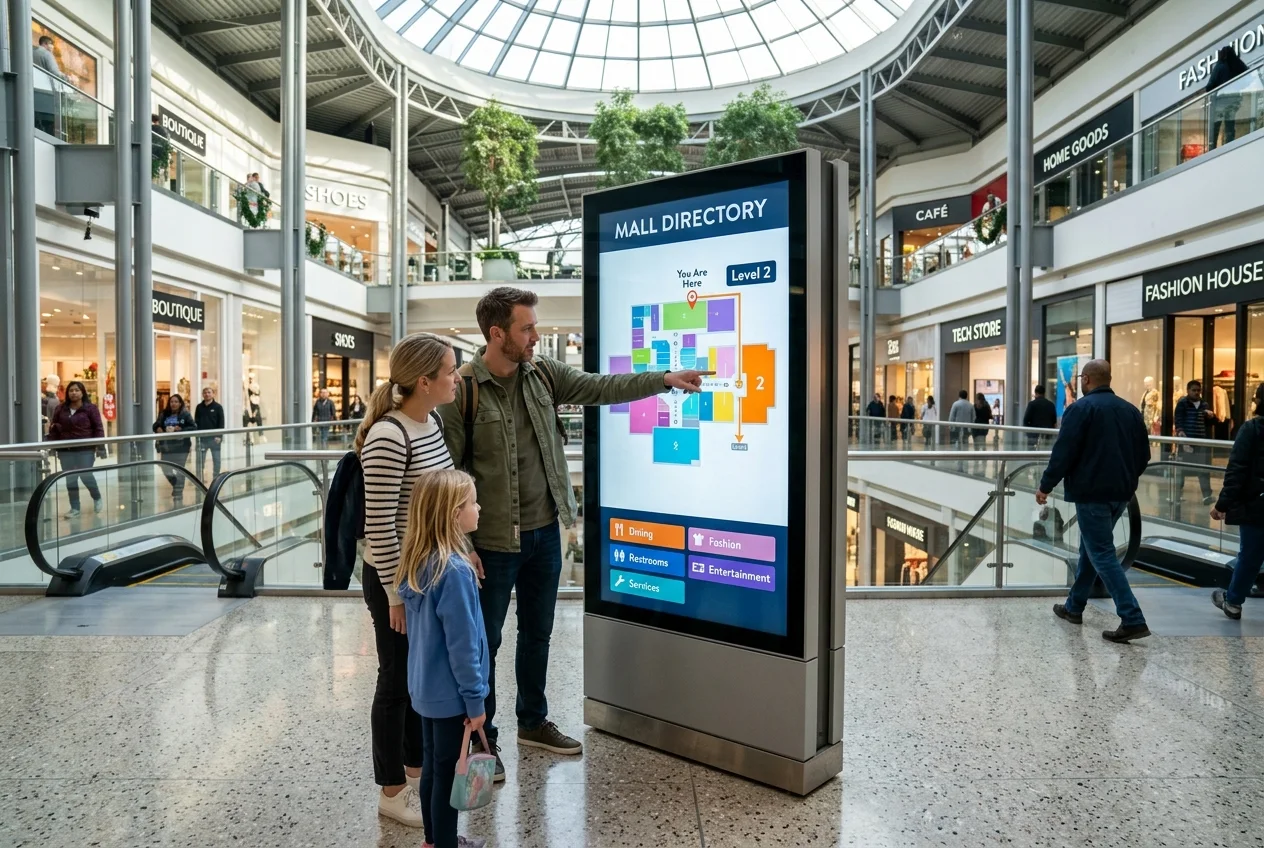
Which system fits which environment
| Environment | Lead system | Why |
|---|---|---|
| Office tower / Class A lobby | Touch directory kiosk (2) + live directories (1) | Search across many tenants; front desk stops fielding "what floor is…" |
| Hospital / medical campus | Route maps (3) + mobile handoff (5) | Hardest navigation problem in architecture; routes must travel with the visitor — see healthcare signage |
| Shopping mall | Interactive map with category browsing (3) | Visitors browse ("food," "shoes"), they don't search tenant names — full rollout in shopping mall digital signage |
| University / corporate campus | Outdoor totems (6) + multi-stop routes (4) | Navigation starts in the parking lot — campus specifics in campus wayfinding |
| Hotel / event space | Hybrid screens (9) | Directory + today's events on one dayparted display |
Hardware and cost
Wayfinding runs on standard commercial hardware: portrait-mounted QMC-series panels for directories and maps, touch overlays where interaction earns its cost, and kiosk enclosures for freestanding units (formats in the kiosk guide). Non-touch screens price at the normal package rate — $3,150 all-in for a 43″ including display, mount, player, install, and first-year software. Touch kiosks typically land $6,000–$15,000+ installed depending on enclosure and map software; outdoor totems are quoted per site. The software layer — floor plans, search, route generation, tenant data feeds — is the differentiator between wayfinding and a JPEG of a map; demand editable maps you can update yourself, or every office move becomes a vendor invoice.
Common wayfinding mistakes
- Screens where wall space was free. Placement at decision points is the whole game. Survey where visitors hesitate before ordering hardware.
- A JPEG map behind glass. If you can't edit the map yourself, it's out of date by the second tenant move.
- Touch where nobody needs it. Under ~30 destinations, a clear non-touch layout is faster and cheaper.
- No mobile handoff in big facilities. The route matters most 200 feet after the visitor leaves the kiosk.
- ADA as a retrofit. Reach ranges and contrast are enclosure-spec decisions; fixing them later means new enclosures.
How CrownTV Helps
- Directory, map, and kiosk hardware — portrait QMC panels, touch overlays, freestanding and outdoor enclosures — as Samsung Authorized Reseller
- All-in packages for non-touch screens; per-project quotes for touch kiosks and totems
- CrownTV Dashboard runs wayfinding beside your other content — dayparted hybrid screens, emergency takeover, per-screen permissions
- Licensed, insured installation in all 50 states, including ADA-conscious mounting
Get a wayfinding quote in two business hours →
Frequently asked questions
What is digital wayfinding?
Navigation delivered on screens — self-updating directories, touch kiosks with searchable maps, route displays, and QR handoff to phones — all managed from one dashboard and updated in one publish.
How much does digital wayfinding cost?
Non-touch directory and map screens start at $3,150 all-in for a 43″ plus the wayfinding software layer; touch kiosks typically run $6,000–$15,000+ installed; outdoor totems are quoted per site.
Where should wayfinding screens be placed?
At decision points: entrances, elevator lobbies, corridor junctions, parking transitions. One screen where people stop beats three where they don't.
Do wayfinding kiosks need touchscreens?
Only past ~30 destinations or where route generation matters. Below that, non-touch layouts are faster and cheaper; QR handoff covers the take-it-with-you problem.
What makes wayfinding ADA-accessible?
Wheelchair-reachable operable parts (typically 15–48″), high-contrast readable type, audio/screen-reader support on interactive units, and clear floor space — specified in the enclosure design from day one.
Do wayfinding kiosks need to be touchscreens?
Not always. Directories and 'you-are-here' maps work as non-touch displays at lower cost and zero maintenance on the touch layer. Touch earns its premium when visitors need search (an office tower with 80 tenants, a hospital with 40 departments) or route generation to many destinations. High-traffic environments also favor QR mobile handoff — the visitor scans and takes turn-by-turn directions with them instead of memorizing the map.
Read Next
DISPLAYDETAILS · BY CROWNTV · SHIPS NATIONWIDE
Wayfinding-grade displays, direct from CrownTV
Most-deployed 4K commercial display in the QM lineup.
Samsung QM55C
55-inchSamsung Authorized Reseller — direct allocation, full warranty
- Price-match guarantee — find it cheaper, we'll match it.
- 3-year Samsung commercial warranty — RMAs handled by us.
- Free nationwide shipping — every panel, every order.
- Purchase orders, tax-exempt orders accepted.
Browse the full Samsung QMC series lineup at DisplayDetails →
Keep reading
More guides like this
Operator-grade playbooks, weekly.
Proof, not pitches
See real installs
Live deployments across hospitality, retail, and offices.
Ready to deploy?
Get a quote in 2 business hours
Reply within two business hours. No call required.