
Best Conference Room TVs in 2026: the buyer's shortlist
The best conference room TVs in 2026, ranked on brightness, duty hours, warranty, inputs and price, with sizing rules and installed prices.


On this page
Reply within 2 business hours Ask a signage specialist Tap to open the quote form
The best conference room TV is a commercial display, not a living-room set. It's rated for all-day use, it's controllable from the room system and it's covered by a commercial warranty. We compared 13 current and recent models on brightness, duty hours, warranty, inputs and price. Our #1 is the Samsung QM-C series: 500 nits, 24/7-rated, 3-year warranty, from $1,450 for a 65″. It's also the panel CrownTV installs, which we disclose below. Here is the best conference room TV shortlist.
Key Takeaways
- Buy a commercial display, not a consumer TV. Every pick below is rated for 16 or 24 hours a day and carries a 3-year or longer warranty. TCL's 2025 consumer warranty, by contrast, drops to 6 months when the TV is used in a business.
- Size from the back row, not the wall. The 4/6/8 guideline says the farthest seat should be no more than about 6 screen-heights away for presentations. A 65″ screen covers a room about 16 feet deep.
- No display here is Teams or Zoom certified. Certification lives in the video bar or room computer you plug in. Sharp's ME and M series are the only ones verified for Cisco Webex devices.
- Six models people still search for are discontinued. The LG UR640S, UL3J and UR340C, the Samsung BE65D-H, the Hisense GM50D and the Samsung DU7200 are gone or out of stock at major retailers. Check before you buy from an old list.
- Price the install, not just the panel. A 65″ commercial panel runs $799 to $2,193 at B&H. The wall mount, cable path and video bar bracket are where conference room quotes actually differ.
What a conference room TV actually is (and what it is not)
A conference room TV, more accurately called a conference room display, is a commercial flat panel that shows the content and the far end of a video call in a meeting space. It sits on the wall at the end of the table, usually above a video bar with the camera and microphones, and it connects to a room computer, a laptop or a wireless sharing system.
Three things separate it from a consumer TV. First, duty cycle: commercial displays are rated for 16 hours a day, 7 days a week or 24/7. Second, warranty: the picks below carry 3 years, and some resellers list 5. Consumer warranties shrink for business use; TCL's 2025 terms cut cover from 1 year to 6 months for commercial use. Third, control: RS-232 or LAN control, input locks and power scheduling let a room system turn the screen on when the meeting starts.
We keep a page of sourced digital signage statistics if you need numbers to justify a room refresh.
What it is not: it is not a video conferencing system on its own. The camera, microphones and Teams or Zoom computer are separate, and none of the displays below carries a Teams or Zoom certification. It is also not an interactive whiteboard. Touch displays for brainstorming are a different category with different prices. And it is not the room-booking panel outside the door, which is its own small screen.
The good news is that a conference room display is a simple purchase once you know the room size. Get the brightness right for the windows, the size right for the back row and the inputs right for your laptops, and almost any commercial panel on this list will run for years.

Real CrownTV install · Herman Miller, Park Avenue
Conference room display, mounted and installed, from $2,450.
Get a free quote in 2 business hours →How We Ranked These Conference Room TVs
We compared the 65″ model of each series, because that's the most common conference room size, using manufacturer spec sheets and B&H product pages read on November 8, 2026. We scored six things you can measure:
- Brightness in nits. 350 nits is fine for interior rooms; 500 or more handles windows; 700 handles glass walls.
- Rated duty cycle. 24/7 scores above 16/7. Both beat a consumer TV.
- Warranty length. Years of manufacturer coverage, using the manufacturer's own document where we could find it.
- Inputs and control. HDMI count, USB-C video input, and RS-232 or LAN control for room systems.
- Built-in wireless sharing. SmartView+, AirPlay, Chromecast or Miracast, so guests can present without a cable.
- US street price for the 65″. The B&H price on November 8, 2026, plus availability.
Six requested models were dropped because they are discontinued or out of stock: LG 65UR640S9UD, LG 65UL3J-E, LG 65UR340C9UD, Samsung BE65D-H, Hisense 65GM50D and the consumer Samsung DU7200.
The Best Conference Room TVs in 2026
The list is ordered by how well each display fits a typical 6 to 12 person conference room with a video bar. Our #1 is the panel CrownTV installs, so we've been specific about its gaps. If your room has glass walls, read the Sony BZ40L. If your team presents from laptops over USB-C, read the Sharp picks.
1. Samsung QM-C series, best for most conference rooms
- 65″ $1,450 (B&H, Samsung.com)
- 500 nits · 24/7
- 3-year warranty
- 32″ to 98″

The QM-C is the commercial display we put in more conference rooms than anything else. It hits every requirement without paying for features a meeting room doesn't use. The 65″ QM65C is $1,450 at B&H and on Samsung's own business store, against a $1,900 MSRP on Samsung's March 2026 government price list. The 55″ is $1,200 and the 75″ is $3,200 at B&H.
Specs from Samsung's US leaflet: 500 nits, rated for 24/7 operation, Tizen 7.0, three HDMI 2.0 inputs plus one DisplayPort, RS-232C in and out, LAN, Wi-Fi and Bluetooth. SmartView+ is built in for wireless sharing, and Samsung's software list includes a Workspace mode for Microsoft 365. The cabinet is 28.5 mm deep, so it sits nearly flush on the wall. Samsung's price list shows a 1,095-day, or 3-year, warranty. The series launched in 2023, and sizes run from 32″ (400 nits, Full HD) to 98″.
Its gaps: there is no USB-C input, so laptop users need HDMI or wireless sharing, and there is no Teams or Zoom certification. That sits with your video bar. B&H shows only one or two reviews per size, so retail ratings tell you little.
This is the panel in CrownTV's Conference Room Display Package: $2,450 for a 55″, $2,600 for a 65″ and $4,475 for a 75″, including the display, wall mount, shipping and installation.
Standard 6 to 14 person conference rooms with a video bar and a mix of laptops. It is also the safe pick for companies standardizing one model across many rooms and offices.
Disclosure: CrownTV installs the QM-C series, and our sister store DisplayDetails, an Authorized Samsung Reseller, sells it. We scored it on the same six criteria as the others.
2. Sony BRAVIA BZ40L, best for bright rooms and glass walls
- 65″ $1,890 (B&H)
- 700 nits · 24/7
- 4 HDMI · AirPlay + Chromecast
The BZ40L is the brightest display on this list. At 700 cd/m², per Sony's data sheet, it stays readable in a glass-walled room or a corner office with windows behind the table. Sony also gives it a Deep Black Non-Glare coating that it says is exclusive to the BZ40L, which helps when the screen faces a window.
It is rated for 24/7 operation and runs Android TV, with four HDMI inputs, two USB ports and Ethernet. For guests, Chromecast and Apple AirPlay are both built in, so Mac and Android users can share without an adapter. For room systems, it supports IP control and RS-232C. Sony doesn't claim Teams or Zoom certification; its data sheet suggests installing Google Meet from the Play Store and pairing a webcam, which works for small rooms but isn't a certified setup.
The 65″ is $1,890 at B&H, with the 75″ at $3,025 and the 85″ at $4,865. B&H lists a 5-year manufacturer warranty; we couldn't find a Sony US document to confirm it, so ask your reseller for it in writing. The 65″ had no B&H reviews when we checked.
The trade-off is price. It costs about $440 more than a QM65C for the brightness and the casting support. In an interior room with blinds, you won't see the difference.
Glass-walled rooms, window-facing boardrooms and executive offices where daylight washes out a 500-nit screen. It's also good for Mac-heavy teams that want AirPlay without a dongle.
3. Sony BRAVIA BZ30L, best value for a 24/7 display with casting
- 65″ $799 sale / $1,310 regular (B&H)
- 440 nits · 24/7
- 4 HDMI · AirPlay + Chromecast
The BZ30L is the BZ40L's lower-cost sibling, and right now it's the best value on this list. B&H had the 65″ at $799 on November 8, 2026, a limited-supply holiday price against a regular $1,310. Even at the regular price, it undercuts the QM65C.
Sony's brochure lists 440 cd/m² brightness and 24/7 operation across sizes from 43″ to 98″. Like the BZ40L, it runs Android TV with Chromecast and AirPlay built in, has four HDMI inputs, two USB ports and Ethernet, and supports IP control, RS-232C and HDMI-CEC. That is a strong spec sheet for a meeting room at this price.
What you give up: 440 nits is fine for an interior room but marginal against bright windows, and it lacks the BZ40L's anti-glare coating. B&H lists a 3-year manufacturer warranty; we didn't find a Sony US document confirming it. The 65″ had one 5-star review on B&H. Larger sizes are $2,315 for the 75″, $3,175 for the 85″ and $7,185 for the 98″.
If the $799 price is gone by the time you read this, compare it with the QM65C at the regular $1,310. The Sony wins on casting, the Samsung on brightness.
Interior meeting rooms and huddle spaces where budget matters and guests share from phones. It's a good pick for fitting out several rooms at once while the sale price lasts.
4. Sharp MultiSync ME series (PN-ME652), best for Webex rooms and USB-C laptops
- 65″ $1,332 (B&H)
- USB-C video in · Android 13
- Verified for Cisco collaboration devices
The ME series is the most meeting-room-specific display here. It has a USB-C input that carries video using DisplayPort Alt Mode and up to 15 W of power, so a visitor's laptop can present with one cable. It also has three HDMI inputs and three USB-A ports, and it runs Android 13 on a built-in system-on-chip.
Sharp says the ME series is "Verified for Cisco Collaboration Devices", and B&H lists Crestron RoomView and Cisco Webex support. If your company runs Webex rooms, that is the only verification of its kind on this list. For control, it has RS-232 and LAN, plus Crestron and Q-Sys integrations.
The specs disagree between regions, so verify the US model before you buy. Sharp UK lists 500 cd/m², 24/7 operation and a 3-year warranty. B&H US lists 450 nits and a 5-year warranty, and some US resellers list 18/7 operation. Wireless casting uses an EShare app rather than built-in AirPlay, and Wi-Fi and Bluetooth are optional dongles.
The 65″ is $1,332 at B&H, with the 55″ at $969 and the 75″ at $2,124. B&H shows no reviews yet.
Companies standardized on Cisco Webex, and rooms where visitors present from USB-C laptops. It's also the pick for IT teams that manage rooms through Crestron or Q-Sys.
5. Samsung QB-C series, best budget commercial display for interior rooms
- 65″ $1,249 (B&H)
- 350 nits · 16/7
- 3-year warranty
The QB-C is Samsung's step down from the QM-C, and it makes sense for interior rooms that are only used during office hours. The 65″ QB65C is $1,249 at B&H against a $1,650 MSRP, and the 55″ is $1,010.
Samsung's US leaflet lists 350 nits, a 16/7 duty rating, Tizen 7.0, three HDMI 2.0 inputs, two USB ports, RS-232C in and out, LAN, Wi-Fi and Bluetooth. Samsung's price list gives the same 3-year warranty as the QM-C. Its software list includes Workspace for Microsoft 365, Director Mode and a "Video Conference Solution".
Read the differences carefully, because they matter in a meeting room. The QB-C has no DisplayPort input, and SmartView+ wireless sharing, which the QM-C has, is not listed in its features. So guests need a cable or a separate wireless presentation box. Its 350-nit panel is also the dimmest here except Samsung's Business TV.
B&H shows one 5-star review for the 65″. Sizes run from 43″ to 85″.
If every room has a video bar with its own sharing, the missing SmartView+ doesn't matter, and you save about $200 per 65″ screen.
Interior rooms without windows that are used 8 to 10 hours a day. It also fits offices where a video bar or room computer handles wireless sharing.
6. Philips D-Line (65BDL4511D), best for integrators who need DisplayPort and loop-through
- 65″ $1,542 (B&H)
- 500 nits · 24/7
- HDMI + DP + DVI in, HDMI + DP out
The Philips D-Line is the most connectable panel here, aimed at AV integrators building larger rooms. The 65BDL4511D has three HDMI 2.0 inputs, a DisplayPort 1.2 input, a DVI-I input and two USB ports. It also has HDMI and DisplayPort outputs, which lets you loop the signal to a second screen. Control is over RJ45 and RS-232C.
Philips's datasheet lists 500 cd/m² brightness and 24/7 operation in both landscape and portrait, and a 3-year warranty, which B&H confirms. The 65″ is $1,542 at B&H. Philips's own datasheet for this model was only available in a Vietnamese edition when we checked, so we cross-read it against B&H's listing.
What it lacks is software. This SKU has no Android or smart platform, and B&H describes it as offering signage control and USB media playback, so there's no built-in wireless sharing. It assumes a room computer or presentation system does that job. Philips sells Android versions of the D-Line under different model numbers, which we didn't verify.
No reviews were showing on B&H. It's the right tool for a dual-screen boardroom, not a quick huddle-room fit-out.
Integrator-built boardrooms with a separate room computer, mirrored screens or a signal chain. It's also good for divisible rooms that send one source to two displays.
7. Sharp MultiSync M series (PN-M652), best modular display for advanced rooms
- 65″ $2,193 (B&H)
- 550 nits · 24/7
- Two USB-C ports (65 W) · compute slot
The M series is the premium modular option. Its party trick is a slot for a compute module, either an Intel SDM or a Raspberry Pi compute module, so the room computer can live inside the display instead of behind it. It has two USB-C ports. One carries video using DisplayPort Alt Mode with 65 W of charging, enough to power most laptops while they present. It also has two HDMI inputs, an HDMI output, DisplayPort in and out, and two LAN ports.
Sharp's EU datasheet lists 550 cd/m², 24/7 operation and sizes from 32″ to 98″. Like the ME, it is "Verified for Cisco Collaboration Devices", and Sharp names Microsoft Teams as a compatible platform. That isn't a certification, and Zoom isn't mentioned.
The warranty differs by source. B&H US says 5 years; Sharp EU says 3 years including the backlight, with optional years 4 and 5. Get the US terms in writing. There is no built-in operating system; the module slot is the point.
The 65″ is $2,193 at B&H, the most expensive 65″ on this list. B&H showed no reviews.
Boardrooms and training rooms where IT wants one-cable laptop charging and a computer built into the display. It also suits Webex-standardized companies willing to pay for a cleaner install.
8. Samsung Business TV (BE65FX-H), best low-cost option for occasional-use rooms
- 65″ $845 (B&H) · MSRP $1,230
- 300 nits · 16/7
- 3-year warranty
The Business TV is Samsung's middle ground between a consumer TV and a commercial display. The BE65FX-H replaces the discontinued BE65D-H, and B&H lists it at $845, against $1,230 on Samsung's March 2026 price list. That makes it the cheapest commercial-warranty option on this list.
Samsung's price list gives it 300 nits, 16/7 operation, three HDMI inputs, one USB port and a 3-year warranty. Samsung's BEFX-H spec sheet adds PlayLock, a PIN-code lock that stops people changing what's on screen, and Samsung VXT support. VXT has to be bought separately, and only its S Series plan works with this line.
The limits are real for a meeting room. At 300 nits it's the dimmest display here, so it suits interior rooms only. The previous BED-H generation listed LAN as its only external control, with no RS-232, so check the FX-H if your room system needs serial control. B&H showed one review.
For a small office with two or three rooms used a few hours a day, it gets you a commercial warranty for less than many consumer TVs.
Small offices and occasional-use meeting rooms on a tight budget. It's also a sensible upgrade from a consumer TV in a training room or break room.
Side-by-Side Comparison
The same six criteria: brightness, duty cycle, warranty, inputs and control, wireless sharing and the 65″ price. Specs come from manufacturer documents and prices from B&H, all read on November 8, 2026.
| Model (65″) | Price | Brightness | Duty | Warranty | Inputs / control | Wireless sharing |
|---|---|---|---|---|---|---|
| Samsung QM65C | $1,450 | 500 nits | 24/7 | 3 yr | 3 HDMI, DP, RS-232, LAN | SmartView+ |
| Sony BZ40L | $1,890 | 700 nits | 24/7 | 5 yr* | 4 HDMI, RS-232, IP | AirPlay, Chromecast |
| Sony BZ30L | $799 sale / $1,310 | 440 nits | 24/7 | 3 yr* | 4 HDMI, RS-232, IP | AirPlay, Chromecast |
| Sharp PN-ME652 | $1,332 | 450–500 nits* | 24/7 or 18/7* | 3–5 yr* | 3 HDMI, USB-C, RS-232, LAN | EShare app |
| Samsung QB65C | $1,249 | 350 nits | 16/7 | 3 yr | 3 HDMI, RS-232, LAN | Not listed |
| Philips 65BDL4511D | $1,542 | 500 nits | 24/7 | 3 yr | 3 HDMI, DP, DVI, RS-232, LAN | None |
| Sharp PN-M652 | $2,193 | 550 nits | 24/7 | 3–5 yr* | 2 HDMI, DP, 2× USB-C, RS-232, 2× LAN | Not listed |
| Samsung BE65FX-H | $845 | 300 nits | 16/7 | 3 yr | 3 HDMI, LAN | Not listed |
How big should the screen be?
The 4/6/8 guideline, as published by Epson, sets the farthest viewer at about 4 screen-heights for detailed work, 6 for presentations and video calls, and 8 for video. AVIXA's DISCAS standard (ANSI/INFOCOMM V202.01:2016) does the same job more precisely, using the farthest viewer divided by image height. Using the 6× rule for a 16:9 screen:
| Screen | Image height | Farthest seat (6×) | CrownTV installed package |
|---|---|---|---|
| 55″ | 27 in | about 13.5 ft | $2,450 |
| 65″ | 32 in | about 16 ft | $2,600 |
| 75″ | 37 in | about 18.5 ft | $4,475 |
| 85″ | 42 in | about 21 ft | $6,500 |
| 98″ | 48 in | about 24 ft | $9,000 |
Which conference room TV fits your room
| Your room | Best fit | Why | Watch out for |
|---|---|---|---|
| Standard 6–14 seat room with a video bar | Samsung QM-C | 500 nits, 24/7, SmartView+, 3-year warranty | No USB-C input |
| Glass walls or window behind the table | Sony BZ40L | 700 nits plus an anti-glare coating | Get the 5-year warranty in writing |
| Several interior rooms on a budget | Sony BZ30L | 24/7 with AirPlay and Chromecast at a sale price | Sale price is limited supply |
| Webex company, USB-C laptops | Sharp ME | USB-C video in, Cisco-verified | US specs differ from UK; verify |
| Windowless room, office hours only | Samsung QB-C | Commercial warranty for less | No SmartView+ or DisplayPort |
| Integrator-built boardroom, two screens | Philips D-Line | DP and HDMI loop-through outputs | No built-in sharing |
| Boardroom with built-in room computer | Sharp M | Compute slot and 65 W USB-C | Highest price here |
| Small office, occasional meetings | Samsung Business TV | Cheapest 3-year commercial warranty | 300 nits; interior rooms only |
What results look like
Conference rooms are a quieter part of our work than storefronts, and we don't publish numbers we can't stand behind. What we can show is how we install commercial displays for brands that care about how a screen looks on the wall.
- Herman Miller, Park Avenue showroom. A Samsung QM75C 75″ 4K display in portrait for the Cosm campaign launch, two weeks from consultation to live. Read the case study.
- Victoria's Secret, Fifth Avenue flagship. 15 displays, including Samsung QM98 and QM85C panels, across a 24,000 sq ft store at 640 Fifth Avenue. These are the same QM family as our #1 pick, in sizes most boardrooms use. Read the case study.
- A DC office fit-out, September 2026. Our 75″, 85″ and 98″ conference package prices come from that order's real shipped totals: display, mount, shipping and install, with the client bringing their own Teams compute.
See every install on our case studies page.
Frequently asked questions
What size TV do I need for a conference room?
Use the 4/6/8 guideline: for presentations and video calls, the farthest seat should be no more than about 6 times the screen's height away. That works out to roughly 13.5 feet for a 55-inch, 16 feet for a 65-inch, 18.5 feet for a 75-inch and 21 feet for an 85-inch screen.
What is the difference between a conference room TV and a regular TV?
A commercial display is rated for long daily hours (16/7 or 24/7), carries a commercial warranty, and adds RS-232 or LAN control, input locks and wireless sharing. Consumer TV warranties often shrink or exclude commercial use; TCL's 2025 warranty, for example, drops from 1 year to 6 months for commercial use.
Are any conference room TVs certified for Microsoft Teams or Zoom?
We found no Teams or Zoom certification on any display in this list. Certification belongs to the video bar or room computer you connect; Sharp's ME and M series are verified for Cisco Webex devices.
How much does a conference room TV cost installed?
CrownTV's Conference Room Display Package is $2,450 for a 55-inch and $4,475 for a 75-inch, including the Samsung commercial display, wall mount, shipping and professional installation. Mounting and connecting a video bar is $295.
How many nits does a conference room screen need?
Around 350 to 500 nits is enough for most interior rooms. Choose 500 nits or more if the room has windows on the screen wall or bright downlights, and 700 nits, like Sony's BZ40L, for glass-walled rooms.
What inputs should a conference room TV have?
At least three HDMI inputs, LAN or RS-232 for room control, and built-in wireless sharing. USB-C video input, found on Sharp's ME and M series, lets visitors present from a laptop with one cable.
How long does a conference room display install take?
Most single-room installs are done in one visit. CrownTV typically installs within 5–7 business days of the paid invoice.
Get a free quote from CrownTV
Send us your room count and the depth of each room, and we'll size every screen for you. You'll get an itemized, installed price within 2 business hours. That covers the Samsung panel, the wall mount, shipping and installation, plus the video bar bracket if you need one. You bring your Teams or Zoom compute, or tell us what you run and we'll plan the cabling around it. Get your free quote here.
Whatever you buy, measure the distance to the back seat before choosing the size, and get the warranty terms in writing. If you'd like us to do both, send us your room list and we'll take it from there.
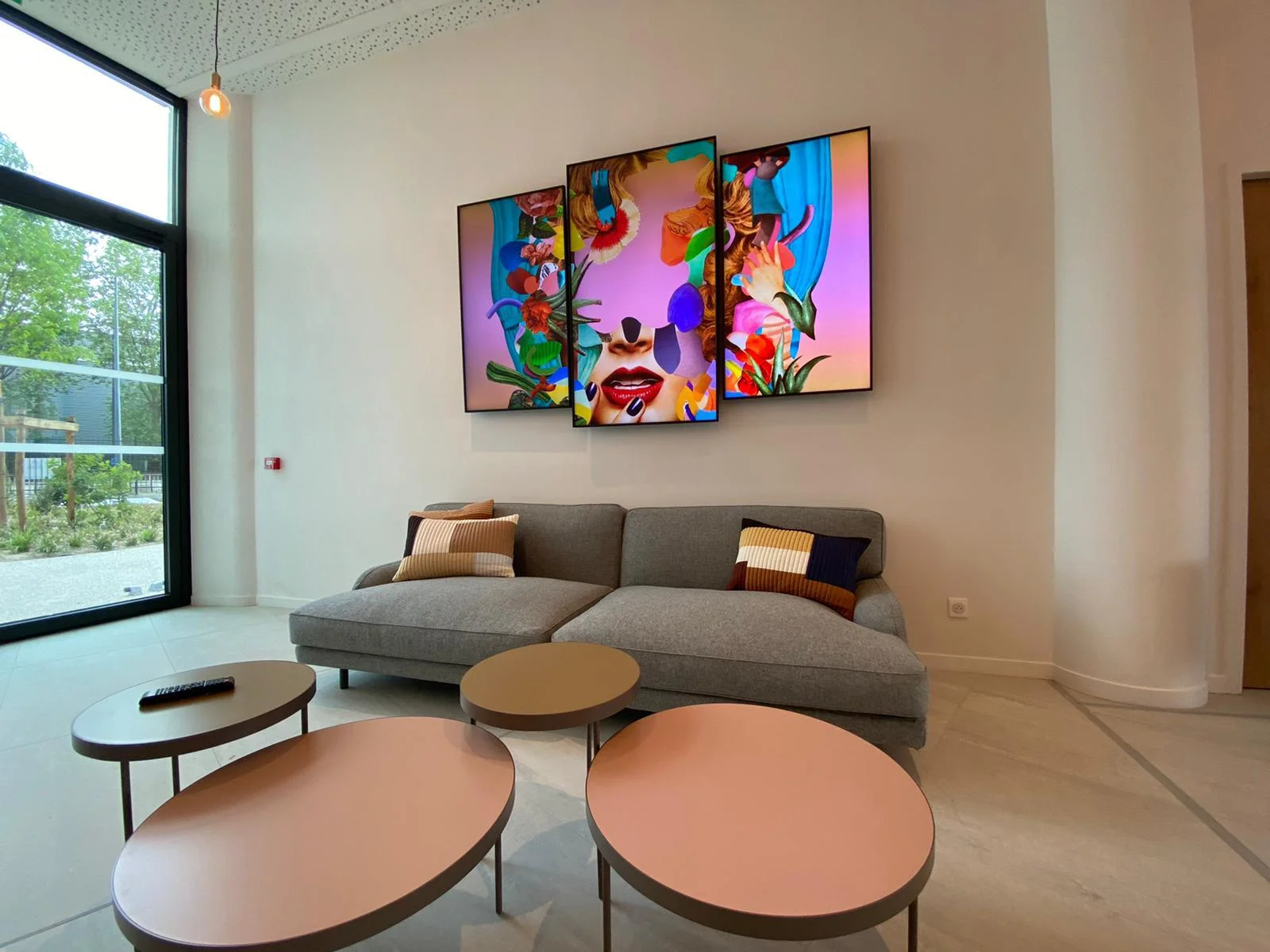
Real CrownTV install · three-screen wall
Every room on the floor, sized, mounted and installed by one crew.
Get a free quote →Itemized and installed, back within 2 business hours.
Keep reading
More guides like this
Operator-grade playbooks, weekly.
Proof, not pitches
See real installs
Live deployments across hospitality, retail, and offices.
Ready to deploy?
Get a quote in 2 business hours
Reply within two business hours. No call required.