

Updated CrownTV first-party field data

How long does it take to mount a TV? We timed our own installs.

A commercial screen under 65″ takes a median of 1 hour 41 minutes on site, and 3 in 4 are done within 2½ hours. This is the State of Digital Signage Installs 2026: logged time from CrownTV field jobs, what slows installs down, and what businesses ask for.

Key findings

What our 2026 job logs show

1 h 41 minMedian on-site time to mount a new screen under 65″
46 minMedian to add a media player to a TV that's already up
78%Of jobs finished within the estimated hours
1 in 4Of jobs hit a snag. Two-thirds of those were scheduling, not hardware.
48%Of buyers want the complete package. 29% don't know what they need yet.
Install time estimator

How long will your install take?

Pick the job, the power situation and the screen count. Ranges come from our logged field time. Power add-ons come from CrownTV field guidance.

1 · What's the job?
2 · Where's the power?
3 · How many screens? 1
1 h 16 min – 2 h 28 min
per screen on site · typical: 1 h 41 min

Middle half of our logged jobs. Your exact time depends on the wall, the mount and access.

Get an exact quote
Time on site by job type

Most jobs take between half an hour and 2½ hours

Each bar shows the middle half of logged jobs (25th to 75th percentile). The dot is the median. Time runs from the technician's on-site check-in to check-out, so prep done before arrival isn't counted.

Media player on an existing TV
Troubleshooting visit
New screen under 65"
Swap out a broken screen

65″+ screens and jobs that needed new electrical are left out: too few jobs to give a fair range.

What these jobs look like

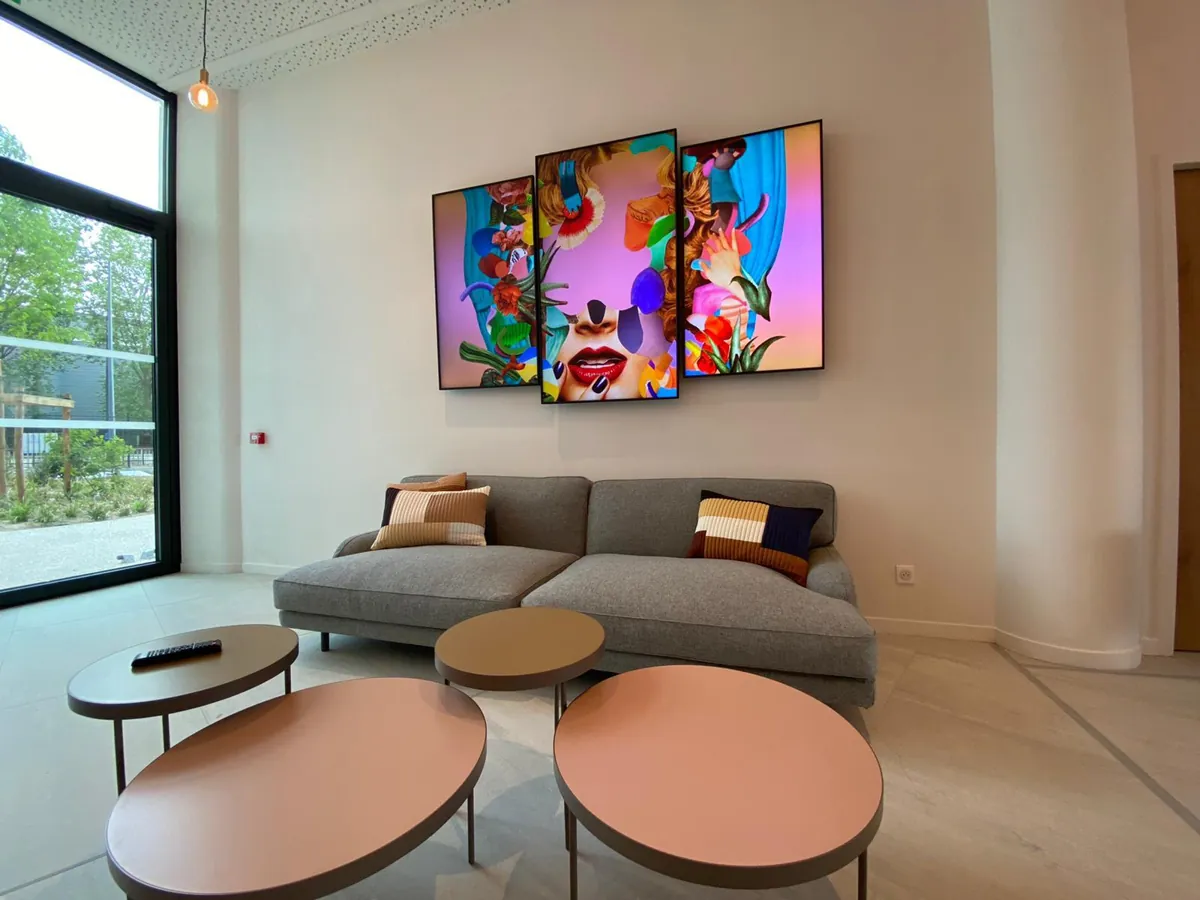
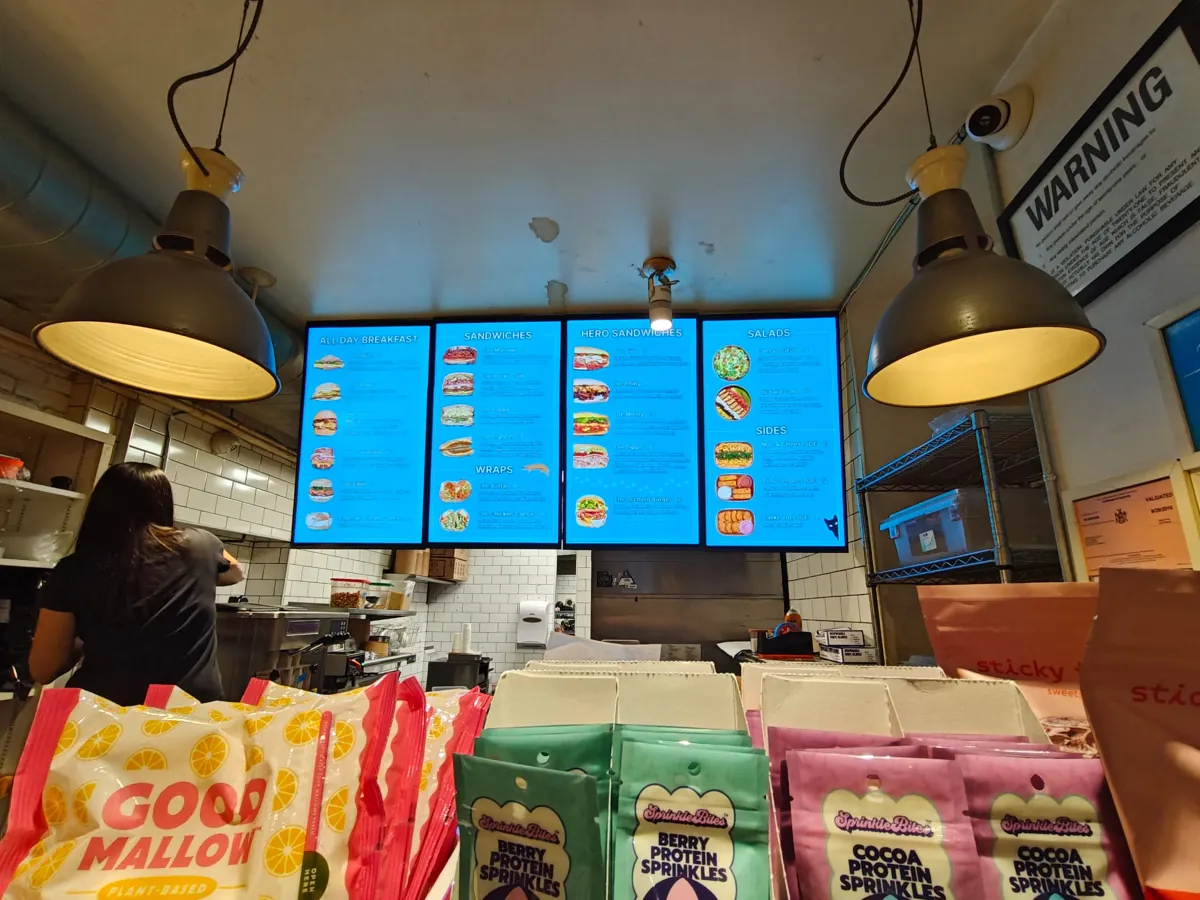
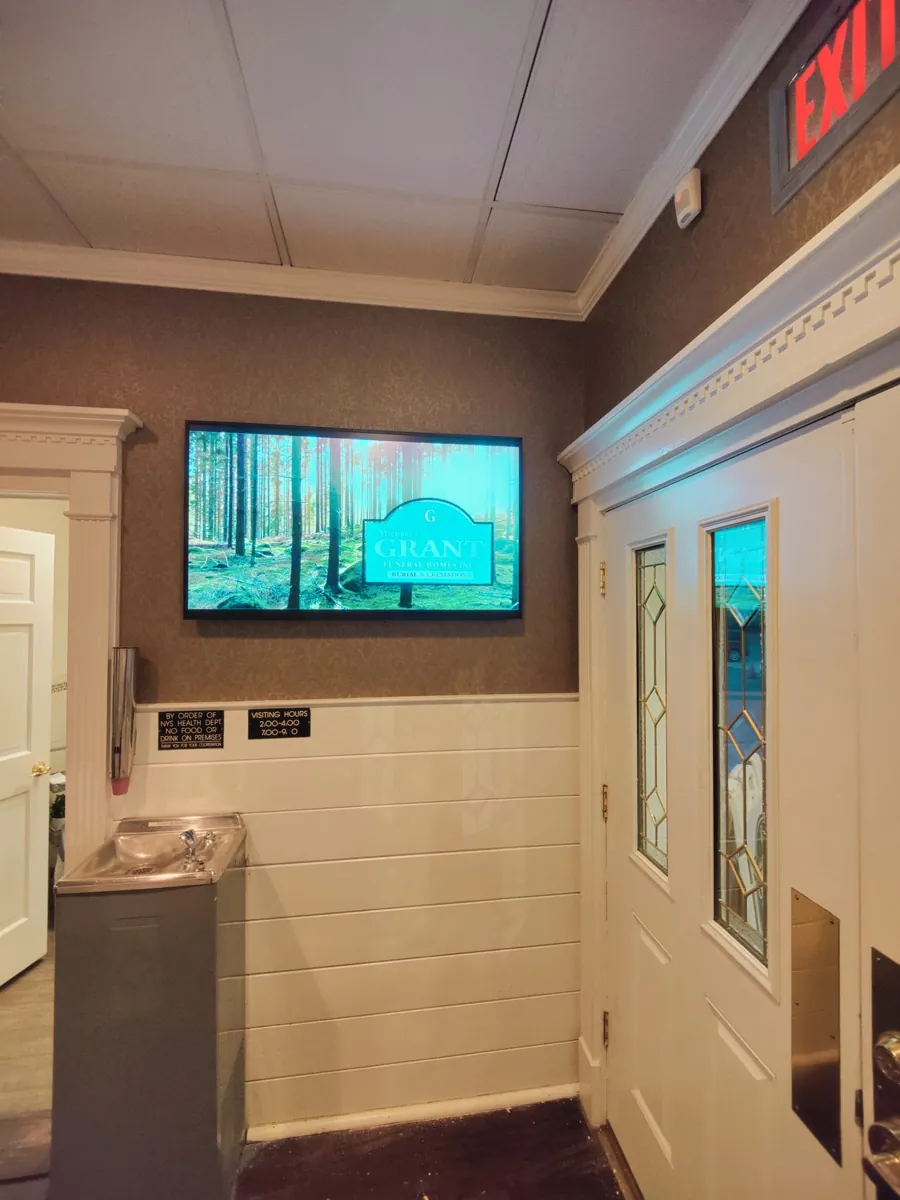
Finished installs from our crews. Most of the jobs timed above were single 32″–43″ screens; these show the range of what we mount.

Three portrait screens mounted side by side above a lounge sofa in a bright lobby
Three-screen lobby wall, mounted level over seating
Four landscape menu board screens mounted in a row above a deli counter
Four-screen menu board above a service counter
A single landscape screen wall-mounted in a wood-panelled hallway
Single screen on a panelled hallway wall
What goes wrong

Most delays came from scheduling, not hardware

About 1 in 4 completed jobs logged a problem. Schedule changes caused two-thirds of them. Damaged or late parts were rare, and fewer than 1 in 10 jobs needed a second visit.

Scheduling changes 68%
Site access / on-site contact 18%
Paperwork & approvals 15%
Parts & shipping 6%

Share of jobs with a problem, by cause. One job can have more than one cause.

78%finished within the estimated hours
< 1 in 10needed a second visit
Field guidance

How the power setup changes install time

Too few of our jobs needed new electrical to measure them, so this part is guidance from CrownTV's field team, not logged data.

Outlet at the spot 2–3 hours

For a screen under 65″: mount, connect the player, test, clean up.

Outlet within ~5 ft + about 1 hour

The most cost-efficient fix is a power cord run in a paintable cord cover. No electrician, no permit.

No outlet nearby Electrician first

A licensed electrician adds an outlet before install day. It's quoted and scheduled separately.

What buyers ask for

What businesses asked for in their quote requests

From real quote requests sent to CrownTV in 2026, after removing tests and spam. Shares only; nothing here identifies a buyer.

Screens per request

33% 1 screen
32% 2–5
17% 6–20
13% 21+
5% Not sure

What they want

The complete package (screen, mount, install, software, player) 48%
Not sure what they need yet 29%
Installation only 17%
Software + media player only 3%

What the requests mention

  • 22%ask about content or software
  • 18%mention outdoor, a window or sunlight
  • 18%describe the wall or the mount
  • 18%send the request from a phone
  • 8%mention more than one location
  • 3%state a budget

Keyword matches in the request text, so treat these as lower bounds.

Looking ahead

What changes in 2027–2028?

Our data shows what slows installs today. The industry's forecasts show where that pressure is heading. Flip the switch to see each finding projected forward.

Power · 2026 2–3 h

for a screen under 65″ when the outlet is already at the spot (field guidance).

CrownTV field data
Power · 2027–28 +9% vs +2%

projected job growth 2025–35 for electricians against electrical and electronics installers. Electricians get busier.

Do this: Book the outlet first. It's the cheapest way to keep install day short.

US Bureau of Labor Statistics, 2026 ↗
Hardware · 2026 6%

of snags came from parts or shipping. Delivery is rarely what slows an install.

CrownTV field data
Hardware · 2027–28 3–30%

cumulative price rises some display brands have made since late 2025, as chip and component costs climbed.

Do this: The risk moves from delivery to price. Lock hardware pricing at quote time.

Omdia via invidis, Oct 2026 ↗
After install day · 2026 46 min

median on site to add a media player to an existing TV.

CrownTV field data
After install day · 2027–28 Quarterly

security updates are becoming the benchmark as Microsoft's MDEP raises expectations; an 18–24 month cycle no longer fits the threat landscape.

Do this: Pick players that update remotely, so a 46-minute visit stays a one-time visit.

invidis DSS 2026 keynote, May 2026 ↗

Forecasts are the publishers' own, not CrownTV's. Price figures are global. More forward-looking data is in the 2027–2028 install outlook.

Quick answers

Questions we get about install time

How long does it take to mount a TV?

For commercial screens under 65 inches, CrownTV technicians logged a median of 1 hour 41 minutes on site in 2026, and 3 in 4 jobs finished within 2 hours 30 minutes. That covers mounting the screen, connecting the media player and testing. Plan for 2–3 hours when an outlet is already at the mounting spot.

How long does it take to add a media player to a TV that's already mounted?

A median of 46 minutes on site, with 3 in 4 done in about an hour.

What if there's no outlet behind the TV?

CrownTV's field guidance: when an outlet is within about 5 feet, a power cord run in a paintable cord cover usually adds about an hour and is the most cost-efficient fix. When there's no outlet nearby, a licensed electrician adds a new one, and that's scheduled and quoted separately.

What usually delays a digital signage install?

Scheduling. About 1 in 4 CrownTV field jobs logged a problem, and two-thirds of those were schedule changes. Site access or a missing on-site contact came next. Parts or shipping problems were rare.

How many screens do businesses usually ask for?

Of the quote requests CrownTV received in 2026, 33% asked for one screen, 32% for 2–5, 17% for 6–20 and 13% for 21 or more. Nearly half wanted the complete package: screen, mount, install, software and media player.

Is this a survey?

No. It's operational data: logged on-site time from completed CrownTV field jobs and the contents of real quote requests, both from 2026. Nobody was asked questions.

Methodology

How we pulled the data

  • Field jobs: every completed CrownTV field job in 2026 with a logged check-in and check-out, through November 24. It's the full set, not a sample.
  • Time: technician check-in to check-out on site, in hours. We report the 25th percentile, median and 75th percentile, and only for job types with enough jobs for a stable range. Job types below that bar (65″+ screens, new electrical) are left out instead of guessed.
  • Sample sizes: we don't publish job or request counts. Journalists and researchers who need them for a story or a study can email hello@crowntv-us.com.
  • Requests: real CrownTV quote requests from 2026, after removing tests and spam.
  • Privacy: we publish percentages and times only. No client, site, technician or buyer is named.
  • Caveats: most timed installs were 32″–43″ screens. Logged time leaves out prep done before arrival. Buyer topics come from keyword matches in the request text.
  • Not a survey: this is operational data.
  • Refresh: quarterly. Last updated November 26, 2026.
  • More market data: see our digital signage statistics roundup and the installation service.
Cite this report
CrownTV. (November 26, 2026). State of Digital Signage Installs 2026: CrownTV field data. https://www.crowntv-us.com/resources/state-of-digital-signage-installs-2026/

Free to reuse under CC BY 4.0. Please link back to this page.

Planning screens for one site or fifty?

Tell us the sites, the screen sizes and where the power is. We'll send a fixed quote that includes the install.

Get a price for a setup like this