
Hardware
A digital building directory that is never out of date.
Portrait Samsung QM commercial display, directory template, CrownTV player, mount, install, and training in one number: 43″ from $3,400, 55″ from $4,000. Tenant, attorney, or department changes take seconds from the Dashboard. No print run, no letter board, no sticker over the old suite number.
crowntv-us.com / hardware
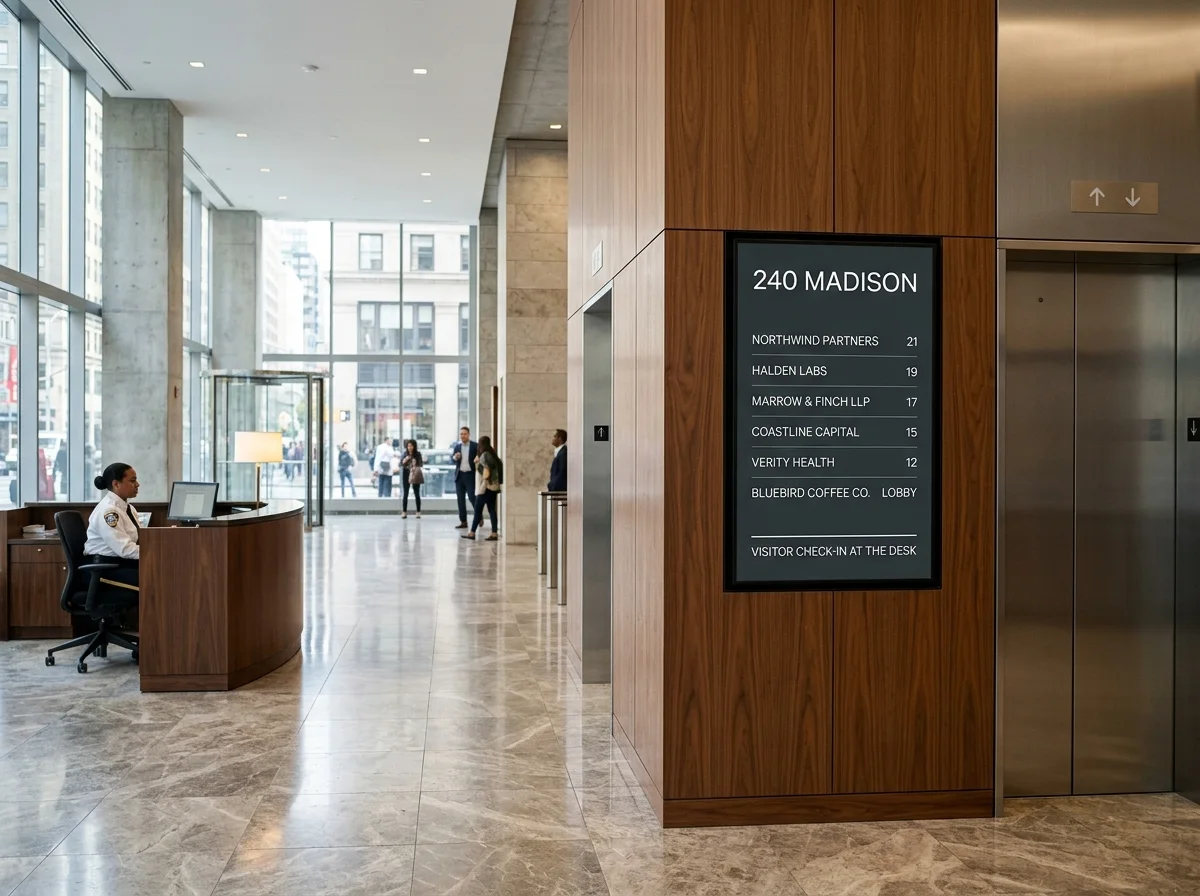
In the field
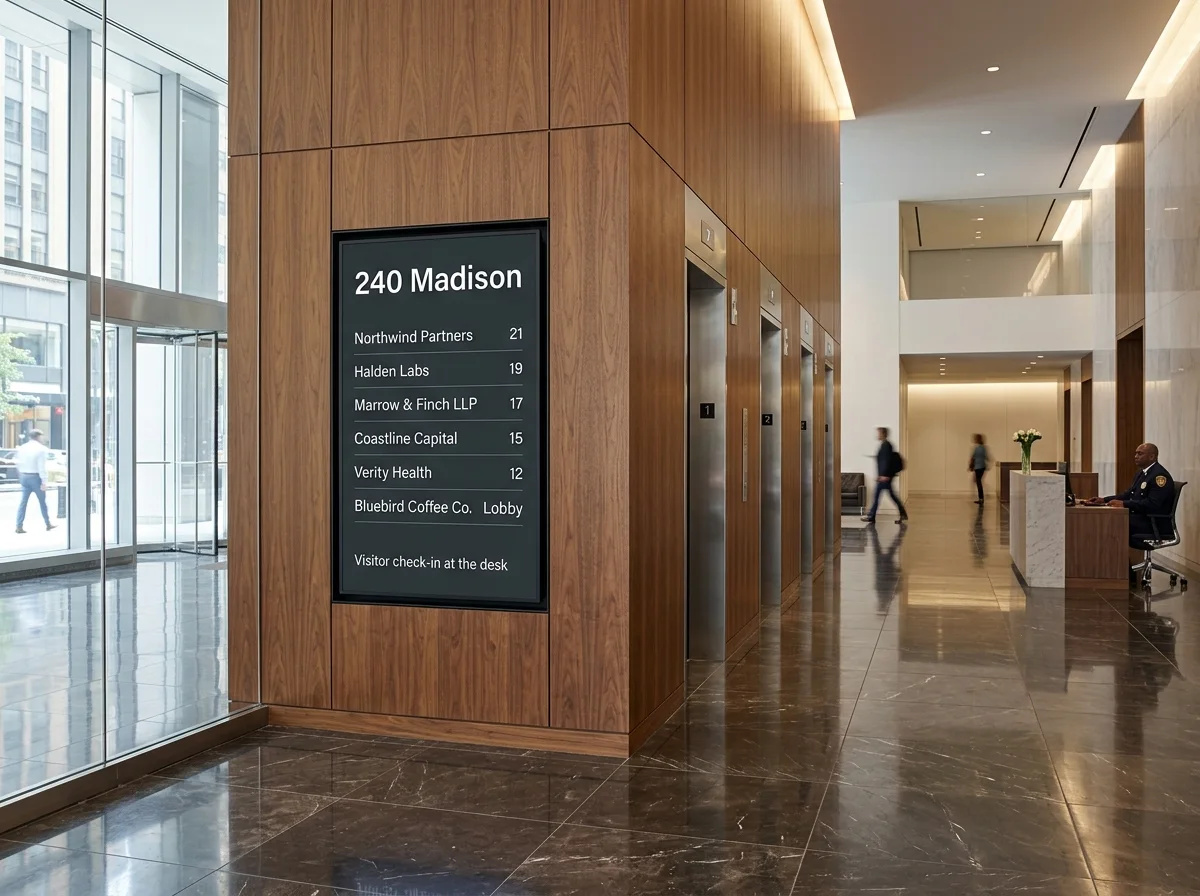
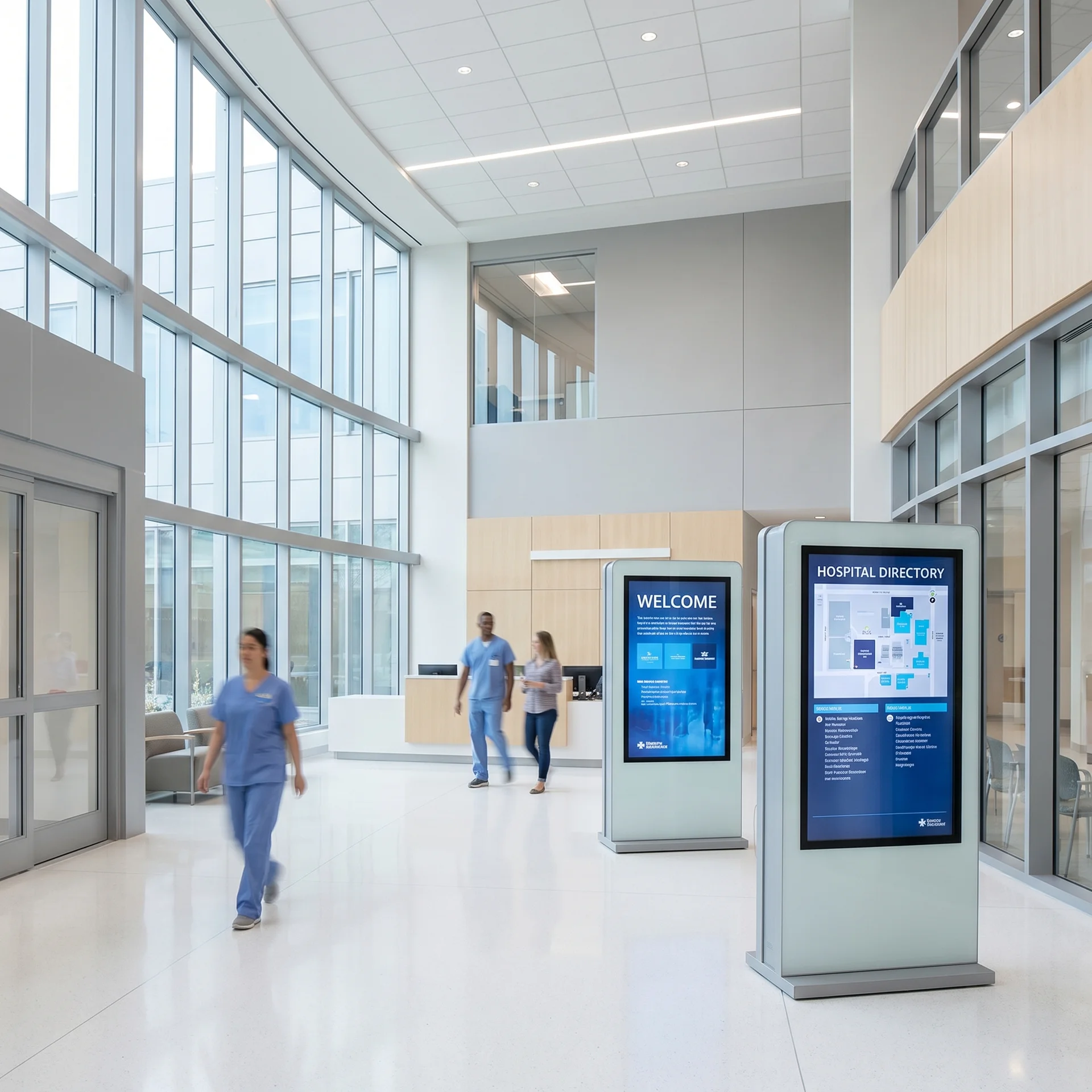
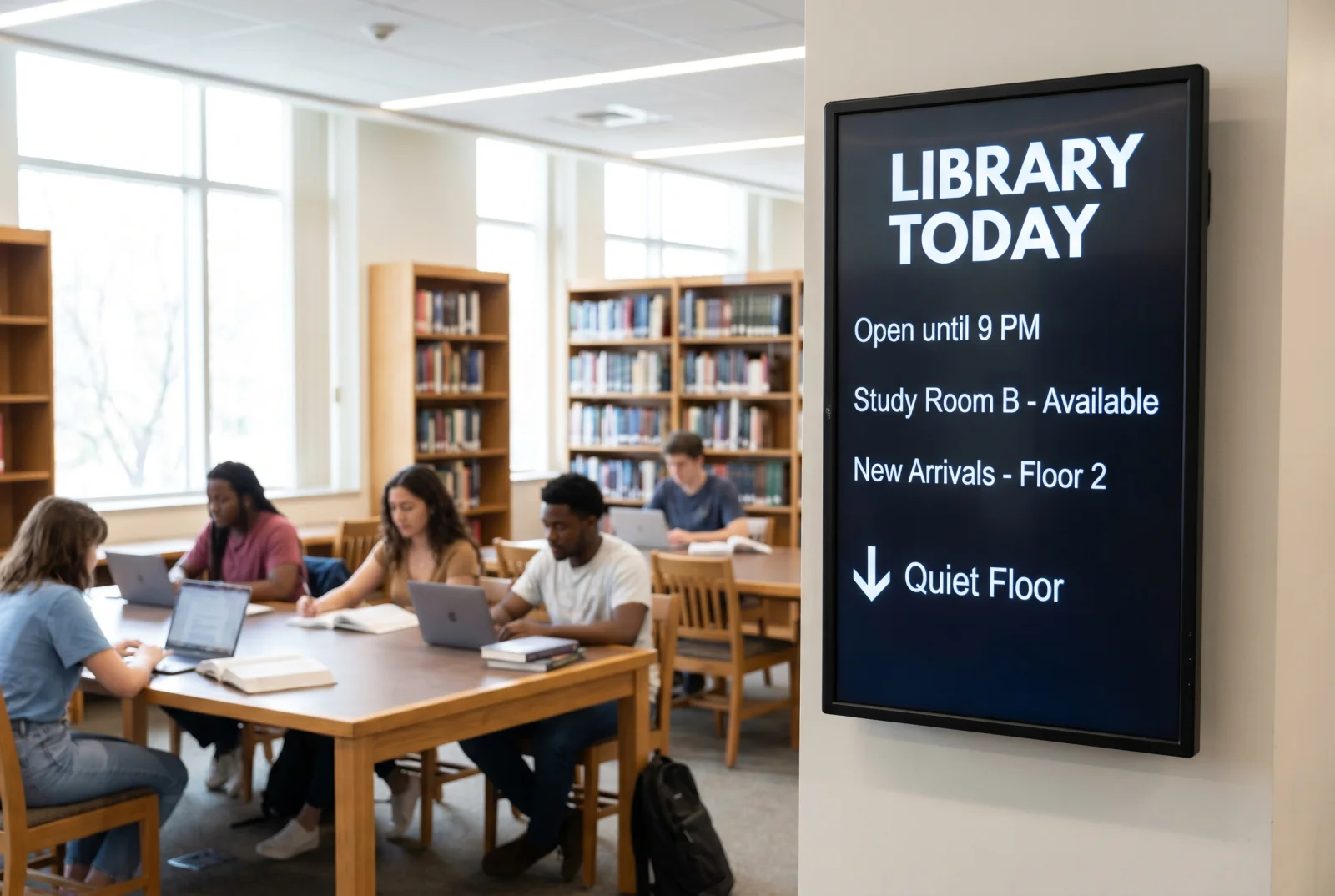
Trusted by leading brands since 2012









Where this fits
Digital Building Directory inside a complete digital signage system.
Every building we quote has the same directory problem. The letter board in the lobby is missing two tenants and lists one that left in March. The backlit strip directory needs a vendor to print new inserts. The law firm's attorney board has a name taped over another name. A digital building directory fixes it with one portrait commercial display, one template, and one login. Property management edits the record; the screen updates in seconds. CrownTV sells it as one installed package: Samsung QM-series panel, portrait mount at reach-range height, CrownTV media player, directory template loaded with your list, licensed install, staff training, and the first year of the Dashboard. 43″ from $3,400. 55″ from $4,000. Quote in two business hours.
Product decision guide
Choose by screen job, not by manufacturer.
CrownTV specifies approved commercial display classes by function first. The right recommendation starts with brightness, duty cycle, placement, controls, warranty, mounting, service access, and support.
What you can rely on
- 16,000+ active screens running on CrownTV
- Commercial display classes: indoor, window, outdoor, kiosk, video wall
- Published pricing ranges on the pricing page
- Named project photos in the customer work library
How we specify it
- Indoor wall or lobby: prioritize clean mounting, anti-glare glass, locked controls, and 16/7 or 24/7 duty cycle.
- Window-facing: prioritize brightness, heat management, anti-glare finish, and content readable from outside.
- Outdoor: prioritize weather rating, secure mounting, electrical path, and service access.
- Video wall: prioritize bezel, sync, cable path, and maintenance access.
Useful next steps
Product scope map
Digital Building Directory is one part of the CrownTV rollout.
The product page explains the component. The scope map shows the operating pieces around it: software, commercial displays, media players, installation, content, and managed support.
01 Turnkey digital signage Hardware, software, media players, install, content, and support in one project plan. Scope the turnkey package 02 Digital signage software CrownTV Dashboard for scheduling, playlists, permissions, apps, and screen health. See the Dashboard 03 Commercial displays Indoor, high-brightness window, outdoor, video wall, kiosk, and menu-board displays. Match displays to the job 04 Nationwide technicians Site survey, mounting, cabling, network setup, CMS sign-off, and multi-site rollout. Plan the install 05 Content design Menus, promos, lobby loops, internal comms, video walls, and branded templates. Design the screen content 06 Managed support Troubleshooting, remote diagnostics, content updates, player swaps, and account support. Run it after launch
Three things a directory has to do
Be correct, be readable from the door, and be cheap to keep correct. The package is built around those three.
Correct in seconds
Tenant moved from suite 410 to 1200? Edit one line in the Dashboard. The lobby screen, the elevator-bank screen, and the floor-landing screen all update from that one record. No print vendor, no ladder, no inserts.
Readable from the door
Portrait 43″, 55″, or 65″ Samsung QM panel at 500 nits. The template holds 40 to 120 listings in a type size that reads at 15 feet, with floor numbers, suite numbers, and an A–Z jump strip.
One installed price
Display, mount, player, template, install, training, and year-one software in one number. No hardware-only quote with the install left as an exercise for the building engineer.
What it does
Directory template, four sort modes
Alphabetical, by floor, by department, or by suite. Attorney and physician variants add title, practice group, and extension. Logos per tenant optional. A–Z jump strip on non-touch; search box on touch.
Edits from any browser, with roles
Property management edits the master list. A tenant can be given rights to their own line only. Security keeps the emergency-override slot. Every change publishes to the screen in seconds and is logged with who changed it.
Samsung QM-series, portrait-rated
QM43C, QM55C, or QM65C: 4K, 500 nits, 24/7 commercial duty, portrait-capable by design. Three-year commercial warranty in business use. We do not spec consumer TVs for directories; they are not rated for portrait or for a lobby duty cycle.
Mounted to ADA reach-range guidance
Non-touch directories mount so the listing block sits in the standard viewing band; touch units mount so interactive controls fall within reach-range guidance. Final height and clearances confirmed on the site survey against the lobby's actual floor and approach.
More than the list
The directory is one zone. Add a welcome line for the day's visitors, building notices, weather and transit, amenity hours, and an emergency-override layout that replaces the whole screen in one click.
Bring your list in, keep it in sync
Load the initial list from a CSV or spreadsheet. Keep it current by editing in the Dashboard, re-importing the sheet, or pulling from a calendar feed for room and event listings. No custom integration required to go live.
Backlit or letter-board directory vs. a digital building directory
The traditional directory costs less on day one and more every month after. Here is where the money and the time actually go.
Backlit strip or letter-board directory
CrownTV digital building directory
Tenant change = order new insert strips or letters, wait a week, send the building engineer up a ladder.
Tenant change = edit one line in the Dashboard. Live on the screen in seconds. Logged.
Fixed capacity. When the strips run out, the newest tenant goes on a taped card.
40 to 120 listings per screen with automatic pagination. Add a second screen at the elevator bank and both stay in sync.
One layout forever: name and suite. No floor map, no notices, no welcome line.
Directory zone plus welcome, notices, amenity hours, weather, and a full-screen emergency override.
Vendor-dependent. Your print house sets the lead time and the per-change fee.
Self-serve. Property staff make the change; no per-change fee.
Reads as dated. Prospective tenants and their visitors notice.
Reads as managed. A live directory is the cheapest lobby upgrade a building can make.
Consumer TV workaround: not rated for portrait, not rated for 12-hour days, warranty void in commercial use.
Samsung QM commercial panel: portrait-rated, 24/7 duty, commercial warranty in business use.
Hardware-only quote. Mount, power, cabling, and content are somebody else's problem.
One installed number. Survey, mount, power path, cabling, template, install, training, and year-one Dashboard.
Already evaluating a software-only vendor? See how this stacks up against CrownTV vs ScreenCloud or CrownTV vs Yodeck. The full set of comparisons lives on our compare hub.
What the installed price includes
The number on the quote is the number on the invoice. This is the line-by-line scope behind a 43″ from $3,400 or a 55″ from $4,000.
Site survey
Wall substrate, power location, network path, approach and viewing distance, ADA reach-range check. On site or video-walked with the property manager.
Samsung QM-series display
QM43C, QM55C, or QM65C. 4K, 500 nits, 24/7 commercial duty, portrait-capable. Three-year commercial warranty.
Portrait mount
Commercial fixed or tilt mount rated for the panel weight in portrait orientation, set to reach-range guidance and levelled on site.
CrownTV media player
Fanless commercial player behind the panel. Offline cache keeps the directory on screen if the network drops. 48-hour replacement during active contract.
Directory template and data load
Your tenant, attorney, or department list loaded before install day so the screen goes live with the right names on it.
Licensed install
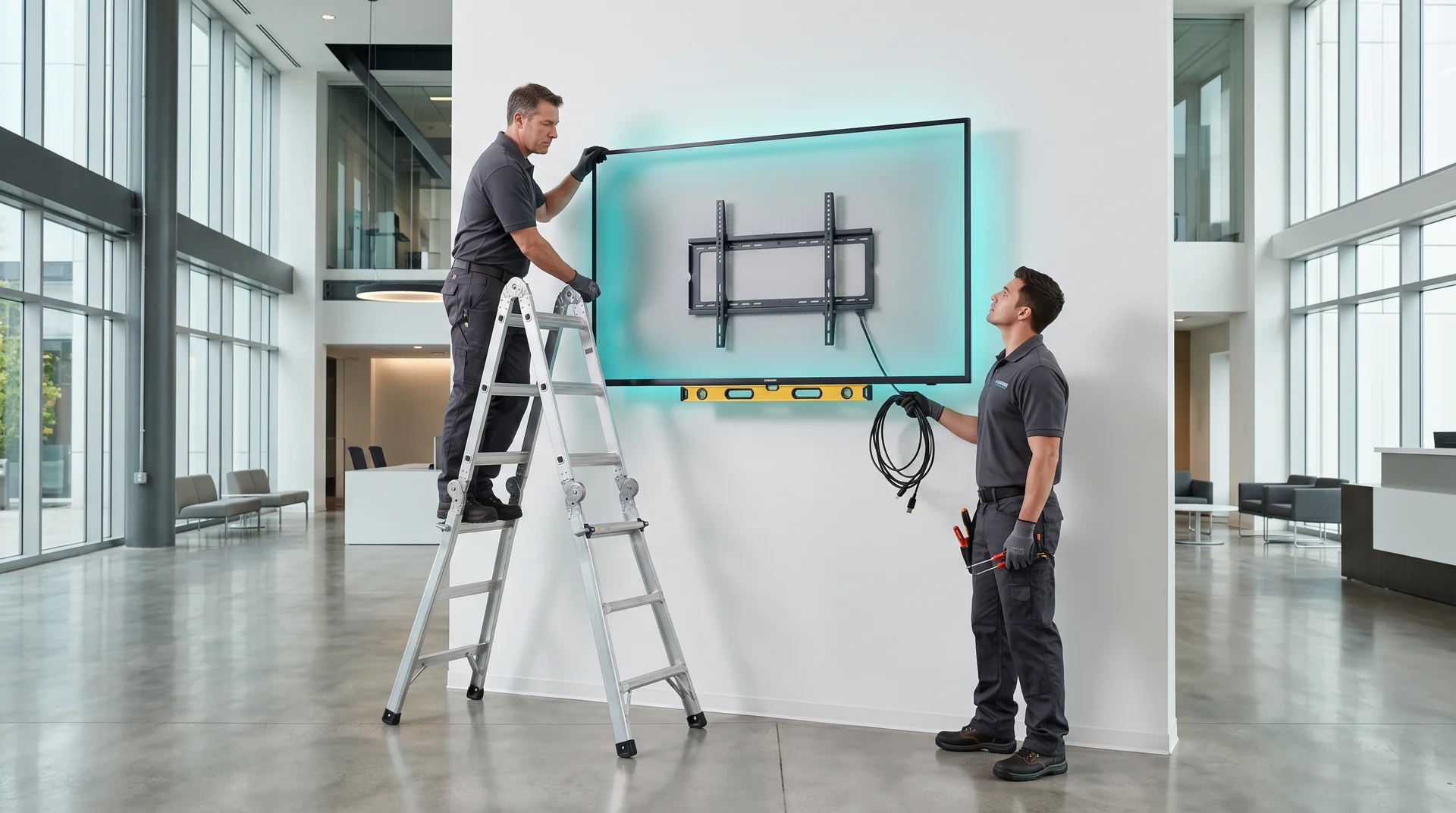
Our crew mounts, dresses cable, confirms power, and commissions the screen. Electrician coordinated when the placement needs a new outlet.
Training
30-minute walkthrough for property staff on editing listings, scheduling notices, and using the override. Recorded for the next hire.
First-year Dashboard
Year one of the CrownTV Dashboard is in the price. Renewal from $20 per screen per month after that; see the pricing page.
16,000+ screens running on the CrownTV Dashboard today. A building directory is the simplest layout we ship on it.
Where a digital building directory earns its keep
Multi-tenant office lobby
Alphabetical and by-floor tenant list at the entry, a second screen at the elevator bank. Property management edits; tenants can own their own line.
Law firm attorney directory
Portrait 43″ or 55″ at reception listing attorneys by name, practice group, and floor. Replaces the engraved board that costs a plate every time someone makes partner.
Medical office building
Practices and physicians by floor and suite, with hours. Same panel carries flu-clinic notices and a check-in line for the day's patients.
Residential common area
Management notices, amenity hours, package-pickup reminders, and a staff directory in the mail room or lobby. Content managed by the management company from the Dashboard.
Campus and school buildings
Department and faculty directory by floor, room availability, and today's events. The library, student center, and admin building all edit from one login.
Government and civic buildings
Department directory, service windows, hours, and multi-language cycling for public-service lobbies. Emergency override tested at install.
Which directory goes where
All indoor, all 500-nit Samsung QM-series. Size and orientation follow viewing distance and how many listings the screen has to hold. Touch units are quoted per project.
| Environment | Brightness target | Recommended panel |
|---|---|---|
| Lobby entry, main directory | 500 nits (indoor) | QM55C portrait |
| Elevator bank | 500 nits (indoor) | QM43C or QM55C portrait |
| Law-firm or professional reception | 500 nits (indoor) | QM43C portrait |
| Medical office building | 500 nits (indoor) | QM55C portrait |
| Campus or school building | 500 nits (indoor) | QM43C portrait on pillar or wall |
| Residential common area | 500 nits (indoor) | QM43C portrait or landscape |
| Interactive directory kiosk | 500 nits (indoor) | Samsung touch panel, wall or floor stand |
Digital building directory pricing, installed
Per screen, all-in: Samsung QM-series display, portrait mount, CrownTV media player, directory template and data load, licensed install, training, and the first year of the Dashboard. Same ladder as our pricing page.
43″ portrait directory
From $3,400 installed
Samsung QM43C, portrait mount, CrownTV player, directory template with your list loaded, install, training, first-year Dashboard. Right for reception areas and elevator banks.
55″ portrait directory
From $4,000 installed
Samsung QM55C, portrait mount, CrownTV player, directory template, install, training, first-year Dashboard. The standard lobby-entry directory.
65″ portrait directory
From $4,400 installed
Samsung QM65C for double-height lobbies or 100+ listings. Same scope. Wall substrate confirmed on survey for the heavier panel.
75″ portrait directory
From $5,600 installed
Large-lobby flagship directory with room for a floor map zone beside the list. Same scope; engineered mount sized on survey.
Touch / interactive directory kiosk
Quoted per project
Samsung touch panel on a wall mount or floor stand with searchable directory, floor map, and routing. Reach-range and clearances confirmed on survey.
Prices are the from-price on the canonical indoor ladder; site work such as a new outlet or a long cable pull is quoted after survey. Two or more screens on one building get a combined install visit. Volume pricing from 5 units. Quote in two business hours, Mon–Fri 9am–6pm ET.
Specs
- Display
- Samsung QM-series: QM43C, QM55C, QM65C (75″ on request)
- Brightness
- 500 nits, indoor commercial. Window-facing or outdoor directories quoted separately on high-brightness hardware.
- Orientation
- Portrait (standard) or landscape; panel is rated for both
- Duty cycle
- 24/7 commercial, 3-year commercial warranty in business use
- Resolution
- 4K UHD (3840 × 2160)
- Player
- CrownTV media player, fanless, offline cache, 48-hour replacement during active contract
- Mount
- Commercial fixed or tilt mount, set to ADA reach-range guidance, height confirmed on survey
- Software
- CrownTV Dashboard with directory template, role-based editing, CSV import, calendar feeds, emergency override
- Lead time
- 7–10 business days from signed quote to a working directory on a standard install
4.9 stars on Google.
100+ reviews from real customers.
Live Google reviews from CrownTV customers.
Read all reviews on Google Custom quote
Every project is custom-quoted.
Tell us what you're building — all inquiries responded to within 2 business hours.
By the metro
Digital Building Directory — installed in every metro we serve.
Same drop-ship + install crew, same 2-hour quote, same one project manager.
AtlantaGA
Southeast hub for chain rollouts — GA, TN, AL, NC, SC, FL.
See Atlanta install details
BostonMA
Cambridge-corridor campuses + Back-Bay corporate, year-round-rated.
See Boston install details
ChicagoIL
Midwest rollouts, winter-rated panels, one project manager.
See Chicago install details
DallasTX
DFW chain rollouts — standardized kits, single project manager.
See Dallas install details
DenverCO
Mile-High UV-rated signage + Mountain-region rollouts.
See Denver install details
HoustonTX
Energy-corridor scale + chain-rollout discipline.
See Houston install details
Las VegasNV
Strip-grade video walls + convention-center wayfinding at scale.
See Las Vegas install details
Los AngelesCA
Coast-to-canyon installs, scoped before you sign.
See Los Angeles install details
MiamiFL
Salt-air, sun-load, oceanfront-rated installs across South Florida.
See Miami install details
New YorkNY
Digital signage installation across Manhattan, Brooklyn, Queens, the Bronx, and Staten Island.
See New York install details
PhiladelphiaPA
Center-City signage + multi-state Mid-Atlantic rollouts.
See Philadelphia install details
PhoenixAZ
Heat-rated outdoor + sun-readable retail across the Valley.
See Phoenix install details
San FranciscoCA
Bay-Area campus signage that ships before your next OKR cycle.
See San Francisco install details
SeattleWA
Rain-rated outdoor + corporate-campus signage from Bellevue to Tacoma.
See Seattle install details
WashingtonDC
Federal-aware deployments + DMV corporate, Section-508 baseline.
See Washington install details
Also available in
- Abilene, TX
- Akron, OH
- Albany, NY
- Albuquerque, NM
- Alexandria, VA
- Allen, TX
- Allentown, PA
- Amarillo, TX
- Anaheim, CA
- Anchorage, AK
- Ann Arbor, MI
- Antioch, CA
- Arlington, TX
- Arvada, CO
- Athens, GA
- Augusta, GA
- Aurora, CO
- Austin, TX
- Bakersfield, CA
- Baltimore, MD
- Bangor, ME
- Barre, VT
- Baton Rouge, LA
- Beaumont, TX
- Bellevue, WA
- Bend, OR
- Berkeley, CA
- Billings, MT
- Birmingham, AL
- Boise, ID
Buying a digital building directory: what actually matters
A digital building directory is a commercial display, usually portrait, running a tenant or department list that someone on staff can edit from a browser. That is the whole product. The buying decisions that matter are the panel, the mount height, how the list gets edited, and what the installed number includes. If you want the survey of every directory format, including video walls and printed hybrids, read the guide to directory signage systems for large buildings. This page is the buy side: one screen, one price, installed.
Size the screen to the list, not the wall
- Up to 40 listings: 43″ portrait. Reception areas, law-firm attorney boards, single-floor medical suites, campus buildings.
- 40 to 120 listings: 55″ portrait. The standard multi-tenant lobby directory. Pagination is automatic; the A–Z strip lets a visitor jump.
- 100+ listings or a double-height lobby: 65″ or 75″ portrait, or a 55″ at the entry plus a by-floor 43″ at the elevator bank. Two screens on one record is usually cheaper than one oversized panel.
Why the panel has to be commercial
A directory runs 12 to 24 hours a day, in portrait, for years. Consumer TVs are not rated for portrait, their panels image-retain on static text, and the warranty is void in commercial use. Every directory we install runs on a Samsung QM-series panel (QM43C, QM55C, QM65C): 4K, 500 nits, 24/7 duty, portrait-rated, three-year commercial warranty. Bright lobbies with south glass are fine at 500 nits as long as the screen is not in the window itself; a window-facing directory needs high-brightness hardware and is quoted separately.
Mounting and reach range
The mount is set to ADA reach-range guidance and the exact height is confirmed on survey. Non-touch directories are mounted for reading; touch directories are mounted so the controls fall within reach range with clear floor space in front. Wall substrate matters more than people expect. Drywall alone will not hold a 55″ portrait panel; we confirm studs, block, or a backer on survey. Power is one 120V outlet behind the panel, and cable is dressed in-wall or in raceway that matches the wall.
How the list stays correct
The directory template lives in the CrownTV Dashboard. Property management edits the master list; a tenant can be scoped to their own line; security keeps the emergency-override slot. Load the initial list from a CSV, edit lines as tenants move, or re-import the sheet when a floor turns over. Room and event listings can come from a Google or Outlook calendar feed. That is the full integration story for the standard package; deeper property-software integrations are scoped per project rather than promised on the price sheet.
What it costs, installed
The numbers come from the same indoor ladder as our pricing page: 43″ portrait directory from $3,400, 55″ from $4,000, 65″ from $4,400, 75″ from $5,600. Each number is display, portrait mount, CrownTV player, directory template with your list loaded, licensed install, training, and the first year of Dashboard software. Touch and interactive kiosks are quoted per project. Site work such as a new outlet is quoted after survey, never buried in the from-price. Standard installs run 7 to 10 business days from signed quote; the install itself is a single two-to-four-hour visit by our licensed install crew.
Where the directory fits in the lobby program
Most buildings start with the directory and add from there. The same Dashboard runs the welcome screen at reception, the floor-by-floor map at the elevator bank, and the notice board in the residential mail room. See lobby digital signage for the full five-surface program and digital wayfinding when visitors need routing rather than a list. If the building has a storefront or a street-facing window, the directory can be paired with a high-brightness window display on the same login.
Frequently asked
Digital Building Directory — FAQ
How high should a digital building directory be mounted?
We mount to ADA reach-range guidance: on a non-touch directory the listing block sits in the standard viewing band, and on a touch unit the interactive area falls within reach range with clear floor space in front. Final height, clearance, and approach are confirmed on the site survey against your actual lobby. We do not make legal compliance claims; your architect or code consultant signs off.
How do tenant or attorney changes get onto the screen?
Log in to the CrownTV Dashboard from any browser, open the directory list, edit the line, and publish. The screen updates in seconds. You can also re-import a CSV or spreadsheet when several listings change at once. Every edit is logged with the user and time, and a tenant can be given rights to edit only their own line.
Who updates the content, and do we need a designer?
Your property or office manager does, and no designer is needed for listings. The directory template handles layout, type size, pagination, and the A–Z strip automatically. If you want branded notices, welcome slides, or a floor map, our content team builds those at install or on request. Training takes about 30 minutes and is recorded for the next hire.
What power and wall requirements does the install need?
One standard 120V outlet within reach of the mount location, ideally behind the panel, and a wired or Wi-Fi network path. The wall needs solid backing: studs, block, or a plywood backer behind drywall. If the outlet is missing we coordinate a licensed electrician, and that work is quoted after survey. Cable runs are dressed inside the wall or in matching raceway.
How long from order to a working directory?
Standard installs run 7 to 10 business days from signed quote: hardware ships in the first week, your list is loaded into the template before install day, and the crew mounts and commissions the screen in a single visit of two to four hours. Buildings with union or after-hours access rules, or a new electrical run, add time and are scheduled on survey.
Touch or non-touch: which directory should we buy?
Non-touch for most buildings under 120 listings. It costs less, needs no reach-range accommodation for controls, and a visitor finds a name in a few seconds with the A–Z strip. Touch earns its cost when visitors need search, a floor map, or step-by-step routing: hospitals, large campuses, and buildings with several hundred tenants. Touch kiosks are quoted per project.
Can the directory pull from our tenant list, calendar, or property software?
Yes, in the ways that work without a custom project. Import your tenant or staff list from a CSV or spreadsheet at setup and whenever it changes. Pull room bookings and events from Google or Outlook calendars. Show notices and feeds from RSS. Deeper two-way integrations with property or building-management platforms are scoped per project rather than promised on the price sheet.
Quote in 2 business hours
Tell us where the screen goes. We'll spec the panel.
Single-location storefront, drive-thru rollout, or 100-store program — every quote includes hardware, mount, power planning, content commissioning, and one year of CrownTV Dashboard. Same project manager from quote to commissioning. Standard turnkey deployment is under one week.
- •Commercial hardware sourcing pricing on indoor, window-facing, and outdoor commercial panels.
- •Licensed electricians and nationwide install crew in 50 states.
- •Commercial warranty + CrownTV support.
Ready when you are
Replace the letter board.
All inquiries responded to within 2 business hours.
No commitment. No hard sell.