
Hotel and conference wayfinding
Multi-floor hospitality groups running wayfinding for conference, banquet, and amenity floors with localization support.
Wayfinding signage
Multi-floor digital directories, room-side touchscreens, interactive wayfinding kiosks, and outdoor pylons for hospitals, airports, university campuses, shopping malls, hotels, government buildings, and corporate towers.
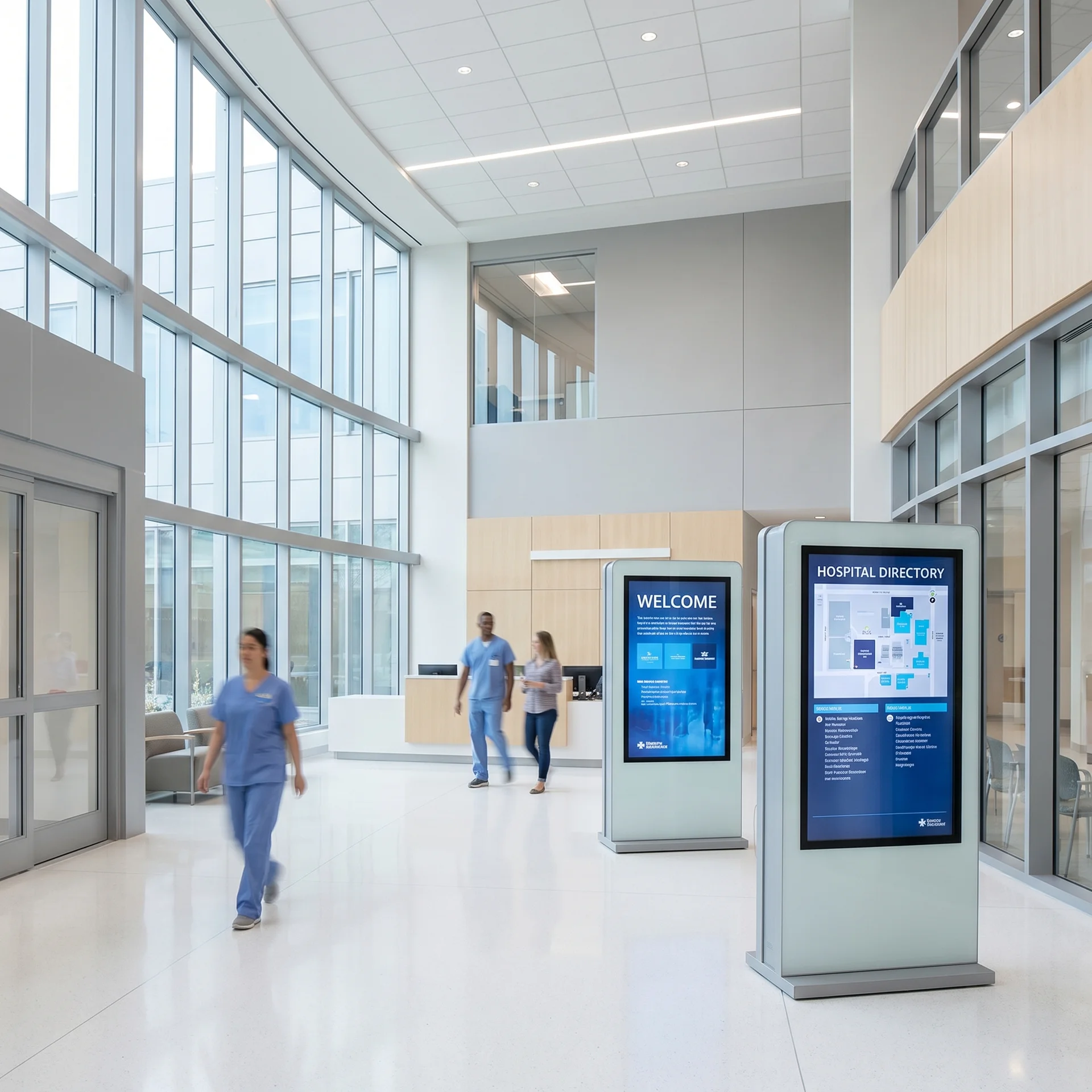
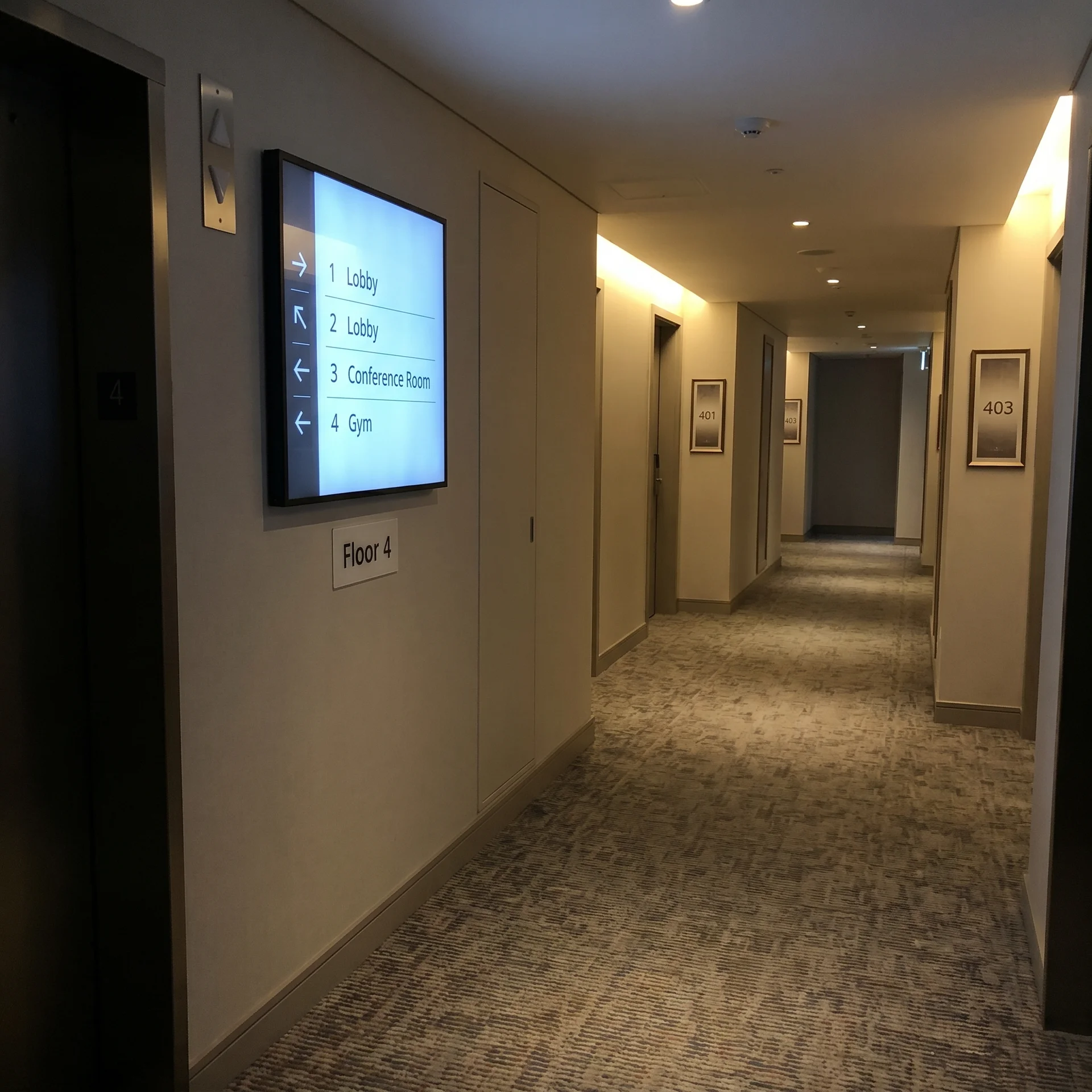
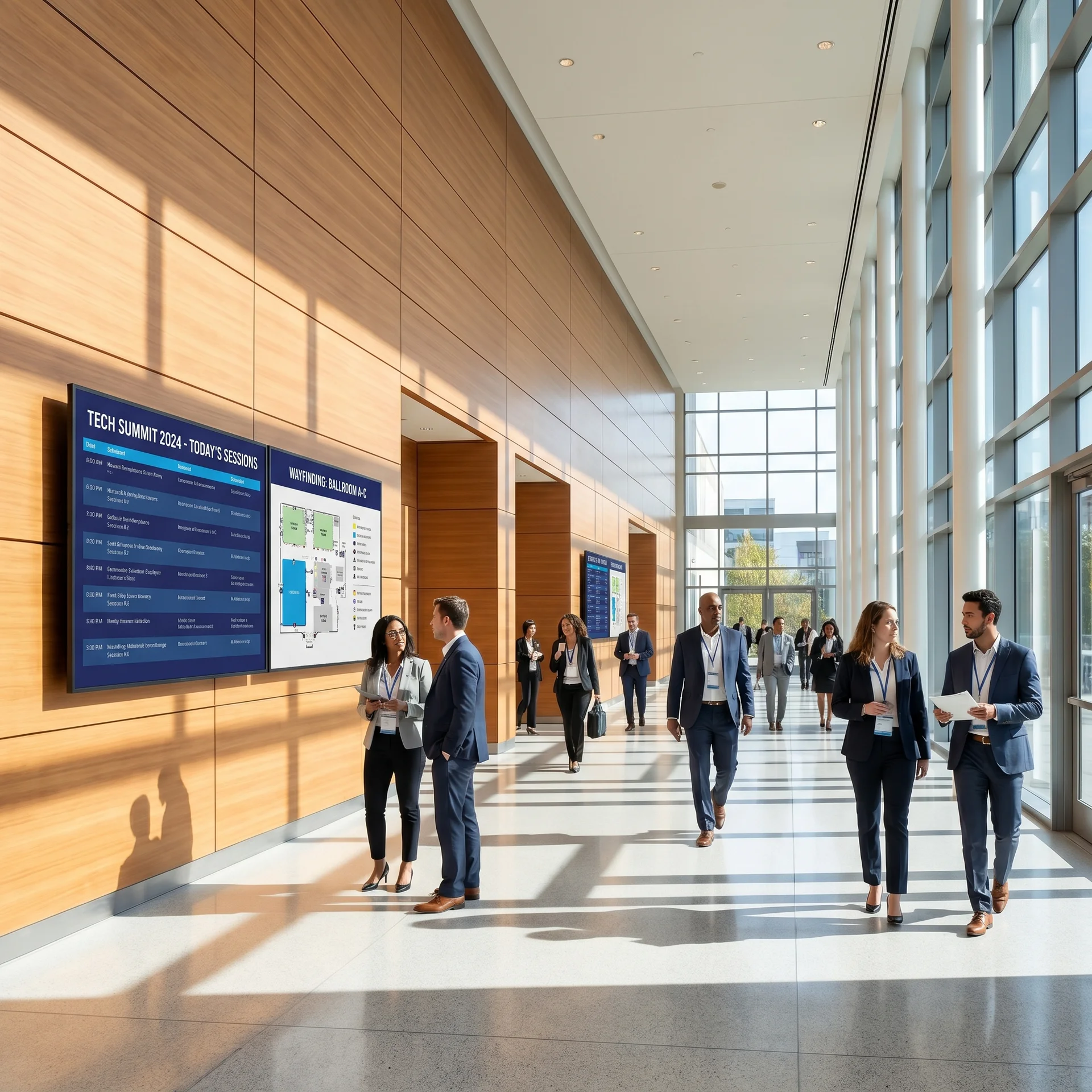
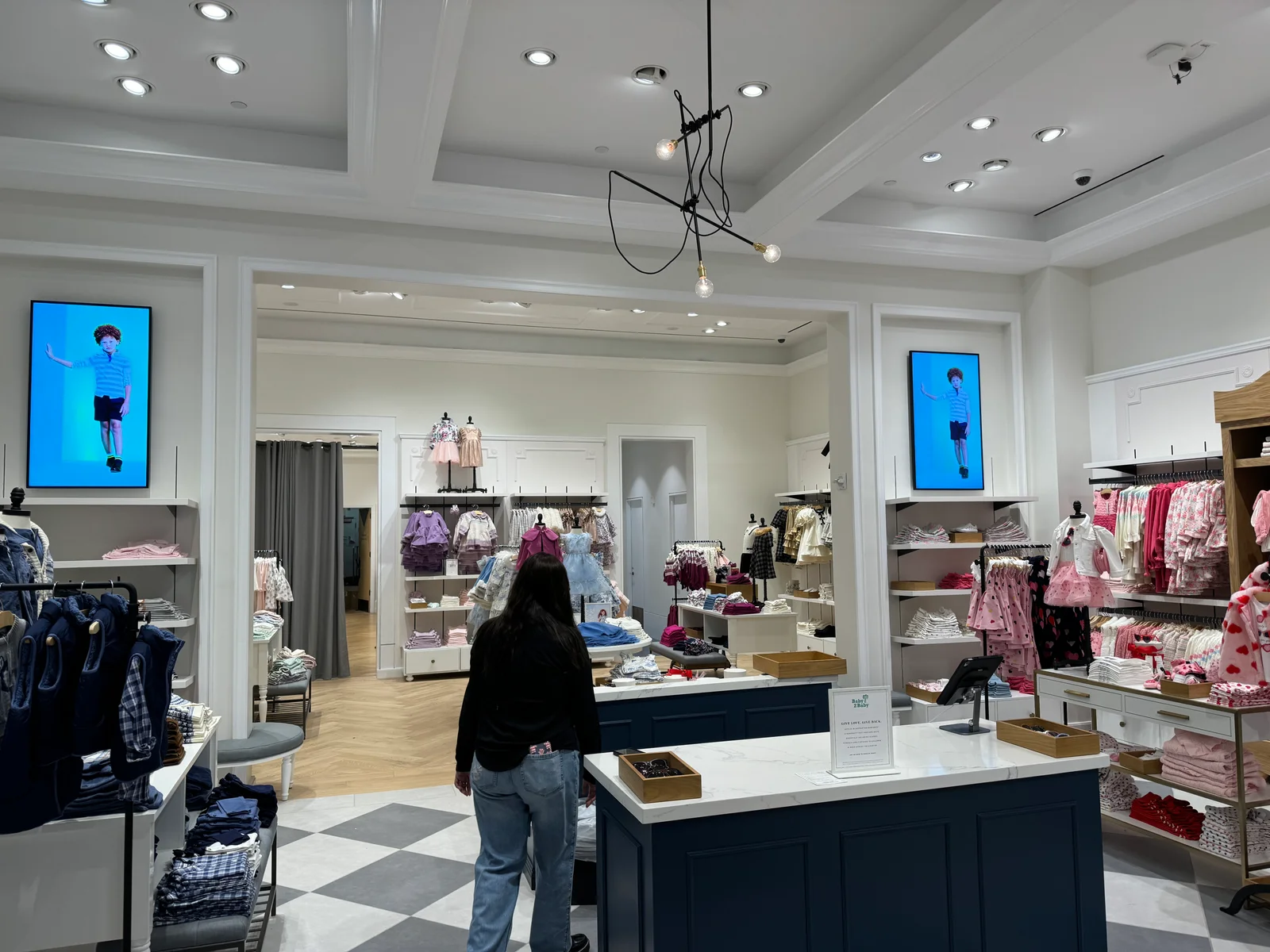
Real-time directories for hotels, hospitals, universities, and corporate campuses — change a tenant in the dashboard, every floor updates.
Trusted by leading brands since 2012






Static directory boards go out of date the day they're printed. Wayfinding signage updates in seconds — current event, room change, doctor on-call, new tenant. CrownTV runs digital wayfinding programs for multi-floor hotels, hospital campuses, university wayfinding, airport terminals, shopping malls, large corporate buildings, government buildings, and big-box retail.
Static vs. live
A printed directory is out of date the day it ships. A digital directory updates the second a tenant moves, a department relocates, or a doctor's on-call rotation changes — across every floor, every wing, every building, all from one dashboard.
Three changes that come with putting the directory on a screen instead of behind a glass case.
Edit a tenant in the dashboard, every screen — entry directory, elevator bank, floor landing — updates from the same record in seconds. No reprints, no stickers, no stale cues. Property managers get the time back they used to spend re-laminating.
Override pushes evacuation routes per floor in seconds — the screen on floor 7 shows floor-7's plan, the screen on floor 2 shows floor-2's. Critical safety infrastructure tested quarterly with managed-service customers during scheduled drills.
Microsoft Graph and Google Calendar drive conference-status displays. Robin and Teem push room availability. Hospital wayfinding pulls from Epic / Cerner via HL7 / FHIR. Building-management APIs surface garage availability and HVAC notices.
What changes when the directory is the dashboard and every screen reads from the same record.
Real installs across hotels, hospitals, universities, corporate buildings, malls, and venues. Same dashboard, same permission model, same nationwide install crew.
Multi-floor wayfinding for conference, banquet, and amenity floors with localization for international clientele. Same-day event boards integrated with the property's PMS.
Department directories, elevator-bank boards, exam-room signage, and emergency wayfinding pulled from EMR or room-scheduling system on a 5-minute refresh.
Departmental, dining, residence, and athletic facility directionals across multi-building campuses. Each building edits its own; campus comms keeps emergency overrides.
Lobby directories, floor landings, and conference-status touchpoints integrated with Microsoft Graph or Google Calendar. Property management edits master, tenants edit promos.
Seven placements cover 90% of mixed-use lobbies and corporate buildings. Use this as the first-pass guide; the site survey confirms ADA compliance and viewing distance.
| Environment | Spec target | Recommended panel |
|---|---|---|
| Entry directory | 500 nits / 16/7 duty / portrait | Indoor commercial 55″ portrait |
| Reception side | 500 nits / 16/7 duty | Indoor commercial 43″ landscape |
| Elevator bank | 500 nits / 16/7 duty | Indoor commercial 49″ landscape |
| Floor landing | 500 nits / 16/7 duty / portrait | Indoor commercial 43″ portrait |
| Room-side touchscreen | 300 nits / touch / 16/7 duty | Indoor commercial 21.5″ touch |
| Conference status | 500 nits / 16/7 duty | Indoor commercial 32″ landscape |
| Plaza pylon (outdoor) | 4,000 nits / 24/7 outdoor | outdoor IP56-sealed 55″ |
Real installed-price ranges from CrownTV wayfinding deployments shipped in the last 12 months. Hardware, ADA-compliant mount, network drop, content commissioning (templates per industry), and one-year CrownTV Dashboard included.
$11,000 – $19,500 installed
Mix of entry directory, reception, elevator bank, floor landing, room-side touchscreens. Mounts, network drops, directory template + permission scoping, override channel, 1-year Dashboard.
$26,000 – $48,000 installed
Multi-floor program with conference-room integration (Microsoft Graph / Google Calendar / Robin / Teem), tenant promo overlays, scoped permissions per stakeholder, 1-year Dashboard.
$38,000 – $74,000 installed
Department directories, exam-room signage, EMR integration (Epic / Cerner via HL7 / FHIR), emergency-override workflow, quarterly drill, 1-year Dashboard.
Custom-quoted
University, corporate, or hospitality campus with federated network spec, dedicated account contact, multi-building wave install, building-management API integration, 1-year Dashboard.
Multi-building campus programs custom-quoted with wave-by-wave install schedule per building. Hospital EMR integrations (Epic / Cerner via HL7 / FHIR) priced as one-time setup fee. Quote SLA: 2 business hours, Mon–Fri 9am–6pm ET.
commercial panels at each floor or wing, sized 43" to 75" depending on viewing distance.
See Commercial displays →Multi-floor hospitality groups running wayfinding for conference, banquet, and amenity floors with localization support.
Healthcare campuses with department directories, elevator-bank boards, and exam-room signage.
Multi-building campuses with departmental, dining, residence, and athletic facility directionals.
Where the screens go
Wayfinding programs fail when the screen is in the wrong place. Entry directory, reception side, elevator bank, floor landing, room-side touchpoint, conference status, plaza pylon — these seven roles cover almost every multi-tenant lobby and corporate building we install.
Content templates
Directory templates per industry — multi-tenant office, hotel, hospital, university, mall. Multi-language cycling per touchpoint. Vector floor-plans scale cleanly across screen sizes.
Alphabetical tenant list with multi-language toggle. Edit the tenant once; every screen updates.
Vector floor-plan with conference-room status overlay. One per floor, drives the floor-landing display.
Touchscreen at the door — current meeting, one-tap extend, next booking.
Floor-by-floor map with current car position and tenant labels per level.
Lobby greet with visitor name and host detail pulled from the front-desk app.
Per-floor evacuation route override. One click pushes to every screen with the right floor's plan.
Built and edited in the CrownTV Dashboard you control. Every template ships pre-loaded; the operator drops in photos, prices, and copy on day one.
Patterns that work in production — built and shipped on real CrownTV deployments.
55″ portrait at the main entrance lists tenants alphabetically and by floor, with a Spanish / Mandarin / French toggle for tourist-corridor and international properties. Edit a tenant once, every screen updates.
49″ landscape next to the elevator bank shows the floor-by-floor map. Tenant moves from floor 3 to floor 5? Edit in the dashboard, every elevator-bank screen on every floor updates in seconds.
21.5″ touchscreen panel mounted at the door shows occupancy, current/next meeting, one-tap 'extend' or 'release.' Wire it to Microsoft Graph, Google Calendar, or the building's room-booking system.
55″ landscape at department entrances lists doctors, on-call rotations, and exam-room availability. Pulls from the EMR or scheduling system on a 5-minute refresh.
Floor landings, conference-banquet level, amenity floor (spa, gym, pool). Each floor's screen shows that floor's plan plus same-day events. Conference rooms tagged with their meeting; meeting moves rooms, the screen follows.
Multi-building campus maps with departmental, dining, residence, athletic, and library wayfinding. Each building edits its own content; campus comms pushes emergency overrides building-wide.
outdoor IP56-sealed at 4,000 nits in a weather-sealed pylon at the plaza or drop-off. Visible across the plaza in direct sun. Same dashboard as the indoor screens; the pylon shows the outdoor-relevant view (entrance, garage, drop-off).
Event-day schedule, room assignments, sponsor logos. Updates push from the show's run-of-show app. Stage-managers and event staff edit on the fly without IT involvement.
Override pushes evacuation routes per floor — the screen on floor 7 shows the floor-7 evacuation plan, the screen on floor 2 shows floor-2's. Per-screen content scoped by location; one push, every screen shows the right map.
Mall and mixed-use property wayfinding can ad-load — tenant-paid promotions overlay the directory at scheduled hours. Property management adds a revenue line on top of the wayfinding utility.
Field-tested specs from thousands of CrownTV installs. The rules that keep the screens running and the content readable.
Wayfinding screens fall under ADA reach-range and visibility-cone requirements. Touchscreens at 48" centerline max. Non-touch directory at 40–60" centerline. We mount to ADA spec by default; deviation requires a written exception.
Tenant lists, floor plans, and event boards read better in portrait. Landscape for utility content (occupancy, status, brand). Don't run a tenant directory in landscape — the eye doesn't scan a horizontal list of vertical-format names well.
Plaza, drop-off, and garage-entry pylons need direct-sun brightness. outdoor IP56-sealed at 4,000 nits in a weather-sealed enclosure handles -10°F to 110°F and direct precipitation. Indoor commercial-grade in an outdoor enclosure is not a shortcut.
The dashboard is the directory. Property management edits the directory once, and every screen — entry, elevator, floor landing — updates from the same record. We do not ship installs where each screen has its own local content; that's how directories drift out of sync.
Mall and mixed-use properties have multiple stakeholders editing the directory — property management, individual tenants, leasing, security. We scope dashboard roles so each role edits what it owns. Tenants can't edit the master directory; security has emergency-override rights.
Wayfinding emergency overrides are critical safety infrastructure. We test the push quarterly during scheduled drills with managed-service customers — the security team and property management both have to know the workflow before the day they need it.
Integrations
Conference status, tenant directories, exam-room availability, and outdoor pylons all read from the systems the building already runs.
Conference-room status and one-tap extend / release wired to Outlook bookings.
Same room-booking pattern via Google Calendar API.
Native API integration for room-side touchscreens with availability and booking.
Hospital wayfinding renders on-call rotations and exam-room availability where IT can authorize.
Read-only zone occupancy feeds the conference-room status display (no write access).
Leasing teams edit one record; every floor's directory updates in seconds.
Garage availability, HVAC notices, and elevator service status overlay as utility strips.
Event-day schedule, room assignments, and sponsor logos push from the show's app.
Per-floor evacuation routes pushed in seconds; tested quarterly during scheduled drills.
Every integration runs through the CrownTV Dashboard you control — credentials stay scoped to the connector, refresh schedules are configurable per zone, and the dashboard verifies the asset landed before clearing the change as live.
CrownTV runs wayfinding programs for hotels, hospital campuses, university and K-12 campuses, large corporate buildings, mall and big-box retail, and event-and-venue properties. Multi-tenant lobbies, multi-floor hospitality, and multi-building campuses all run on the same dashboard with scoped permissions.
commercial-grade 43″, 49″, 55″, and 75″ panels for indoor wayfinding. 21.5″ touchscreens for room-side wayfinding and interactive directories. outdoor IP56-sealed in IP-rated enclosures for plaza pylons and outdoor placements. The CrownTV media player on every screen — Linux-based, networked, locked down to a signage VLAN per IT spec.
Site survey including a traffic-flow walk to verify placement and ADA-compliant mounting heights. Mount specification (flush wall, pole-mount, ceiling-drop, or pylon for outdoor). Network spec — Cat6 to a managed switch, each screen on a signage VLAN. Multi-building campus programs get a federated network plan with the customer's IT. Permitting, COIs, and ADA compliance verification handled in-house.
Directory templates per industry (multi-tenant office, hotel, hospital, university, mall). Multi-language cycling (English / Spanish / Mandarin / French) per touchpoint. Floor-plan rendering in vector so the directory scales cleanly across screen sizes. Emergency-override templates pre-built and tested. API integrations for room-booking systems, EMRs, and event schedules.
Proactive offline alerts under five minutes. Quarterly emergency-override drill with managed-service customers. Hardware swap in 5 business days under warranty. Phone support from a CrownTV operator, 24/7. Multi-site campus programs get a dedicated account contact.
Wayfinding is the system of cues, signs, and directional information that helps people navigate a physical space — a hospital, an airport, a campus, a multi-tenant office building, a shopping mall, a hotel, a stadium concourse. Traditional wayfinding is printed signs, painted floor markings, and laminated directories. Digital wayfinding — what this page covers — replaces the printed signs with networked screens that update in real time from a central dashboard. The directory in the lobby is a screen, not a glass case. The floor-by-floor map is a screen, not a sticker. The room-side conference-room status is a touchscreen, not a dry-erase placard. When a tenant moves, a doctor's on-call rotation changes, or an event swaps rooms, the operator edits one record in the dashboard and every screen updates within seconds.
The four sub-types of digital wayfinding signage CrownTV ships:
A static printed directory is out of date the day it ships. The tenant in suite 4 moves out, the tenant in suite 2 expands into 3, the doctor's on-call rotation changes — and the printed directory in the lobby is wrong, with a sticker over the wrong name and the property manager fielding calls about how to find a tenant nobody can locate.
Digital wayfinding is the answer when the directory needs to be live. Edit the tenant once in the dashboard. Every screen — entry directory, elevator bank, floor landing, conference status, plaza pylon — updates from the same record in seconds. There's one source of truth and it's correct.
Hotels and resorts run multi-floor wayfinding for conference and banquet floors, amenity floors, and guest-room corridors with day-of event boards integrated with the property's PMS. Hospital campuses run department directories, elevator-bank boards, exam-room signage, and emergency wayfinding pulled from the EMR or room-scheduling system. Universities run multi-building wayfinding with departmental, dining, residence, and athletic facility directionals; departments edit their own content while campus comms keeps emergency overrides. Corporate buildings run lobby directories, floor landings, and conference-status touchpoints integrated with Microsoft Graph or Google Calendar. Malls and large-format retail run interactive wayfinding kiosks with searchable store directories and ad-loadable promotional overlays.
The dashboard is the directory. Edit a tenant, every screen updates. Multi-tenant properties get scoped permissions — property management edits the master directory, individual tenants edit their own promotional slots, security keeps emergency-override rights. Override pushes evacuation routes per floor in seconds: the screen on floor 7 shows the floor-7 plan, the screen on floor 2 shows floor-2's. Critical safety infrastructure that we test quarterly with our managed-service customers during scheduled drills.
Hardware: indoor commercial-grade 43″ ≈ $700, 55″ ≈ $1,200, 75″ ≈ $2,400. 21.5″ touchscreens for room-side run roughly $900. Weather-sealed outdoor pylons price ≈ 1.6–2× an indoor-display equivalent, plus the IP-rated enclosure and pole-mount. Software is flat per screen per month with full multi-tenant permission scoping included. Multi-building campus rollouts price wave-by-wave per region. Standard turnkey ships under a week per location; campus rollouts run a wave per building. Full pricing is on the pricing page and quotes return inside two business hours.
Read more on campus wayfinding signage, digital signage for universities, and healthcare digital signage.
The wayfinding screen is only as useful as the data behind it. CrownTV integrates with Microsoft Graph, Google Workspace, Robin, and Teem for room-booking — the conference-room status screen reads occupancy and the next meeting in real time. We integrate with property-management systems for tenant directory updates so leasing teams edit one record and every screen updates. Hospital wayfinding integrates with Epic and Cerner via HL7 or FHIR feeds where the customer's IT can authorize it; the directory shows on-call rotations, exam-room availability, and specialist locations from the EMR.
For building-management integration — HVAC status, parking-garage availability, elevator service status — the dashboard polls the BMS API and renders the result into a utility strip on the wayfinding screen. Visitors see "Garage 1 full, Garage 2 has spaces" before they pull in. Tenants see HVAC service notices in real time. The wayfinding screen carries operational utility on top of its directory function.
Wayfinding programs in international markets need multilingual content. We schedule per-language layouts on a cycle — English, Spanish, Mandarin, French — with each language displayed for a defined duration before swapping. For touchscreen wayfinding, the customer taps a flag and the directory renders in their language. Touchscreens fall under ADA reach-range requirements; we mount at 48″ centerline maximum and ship audio output for visually-impaired users on customer request.
Every CrownTV wayfinding install ships with high-contrast text, sans-serif typography rated for legibility at distance, and font sizes scaled to viewing distance. The 55″ entry directory is readable from across the lobby; the 21.5″ room-side touchscreen is readable from arm's length. We don't ship one design at all sizes — every panel gets content scaled to its viewing context.
Hospitality groups run multi-floor wayfinding for conference, banquet, and amenity floors with localization for international clientele. Healthcare campuses run department directories, elevator-bank boards, and emergency-override workflows tested quarterly. Universities run multi-building campus wayfinding with departmental, dining, residence, and athletic facility directionals. Corporate buildings run lobby directories, floor landings, and conference-status touchpoints integrated with Microsoft Graph. Mall and big-box retail run interactive store directories with searchable inventory and ad-loadable promotional overlays. Funeral homes and service venues run room and service directories that update from the venue's scheduling system without anyone touching the screen.
A typical multi-tenant lobby wayfinding install: Monday morning, two technicians arrive on site with the panels and mounts. Substrate verification on every screen location takes 30 minutes. Mount installation takes two hours per floor. Network drops are pre-pulled by the customer's IT before we arrive. Cable runs and panel mounting take the remainder of the morning. Afternoon: content commissioning — directory templates loaded with the customer's tenant list, room-booking system integrated and tested, emergency-override workflow configured and verified. By end of day Tuesday on a typical 7-screen mixed-use lobby, the program is live and the property manager has been trained on the dashboard. Multi-building campus rollouts run a wave per building on the same template.
Wayfinding signage rarely lives alone — most CrownTV wayfinding programs ship together with adjacent surfaces. Lobby digital signage almost always pairs with wayfinding: the entry directory and the brand-ambient lobby video wall live in the same room, run from the same Dashboard, share the same emergency-override channel. See the lobby digital signage sibling page for the lobby-specific scope. Internal communications shares the floor-landing screens — the same panel runs the floor's tenant list and the company's internal news depending on the daypart; see internal communications signage. Interactive kiosks are the touchscreen variant of wayfinding — searchable directories, multi-language toggle, step-by-step routing; the kiosk hardware sits in the CrownTV kiosks catalog.
By industry, wayfinding signage runs across hospitals and clinics, hotels and resorts, corporate towers and campuses, universities and K-12 districts, malls and large-format retail, plus airports, government buildings, conference centers, stadiums, and museums. Same Dashboard across every vertical; the templates and integrations change per industry. For the full one-contract bundle including hardware, install, content, and managed service, see turnkey digital signage; for the install-only scope, see digital signage installation.
Tell us what you're building — all inquiries responded to within 2 business hours.
Frequently asked
Quote in 2 business hours
Single café or a 200-store QSR rollout — every quote includes hardware, mount, content commissioning, and one year of CrownTV Dashboard. Same project manager from quote to commissioning. Standard turnkey deployment is under one week.
Related solutions
Chat, intranet, email, and mobile employee communication tools reach people through devices. CrownTV reaches the room: elevator banks, break rooms, production floors, distribution centers, healthcare back-of-house, and office floors. Floor-by-floor scoping, live KPI dashboards, instant emergency override.
See internal communications2×2 and 3×3 narrow-bezel LCD walls for lobbies and flagships, hybrid 98″/85″ large-format walls for retail moments, and direct-view LED when bezel-zero matters. CrownTV scopes the display class, mount, power, media player, calibration, content commissioning, installation, and support under one quote.
See video wallsGet the commercial displays, CrownTV media players, menu design, software setup, installation, and support in one project for cafes, QSRs, food trucks, and drive-thrus.
See digital menu boardsVisitor welcome screens, digital tenant directories, conference-room status, security and check-in displays, and brand-ambient lobby video walls — one coordinated program shipped, installed, and managed by CrownTV across corporate towers, hospital lobbies, hotel lobbies, multi-tenant office buildings, and government building entrances.
See lobby digital signageAll inquiries responded to within 2 business hours.
No commitment. No hard sell.