
AI Signage: We Connected Our Dashboard to Claude and ChatGPT. Here's What That Actually Means.
AI signage in 2026 means an assistant that operates your screens, not a robot that designs them. How CrownTV's MCP connection lets Claude and ChatGPT run real signage tasks — safely.
On this page
Reply within 2 business hours Ask a signage specialist Tap to open the quote form
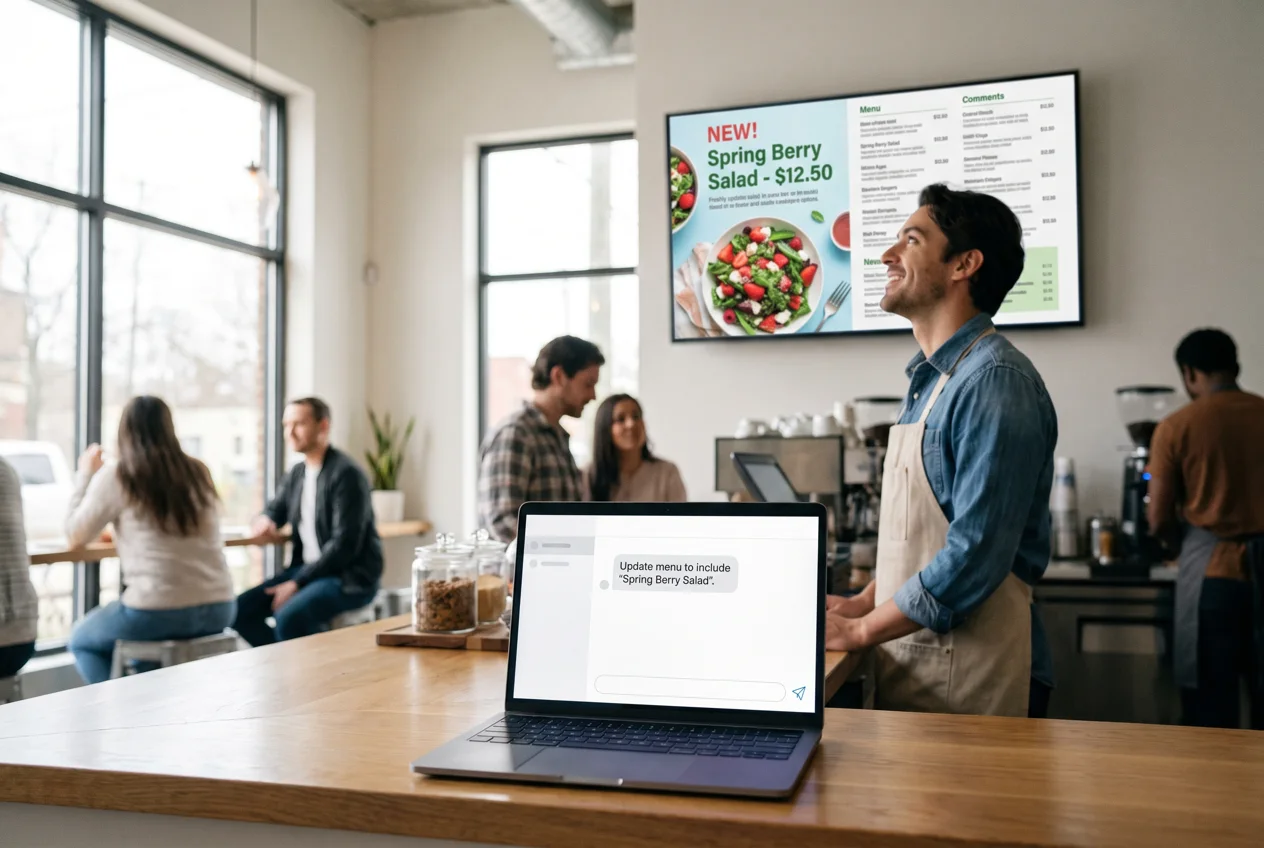
Last month, a restaurant client texted their account manager at 9:40 on a Friday night. The bar was slammed, the kitchen had just 86'd two entrées, and the menu boards above the bar were still selling both. Someone had to open a laptop, log into the CMS, find the right playlist, edit two slides, and republish — during the Friday rush.
That whole sequence is now one sentence: "Take the salmon and the short rib off tonight's menu on the bar screens." Typed into an AI assistant. Done before the next ticket printed.
This is what AI signage actually looks like in 2026, and it's why we spent this year building an MCP connection into the CrownTV Dashboard. Not a chatbot bolted onto a help page — a way for AI assistants like Claude and ChatGPT to genuinely operate your screens, with your permission rules in the middle. We think it's the biggest change to how signage gets run since cloud software replaced the USB stick. Here's the honest version of what it is, what it does, and where its limits are.
"AI signage" means three different things. Only one changes your payroll.
The phrase gets used loosely, so let's split it properly:
- AI-generated content. Using AI tools to design slides, write promo copy, or produce video for screens. Useful, occasionally great, and by now table stakes — every design tool has it.
- AI analytics. Cameras and sensors estimating attention, dwell time, and demographics. Real technology with real privacy homework attached; a topic for another post.
- AI operations. An assistant that runs the software — updates the menu, schedules the campaign, checks the fleet, reports what's playing where. This is the one that gives hours back every week, because it replaces the login-click-search-edit-publish loop that eats your manager's time.
Most of what's written about AI signage covers the first bucket, because it demos well. The third bucket is where the money is, and it only became possible when a piece of plumbing arrived that most operators have never heard of.
What is an MCP server? (Plain-English version)
MCP stands for Model Context Protocol — an open standard introduced by Anthropic in late 2024 and since adopted across the industry, including by OpenAI. It solves a simple problem: AI assistants were smart but sealed off. They could tell you how to update your menu boards; they couldn't do it.
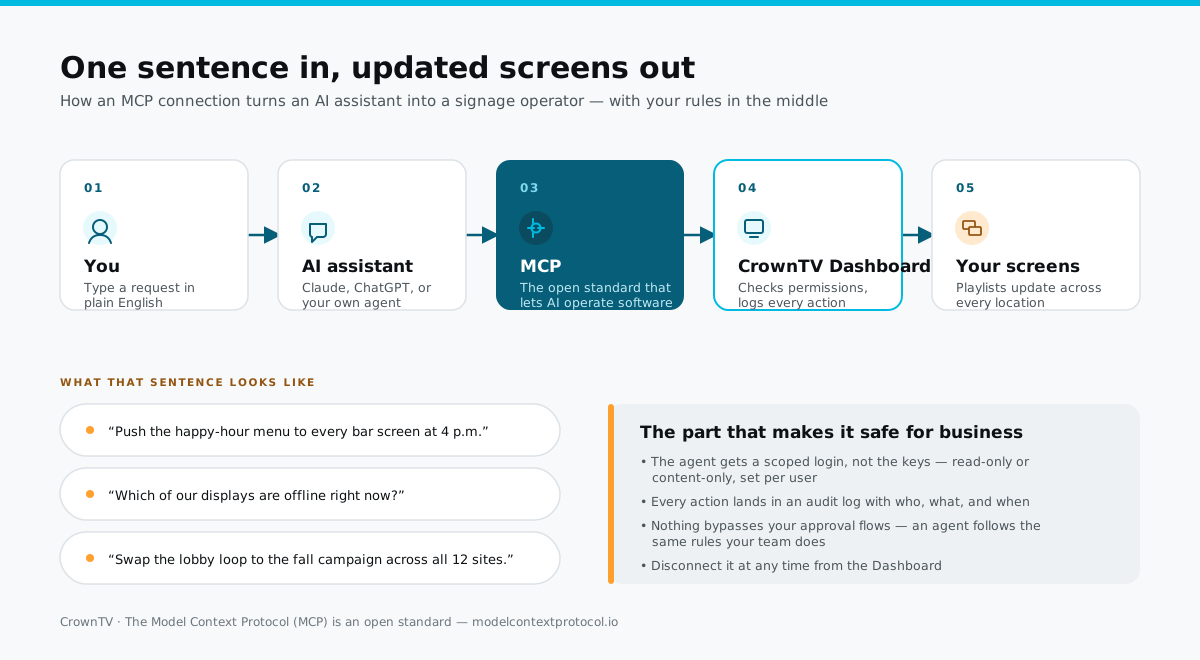
An MCP server is the connector a software company runs so assistants can use its product. The cleanest analogy is a USB port: one standard plug, and suddenly any assistant — Claude, ChatGPT, or an agent your company builds — can connect to any tool that offers one, see what's in it, and take the actions it's been approved to take. No custom integration per assistant, no brittle screen-scraping, no sharing your password with a bot.
Thousands of software products have shipped one over the past two years. Signage platforms, for the most part, haven't. Screens were stuck in the pre-USB era. That's the gap we closed.
What we built into the Dashboard
The CrownTV Dashboard now runs its own MCP server. Connecting an assistant takes a few minutes, once, and from then on the assistant appears in your account the way a team member would — with three properties we considered non-negotiable:
- A scoped login, not your keys. The agent gets its own credentials and only the permissions you grant. Read-only for a monitoring agent. Content-only for an operations agent. Owner rights, never.
- An audit trail for everything. Every action an agent takes is written to the log with who connected it, what it did, and when. If a menu changed at 9:41pm on a Friday, you can see exactly why.
- A kill switch. Disconnect the agent from the Dashboard at any time. Sessions end immediately.
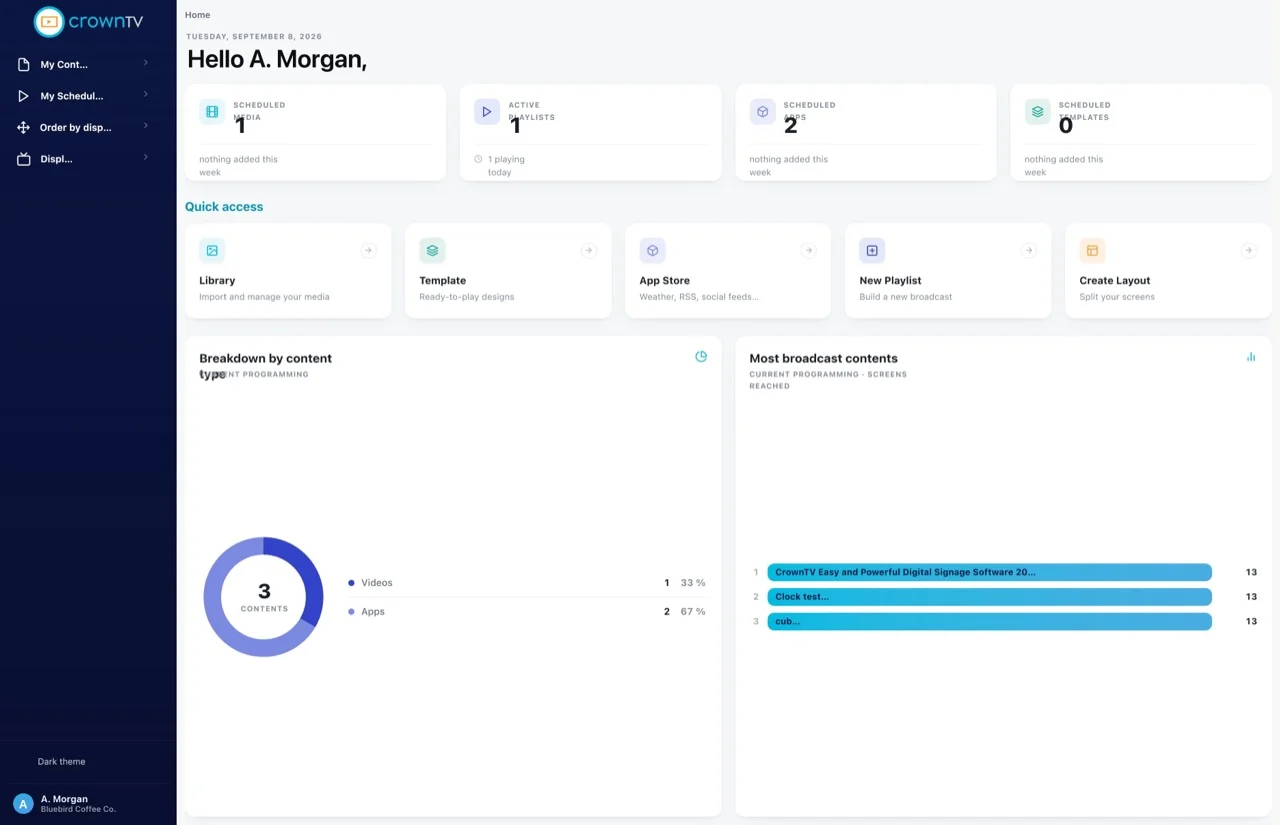
Under the hood, the first wave of agent capabilities maps to the operations our support team sees eat the most customer hours: listing displays with live status, managing the media library, building and editing playlists, scheduling, and pushing content to a display or a group — across one location or two hundred.
What you can actually ask it
The interface is a sentence. These are real requests the connection is built to handle:
- "Which of our displays are offline right now?" — instant fleet check, the thing that otherwise means clicking through location after location.
- "Push the happy-hour menu to every bar screen at 4pm." — a scheduled, multi-screen content change from one line.
- "Swap the lobby loop to the fall campaign across all 12 sites." — the multi-location rollout that used to be a calendar appointment.
- "What played on the Chicago screens last week?" — programming reporting without exporting anything.
- "Take the salmon off tonight's menu." — the Friday-night fix, from a phone, mid-rush.
Where this pays for itself
We keep 16,000+ screens running for 1,800+ businesses, so we have a decent view of where signage hours actually go. It isn't design. It's the small operational churn: the price change that has to hit forty screens, the compliance slide that must be live by Monday, the franchisee who needs the new promo but not the old one, the weekly "is everything actually on?" walk-through done from a desk chair.
None of those tasks is hard. All of them cost a login, navigation, and fifteen minutes of a manager's attention — and they repeat forever. Multiply by locations and you get the quiet reason signage budgets drift upward after year one: the software line stays flat while the labor around it compounds. An agent flattens that curve, because asking costs seconds and it doesn't matter whether the change touches one screen or two hundred.
The second payoff is less obvious: your signage stops being a silo. An assistant connected to your calendar, your docs, and your screens can carry context across them — pull Friday's promo details from the marketing doc and schedule the matching playlist in one conversation. That's not a signage feature. That's what happens when signage joins the same standard everything else is adopting; it's also why we built this into the CMS layer rather than as a separate product.
What it won't do — and shouldn't
A little honesty keeps this useful. The agent operates the system; it doesn't replace the judgment around it. It won't decide your brand's fall campaign. It won't approve its own work — anything it stages still flows through the same review rules your team uses. And it won't design your menu boards for you; a screen customers see deserves a human's eye before it goes public, and our recommendation is to keep sign-off on net-new creative exactly where it is today.
We'd also steer you away from any platform that answers the security question with "trust us." The specific mechanics matter: scoped credentials, per-action logging, revocation that takes effect immediately. If those three aren't in the answer, the answer is no.
How to get it
The MCP connection is rolling out to CrownTV Dashboard accounts now. If you're an existing client, your account manager can switch it on and walk your team through connecting an assistant — it's minutes, not a project. If you're evaluating platforms and this is the direction you want your screens to head, request a quote and mention AI operations; we'll demo the agent workflow on a live fleet.
Screens used to be the thing you updated when someone remembered. Now they're the thing you talk to. We think every signage platform will work this way within a few years — we just didn't feel like waiting.
Frequently Asked Questions
What is AI signage?
Using AI to run digital signage — most usefully an assistant that operates the software itself: menus, playlists, scheduling, fleet checks, multi-site pushes, all from plain-English requests. Distinct from AI-generated slide content and from camera-based AI analytics.
What is an MCP server?
The connector a software company runs so AI assistants can use its product under the Model Context Protocol, the open standard introduced by Anthropic in 2024. One standard plug; any compliant assistant can connect, see approved data, and take approved actions.
Can ChatGPT or Claude control my signage today?
Only if your platform offers an MCP connection. With CrownTV's, an assistant can check display status, manage playlists, and schedule and push content under a scoped, logged, revocable login. Without one, assistants can advise but not act.
Is it safe?
With the right model, yes: the agent gets a limited role rather than owner access, every action is audit-logged, approval flows still apply, and disconnection is immediate. Keep human sign-off on net-new public creative.
Do I need developers to use it?
No. Connecting is a one-time, few-minute setup from the Dashboard; using it is typing what you want. Developer teams that want to build custom agents on top of it can — it's a standard protocol — but nobody needs to.
Can ChatGPT or Claude really control my digital signage?
Yes, if your signage platform offers an MCP connection — the assistant can list your displays, check their status, update playlists, and schedule content, using its own scoped login. On CrownTV, the agent only gets the permissions you grant it, every action is written to an audit log, and you can disconnect it at any time. Without an MCP connection, an assistant can only give you advice; it can't touch the screens.
Is it safe to let an AI agent manage screens customers see?
It's as safe as the permission model behind it. The right setup gives the agent a scoped role — read-only for monitoring, content-only for updates — never owner rights. Every change is logged with who, what, and when, and your approval flows still apply. What we recommend in practice: let agents handle status checks and routine content pushes, and keep a human sign-off on anything brand-new that hits public screens.
What can an AI agent actually do in the CrownTV Dashboard?
The first wave covers the operations that eat the most time: list every display with live online/offline status, manage the media library, build and update playlists, schedule content, and push a playlist to a display or a group across locations. Fleet-health questions — which screens are offline, what's playing where — come back in seconds instead of a click-through session.
Do I need to be technical to use this?
No — that's the point. Connecting takes a few minutes once, from the Dashboard. After that, the interface is a sentence: you type what you want in Claude or ChatGPT the way you'd say it to a coworker. If you can send a text message, you can operate your screens this way.
Read Next
- Digital Signage CMS: Complete Guide — the software layer the agent operates
- How Much Does Digital Signage Cost? — with our interactive cost calculator
- Best Digital Menu Board Software — where fast content changes matter most
Keep reading
More guides like this
Operator-grade playbooks, weekly.
Proof, not pitches
See real installs
Live deployments across hospitality, retail, and offices.
Ready to deploy?
Get a quote in 2 business hours
Reply within two business hours. No call required.