
What you can rely on
- 16,000+ active screens running on CrownTV
- Commercial display classes: indoor, window, outdoor, kiosk, video wall
- Published pricing ranges on the pricing page
- Named project photos in the customer work library
Digital signage software
CrownTV Dashboard is digital signage software built for real rollouts: content scheduling, permissions, screen health, and remote management from one cloud CMS. Use it alone, or pair it with turnkey digital signage hardware, nationwide installation, content design, and managed support under one contract.
Trusted by leading brands since 2012

Product decision guide
CrownTV specifies approved commercial display classes by function first. The right recommendation starts with brightness, duty cycle, placement, controls, warranty, mounting, service access, and support.
What digital signage software actually does
A digital signage content management system is the browser-based control panel for scheduling content, managing playlists, setting permissions, and monitoring screen health across your network.
CrownTV keeps the scope clean: use the Dashboard as your digital signage software, or bundle it with turnkey digital signage, commercial displays, nationwide installation, content design, and managed support.
Cloud digital signage, playlists, screen groups, permissions, alerts, and remote digital signage management.
Commercial displays, media players, cabling, install coordination, content loading, and training.
Managed digital signage support for content changes, troubleshooting, replacement paths, and rollout hygiene.
CrownTV is a turnkey digital signage provider helping brands digitize their physical spaces. We bundle three things most vendors split apart: our cloud-based digital signage software, commercial-grade indoor and high-brightness window displays, and a nationwide installation team. We run the whole stack — site survey, hardware, install, content management, ongoing support — under one contract. From a single screen in one location to a national rollout across 500 stores, the playbook is the same.
Manage one location or 500 from the same browser dashboard. No VPN, on-prem server, or local software install.
Cloud signagePOS, KPI dashboards, weather, social, calendars, and REST API options without starting from a blank screen.
App galleryStart software-only or add turnkey digital signage, commercial displays, and nationwide technicians.
TurnkeyUse installation, content design, and managed services separately or inside one operating scope.
ManagedPackage, software, support, and add-on pricing stay centralized so the quote matches the scope.
PricingA guided tour
Most signage CMS demos are a wall of buttons. Ours is five rooms — overview, screens, content, schedule, apps — and you'll only ever live in three of them.
Overview
The landing screen answers the only question that matters at 8:01am Monday: is the network up? Live status, last sync, content health — one view.
Screens
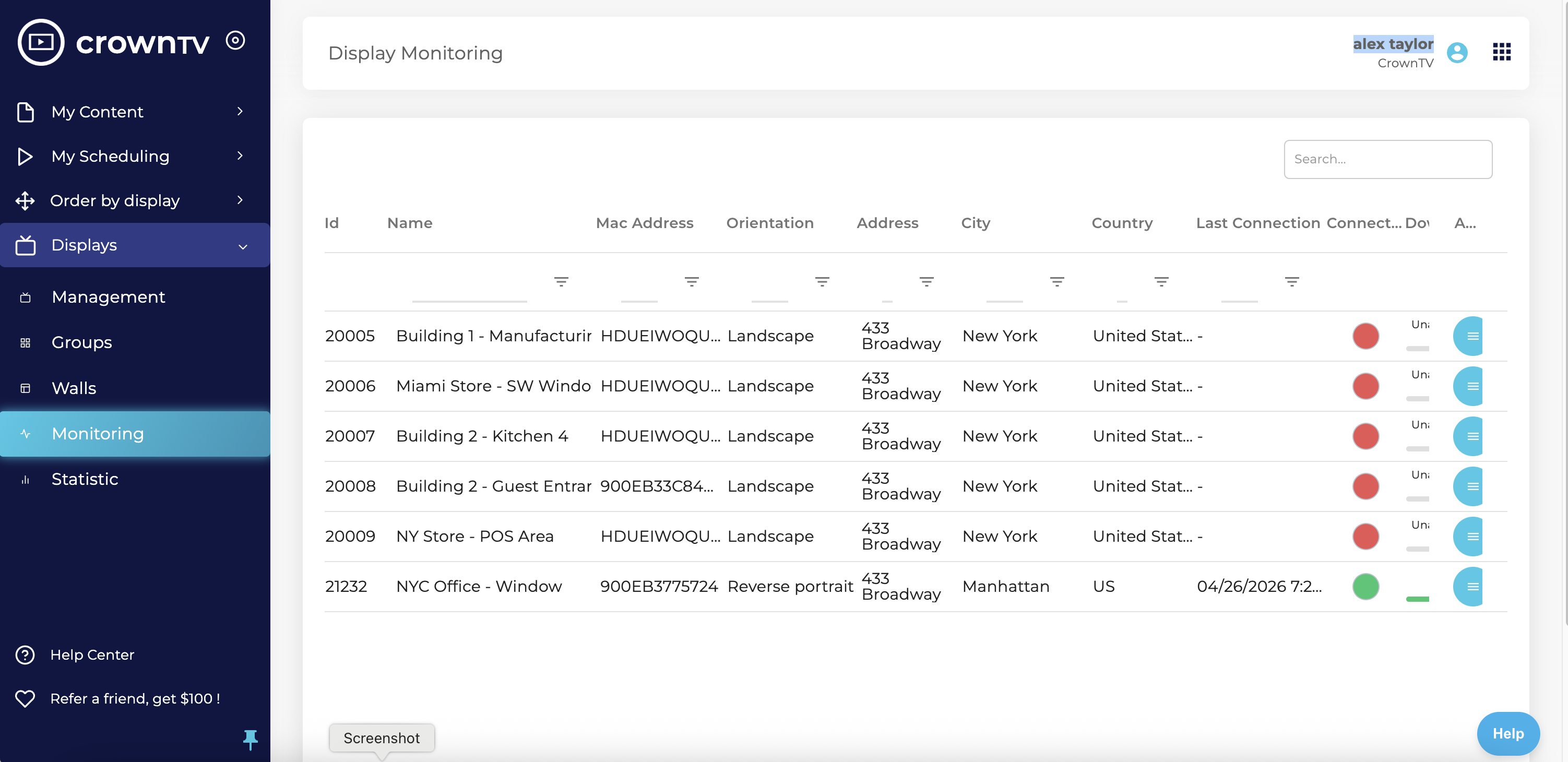
Click a screen — uptime, last playback, current playlist. Push a reboot, swap a playlist, or roll firmware from the same panel. No SSH, no IT ticket.
Content library
Brand fonts, palettes, logos, and approved templates in one shared library. Upload a video — the dashboard auto-applies the brand kit. Regional managers can never publish off-brand.
Schedule
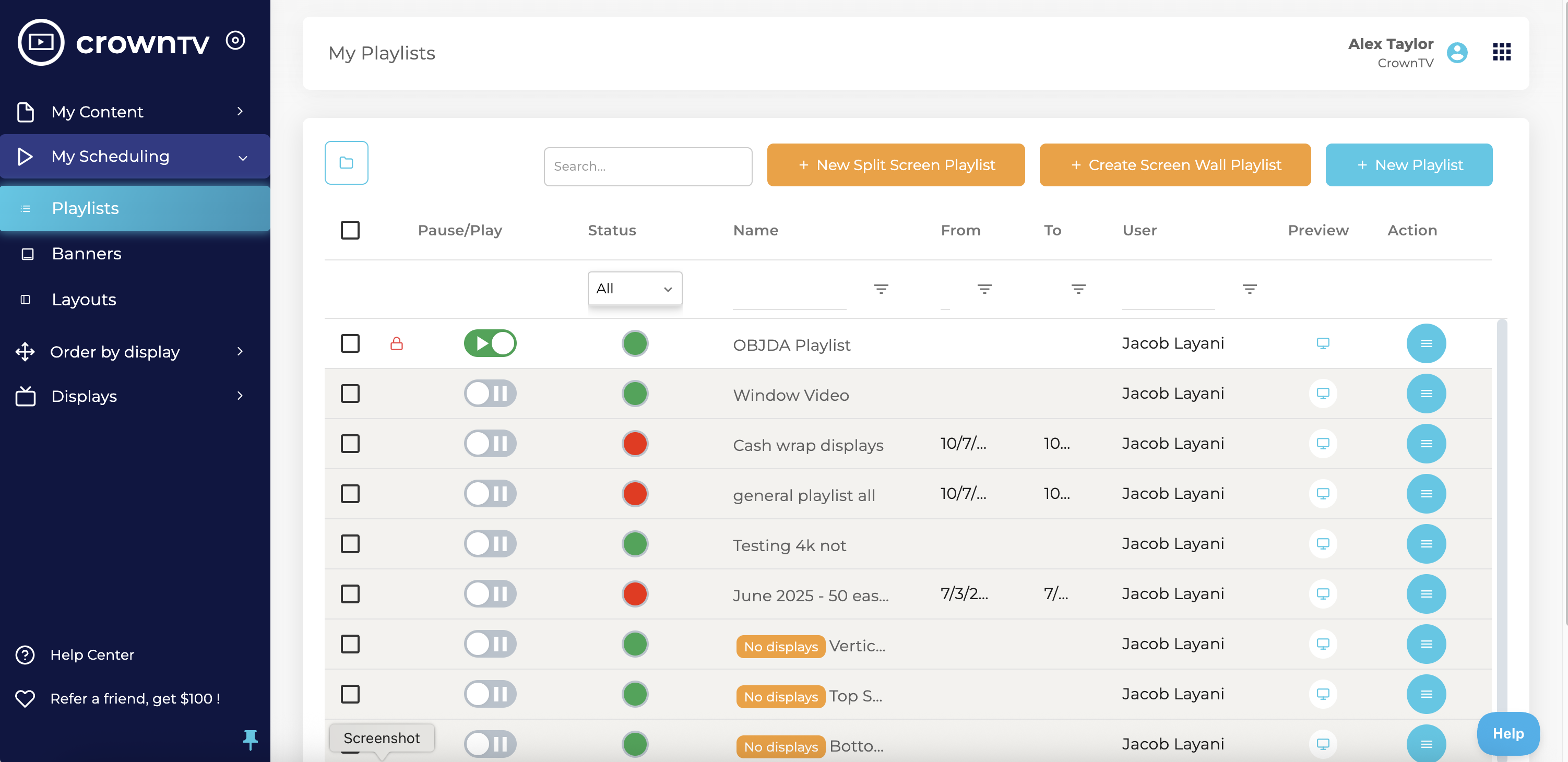
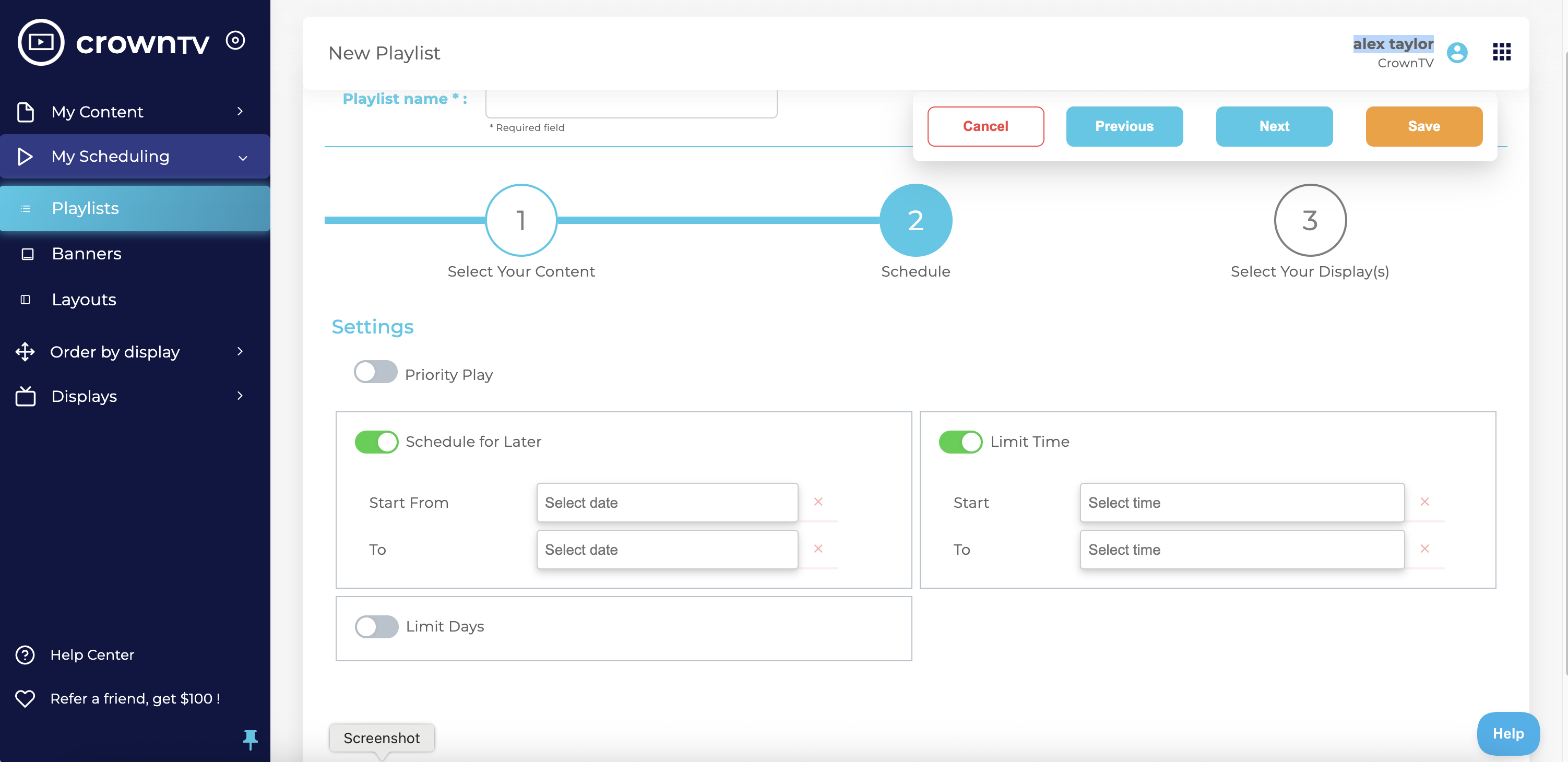
Calendar view shows what's playing where, when, and on which screens. Lunch promo, Friday happy-hour board, one-off event takeover — set it, walk away.
Apps + integrations
Pre-built apps for POS, weather, KPIs, social, calendars. Plug in credentials, drag the tile onto a layout, publish.
Schedule + publish
Calendar-driven scheduling, day-parting, multi-zone layouts, every format you'd ever publish — with the kind of boring reliability you actually want from infrastructure.
Playlists rotate automatically. Day-part swaps morning specials for evening campaigns. Calendar view shows what's playing where and when.
Recurring lunch promo, Friday-only happy hour, one-off event takeover — set it, walk away.
Upload images, videos, graphics — arrange them in custom layouts. Built-in templates for menus, promos, KPI boards, wayfinding.
Video, ticker, image, weather, live data in customizable zones. One screen, many content streams at once.
Group screens by location, region, brand, or campaign. Push to one or all in seconds — same workflow at 5 screens or 5,000.
Apps + integrations
A static slideshow gets ignored. Live data — sales counters, weather, KPI dashboards, social proof — gets read. Plug in credentials, drag the app onto a layout, publish.
Square, Toast, and most major POS systems for live sales tickers and member-count displays.
Square · Toast · Clover
Live local weather, time, and forecast overlays for any screen in any city — auto-refreshing on the schedule you set.
Local · forecast · auto-refresh
Embed live dashboards from Tableau, Looker, Google Sheets, or any URL-accessible source. Boardroom screens, ops floors, war rooms.
Tableau · Looker · Sheets
Pull Instagram, Twitter/X, and Facebook posts onto branded social walls — moderated, hashtag-filtered, on a refresh you control.
Instagram · X · Facebook
Google Calendar, Outlook, and most major scheduling systems for meeting room and event displays. Now-and-next, room-availability indicators included.
Google · Outlook · iCal
Build your own. Embedded URL feeds, webhook-driven content updates, JSON/REST endpoints. Internal status boards, on-call rotations, anything your team can host.
REST · webhooks · embed
Live preview
A stylized snapshot of what every screen looks like in production: scheduled blocks roll across the timeline, status dots pulse green, content blocks publish in real time. Not a mockup — an honest cartoon of the real thing.
Run + monitor
Real-time monitoring, screen-down alerts, offline cache, analytics, an open API. The kind of unglamorous reliability nobody notices — until they don't have it.
Nobody wants to find out a screen has been showing the wrong promo for six hours from a customer.
Every screen's status, last sync, last playback, and uptime — live. Email and SMS alerts fire when a screen drops offline or content fails to load.
Route alerts to the right person — store-level to the regional manager, network-wide to ops, hardware-fault to the install crew. PagerDuty-style escalation on enterprise plans.
Local content cache keeps screens running through brief outages. On-device watchdog auto-restarts on fault and dispatches an alert.
Reporting on playback, uptime, error rates, and content frequency — per-screen, per-location, per-campaign. CSV export or webhooks to your BI stack.
Programmatically push content, manage screens, read playback events. Webhook events for screen-offline, content-update, schedule-change — wire into Datadog, PagerDuty, Slack.
Currently powering over 16,000 screens
in 4 countries.
Team + security
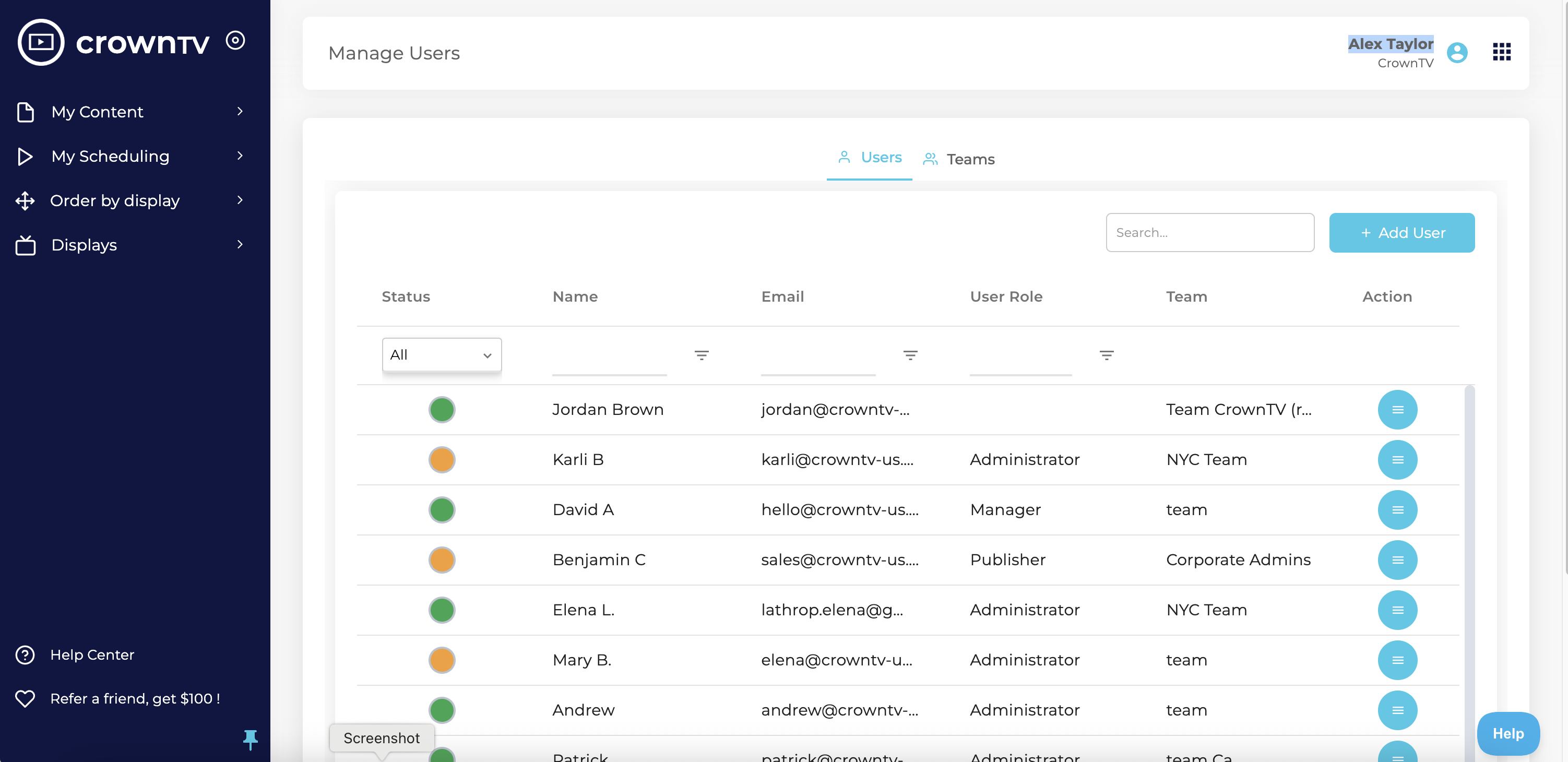
The dashboard you give to a regional manager isn't the dashboard you give to your CMO. Scoped permissions are the difference between centralized and chaotic.
Admin, editor, or viewer roles per user. Approval workflows for franchise networks where local content must pass brand review before going live.
SAML/SSO via Okta, Azure AD, and Google Workspace. Encrypted media at rest and in transit. Role-based folder permissions. Data residency options on enterprise plans.
Upload brand fonts, color palettes, logos, and approved assets once. Templates auto-apply the brand kit so every screen matches the brand book — even when local managers update content.
Manage screens, push emergency broadcasts, and monitor health from your phone. Approve content from anywhere — useful for franchise networks and on-call ops.
Cloud-based digital signage software
The CrownTV Dashboard is fully cloud-hosted — no on-prem server, no VPN, no IT person babysitting an on-site box at every location. The CMS lives in our infrastructure; the players cache content locally so playback survives network drops; you sign in from any browser to manage one screen or 500.
Manage from anywhere
Schedule a campaign in NYC at 9am that goes live in San Francisco at 9am local. Update content in 5 stores or 500 from the same dashboard. No VPN, no remote desktop, no on-site IT.
Auto-failover
Every CrownTV media player caches scheduled content locally. When the network drops, content keeps playing. When the network returns, the player syncs the next scheduled update. Unattended sites stay on-air.
Permissions + audit
Role-based access, SAML/SSO via Okta, Azure AD, and Google Workspace. Audit logs for who-changed-what. Required for healthcare, financial-services, and government deployments with compliance scopes.
Push instantly, globally
Lockdown alerts, weather warnings, evacuation messaging — the cloud-managed model lets you reach every screen in every location in seconds. Same dashboard pushes brand content or emergency takeovers.
No re-platforming
Add a screen, add a tenant, add a location — same Dashboard, same workflow. CrownTV runs networks from 5 screens to 5,000 on the same digital signage platform. No license unlocks, no architecture migration.
Cloud vs on-prem
For 95% of multi-location operators, cloud digital signage software wins on cost, speed, and IT effort. The honest exception: air-gapped government and defense deployments where the network can't touch the public internet. Read more in our cloud signage operator's guide.
Unlike software-only providers, CrownTV delivers the complete digital signage solution under one roof.
Side-by-side comparisons
Honest, side-by-side comparisons against the four most-considered digital signage software platforms. We list our own gaps too — you'll see exactly where CrownTV wins and where a different vendor fits better.
vs Yodeck
CrownTV vs Yodeck
Self-serve freemium CMS. CrownTV adds commercial displays, install, and managed support.
vs OptiSigns
CrownTV vs OptiSigns
Self-serve software at low monthly cost. We add commercial hardware and managed install.
vs Raydiant
CrownTV vs Raydiant
Mid-market signage platform. Comparison covers pricing, hardware, and install model.
vs ScreenCloud
CrownTV vs ScreenCloud
Enterprise-friendly signage CMS. We add commercial displays, installation, and ongoing managed service.
For a broader survey, see our 8 ScreenCloud alternatives, the 2026 digital signage software field guide, or browse the full compare hub.
Keep reading
Three deeper reads from the CrownTV product team — what features actually matter in digital signage software, how cloud-based digital signage software works, and the honest landscape of CMS alternatives.
Operator field guide
Real features that move the needle on a 10,000-screen network — remote management, scheduling, uptime monitoring, and the ones that don't.
Cloud signage guide
Cloud vs on-prem CMS, the 7 platforms operators actually use, pricing, and the honest exceptions where on-prem still wins.
Alternatives roundup
Pricing, hardware scope, install service, and where each one wins — including where ScreenCloud still does.
Browse related
Need more than digital signage software? Browse turnkey digital signage, commercial displays, nationwide digital signage technicians, digital signage content design, and support and troubleshooting through managed services. For per-screen pricing, see the full pricing breakdown. Industry-specific playbooks: retail digital signage, digital menu boards for restaurants and QSR, corporate digital signage, and healthcare digital signage. Up to all CrownTV digital signage products.
150+ boutiques across the US and Canada, running the CrownTV Dashboard since 2019. Three-tier permissions: IT runs the system, marketing schedules campaigns, store managers customize locally. Hybrid 98-inch and 85-inch video walls anchor flagship installs.
115+ US stores plus a London flagship. Two synchronized 55-inch high-brightness window displays paired with four indoor 55-inch screens per store, all managed through the same Dashboard. Content synchronized for a unified storefront effect.
55+ stores nationwide, running 55-inch high-brightness window displays. Same Dashboard pushes regional campaigns to every storefront. Full fleet rollout completed in under 10 days.
Storefront menu boards across multiple flagship locations. Digital menu boards updated centrally from the CrownTV Dashboard — change a price once, every screen reflects it within seconds.
Corporate showroom signage running on the Dashboard. Lobby, conference, and breakroom screens all pulled from one centralized content library with role-based permissions for the corporate marketing team.
Live Google reviews from CrownTV customers.
Read all reviews on GoogleTell us what you're building — all inquiries responded to within 4 business hours.
By the metro
Same one-vendor stack across all 50 states. Pick your metro for install + content context.
Southeast hub for chain rollouts — GA, TN, AL, NC, SC, FL.
Cambridge-corridor campuses + Back-Bay corporate, year-round-rated.
Midwest rollouts, winter-rated panels, one project manager.
DFW chain rollouts — standardized kits, single project manager.
Mile-High UV-rated signage + Mountain-region rollouts.
Energy-corridor scale + chain-rollout discipline.
Strip-grade video walls + convention-center wayfinding at scale.
Coast-to-canyon installs, scoped before you sign.
Salt-air, sun-load, oceanfront-rated installs across South Florida.
Digital signage installation across Manhattan, Brooklyn, Queens, the Bronx, and Staten Island.
Center-City signage + multi-state Mid-Atlantic rollouts.
Heat-rated outdoor + sun-readable retail across the Valley.
Bay-Area campus signage that ships before your next OKR cycle.
Rain-rated outdoor + corporate-campus signage from Bellevue to Tacoma.
Federal-aware deployments + DMV corporate, Section-508 baseline.
Also available in
Frequently asked
All inquiries responded to within 4 business hours.
No commitment. No hard sell.