
Conference Room Displays & TVs: The 5 Meeting Room Display Solutions That Actually Work (With Installed Pricing)
Conference room TVs and meeting room screens compared, plus installed pricing: 55–98″ commercial 4K panel, mount, and pro install from $2,450 per screen.
On this page
A conference room display in 2026 has a harder job than it did five years ago. Hybrid meetings are the norm, so the display, camera, and mic have to make the remote half of the room feel present — not like an afterthought on a laptop screen. Teams Rooms and Zoom Rooms certification decides whether the meeting starts with one tap or three minutes of cable-fishing. USB-C one-cable rooms let a visitor present without asking for a dongle. And the room scheduling panel at the door has quietly become part of the display stack, because a great room nobody can book is a wasted room.
CrownTV has been deploying corporate AV and digital signage for 13+ years, with 16,000+ screens running live across all 50 states. Customers include Herman Miller HQ, Mercedes-Benz dealerships, and a long list of corporate offices where meeting room displays sit next to lobby signage in the same building. We see what holds up in daily operation versus what looks polished in a sales demo — and these are the five meeting room display solutions that actually work.
What a meeting room display setup needs in 2026
Whatever configuration you land on, the checklist is the same:
- Certification, not compatibility. "Works with Teams" and "Certified for Microsoft Teams Rooms" are different products. Certified hardware gets one-tap join, managed updates, and support. Compatible hardware gets a browser tab.
- Commercial displays, not consumer TVs. Meeting room screens run 10–14 hours a day showing static content — shared docs, dashboards, calendar holds. Commercial panels are rated for that duty and carry a 3-year warranty; consumer TVs aren't and don't.
- One cable for guests. A single USB-C at the table that carries video, audio, and power is the difference between a meeting that starts on time and a dongle hunt.
- Bookability at the door. Room scheduling displays cut the double-bookings and squatting that make people distrust the calendar.
1. Commercial 4K display + Teams Rooms / Zoom Rooms compute
The standard-issue conference room display solution: a 55–75″ commercial 4K panel driven by a dedicated, certified room system — a Windows 11 IoT mini-PC for Microsoft Teams Rooms or a certified appliance for Zoom Rooms — with a touch controller on the table, a PTZ camera, and a mic array sized to the room.
| Spec | Typical build |
|---|---|
| Display | 55–75″ commercial 4K (Samsung QM-C, Sony BRAVIA BZ), 16/7 rated |
| Compute | Certified MTR mini-PC or Zoom Rooms appliance |
| Camera / audio | PTZ camera + table or ceiling mic array |
| Control | Touch controller with one-tap join |
| Cost installed | $4,000–$12,000 per room |
Pros: the tightest calendar integration available — book from Outlook or Google Calendar, walk in, tap, you're in the meeting. Modular, so a failed camera doesn't take out the room. Scales to any room size.
Where it breaks down: per-room platform licensing bills monthly on top of user licenses, and the dedicated compute is another endpoint IT manages and patches.
Who it fits: any organization standardized on Microsoft 365 or Zoom with more than a handful of rooms. This is the default for a reason.
What the display itself costs, installed: the Conference Room Display Package
Most of the meeting-room quotes we write are not for a full AV integration. They come from an office manager or IT lead who already runs Teams or Zoom, already owns (or is buying) the video bar, and needs the screens on the wall by a date — usually a new office opening. So we sell that as its own package: a Samsung QM-series commercial 4K panel, the wall mount, shipping, and professional installation by a local insured crew. One flat price per screen, no media player and no signage software, because a conference room doesn't need them.
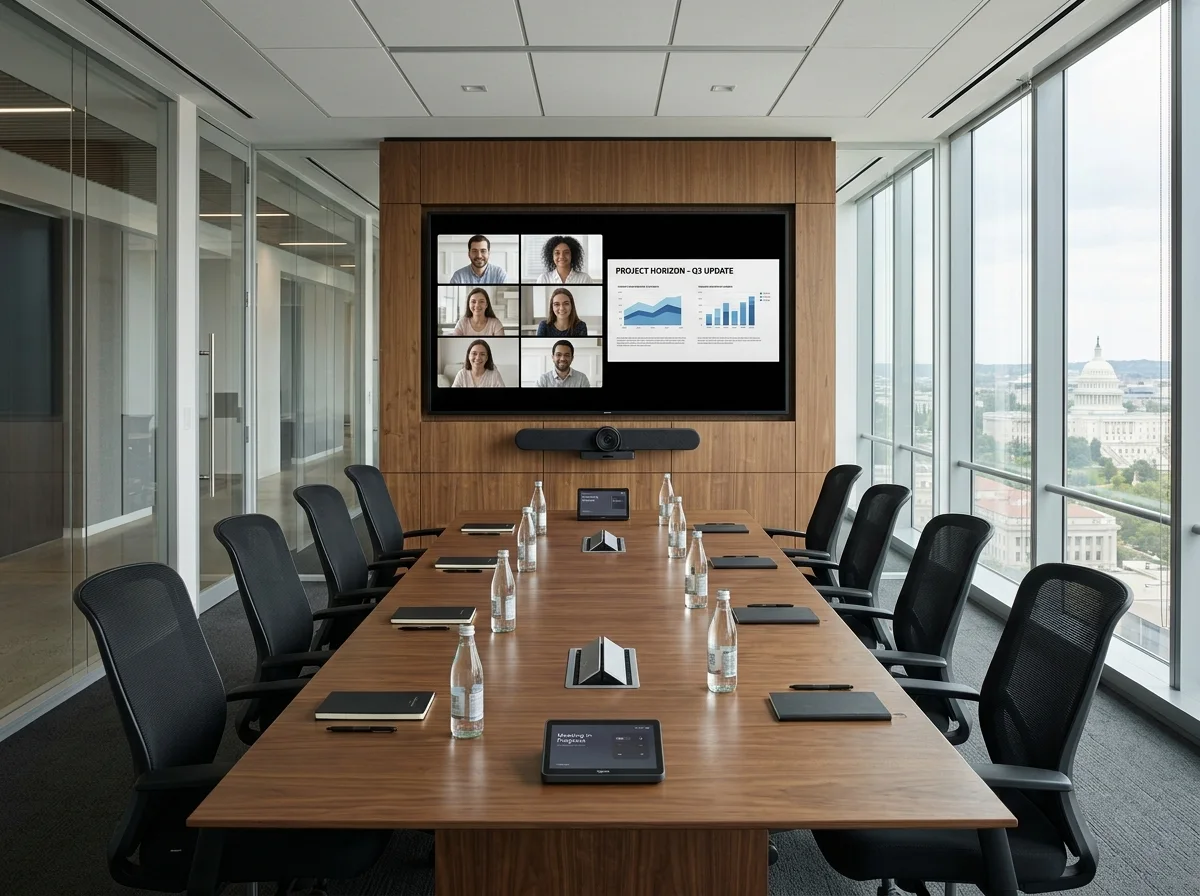
| Screen | Panel | Installed, per screen |
|---|---|---|
| 55″ — huddle room, 4–6 seats | Samsung QM55C, 4K, 500 nit, 24/7 rated | $2,450 |
| 65″ — table up to 12 ft | Samsung QM65C | $2,600 |
| 75″ — standard conference room, 14–18 ft | Samsung QM75C | $4,475 |
| 85″ — large room, 18 ft and up (a 22 × 14 room wants this, not a 75) | Samsung QM85C | $6,500 |
| 98″ — lobby, town hall, all-hands | Samsung QM98C | $9,000 |
| Video bar mount + connect (Rally Bar, Poly, Neat, Yealink) | Bracket below the display, HDMI + network, power confirmed | $295 per bar |
Every row includes the panel with Samsung's 3-year commercial warranty, the mount, shipping, and the install itself: mounting, connection, alignment, and cleanup. Prices are per screen plus applicable sales tax. Power at the mounting location is assumed — if the wall needs a new outlet, we price the electrical run separately once we've seen site photos. Hardware ships 5–7 business days from payment; approval to installed is about two weeks. Room configuration and pairing to your Teams or Zoom tenant stay with your IT team, since that needs your admin credentials.
Want the screen to double as lobby signage after hours? That's the turnkey signage package — same panel, plus a CrownTV player, Dashboard software, and training — on a separate price list. Already own the displays? The install-only scope starts at $575 per screen on the digital signage installation page.
Conference Room Display Package — from $2,450 per screen, installed
Send the room dimensions, a photo of the wall, and which platform you run. Quote back within 2 business hours, crews in all 50 states.
Get a conference room display quote →2. All-in-one video bar + display
One soundbar-shaped device — camera, mics, speakers, and compute in a single chassis — mounted under a 55–65″ commercial display. Logitech Rally Bar, Poly Studio, and Neat Bar are the category leaders, most of them dual-certified so the same hardware runs Teams Rooms or Zoom Rooms with a configuration change. Add a USB-C cable at the table and you have a one-cable room.
| Spec | Typical build |
|---|---|
| Display | 55–65″ commercial 4K panel |
| Video bar | Logitech Rally Bar, Poly Studio, or Neat Bar (appliance mode) |
| Platform | Teams Rooms or Zoom Rooms — many bars swap between both |
| Cabling | USB-C at the table for bring-your-own-meeting |
| Cost installed | $3,000–$7,000 per room |
Pros: fastest install in the category, fewest cables, fewest points of failure. Dual certification hedges a future platform switch.
Where it breaks down: fixed camera position and integrated mics run out of reach in rooms beyond ~8 people or with glass walls that wreck acoustics. You still pay the room license on whichever platform you run.
Who it fits: huddle rooms and small meeting rooms, offices with many small rooms to outfit fast, and mixed-platform companies that join whatever the client uses.
3. Interactive touch display / digital whiteboard
A 65–86″ interactive touch display — Samsung Interactive (WM-B), Google Board, or a certified touch panel running Teams or Zoom whiteboard apps — that works as both the room's video conferencing screen and a shared digital canvas. Ink from the room and ink from remote participants land on the same board, and the board survives the meeting as a file instead of a photo of a whiteboard.
| Spec | Typical build |
|---|---|
| Display | 65–86″ 4K interactive touch, 20-point multi-touch |
| Software | Teams / Zoom whiteboard, wireless casting, annotation over any source |
| Camera / audio | Built-in or paired video bar |
| Cost installed | $3,500–$10,000 per room |
Pros: the only meeting room display that makes hybrid brainstorms genuinely two-way. Doubles as a standard conference room display when nobody's drawing.
Where it breaks down: touch adds $1,500–$4,000 over a non-touch panel of the same size, and in rooms that only ever run status meetings, the touch layer goes unused within a quarter. Fingerprint-prone in high-traffic rooms.
Who it fits: design and engineering teams, training rooms, agencies — anywhere the meeting produces drawings, not just decisions.
4. Dual-display executive boardroom (boardroom display system)
Two 75–85″ commercial panels side by side: remote participants' faces on one screen, shared content on the other, so nobody's face gets shrunk to a postage stamp when a deck goes up. Driven by a Teams Rooms or Zoom Rooms system that supports dual-screen layouts (Front Row on Teams, dual-monitor mode on Zoom), with ceiling mics, a PTZ camera, and often a room-control processor for lighting and shades. For a boardroom or briefing center wall beyond 85″, a video wall replaces the single content panel.
| Spec | Typical build |
|---|---|
| Displays | 2× 75–85″ commercial 4K panels (or video wall for content) |
| Layout | People on one screen, content on the other (Front Row / dual-monitor) |
| Audio | Ceiling mic arrays + DSP, acoustic treatment |
| Control | Room-control processor: AV, lighting, shades from one panel |
| Cost installed | $15,000–$30,000+ per room |
Pros: the best hybrid meeting experience money buys — remote executives stay life-size while the content stays readable. The room-control layer earns its keep in spaces used for client-facing meetings.
Where it breaks down: two to three times the cost of a standard room, and overkill for anything that isn't a boardroom, briefing center, or flagship conference room. Demands real cable and acoustic work — this is an integrator job, not an IT afternoon.
Who it fits: executive boardrooms, client briefing centers, and the two or three rooms in the building where meetings have an audience.
5. Room scheduling panel + occupancy signage at the door
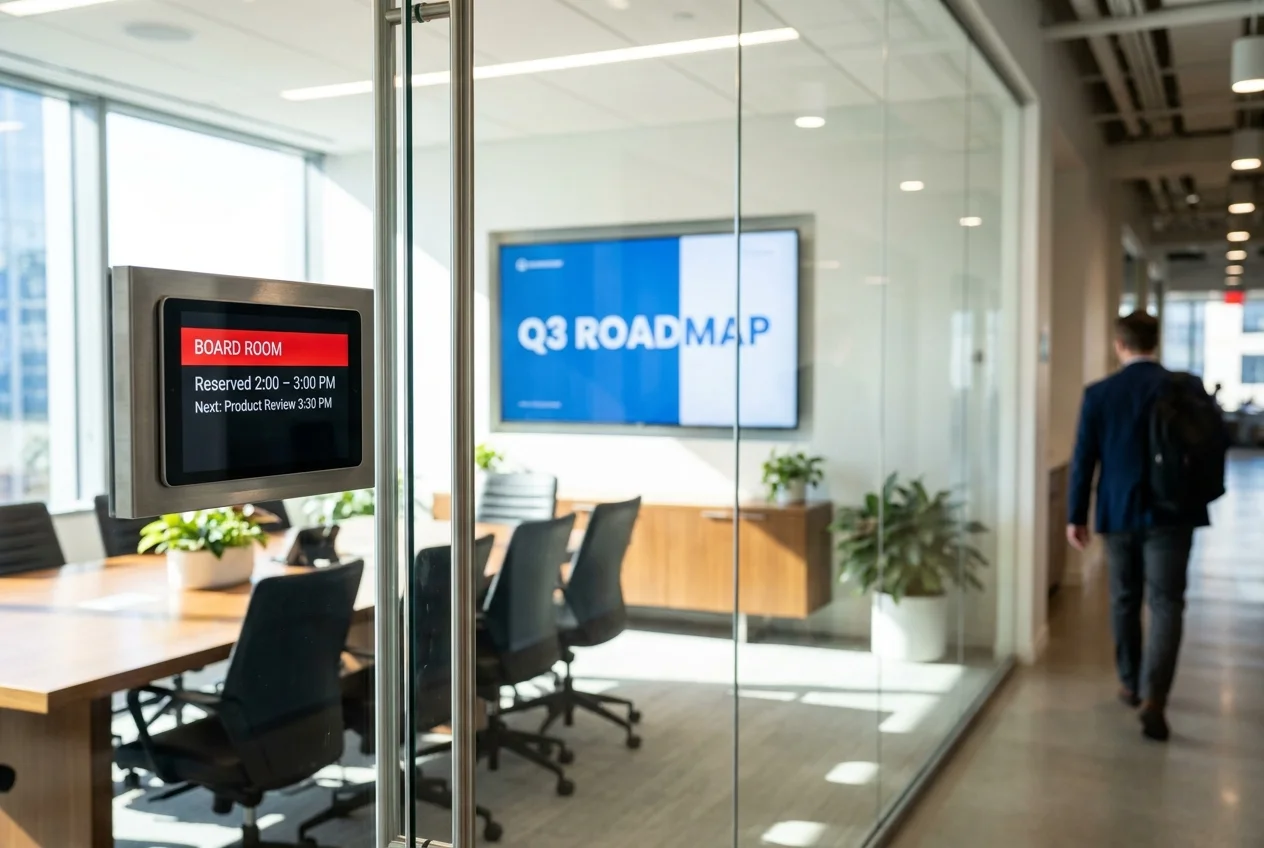
The display solution that lives outside the room: a 10″ PoE touch panel beside the door showing the room's name, current status, and the day's bookings — green when free, red when reserved — pulling straight from Outlook or Google Calendar. Walk up, see it's open, book it on the glass. Larger meeting room occupancy screens at the end of a corridor show every room's status at once, so nobody walks the floor testing door handles.
| Spec | Typical build |
|---|---|
| Panel | 10″ PoE touch panel, surface- or glass-mounted at the door |
| Status | Red/green LED edge visible down the corridor |
| Calendar | Native Outlook / Google Calendar resource booking |
| Floor view | Corridor occupancy screen showing all rooms at a glance |
| Cost installed | $500–$1,500 per door |
Pros: the cheapest line item on this list and the one people thank you for. Kills double-bookings, frees ghost-booked rooms with auto-release, and generates the utilization data facilities teams actually use.
Where it breaks down: it only reflects the calendar — if your booking culture is broken, the panel makes that visible rather than fixing it. PoE at every door is an electrician visit in older buildings.
Who it fits: every office with more than three meeting rooms. Pair it with any of the four solutions above.
Do meeting room displays work with Teams and Zoom?
Yes — if you buy certified hardware. Microsoft and Zoom each run certification programs (Certified for Microsoft Teams Rooms, Zoom Rooms Certified), and the top-rated displays and room systems for Zoom and Teams integration are the certified bundles from Logitech, Poly, Neat, Yealink, and Crestron. Certified rooms get one-tap join from the calendar, automatic updates, and platform support; non-certified gear joins meetings through a laptop and a cable, which works but re-creates the fumbling the room system was supposed to eliminate. Many current video bars are dual-certified, so the same hardware can switch between Teams Rooms and Zoom Rooms modes if your company changes platforms. The display itself is the simple part — any commercial 4K panel with HDMI and CEC works; certification lives in the compute, camera, and controller driving it.
The hidden costs: mount, cabling, acoustics, power
Every meeting room display quote you'll see leaves out four line items:
- Mount and cable management. $400–$1,200 per room with proper conduit work — the difference between a boardroom and a dorm room is visible cables.
- Acoustic treatment. Glass-walled conference rooms echo, and even the best mic array can't fix the room. $500–$3,000 per room for panels.
- Network and PoE. Scheduling panels, cameras, and mic arrays mostly run PoE+. If the rooms weren't wired for it, budget an electrician.
- Ongoing licensing. Teams Rooms and Zoom Rooms bill per room per month, forever. Model it at year three, not day one.
This is why conference room display solutions are usually scoped as an integration project rather than a hardware order — if you're comparing firms, start with our list of the top AV integrators in the USA.
What a boardroom display installation actually involves
Boardroom display installations are the one build on this list where the wall work costs as much as the hardware, and where skipping the pre-work shows up permanently. Four things happen before a panel goes up:
- Structure. Two 85″ commercial panels are 120–200 lb together, plus mounts. That wants in-wall blocking or a stud-spanning rail — never drywall anchors, and never a single stud. On glass-fronted or demountable partition walls, the mount has to land on the partition's own structural rail, which usually means coordinating with the wall vendor rather than the AV installer.
- Cabling. HDMI over the wall run to the compute in the credenza, a Cat6A home run per device, and a spare conduit for the next refresh. All of it pulled before the wall closes. Retrofitting a finished boardroom means surface raceway or drywall repair, and both read as cheap in a room whose whole job is not looking cheap.
- Power. Dedicated circuits behind each panel plus the rack or credenza. Sharing a circuit with the room's lighting is how you get a visible flicker every time someone dims for a presentation.
- Acoustics and ceiling coordination. Ceiling mic arrays compete with HVAC diffusers, sprinklers, and downlights for the same square footage, so the mic positions belong on the reflected ceiling plan, reviewed with the GC. A mic mounted under a supply diffuser picks up air noise on every call, and no amount of DSP removes it afterward.
Once structural and electrical pre-work is done, a two-panel boardroom is one to two days on site: day one for mounting, cabling, and rack build; day two for commissioning, camera framing, mic tuning, and a live test call with someone actually dialing in from outside. We schedule that test call as a deliverable, not a courtesy — it is the only step that catches a room that looks finished and sounds wrong.
Frequently Asked Questions
What is a boardroom display system?
A boardroom display system is the full stack driving an executive meeting room, not just the screen: two 75–85-inch commercial 4K panels side by side, a Teams Rooms or Zoom Rooms compute appliance that supports dual-screen layouts, ceiling mic arrays with DSP, a PTZ camera, and usually a room-control processor that puts AV, lighting, and shades on one touch panel. The dual-screen split is the point — remote participants stay life-size on one display while the deck stays readable on the other. Installed, a boardroom system runs $15,000–$30,000+ per room versus $4,000–$12,000 for a standard conference room.
What does a boardroom display installation involve?
Four things beyond hanging a screen. Structural: two 85-inch panels weigh 120–200 lb together and need blocking or a stud-spanning rail, not drywall anchors. Cabling: HDMI over the wall run to the compute, a Cat6A home run per device, and conduit for future upgrades — pulled before the wall closes. Power: dedicated circuits behind each panel plus the credenza or rack. Acoustics: ceiling mics need to be coordinated with HVAC diffusers and lighting, which means a reflected-ceiling-plan review with the GC. Plan one to two days on site for a two-panel boardroom once the structural and electrical pre-work is done.
What size display do I need for a conference room?
Use the farthest-seat rule: minimum diagonal in inches is roughly the distance in feet from the screen to the back of the table times four for text-heavy content, or times two for video and graphics. A 12-foot table puts the back seat around 14 feet out, which wants a 55–65-inch panel for slides. Rooms past 18 feet need 75–85 inches or a dual-display boardroom build. Undersizing is the single most common mistake — people specify to the room's budget rather than its back row.
Do meeting room screens work with Teams and Zoom?
Yes, if you buy certified hardware. Microsoft and Zoom both run certification programs (Certified for Microsoft Teams Rooms, Zoom Rooms Certified), and certified bundles from Logitech, Poly, Neat, Yealink, and Crestron get you one-tap join from the calendar, automatic updates, and platform support. Non-certified gear still joins meetings through a laptop and a cable — it just re-creates the fumbling the room system was meant to remove. The display itself is the simple part: any commercial 4K panel with HDMI and CEC works, because certification lives in the compute, camera, and controller driving it.
How much does a conference room display cost installed?
As a display-only package — Samsung commercial 4K panel, wall mount, shipping, and professional installation, no media player or signage software — $2,450 for a 55-inch, $2,600 for 65, $4,475 for 75, $6,500 for 85, and $9,000 for a 98-inch, per screen plus applicable sales tax. Mounting a video bar under it adds $295. A full certified Teams Rooms or Zoom Rooms build with compute, camera, mics, and controller runs $4,000–$12,000 per room; a dual-display boardroom $15,000–$30,000+.
Can you mount our Logitech Rally Bar or other video bar with the display?
Yes. We bracket the bar below the display, connect HDMI and network, and confirm power — $295 per bar, about an hour per room. Logitech Rally Bar, Poly Studio, Neat Bar, and Yealink MeetingBar all mount the same way. Pairing the bar to your Teams or Zoom tenant stays with your IT team because it needs your admin credentials; we schedule the install so they can do it on the same visit.
Outfitting conference rooms?
CrownTV outfits conference rooms nationwide — commercial displays, mounting, cabling, scheduling panels, and certified Teams Rooms / Zoom Rooms installation under one contract, in all 50 states. See how our corporate AV integration service scopes a full floor.
Get a meeting-room AV quote in 2 business hours →Read Next
Keep reading
More guides like this
Operator-grade playbooks, weekly.
Proof, not pitches
See real installs
Live deployments across hospitality, retail, and offices.
Ready to deploy?
Get a quote in 2 business hours
Reply within two business hours. No call required.