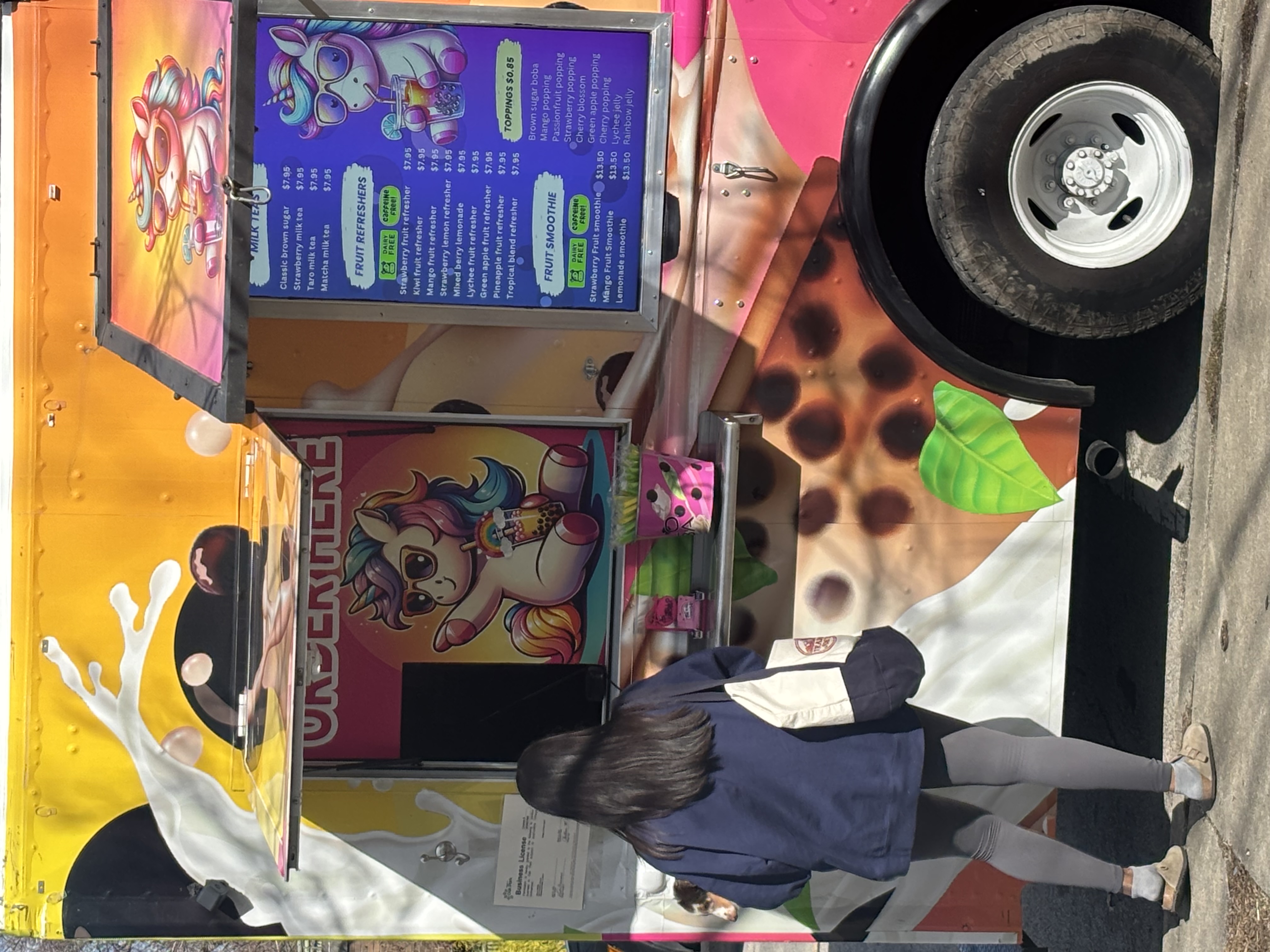
That printed menu board hanging in your NYC restaurant? It’s costing you more than you realize. You paid for the initial design. You paid for printing. You probably paid again when prices changed last month. And you’ll pay every time inflation forces another menu update, a supplier switches, or you rotate seasonal items.
The menu board cost NYC restaurants usually calculate stops at the sticker price. But the real number includes redesigns, reprints, installation labor, and the revenue you lose when customers can’t read faded text under your lighting. Digital menu boards flip that equation higher upfront cost, lower long-term bleeding.
Here’s the breakdown you need before making your next menu board decision:
- Upfront costs: What you’ll actually pay for printed vs. digital menu board NYC price points, including hardware and installation
- Brightness and visibility: How lighting conditions affect readability and why it matters for sales
- Update costs: The hidden expense of changing prices, items, and promotions over time
- Long-term savings: Where digital boards recoup their investment and start saving you money
We’ll lay the numbers out, show you what other restaurants spend, and help you calculate which option makes financial sense for your operation.
What You’ll Actually Spend on NYC Menu Boards
The price gap between printed and digital menu boards looks dramatic at first glance. A printed board might run you $500 to $2,000 for a quality setup. Digital boards start around $1,500 for basic models and climb to $5,000+ for commercial-grade displays.
But that initial number tells you almost nothing about what you’ll actually pay. Your customer base size, location characteristics, and update frequency determine which option proves more cost-effective over time.
Printed Menu Board Costs Breakdown
You’re looking at several line items when you spec out a printed menu board for your NYC location.
- Design and production run $300 to $800 for professional work. This covers layout design, typography, color correction, and print-ready file preparation. Your neighborhood print shop charges less, but the quality shows washed-out colors, pixelated images, and amateur spacing. Professional design elements like proper hierarchy, readable fonts, and strategic color use require experienced designers who understand menu psychology.
- Printing costs vary by size and material. Here’s what NYC print shops typically charge:
| Board Size | Acrylic/PVC Material | Backlit Film | Vinyl Banner |
| 2′ x 3′ | $150-$300 | $200-$400 | $80-$150 |
| 4′ x 6′ | $400-$700 | $600-$1,000 | $200-$350 |
| 4′ x 8′ | $600-$1,200 | $900-$1,500 | $300-$500 |
Mounting hardware adds $100 to $400, depending on your wall type and whether you need lightboxes. Brick walls cost more than drywall. Lightboxes for backlit menus run $200 to $600 per unit.- Installation labor in NYC runs $75 to $150 per hour. A simple wall mount takes two hours. Complex installations with electrical work for lightboxes can stretch to six hours. You’re paying $150 to $900 for someone to hang your board.
Total upfront cost for a quality printed menu board: $700 to $3,500, depending on size, materials, and installation complexity.
Digital Menu Board Price Points
Digital menu boards are split into three cost categories based on commercial viability and feature sets. Many restaurants start with mid-tier options and upgrade later as they see the benefits.
- Entry-level consumer displays ($400-$800) seem tempting but rarely survive restaurant environments. They lack commercial-grade brightness, run consumer operating systems that crash under 12-hour daily operation, and come with one-year warranties that don’t cover business use.
- Mid-tier commercial displays ($1,500-$3,000) give you the baseline requirements for restaurant use. You get 700-1,000 nit brightness, commercial warranties, and screens rated for continuous operation. These work for locations without direct sunlight hitting the display.
- Premium commercial-grade systems ($3,500-$5,000+) include high-brightness panels (1,500+ nits), built-in media players, and extended warranties. You need this tier for window-facing installations or locations with heavy ambient light.
The display itself represents only part of your digital investment. You’ll need several additional components to make the system functional. A major benefit of digital systems is their ability to deliver instant updates that keep pace with your menu changes, but the infrastructure must support that capability.
Hardware and Infrastructure Requirements
A working digital menu board needs more than a screen on the wall.
- Media players ($150-$400) power your content unless you buy a display with integrated smart functionality. These small boxes connect to your screen and run your menu software. Budget models work for single-location operations with static content. Advanced players handle multiple zones, live data feeds, and scheduled content rotation. Some systems integrate with your POS system to display current inventory availability or automatically remove sold-out items.
- Mounting equipment costs $50 to $300, depending on screen weight and wall type. Commercial displays weigh 40-80 pounds, so you need heavy-duty mounts rated for the load. Articulating mounts that let you adjust viewing angles cost more than fixed mounts.
- Cabling and power runs $100 to $400 for professional installation. You need power outlets near each display, HDMI or DisplayPort cables, and potentially network drops for cloud-based content management. Older NYC buildings without nearby outlets require an electrician to work at $100-$200 per hour.
- Content management software ranges from free basic platforms to $20-$50 monthly per screen for full-featured solutions. The subscription covers cloud hosting, content scheduling, remote management, and template libraries. Free options exist, but they limit your ability to update content remotely or schedule automatic changes. Better platforms boost customer engagement through dynamic content that rotates throughout the day and reduces perceived wait times by giving customers something interesting to watch while they decide.
Bundled Solutions That Simplify the Math
Most restaurants piece together their digital signage from different vendors, buying screens from one supplier, media players from another, and software from a third. This approach creates compatibility headaches and inflates your total cost through multiple markups.
Turnkey digital signage providers bundle everything into a single package with transparent pricing. You get the display, media player, mounting hardware, software license, and installation quote upfront. No surprise costs when components don’t work together or when you need technical support from three different companies. This bundled approach improves operational efficiency by eliminating vendor coordination and reducing downtime.
CrownTV structures its pricing around complete systems rather than individual components. Here’s how the costs break down:
Hardware components:
| Component | Price | Notes |
| Media Player | $150 per display | Connects screens to cloud software |
| Flat Wall Mount | $250/month | Standard installation option |
| Ceiling Mount | $250/month | For overhead placement |
| Floor-to-Ceiling Cable Mount | $350/month | Cable-suspended display |
| Free-Standing Mount | $1,250/month | Portable, no wall installation |
Software licensing:
- Monthly plan: $29 per display license (cancel anytime)
- Annual plan: $25 per display license (12-month commitment)
Both plans include content management tools, cloud hosting, scheduling features, unlimited content updates, and technical support. You can manage menu changes from your phone, schedule different menus for breakfast and dinner, and push updates across multiple locations from a single dashboard.
Installation and setup:
- Professional installation: $295 first hour + $195 per additional hour
- Project rendering: $599 (visual mockup of your installation before purchase)
- Note: Electrical work billed separately if needed
The complete package for a single digital menu board runs $2,400-$3,200 in year one (including hardware, installation, and 12 months of software). Compare that to piecing together components yourself, you’ll often hit $3,500-$4,500 after dealing with compatibility issues, multiple shipping charges, and support contracts from different vendors.
Multi-location operations see bigger savings. A five-screen system costs $10,500-$12,000 in year one through bundled pricing, versus $15,000-$20,000 when buying components separately and managing vendor relationships across five installations.
Installation Cost Comparison
Professional installation protects your investment and keeps you compliant with NYC commercial building codes. Printed board installation runs cheaper because the process is simpler. Mount brackets to the wall, level the frame, and hang the board. Two hours of labor at $75-$150 per hour gets you operational.
Digital board installation involves more variables. The installer mounts the display, runs power and data cables, connects the media player, configures network settings, and tests the system. Basic installations take three to four hours. Complex setups with multiple displays, hidden cable runs, or electrical work stretch to eight hours or more.
Labor costs for digital installation: $225 to $1,200, depending on location complexity and whether you need an electrician.
Add up all the components, and you’re looking at these total upfront investments:
- Printed menu boards: $700-$3,500 fully installed
- Digital menu boards (pieced together): $2,500-$7,000 fully installed
- Digital menu boards (bundled system): $2,400-$3,200 fully installed
The digital option costs two to three times more than printed when you buy components separately. Bundled systems narrow that gap significantly. But the upfront price tells you nothing about the menu board cost NYC restaurants actually pay over time. Installation happens once. Updates happen constantly.
Why Your Menu Board Brightness Determines Sales

A customer walks into your restaurant at 2 PM. Sunlight pours through your storefront windows. They look up at your menu board and squint. Can’t read the prices. Can’t make out half the item descriptions. They order something safe, something they’ve had before, and you lose the upsell opportunity.
Brightness isn’t a technical spec you can ignore. It’s the difference between customers reading your full menu and defaulting to the cheapest item they can decipher.
How Brightness Gets Measured
Display brightness gets measured in nits (candelas per square meter). The higher the nit count, the more light the screen emits. Your smartphone screen runs around 400-600 nits. That’s fine for indoor use when you control the angle and shade the screen with your hand.
Menu boards can’t hide from light. They face windows, overhead fixtures, and direct sunlight, depending on your layout.
Here’s what different brightness levels actually look like in restaurant conditions:
| Nit Rating | Visibility Conditions | Printed Menu Equivalent |
| 300-400 nits | Dim indoor lighting only | Matte finish in low light |
| 500-700 nits | Standard indoor lighting | Standard printed board |
| 700-1,000 nits | Bright indoor, indirect sunlight | Backlit printed board |
| 1,500-2,500 nits | Direct sunlight, window-facing | No printed equivalent |
| 2,500+ nits | Outdoor, full sun exposure | No printed equivalent |
Consumer-grade displays max out around 400 nits. They become unreadable once ambient light exceeds moderate indoor levels. Commercial displays start at 700 nits and scale up to 2,500+ for window installations.
Printed Boards Under Different Lighting
Printed menu boards react differently to light depending on their material and whether they include backlighting.
- Non-backlit printed boards rely entirely on reflected light. In dim conditions, customers struggle to read them. Under bright overhead lights, they look fine. But position them near a window, and the washout problem appears, as sunlight reflecting off the surface creates glare that obscures text.
- Backlit printed boards solve the dim lighting problem by illuminating the menu from behind. These work well in moderate to bright conditions. But they still suffer from glare when direct sunlight hits the surface. The backlight can’t compete with the sun’s intensity, so the board appears washed out during peak afternoon hours. You can test this yourself. Look at your current menu board at different times of day:
- 7 AM (before sunrise or early light)
- 12 PM (peak overhead sun)
- 3 PM (angled afternoon sun)
- 6 PM (sunset glow)
- 8 PM (artificial light only)
The readability changes dramatically based on natural light angles and intensity.
Digital Display Performance in Real Conditions
Digital menu boards handle varied lighting through adjustable brightness and anti-glare screen treatments.
- Low-brightness displays (300-500 nits) work fine in windowless spaces or areas with consistent, controlled lighting. Coffee shops tucked into interior mall spaces or basement-level restaurants can run these cheaper screens without readability issues.
- Medium-brightness displays (700-1,000 nits) handle most restaurant lighting scenarios. They stay readable under standard overhead fixtures and tolerate indirect sunlight from nearby windows. But point them directly at a window or position them where the afternoon sun hits the screen, and you’ll see washout.
- High-brightness displays (1,500-2,500 nits) punch through direct sunlight. These screens maintain readability even when your storefront faces south, and summer sun blasts through the windows at 2 PM. The extra brightness costs more upfront but prevents the “squinting customer” problem that kills impulse purchases.
Screen placement determines which brightness tier you actually need:
- Against interior walls: 700-1,000 nits works fine
- Perpendicular to windows: 1,000-1,500 nits handles indirect light
- Facing windows: 1,500-2,500 nits prevents washout
- Outdoor installation: 2,500+ nits required
The Sales Impact of Unreadable Menus
Customers who can’t read your menu make different purchasing decisions than customers who can see every option clearly.
When text becomes difficult to read, people default to familiar items. They order what they had last time or pick something from the limited section they can actually see. Your high-margin specials, seasonal items, and premium options get ignored because customers can’t read the descriptions or prices clearly enough to consider them.
Menu readability affects three specific revenue drivers:
- Average ticket size drops when customers can’t see upsell opportunities. Your combo meals, premium add-ons, and beverage pairings require readable descriptions. A customer squinting at your board won’t notice the “add fries and a drink for $3 more” promotion. They’ll order the sandwich alone and move on.
- Decision time increases when menus are hard to read. Customers spend longer trying to decipher options, which slows your line and reduces throughput during peak hours. Each extra 30 seconds per customer cuts your lunch rush capacity by 15-20%.
- Order errors increase when staff or customers misread items. A customer thinks item 7 says $8.99, but it actually says $12.99. They get to the register, see the real price, and either cancel or feel frustrated. That’s a negative experience you paid for.
You can run a simple test to measure this. Track average ticket size and items per order during your brightest sunlight hours versus early morning or evening. If afternoon tickets run 10-15% lower, your menu board visibility is costing you money.
Contrast Ratios and Text Legibility
Brightness alone doesn’t guarantee readability. The contrast between your text and background determines how easily customers parse information.
High-contrast combinations work best for menu boards:
- Black text on white background: Classic, readable, but shows dirt easily
- White text on dark blue/black: Clean look, hides smudges, maintains readability
- Yellow text on black: High contrast, works in dim and bright conditions
- Dark text on light gray: Softer look but requires higher brightness to stay readable
Low-contrast combinations fail under challenging light:
- Light gray text on white background
- Dark blue text on black background
- Red text on orange background
- Any pastels on white
Printed boards lock you into whatever contrast ratio you choose at design time. If you picked light gray text on cream background because it looked elegant in the designer’s proof, you’re stuck with poor readability until you reprint.
Digital boards let you adjust contrast on the fly. Your morning menu can use softer colors, while your afternoon display switches to high-contrast combinations that fight through sunlight. You can test different color schemes, measure which ones drive more orders, and optimize based on actual customer behavior.
Ambient Light Sensors and Automatic Adjustment
Premium digital menu boards include ambient light sensors that adjust screen brightness automatically based on surrounding conditions.
The sensor detects how much light hits the display and increases or decreases brightness to maintain readability. When morning sun streams through your windows, brightness ramps up to 1,800 nits. As clouds roll in, it drops to 1,000 nits to avoid being painfully bright in dimmer conditions.
This serves two purposes. You maintain optimal readability throughout the day without manual adjustments. And you reduce energy consumption by not running at maximum brightness 24/7. Automatic brightness adjustment saves roughly 30-40% on display power consumption compared to running at fixed high brightness. For a restaurant with five displays, that’s $15-$25 monthly in reduced electricity costs.
Printed boards have no equivalent feature. They’re either backlit at full power all day or not backlit at all. You can’t adjust them based on changing light conditions.
The Real Killer Hiding in Your Monthly Expenses

Menu changes don’t happen once. They happen constantly. Each change costs money. How much depends on which menu type you’re running and how the initial cost compares to long-term update expenses.
What Printed Board Updates Actually Cost
Reprinting a menu board follows the same cost structure as the initial installation, minus the mounting hardware you already own. The final cost includes design work, printing, and installation expenses that recur with every change.
Per-update expenses for printed boards:
| Update Type | Design Cost | Print Cost | Install Cost | Total |
| Single price change | $50-$150 | $150-$1,200 | $150-$300 | $350-$1,650 |
| Menu item addition/removal | $100-$200 | $150-$1,200 | $150-$300 | $400-$1,700 |
| Full menu redesign | $300-$800 | $150-$1,200 | $150-$300 | $600-$2,300 |
| Seasonal menu swap | $200-$400 | $150-$1,200 | $150-$300 | $500-$1,900 |
Most NYC restaurants change menu prices 3-4 times per year. That’s $1,400-$6,600 annually for a single screen. Add seasonal rotations, promotional updates, or supply chain adjustments, and you’re looking at 6-8 updates yearly. The cost climbs to $2,400-$12,000 for one board.
Multi-board operations multiply these costs. Three menu boards requiring updates together cost $7,200-$36,000 annually. Operations with separate breakfast and dinner menus, especially those rotating seasonal items frequently, face even higher annual expenses.
Some restaurants experiment with QR codes and electronic versions of their menus to reduce physical printing costs. While customers scan these codes for online ordering, the approach doesn’t solve the visibility problem for walk-in traffic who make purchasing decisions based on what they see on the wall.
Digital Menu Updates Cost Nothing
Digital menu boards eliminate per-update costs completely. You log into your content management software, change the price or item description, and push the update to your displays. The whole process takes five minutes from your phone and doesn’t require professional templates unless you’re redesigning your entire layout.
Digital update costs:
- Price changes: $0
- Menu item additions: $0
- Promotional graphics: $0
- Seasonal menu swaps: $0
- Multi-location updates: $0
You’re already paying the monthly software license ($25-$29 per screen). That covers unlimited updates with lifetime access to the platform’s core features, so your marginal cost for each change is zero. This is where you start to save money compared to recurring print shop invoices.
Key advantages of zero-cost updates:
- Update once per week or once per day, the price stays the same
- No additional costs beyond your base subscription for any number of changes
- Improves customer satisfaction by letting you respond to customer expectations for fair pricing and timely deals
Dynamic pricing becomes viable with digital boards, opening new revenue opportunities:
- Update prices during peak hours to optimize margins
- Offer time-limited promotions that create urgency
- Adjust costs based on inventory levels to reduce waste
- This flexibility improves customer satisfaction without the recurring expenses that printed boards demand
Time savings matter too. Updating a printed board requires coordinating with designers, waiting for proofs, approving prints, scheduling installation, and dealing with downtime while the old board comes down and the new one goes up.
Digital updates eliminate these friction points:
- Changes happen instantly while your board stays live
- Maintains an enhanced customer experience throughout the change process
- No waiting periods or coordination hassles with external vendors
The menu design process becomes iterative rather than final. You gain flexibility that printed boards can’t match.
Design and feature advantages:
- Test different layouts and adjust item placement based on sales data
- Refine your presentation over time without reprinting costs
- Advanced features like animated transitions and video content add visual interest
- Integration with social media platforms lets you display live feeds or user-generated content
- Create an interactive experience through dynamic content that responds to the time of day or customer traffic
Local regulations around menu labeling and calorie counts get easier to manage when you can update compliance information instantly.
Compliance benefits:
- New requirements roll out, and you adjust displays the same day
- No waiting weeks for reprints to ensure optimal performance and regulatory adherence
- Avoid penalties for outdated nutritional information or pricing disclosures
The gap widens when you need to test promotions or respond to competitive pressure. Your competitor drops prices on lunch combos.
Competitive response capabilities:
- With digital boards, you adjust pricing within minutes and create an interactive experience through dynamic content
- With printed boards, you’re stuck for weeks while new boards get designed and printed
- Speed to market determines whether you capture sales or lose them to faster competitors
When Digital Boards Start Paying You Back
Digital menu boards cost more upfront. That’s not debatable. The question is how long it takes for the eliminated update costs to offset the higher initial investment.
The break-even point depends on how often you update your menus. Restaurant owners switching from traditional menus to digital menu boards required different financial planning than those running physical menus or paper menus long-term.
Break-Even Timeline by Update Frequency
A restaurant updating menus 6 times per year hits break-even faster than one making changes quarterly. The cost of digital menu boards gets absorbed differently based on your operational tempo.
Here’s the math on a single menu board:
| Update Frequency | Annual Print Costs | Digital Break-Even | Years to Payback |
| 4 updates/year | $1,600-$6,600 | Month 18-36 | 1.5-3 years |
| 6 updates/year | $2,400-$10,200 | Month 12-24 | 1-2 years |
| 8 updates/year | $3,200-$13,200 | Month 9-18 | 9-18 months |
| 12 updates/year | $4,800-$19,800 | Month 6-12 | 6-12 months |
Restaurants with seasonal promotions, frequent updates, or volatile ingredient costs reach payback in under two years. Operations making minimal changes take closer to three years to recoup the investment. Results vary depending on your specific update patterns and menu format complexity.
After break-even, the savings compound. Year three saves you the full annual print cost. Year four saves it again. Over a five-year lifespan, a digital board used for frequent updates saves $8,000-$50,000 compared to repeatedly reprinting.
Hidden Savings Beyond Update Costs
Digital boards eliminate costs that don’t appear on printed board invoices but drain resources anyway. The hidden costs of traditional menu management add up faster than most operations realize.
- Coordination time disappears when you control updates internally through a content management system. No more calling designers, reviewing proofs, scheduling installers, or tracking down why your updated menu hasn’t arrived three days before launching new items. The hours your manager spends managing print vendors get redirected to actual operations. Changes happen in just a few clicks instead of week-long coordination cycles.
- Inventory flexibility increases when you can adjust menu offerings instantly. Your salmon supplier runs out for two weeks. With printed boards, you either hand-write “86 salmon” on a note card or face customer disappointment when they order an unavailable item. Digital boards let you remove it from the menu in 30 seconds, improving customer experience by preventing order failures.
- Promotional testing becomes viable when updates cost nothing. You can test “$5 lunch special” messaging on Tuesdays, measure sales lift, and adjust or remove it based on performance. Many operators find that customers prefer digital menus for their clarity and dynamic content options. Printed boards lock you into promotions for months because reprinting costs too much to experiment with customer preferences.
- Software costs and maintenance costs stay predictable with digital systems. You pay the monthly license fee regardless of usage intensity. Software updates roll out automatically without additional charges. Content creation happens in-house or through your existing design team, with no print shop markup on every revision. Multiple screens across different locations get managed from one dashboard, reducing administrative overhead for multi-unit operations.
- Internet connection requirements are minimal; most content management system platforms work on basic broadband and cache content locally, so brief connection drops won’t blank your screens. Fine dining establishments and casual concepts both benefit from the flexibility, though implementation details vary depending on ambiance requirements and existing infrastructure.
- Custom mounting solutions cost the same whether you’re hanging printed or digital boards, so that expense washes out in the comparison. The real differentiator comes from what happens after installation, printed boards start their decline the moment they go up, while digital boards maintain quality and adapt to your changing needs without incremental spending.
The accumulated impact of these secondary savings often exceeds the direct cost elimination. You’re not saving $500 per update; you’re saving $500 plus the 4 hours your manager would spend coordinating it, plus the flexibility to respond to market conditions, plus the improved readability that drives higher-margin purchases.
Your Menu Board Decision Just Got Simpler
You now have the numbers that matter. Not marketing fluff about “modern solutions” or vague claims about “increased engagement,” actual costs, actual break-even timelines, actual visibility requirements.
Here’s what you can do with this information:
- Calculate your real annual spend on printed boards by multiplying update frequency by per-update costs, then compare against the digital five-year ownership
- Match brightness requirements to your location by checking where sunlight hits during peak hours and selecting nit ratings that maintain readability
- Determine your break-even point based on how often menu changes happen, monthly promotions hit payback in 6-12 months, and quarterly updates take 2-3 years
- Factor in coordination time savings beyond just printing costs, hours spent managing vendors, dealing with delays, and handling damaged boards, which adds a hidden expense
- Test whether washout affects your current setup by photographing your menu board at different times and seeing if afternoon customers squint or skip premium items
The decision stops being “digital vs. printed” and becomes “how much am I actually spending over five years with each option?”
CrownTV bundles the complete system display, media player, mounting, software, and installation into a single upfront quote. You know your year-one cost ($2,400-$3,200 per screen) and your ongoing monthly software fee ($25-$29 per screen with unlimited updates). No hidden charges when you need to change prices six times this year or swap to your winter menu.
The math becomes straightforward: higher upfront, zero update costs, break-even in 12-24 months for most NYC restaurants.