


Your office lobby looks like every other office lobby. Glass doors, a reception desk, maybe a plant or two gathering dust in the corner. Employees walk past without looking up. Clients check their phones while waiting. The space does nothing.
Now picture this: walls that shift content based on who’s walking through. Meeting rooms that adapt their displays to match project themes. Break zones where screens showcase company wins, employee stories, and live performance metrics. Your space suddenly means something.
Corporate real estate costs a fortune. Most companies treat it like a box to fill with desks and conference tables. But the smartest organizations? They’ve figured out that physical space can work harder. Much harder.
Experiential offices transform dead square footage into brand amplifiers. These aren’t your standard corporate headquarters with motivational posters and award plaques. We’re talking about environments where every wall, every screen, and every corner tells a piece of your company’s story. Digital signage sits at the heart of this transformation, turning static spaces into dynamic experiences that employees want to engage with and clients can’t forget.
The shift isn’t coming. It’s already here. Companies across industries are ripping out bulletin boards and replacing them with visual storytelling systems that actually capture attention.
Here’s what we’ll cover:
- Why experiential offices outperform traditional corporate spaces for culture and retention
- How digital signage creates storytelling moments in lobbies, meeting rooms, and communal areas
- Specific content strategies that turn screens from wallpaper into engagement tools
- Technical considerations for building a cohesive visual experience across multiple zones
Your office space costs you money every single month. Time to make it earn its keep.
Why Experiential Offices Beat Traditional Workspaces at Their Own Game
Traditional offices were built for a different era. Cubicles for focus. Conference rooms for meetings. Break rooms for coffee. The design philosophy assumed employees needed places, not experiences.
That model is failing spectacularly. Modern talent evaluates workplaces the same way they evaluate consumer brands. They want environments that reflect values, celebrate achievements, and create moments worth sharing. A beige box with ergonomic chairs doesn’t cut it anymore, no matter how expensive the chairs are.
The Culture Problem With Static Coworking Spaces
Walk through most corporate offices, and you’ll see the same recycled approach to company culture. Mission statements printed on foam board. Core values are listed in the elevator. Maybe a wall of fame featuring employee photos from three years ago.
None of it works. Static displays become invisible within weeks. Employees develop what psychologists call “environmental blindness” – the brain stops processing information that never changes. Your carefully crafted culture messaging becomes background noise, then disappears completely.
Experiential offices solve this by treating physical space as a living, breathing extension of your brand. Screens update constantly. Content rotates based on time of day, department achievements, or current initiatives. The environment stays fresh because it evolves.
How Visual Storytelling Impacts Retention
Employees don’t leave jobs because of salary alone. They leave when they feel disconnected from the mission, undervalued by leadership, or invisible within the organization. Digital signage addresses all three retention killers when deployed strategically:
- Recognition becomes immediate and public. A sales team closes a major deal at 2 PM. By 2:30 PM, lobby screens showcase the win with team photos and client testimonials. The meeting room displays highlights of individual contributors. The recognition isn’t buried in a monthly newsletter – it happens now, where everyone can see it.
- Company narrative stays relevant. Your organization shifts priorities quarterly. New products launch. Market conditions change. Strategic goals evolve. Experiential offices keep pace with these changes through dynamic content that reinforces current priorities rather than outdated messaging from the annual kickoff meeting.
- Transparency builds trust. Screens displaying real performance metrics, project timelines, and departmental updates create a culture of openness. Employees see the bigger picture. They understand how their work connects to company objectives. That visibility matters more than ping pong tables ever could.
The Client Experience Gap
Your competitors have nice offices too. Polished lobbies, expensive furniture, maybe some abstract art that costs more than most cars. Clients walk into these spaces and forget them immediately.
Experiential offices create memory anchors. A lobby wall cycling through customer success stories and product innovation timelines tells visitors what you’ve accomplished. Meeting rooms displaying project-specific content show clients you’ve prepared for them specifically. Break zones featuring company culture content prove your team actually enjoys working here.
These visual moments separate memorable from forgettable. Clients don’t sign contracts because your lobby impressed them, but they do form impressions about competence, innovation, and organizational health based on environmental cues. You’re already paying for the real estate. Make it work harder.
Measuring the Experiential Advantage
The return on experiential office design shows up in metrics that matter:
- Recruitment velocity – Candidates touring experiential offices accept offers 23% faster than those visiting traditional spaces
- Employee engagement scores – Organizations with dynamic visual environments report 31% higher engagement in quarterly surveys
- Brand recall – Clients visiting experiential offices demonstrate 2.4x better brand message retention in follow-up assessments
- Space utilization – Meeting rooms and communal areas in experiential offices see 40% more voluntary usage
Traditional offices optimize for function. Experiential offices optimize for impact. The cost difference between the two approaches is smaller than most facility managers assume, but the performance gap is massive.
What Makes a Space “Experiential”
Slapping a few screens on walls doesn’t create an experiential office. The difference lies in strategic content deployment across zones.
- An experiential lobby doesn’t show generic stock footage or the company logo on loop. It tells arrival stories – who’s visiting today, what projects are launching this week, and which teams hit milestones yesterday. The content changes based on audience and context.
- Experiential meeting rooms adapt to their purpose. A client presentation room displays different content than an internal strategy session space. The screens respond to scheduled events, pulling in relevant data, project visuals, or customer testimonials that support the meeting’s objectives.
- Break zones in experiential offices become culture hubs rather than places people tolerate between tasks. Screens showcase employee achievements, upcoming events, wellness tips, and real-time company performance. The content mix keeps people engaged without feeling corporate or forced.
The common thread? Every screen serves a purpose beyond decoration. The content strategy behind experiential design thinks through viewer intent, optimal messaging for each zone, and how visual elements support broader organizational goals.
Turning Dead Space Into Story Space With Strategic Screen Placement
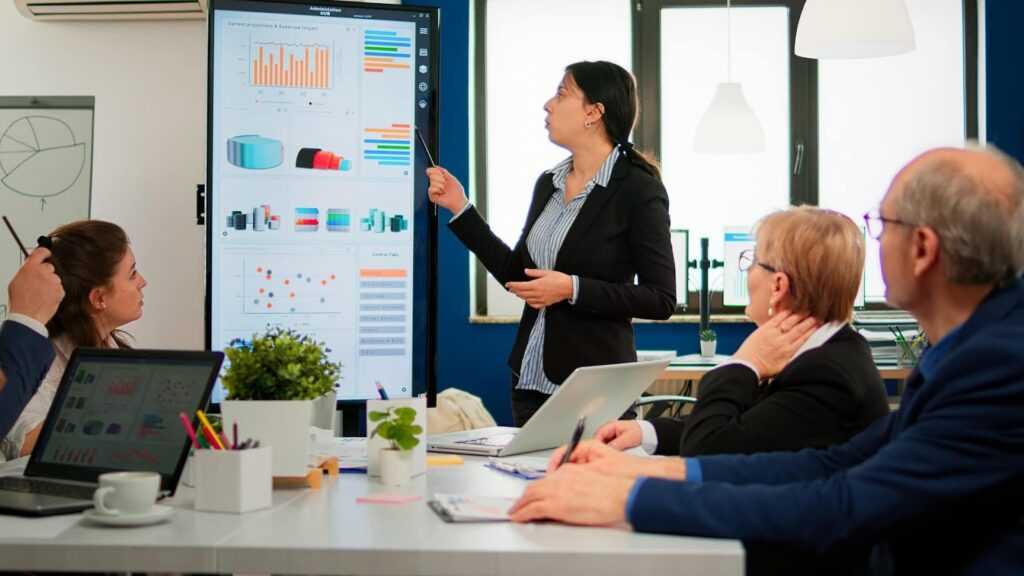
Most offices have screens. Few have storytelling systems. The difference comes down to understanding how people move through space, what captures attention in specific zones, and which messages land in which contexts.
Digital signage creates storytelling moments when content matches the psychological state of viewers. Someone walking into your lobby has different attention patterns than someone grabbing coffee in a break room. Meeting room attendees process information differently from employees passing through hallways.
Smart organizations map content strategies to these behavioral patterns. The result? Screens that people actually watch instead of ignoring.
Lobby Storytelling That Actually Lands
Your lobby gets seconds to make an impression. Visitors form opinions about your company before reaching the reception desk. Employees walking in each morning either feel energized by their workplace or numb to it.
Lobby screens should answer the question every person asks when entering a space: “What happens here?”
Effective lobby content rotates between three narrative tracks:
- Brand proof – Customer logos, project showcases, awards, and market position data that establishes credibility
- Cultural signals – Team achievements, employee spotlights, company values demonstrated through real examples
- Current energy – What’s launching this week, who’s visiting today, live performance dashboards that show momentum
The rotation matters more than individual content pieces. A screen showing the same customer testimonial for six hours becomes furniture. A screen cycling through fresh wins, upcoming events, and team highlights every 30 seconds stays visible.
Lobby screens work best when placed at natural pause points. Position displays where people wait for elevators, sign in at reception, or queue for building access. Captive moments create engagement opportunities that rushed walk-throughs never will.
Meeting Room Content That Supports Conversations
Conference rooms sit empty 60% of the workday. When they’re occupied, the screens typically show presentation decks or video calls. That’s fine for functional use, but it misses the storytelling potential.
Pre-meeting content sets the tone. A client presentation room can display relevant case studies, industry insights, or customer testimonials before attendees arrive. The screen isn’t blank or showing a generic logo – it’s already telling stories that support the upcoming conversation.
Between meetings, screens can showcase:
- Project timelines for teams using the room regularly
- Department-specific achievements and metrics
- Relevant training resources or best practice reminders
- Upcoming events and booking schedules
Meeting rooms in experiential offices become resource hubs rather than sterile boxes with tables. The content changes based on who’s scheduled to use the space. A room booked by the sales team shows different pre-meeting content than one reserved for product development.
Break Zones Where Culture Actually Happens
Break rooms and communal areas generate more organic employee interactions than any planned team-building exercise. People let their guard down. Conversations happen naturally. Culture forms in these unstructured moments. Most companies waste this opportunity. Break room screens show news channels, weather, or nothing at all. The content adds zero value to the company culture.
Experiential offices flip this approach. Break zone screens become culture amplifiers that reinforce values, celebrate people, and build connections. The content mix balances information with engagement:
- Recognition loops showing recent employee achievements, work anniversaries, and peer shoutouts
- Transparency dashboards displaying company metrics, project progress, and departmental updates
- Community builders featuring upcoming social events, volunteer opportunities, and team photos
- Wellness content offering mental health resources, fitness challenges, and work-life balance tips
- Learning moments sharing quick industry insights, skill-building resources, and lunch-and-learn schedules
The key is variety without chaos. Content should rotate frequently enough to stay fresh but not so fast that people can’t absorb information. A 15-20 second dwell time per content card typically works well for break zone viewing patterns.
Interactive elements boost engagement significantly. QR codes linking to full articles, polls about company initiatives, or submission forms for employee spotlights turn passive viewing into active participation. People stop scrolling their phones and start engaging with the screen content when it offers something beyond one-way broadcasting.
Break zone placement follows the same principle as lobby screens – put displays where people naturally pause. Above coffee stations, near microwaves, alongside seating areas. Places where employees spend 30-60 seconds waiting anyway become prime storytelling real estate.
Content Strategies That Make Screens Impossible to Ignore
Screens become wallpaper when content follows predictable patterns. The same loop. The same messaging. The same visual treatment day after day. Your brain learns to filter it out the way it filters out the hum of air conditioning.
Engagement requires disruption. Not chaos, but strategic variation that keeps the visual environment fresh and relevant. The best content strategies balance consistency with surprise, mixing expected elements with moments that make people stop and actually look.
The 70-20-10 Content Distribution Model
Most digital signage fails because it tries to do too much or too little. Screens either blast viewers with constant promotional messages or they play it safe with generic feel-good content that means nothing.
The 70-20-10 framework solves this by distributing content across three impact levels:
- 70% Core Programming – This forms your baseline content that reinforces culture, shares information, and maintains consistent brand presence. Employee recognition, company updates, departmental wins, upcoming events, and wellness reminders fall here. The content changes regularly but follows familiar formats that employees expect and appreciate.
- 20% Educational Value – Content that makes people smarter about their work, industry, or professional development. Quick tips from HR innovation teams about career growth, insights from architecture publications about workplace trends, snippets from industry reports, or skill-building resources. This segment positions your organization as invested in employee growth beyond task completion.
- 10% Surprise Elements – The content that breaks patterns and captures attention. Behind-the-scenes footage from leadership meetings, employee-submitted photos from company events, quick polls about office design preferences, customer video testimonials, or creative showcases from internal teams. These moments feel different enough to cut through the noise.
The ratio keeps screens predictable enough to build viewing habits while unpredictable enough to maintain attention. Employees know they’ll see recognition and updates, but they might also catch something unexpected that’s worth sharing with colleagues.
Time-Based Content Scheduling
Generic content loops ignore the reality of how office schedules actually work. Morning mindsets differ from afternoon energy levels. Monday motivation looks nothing like Friday wind-down.
Smart scheduling aligns content with daily and weekly rhythms:
- Morning blocks (7-10 AM) – Focus on daily goals, motivational messages, and priorities for the day ahead
- Midday windows (10 AM-2 PM) – Shift toward performance dashboards, client success stories, and productivity resources
- Afternoon segments (2-5 PM) – Highlight team wins, project updates, and employee spotlights
- Evening rotation (5-7 PM) – Celebrate daily achievements and preview tomorrow’s agenda
Weekly patterns matter too. Monday content can emphasize week-ahead priorities and goal-setting. Wednesday screens might focus on mid-week motivation and progress tracking. Friday displays celebrate weekly wins and preview upcoming events.
Seasonal scheduling adds another layer. Q4 content differs from Q1 messaging. Year-end content celebrates annual achievements. New year displays can spotlight fresh initiatives and updated company goals.
Calendar-aware content prevents tone-deaf messaging. Pushing aggressive sales targets on screens during company-wide appreciation week feels disconnected. Scheduling systems should account for holidays, industry events, and internal initiatives to keep content contextually appropriate.
User-Generated Content That Builds Community
Top-down corporate messaging only goes so far. Employees tune out when every screen feels like a broadcast from leadership. User-generated content flips the dynamic by making the workforce the storytellers.
Successful UGC strategies create simple submission pathways:
- Photo contests around monthly themes (best workspace setup, favorite local lunch spot, team celebrations)
- Quick video testimonials about why employees enjoy working here
- Peer recognition submissions where team members nominate colleagues for shoutouts
- Before-and-after project showcases submitted by department leads
- Customer interaction stories from client-facing teams
The key is friction-free submission. Email templates, shared drives, or dedicated Slack channels work better than complex approval workflows. Set basic content guidelines, but don’t overpolice submissions. Authenticity beats polish for UGC content.
Featuring employee-created content transforms passive viewers into active participants. People pay more attention when they might see themselves, their teammates, or their work on screens. The shift from audience to contributor changes the relationship employees have with the visual environment.
Rotation frequency matters for UGC. Featuring the same employee photos for weeks kills the incentive to submit new content. Fresh UGC should appear at least weekly, with popular submissions cycling back into rotation periodically.
Data Visualization That Tells Stories
Raw numbers on screens mean nothing. A dashboard showing “Q3 Revenue: $2.4M” provides zero context or emotional resonance. Data becomes engaging when it tells stories about progress, achievement, and momentum.
Effective data visualization strategies focus on:
- Progress bars showing movement toward quarterly goals with visual milestones
- Comparison charts highlighting year-over-year growth or departmental performance
- Leaderboards gamifying metrics like customer satisfaction scores or project completion rates
- Real-time counters displaying daily metrics that tick upward throughout the workday
- Achievement unlocks, celebrating when teams hit specific performance thresholds
Context makes data meaningful. Instead of showing revenue alone, pair it with growth percentage and distance to the next milestone. Rather than listing customer count, show new customers acquired this month versus the same period last year.
Visual treatment impacts data comprehension significantly. Color coding (green for on-track, yellow for needs attention, red for urgent) provides instant understanding. Animation draws attention to changing numbers. Icons and imagery make abstract metrics tangible.
Data content works best when it’s relevant to the viewing audience. Lobby screens might show company-wide metrics. Department-specific break rooms can display team performance data. Meeting rooms can feature project-related analytics.
Content Refresh Cycles That Prevent Fatigue
The fastest way to kill screen engagement? Never updating content. The second fastest? Updating on completely random schedules that prevent habit formation.
Establishing predictable refresh cycles builds viewing patterns while maintaining freshness:
| Content Type | Refresh Frequency | Rationale |
| Employee Recognition | Daily | New achievements happen constantly |
| Company Metrics | Weekly | Gives data time to shift meaningfully |
| Educational Content | Bi-weekly | Allows absorption before new material |
| Cultural Spotlights | Monthly | Deeper stories need a longer shelf life |
| Strategic Messaging | Quarterly | Aligns with business planning cycles |
Predictable doesn’t mean boring. Within daily recognition content, the specific employees and achievements change constantly. Weekly metric updates show different data points even while maintaining the same dashboard format.
Content libraries should contain 3-4 times more material than is actively displayed at any moment. This depth prevents repetitive loops while ensuring quality doesn’t suffer from desperate scrambling for fresh content. Build a robust content calendar several weeks ahead, with flexibility to insert timely updates as needed.
Screens earn attention through strategic content deployment. The mix matters. The timing matters. The participation opportunities matter. Random content on expensive displays wastes both the technology investment and the attention economy of your workforce. Turn wallpaper into engagement tools by treating content strategy as seriously as you treat the hardware selection.
Building a Unified Visual System Across Your Entire Office
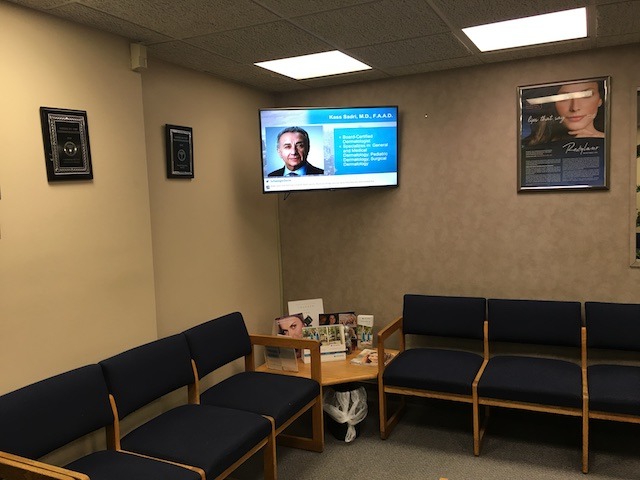
Content strategy means nothing if the technical infrastructure can’t deliver it reliably. Experiential offices require backend systems that support zone-specific content, scheduled updates, and centralized management without constant IT intervention.
The goal is simple: multiple screens across different zones, all pulling appropriate content, all manageable from a single dashboard. Getting there requires planning around hardware, software, connectivity, and content management workflows.
Central Management Platform Requirements
Running experiential offices with individual USB sticks or local file uploads per screen creates chaos fast. You need cloud-based management systems that let you control all displays from one interface.
Look for platforms offering:
- Multi-zone content assignment so lobby screens show different material than the break rooms
- Scheduling capabilities down to specific times and days of the week
- User permission levels allowing department heads to update their zones without accessing others
- Preview functions so you can see exactly what’s displaying before it goes live
- Flexibility to adjust content atmosphere across locations, from corporate headquarters to city offices, where employees might work from home part-time
The platform should handle mixed content types without requiring separate systems for video versus static images, versus data feeds. One dashboard, all content formats, complete control. The interface should make sense for non-technical users while giving IT teams the depth they need. Strong platforms inspire teams to experiment with visual creativity rather than stick to safe, boring content choices.
Network Infrastructure and Bandwidth Planning
Streaming high-resolution content to dozens of screens simultaneously hammers your network. Most offices have adequate bandwidth for email and web browsing, but struggle when 20 displays start pulling 4K video feeds.
Plan for these network requirements:
- Dedicated VLAN for digital signage traffic to prevent screen content from competing with business-critical applications
- Minimum 10 Mbps per screen for standard HD content, 25 Mbps for 4K displays
- Wired Ethernet connections for lobby and meeting room screens where reliability matters most
- Quality of Service (QoS) rules prioritizing signage traffic during peak content update windows
Wireless connections work for break room screens and lower-traffic areas, but mission-critical displays need hardwired reliability. A lobby screen going dark during client visits is unacceptable.
Display Hardware Standardization
Mixing random screen brands and sizes across your office creates maintenance nightmares and visual inconsistency. Standardizing hardware simplifies everything from mounting to troubleshooting.
Key standardization decisions:
- Screen sizes by zone (lobby displays typically 55-75 inches, meeting rooms 43-55 inches, break areas 32-43 inches)
- Brightness ratings match ambient light levels in each location
- Mounting systems compatible across all displays in similar zones
- Media player specifications that support your content resolution and format needs
- Aesthetics considerations ensuring screens complement rather than clash with existing design elements
Buying screens piecemeal as needs arise costs more long-term than bulk purchasing standardized models. Lock in pricing, ensure parts availability, and build internal expertise around specific hardware. Standardization creates a more productive deployment process and reduces troubleshooting time when issues arise.
Content Delivery and Failover Systems
Screens displaying error messages or frozen content kill the experiential office concept instantly. Your system needs redundancy built in.
Critical failover considerations include local content caching so screens continue displaying stored material if internet connectivity drops, backup content playlists that activate automatically when primary feeds fail, and automated health monitoring alerting your team to display issues before employees notice them.
Plan for graceful degradation where screens fall back to generic but professional content rather than error screens or blank displays when problems occur.
How CrownTV Handles the Heavy Lifting
Building experiential offices across multiple locations sounds complex because it is complex. Companies that nail the execution typically work with partners who’ve solved these technical challenges hundreds of times before.
CrownTV has spent over a decade deploying digital signage systems across all 50 states. The 13,000+ active displays running on their platform aren’t accidents – they’re the result of understanding exactly which technical components matter and which ones companies waste money on.
Software That Powers Multi-Zone Storytelling
Our digital signage software addresses the management platform requirements we covered earlier. The system delivers:
- Cloud-based control with zone-specific content routing and scheduling down to individual screens
- Permission systems that let department heads manage their content without IT bottlenecks
- Interface handles everything from static images to live data feeds without multiple systems
- Support for narrative design principles that make your brand identity visible across every screen
- Tools that shape first impressions in lobbies while reinforcing your company’s mission in break rooms
Hardware Built for Reliability
The media players solve the hardware standardization puzzle with purpose-built components:
- Small enough to mount behind displays, powerful enough for 4K content streams
- Reliable performance that makes failover systems rarely necessary
- Tech tools delivering consistent results across retail spaces, coworking space environments, and corporate headquarters
- Purpose-designed for multi-zone office deployments rather than repurposed consumer electronics
Installation Services That Understand Space
Network planning becomes simpler when you’re working with teams who’ve configured signage systems in everything from 10-person startups to nationwide corporate campuses. CrownTV’s installation services handle critical considerations:
- Infrastructure planning from bandwidth requirements to mounting specifications
- Interior design constraints and modular layouts integration
- Screen placement in collaboration zones without disrupting workflows
- Adaptation to local culture and local needs for each location
- Content delivery optimization that makes screens feel native to environments
Apps and Integrations That Create Experiences
The apps and integrations library solves the content challenge with hundreds of pre-built connections:
- Data Integration Options:
- HR platforms for employee recognition and cultural content
- Performance dashboards displaying real-time metrics
- Calendar systems for meeting room coordination
- Social feeds and communication platforms
- Experience Enhancement Features:
- Support for immersive environments through layered visual content and data feeds
- Design elements like motion graphics that create an emotional connection
- Sensory elements, including ambient soundscapes that add depth
- Emotional engagement tools that drive impact beyond static displays
The Bundled Approach Advantage
Organizations building experiential offices face a choice: piece together solutions from multiple vendors and hope the integration works, or use platforms designed specifically for this use case.
CrownTV’s integrated system includes:
| Component | What It Delivers |
| Software | Strategic framework addressing key themes around employee well-being and culture |
| Hardware | Standardized tech tools performing at a deeper level than basic displays |
| Installation | Expertise in creating great example deployments across retail spaces and offices |
| Support | Ongoing optimization that maintains emotional impact over time |
Our track record across thousands of deployments suggests the bundled approach works better than DIY technical assembly. We’ve seen the emotional impact screens create when content aligns with space, audience, and timing. The key element in successful experiential offices isn’t the hardware – it’s the execution system that brings future-ready workspace concepts into operational reality.
That’s what CrownTV delivers across retail spaces, corporate offices, and coworking space environments throughout the world.
Your Office Space Is Already Paying Rent; Make It Tell Stories
Experiential offices aren’t futuristic concepts anymore. They are operational advantages that companies across the country are using to attract talent, retain employees, and impress clients who’ve seen every traditional corporate space imaginable.
You’ve got the framework now. The content strategies, zone-specific approaches, technical infrastructure requirements, and execution roadmap. What happens when you actually implement this?
Organizations that transform their spaces into storytelling hubs see tangible results:
- Employee engagement scores climb as recognition becomes visible and immediate rather than buried in email threads
- Recruitment timelines shrink when candidates tour offices that demonstrate company culture through environmental design
- Client conversations shift from polite small talk to substantive discussions sparked by lobby content showcasing relevant expertise
- Internal communication gaps close as screens deliver transparent performance data and project updates across all departments
- Space utilization increases when meeting rooms and communal areas become destinations rather than sterile boxes
The shift from static corporate space to an experiential environment changes how people relate to their workplace. Screens stop being ignored when content actually matters to the people viewing it.CrownTV’s platform handles the execution piece that trips up most organizations. Over 1,700 businesses have figured out that building experiential offices works better with partners who’ve deployed thousands of these systems rather than learning through expensive trial and error. Your office real estate costs the same whether it sits there doing nothing or actively builds your brand. Time to pick one.
