
Campus wayfinding
Multi-building directories, event boards, and floor-by-floor signage with departmental updates.
Campus wayfinding, dining-hall menus, residence-floor communications, library directories, athletic-department boards, and emergency-alert overrides. K-12 districts, higher-education campuses, and continuing-education programs nationwide. SAML SSO. FERPA-aware. Department-scoped.
What is school digital signage?
School digital signage is a network of commercial-grade displays installed across K-12 districts, college campuses, and university libraries — covering campus wayfinding, cafeteria and dining-hall menus, athletic schedules, emergency alerts, classroom and library announcements, residence-floor communications, and donor recognition walls. CrownTV ships Samsung commercial panels with role-scoped Dashboard permissions so each department (athletics, cafeteria, library, principal's office, student affairs) controls its own content without tickets to district IT. The Dashboard integrates with Google Workspace for Education, Microsoft 365, student information systems (PowerSchool, Workday), learning management systems (Canvas, Blackboard, Schoology), and emergency-alerting platforms (Rave, AppArmor). SAML SSO and audit logging support FERPA and COPPA compliance review. K-12 districts and university campuses run CrownTV across hallway displays, lobby video walls, dining-hall menu boards, residence-floor screens, and athletic-department signage.
Trusted across education programs since 2012




Schools, libraries, and campuses have hundreds of screens, dozens of departments updating them, and no IT bandwidth to coordinate. Printed signage goes stale within a week. Locked-down centralized systems create ticket backlogs. School digital signage shouldn't require an IT ticket every time the cafeteria menu changes. CrownTV ships hardware that's straightforward to deploy and software that lets each department (athletics, cafeteria, library, principal's office, student affairs) manage its own corner — while district or university IT keeps the kill switch and the SSO scope.
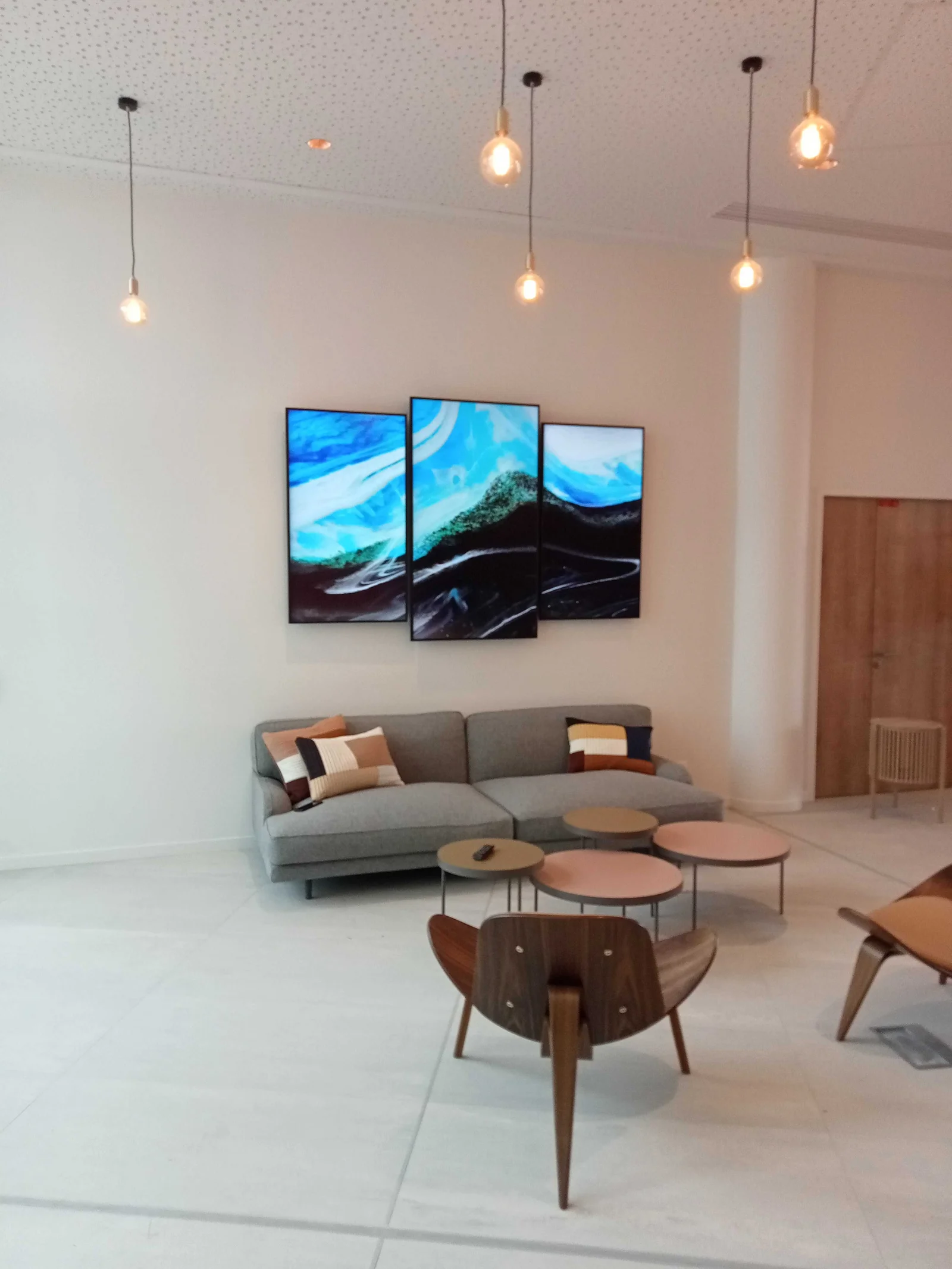
Samsung commercial panels for hallway displays, lobby video walls, dining-hall menu boards, residence-floor screens, and athletic-department signage. Mounting hardware that clears K-12 tamper-resistance requirements.
CrownTV Dashboard with department-scoped permissions, SAML SSO, and API-driven content from student information systems. Emergency-alert overrides interrupt scheduled content campus-wide from the Dashboard or via API.
Install scheduled around school calendars — summer rollouts, weekend installs, winter-break windows. Template design for wayfinding, dining, residence, and athletics. Managed emergency-alert configuration with your public-safety team.
Featured use case
K-12 districts and university campuses running CrownTV signage across wayfinding, dining, residence, and athletic facilities.
4K commercial panels carry campus wayfinding, dining menus, and dorm-floor comms with 24/7 duty cycles.
Athletics arenas and event venues need bezel-tight 4K canvases for game-day production and emergency overrides.
Residence and library notice boards on smaller QM SKUs — managed centrally, scoped per department.
32"–98" — dorm and library notices at 32"–43", dining and wayfinding at 55"–75", arena video walls at 75"–98".
QM-series at quad and building entries — department directories with role-scoped editing.
QM-series above servery lines — menus, allergen flags, and meal-plan promos by daypart.
Smaller QM panels in dorm common areas and libraries — building-level comms and event posters.
UDE video walls and large QM panels for game-day production with district-wide emergency override.
Anatomy of a campus install
Multi-building wayfinding at every entrance. Dining-hall menus by daypart. Residence-floor comms and RA announcements. Athletic-department scoreboards and game-day signage. Emergency-alert overrides interrupt every screen on campus, instantly.
Numbered placements
QM55C 55″ landscape — building directory, today's events.
QM55C 55″ × 3 — daypart menus, allergen markers, meal-plan messaging.
QM43C 43″ portrait — class schedule, room cancellations.
QM32C 32″ landscape — RA announcements, floor events.
UDE 4K video wall — game-day production, emergency override.
Where it ships
Multi-building directories, event boards, and floor-by-floor signage with departmental updates.
Digital signage for libraries: hours, event calendars, room availability, new-arrival displays, and quiet-floor wayfinding. Replace the cork-board posters with screens departments can update from the circulation desk.
Daily menus, allergen markers, and dining-tier signage updated from the cafeteria team.
Dorm-floor screens for events, RA announcements, and house notices.
All-campus emergency content overrides scheduled programming during incidents.
Game-day signage, scoreboards-adjacent displays, and event-day campus directionals.
The campus thesis
Wayfinding, dining, residence, athletics, emergency overrides — scoped per department, governed by IT. Installs sequenced around the school calendar, not against it.
Content templates
Campus events, dining menus, athletics scoreboards, and emergency overrides — scoped per department, governed by IT.
Today's events, this week's events, and registration QRs.
Now-playing room schedule and class-cancellation alerts.
Game-day signage, scoreboards, and team standings.
Campus-wide emergency content interrupting all scheduled programming.
Daily menu, allergen markers, and meal-plan messaging.
Dorm-floor events, RA announcements, and house notices.
Built and edited in the CrownTV Dashboard — drag, drop, schedule, ship.
Integrations
Student information systems, LMS, athletics, and emergency-alerting platforms — into the campus signage network.
K-12 student data and event calendar.
Higher-ed student data and campus calendar.
Course schedule and class-cancellation feed.
Course schedule and announcements.
K-12 LMS and announcement feed.
Campus-wide emergency override trigger.
Game-day score and standings feed.
Faculty + staff meeting-room signage.
Don't see yours? Most modern SIS, LMS, and emergency-alerting platforms integrate via API or read-only feed. Ask us about your campus stack.
From scope to live screens — five steps for education programs.
01 — Scope
30-minute call to lock specs, hardware, software, and locations.
02 — Displays shipped
Samsung commercial-grade displays drop-shipped to each site.
03 — Install
Local crews mount, wire, and connect every screen — usually under a week.
04 — Software live
CrownTV Dashboard configured; content goes live the same day.
05 — Managed
Ongoing content, monitoring, and 48-hour player swap if anything fails.
Real Google reviews from CrownTV deployments — refreshed live.
Read all reviews on GoogleTell us what you're building — all inquiries responded to within 4 business hours.
Education signage by city
Same crew network, same Dashboard, same 4-hour quote — pick your metro for education-specific install context.
Cambridge-corridor campuses + Back-Bay corporate, year-round-rated.
Center-City signage + multi-state Mid-Atlantic rollouts.
Federal-aware deployments + DMV corporate, Section-508 baseline.
Also available in
Related industries
Same Dashboard, same install crew, same SLA — sharpened for the workflow of every vertical we cover.
Corporate & offices
Lobby brand walls, KPI dashboards, conference status, and recognition.
See corporateHealthcare
Patient queue, wayfinding, and back-of-house staff comms — never PHI on screen.
See healthcareGym digital signage
Class schedules, member spotlights, trainer reels, and live leaderboards.
See fitnessHospitality
Lobby video walls, conference wayfinding, F&B menus, and spa service menus.
See hospitalityAlso serving: Digital Signage for Retail Digital Signage for Restaurants & QSR Digital Signage for Convenience & gas stations Digital Signage for Salons & spas
All inquiries responded to within 4 business hours.
No commitment. No hard sell.