

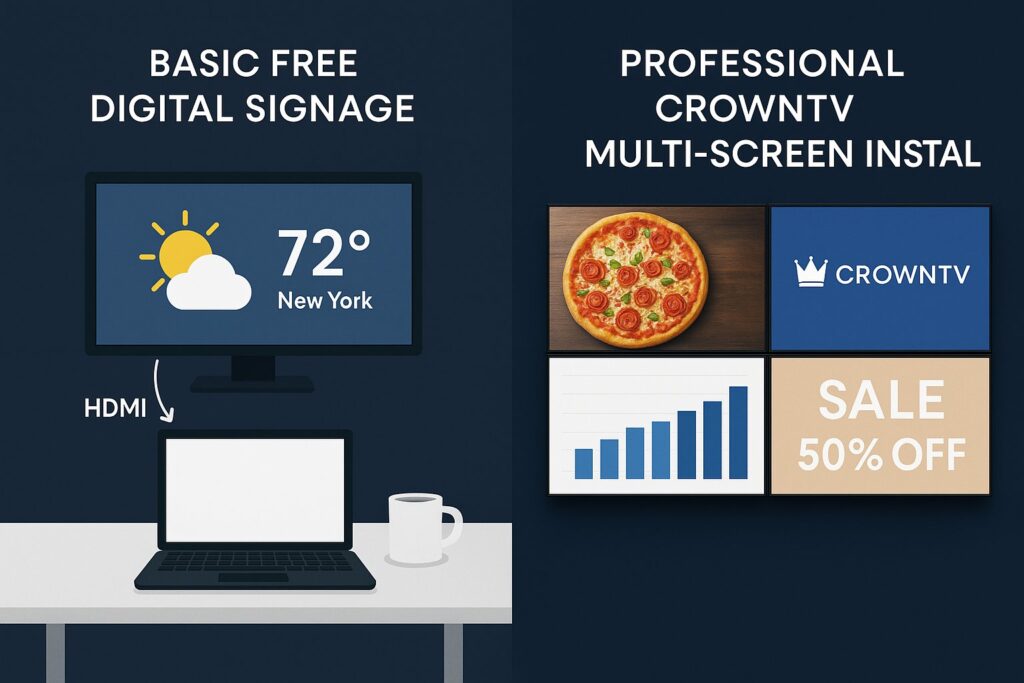
Free digital signage software sounds like a no-brainer, especially for businesses testing the waters with their first screen or two. But for multi-location operations juggling dozens (or hundreds) of displays, “free” can get complicated fast.
The truth is, several legitimate free digital signage options exist in 2026. Some are genuinely useful for small-scale deployments. Others come with strings attached that only reveal themselves after hours of setup or once a business tries to scale. This guide breaks down the best free digital signage software available right now, compares free and paid platforms honestly, and helps decision-makers figure out when it’s time to invest in a professional solution like CrownTV.
Is Free Digital Signage Software Worth It?
It depends entirely on what a business needs, and where it’s headed.
For a single coffee shop wanting to display a rotating menu on one TV, a free digital signage app can absolutely do the job. The barrier to entry is low, the risk is minimal, and the cost is zero. That’s a genuine win.
But here’s where the calculus shifts. Multi-location businesses, retail chains, QSR franchises, healthcare networks, corporate campuses, need more than a slideshow on a screen. They need centralized management, reliable uptime, content scheduling across time zones, and support when something breaks at 7 AM on a Monday.
Free signage software for TV typically falls short in these areas:
- Screen limits: Most free tiers cap usage at 1–3 screens.
- No dedicated support: Issues get resolved through community forums, if at all.
- Limited integrations: No real-time data feeds, social media walls, or POS integrations.
- Branding compromises: Some platforms display watermarks or ads on free plans.
So yes, free digital signage software is worth it, for the right use case. The question businesses should really ask is: worth it for how long?
Best Free Digital Signage Software Options for 2026
Three platforms consistently surface as the best free digital signage software for businesses exploring no-cost options. Here’s an honest look at each.
Yodeck (Free Tier)
Yodeck’s free plan supports a single screen, which makes it a solid entry point for small businesses. The interface is clean and cloud-based, with access to templates, scheduling, and basic media support. But, that one-screen cap is firm. The moment a business adds a second display, they’re on a paid plan. Free users also see Yodeck branding on their screens, not ideal for customer-facing environments.
Best for: Solo-location businesses testing digital signage for the first time.
Screenly OSE (Open Source Edition)
Screenly OSE is an open source digital signage platform built for Raspberry Pi hardware. It’s entirely free, with no screen limits in theory. The catch? It requires hands-on technical setup, there’s no cloud dashboard, and each screen must be configured individually. There’s no official support, just a GitHub community. For a business with an IT team and time to spare, it works. For everyone else, it’s a headache.
Best for: Tech-savvy teams comfortable with DIY hardware and Linux configuration.
Xibo (Community Edition)
Xibo’s open source digital signage platform is feature-rich compared to most free alternatives. It supports multiple screens, custom layouts, and scheduling. But it requires self-hosting on a dedicated server, which means ongoing maintenance, security patching, and infrastructure costs that aren’t technically “free.” The learning curve is steeper than commercial alternatives, and troubleshooting falls on the user.
Best for: Organizations with in-house server infrastructure and technical staff.
All three options serve a purpose. But none of them were designed for the demands of multi-location, enterprise-grade signage deployment.
Free vs. Paid Digital Signage: Key Differences
The gap between free and paid digital signage isn’t just about features, it’s about reliability, scalability, and the total cost of managing screens across locations.
| Feature | Free Solutions | Paid Solutions (e.g., CrownTV) |
|---|---|---|
| Screen limit | 1–3 (or self-managed) | Unlimited, centrally managed |
| Cloud dashboard | Limited or none | Full cloud-based control |
| Content scheduling | Basic | Advanced (dayparting, zones, playlists) |
| Hardware support | BYO / Raspberry Pi | Commercial-grade players & displays |
| Customer support | Community forums | Dedicated account management |
| Uptime reliability | Variable | Enterprise-grade SLAs |
| Installation services | None | Nationwide professional installation |
| Branding/ads | Often includes watermarks | Clean, fully branded experience |
| Integrations | Minimal | POS, social, weather, data feeds |
For a single screen in a lobby, free works fine. For 50 screens across 12 locations? The operational overhead of managing free tools usually exceeds the cost of a proper paid platform within months.
Hidden Costs of ‘Free’ Digital Signage Platforms
“Free” rarely means zero cost. It just means the software license is free. Here’s what businesses actually end up paying for:
- Hardware procurement: Free platforms don’t come with displays or media players. Sourcing consumer-grade TVs and Raspberry Pi units takes time and money, and consumer hardware fails faster in commercial environments.
- IT labor: Setting up Screenly OSE or self-hosting Xibo requires developer hours. At $75–$150/hour for skilled IT labor, even a modest deployment can cost thousands before a single piece of content goes live.
- Downtime costs: When a screen goes dark in a retail store or restaurant, there’s no support hotline. Lost revenue from a blank menu board or promotional display adds up quietly.
- Security and maintenance: Self-hosted solutions need regular patching, backups, and monitoring. Neglecting this creates vulnerabilities, especially in healthcare or corporate settings.
- Scaling pain: Moving from 3 screens to 30 on a free platform often means migrating to a completely different system. That’s a do-over, not a scale-up.
A restaurant chain that “saves” $200/month on software but spends $3,000 in IT setup, loses $500 in downtime, and burns 20 hours troubleshooting hasn’t saved anything. It’s spent more, just in less visible ways.
The best free digital signage software is honest about these trade-offs. The worst makes businesses discover them the hard way.
When to Upgrade from Free to a Paid Solution
There’s no shame in starting with a free digital signage app. But certain signals make it clear that a business has outgrown the free tier:
- Adding a second or third location. Managing screens individually across sites becomes unsustainable without a centralized cloud dashboard.
- Customer-facing content matters. Watermarks, buffering, or inconsistent playback undermine brand perception, especially in retail and hospitality.
- No one on staff wants to manage it. If digital signage is becoming a side project that no one has time for, it needs a managed solution.
- Content needs are evolving. Dayparting menus, real-time promotions, integration with POS or social feeds, these require a platform built for complexity.
- Compliance or uptime is non-negotiable. Healthcare facilities, corporate offices, and franchise operations can’t afford blank screens or security gaps.
The upgrade moment isn’t about budget. It’s about recognizing that the time and risk costs of free tools have exceeded the price of a purpose-built platform. Most multi-location businesses hit this point faster than they expect, often within the first six months of deployment.
Why CrownTV Beats Every Free Option at Scale
CrownTV isn’t competing with free digital signage software on price. It’s competing on total value, and at scale, the math isn’t even close.
Here’s what CrownTV delivers that no free platform can match:
- Turnkey deployment: CrownTV handles everything from sourcing commercial-grade displays to nationwide installation by licensed technicians. Businesses don’t lift a finger.
- Cloud-based dashboard: One login to manage every screen, everywhere. Schedule content, push updates, and monitor status across hundreds of locations in real time.
- Commercial-grade hardware: CrownTV’s media players are built for 24/7 operation, not repurposed consumer devices that overheat or crash.
- Dedicated support: Real humans, real response times. Not a GitHub thread or a community forum.
- App integrations: Social media feeds, weather, news tickers, menu boards, and more, all plug in seamlessly.
Cost-Per-Screen Comparison
| Solution | Software Cost/Screen/Month | Estimated Hidden Costs/Screen/Month | Effective Total/Screen/Month |
|---|---|---|---|
| Yodeck Free | $0 (1 screen only) | $15–$30 (hardware, branding) | $15–$30 |
| Screenly OSE | $0 | $40–$80 (IT labor, hardware, maintenance) | $40–$80 |
| Xibo Community | $0 | $50–$100 (hosting, IT, security) | $50–$100 |
| CrownTV | Varies by plan | $0 (turnkey, support included) | Predictable, all-inclusive |
At 10+ screens, CrownTV’s predictable per-screen pricing typically costs less than the accumulated hidden expenses of free platforms, while delivering a dramatically better experience for both the business and its customers.
For retail chains, QSRs, healthcare facilities, and corporate offices managing signage across multiple locations, CrownTV replaces guesswork with a system that just works. That’s the ROI case: not cheaper software, but fewer problems, faster deployment, and content that’s always live when it matters.
FAQ: Free Digital Signage Software
Is there truly free digital signage software with no catch?
Yes, platforms like Yodeck (1 screen), Screenly OSE, and Xibo Community Edition offer genuinely free software. The catches are screen limits, required technical expertise, lack of support, and potential branding or ads on displays. For single-screen or hobbyist use, they work well. For business-critical deployments, the limitations add up.
Can I use a regular TV for digital signage?
Technically, yes. A consumer TV paired with a free signage software for TV setup can display basic content. But, consumer TVs aren’t rated for extended commercial use, they overheat, lose brightness faster, and lack features like auto-on scheduling. Commercial-grade displays, like those sourced by CrownTV, are purpose-built for all-day operation.
What’s the best free digital signage app for beginners?
Yodeck’s free tier is the most beginner-friendly option. It requires no technical setup, runs in the cloud, and offers a clean interface. The trade-off is a strict one-screen limit and visible branding.
How many screens can I run on free digital signage software?
Yodeck Free supports 1 screen. Screenly OSE and Xibo technically have no screen cap, but each additional screen requires manual setup and self-managed hardware, which becomes impractical beyond a handful of displays.
When does free digital signage stop making sense?
For most multi-location businesses, free stops making sense at 3–5 screens or when content needs to be managed across more than one location. At that point, the IT overhead, downtime risk, and lack of centralized control cost more than a paid platform like CrownTV.
Last Updated: March 2026
Frequently Asked Questions About Free Digital Signage Software
What are the best free digital signage software options available?
The top free digital signage software platforms are Yodeck (1-screen free tier), Screenly OSE (open source, no screen limit), and Xibo Community Edition (feature-rich, self-hosted). Each serves different needs: Yodeck for beginners, Screenly OSE for tech teams, and Xibo for organizations with server infrastructure.
Is free digital signage software worth it for my business?
Free digital signage software works well for single-screen deployments in small locations. However, for multi-location operations, it often creates hidden costs through IT labor, hardware expenses, downtime losses, and maintenance overhead that exceed the price of paid solutions within months.
What hidden costs come with free digital signage platforms?
Free digital signage software hides costs in hardware procurement, IT labor for setup and maintenance ($75–$150/hour), downtime expenses when screens fail, security vulnerabilities, and migration costs when scaling from a few screens to dozens. These often exceed the software license savings.
How many screens can I manage with free digital signage software?
Yodeck Free supports 1 screen. Screenly OSE and Xibo technically have no screen limits, but managing multiple screens requires manual setup for each device and self-managed hardware, becoming impractical beyond 3–5 displays without centralized control.
When should I upgrade from free to paid digital signage software?
Upgrade to paid digital signage solutions when adding multiple locations, customer-facing content quality matters, your team lacks time to manage systems, you need real-time integrations (POS, social media), or uptime is business-critical. Most multi-location businesses hit this point within six months.
What’s the difference between free and paid digital signage software?
Free solutions typically limit screens to 1–3, offer no cloud dashboard, lack customer support, and include branding. Paid platforms provide unlimited centralized management, enterprise uptime reliability, professional installation, integrations with POS/social feeds, and dedicated support across all locations.
🔧 Professional Installation Available: Pair your CMS with hassle-free hardware deployment. Learn about our digital signage installation services available in all 50 states.
