

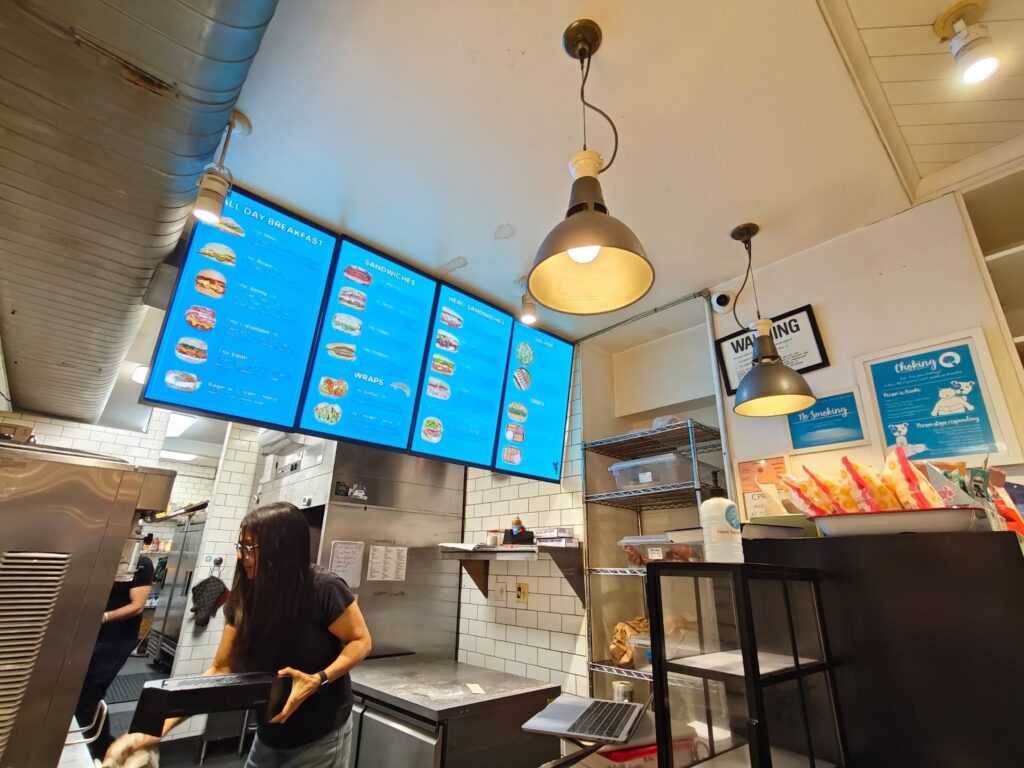
If you’re pricing a digital menu board project, you’ve probably noticed something frustrating: plenty of vendors advertise a low monthly software fee, but almost nobody gives a straight answer on what the full install actually costs.
We will. In 2026, a realistic digital menu board installation cost for restaurants and multi-location brands typically lands around $1,500–$3,000 per screen fully installed, including commercial display hardware, professional installation, mounting, software setup, and support. And the “fully installed” part is where projects usually go off the rails when teams try to DIY with a software-only vendor.
Below is a practical, transparent guide to what you’re paying for, what moves the quote up or down, and how to set up restaurant digital signage that works day after day (not just on install day).
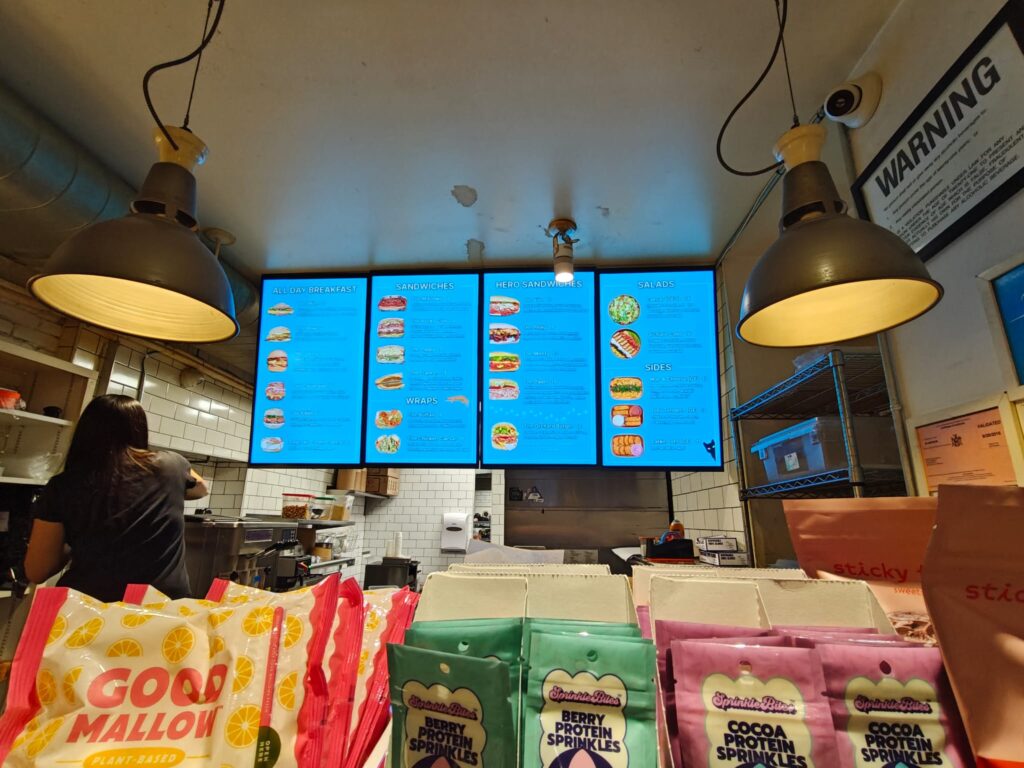
What You’re Really Paying For In A Digital Menu Board Install
A menu board install isn’t just “hang a TV and log into an app.” A good deployment has multiple cost buckets, and if any one of them is under-scoped, the project gets delayed, looks sloppy, or becomes a recurring operational headache.
Display Hardware, Mounts, And Enclosures
Your display is the centerpiece, and it’s also the part most likely to be mismatched when teams buy consumer TVs.
For transparent planning, here are real commercial display prices we commonly deploy (Samsung commercial-grade):
- QM32C: $650
- QM43C: $675
- QM50C: $999
- QM55C: $1,049
- QM65C: $1,499
Then there’s mounting hardware. For most restaurant installs, mounting hardware typically runs $500–$1,000 depending on the mount type (single fixed mount vs. multi-screen rail system, ceiling drop, floor stand, etc.).
Why commercial displays matter over consumer TVs:
- 24/7 operation ratings (or extended duty cycles) for long business hours
- Higher brightness for readable menus under harsh interior lighting
- Commercial warranties built for business usage
- Better thermals and reliability for continuous signage workloads
If you want a deeper price breakdown across different menu board approaches, we’ve laid that out in our guide on digital menu board pricing.
Media Players, Cabling, And Network Readiness
Even when a display has a built-in player option, restaurants still need a clean, repeatable system for:
- Media player (or integrated SoC) provisioning
- HDMI/network cabling and power routing
- Surge protection and power management
- Wi‑Fi vs. hardwired Ethernet decisions
Network readiness is the silent cost driver. If your menu screens depend on cloud content, you need stable connectivity. Otherwise, you’re signing up for “the menu froze again” calls during lunch rush.
Content Setup And Software Provisioning
The software part isn’t just “turn it on.” It’s:
- Creating templates that match your brand and readability standards
- Setting up daypart scheduling (breakfast/lunch/dinner/late night)
- Connecting data sources (prices, POS exports, promos)
- User permissions (corporate vs. franchisee editing)
A lot of software-only providers (think ScreenCloud, Yodeck, Pickcel) do a fine job on the app side. The problem is that they typically don’t bundle commercial displays + install + wiring + commissioning into one accountable package. That gap becomes your problem when the screen is too dim, the mount is wrong, or the cabling plan wasn’t thought through.
If you’re trying to map the full budget beyond just menus, our breakdown of overall digital signage cost is a useful reference point.
Typical Digital Menu Board Installation Cost Ranges By Setup Type
Costs vary mainly by screen count, mount complexity, and whether you’re indoors or outside (drive-thru changes everything). Below are practical ranges you can actually budget around.
Single-Screen Wall-Mounted Menu Board
A single indoor screen is the simplest deployment and the easiest place to get predictable pricing.
Typical line items:
- Commercial display: $650–$1,499 (size dependent)
- Professional installation (indoor): $350–$650 per screen
- Mounting hardware: $500–$1,000
In practice, a fully installed single-screen menu board often ends up around $1,500–$3,000 per screen, depending on size, wall type, cable routing, and scheduling constraints.
2–3 Screen Menu Board Arrays
Multi-screen menu boards are common in QSRs (one screen for core menu, one for combos, one for promos). The per-screen cost can come down slightly when we’re building an array efficiently, but complexity can also rise if you need:
- Precision alignment across screens
- A shared rail system
- In-wall cable runs for a clean look
A practical budgeting approach: assume the same $1,500–$3,000 per screen fully installed, with some economies of scale when the install is straightforward.
Drive-Thru Menu Board Installations
Drive-thru is its own category. Outdoor visibility, weather exposure, temperature swings, and local code requirements all add cost. You’re often dealing with:
- High-brightness outdoor-rated displays or specialized enclosures
- Weatherproofing and thermal management
- Trenching, conduit, and electrical work
- More complex permitting and inspection requirements
Even if the “screen price” doesn’t look wildly different at first glance, the supporting infrastructure is where drive-thru budgets expand.
Indoor Kiosk And Interactive Ordering Displays
Kiosks and interactive ordering displays bring additional considerations:
- Floor stands or kiosk enclosures
- ADA placement requirements
- Cable management to prevent trip hazards
- Potential peripheral integration (printers, payment devices)
If you’re exploring digital vs. printed from a cost-of-change perspective (updates, promos, seasonal menus), this breakdown of digital vs printed menu costs in NYC is a helpful way to think about long-term economics, not just install day.
Key Cost Drivers That Change The Quote
If you’re comparing quotes and one looks “too good,” it’s usually because one of these drivers was left out, or assumed away.
Screen Count, Size, Orientation, And Mounting Complexity
Screen count is obvious. The less obvious piece is how size and orientation affect mounting and layout.
Landscape vs. portrait isn’t just a design preference:
- Landscape is common for menu rows and wide layouts. It’s often simpler for arrays.
- Portrait is great for limited wall width, stacked layouts, and “order here” messaging. But it may require different mounts, different cable exits, and more careful content design so items don’t feel cramped.
Mounting style also matters:
- Wall mounts are typically most cost-efficient indoors.
- Ceiling mounts can be clean in open-concept spaces, but they increase labor and safety requirements.
- Floor mounts (kiosks/stands) can reduce wall work but add hardware cost and footprint considerations.
Electrical Work, In-Wall Cable Runs, And Permits
The biggest surprise cost in restaurant digital signage installation is usually “making it look professional.”
If you want no visible cords, you may need:
- In-wall rated cabling
- Power relocation behind the display
- Conduit or raceway
- Patch/paint coordination
Some jobs also trigger permits, especially in drive-thru or when running new circuits.
Networking, Bandwidth, And Firewall/IT Coordination
Digital signage is simple until it meets corporate IT.
Budget time (and sometimes labor) for:
- Wi‑Fi testing where the screens will live (not where the router is)
- VLAN/firewall rules for players
- Bandwidth planning during peak usage
We’ve seen rollouts delayed because the signage devices couldn’t authenticate through a locked-down guest network.
Site Conditions: Wall Type, Stud Layout, And Access Constraints
A clean install depends on what you’re mounting to:
- Drywall with proper backing is straightforward.
- Brick, tile, or concrete increases labor.
- Metal studs can require reinforcement.
Access constraints matter too: ladder height, crowded kitchen lines, limited after-hours windows, or mall rules for retail-adjacent food concepts.
How Restaurant Digital Signage Installation Is Scoped And Priced
Pricing should feel predictable. The way to get there is a proper scope, not a guess based on a couple photos.
Site Survey And Requirements Validation
A real scope validates:
- Exact display sizes and locations
- Orientation (portrait/landscape) per screen
- Mount type (wall/ceiling/floor) and any backing needs
- Power availability and cable path
- Network readiness (hardwire vs Wi‑Fi)
When teams skip this and “figure it out on install day,” that’s when you get extra visits, change orders, and uneven screens.
Labor Model: Per-Screen Vs Per-Visit Vs Per-Project
You’ll see three common labor models:
- Per-screen pricing (common for standardized indoor installs): easy to budget, scales cleanly
- Per-visit pricing: can look cheaper upfront but becomes unpredictable when extra time is needed
- Per-project pricing: good for complex builds, but you need a detailed scope to avoid gaps
For indoor jobs, we’re typically seeing $350–$650 per screen for professional installation, assuming standard conditions.
If you want a broader view of how install options affect total cost, our digital signage installation guide walks through common setups and what tends to get missed in early quotes.
Installation Timeline And Off-Hours Work
Restaurants don’t install signage in a vacuum. We typically plan around:
- Off-hours work to avoid service disruption
- Short windows between shifts
- Mall/landlord restrictions for certain locations
Off-hours work can increase labor cost, but it often reduces operational cost (less downtime, fewer staff interruptions). That tradeoff is worth making explicit in the plan.
Hidden Or Overlooked Costs To Budget For
The most expensive signage projects aren’t the ones with the nicest screens, they’re the ones with unclear ownership. This is where DIY often gets quietly expensive.
Content Design, Menu Strategy, And Daypart Scheduling
A digital menu board is only as effective as what’s on it.
Budget for:
- Templates built for legibility (distance, font sizes, contrast)
- Daypart scheduling and limited-time offers
- A workflow for price changes and franchise approvals
This is also where portrait vs. landscape becomes real: the wrong orientation can force cramped designs, smaller type, and slower ordering.
Ongoing Software, Support, And Device Monitoring
Software isn’t a one-time purchase. You’ll want:
- Device monitoring (is the screen online?)
- Alerting and remote troubleshooting
- User management across multiple locations
When you buy software-only from ScreenCloud/Yodeck/Pickcel, you’re often stitching together support across multiple parties. If the screen is black, is it the TV? the mount? power? the player? the Wi‑Fi? No one owns the full outcome.
If you’re weighing DIY seriously, we recommend reading our breakdown on DIY vs professional installation costs. It’s not anti-DIY, it’s just honest about where time and risk show up.
Repairs, Warranty Coverage, And Spare Equipment
Commercial displays generally offer better warranty terms for business usage than consumer TVs. That matters when a location is open 12–18 hours a day.
We also like to plan spares for multi-location rollouts:
- One spare player per region (or per X locations)
- Standardized mounts so parts are interchangeable
- A documented asset list so replacements are fast
Even small things, like having the right remote, the right cable length, or the right mount bolts, become significant at scale.
For teams looking for a quick planning baseline, our related post on what you’ll actually pay in 2026 expands on typical real-world totals and why they vary.
How To Reduce Digital Menu Board Installation Cost Without Cutting Corners
Cost control is absolutely possible, without sacrificing reliability or ending up with a patchwork system.
Standardize Hardware And Mounting Across Locations
Standardization is the simplest way to reduce surprises:
- Pick 1–2 screen sizes per concept (example: 55″ indoors, 65″ for bigger dining rooms)
- Keep orientation consistent unless there’s a strong reason to deviate
- Use the same mount style across stores
When you standardize, you reduce training time, shorten installs, and speed up replacements.
Bundle Rollouts And Use Repeatable Store Kits
Per-store shipping and per-store planning adds up.
Bundling rollouts helps you:
- Reduce per-location logistics costs
- Reuse install playbooks
- Ensure consistent placement and customer experience
A “store kit” approach (screen + mount + player + labeled cables + documented plan) turns install day into execution, not troubleshooting.
Pre-Stage Players And Validate Content Before The Install Day
Pre-staging is where professional deployments separate themselves from “we’ll set it up on a ladder.”
Before install day, we like to:
- Provision devices and enroll them into the right location group
- Load baseline menu content and schedules
- Confirm the network requirements
It’s the same concept as staging laptops before a corporate rollout, boring, methodical, and incredibly effective.
(And yes, modern signage often relies on standard web technologies. If you’re curious about the foundations behind what makes cloud dashboards and browser-based signage possible, Mozilla’s MDN Web Docs is the gold standard reference.)
Choosing The Right Installer For Multi-Location Rollouts
For a single restaurant, you can sometimes brute-force a DIY approach. For 10, 50, or 500 locations, the installer decision becomes an operations decision.
Nationwide Coverage, Licensing, And Safety Compliance
If you’re deploying across multiple states, you need a partner that can:
- Schedule consistently across time zones
- Use licensed/insured technicians
- Meet safety standards (especially for ceiling work and public-facing areas)
This is also where one-vendor accountability matters. If you buy software from one company, displays from another, and hire a “random installer,” your ops team becomes the integration layer.
With CrownTV, we function as a turnkey one-stop-shop: we provide Samsung commercial displays, nationwide professional installation, our cloud content management software, and ongoing support. One vendor, one invoice, and one team accountable when something isn’t right.
Documentation: Photos, As-Builts, And Asset Tracking
Good installers document the work:
- Before/after photos
- Display serial numbers and locations
- Cable paths and network details
- Notes about wall conditions and mount types
That documentation saves time when a location remodels, a screen gets replaced, or a new manager inherits the system.
Post-Install Training And Remote Management Handoff
For multi-location teams, the real win is what happens after installation:
- Role-based training (corporate marketing vs store managers)
- A repeatable process for menu changes
- Remote monitoring so problems are caught early
The goal isn’t “screens installed.” The goal is “menus updated consistently, everywhere, without drama.”
Conclusion
A realistic 2026 budget for digital menu boards is rarely the $30/month software number you see in ads. When you account for the display, mounting, professional labor, and a setup that won’t crumble under real restaurant conditions, $1,500–$3,000 per screen fully installed is the range most operators should plan for.
The biggest lever isn’t hunting for the cheapest subscription, it’s reducing operational friction: fewer vendors, fewer handoffs, less troubleshooting, and clear accountability. That’s why we built CrownTV as a turnkey system: commercial-grade Samsung displays, nationwide installation, our software, and ongoing support, so your team can run the business instead of running around fixing screens.
