

In this guide, we explore everything you need to know about best commercial digital signage displays for retail stores 2026 and how it can transform your business communications.
Your store’s digital display is either making you money or bleeding it. There’s no middle ground.
Walk through any retail space, and you’ll spot the difference in seconds. Some screens grab attention and drive purchases. Others collect dust while burning electricity. The gap between these outcomes? The hardware you choose.
Most retailers pick displays based on price tags or flashy specs. Wrong move. Screen brightness, mounting flexibility, and content compatibility determine if your investment pays off or becomes expensive wall art. After managing over thousands of active displays across retail environments, we’ve seen which screens deliver ROI and which ones disappoint.
Here’s what we’ll cover:
- Top commercial display models tested in real retail environments
- Critical specs that separate professional screens from consumer TVs
- Size and placement strategies for different store layouts
- How CrownTV’s turnkey solutions eliminate installation headaches
Every recommendation comes from actual field performance, not manufacturer marketing. Let’s find the screen that turns your retail space into a revenue generator.
Best Commercial Digital Signage Displays for Retail Stores 2026: Commercial Displays Built for Retail Performance
Retail environments demand screens that can handle constant operation while delivering visuals sharp enough to stop shoppers mid-stride. The displays below represent tested solutions across different retail scenarios, from storefront windows to interior product showcases.
1. Samsung OMB Series
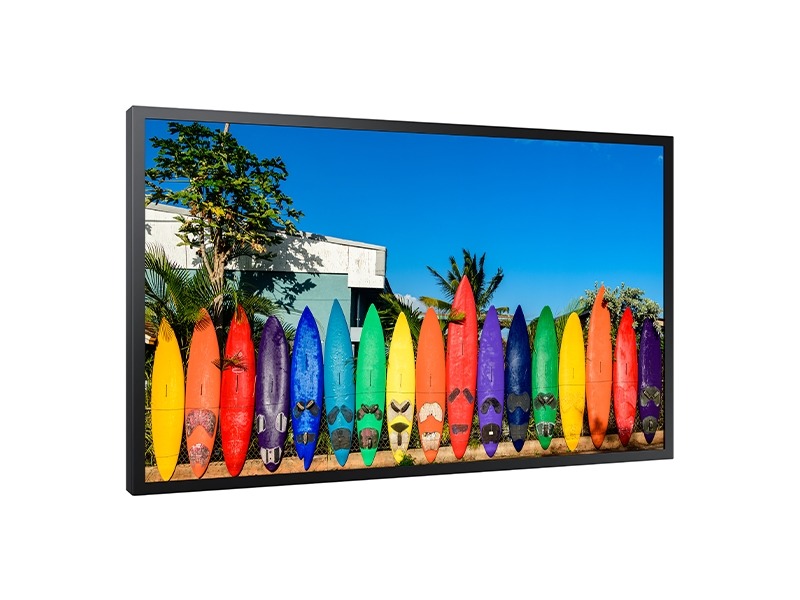
Storefront windows present a brutal test for any display. Direct sunlight washes out most screens, turning your investment into a dark rectangle that passersby ignore. The OMB Series solves this with 4,000 nits of brightness and a 6000:1 contrast ratio that cuts through glare.
This display runs 24/7 without overheating, backed by IP5X-validated dust protection. The slim profile (only 48.3mm depth) fits tight window spaces where traditional signage won’t work. You get Full HD resolution (1920×1080) that stays visible even when the sun hits your windows at peak afternoon intensity.
Core specifications:
- 46-inch screen optimized for window installations
- 4,000 nit brightness rating for direct sunlight visibility
- 24/7 operation hours with built-in temperature management
- Landscape and portrait orientation support
- AC 100V-240V power supply (runs globally)
- HDMI 2.0, USB 2.0, and RS232C connectivity options
2. Samsung QMC Series
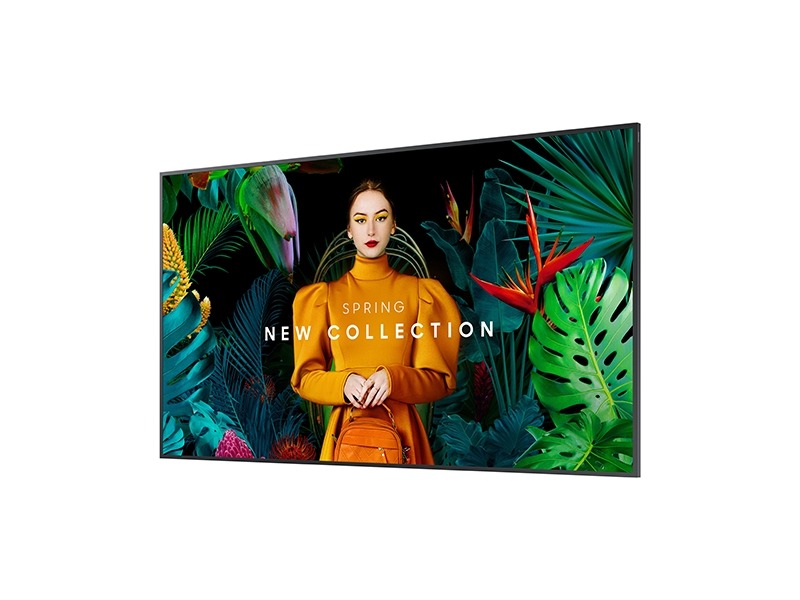
Retail spaces need flexibility. Your promotional content changes weekly, your store layout shifts seasonally, and your display needs to adapt without requiring a technician visit. The QMC Series handles this through modular sizing (available from 32″ to 98″) and dynamic crystal color technology that maintains accuracy across different viewing angles.
The ultra-slim 28.3mm depth means these screens mount flush against walls without eating into floor space. Quantum Processor Lite 4K upscales lower-resolution content, so your older promotional materials still look professional. Screen-sharing capabilities let you split content across multiple displays for coordinated campaigns.
Key features:
- Size range: 32″, 43″, 50″, 55″, 65″, 75″, 85″, 98″
- Ultra-slim 28.3mm depth for space efficiency
- UHD (3840 x 2160) resolution across all sizes
- Quantum Processor Lite 4K for content upscaling
- Business TV functionality with built-in apps
- MagicINFO Lite content management included
3. Samsung QHC Series
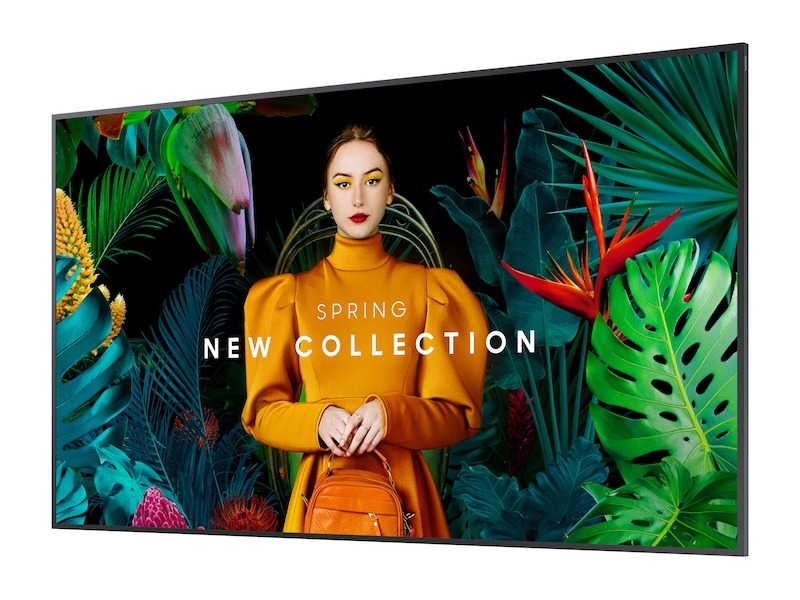
Large-format displays make statements. The QHC Series scales from 43″ up to 98″, giving you room-filling visuals without video wall complexity. Each screen ships with built-in signage functionality and workspace integration capabilities, so your displays work as information hubs, not static billboards.
The sleek design (measures 48.3mm at its thickest point on the 98″ model) complements modern retail interiors. You get non-glare technology that keeps content visible under store lighting, plus auto-source switching that responds when devices connect. The system runs continuously without thermal throttling.
Technical highlights:
- Available sizes: 43″, 50″, 55″, 65″, 75″, 85″, 98″
- 4K UHD resolution (3840 x 2160) standard
- Slim design profile across all models
- Non-glare screen treatment for retail lighting
- Tizen OS with enterprise platform support
- Smart calibration and HDR support
4. Samsung Crystal UHD QE98C
Flagship retail locations need flagship displays. The QE98C delivers 98 inches of 4K content with crystal UHD technology that produces realistic color reproduction. The minimalist design features a slim profile that draws attention to content rather than hardware.
Samsung’s QLED-supported LCD panel offers enhanced viewing angles compared to standard commercial displays. Built-in MagicINFO Lite handles content scheduling without external hardware. The system includes temperature sensors, ambient light detection, and auto-brightness adjustment to maintain optimal performance across varying store conditions.
Display specifications:
- 98-inch screen size (currently single size option)
- Crystal UHD technology with 4K resolution
- QLED-supported LCD for expanded color range
- Tizen OS operating system
- Built-in WiFi and Ethernet connectivity
- USB input for simple content loading
- Class B EMC certification for retail compliance
5. Samsung Q60A QLED 4K Smart TV
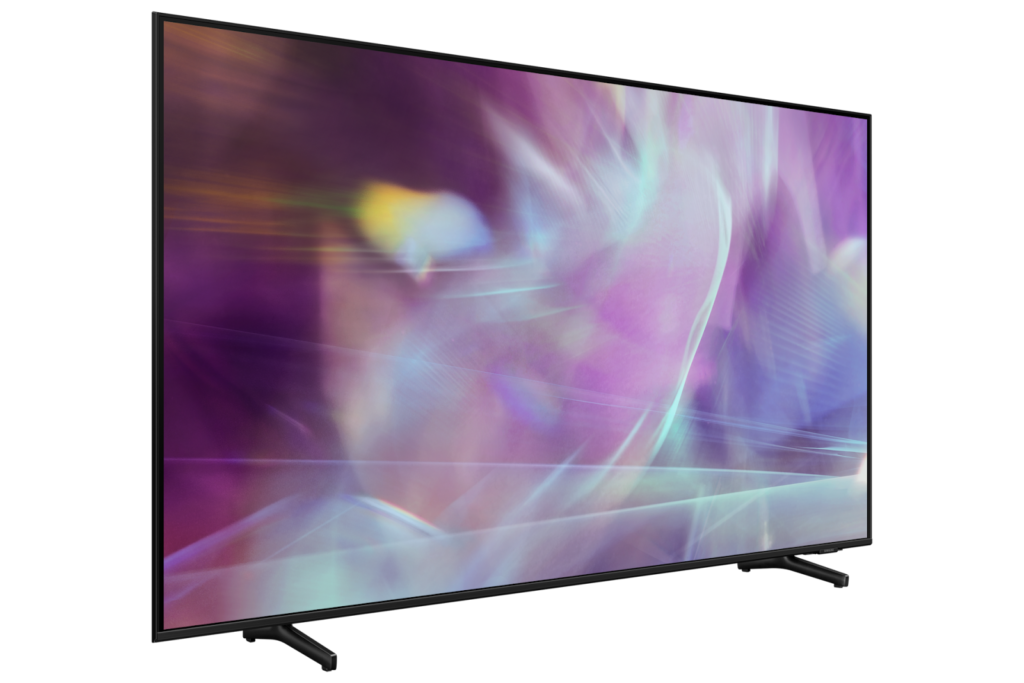
Sometimes the best retail display is a smart TV that wasn’t originally designed for commercial use. The Q60A brings Quantum Dot color technology and Dual LED backlighting at consumer pricing. Retail stores on tight budgets get QLED picture quality without commercial display premiums.
The AirSlim design keeps installations clean, while built-in Samsung Smart TV features mean you can run streaming apps alongside promotional content. You lose some commercial-grade features (no 24/7 rating, limited warranty coverage), but gain access to consumer electronics pricing and widespread availability. Works well for boutique stores or temporary retail installations where heavy-duty specs aren’t required.
Feature set:
- Available in 55″ and 65″ sizes
- Quantum Dot technology for color accuracy
- Dual LED backlighting system
- Quantum HDR for contrast enhancement
- Object Tracking Sound for audio (if running video content)
- Multiple HDMI ports for source switching
- Built-in WiFi and Bluetooth connectivity
Each display serves specific retail needs. Your choice depends on location requirements, budget constraints, and how you plan to use the screen daily.
Other Top Mentions Worth Exploring
- Samsung QM43C
- Samsung QM50C
- Samsung QM55C
- Samsung QM65C
- Samsung QM75C
- Samsung QM85C
- Samsung OM55B
- Samsung OM75A
- Samsung The Wall All-in-One 146″
What Makes Commercial Displays Different from Living Room TVs
Walk into a big-box electronics store, and you’ll see consumer TVs at half the price of commercial displays. Same resolution, similar size, better pricing. So why would any retailer spend more?
The answer shows up after six months of continuous operation. Consumer displays aren’t built for the punishment retail environments dish out. They overheat, lose brightness, and fail prematurely when run 12+ hours daily. Commercial displays solve these problems through engineering choices that consumer models skip to hit lower price points.
Operating Hours and Heat Management
Consumer TVs assume you’ll watch them 4-6 hours per day. Commercial displays assume 24/7 operation. This difference drives every component choice, from power supplies to panel construction.
Operational differences:
- Consumer TVs run at 18-hour maximum duty cycles before overheating
- Commercial displays feature industrial-grade cooling systems for demanding environments
- Heat sensors adjust brightness automatically to prevent damage
- Commercial panels use components rated for extended temperature ranges
- Warranty terms reflect usage expectations (consumer warranties void under commercial use)
Your consumer TV might last two years in retail. A commercial display hits five years minimum, often longer. The math shifts quickly when you factor in replacement costs, installation labor, and energy efficiency gains from modern commercial panels that consume less power during extended operation.
Brightness Capabilities That Actually Matter
Home viewing happens in controlled lighting. Retail floors blast overhead lights, windows pour in sunlight, and ambient brightness fluctuates constantly. Consumer TVs top out around 300-500 nits of brightness. That’s fine for your living room. It’s invisible in retail.
Commercial displays start at 700 nits and scale up to 4,000+ for window applications. The OMB Series mentioned earlier pushes 4,000 nits specifically for direct sunlight scenarios. This display technology delivers consistent performance regardless of ambient conditions. You pay more for brighter panels, but you also get content that shoppers can actually see.
Content Management Systems vs Smart TV Apps
Consumer smart TVs give you Netflix and YouTube through the Google Play Store. Commercial displays give you control over what appears on screen, when it appears, and how it updates across multiple locations.
CrownTV’s software handles scheduling, remote management, and content distribution through a centralized dashboard. You can update promotions across 50 stores simultaneously or target specific locations based on inventory. The CrownTV’s media player connects to commercial displays and runs content reliably without the crashes and updates that plague consumer streaming devices. Building a digital signage strategy starts with choosing a digital signage solution that scales with your business.
Management capabilities:
- Schedule digital signage content changes by time, date, or trigger events
- Push emergency updates across all locations instantly
- Monitor screen health and receive failure alerts through a user-friendly interface
- Lock down screens to prevent unauthorized access
- Run custom apps without consumer OS limitations
Consumer TVs force you to manage content locally or rely on unreliable streaming solutions. Digital signage software treats screens as business tools, not entertainment devices. Your digital signage journey begins when you transition from consumer TVs to purpose-built commercial systems that support digital signage applications across retail environments.
When planning your visual communication strategy, you’ll need graphics and visual assets that display correctly across different screen sizes and orientations. File formats matter, from standard JPEGs to specific asset types like rectangle 51 2 png files used in certain signage templates.
Input Options and Connectivity
Consumer TVs give you three HDMI ports and assume you’re connecting game consoles. Commercial displays assume you’re running multiple input sources, need RS232 control, and want integration with existing business systems.
Professional connectivity includes:
- RS232C serial control for automation systems
- Multiple HDMI inputs with auto-switching
- USB ports for local content updates
- Ethernet for network management
- SDM (Serial Display Management) for centralized control
- LAN daisy-chaining for video wall configurations
You can’t build a professional digital signage system on consumer TV infrastructure. The ports aren’t there, the protocols aren’t supported, and the reliability isn’t built in.
Warranty Coverage That Protects Business Use
Read the fine print on consumer TV warranties. They exclude commercial applications. Run a consumer TV in your store, and the manufacturer denies your claim when it fails.
Commercial display warranties cover business use explicitly. You get protection for the environment where you’re actually using the screen. Some manufacturers offer extended coverage, on-site service, and replacement guarantees that keep your displays running.
The price difference between consumer and commercial displays reflects these engineering choices. You’re not paying extra for the same product with a different label. You’re buying hardware that survives retail environments and comes with support structures that protect your investment.
Screen Sizing and Installation Planning for Retail Spaces
Size decisions make or break digital signage effectiveness. Too small and shoppers ignore your content. Too large and you overwhelm the space or blow your budget on unnecessary screen real estate. Several factors influence which display works for your location, from foot traffic patterns to available space constraints.
Matching Screen Size to Viewing Distance
Your customers aren’t standing still in front of screens like home theater viewers. They’re moving, scanning, and making split-second decisions about what deserves attention. Screen size needs to match how far away people are when they first notice your display. Getting this calculation wrong can significantly impact content effectiveness and return on investment.
Viewing distance guidelines:
- 32″-43″ screens work for checkout counters and point-of-sale areas (3-6 feet)
- 50″-65″ screens handle aisle endcaps and department entrances (6-10 feet)
- 75″-85″ screens suit store entrances and central gathering spaces (10-15 feet)
- 98″ screens or video walls serve large-scale digital signage applications (15+ feet)
The QMC Series covers this entire range with consistent image quality across sizes. You can standardize on one display line and scale up or down based on location requirements rather than learning different systems for different applications. These commercial-grade displays deliver sharper images and vibrant colors that help engage audiences across all viewing distances.
When evaluating product lines, consider the total cost beyond the upfront cost. Extended warranties protect against failure, while long-term reliability reduces maintenance costs over the screen’s lifespan. Making informed decisions requires balancing immediate budget constraints against operating expenses.
Storefront Window Placements
Windows demand special consideration. You’re competing with direct sunlight, fighting glare, and trying to stop people who are walking past at full speed. Standard indoor displays fail here. Choosing the right digital signage for outdoor settings depends on exposure levels and ambient light conditions.
Position high-brightness displays (4,000+ nits minimum) directly in window lines where sunlight hits hardest. The OMB Series handles this specific scenario through its IP5X dust protection and heat management system that survives direct sun exposure for extended periods.
Window installation factors:
- Mount screens facing outward for passerby visibility
- Angle displays slightly downward to reduce sky reflection
- Keep screen height at eye level (60-65 inches from ground to screen center)
- Consider ambient light sensors that adjust brightness throughout the day
- Plan for ambient temperature swings between day and night
Windows work differently in the morning versus the afternoon. Eastern exposures need maximum brightness from sunrise through noon. Western windows face their hardest test in the late afternoon. Your display needs to handle both scenarios without manual adjustment. Higher contrast ratios become critical when competing with direct sunlight.
Department Zones and Traffic Flow
Different store areas serve different purposes. Your display strategy should reflect how shoppers move through and interact with each zone. Selecting the right tv for each application requires understanding your specific needs.
High-traffic areas near entrances benefit from attention-grabbing content on larger screens. The QHC Series 98″ model makes sense here. You want to establish brand presence and communicate store-wide promotions before shoppers commit to a shopping path. Modern cutting-edge technology delivers high-resolution content that captures attention immediately.
Product-specific zones need smaller displays that complement merchandise without overpowering it. A 50″ screen mounted above a cosmetics section can demonstrate application techniques or highlight new arrivals. The screen supports the products rather than replacing them.
Checkout areas capture a captive audience. Customers wait in line and look for a distraction. Smaller 43″-55″ displays work well here. You can run promotional content, loyalty program information, or entertaining brand content that improves perceived wait times.
Portrait vs Landscape Orientation
Most displays ship in landscape orientation. You mount them horizontally and call it done. But portrait orientation (vertical mounting) solves specific retail challenges.
Portrait mounting works well for:
- Narrow wall spaces between fixtures or doorways
- Full-body fashion and apparel content
- Directional wayfinding in multi-floor stores
- Mobile-style content that mirrors smartphone layouts
- Entrance areas with vertical architecture
Make sure your display supports portrait operation. Not all commercial screens include the necessary mounting brackets or allow vertical orientation without voiding warranties. The Samsung commercial lines covered earlier support both orientations, giving you flexibility as store layouts change.
Content designed for portrait displays often requires specific asset dimensions. Template files like rectangle 512 1 png formats ensure graphics display correctly when rotated vertically.
Multi-Display Synchronization
Single screens work for small retailers. Growing businesses need content that spans multiple displays without visible gaps or timing issues.
Video walls create impact through coordinated content across 4, 6, or 9+ screens. You can show product imagery at room scale or create immersive brand experiences. The technical challenge comes in keeping all screens synchronized and managing content that spans multiple panels.
Synchronization requirements:
- Media players that support video wall output configurations
- Mounting systems with minimal bezel gaps
- Content created at combined resolution (accounting for all screens)
- Network infrastructure that handles data to multiple screens simultaneously
CrownTV’s dashboard manages multi-screen deployments through centralized control. The cloud-based platform works across various devices and handles the hardware side of deployment seamlessly. You design content once and distribute it across your entire screen network. The system handles timing, keeps screens synchronized, and lets you make updates without touching individual displays.
Modern installations rely on wi fi connectivity alongside traditional physical cables for redundancy. This dual approach ensures content delivery continues even if one connection method fails.
ADA Compliance and Accessibility
Mounting heights matter for accessibility. Federal ADA guidelines don’t specify exact requirements for digital signage, but practical accessibility means considering customers with different abilities.
Position interactive displays at 36-48 inches from the floor to accommodate wheelchair users. Keep informational content at 48-72 inches for comfortable viewing by most adults. Avoid mounting screens so high that neck strain becomes an issue for extended viewing.
Your display is an investment in customer communication. Getting the size and placement right means that the investment actually reaches your audience.
Wrapping Up
You now know which displays survive retail environments and how to size them correctly for your space. The gap between knowing what to buy and actually getting it installed is where most digital signage projects stall out. Screen selection is the easy part. Coordinating deliveries, mounting hardware, cable runs, and network configuration across multiple locations turns into a logistics nightmare.
Here’s what you can do with this information:
- Stop replacing consumer TVs every two years by choosing commercial displays built for continuous retail operation and backed by warranties that cover business use
- Calculate screen sizes based on viewing distances instead of guessing 32″-43″ for checkout areas, 50″-65″ for departments, 75″-98″ for entrances
- Avoid the invisible content trap by spec’ing brightness levels that match your environment (700+ nits for indoor, 4,000+ for windows)
- Eliminate manual content updates across stores through centralized management systems that push changes to all locations simultaneously
- Plan video wall installations that stay synchronized instead of creating awkward timing gaps between adjacent screens
CrownTV handles the entire deployment process through white-glove service. You pick your screens from the models covered here, and we manage sourcing, delivery, professional installation, and network configuration without you lifting a finger.
