

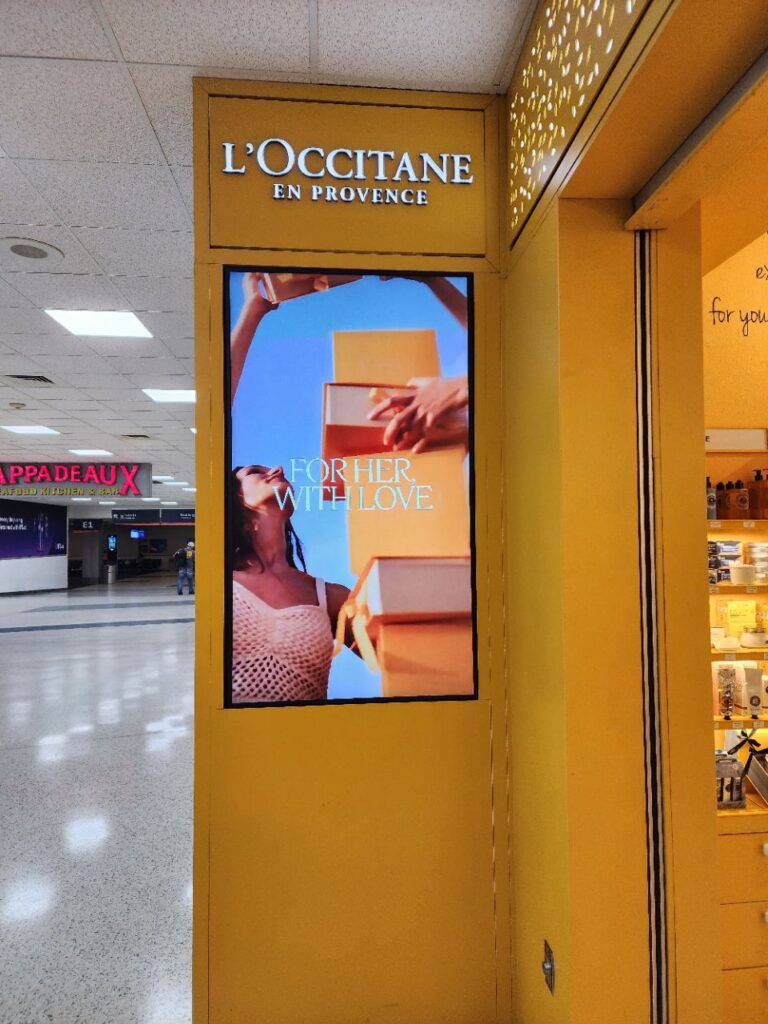
When we look at the Samsung QM85C, we’re looking at a very specific type of screen: an 85‑inch, 4K, 24/7‑rated commercial display built for signage and information, not for the living room.
This guide focuses only on the Samsung QM85C and how well it fits real‑world commercial environments, retail stores, restaurants, corporate lobbies, meeting spaces, campuses, and transport hubs. We’ll walk through image quality, smart features, integration options, and long‑term reliability so you can judge whether this 85‑inch commercial display is the right tool for your project.
We’re approaching it from a practical, deployment‑focused angle: what the QM85C does well, where it’s limited, and when another type of display might be a better fit.
commercial display: Key Facts And Specifications At A Glance
For quick orientation, here’s how the Samsung QM85C is positioned from a technical standpoint.
Core specifications
- Screen size / type: 85″ class (84.5″ viewable) commercial LCD, direct‑lit LED backlight
- Resolution: 3840 × 2160 (4K UHD)
- Brightness: 500 nits (typical)
- Contrast ratio: 4,000:1 (VA panel), 178°/178° viewing angle
- Color: Dynamic Crystal Color, 10‑bit processing, ~72% NTSC color gamut
- Operation rating: Designed for 24/7 continuous operation
- Surface / haze: Non‑glare panel with ~25% haze
- Chassis depth: ~1.1″ ultra‑slim profile
- Bezel: Uniform ~13.9 mm bezel on all sides
- Orientation: Landscape or portrait
- Weight: ~117.7 lb (53.4 kg)
Inputs and control
- Video inputs: 3 × HDMI 2.0, 1 × DisplayPort 1.2
- USB: 2 × USB 2.0
- Network: LAN (RJ‑45), built‑in Wi‑Fi
- Control / integration: RS‑232C in/out, IR, audio out
Platform and software
- Operating system: Samsung Tizen‑based smart signage platform
- Embedded player: MagicInfo S10
- CMS support: Samsung VXT cloud CMS (license required), MagicInfo ecosystem
- Collaboration: SmartView+ wireless screen sharing (up to 6 devices)
- Calibration: Smart Calibration via Samsung mobile app
These specs put the Samsung QM85C in the category of large indoor 4K signage displays that aim for round‑the‑clock reliability and streamlined management rather than extreme brightness or consumer‑style features.
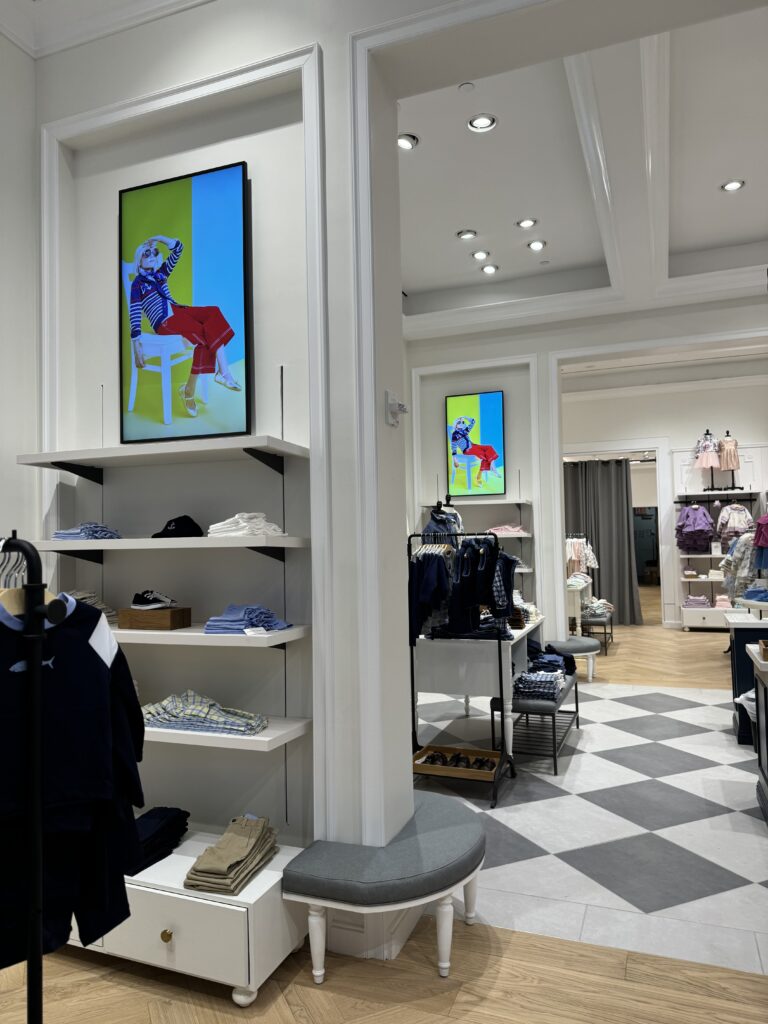
Evaluation Criteria For This Review
To keep this review of the Samsung QM85C practical for commercial buyers and integrators, we’re focusing on criteria that directly affect deployments and long‑term use.
1. Image performance for signage
We assess whether 4K resolution, 500‑nit brightness, contrast, and color performance are sufficient for typical retail, corporate, education, and public‑space applications. We’re looking at clarity of text, legibility in mixed lighting, and how well branded content and video render.
2. Smart platform and content management
Because many signage networks live or die by their software stack, we consider how Tizen, MagicInfo S10, and Samsung VXT support scheduling, playback, remote management, and fleet monitoring, both in single‑site and multi‑site rollouts.
3. Connectivity and integration
We evaluate how the Samsung QM85C fits into real AV and IT environments: video inputs, network connectivity, RS‑232/IP control, and compatibility with external CMS or control systems.
4. Reliability and total cost of ownership (TCO)
Here we’re looking at the 24/7 rating, energy efficiency, embedded media player, and warranty structure to understand operational risk and long‑term cost.
5. Competitive positioning
Finally, we compare the QM85C to:
- Samsung’s older QMR/QBR‑class signage
- Samsung’s meeting‑room‑centric QBB/QMB
- High‑brightness window displays
- Large consumer 4K TVs used in commercial contexts
The goal is to clarify where the Samsung QM85C makes sense and where another category of display may be a more suitable choice.
Design, Build Quality, And Form Factor
The Samsung QM85C is clearly designed with commercial environments in mind rather than living rooms.
Ultra‑slim chassis and uniform bezels
The ~1.1″ depth is notably slim for an 85‑inch commercial screen. Once wall‑mounted, the profile is closer to a large panel on the wall than a bulky television. In corridors, retail aisles, and elevator lobbies, that reduced projection helps with both safety and aesthetics.
The uniform 13.9 mm bezel on all four sides is another practical detail. It:
- Keeps single displays looking clean and balanced
- Makes multi‑panel video walls or menu‑board arrays visually consistent
- Avoids mismatched top/bottom bezel thickness that can distract from content
Commercial‑grade construction
The chassis uses a non‑glossy charcoal black frame that blends into most environments. The design isn’t ornamental, and that’s intentional, it’s meant to disappear behind the content.
Weight is substantial at around 117.7 lb (53.4 kg). That’s typical for a robust 85‑inch commercial panel but does mean:
- Professional mounting hardware is essential
- Two or more installers should handle mounting and service
From a build‑quality standpoint, the Samsung QM85C feels more like a piece of infrastructure than a consumer appliance, which is exactly what most signage projects need.
Mounting options
The VESA 600 × 400 mm mounting pattern is centered, which simplifies both landscape and portrait mounting. If we’re upgrading from older 75–82″ screens that already use 600 × 400, it may even be possible to reuse existing mounts, assuming they’re rated for the QM85C’s weight.
The portrait support, combined with the even bezel, is particularly important for:
- Menu boards
- Digital posters
- Wayfinding totems and directories
In short, the physical design of the Samsung QM85C supports clean, space‑efficient installs where visual uniformity matters.
Display Performance And Image Quality
For signage, image quality is less about cinematic effects and more about clarity, legibility, and consistent color. The Samsung QM85C is tuned with that in mind.
Resolution, brightness, and contrast
The 4K UHD resolution (3840 × 2160) is a strong match for an 85‑inch canvas. Text for dashboards, menu items, and wayfinding remains sharp even at closer viewing distances. For corporate lobbies and conference spaces where people might stand a few feet away, that’s important.
The 500‑nit typical brightness sits in the sweet spot for indoor commercial environments:
- Bright enough for most retail, lobby, and classroom lighting
- Comfortable for prolonged viewing without the eye fatigue that can come with very high brightness
The 4,000:1 contrast ratio and VA‑type panel help produce solid blacks and good separation between text and background. In signage terms, that translates to clearer white text on dark backgrounds and higher impact for dark‑themed branding.
Where the QM85C isn’t intended to compete is direct‑sun or window‑front applications: 500 nits simply isn’t designed for those.
Color performance and processing
Samsung’s Dynamic Crystal Color and 10‑bit processing provide smooth gradients and stable corporate colors. With ~72% NTSC coverage, the QM85C isn’t positioned as a reference‑grade color monitor, but it’s more than adequate for:
- Retail branding and promotional content
- Corporate identity graphics
- Educational and informational layouts
The integration of Quantum Processor Lite 4K is especially useful in mixed‑content networks. Many signage feeds still include 1080p or even 720p sources: the upscaler does a competent job of cleaning up edges and reducing artifacts so that lower‑resolution content doesn’t look soft or noisy on an 85‑inch 4K panel.
Non‑glare surface and viewing angles
The non‑glare panel with 25% haze is a key strength of the Samsung QM85C for real‑world spaces. Instead of mirror‑like reflections, overhead lighting is diffused, which keeps content readable even under bright office or retail lighting.
The 178°/178° viewing angles mean signage remains legible from off‑axis positions, which matters in wide lobbies or open office areas where viewers rarely stand directly in front of the screen.
Overall, the Samsung QM85C’s image performance is optimized for indoor signage clarity and consistency rather than outdoor‑grade punch, and it delivers reliably in that intended role.
Smart Features, Connectivity, And Control
A major reason we’d choose a Samsung QM85C over a simpler display is its smart platform and integration capabilities.
Tizen platform and MagicInfo S10
The Samsung QM85C runs Tizen OS with the MagicInfo S10 embedded player. In practice, that means we can:
- Schedule playlists and campaigns directly on the display
- Play back images, video, and web content without an external media player
- Update content and settings remotely via network connectivity
For organizations already in the Samsung MagicInfo ecosystem, the QM85C slots in as a straightforward extension of existing workflows.
VXT cloud CMS support
Samsung VXT is the newer cloud‑based CMS that the QM85C supports (license required). For multi‑location deployments, this can centralize content creation, scheduling, and device monitoring. The upside is reduced on‑site maintenance and more consistent branding.
The trade‑off is that VXT is part of a Samsung‑centric ecosystem. If we’re standardizing on a third‑party CMS, we’ll likely treat the QM85C primarily as a networked display and rely on external players or apps, though the embedded player may still reduce the number of external boxes needed.
SmartView+ wireless sharing
SmartView+ allows up to six devices to share wirelessly to the QM85C. For meeting rooms, training labs, or ad‑hoc presentations in a lobby or showroom, that’s practical, especially when we don’t want to run extra cabling.
This isn’t a full replacement for dedicated collaboration systems, but it reduces friction for basic screen sharing and supports hybrid signage/meeting‑room use cases.
Smart Calibration
Smart Calibration via Samsung’s mobile app is useful when we deploy multiple QM85C units, or mixed sizes from the same QMC line, in the same space. We can:
- Align color temperature and brightness across a menu‑board row
- Reduce visual discrepancies between units over time
This helps content designers maintain a consistent look, especially in branding‑sensitive environments.
Connectivity and control
On the hardware side, the Samsung QM85C provides:
- 3 × HDMI 2.0 and 1 × DisplayPort 1.2 for typical media players, PCs, and switching systems
- 2 × USB 2.0 ports for local media or firmware updates
- LAN and Wi‑Fi for network content and management
- RS‑232C and IR for integration with control processors and automation systems
There’s no HDMI 2.1 or advanced gaming‑oriented features, but that aligns with the QM85C’s signage focus. For most AV integrators, the provided I/O is sufficient for digital signage players, matrix switchers, and room‑control processors.
Installation, Integration, And Management
From an installation perspective, the Samsung QM85C is built to minimize friction in commercial rollouts.
Mounting and physical integration
The ultra‑slim 1.1″ depth means the QM85C sits close to the wall, which helps:
- Keep corridors compliant where projection depth is limited
- Achieve a clean, signage‑first aesthetic in lobbies and retail spaces
The central VESA 600 × 400 pattern and portrait support reduce the need for specialized brackets. Most commercial 600 × 400 mounts rated for 85‑inch loads will work, as long as they support the QM85C’s weight.
For multi‑display menu boards or wall arrays, the even bezel and consistent depth make alignment easier, especially when using rail‑type mounts.
Network and remote management
Built‑in Ethernet and Wi‑Fi allow the Samsung QM85C to participate in IP‑based control and management out of the box. That enables:
- Remote firmware updates
- Centralized monitoring (online status, basic diagnostics)
- Remote content updates via MagicInfo or VXT
For integrators standardizing on IP control, the combination of LAN, RS‑232, and IR makes the QM85C straightforward to tie into existing Crestron, Extron, AMX, or similar systems.
24/7 fleet deployment
Because the QM85C is rated for 24/7 operation, we can deploy it in applications where content is effectively always on, transport hubs, hotel lobbies, corporate atriums, and retail environments with long trading hours.
When we combine the 24/7 rating with the embedded player and CMS support, there’s potential to:
- Reduce the number of external players and power supplies
- Simplify cabling and rack space
- Lower the number of components that need field service over time
In other words, installation doesn’t stop at the wall mount: the Samsung QM85C’s design helps reduce overall system complexity as well.
Reliability, Support, And Total Cost Of Ownership
Most signage projects are long‑horizon investments. The Samsung QM85C’s value depends heavily on how it behaves over years, not months.
24/7 operation and durability
The QM85C is specifically engineered for 24/7 commercial operation, unlike consumer televisions that are typically assumed to run only a few hours per day. For always‑on signage, this matters for panel longevity, thermal design, and overall stability.
Energy efficiency
The QMC series, which includes the Samsung QM85C, has been positioned as energy‑efficient with ENERGY STAR / EPEAT listings and a <0.5 W sleep mode. In practice, lower power draw and effective standby behaviors become meaningful when dozens or hundreds of units are deployed.
For a single 85‑inch screen, energy savings may be modest: across a network of displays, operational costs and cooling loads add up.
Embedded player and TCO
By including the MagicInfo S10 embedded player and tight CMS integration, the QM85C can reduce the reliance on external media players. That has several TCO implications:
- Fewer external devices to purchase and maintain
- Reduced failure points (no extra power bricks, HDMI cables, or mounts to manage)
- Potentially simpler upgrade cycles
For networks that can standardize on the Samsung CMS stack, that simplification can be a significant operational benefit.
Warranty and service considerations
The Samsung QM85C typically comes with a 1‑year commercial warranty, though exact terms vary by region and reseller. For mission‑critical or hard‑to‑access locations, we’d usually recommend budgeting for extended coverage or on‑site service plans.
The base warranty length is on the short side for some always‑on environments, so this is a factor to weigh when comparing to alternatives or negotiating with resellers.
Strengths And Weaknesses
To make the Samsung QM85C’s trade‑offs clear, we can summarize its main pros and cons for commercial buyers.
| Aspect | Strengths | Weaknesses |
|---|---|---|
| Panel & Image | 4K UHD resolution, 500‑nit brightness, non‑glare surface, 4,000:1 contrast, Dynamic Crystal Color for rich signage visuals | Not intended for sun‑facing windows or high‑brightness outdoor environments |
| Form Factor | 1.1″ ultra‑slim depth, uniform 13.9 mm bezel, landscape/portrait support, central VESA pattern | Heavy at ~117.7 lb: professional mounting and multiple installers required |
| Smart / CMS | Tizen platform, MagicInfo S10 embedded player, VXT cloud CMS support, SmartView+ wireless sharing, Smart Calibration | Full VXT capabilities require paid licensing: ecosystem is oriented around Samsung’s software stack |
| Connectivity | 3 × HDMI 2.0, 1 × DisplayPort 1.2, USB, Wi‑Fi, LAN, RS‑232, IR, audio out | No HDMI 2.1 or gaming‑centric features (irrelevant for most signage, but worth noting) |
| Reliability / TCO | 24/7 rating, efficient design, embedded player can reduce external hardware and complexity | Standard 1‑year commercial warranty is relatively modest for some critical‑use deployments |
For most indoor signage and information applications, the strengths align well with actual needs, especially the slim form factor, non‑glare panel, and 24/7 rating.
How The Samsung QM85C Compares To Key Alternatives
When we evaluate the Samsung QM85C, it helps to view it against a few common alternatives.
vs Samsung QMR/QBR legacy 4K signage
Compared with older QMR/QBR models, the Samsung QM85C:
- Has a slimmer chassis and more refined non‑glare design
- Offers improved energy efficiency
- Runs a newer Tizen platform with a streamlined interface
- Adds features like SmartView+ and Smart Calibration for better collaboration and multi‑unit consistency
For organizations planning a refresh from QMR/QBR to QMC, the QM85C represents an evolutionary improvement rather than a dramatic shift, but the cumulative gains in slimness, efficiency, and software can be meaningful.
vs Samsung QBB/QMB meeting‑room series
The QBB/QMB models are tuned more toward collaboration and conferencing, while the QM85C is signage‑first:
- QM85C: 24/7 duty rating, non‑glare signage panel, ultra‑slim profile, strong CMS integration
- QBB/QMB: Often include more native collaboration and conferencing features, but are generally aimed at meeting‑room hours rather than 24/7 public‑space operation
If our primary use is dynamic signage or information displays with occasional wireless sharing, the Samsung QM85C typically fits better. For rooms centered on video conferencing, we’d likely lean toward QBB/QMB.
vs high‑brightness window displays (Samsung OMN/OMH series)
High‑brightness window displays are designed to fight direct sunlight with 2,500–3,000+ nits. The Samsung QM85C, at 500 nits, is intentionally different:
- QM85C: Indoor, non‑glare applications where ambient light is high but not direct sun
- OMN/OMH: Window‑front and semi‑outdoor scenarios with strong sunlight
Using the Samsung QM85C in a sun‑facing window would underutilize its strengths and expose its main limitation, brightness.
vs consumer 85″ TVs used commercially
It’s common to consider a large consumer TV instead of a commercial display. Compared with an 85‑inch TV, the Samsung QM85C adds:
- 24/7 operation rating and commercial‑grade design
- Non‑glare panel specifically targeted at signage use
- Uniform bezel and portrait orientation support
- LAN/RS‑232 control and IR integration
- Embedded signage‑oriented CMS and management tools
Consumer TVs can seem attractive, but in always‑on deployments they carry higher risk around durability, warranty coverage, and control/integration gaps. The QM85C is purpose‑built for those scenarios.
Best Use Cases And Who Should Buy The QM85C
The Samsung QM85C is not a one‑size‑fits‑all display. It suits some environments very well and is a poor fit for others.
Where the Samsung QM85C fits best
Corporate environments
- Lobby and atrium signage
- Corridor information boards
- Large meeting rooms or multipurpose spaces that need 24/7‑capable displays plus wireless sharing
Retail and quick‑service restaurants
- In‑store branding walls
- Digital menu boards in typical indoor lighting
- Promotional video walls where an ultra‑slim chassis and even bezel matter
Education and public sector
- Campus wayfinding and directory boards
- Hallway and lobby communication screens
- Auditorium and event‑space signage
Hospitality and transportation
- Hotel lobby displays and conference‑center signage
- Airport or station information screens where non‑glare and 24/7 operation are required
In all of these, the common patterns are:
- Indoor, controlled lighting (even if bright)
- Long or continuous operating hours
- Need for remote management and consistent appearance across multiple units
Where the QM85C is less suitable
The Samsung QM85C is not the best choice when:
- Displays will face direct sunlight or be placed directly in window storefronts
- Applications demand >1,000‑nit brightness or specialized environmental hardening
- The project is centered on advanced conferencing features that another series handles more directly
In those cases, a high‑brightness window display, an outdoor‑rated screen, or a collaboration‑focused model will be a better fit.
Final Verdict And Recommendation
For organizations that need a large, always‑on, indoor 4K signage panel, the Samsung QM85C offers a focused combination of features: a slim 85‑inch form factor, non‑glare 500‑nit panel, 24/7 rating, and a Tizen‑based platform with embedded CMS capabilities.
We’d recommend shortlisting the Samsung QM85C if your project:
- Operates in indoor spaces where 500 nits is sufficient
- Requires 24/7 reliability with minimal external hardware
- Benefits from uniform bezels, portrait support, and a low‑profile wall presence
- Plans to use, or is open to using, Samsung’s MagicInfo/VXT ecosystem or at least wants the option
If you’re planning window‑front, direct‑sun, or outdoor‑adjacent installations, or if extended warranty length is a top priority, it’s worth evaluating higher‑brightness or specialized models alongside the QM85C.
For its intended role, indoor commercial 85‑inch signage with strong management tools and a clean, slim design, the Samsung QM85C is a solid, purpose‑built option that can anchor both single‑site and fleet‑scale deployments.
Samsung QM85C – Frequently Asked Questions
What is the Samsung QM85C best used for?
The Samsung QM85C is best suited for indoor commercial signage and information displays in environments like corporate lobbies, retail stores, campuses, transportation hubs, and hospitality venues. Its 24/7 rating, 500‑nit non‑glare panel, 4K resolution, and slim profile make it ideal for always‑on, high‑visibility messaging rather than home entertainment.
Is the Samsung QM85C bright enough for window displays or direct sunlight?
No. The Samsung QM85C offers 500 nits of brightness, which is optimized for indoor spaces with controlled or typical retail lighting. For sun‑facing windows, shopfronts, or areas with strong direct sunlight, a high‑brightness display (often 2,500–3,000+ nits) is recommended instead.
Can the Samsung QM85C run 24/7 without an external media player?
Yes. The Samsung QM85C is rated for 24/7 operation and includes the MagicInfo S10 embedded player on Tizen OS. Combined with MagicInfo or Samsung VXT CMS, it can schedule and play images, video, and web content over the network without requiring a separate external media player in many deployments.
How does the Samsung QM85C compare to using a regular 85″ consumer TV for signage?
Compared with a consumer TV, the QM85C offers 24/7 durability, a non‑glare commercial panel, portrait orientation support, uniform bezels, RS‑232/IP control, and integrated signage CMS tools. Consumer TVs may be cheaper upfront but typically lack always‑on ratings, robust warranties, and professional control/integration features for commercial networks.
What is the typical lifespan of a 24/7 commercial display like the Samsung QM85C?
Commercial 24/7 displays are generally engineered for around 50,000–60,000 hours of use, equivalent to several years of continuous operation, though exact lifespans vary by conditions and brightness settings. Proper ventilation, avoiding maximum brightness when not needed, and keeping firmware updated help extend real‑world lifespan and reduce failures.
If you’re comparing different Samsung commercial display options, you may also find these guides useful:
Samsung OH55A-S
Samsung QM85C
Samsung QM43C
Samsung QM75C
Samsung QM50C
Samsung QM65C
Samsung QM55C
Samsung OM55B
Samsung OM75A,
Samsung The Wall All-in-One 146″
