

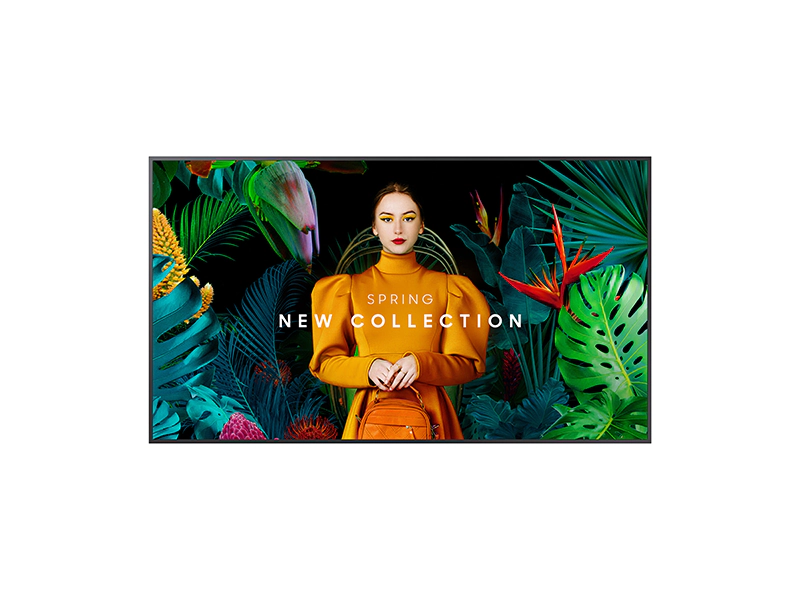
👉 Need A Samsung QM55C?
🚚 Fast Shipping. Competitive Pricing. All Inquiries Answered Within 1 Business Hour
We Supply Commercial-Grade Digital Displays And Can Handle Everything — Screen Sourcing, Mounting, And Professional Installation
👉 Buy Now – Samsung QM55C
When we look at 55-inch commercial displays for retail, corporate, and hospitality environments, the Samsung QM55C stands out as a slim, 24/7-rated 4K signage panel with Samsung’s Tizen platform and built-in media player.
In this guide, we walk through how the QM55C actually fits into real-world projects: image quality, reliability, installation details, control options, and ongoing operating impact. Our goal is to help you decide if this specific Samsung QM55C 55″ commercial display is the right fit for your environment and deployment strategy.
commercial display: Key Facts And Specifications At A Glance
We’ll start with the essentials so you can quickly see where the Samsung QM55C sits in the commercial signage space.
Core Specs
| Category | Detail |
|---|---|
| Model | Samsung QM55C |
| Screen size | 55″ class (54.6″ viewable) |
| Resolution | 4K UHD (3840 x 2160), 16:9 |
| Panel type | VA LCD, LED backlight |
| Brightness | 500 nits (typical) |
| Contrast ratio | 4000:1 (static) |
| Viewing angle | 178° / 178° |
| Color | ~72% NTSC, Dynamic Crystal Color |
| Processor | Quantum Processor Lite 4K |
| Operation | Rated for 24/7 use |
| Surface | Non-glare |
Connectivity & Control
| Category | Detail |
|---|---|
| HDMI | 3 x HDMI 2.0 (4K@60Hz, HDCP 2.2) |
| DisplayPort | 1 x DP 1.2 |
| USB | 2 x USB 2.0 |
| Control | RS232C (in/out), RJ45 Ethernet |
| Wireless | Wi‑Fi + Bluetooth |
| Audio out | Stereo mini jack |
Smart Platform & Hardware
| Category | Detail |
|---|---|
| OS | Samsung Tizen signage platform |
| CMS | MagicInfo S10 player (built in) |
| Storage | 16GB internal (approx. 10GB usable) |
| Speakers | 10W, 2-channel |
Physical & Power
| Category | Detail |
|---|---|
| Dimensions | ~48.7″ W x 27.9″ H x 1.1″ D |
| Depth | 28.5 mm (ultra-slim) |
| Weight | Approx. 34.6 lbs |
| Mounting | VESA 200 x 200 |
| Typical power | ~154W |
| Operating range | 0–40°C, 10–80% RH (non-condensing) |
These specs position the QM55C as a mid-brightness, 24/7-capable 4K signage display that’s slim enough for tight spaces but robust enough for continuous commercial duty.
Evaluation Criteria For This Review
To keep this review useful for commercial buyers and integrators, we evaluated the Samsung QM55C against the needs we see most often in deployments:
- Display quality and readability
How sharp, bright, and legible is content in typical retail, office, and hospitality lighting? We pay special attention to non-glare performance and upscaling for non‑4K content.
- Build quality and reliability
Is the panel genuinely suitable for 24/7 operation, and does the chassis feel robust enough for public environments?
- Smart features and manageability
Does Tizen plus MagicInfo S10 reduce the need for external players? How workable is remote management at scale?
- Connectivity and integration
Are there enough ports and control options for common AV and IT workflows, video walls, conference systems, and digital signage players?
- Total cost of ownership (TCO)
We factor in power draw, physical footprint, CMS licensing considerations, and practical installation effort.
Our perspective is shaped by multi-display rollouts, not just single-screen installs, so we focus heavily on predictability, fleet management, and long-term reliability.
👉 Need A Samsung QM55C?
🚚 Fast Shipping. Competitive Pricing. All Inquiries Answered Within 1 Business Hour
We Supply Commercial-Grade Digital Displays And Can Handle Everything — Screen Sourcing, Mounting, And Professional Installation
👉 Buy Now – Samsung QM55C
Design, Build Quality, And Installation
Slim, Uniform Design
The first thing we notice with the Samsung QM55C is how thin it is: about 28.5 mm deep, with a clean, uniform bezel. For wall-mounted signage, that matters. The display sits close to the wall and reads more like a digital poster than a traditional monitor.
The bezel is narrow but not “borderless,” which is actually an advantage for many professional environments. It frames content cleanly and hides small alignment variances when you line up multiple units in a row.
Orientation Flexibility
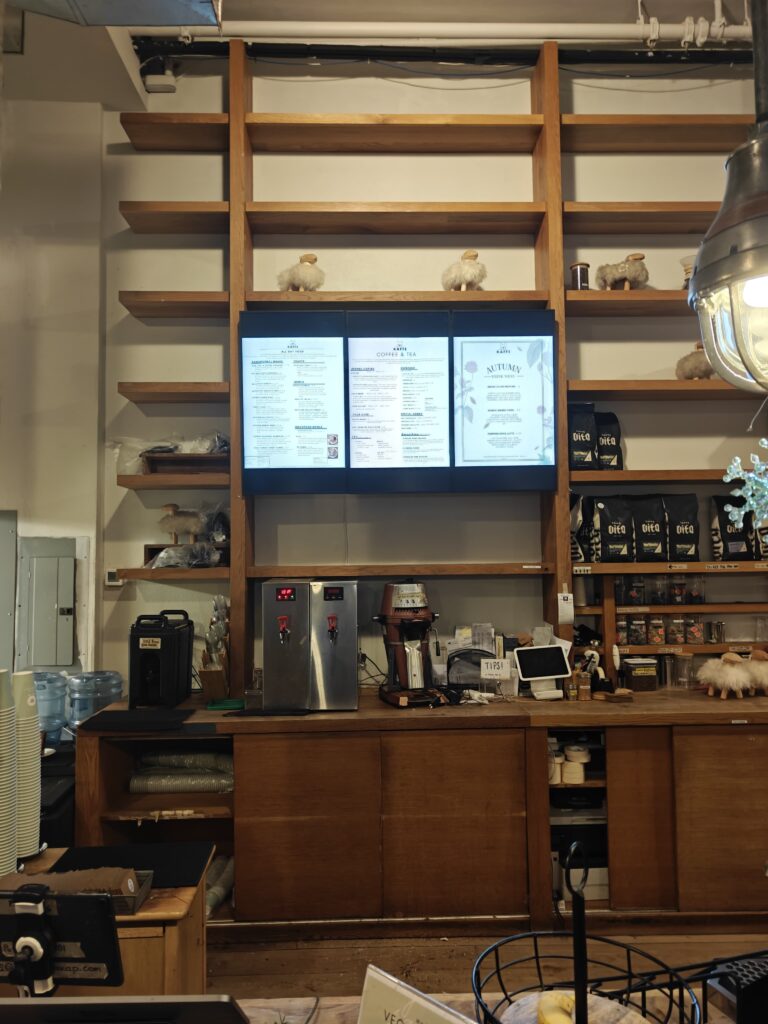
The QM55C supports both landscape and portrait mounting, which opens up use in menu boards, directories, and vertical retail signage. Portrait stability is especially important: the chassis feels rigid enough that we’re not concerned about warping over time under continuous operation.
Installation Considerations
Key points for installers:
- VESA 200 x 200: works with a broad range of commercial wall mounts and swing arms.
- Weight ~34.6 lbs: light enough for single-tech handling in many cases, though two-person installs are still best practice.
- Cable access: ports are side- and downward-facing, making it easier to manage cabling in tight recesses or kiosks.
The display is rated for 0–40°C operation, which is fine for conditioned indoor spaces but not for semi-outdoor or sun-exposed installations. In controlled environments like offices, retail, and hospitality, the build feels appropriate for continuous 24/7 running.

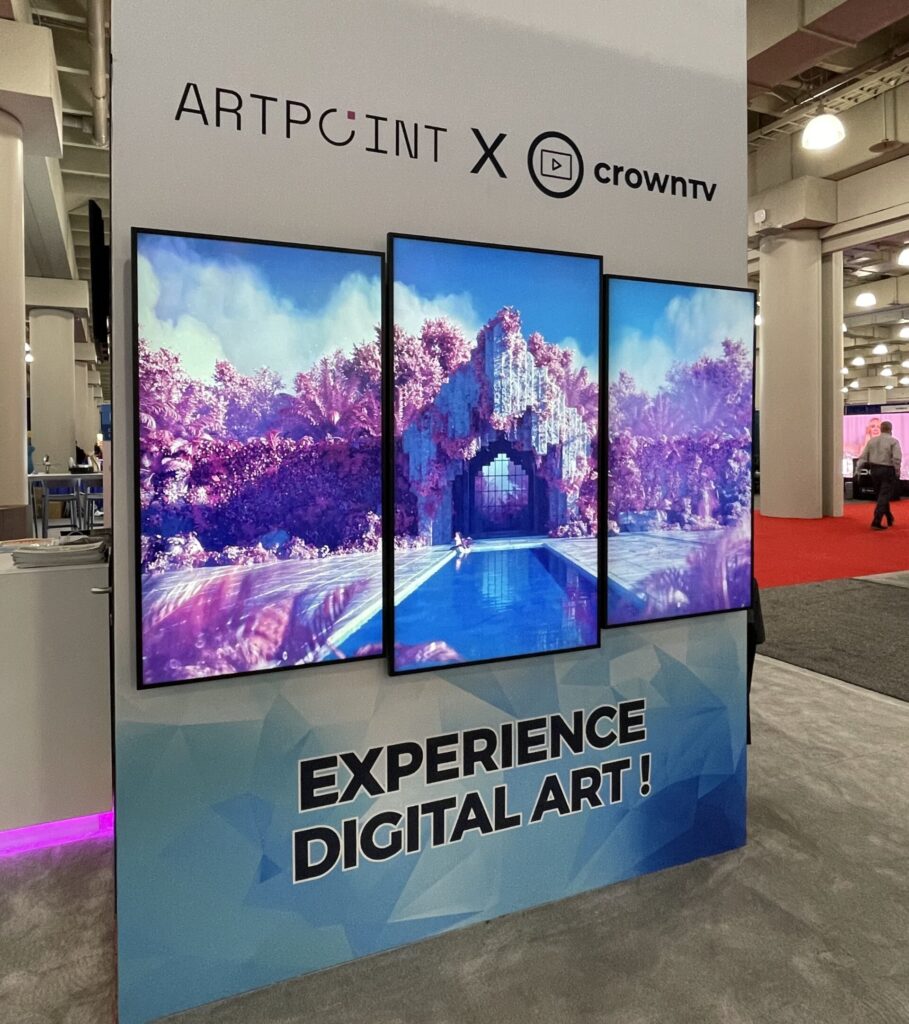
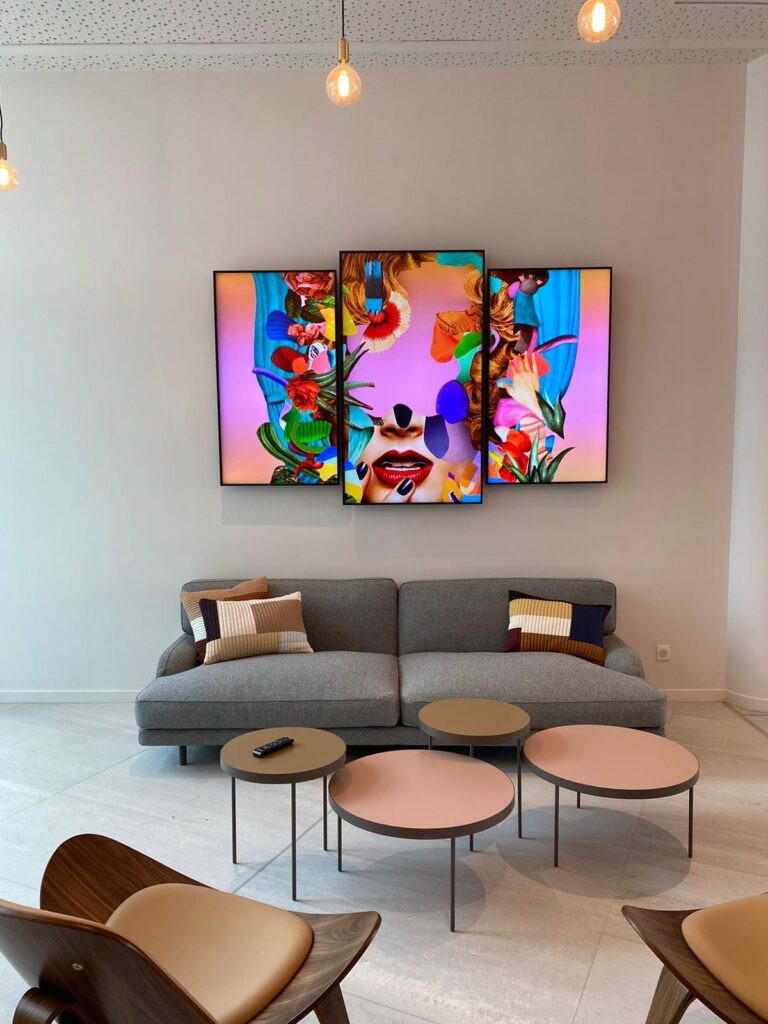
Display Performance And Reliability
Image Quality
With 4K UHD (3840 x 2160) resolution on a 55″ panel, pixel density is more than enough for close-up viewing. Fine text and detailed graphics stay crisp, which matters for dashboards, meeting content, and high-end retail visuals.
The VA panel with a 4000:1 contrast ratio delivers deep blacks compared to many entry-level IPS signage panels. Combined with Dynamic Crystal Color and about 72% NTSC color coverage, the QM55C produces rich, saturated imagery that works well for brand visuals and video-heavy content.
The 500-nit brightness sits in the sweet spot for:
- Bright offices and meeting rooms
- Most retail interiors
- Hotel lobbies and corridors
It isn’t a high-bright sunlight-readable display, but for typical indoor light levels, it’s more than adequate.
Non-Glare and Viewing Angles
The non-glare surface does a solid job of softening reflections from overhead lighting. We still recommend thoughtful placement relative to windows and accent lights, but in most deployments the screen remains readable without harsh glare.
The stated 178° viewing angle is realistic for practical use. Colors and contrast hold up well across a typical lobby or wide meeting room.
Processing and Upscaling
Samsung’s Quantum Processor Lite 4K and Intelligent UHD upscaling help standard 1080p signage content look clean on a 4K canvas. For teams that haven’t fully migrated to 4K media, this is a real advantage, existing assets remain usable without looking soft or heavily aliased.
Reliability for 24/7 Use
The QM55C is specified for 24/7 operation, and its thermal design appears tuned for continuous duty rather than occasional meeting-room use. For applications like control rooms, transit corridors, or public information screens, that rating is essential.
In our view, the combination of VA panel, consistent brightness, and 24/7 spec makes the QM55C a dependable choice for always-on signage, provided it’s installed in a properly ventilated, indoor environment.
Smart Features, Software, And Management
Tizen OS and Built-In Player
The Samsung QM55C runs on Tizen, Samsung’s mature smart signage platform. For many deployments, this eliminates the need for an external media player.
Key capabilities include:
- MagicInfo S10 integrated player for scheduling and playing back content from internal storage, USB, or network sources.
- 16GB internal storage (around 10GB usable) for local media, useful when network bandwidth is constrained.
- Support for common media formats and playlists, reducing the complexity of basic signage setups.
For small to mid-sized networks, this built-in functionality can simplify rollouts, fewer boxes, fewer cables, fewer failure points.
Advanced CMS and Remote Control
For larger fleets, Samsung’s VXT (cloud-based CMS, subscription-based) adds centralized control and content distribution. From an AV/IT perspective, this is crucial:
- Template-based content creation and scheduling across many locations.
- Remote monitoring of display status and health.
- Firmware and configuration management at scale.
We see real operational value here, but the subscription cost and platform lock-in should be factored into planning.
Collaboration and Screen Sharing
The display supports SmartView+ screen sharing and wireless connectivity, allowing casting from laptops and mobile devices. While this doesn’t replace a dedicated room system in high-end conference rooms, it works well for:
- Ad-hoc presentations in flexible meeting spaces.
- Training rooms where multiple users need to share content.
- Temporary event setups where cabling is limited.
Overall, the smart stack on the QM55C is robust enough that many buyers can simplify their hardware architecture and rely more on the built-in ecosystem.
👉 Need A Samsung QM55C?
🚚 Fast Shipping. Competitive Pricing. All Inquiries Answered Within 1 Business Hour
We Supply Commercial-Grade Digital Displays And Can Handle Everything — Screen Sourcing, Mounting, And Professional Installation
👉 Buy Now – Samsung QM55C
Connectivity, Integration, And Compatibility
From an integration standpoint, the Samsung QM55C covers the core needs of most commercial projects.
Physical Connectivity
- 3 x HDMI 2.0: Enough for a signage player, local PC, and backup source. All support 4K@60Hz and HDCP 2.2, so 4K media, streamers, and modern PCs work without issues.
- 1 x DisplayPort 1.2: Useful for daisy-chaining in some AV workflows or when DP cabling is preferred.
- 2 x USB 2.0: For media playback or service.
- Audio out (stereo mini jack): Handy when routing sound to external amplifiers or ceiling speakers.
Control and Network Integration
- RS232C (in/out) for traditional serial control from automation processors.
- RJ45 Ethernet for IP control, remote monitoring, and CMS connectivity.
- Wi‑Fi and Bluetooth for wireless management and screen sharing.
In practical terms, this means the QM55C can live comfortably in both AV-driven and IT-driven environments. It integrates with:
- External signage players and SoC-agnostic CMS platforms.
- Room control systems (via RS232 or IP).
- Video conferencing and collaboration setups where the display is essentially a large 4K monitor.
Wireless screen sharing for up to multiple sources can be useful in education and training spaces, though for mission-critical rooms we’d still lean on wired inputs for reliability.
Total Cost Of Ownership And Operational Considerations
Power and Operating Efficiency
With a typical power draw of about 154W, the Samsung QM55C is reasonably efficient for a 55″ 4K, 500‑nit signage display. For 24/7 deployments, this adds up, but it’s in line with what we expect from this class of product.
Over large fleets, power management settings in Tizen and CMS controls can help:
- Dim or power down displays after hours.
- Use schedules to align runtime with business hours when 24/7 isn’t strictly required.
- Reduce brightness in less demanding environments.
Space and Infrastructure
The ultra-slim 28.5 mm depth can indirectly reduce infrastructure costs:
- Shallower wall builds for recessed niches.
- Cleaner ADA-compliant installations in corridors and public paths.
- More flexibility in retail fixtures and menu board structures.
We also like that the QM55C uses a standard 200 x 200 VESA pattern: this keeps mount costs predictable and allows reuse of existing mounting hardware in many retrofit projects.
Software and Licensing
While the built-in MagicInfo S10 player is included, more advanced, centralized management via Samsung VXT requires a subscription. For small sites, you may not need it. For multi-site retail or enterprise deployments, we’d budget for a CMS, whether Samsung’s or a third-party platform.
Overall, the QM55C’s TCO is influenced less by the panel itself and more by how you manage content, power schedules, and remote monitoring across your network.
Pros And Cons For Commercial Buyers
From a commercial buyer’s perspective, the Samsung QM55C brings clear strengths, with a few limitations to be aware of.
Pros
- Slim, professional design that looks clean in lobbies, retail spaces, and meeting areas.
- 4K UHD with VA contrast and 500‑nit brightness, delivering sharp, vibrant signage in typical indoor lighting.
- Non-glare panel improves readability under overhead lighting.
- 24/7 operation rating, suitable for always-on public information and branding.
- Tizen + MagicInfo S10 built-in, often removing the need for external players.
- Good connectivity mix (3x HDMI, DP, USB, RS232, RJ45, Wi‑Fi, BT) for varied AV/IT ecosystems.
Cons
- No integrated TV tuner, so it’s not a drop-in replacement for consumer TVs in broadcast-heavy environments.
- Table stand typically separate, so wall-mounting is the default assumption: budget and plan mounts accordingly.
- Advanced CMS features require subscription, whether with Samsung VXT or a third-party platform.
- Not a high-bright outdoor solution: direct-sun or window-facing installations may need a brighter class of display.
For most indoor signage and corporate applications, we find the pros significantly outweigh the cons, as long as the use case doesn’t depend on live TV or semi-outdoor visibility.
Comparison With Key Alternatives
The Samsung QM55C competes directly with other 55″ 4K commercial signage panels from major brands. Here’s how it generally stacks up conceptually against common alternatives.
| Feature / Aspect | Samsung QM55C | Typical Basic 55″ 4K Signage Display | Higher-End Competitor (same size) |
|---|---|---|---|
| Brightness | 500 nits | 350–400 nits | 500–700+ nits |
| Depth | ~28.5 mm (very slim) | Often thicker | Similar or slightly thicker |
| Operation rating | 24/7 | Often 16/7 | 24/7 |
| Smart platform | Tizen + MagicInfo S10 | Basic SoC or external player required | Proprietary smart platform (e.g., webOS) |
| CMS ecosystem | MagicInfo / VXT cloud (subscription) | Varies: usually third‑party | Brand CMS: similar licensing |
| Connectivity | 3x HDMI, DP, USB, RS232, RJ45, Wi‑Fi, BT | 2x HDMI, minimal control interfaces | Comparable |
| Use case sweet spot | Indoor 24/7 signage, corporate, retail | Budget signage, light‑duty usage | Premium environments, complex integrations |
Versus basic 4K commercial displays, the QM55C is typically brighter, slimmer, and more feature-complete, especially on the smart signage side.
Against higher-end competitors, the QM55C holds its own in everyday commercial environments while avoiding some of the extra complexity, and sometimes over‑specification, of flagship-level models.
For integrators already working with Samsung’s signage ecosystem, the QM55C fits naturally into existing fleets and management tools.
👉 Need A Samsung QM55C?
🚚 Fast Shipping. Competitive Pricing. All Inquiries Answered Within 1 Business Hour
We Supply Commercial-Grade Digital Displays And Can Handle Everything — Screen Sourcing, Mounting, And Professional Installation
👉 Buy Now – Samsung QM55C
Best Use Cases And Ideal Environments
Based on its spec profile and platform, here’s where the Samsung QM55C tends to perform best.
Retail and QSR Signage
- Menu boards in quick-service restaurants (portrait or landscape).
- Promotional displays near entrances and key aisles.
- End-cap signage where the slim depth keeps fixtures tidy.
The brightness and non-glare coating handle typical store lighting well, and built-in MagicInfo support simplifies content distribution across chains.
Corporate and Office Environments
- Lobby welcome screens and branding walls.
- Internal communications in corridors, cafeterias, and collaboration spaces.
- Large-format dashboards in operations centers or NOCs.
Here, 4K resolution and 24/7 rating support both always-on metrics and occasional presentation use.
Hospitality and Public Spaces
- Hotel lobbies and conference centers for event schedules and wayfinding.
- Transportation hubs and campuses in controlled indoor areas for announcements and navigation.
The slim design helps the display blend into architectural finishes and digital wayfinding totems.
Where It’s Not Ideal
We’d be cautious about using the QM55C in:
- Direct-sun or semi-outdoor spaces, where a higher‑brightness, outdoor-rated model is more appropriate.
- Broadcast-centric environments that rely on integrated tuners.
Within its intended indoor signage role, though, it’s a strong all-rounder.
Who Should Buy The Samsung QM55C (And Who Shouldn’t)
The QM55C Is a Strong Fit If You:
- Need reliable 24/7 indoor signage with consistent image quality.
- Operate retail, QSR, hospitality, or corporate environments where a clean, slim aesthetic matters.
- Prefer to leverage built-in Tizen and MagicInfo instead of managing a fleet of external media players.
- Want 500‑nit brightness and good contrast without stepping into specialized high-bright or outdoor lines.
- Are already standardized on Samsung’s signage ecosystem or plan to manage multiple Samsung displays via CMS.
You May Want to Look Elsewhere If You:
- Require an integrated TV tuner for live broadcast usage as a core function.
- Are deploying in window-facing or semi-outdoor locations where significantly higher brightness is essential.
- Are focused strictly on lowest upfront hardware cost, with minimal need for 24/7 operation or smart features.
- Intend to use the display only as a basic monitor in back-of-house settings, where the advanced platform may be underutilized.
For commercial buyers balancing performance, reliability, and manageability, the Samsung QM55C hits a useful middle ground that fits many mainstream signage and corporate applications.
👉 Need A Samsung QM55C?
🚚 Fast Shipping. Competitive Pricing. All Inquiries Answered Within 1 Business Hour
We Supply Commercial-Grade Digital Displays And Can Handle Everything — Screen Sourcing, Mounting, And Professional Installation
👉 Buy Now – Samsung QM55C
Final Verdict And Recommendation
The Samsung QM55C 55″ commercial display combines a slim 4K VA panel, 500‑nit brightness, and 24/7 rating with a mature Tizen-based signage platform. For most indoor retail, corporate, and hospitality environments, that combination delivers the performance and reliability we look for without overcomplicating deployment.
If you’re planning or expanding an indoor digital signage network and want a balance of visual quality, continuous-duty reliability, and integrated content management, the Samsung QM55C is a solid, business-ready choice to put on your shortlist.
Samsung QM55C – Frequently Asked Questions
What is the Samsung QM55C and who is it best suited for?
The Samsung QM55C is a 55″ 4K UHD commercial signage display with a slim 28.5 mm chassis, 500-nit brightness, and a 24/7 operation rating. It’s best suited for indoor retail, corporate, hospitality, and public information use where always-on reliability and a professional, low-profile look are important.
Is the Samsung QM55C good enough for 24/7 digital signage use?
Yes. The Samsung QM55C is specifically rated for 24/7 operation and designed for continuous-duty environments like lobbies, control rooms, and retail signage. As long as it’s installed in a properly ventilated, indoor space within its 0–40°C operating range, it’s a dependable choice for always-on content.
Does the Samsung QM55C need an external media player?
Not necessarily. The QM55C runs Samsung’s Tizen platform and includes a built-in MagicInfo S10 media player with about 10GB of usable internal storage. For many small to mid-sized deployments, this is enough to handle playlists, scheduling, and basic signage content without adding external players or extra cabling.
Can I use the Samsung QM55C as a TV for live broadcast channels?
The Samsung QM55C is a commercial signage display and does not include a built-in TV tuner. To watch live broadcast channels, you’d need an external set-top box, IPTV receiver, or similar device connected via HDMI, making it less convenient than a consumer TV for tuner-driven use cases.
How does the Samsung QM55C compare to higher-brightness outdoor displays?
The QM55C offers 500 nits of brightness, which is ideal for typical indoor lighting in offices, retail, and hospitality. Outdoor and window-facing displays often exceed 2,000–3,000 nits and include weatherproofing. For direct-sun or semi-outdoor installations, a dedicated high-bright, outdoor-rated model is a better choice than the QM55C.
If you’re comparing different Samsung commercial display options, you may also find these guides useful:
Samsung OH55A-S
Samsung QM85C
Samsung QM43C
Samsung QM75C
Samsung QM50C
Samsung QM65C
Samsung QM55C
Samsung OM55B
Samsung OM75A,
Samsung The Wall All-in-One 146″
