

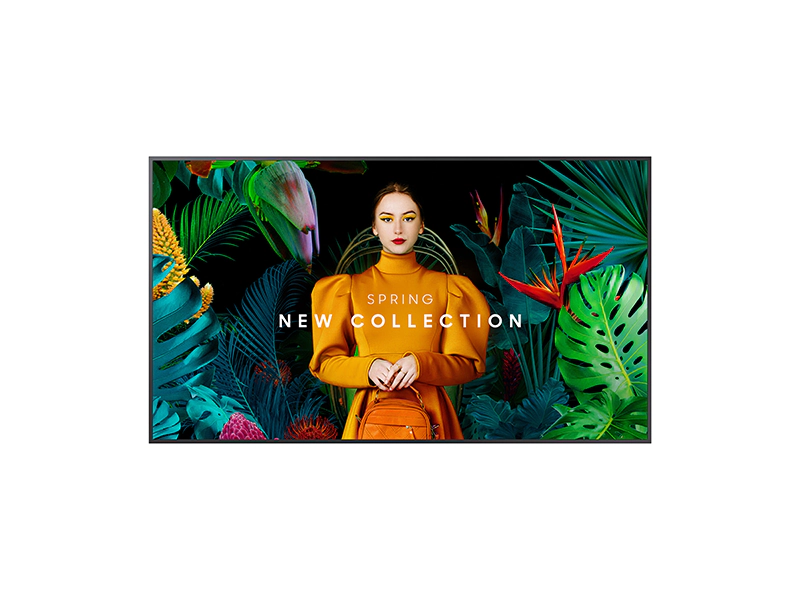
👉 Need A Samsung QM43C?
🚚 Fast Shipping. Competitive Pricing. All Inquiries Answered Within 1 Business Hour
We Supply Commercial-Grade Digital Displays And Can Handle Everything — Screen Sourcing, Mounting, And Professional Installation
👉 Buy Now – Samsung QM43C
When we look at 43″ commercial displays for 24/7 signage, the Samsung QM43C comes up frequently in specs sheets and project bids. It’s a 4K UHD, always‑on screen with an ultra‑slim profile, built‑in Tizen platform, and Samsung’s MagicInfo ecosystem. In this guide, we focus specifically on the Samsung QM43C, how it performs in real signage scenarios, where it fits best, and where its limitations might matter for your project.
commercial display: At A Glance
The Samsung QM43C is a 43″ 4K commercial display aimed at digital signage and information screens in environments that run content all day, every day.
Quick facts about the Samsung QM43C:
- Screen size: 43″ (measured diagonally)
- Resolution: 3840 x 2160 (4K UHD)
- Panel type: VA LCD
- Brightness: 500 nits (typical)
- Contrast ratio: 4000:1
- Color: 10‑bit support, Dynamic Crystal Color (approx. 1 billion shades)
- Depth: About 1.1″ (28.5 mm)
- Operation: Rated for 24/7 use
- Platform: Tizen SSSP 10.0 with MagicInfo support
In practical terms, that combination targets businesses that need a slim, wall‑friendly 4K display that can stay on around the clock, handle signage content locally, and integrate into a broader network of screens without extra media players.
Key Specs And Features
Here’s how the Samsung QM43C breaks down on paper and what those specs actually mean day to day.
Display
- Resolution: 4K UHD (3840 x 2160)
- Brightness: 500 nits
- Contrast: 4000:1
- Viewing angle: 178° (horizontal/vertical)
- Color: 10‑bit, ~72% NTSC, Dynamic Crystal Color
- Signal support: 4:4:4 chroma at 60 Hz
- Surface: Non‑glare
For signage, 500 nits with a non‑glare coating is a sweet spot for most indoor environments, bright enough for retail floors and office lobbies but not in the “window‑blasting” category of high‑brightness displays. The 4:4:4 support at 60 Hz is useful if we’re planning on fine text, dashboards, or PC sources.
Audio
- Speakers: 2 x 10 W (20 W total)
- Processing: Adaptive Sound, 7‑band EQ
- Wireless: Bluetooth audio
The onboard speakers are serviceable for basic background audio or small conference spaces. For restaurants with music or noisy retail, we’d still plan on external audio.
Connectivity
- Video inputs: 3 x HDMI 2.0, 1 x DisplayPort
- USB: 2 x USB ports
- Network: Ethernet (LAN), dual‑band Wi‑Fi
- Control: RS‑232C, IR, 3.5 mm audio
The three HDMI ports plus DisplayPort cover most players and PCs. RS‑232C and network control make it suitable for integrated AV control systems and remote device management.
Smart / Signage Features
- OS: Tizen SSSP 10.0
- CMS: MagicInfo S10 compatible (with optional server/VXT subscription for advanced features)
- Screen sharing: SmartView+ (up to 6 screens mirrored)
- Calibration: Smart Calibration via mobile app
Tizen and MagicInfo are the key differentiators here. We can run signage content directly on the display, schedule playlists, and manage screens centrally when tied into Samsung’s CMS stack.
Power and Physical
- Typical power: ~121 W
- Standby: < 0.5 W
- Weight: Approx. 24.9 lb
- VESA mount: 200 x 200 mm
- Dimensions (W x H x D): ~38.2″ x 21.9″ x 1.1″
The low depth makes it easy to treat more like a digital panel than a conventional TV, especially when multiple units are tiled or placed in high‑traffic corridors.
👉 Need A Samsung QM43C?
🚚 Fast Shipping. Competitive Pricing. All Inquiries Answered Within 1 Business Hour
We Supply Commercial-Grade Digital Displays And Can Handle Everything — Screen Sourcing, Mounting, And Professional Installation
👉 Buy Now – Samsung QM43C
How We Evaluated The Samsung QM43C
Our assessment of the Samsung QM43C is based on:
- Manufacturer documentation (Samsung spec sheets and user manuals)
- Major commercial AV retailers (for feature descriptions and typical use scenarios)
- Comparisons to similar 43″ 4K commercial panels we see specified in retail, QSR, and office projects
We focused on:
- Signage performance: readability, brightness, color, and upscaling behavior.
- Operational suitability: 24/7 rating, power consumption, and platform stability.
- Integration: connectivity options, control protocols, and CMS compatibility.
- Practical deployment: mounting, cabling, and day‑to‑day management.
We’re treating this as a commercial signage display, not a living‑room TV, so our priorities lean toward reliability, manageability, and clarity for content that may run nonstop.
Design, Build Quality, And Form Factor
The first thing that stands out about the Samsung QM43C is the depth: roughly 1.1″. On a low‑profile mount, it sits close to the wall, which matters in narrow corridors, elevators lobbies, or meeting spaces where screens should look integrated rather than stuck on.
Bezel and Orientation
The bezels are slim and uniform, which is helpful when we rotate the display for portrait orientation. That’s particularly relevant for menu boards, digital posters, or wayfinding totems.
Samsung positions the VESA pattern centrally on the back, which improves balance on the wall and reduces sagging or tilt issues over time.
Finish and Visibility
The non‑glare surface is a practical choice. It doesn’t eliminate reflections entirely, but in overhead‑lit offices and retail spaces it keeps content legible without the “mirror” effect we see on glossy panels.
Build quality feels consistent with Samsung’s professional series: robust chassis, tidy port layout, and thermal design intended for continuous duty rather than occasional use.
Display Performance
From a signage perspective, the Samsung QM43C’s performance is driven by three core elements: 4K resolution, the Quantum Processor Lite 4K, and Dynamic Crystal Color.
Clarity and Upscaling
Most digital signage content is still 1080p or lower. The QM43C’s Quantum Processor Lite 4K handles upscaling cleanly enough that menus, tickers, and dashboards look sharp without obvious artifacts, provided the source isn’t heavily compressed to begin with.
Text legibility is strong, especially at typical viewing distances in lobbies and meeting rooms. The 4:4:4 support at 60 Hz also helps when using PC inputs for spreadsheets or control UIs.
Brightness and Contrast
At 500 nits with a 4000:1 contrast ratio, the display holds up well in:
- Retail floors with mixed natural and artificial light
- Bright office environments
- Public spaces like airports and campuses (away from direct sun)
It’s not a high‑brightness window display, so we wouldn’t place it directly against strong sunlight, but for most indoor placements the image remains punchy and readable.
Color and Calibration
Dynamic Crystal Color and 10‑bit support provide wide, smooth gradients, which matters for brand imagery and video content. Out of the box, Samsung’s presets are usable, but we prefer doing at least basic tuning:
- Adjusting backlight and contrast for the specific environment
- Tweaking gamma and color temperature to match other displays on site
Smart Calibration via the mobile app provides a straightforward path to better uniformity without specialist meters, especially helpful if we’re rolling out multiple QM43C units.
Smart Features, OS, And Content Management
The Samsung QM43C runs Tizen SSSP 10.0, which is Samsung’s embedded platform for professional displays.
Tizen and On‑Device Playback
With Tizen, we can:
- Play media files directly from USB or internal storage
- Run web apps and simple HTML5 signage
- Schedule playlists through the on‑screen interface
For small deployments, say, a single lobby screen or a menu board, this can remove the need for an external media player.
MagicInfo and Cloud Options
The QM43C is compatible with MagicInfo S10 and Samsung’s broader VXT cloud ecosystem (subscription or server licensing required for full functionality). With that in place, we get:
- Centralized content scheduling and distribution
- Monitoring of display status (online/offline, errors)
- Remote control of basic settings
This is where the Samsung QM43C becomes more attractive for multi‑site retailers and corporate networks that already use or plan to adopt Samsung’s signage stack.
Collaboration and Wireless Sharing
SmartView+ enables wireless mirroring from up to six devices simultaneously. While this is more of a meeting‑room feature than a classic signage function, it does allow the QM43C to double as a collaboration screen in smaller huddle rooms or training areas.
Overall, the smart feature set leans strongly toward professional signage and centralized management rather than consumer streaming apps, which is exactly what we’d expect from a commercial display.
Connectivity, Control, And Integration
For AV integrators and IT teams, the Samsung QM43C offers a well‑rounded port and control package.
Physical Connections
- 3 x HDMI 2.0 for media players, PCs, and conferencing systems
- 1 x DisplayPort for daisy‑chain or PC connections
- 2 x USB for media playback, firmware updates, or dongles
- LAN (Ethernet) and dual‑band Wi‑Fi for networked control and content
- 3.5 mm audio and IR in
This covers typical retail, QSR, corporate, and education use cases without needing adapters in most scenarios.
Control and Monitoring
- RS‑232C for traditional serial control
- Network control over LAN for integration with control systems or Samsung’s management tools
For centralized operations, being able to power cycle, change inputs, and monitor status remotely is essential. The QM43C fits into that model easily, whether we’re using Samsung’s own software or third‑party control platforms.
Wireless Audio
Bluetooth audio support lets us pair wireless speakers or soundbars when cabling is impractical. For mission‑critical audio (emergency announcements, paging), we’d still lean on wired systems, but Bluetooth can simplify smaller installs.
Installation, Setup, And Day‑To‑Day Operation
The installation process for the Samsung QM43C is straightforward, especially for teams familiar with VESA‑mount commercial displays.
Mounting and Physical Setup
- VESA 200 x 200 mm pattern works with a wide range of commercial wall mounts.
- The ultra‑slim 1.1″ depth keeps the profile tight to the wall.
- The weight (around 24.9 lb) is light enough for single‑technician handling in many cases, though we still prefer a two‑person lift for safety.
A key note: the desktop stand is typically a separate accessory, not included by default. For signage, this isn’t an issue, but it’s something to keep in mind for conference‑room deployments.
Initial Configuration
Out of the box, we’ll typically:
- Run the guided setup for language, network, and time.
- Update firmware if a newer release is available.
- Configure input priorities and power‑on behavior.
- Apply basic image settings and, if needed, Smart Calibration.
Daily Use and Operations
For day‑to‑day, the QM43C supports:
- Scheduled power on/off
- Input auto‑switching
- Low standby power (< 0.5 W)
Combined with the 24/7 rating, it’s well suited to environments where the screen is expected to run continuously with predictable schedules and minimal on‑site interaction.
👉 Need A Samsung QM43C?
🚚 Fast Shipping. Competitive Pricing. All Inquiries Answered Within 1 Business Hour
We Supply Commercial-Grade Digital Displays And Can Handle Everything — Screen Sourcing, Mounting, And Professional Installation
👉 Buy Now – Samsung QM43C
Reliability, Support, And Total Cost Of Ownership
The Samsung QM43C is built and specified for continuous, 24/7 operation, which is non‑negotiable in many signage projects.
Reliability Factors
- Thermal design and chassis built for extended runtimes
- VA panel rated for commercial use rather than consumer duty cycles
- Energy‑efficient operation with ENERGY STAR certification
While real‑world longevity always depends on environment (heat, dust, power quality), the design intent is clearly around always‑on deployments.
Warranty and Support
The model typically carries a 1‑year commercial warranty. Some resellers and regions offer extended coverage or service packages, which we’d strongly consider for large networks or mission‑critical locations.
Total Cost Of Ownership (TCO)
TCO for the Samsung QM43C is influenced by:
- Power draw (~121 W typical): moderate for a 43″ 4K commercial panel
- Minimal external hardware needs: thanks to onboard Tizen and MagicInfo compatibility
- Potential subscription/licensing for advanced CMS features in the Samsung ecosystem
For organizations already invested in Samsung signage, the QM43C generally fits into existing workflows and management platforms, which helps keep long‑term operational overhead manageable.
Strengths And Weaknesses
No commercial display is perfect for every scenario. Here’s how we see the Samsung QM43C’s pros and cons.
Strengths
- Ultra‑slim 1.1″ design: Ideal for tight spaces and clean, integrated wall installations.
- 500‑nit, non‑glare panel: Well‑balanced for most indoor environments with good readability.
- 4K with solid upscaling: Handles typical 1080p signage content and PC inputs cleanly.
- Tizen + MagicInfo support: Strong feature set for on‑device playback and centralized signage management.
- Versatile connectivity: 3x HDMI, DisplayPort, USB, LAN, Wi‑Fi, RS‑232C.
- 24/7 operation rating: Suitable for always‑on signage.
Weaknesses
- Tabletop stand usually not included: Adds cost/complexity for non‑wall installations.
- Advanced CMS features may require subscriptions or server licenses: Something to budget for if we want full MagicInfo/VXT capabilities.
- Basic 20 W audio: Adequate for simple use, but not a replacement for a dedicated sound system in busy or large spaces.
For most signage‑focused deployments, the strengths align closely with typical requirements: the weaknesses are manageable with proper planning.
Comparison With Key Alternatives
To put the Samsung QM43C in context, we compare it to a typical 43″ commercial 4K alternative, such as an LG webOS‑based display.
| Feature | Samsung QM43C | Typical Competitor (e.g., LG webOS Signage) |
|---|---|---|
| Size | 43″ | 43″ |
| Resolution | 4K UHD | 4K UHD |
| Panel Depth | ~1.1″ | ~2″ |
| Brightness | 500 nits | 350–500 nits |
| Contrast | 4000:1 (VA) | Often 1100:1–1400:1 (IPS) |
| OS / Platform | Tizen SSSP 10.0 + MagicInfo support | webOS with LG CMS |
| Operation | 24/7 | 16/7 or 24/7 depending on model |
| Connectivity | 3x HDMI, DP, USB, LAN, Wi‑Fi, RS‑232C | 2–3x HDMI, DP or DVI, LAN, some with Wi‑Fi |
In streamlined terms:
- The QM43C tends to win on depth, which matters for aesthetics and space constraints.
- The 500‑nit brightness and VA contrast give it an edge for perceived punch and black levels in many indoor environments.
- The choice between Tizen/MagicInfo and webOS often comes down to which ecosystem our organization already uses or prefers.
If we’re already standardized on Samsung signage, the QM43C slots in very cleanly. If our environment is LG‑centric, switching ecosystems just for this size might not be necessary unless the slimmer form factor or contrast is critical.
Best Use Cases And Who The QM43C Is For
The Samsung QM43C is most compelling when we need a slim, reliable 43″ 4K display that will be on for long stretches every day.
Ideal Use Cases
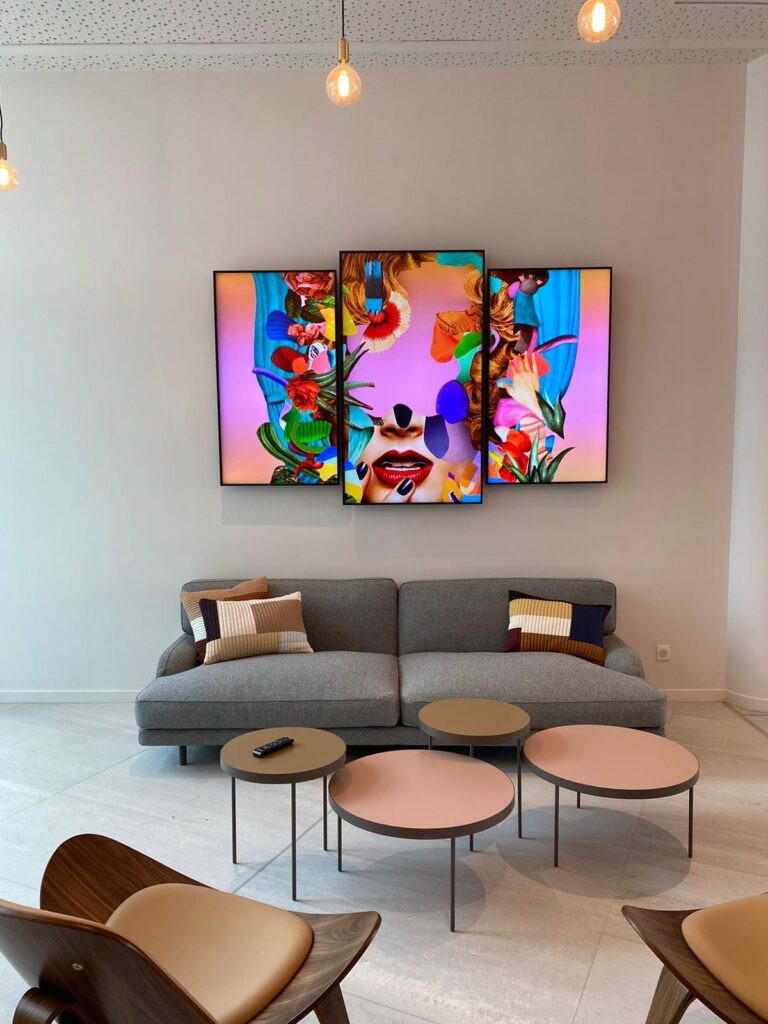
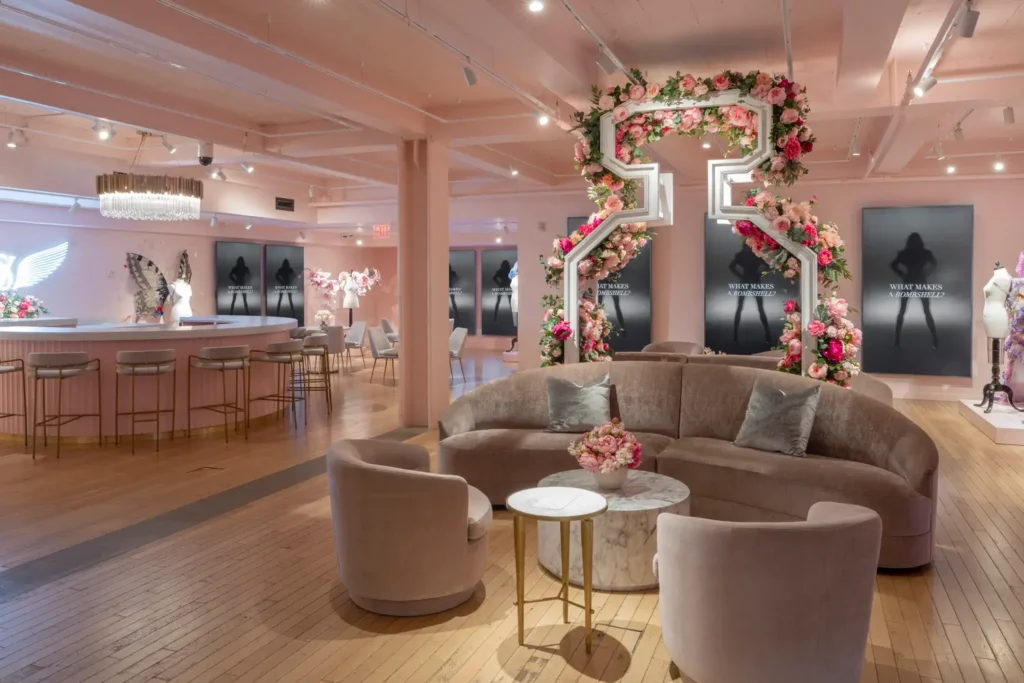
- Retail and showrooms: Product promos, branding loops, and info screens where a clean, wall‑hugging profile is important.
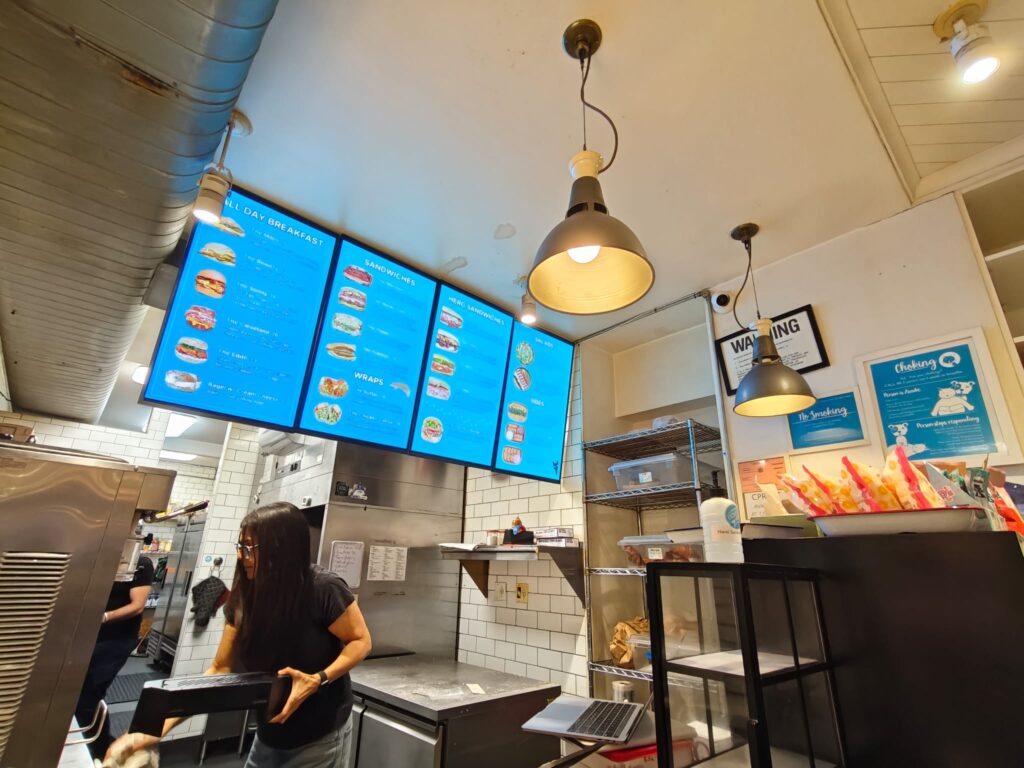
- Quick‑service and casual dining: Digital menu boards (portrait or landscape) running 24/7.
- Corporate offices: Lobby signage, wayfinding, and meeting‑room information displays.
- Transportation hubs and campuses: Flight info, schedules, and directory boards away from direct sun.
- Healthcare and education: Waiting‑room displays, digital bulletin boards, and basic dashboards.
Who Should Consider the Samsung QM43C
- Retailers and restaurant groups looking for a consistent 43″ signage standard across many sites.
- Office and facility managers who want dependable lobby and hallway displays tied into a central CMS.
- AV integrators already working with Samsung’s Tizen/MagicInfo ecosystem.
In short, the Samsung QM43C suits organizations that care about slim design, 24/7 operation, and a mature signage platform more than consumer‑style smart TV features.
Final Verdict And Recommendation
Viewed purely as a 43″ commercial signage display, the Samsung QM43C is a solid, workmanlike option: slim, bright enough for most indoor environments, built for 24/7 duty, and tightly integrated with Samsung’s Tizen and MagicInfo platforms.
We’d recommend the Samsung QM43C for:
- 24/7 indoor signage where space and appearance matter
- Deployments that will leverage Samsung’s CMS tools
- Projects needing reliable 4K clarity and non‑glare performance without moving to specialty high‑brightness panels
We’d look at alternatives if you need extremely loud onboard audio, a bundled tabletop stand, or if your organization is already locked into a different signage ecosystem. Otherwise, for a 43″ commercial 4K screen, the QM43C is a practical and well‑rounded choice for long‑term signage installations.
👉 Need A Samsung QM43C?
🚚 Fast Shipping. Competitive Pricing. All Inquiries Answered Within 1 Business Hour
We Supply Commercial-Grade Digital Displays And Can Handle Everything — Screen Sourcing, Mounting, And Professional Installation
👉 Buy Now – Samsung QM43C
Samsung QM43C – Frequently Asked Questions
What is the Samsung QM43C best used for?
The Samsung QM43C is best suited for 24/7 indoor digital signage, such as retail promos, digital menu boards, lobby information screens, wayfinding, and dashboards. Its 4K resolution, 500‑nit non‑glare panel, ultra‑slim 1.1″ depth, and Tizen/MagicInfo platform make it ideal for always‑on commercial environments.
Is the Samsung QM43C bright enough for retail and office environments?
Yes. With 500 nits of brightness, a 4000:1 VA contrast ratio, and a non‑glare surface, the Samsung QM43C is well‑balanced for most indoor retail floors, offices, campuses, and healthcare settings. It stays readable under mixed lighting but is not designed for direct, strong window sunlight like high‑brightness displays.
Can the Samsung QM43C run digital signage without an external media player?
Yes. The Samsung QM43C uses Tizen SSSP 10.0 and supports Samsung MagicInfo, allowing you to store and play media locally, run simple HTML5/web apps, and schedule playlists directly from the display. For larger networks, it integrates with MagicInfo/VXT for centralized content distribution and remote management.
How does the Samsung QM43C compare to a consumer 43″ 4K TV for signage?
Compared with a consumer TV, the Samsung QM43C offers a 24/7 operation rating, non‑glare commercial panel, slimmer 1.1″ depth, RS‑232C and LAN control, and integration with MagicInfo CMS. Consumer TVs typically lack 24/7 duty ratings, robust remote management, and may suffer faster wear in always‑on deployments.
What is the typical lifespan and reliability of the Samsung QM43C in 24/7 use?
As a commercial‑grade display rated for 24/7 operation, the Samsung QM43C is engineered for continuous use with professional thermal design and a VA panel suited to long duty cycles. In real deployments, lifespan often reaches several years of nonstop operation, assuming proper ventilation, clean power, and moderate ambient temperatures.
If you’re comparing different Samsung commercial display options, you may also find these guides useful:
Samsung OH55A-S
Samsung QM85C
Samsung QM43C
Samsung QM75C
Samsung QM50C
Samsung QM65C
Samsung QM55C
Samsung OM55B
Samsung OM75A,
Samsung The Wall All-in-One 146″
