

👉 Need A Samsung OM75 For Your Storefront?
🚚 Fast Shipping. Competitive Pricing. All Inquiries Answered Within 1 Business Hour
We Supply Commercial-Grade Window Displays And Can Handle Everything — Screen Sourcing, Mounting, And Professional Installation
👉 Request A Quote For The Samsung OM75A
If you’re researching the Samsung OM75 (more specifically the OM75A series) for a storefront or lobby, you’re probably trying to answer a few practical questions:
Will it be bright enough in my windows? How reliable is it for 24/7 use? And what does it actually take to install and manage it day to day?
In this guide, we’ll walk through how the Samsung OM75 fits into a modern digital signage strategy, the specs that matter in real environments, ideal use cases, and how we at CrownTV typically deploy it for retailers, restaurants, and corporate clients across the US.
What Is the Samsung OM75 and Where Does It Fit in Your Display Strategy?
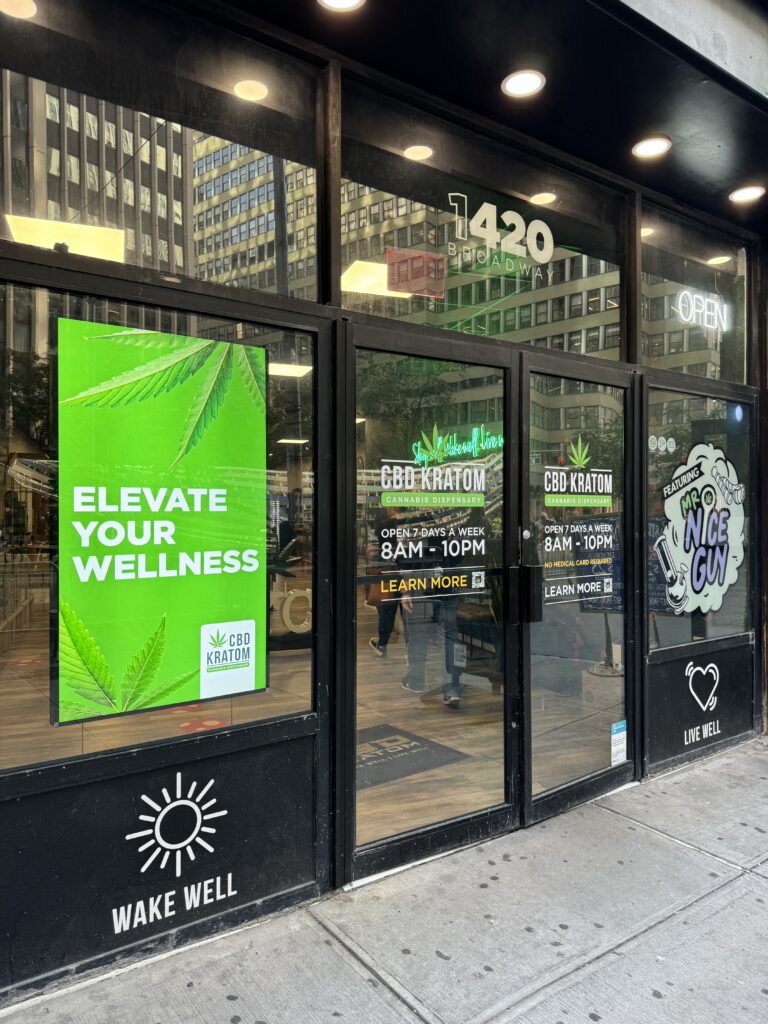
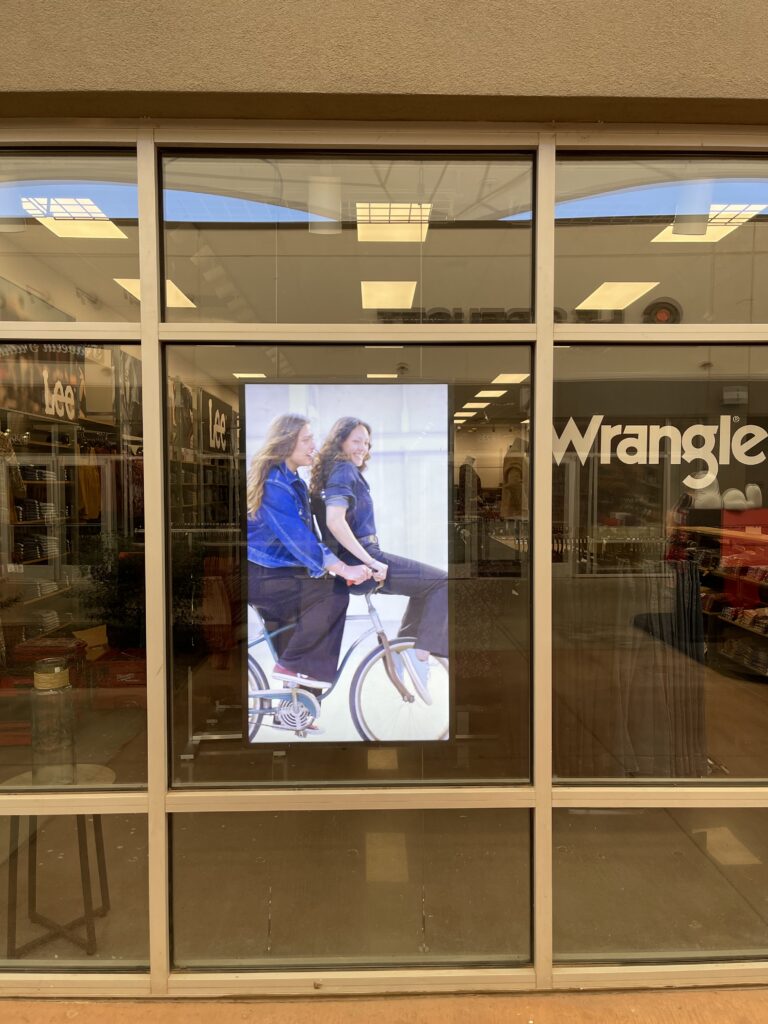
The Samsung OM75A is a 75″ high‑brightness, semi‑outdoor smart signage display built specifically for window‑facing environments.
Unlike regular indoor TVs or even standard commercial displays, the OM75 is engineered to cut through sunlight and glare. With around 4000 nits of typical brightness and a 4K UHD panel, it’s designed so your content stays readable and impactful even when the sun is hitting your glass frontage.
Where it fits in your strategy:
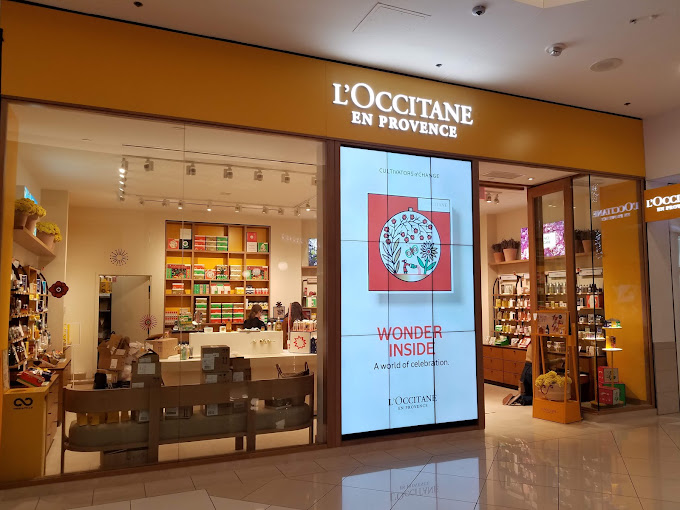
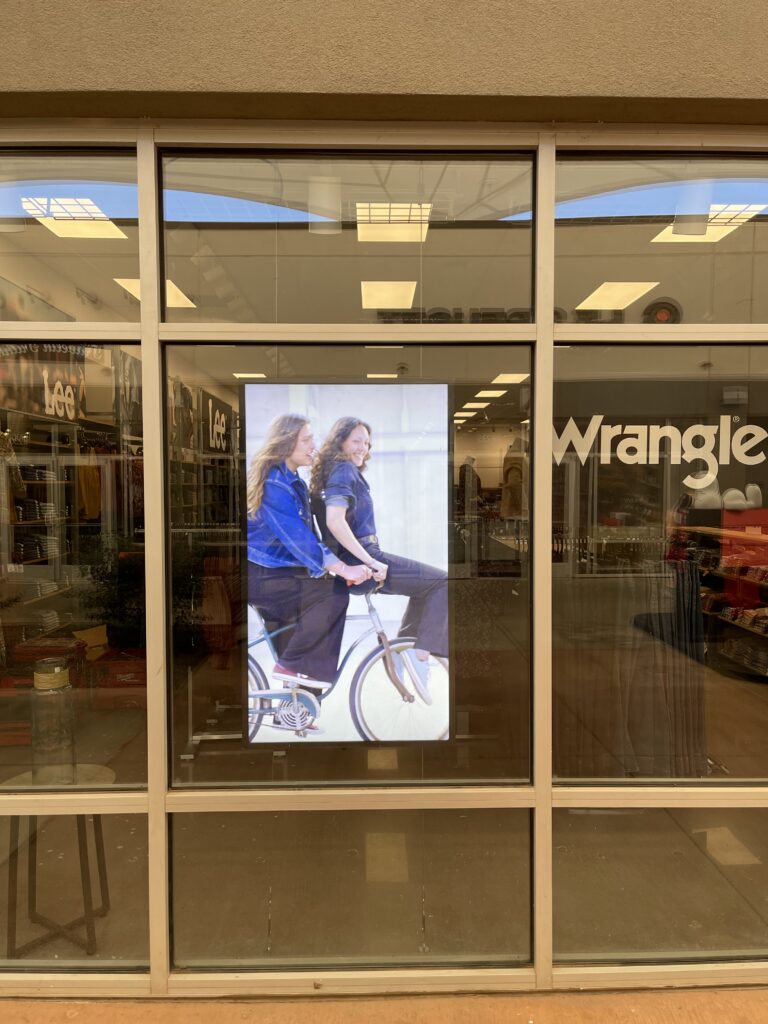
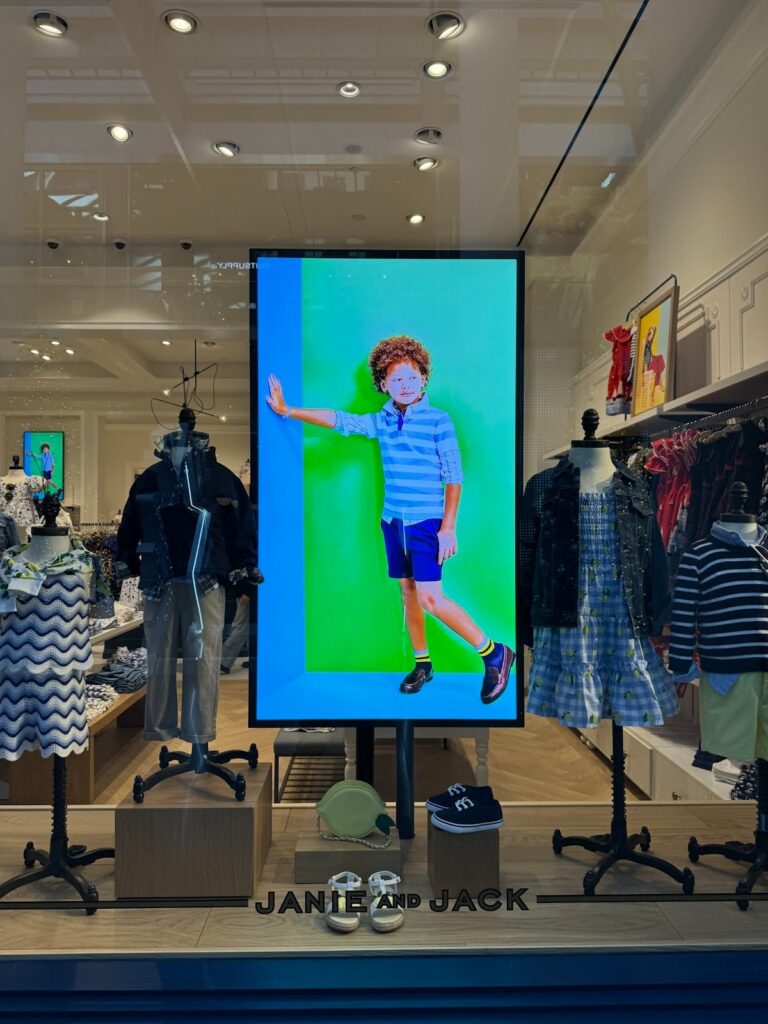
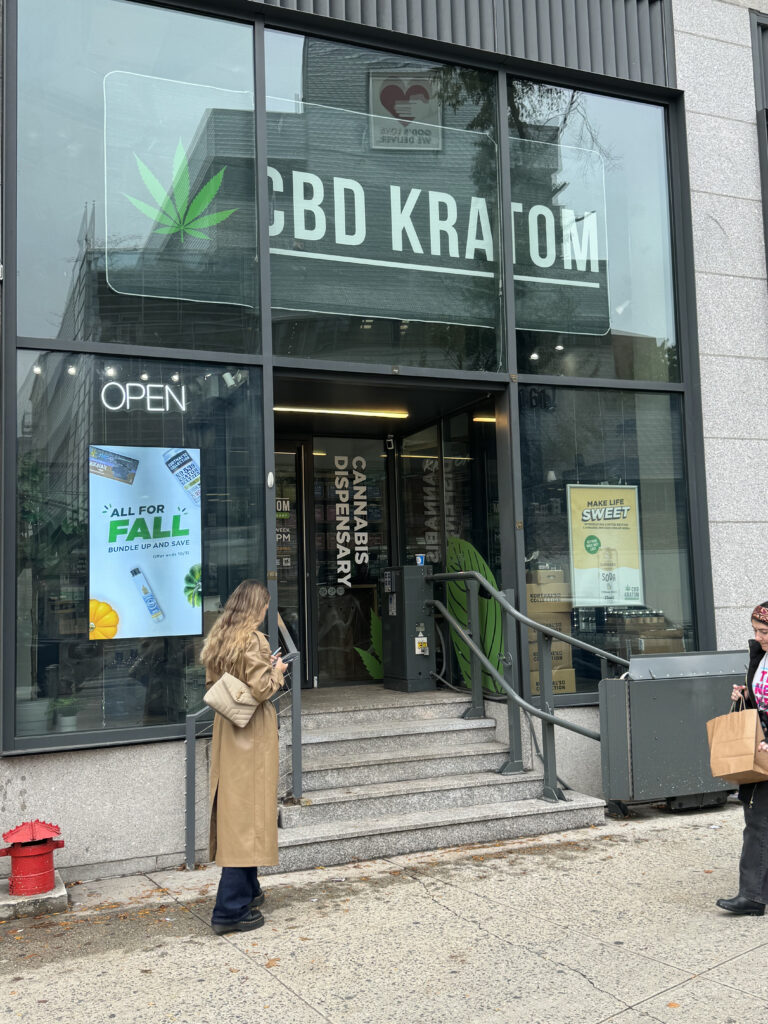
- Storefront attention grabber: Retailers and QSRs use the OM75 to replace static window posters with dynamic, day‑parted promotions.
- Semi‑outdoor wayfinding and info: Ideal for airports, campuses, transit hubs, and large venues where screens sit just behind glass.
- Corporate and mixed‑use buildings: For lobbies and atriums with large windows, it solves the “washed‑out screen” problem that plagues normal displays.
From a planning perspective, we usually position the OM75 as the “hero” window display in a network: it handles high‑impact, public‑facing content while standard indoor displays manage in‑store merchandising and internal communications.
If you have a sun‑exposed window and you’re serious about visibility, the Samsung OM75 is one of the main models you should be evaluating.
Key Technical Specifications That Matter in Real-World Use
Specs lists can get long quickly. When we design deployments with the Samsung OM75, these are the specs that actually affect daily performance, maintenance, and viewing experience.
Core Specs Overview: Size, Resolution, and Brightness
- Size: 75″ class, 16:9 aspect ratio, slim depth for window mounting.
- Panel type: Commercial TFT‑LCD (often ADS/VA), optimized for wide viewing.
- Resolution: 4K UHD (3840 × 2160) for crisp text and detailed visuals.
- Brightness: Around 4000 nits (typical). For context, most indoor commercial displays sit in the 350–700 nit range.
In practice, that brightness difference is the reason your content on an OM75 is legible at noon on a sunny day, while a regular display will look gray and faded.
Operating Hours, Durability, and Environmental Tolerance
The OM75 is designed for 24/7 operation, which matters if you run round‑the‑clock messaging or are in a location where powering down isn’t practical.
Durability features typically include:
- 24/7 rating for continuous commercial use.
- IP5X/IP56‑level protection (model‑dependent) for dust and moisture on the outward‑facing side, which is key for semi‑outdoor mounting or drafty entrances.
- Integrated thermal management and cooling to handle heat buildup from direct sun.
- Anti‑reflection / anti‑glare coating, helping combat both reflections from glass and ambient glare.
For buyers, the takeaway is simple: this isn’t a consumer TV repurposed for business. It’s built to handle harsher conditions and much longer duty cycles than residential gear.
Connectivity, Control, and Content Management Options
The Samsung OM75A is a smart signage display running Samsung’s Tizen OS, with an embedded media player. Connectivity typically includes:
- Ethernet (RJ‑45) for stable network control.
- HDMI inputs for external media players or video sources.
- USB ports for content import or accessories.
- Wi‑Fi (on many configurations) for wireless connectivity.
On the software side:
- Samsung’s MagicINFO platform lets you schedule and manage content remotely.
- The Crystal Processor 4K engine upscales lower‑resolution media to look sharper on the 4K panel.
At CrownTV, we often pair the OM75 with our cloud‑based digital signage software and media players when clients want a unified platform across different display brands. The built‑in player is a bonus, but for multi‑location networks, a dedicated player and centralized CMS usually yields better long‑term flexibility and easier IT management.
👉 Need A Samsung OM75 For Your Storefront?
🚚 Fast Shipping. Competitive Pricing. All Inquiries Answered Within 1 Business Hour
We Supply Commercial-Grade Window Displays And Can Handle Everything — Screen Sourcing, Mounting, And Professional Installation
👉 Request A Quote For The Samsung OM75A
High-Brightness Storefront Performance and Visual Quality
Bright windows are where the Samsung OM75 earns its keep. There are four main visual factors we look at during site surveys: brightness, glare, color, and viewing angles.
Readability in Direct Sunlight and High-Ambient Light
The 4000‑nit brightness is the headline feature, but what does that mean practically?
- In direct or near‑direct sunlight, your content remains legible and high‑contrast.
- White areas (like text backgrounds, price blocks, and QR codes) don’t collapse into a dull gray.
- You can comfortably run more subtle creative, gradients, photography, darker brand colors, without everything washing out.
For many retailers we’ve worked with, the upgrade from a 700‑nit indoor display to an OM75 has been the difference between a “nice‑to‑have” screen and a window that truly drives foot traffic.
Color Accuracy, Contrast, and Viewing Angles
The OM75’s 4K panel is enhanced with Dynamic Crystal Color (Samsung’s marketing name for a wide color gamut and refined color mapping). In real terms, that means:
- Brand colors look closer to what your designer intended.
- Product shots, food imagery, and lifestyle visuals appear more vivid and dimensional.
Contrast ratios in this line are typically in the 1200:1–5000:1 range, depending on specific configuration and measurement method. Combined with the brightness, this helps text and critical callouts stay sharp against backgrounds.
Because the OM75 uses an ADS/VA‑type commercial panel, it also offers wide viewing angles. People walking past your storefront or lobby at an angle still see a clear image instead of a washed, low‑contrast mess.
For content teams, the bottom line is reassuring: you don’t have to design “brute force” creatives with giant fonts and neon blocks just to be seen. You can stay on brand and still be visible.
Best Use Cases for the Samsung OM75 in Different Industries
We’ve seen the Samsung OM75 deployed in a wide range of environments. These are the scenarios where it consistently performs best.
Retail Storefronts and Shopping Malls
Retail is where the OM75 most obviously shines:
- Street‑facing windows: Promote seasonal campaigns, in‑store events, new arrivals, or time‑sensitive offers.
- Mall corridors: Use window‑facing screens to stand out among neighboring stores with static signage.
- Flagship locations: Build a high‑impact brand wall using one or more OM75 displays in large glass façades.
We typically recommend syncing content on OM75s with your indoor digital signage and e‑commerce calendar so your messaging feels cohesive across channels.
Restaurants, QSRs, and Cafés
For foodservice, the OM75 works extremely well in menu and promo roles near windows:
- Drive‑thru or street‑side windows for day‑parted specials.
- Café windows promoting breakfast vs. afternoon offers based on time of day.
- Large storefront windows in QSRs that show dynamic content instead of backlit posters.
Because the display is readable even under harsh light, your most profitable items and time‑sensitive combos don’t get lost midday when you need them noticed most.
Corporate Lobbies, Offices, and Mixed-Use Buildings
In commercial and corporate environments, the OM75 is a natural fit for bright lobbies and glass‑heavy atriums:
- Building directory and wayfinding near glass entrances.
- Welcome messaging and tenant branding in mixed‑use developments.
- Internal communications visible from both inside and outside the building.
We often install OM75s in spaces where architects originally specified standard indoor screens, only for the client to discover that sunlight from a façade of glass makes them nearly unreadable. Swapping to an OM75 usually solves that issue without needing to redesign the space.
Installation and Integration Considerations for the OM75
The Samsung OM75 is powerful, but like any semi‑outdoor display, the installation details determine whether you get full value from it. Here are the big planning items we walk through with clients.
Mounting Location: In-Window vs. In-Store Placement
You’ll typically choose between two main approaches:
- In‑window, facing out
- Mounted close to or directly on the inside of the glass.
- Maximizes visibility for passersby and outdoor traffic.
- Requires careful consideration of reflections, mounting hardware, and service access.
- Deeper in‑store, still sun‑exposed
- Positioned several feet inside but still getting high ambient light from large windows or skylights.
- Slightly less intense exposure to sun and temperature swings.
- Easier to integrate with interior décor and furniture.
The OM75 is relatively slim for its brightness class, which helps with ceiling mounts, wall mounts, or custom window frames. At CrownTV, we often collaborate with shopfitters or GCs to ensure the mount allows for service access without pulling the glass.
Power, Network, and Cable Management Planning
Window installations can get messy if you don’t plan cabling upfront. We usually address:
- Dedicated power circuits sized appropriately for high‑brightness displays.
- Hard‑wired Ethernet whenever possible (more stable than Wi‑Fi in busy RF environments).
- Cable guides and raceways so power and network lines are hidden and protected.
The OM75 includes design touches like cable channels to help keep the installation clean. But in practice, neat cabling is more about planning with your electrician and installer before glass and millwork go in.
Pairing With Media Players and Digital Signage Software
You can run content on the OM75 in three main ways:
- Built‑in (Tizen + MagicINFO): Good for smaller networks or Samsung‑only deployments.
- External media player: Our most common approach. We connect a CrownTV media player via HDMI, then manage content from our cloud‑based CMS, which supports multi‑brand display fleets, real‑time updates, and integrations (menus, social feeds, internal data, etc.).
- Local USB playback: Simple, but not ideal for dynamic content or multi‑location operations.
For serious retail, restaurant, or corporate deployments, we almost always recommend option #2. It keeps your OM75 displays flexible and makes scaling up far easier later.
👉 Need A Samsung OM75 For Your Storefront?
🚚 Fast Shipping. Competitive Pricing. All Inquiries Answered Within 1 Business Hour
We Supply Commercial-Grade Window Displays And Can Handle Everything — Screen Sourcing, Mounting, And Professional Installation
👉 Request A Quote For The Samsung OM75A
How the Samsung OM75 Compares to Other Window Display Options
When clients ask about the Samsung OM75, they’re usually weighing it against two main alternatives: other Samsung window series and full outdoor displays from various brands.
Comparing OM75 to Other Samsung Window Display Series
Within Samsung’s lineup, you’ll see related series like OM75R or OMB models. Broadly:
- Most of these share the 4000‑nit brightness and 4K resolution.
- The OM75A tends to emphasize semi‑outdoor window use, with dust resistance (like IP5X) and design tweaks for storefronts and indoor‑behind‑glass applications.
- Full outdoor units (often in the OH series) are built for direct outdoor exposure, with higher weatherproofing standards and enclosures, but they’re typically more expensive and bulkier.
If your display is behind glass, the Samsung OM75 is usually the most efficient choice. If the screen will be directly outdoors, fully exposed to rain and vandalism, a different outdoor model may be better suited.
Total Cost of Ownership and Longevity Considerations
On paper, the OM75 costs more than a standard indoor commercial display or, worse, a consumer TV. But when we look at total cost of ownership (TCO), the picture changes:
- Longevity: The 24/7 rating and thermal management mean the panel is far less likely to fail prematurely in hot, bright environments.
- Reduced replacement cycles: Using the wrong display type often leads to frequent swaps once panels dim, burn in, or overheat.
- Energy vs. effectiveness: Yes, it’s a high‑brightness screen and draws more power, but if the content is actually visible and driving traffic or sales, the ROI usually justifies the operating costs.
In our experience, businesses that try to “save” by putting indoor displays in windows typically end up paying more within a couple of years through replacements, downtime, and lost marketing impact.
Is the Samsung OM75 the Right Choice for Your Project?
The Samsung OM75 is a strong fit if:
- Your screen will sit in or near a bright window with frequent direct or indirect sunlight.
- You need a professional, 24/7‑rated display that can run continuously without babying it.
- The display is behind glass rather than fully exposed to outdoor weather and vandalism.
- Visual impact and brand presentation are important (retail, QSR, hospitality, corporate).
It might not be the perfect fit if:
- Your environment is relatively dim or fully interior: a standard indoor commercial display could be more cost‑effective.
- You truly need a full outdoor solution, bus shelters, parking lots, or drive‑thru canopies fully exposed to rain and snow.
If you’re unsure, we usually recommend a site assessment: measure light levels at different times of day, review photos of the space, and map your content strategy. At CrownTV, we do this as part of our design process so you’re not guessing between brightness levels and model families.
Conclusion
Choosing the right window display is less about chasing specs and more about matching a screen to your environment, content, and long‑term plans. The Samsung OM75 hits a sweet spot for many storefront and lobby applications by pairing serious brightness with 4K quality, 24/7 reliability, and flexible integration options.
Below is a quick, structured recap of the key decision points we walk through with clients when evaluating the OM75 for digital signage deployments.
Core Specs Overview: Size, Resolution, and Brightness
- 75″ 4K UHD panel for large, detailed visuals and crisp typography.
- Around 4000 nits brightness, purpose‑built for high‑ambient and sunlit environments.
- Commercial‑grade design, slim profile, and 16:9 layout ideal for full‑screen video, menus, and promotional content.
Operating Hours, Durability, and Environmental Tolerance
- Engineered for 24/7 operation, reducing the risk of early failures in always‑on applications.
- Dust and moisture resistance (IP5X/IP56, depending on side and configuration) suited to semi‑outdoor window installs.
- Integrated thermal management and anti‑glare coatings that help maintain readability through hot afternoons and reflective glass.
Connectivity, Control, and Content Management Options
- Built‑in Tizen OS and embedded media player.
- Network options including Ethernet, Wi‑Fi (varies by config), HDMI, and USB.
- Native compatibility with Samsung MagicINFO, plus straightforward integration with third‑party CMS solutions like our CrownTV cloud platform via external media players.
Readability in Direct Sunlight and High-Ambient Light
- Consistently legible in direct and indirect sunlight, which is the main reason to choose an OM‑series display in the first place.
- Maintains strong contrast and visible call‑to‑action elements at times of day when standard indoor displays would wash out.
Color Accuracy, Contrast, and Viewing Angles
- Dynamic Crystal Color support delivers rich, brand‑faithful colors.
- Solid contrast and wide viewing angles, so pedestrians or visitors approaching from the side still see a clear image.
- Enables more sophisticated, on‑brand creative work instead of “emergency bold” graphics just to fight glare.
Retail Storefronts and Shopping Malls
- Ideal for window‑facing campaigns, new product launches, and rotating seasonal offers.
- Competes visually with neighboring signage and ambient mall lighting.
- Frequently used as the primary attention driver in omnichannel retail strategies.
Restaurants, QSRs, and Cafés
- Perfect for window menus, day‑parted specials, and promos on streets with heavy foot or vehicle traffic.
- Helps turn windows into active selling surfaces rather than just architectural features.
Corporate Lobbies, Offices, and Mixed-Use Buildings
- Solves the common issue of unreadable lobby displays in glass‑heavy spaces.
- Works well for dual‑purpose content: internal communications and public‑facing branding.
Mounting Location: In-Window vs. In-Store Placement
- In‑window mounting maximizes street visibility, but requires thoughtful planning around glass, heat, and cable routing.
- In‑store (but sun‑exposed) placement offers easier service access and better aesthetic integration, while still benefiting from high brightness.
Power, Network, and Cable Management Planning
- Plan for dedicated circuits, hard‑wired network where possible, and concealed raceways.
- Use the OM75’s built‑in cable guides, but don’t rely on them alone, clean installs start with design, not just hardware.
Pairing With Media Players and Digital Signage Software
- For small, Samsung‑only setups, Tizen + MagicINFO may be enough.
- For multi‑location, mixed‑hardware networks, we typically recommend an external media player and a robust CMS like CrownTV for centralized control, analytics, and integrations.
Comparing OM75 to Other Samsung Window Display Series
- Compared with other Samsung OM/OMB series, the OM75A is optimized for semi‑outdoor window applications rather than full outdoor exposure.
- Similar brightness and resolution across the family, but the right choice depends on whether your display is behind glass or directly outdoors.
Total Cost of Ownership and Longevity Considerations
- Higher upfront cost than indoor commercial or consumer TVs, but:
- Lower failure rates in harsh, bright locations.
- Better long‑term visibility and marketing impact.
- Fewer emergency replacements and service calls.
If you’re planning a new storefront, restaurant, or lobby project and aren’t sure whether the Samsung OM75 is the best fit, we can help you evaluate it in the context of your space, content, and budget. At CrownTV, we design, deploy, and support end‑to‑end digital signage solutions, from hardware selection and nationwide installation to cloud software and ongoing content management, so your window displays don’t just look good on paper, they perform in the real world.
👉 Need A Samsung OM75 For Your Storefront?
🚚 Fast Shipping. Competitive Pricing. All Inquiries Answered Within 1 Business Hour
We Supply Commercial-Grade Window Displays And Can Handle Everything — Screen Sourcing, Mounting, And Professional Installation
👉 Request A Quote For The Samsung OM75A
If you’re comparing different Samsung commercial display options, you may also find these guides useful:
Samsung OH55A-S
Samsung QM85C
Samsung QM43C
Samsung QM75C
Samsung QM50C
Samsung QM65C
Samsung QM55C
Samsung OM55B
Samsung OM75A,
Samsung The Wall All-in-One 146″
