

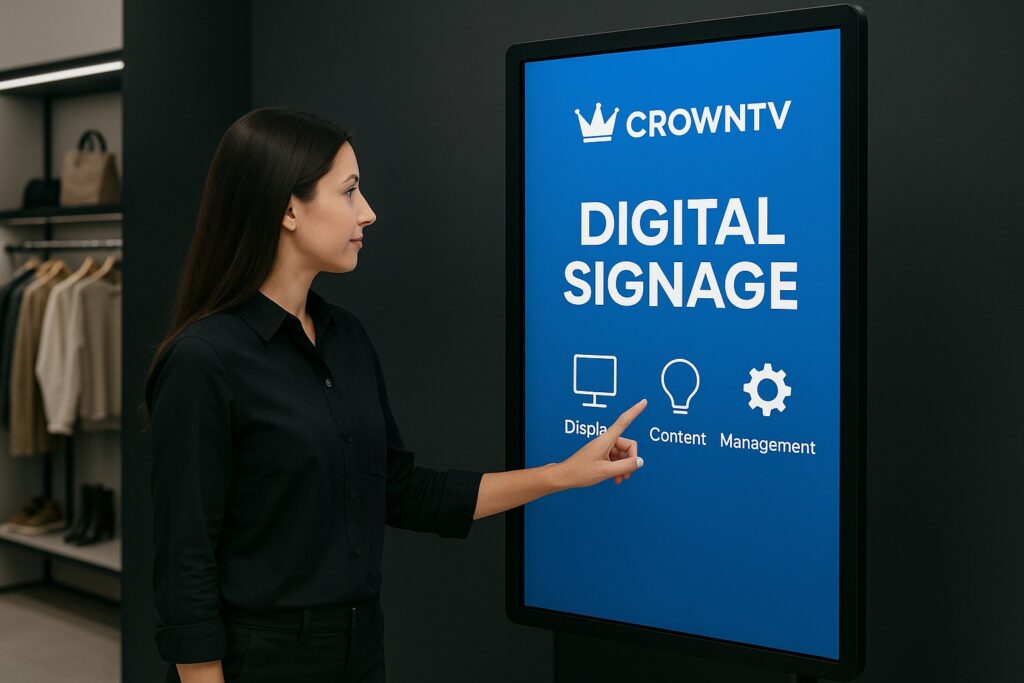
Static screens are fading into the background, literally. Businesses across retail, healthcare, and corporate environments are replacing passive displays with interactive digital signage that invites customers to tap, scan, and gesture their way through branded experiences. And the shift isn’t subtle. According to recent industry data, interactive displays generate up to 5x more engagement than traditional signage, with dwell times increasing by as much as 300%.
But what exactly qualifies as interactive digital signage, and how do multi-location businesses choose the right solution? This guide breaks down the technology types, key benefits, leading platforms, and real-world use cases that are reshaping how organizations communicate with their audiences in 2026.
What Is Interactive Digital Signage?
Interactive digital signage refers to any digital display that responds to user input, whether through touch, gestures, QR codes, or other sensor-driven triggers. Unlike traditional digital signage that simply broadcasts content on a loop, interactive systems create a two-way exchange. The viewer becomes a participant.
At its core, touchscreen digital signage is the most familiar form. Think of the self-order kiosk at a fast-casual restaurant or the wayfinding directory in a hospital lobby. But the category has expanded well beyond simple touch. Modern interactive display solutions now incorporate motion sensors, proximity detection, mobile device pairing, and even voice commands.
What ties all of these together is the software layer. Interactive digital signage software manages content delivery, user interaction logic, analytics, and remote updates, often from a single cloud-based dashboard. For multi-location businesses, this centralized control is what makes scaling interactive experiences practical rather than chaotic.
The hardware side matters too. Commercial-grade interactive displays differ significantly from consumer-grade screens in durability, brightness, and responsiveness. Resources like displaydetails.com offer detailed hardware comparisons for businesses evaluating panel specifications, touch technologies, and commercial display ratings.
Types of Interactive Digital Signage (Touch, QR, Motion)
Not all interactivity works the same way, or suits the same environment. Here are the three primary types driving adoption in 2026:
Touch-Activated Displays
This is the backbone of touch display signage. Capacitive and infrared touchscreens allow users to navigate menus, browse product catalogs, complete transactions, and interact with branded content directly on the screen. Samsung QLED touch displays have become a popular choice in this category, offering vivid color accuracy and responsive multi-touch capabilities that hold up well in high-traffic commercial settings.
Touch-activated signage works best where users need to make selections or input data, think interactive kiosk signage for patient check-in at a clinic or self-service ordering at a QSR.
QR-Triggered Interactivity
QR-based signage bridges the gap between a public display and a user’s personal device. A screen shows dynamic content, a promotion, a product showcase, a menu, and viewers scan a QR code to continue the experience on their smartphone. This approach is especially useful in environments where shared touchscreens raise hygiene concerns or where businesses want to extend the interaction beyond the physical location.
Retail chains use QR-triggered signage to let shoppers save items, access exclusive discounts, or pull up detailed product specs without installing an app.
Motion-Activated Displays
Motion-sensing signage uses cameras, infrared sensors, or depth-sensing technology to detect when someone approaches or gestures toward the screen. The display then responds, changing content, launching an animation, or presenting personalized information based on the viewer’s proximity or movement.
This type of interactive signage excels at grabbing attention in high-foot-traffic areas like mall corridors, trade show booths, and corporate lobbies. It removes the friction of requiring a deliberate touch or scan, making the interaction feel almost effortless.
Key Benefits of Interactive Signage for Businesses
Why are multi-location businesses investing in interactive digital signage? The reasons go well beyond novelty:
- Higher engagement rates. Interactive content holds attention longer. Users who physically engage with a display are more likely to absorb information, recall branding, and take a desired action.
- Valuable data collection. Every tap, scan, and gesture generates data. Businesses can track which content gets the most interaction, identify peak usage times, and refine messaging based on real user behavior, not guesswork.
- Reduced staffing pressure. Self-service kiosks for wayfinding, check-in, and ordering reduce the burden on front-line staff. This is particularly impactful for healthcare facilities and restaurants managing high volumes with lean teams.
- Personalized experiences at scale. Interactive digital signage software can serve different content based on user selections, time of day, or location. A franchise with 200 locations can tailor messaging locally while maintaining brand consistency from one dashboard.
- Improved customer satisfaction. Nobody likes waiting. Interactive kiosk signage that lets patients check in, diners place orders, or visitors find directions on their own consistently scores higher in satisfaction surveys compared to staffed-only alternatives.
- Stronger ROI on signage investment. Static signage has a ceiling. Interactive displays drive measurable actions, completed check-ins, product inquiries, coupon redemptions, that tie directly to business outcomes.
Best Interactive Digital Signage Solutions for 2026
Choosing the right platform depends on hardware needs, software capabilities, scalability, and support. Here are the leading interactive display solutions worth evaluating this year:
1. CrownTV
CrownTV stands out as a complete turnkey solution. They handle everything from sourcing commercial-grade interactive displays to nationwide installation with licensed technicians, plus cloud-based software that lets businesses manage all screens from a single dashboard. For multi-location operations, this end-to-end approach eliminates the headache of coordinating separate hardware vendors, software providers, and installation crews. Their interactive digital signage software supports touch, QR, and scheduled content workflows out of the box.
2. BrightSign
BrightSign is known for its reliable media players and has expanded into interactive signage with support for touch overlays, HTML5 interactivity, and sensor-triggered playback. It’s a solid choice for businesses that already have displays and need a robust playback engine with interactive capabilities.
3. Samsung Smart Signage Platform
Samsung’s commercial display lineup, including their QLED touch displays, pairs with their built-in Tizen-based signage platform. It’s a strong option for organizations that want tight hardware-software integration, particularly when deploying Samsung panels. For detailed hardware comparisons and spec breakdowns, displaydetails.com is a useful reference.
4. Intuiface
Intuiface is a no-code interactive content creation platform that supports touch, gesture, IoT sensors, and mobile triggers. It’s popular among businesses that want deep customization of the interactive experience without writing code.
5. Scala
Scala offers enterprise-grade digital signage with interactive capabilities, including touch integration and audience analytics. It’s well-suited for large deployments where advanced content scheduling and reporting are priorities.
Interactive Signage Use Cases: Retail, Healthcare, Education
Interactive digital signage isn’t a one-trick solution. Its versatility is exactly what makes it valuable across industries.
Retail: Product Catalogs and In-Store Navigation
Retail chains deploy touchscreen digital signage as digital product catalogs, letting shoppers browse extended inventory, check availability, compare features, and even place orders for items not stocked in that location. Wayfinding kiosks in large department stores or shopping centers help visitors navigate efficiently, reducing frustration and improving the overall shopping experience. QR-triggered displays take this further by letting customers save product details to their phones for later purchase.
Healthcare: Patient Check-In and Wayfinding
Hospitals and multi-location clinics use interactive kiosk signage for patient check-in, dramatically reducing wait times and administrative bottlenecks. Patients confirm appointments, update insurance information, and sign forms, all on a touch display. Wayfinding kiosks in large medical campuses guide patients and visitors to the right department, floor, or office, which is no small thing in facilities that span multiple buildings.
Education: Campus Directories and Event Engagement
Universities and school districts use interactive displays for campus wayfinding, event schedules, and student resource directories. Motion-activated signage in common areas can showcase announcements or highlight upcoming events as students walk by, creating a dynamic information environment that static bulletin boards simply can’t match.
Corporate Offices and QSRs
Corporate lobbies use touch display signage for visitor check-in and meeting room directories. Quick-service restaurants rely heavily on interactive ordering kiosks to speed up lines and increase average order value through upsell prompts built into the interface.
CrownTV’s Interactive Display Solutions
For businesses that want interactive digital signage without the complexity of stitching together multiple vendors, CrownTV offers a genuinely turnkey approach.
Here’s what that looks like in practice:
- Commercial-grade hardware sourcing. CrownTV provides displays built for commercial use, brighter, more durable, and rated for extended operation compared to consumer screens. They can recommend the right panel size, resolution, and touch technology for each deployment.
- Nationwide professional installation. Licensed technicians handle mounting, cabling, network configuration, and testing at every location. Multi-location rollouts don’t require local IT teams to manage the process.
- Cloud-based dashboard. Their interactive digital signage software lets teams manage content, schedules, and device health across all locations from one login. Push a new interactive menu to 50 restaurant locations in minutes, or update wayfinding maps across a hospital network without visiting a single site.
- Scalability for franchises and chains. Whether it’s 5 screens or 500, CrownTV’s infrastructure is designed for multi-location management. Permissions, content templates, and reporting roll up cleanly.
The value proposition is straightforward: one partner handles hardware, software, installation, and ongoing support. For retail chains, healthcare networks, corporate campuses, and franchise operations juggling dozens of priorities, that simplicity matters more than most vendors realize.
FAQ: Interactive Digital Signage
What is the difference between interactive and non-interactive digital signage?
Non-interactive digital signage displays content on a predetermined schedule with no user input. Interactive digital signage responds to user actions, touch, QR scans, gestures, or proximity, allowing viewers to control or influence what they see on screen.
How much does interactive digital signage cost?
Costs vary widely based on display size, touch technology, software licensing, and installation complexity. A single interactive kiosk might range from $2,000 to $10,000+, while multi-location deployments benefit from volume pricing. Turnkey providers like CrownTV bundle hardware, software, and installation, which can simplify budgeting.
What hardware do I need for touchscreen digital signage?
At minimum, businesses need a commercial-grade touch display, a media player or integrated SoC (system on chip), and interactive digital signage software. Samsung QLED touch displays are a popular hardware choice. For in-depth hardware specifications and comparisons, displaydetails.com is a helpful resource.
Can interactive signage work across multiple locations?
Yes. Cloud-based platforms allow centralized content management across hundreds of locations. Businesses can push updates, monitor screen health, and customize content by region, all from a single dashboard.
What industries benefit most from interactive display solutions?
Retail, healthcare, hospitality, education, corporate offices, and quick-service restaurants see the strongest returns. Common applications include wayfinding kiosks, self-service check-in, digital product catalogs, and interactive menu boards.
Last Updated: March 2026
Frequently Asked Questions About Interactive Digital Signage
What is interactive digital signage and how does it differ from static displays?
Interactive digital signage responds to user input through touch, gestures, QR codes, or sensors, creating a two-way exchange where viewers become participants. Unlike static displays that broadcast content on a loop, interactive systems generate up to 5x more engagement and increase dwell times by 300%.
What are the main types of interactive digital signage in 2026?
The three primary types are touch-activated displays (capacitive/infrared touchscreens for navigation and transactions), QR-triggered interactivity (bridging public displays with personal devices), and motion-activated displays (detecting proximity and gestures to change content automatically).
How can interactive signage software help multi-location businesses?
Cloud-based interactive digital signage software enables centralized management across hundreds of locations. Teams can push content updates, customize messaging by region, monitor screen health, and collect unified analytics—all from a single dashboard without visiting each site.
What data can businesses collect from interactive digital signage?
Every tap, scan, and gesture generates valuable data. Businesses can track which content gets the most interaction, identify peak usage times, monitor user behavior patterns, and refine messaging based on real engagement metrics rather than guesswork.
What are the best interactive signage solutions for enterprise deployments?
Leading platforms include CrownTV (turnkey hardware, software, and installation), BrightSign (reliable media players with interactive overlays), Samsung Smart Signage Platform (tight hardware-software integration), Intuiface (no-code customization), and Scala (enterprise-grade with advanced analytics).
How does interactive signage improve customer satisfaction in retail and healthcare?
Interactive kiosks reduce wait times by enabling self-service check-in, ordering, and wayfinding. Customers appreciate control and autonomy, leading to higher satisfaction scores. Retail benefits from extended product browsing, while healthcare facilities streamline patient workflows and administrative bottlenecks.
