

Most multi-location enterprises have, at some point, made a painful mistake: investing thousands (sometimes millions) in digital signage only to realize the real challenge isn’t buying screens, it’s choosing the right software. The digital signage software landscape is overwhelming: cloud, on-premise, hybrid, custom integrations, endless dashboards. It’s no wonder most organizations waste budgets on a platform that doesn’t scale, isn’t secure, or simply can’t keep up with daily operations. Let’s break down what digital signage software really is and how to select, carry out, and make the most of it in 2026.
What Is Digital Signage Software?
Digital signage software is the backbone of any public-facing screen network, turning ordinary displays into powerful communication tools. At its core, digital signage software lets us upload, schedule, and manage content (like images, videos, and live feeds) that appears on digital screens, whether it’s 10 displays in a single office or thousands across a global network.
Critically, the best platforms allow real-time updates, granular control over location-based content, and centralized management, eliminating the chaos of manual USB swaps or emailing files to local managers. If you’re brand new to the concept, check out What Is Digital Signage Software: Everything You Need to Know | Crown TV for deeper context.
Digital signage software is not just a tool for displaying pretty slideshows: it’s an essential system for any modern business that values dynamic communication, data-driven engagement, and operational efficiency.
How Digital Signage Software Works
Here’s the basic flow: We log into a central platform, either cloud-based or on-premise, and upload our content, set the playlist, and define screen zones. That software then pushes content, via the internet or local network, to each connected signage player (like a smart box behind the screen or an embedded SOC display).
Modern solutions usually support remote troubleshooting, detailed status monitoring, and integration with other enterprise systems (like POS, traffic monitoring, or customer analytics platforms). Many solutions are built with robust APIs so developers can tailor the experience. For context, major enterprise platforms are often built on reliable stacks like those detailed in Microsoft’s enterprise documentation and are frequently cross-referenced or open-sourced on communities like GitHub.
Crucially, the workflow varies dramatically between cloud, on-premise, and hybrid solutions (we’ll jump into these distinctions below).
Key Features to Look for in Digital Signage Software
🗸 Core Features Checklist for Evaluating Digital Signage Software:
- Centralized Dashboard: Manage content and devices from one interface.
- Real-Time Content Updates: Instantly push updates or schedule by location/time.
- User Access Roles: Granular permissions for admins, editors, and local managers.
- Content Library: Store videos, images, HTML5 apps, and templates securely.
- Multi-Device Management: Monitor and control screen status, health, and connectivity.
- Automated Content Scheduling: Rules-based playlists, calendar, or triggers.
- Data & Analytics: Report on playback, audience interaction, and device uptime.
- Third-Party Integrations: Connect with calendars, social feeds, or custom APIs.
- Security & Compliance: Encryption, audit logs, SSO/LDAP integration for enterprise.
- 24/7 Support & Documentation: Access to real humans and developer resources like [Stack Overflow](https://stackoverflow.com).
Platforms that tick these boxes, like those highlighted in our Digital Signage Software: The Best Features to Look for in 2025 | Crown TV, ensure reliability, scalability, and ROI. Skimp on these, and you’re left with a pretty display that’s a nightmare to control.
Benefits of Digital Signage Software for Multi-Location Enterprises
Why do so many enterprises make the leap? When deployed the right way, digital signage software delivers:
- Unified Communications: Every screen, everywhere, stays on-message. No more misaligned promotions or outdated info.
- Reduced Operational Load: With centralized scheduling, one marketing manager can oversee hundreds of locations instead of chasing content at each store.
- Agility & Speed: Rapidly launch or pull promotions in response to market data or compliance needs. Tools like ViolationWatch NYC help us stay compliant in real time, especially when requirements change for public communications.
- Better Engagement: Visual, data-driven messaging outperforms static posters or manual rotations. Retail and QSR sectors consistently report double-digit increases in upsells and customer dwell time.
- Measurable Results: Analytics dashboards allow leadership to spot underperforming screens and quickly optimize, no more blind guessing about impact.
Crucially, as businesses scale, centralized control and the ability to leverage a robust, cloud digital signage software infrastructure become more strategic differentiators than the screens themselves.
Use Cases Across Industries
Retail Chains
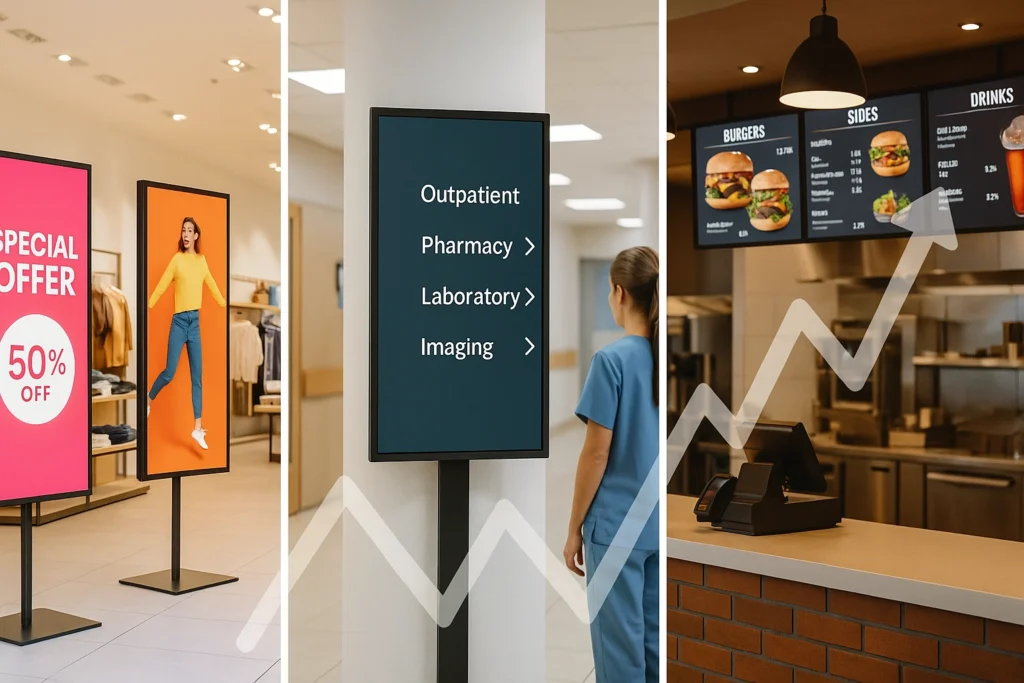
For retail brands, digital signage drives impulse buying, delivers live inventory updates, and centralizes campaigns across stores. We see massive pivots in retail toward dynamic promotion, think real-time price drops, weather-based messages, or inventory push at closing time. Smart use of integrated systems with platforms like Finding the Best Digital Signage Software for Your Business lets even large retailers tweak content hourly if needed.
Restaurants and QSRs
Drive-thru boards, menu screens, and order status displays all run on digital signage software. In QSR environments, speed and accuracy are vital, cloud solutions with live updating (backed by platforms engineered according to standards from AWS enterprise blogs) handle the traffic gracefully. Integrations with compliance trackers like lookup tools for violations are critical for menus and promotions that must meet regulatory display rules.
Corporate Offices
Internal communications, meeting room scheduling, and real-time KPI dashboards live on digital screens. Multi-location enterprises rely on robust security, SSO, encryption, and approval workflows are standard, points we always cover when presenting the 7 Best Digital Signage Software Options for 2024 | Crown TV to corporate clients.
Healthcare Facilities
Waiting room experiences, emergency notifications, and wayfinding are all managed centrally. HIPAA compliance and uptime are critical. Most healthcare providers use hybrid or on-premise digital signage platforms, often paired with regulatory checkups from platforms like ViolationWatch NYC to ensure the information shown is always correct and compliant.
Franchises
Franchises require a delicate balance, brand consistency from HQ with the ability for local managers to adapt content. Digital signage software with robust role-based permissions and distributed workflows enables this. Best-in-class solutions recommended in guides like The Best Digital Signage Software in 2025: What to Choose Based on Your Needs | Crown TV excel here.
Choosing and Implementing the Right Digital Signage Software
The stakes are high: the wrong software results in wasted labor, compliance headaches, and missed sales opportunities. Here’s how we recommend approaching the evaluation and rollout.
Cloud vs. On-Premise Solutions
| Feature | Cloud | On-Premise | Hybrid |
|---|---|---|---|
| Deployment | No local install, online | Runs on company servers | Mix of both |
| Updates | Automatic | Manual | Flexible |
| Security | Enterprise-grade cloud | Customizable, isolated | Mix of cloud + local |
| Scalability | Instantly scalable | Capacity-bound | Scales by design |
| Accessibility | Access anywhere | VPN/intranet needed | Both local & remote |
| Upfront Cost | Lower, subscription | Higher, one-time + IT | Hybrid/variable |
Cloud digital signage software is now the norm for fast-moving, multi-location operations, enabling real-time updates and minimizing the IT burden. On-premise is rare but still used in ultra-secure, regulated sectors. Hybrid models offer flexibility, letting us prioritize certain content types or regions with local redundancies.
For a deeper dive, check out our full guide on Digital Signage Software | Cloud CMS Platform | CrownTV and compare real business scenarios in the Top 10 Cloud-Based Digital Signage Software Solutions: A Comprehensive Comparison | Crown TV.
Integration With Existing Systems
No enterprise is starting from scratch. The right digital signage software needs API hooks, web widgets, SSO, and ability to tap data feeds from traffic counters, POS, ERP, or violation tracking solutions when compliance is a must. Look for platforms with a reputation for deep integration, often signaled by developer activity and documentation on GitHub.
Ensuring Scalability and Security
Scalability isn’t just about number of screens. It’s multi-level user permissions, granular content targeting, bandwidth optimization, and automated recovery protocols. Security is non-negotiable, encryption at rest and in transit, SSO/LDAP, device whitelisting, and audit trails. Don’t settle for anything less than what’s detailed in How to Select the Best Digital Signage Software for Your Needs | Crown TV.
Managing Content and Device Networks Efficiently
Centralized management is the difference between scalable signage and a logistical nightmare. The modern multi-location business needs:
- Drag-and-drop scheduling: Assign campaigns by store, region, or dynamically based on audience data.
- Automated device status monitoring with instant alerting for offline or malfunctioning screens.
- Bulk actions: Swap out holiday promotions or compliance notices in one go, no tedious one-by-one changes.
- Content approval workflows: Ensure all messaging, from brand to local info, is reviewed and authorized.
Our team works with clients to streamline these operations, sometimes partnering with market compliance solutions like lookup tools to automate regulatory content updates. Businesses relying on legacy methods simply can’t keep pace with the agility and consistency provided by robust platforms.
Platforms that excel at this, such as those discussed in Finding the Best Digital Signage Software for Your Business, are designed for this very challenge.
Best Practices for Ongoing Success
Adopting best practices separates industry leaders from those stuck in the chaos of manual systems:
- Standardize Naming and Tagging: Every device, playlist, and campaign should follow a naming protocol, especially important for multi-location rollout.
- Routine Audits: Use built-in analytics and external resources (like AWS monitoring tools) to review performance, spot offline screens, and optimize content.
- Role-Based Training: Empower front-line and regional managers with just the right permissions, never more, never less.
- Automated Compliance Checks: If you’re in a regulated industry, connect your digital displays with up-to-date compliance feeds, such as ViolationWatch NYC or adaptable data integrations cited in enterprise references like docs.microsoft.com.
- Knowledge Sharing: Participate in developer and operator communities, from Stack Overflow to local business groups, for the latest tips and troubleshooting advice.
Essentially: Don’t set it and forget it. Well-managed networks save time, reduce compliance risk, and boost ROI.
Conclusion
Choosing digital signage software isn’t just an IT decision, it’s an operational strategy that impacts every aspect of communication and compliance in multi-location businesses. The right solution transforms static screens into dynamic, enterprise-wide assets. We’ve seen first-hand how leveraging robust, cloud-based options, embracing automation, and prioritizing integration unlocks consistent ROI and agility for our partners across retail, hospitality, corporate, and beyond.
With 2026 approaching, the bar is higher than ever. Software flexibility, compliance agility, and content automation are non-negotiable in this landscape. No more wasted cycles or costly mistakes, it’s time to get it right.
Key Takeaways
- Choosing the right digital signage software is crucial for multi-location enterprises seeking scalable, secure, and efficient communication.
- Top digital signage software features include centralized dashboards, real-time content updates, advanced security, and seamless integrations with other enterprise systems.
- Cloud-based digital signage software offers rapid scalability and lower operational burdens, making it ideal for fast-moving businesses.
- Role-based permissions, automated scheduling, and detailed analytics help companies maximize ROI and ensure regulatory compliance.
- Integrating digital signage software with existing workflows streamlines updates, boosts engagement, and enables unified brand messaging across all locations.
Frequently Asked Questions About Digital Signage Software
What is digital signage software, and why is it important for businesses?
Digital signage software is a platform that lets businesses upload, schedule, and manage content on public-facing screens. It’s crucial because it enables unified communication, real-time updates, and centralized control, enhancing business agility and delivering measurable engagement. Learn more in our guide on What Is Digital Signage.
How do I choose the best digital signage software for a multi-location enterprise?
When choosing digital signage software, prioritize features like centralized management, real-time updates, robust security, integrations, and scalability. Consider cloud-based solutions for easy deployment and remote access. Compare leading options in Finding the Best Digital Signage Software for Your Business.
What are the differences between cloud, on-premise, and hybrid digital signage software?
Cloud solutions offer instant scalability and remote access with lower upfront costs. On-premise platforms provide more control and security for regulated industries but require IT resources. Hybrid models combine benefits of both. See our detailed comparison in Top 10 Cloud-Based Digital Signage Software Solutions.
Which industries benefit most from digital signage software?
Digital signage software is widely used in retail, restaurants, corporate offices, healthcare, and franchises. It drives real-time promotions, compliance, and internal communications. Explore key industry uses and recommendations in The Best Digital Signage Software in 2025: What to Choose Based on Your Needs | Crown TV.
Can digital signage software integrate with other business systems?
Yes, modern digital signage software often integrates with business systems such as POS, traffic monitoring, and compliance trackers. Look for platforms with APIs, SSO, and compatibility with developer tools found on github.com and docs.microsoft.com.
What are some best practices for managing digital signage networks efficiently?
Best practices include standardizing naming procedures, routine analytics audits, assigning role-based permissions, and automating compliance checks. For troubleshooting or technical advice, communities like stackoverflow.com are excellent resources. More detailed management tips can be found in How to Select the Best Digital Signage Software for Your Needs | Crown TV.
🔧 Professional Installation Available: Pair your CMS with hassle-free hardware deployment. Learn about our digital signage installation services available in all 50 states.
