

In this guide, we explore everything you need to know about digital displays for public communication and art in cities and how it can transform your business communications.
Cities spend millions on public communication systems that most people scroll past on their phones. The irony cuts sharp. Municipal governments invest in apps, websites, and social media campaigns while the physical spaces where residents actually live get treated like afterthoughts. You walk through downtown, and what catches your eye? Not the buried PDF on the city website about construction detours. The 15-foot screen showing real-world updates does.
Digital displays have flipped the script on how cities talk to their people. We’re watching urban centers transform blank walls and forgotten corners into dynamic hubs that inform, guide, and inspire. These aren’t your grandfather’s bulletin boards or static billboards. They’re responsive canvases that shift from emergency alerts to wayfinding directions to genuine public art all in the same day.
Cities like New York, London, and Dubai already figured this out. Their screens don’t pick one job and stick with it. They balance commercial revenue with community value, mixing advertisements that fund the infrastructure with content that serves residents and visitors.
Here’s what we’ll cover:
- How do cities balance advertisements, wayfinding systems, and artistic expression on public digital displays?
- 10 major city projects transforming urban communication from NYC’s LinkNYC kiosks to London’s Piccadilly Lights.
- Expert insights on content regulation and curation for city authorities managing digital display networks.
Keep reading!
Digital Displays for Public Communication and Art in Cities: The Three-Way Split: Revenue, Function, and Culture on City Screens
Public digital displays create a tension that city planners face every day. Sell advertising space to fund the network, or keep screens purely functional for residents? The answer lies somewhere in the middle, and getting that balance right determines which cities build sustainable communication infrastructure and which ones waste taxpayer money.
The Revenue Model That Makes Public Displays Possible
Most cities can’t afford to install and maintain networks of digital screens without external funding. The hardware costs alone for commercial-grade displays, media players, weatherproofing, and power infrastructure run into millions before you factor in ongoing maintenance and content management.
Advertising solves this problem. Cities partner with media companies or manage ad sales themselves, creating revenue streams that offset operational costs. The screens pay for themselves while delivering public value.
The typical funding breakdown looks like this:
- 60-70% advertising content during peak hours
- 20-30% public service announcements and wayfinding
- 10-15% cultural programming and local art
Cities that nail this balance generate enough revenue to expand their networks while keeping residents happy. Push too hard on ads, and you’ve built expensive billboards that people resent. Lean too far into public service content, and the whole system becomes a budget drain that city councils cut during the next fiscal crunch.
Why Wayfinding Deserves Premium Screen Time
Tourists pull out their phones every 30 seconds trying to figure out where they are. Residents get frustrated when construction closes their usual route with no clear alternatives. Digital displays fix both problems instantly.
Smart cities dedicate significant screen time to directional content. Transit updates, parking availability, street closures, and event locations. This information changes constantly and needs to reach people at decision points. A screen near a subway entrance showing train delays in the next five minutes holds more value than the same information buried in an app.
The best wayfinding systems connect to live data feeds. Traffic sensors, transit APIs, parking garage counters, and event management platforms all push updates to screens automatically. You’re not showing static maps that go stale. You’re giving people actionable information exactly when they need it.
Effective wayfinding content includes:
- Live transit schedules with delay notifications
- Turn-by-turn directions to major destinations
- Parking availability with pricing updates
- Construction detours and street closures
- Emergency route information during incidents
Cities measure success here by tracking foot traffic patterns and conducting resident surveys. When people stop asking “where is…” questions at information desks, the wayfinding system works. Interactive displays at transit stations and transportation hubs serve as a powerful tool for enhancing communication with commuters who need immediate information.
Public Art That Actually Reaches the Public
Museums charge admission. Galleries close at 5 PM. Street murals require you to find them. Digital displays bring art to people who would never seek it out.
Cities commission local artists to create content for public screens, rotating pieces monthly or seasonally. These aren’t advertisements for art, they’re the art itself. A 20-foot digital canvas in a transit hub reaches more eyes in a week than most gallery shows see in a year. Digital signs provide opportunities to strengthen community identity while making digital signage accessible to everyone, not exclusively those who visit traditional retail environments or cultural institutions.
The programming gets more interesting when cities open submission processes. Student work, community projects, cultural celebrations screens become platforms for voices that traditional art institutions ignore. Someone waiting for a bus sees a piece created by a high school student from across town. That’s cultural exchange happening passively, without anyone trying to make it happen. This approach helps build a connected community through shared visual experiences.
Successful public art programs share common elements:
- Curated selection processes with diverse review panels
- Rotation schedules that keep content fresh (weekly or monthly)
- Artist compensation that respects creative labor
- Technical specifications that artists can work within
- Community voting or feedback mechanisms
Some cities dedicate specific screens entirely to art, treating them as digital galleries rather than mixed-use displays. Others integrate artistic content into rotation schedules alongside ads and wayfinding. Both approaches work if the commitment to cultural programming stays consistent, and both enhance public spaces through visual culture.
The Content Management Challenge
Running hundreds of screens across a city requires sophisticated backend systems. You can’t manually update each display. You need centralized dashboards that let you schedule content, push emergency alerts, and adjust programming based on location, time, and audience.
Platforms like CrownTV’s digital signage software solve this exact problem for cities managing large-scale display networks. The system lets municipal teams segment screens by neighborhood, schedule content rotations automatically, and override regular programming for emergency broadcasts, all from one dashboard. Cities managing multiple locations need this level of control to coordinate dynamic content effectively.
Content management platforms let cities segment their screen networks. Displays in business districts might show more transit information during rush hour. Screens near cultural venues could feature heavier arts programming. Tourist areas get multilingual wayfinding. The same infrastructure serves different purposes based on context.
Key features cities need in their management systems:
- Schedule-based content rotation with priority overrides
- Location-specific programming for different neighborhoods
- Emergency alert integration for instant citywide broadcasts
- Analytics tracking viewer engagement and dwell time
- Multi-user access with permission levels for different departments
The platform determines how flexible your network can be. Rigid systems force you into one-size-fits-all content strategies. Adaptive platforms let you respond to conditions and community needs while cities collect data on screen performance and audience engagement. As smart cities continue to invest in cutting-edge technology, the ability to manage city services through interactive signage becomes increasingly valuable.
How Cities Avoid the Billboard Trap?
The fear every city planner has: installing what looks like a public communication network that slowly morphs into pure advertising for real estate. It happens when budget pressures mount, and the easy solution involves selling more ad inventory.
Smart cities write advertising caps into their contracts from day one. Hard limits on ad time, content approval processes, and regular audits keep commercial interests from overwhelming public value. Some municipalities require advertisers to fund a certain percentage of public service content for every ad slot they purchase.
Transparency matters too. Residents tolerate advertising when they understand how it funds the services they use. Cities that publish revenue reports and show direct connections between ad income and network expansion build public support. Those who hide the money trail face backlash.
Modern systems integrate augmented reality features and traffic management updates alongside advertisements, showing how digital signage helps balance commercial and public interests. Screens can display local events, safety instructions during emergencies, and civic engagement opportunities, all while maintaining energy efficiency through smart scheduling that dims or powers down displays during low-traffic hours.
The displays work best when all three elements
- Revenue
- Function
- Culture
These elements coexist in deliberate balance. Cut any leg off that stool, and the whole system tips over.
Cities That Cracked the Digital Display Code
Some cities talk about modernizing public communication. Others actually build the infrastructure and figure out how to run it. These ten projects show what happens when municipal governments commit resources, partner smart, and treat digital displays as core urban infrastructure rather than experimental tech.
The Projects Reshaping Urban Spaces
Each of these installations tackles a different challenge: tourist information overload, cultural programming access, emergency communication gaps, or revenue generation. The approaches vary wildly, but they all prove that digital signage in public urban environments works when cities plan them properly.
- NYC LinkNYC Kiosks: New York replaced aging payphone infrastructure with 1,800+ digital kiosks across all five boroughs. Free Wi-Fi, phone calls, device charging, and wayfinding live on sleek pillars that double as advertising platforms. The ad revenue funds the entire network while residents get genuinely useful services at thousands of street corners. These interactive digital signage systems demonstrate how digital signage solutions can generate revenue while serving communities.
- London Piccadilly Lights: London transformed its most famous advertising landmark into a responsive display that reacts to environmental data, social media trends, and live events. The curved 4K screen spans nearly 800 square meters and integrates art installations alongside premium advertising. It’s commerce and culture sharing the same canvas, proving that high-resolution displays can serve multiple purposes in urban settings.
- Dubai Smart City Initiative: Dubai deployed interactive touchscreens throughout the city that connect to municipal services, tourism information, and cultural content in multiple languages. Residents pay parking fines, report issues, and access government services directly from street-level displays. The screens turned bureaucratic processes into walk-up transactions, showing how interactive digital signage serves practical functions beyond traditional advertising methods.
- Seoul Digital Media City: Seoul built an entire district around digital communication technology, installing massive outdoor screens that showcase Korean art, K-pop performances, and public announcements. The displays helped brand the neighborhood as a tech hub while giving local artists unprecedented exposure through digital art displays that operate continuously.
- Singapore Public Warning System: Singapore integrated digital displays into its national emergency alert infrastructure. Screens across the island switch instantly from regular programming to evacuation routes, weather warnings, and public health announcements. The system proved its value during COVID-19 when health messaging needed to reach everyone simultaneously, demonstrating how digital signage plays a critical role in public safety.
- Melbourne Fed Square Screens: Melbourne installed a massive screen array in Federation Square that streams live sports, cultural events, and community programming. The space functions as an outdoor living room where thousands gather for everything from film screenings to New Year’s celebrations. It’s become the city’s unofficial public gathering point, transforming public spaces into dynamic community hubs.
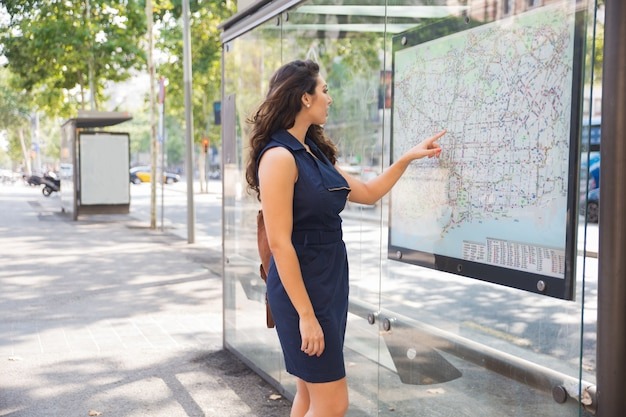
- Barcelona Smart City Displays: Barcelona embedded digital screens into bus shelters and transit hubs that show arrival information, air quality data, and neighborhood event listings. The displays connect to the city’s sensor network, turning environmental monitoring into visible public information rather than buried datasets. Interactive maps help visitors and residents navigate the city with confidence.
- Tokyo Shibuya Crossing: Tokyo turned the world’s busiest pedestrian intersection into a digital spectacle with coordinated screens that create immersive advertising experiences and public art installations. The commercial displays generate massive revenue while contributing to the area’s identity as a cultural landmark, using LED screens that capture attention from thousands of pedestrians daily.
- Paris Reinvented Street Furniture: Paris upgraded bus shelters and public kiosks with digital displays showing transit information, local business directories, and rotating art from Parisian creators. The city partnered with JCDecaux to fund installation through advertising while maintaining strict content guidelines that preserve the aesthetic character of different neighborhoods. These digital signs blend seamlessly into the urban fabric.
- Los Angeles Metro Digital Network: LA installed screens across its expanding metro system that mix transit information with local news, cultural programming, and advertising. The displays help orient riders in a city where public transit usage continues growing, turning confusion about connections into clear visual guidance. The network enables targeted advertising while serving commuter needs.
What These Projects Have in Common
Strip away the different contexts, and you find similar strategies. Every successful city displays network balances funding sources with public value. They all invested in backend infrastructure that lets content adapt to conditions. None of them treated screens as one-off installations; they built digital signage systems designed to scale and evolve.
The cities that got it right started with clear use cases. Interactive digital signage refers to more than screens with touchscreens; it means displays that respond to user needs, environmental conditions, and community priorities. They asked what problems residents face and how digital displays could solve them.
Then they built the technical infrastructure to deliver on those solutions consistently, creating responsive public spaces where signage in public spaces serves multiple functions simultaneously. The pretty screens came last, after figuring out what should appear on them and why people would care.
What City Authorities Need to Know About Running Display Networks
Installing screens is the easy part. Keeping them running with content that serves the public good while generating revenue and avoiding controversy is where most cities stumble. The difference between successful networks and expensive failures comes down to governance structures, content policies, and curation processes that work in the real world.
Building Content Guidelines That Actually Get Followed
Vague policies create problems. “Family-friendly content” means different things to different people. “Appropriate advertising” leaves room for interpretation that advertisers will exploit. Cities need specific, enforceable guidelines that define what can and can’t appear on public screens.
The most effective policies address content categories explicitly. What products can’t be advertised? Tobacco and alcohol are obvious exclusions in many jurisdictions, but what about cannabis in legal markets, political campaigns during election seasons, or advocacy groups with controversial positions? You need answers before the first contract gets signed.
Content policy frameworks should cover:
- Prohibited product categories and services
- Visual content restrictions (violence, sexual content, disturbing imagery)
- Political and advocacy advertising rules
- Competitive exclusions for advertisers in the same category
- Emergency override protocols that suspend regular programming
- Cultural sensitivity requirements for diverse communities
Write these policies with your legal team and make them public. Transparency prevents accusations of favoritism when you reject certain advertisers. Clear guidelines also protect staff from pressure to make exceptions for well-connected organizations.
The Approval Workflow That Prevents Mistakes
Every piece of content needs review before it hits public screens. You can’t rely on advertisers to self-regulate or assume artists understand what works in public spaces. Cities need multi-step approval processes with clear timelines and accountability.
Set up a review queue where content sits until someone with authority signs off. Assign responsibility to specific positions, not individual names that change when people leave or get promoted. The Public Information Officer approves emergency alerts. The Arts Commission reviews cultural programming. The Revenue Department clears advertising content.
Effective approval workflows include:
- Initial technical review for file formats and display specifications
- Content policy compliance check against written guidelines
- Department-specific review based on content type
- Final approval from the designated authority
- Scheduled publication with rollback capability
- Post-publication monitoring for issues
Time limits matter too. Advertisers won’t work with cities that take three weeks to approve a simple ad. Set clear turnaround times: 48 hours for standard advertising, one week for complex cultural programming, and immediate fast-track for emergency content.
How to Handle Complaints Without Killing Your Program
Someone will hate something on your screens. Count on it. Religious groups will object to certain advertisers. Residents will complain about art they find offensive. Business owners will demand the removal of competing ads they consider unfair.
Create a formal complaint process before you need one. Let people submit concerns through an official channel, require them to cite specific policy violations, and establish response timelines. Most complaints disappear when people realize they need actual policy grounds rather than personal preferences.
Complaint resolution procedures should define:
- How residents submit concerns (online form, email, phone)
- Required information for valid complaints (screen location, time, specific content)
- Review the timeline for different severity levels
- Decision-making authority for content removal
- Appeals process for disputed decisions
- Public reporting on complaint volumes and resolutions
Document everything. When you remove content based on a legitimate complaint, you create precedent. Future decisions need to align with past ones, or you face accusations of inconsistent enforcement.
Balancing Artistic Freedom With Public Acceptability
Public art always sparks debate. What one person sees as a thought-provoking expression, another views as offensive garbage. Digital displays amplify this tension because the art appears in spaces people can’t avoid.
Cities handle this by separating curation from censorship. Build review panels with diverse representation of artists, community leaders, cultural organizations, and city staff. Let them evaluate submissions based on artistic merit and technical execution, not personal taste.
Give artists clear technical parameters upfront. Screen resolution, file formats, duration limits, safe zones for text and key visual elements. These constraints help rather than hurt creativity. Artists produce better work when they know the canvas they’re working with.
Artist submission processes should include:
- Open calls with transparent selection criteria
- Technical specification documents
- Content guidelines specific to public display
- Compensation structures that respect creative labor
- Exhibition schedules and rotation timelines
- Artist agreements covering rights and modifications
Some cities run artist advisory committees that review submissions and recommend pieces for display. This distributes decision-making beyond city staff and brings expertise that municipal employees often lack.
The Revenue Monitoring Cities Overlook
You partnered with a media company or hired an ad sales team. Great. Now, who’s checking that you’re getting the revenue you’re owed? Cities leave millions on the table by failing to audit their advertising programs.
Set up reporting requirements in your contracts. Monthly breakdowns of ad inventory sold, rates charged, and revenue generated. Compare actual performance against projections. When numbers fall short, you need documentation to hold partners accountable.
Financial oversight mechanisms include:
- Monthly revenue reports with inventory details
- Quarterly performance reviews against contractual minimums
- Annual audits of advertising sales and collections
- Rate card verification for premium versus standard slots
- Penalty enforcement for underperformance
- Revenue sharing calculations with full transparency
Track your own metrics too. Screen uptime, content rotation compliance, and emergency alert response times. You can’t manage what you don’t measure, and you can’t negotiate better terms without data proving your network’s value.
Content Rotation Strategies That Keep Screens Fresh
Static content kills engagement. People stop noticing screens that show the same messages for weeks. Cities need rotation schedules that balance consistency with variety.
Break content into categories with different refresh rates. Emergency alerts override everything instantly. Public service announcements rotate daily or weekly. Cultural programming changes monthly. Advertising cycles based on campaign lengths. Each category operates on its own timeline within the larger system.
Rotation planning considerations:
- Category-based scheduling with priority hierarchies
- Time-of-day variations for different audiences
- Seasonal programming for holidays and events
- Geographic customization for neighborhood contexts
- A/B testing for high-value public messaging
- Archive systems for content reuse and seasonal returns
The backend platform makes or breaks rotation strategies. Systems that require manual updates for every screen won’t scale. You need centralized control with automated scheduling and the ability to push updates across the network simultaneously.
Advanced platforms use real-time data from motion sensors to adjust content based on audience size and demographics in high traffic areas, while machine learning algorithms analyze data collected from viewer interactions to optimize scheduling decisions.
When to Override Regular Programming
Emergencies don’t wait for scheduled content slots. Cities need protocols that switch screens instantly from regular programming to critical alerts. Fire evacuations, active shooter situations, severe weather, and missing persons. These messages take precedence over everything.
Define emergency categories and who can trigger each level. The mayor shouldn’t need to approve a severe thunderstorm warning, but maybe they should sign off before commandeering every screen citywide for non-weather situations. Build authorization levels into your content management system.
Test the system regularly. Run drills where staff practice pushing emergency content to screens. How long does it take from the decision to display? If your fastest response takes 15 minutes, that’s too slow when seconds matter. Real-time communication becomes a critical aspect of public safety infrastructure, and emergency messages must reach residents without delay.
Emergency override protocols need:
- Clear authority levels for different emergency types
- Pre-approved message templates for common scenarios
- One-button activation from authorized devices
- Automatic return to regular programming after a set duration
- Post-incident reporting on system performance
- Regular testing schedules with documentation
The technical infrastructure matters less than the human systems. Someone needs authority to act quickly without waiting for committee approval or chain-of-command sign-offs.
Making Curation Decisions You Can Defend
Every content choice reflects on the city. Approve the wrong ad, and you’re promoting values residents reject. Commission art that offends significant populations, and you’re wasting tax dollars on controversy. Reject legitimate content unfairly, and you’re censoring speech.
Document decision rationale in writing. When you approve or reject content, note which policies apply and why. This creates an audit trail that protects staff from accusations of arbitrary choices or political bias. Publish decision frameworks publicly. Let residents and content creators see how you evaluate submissions. Transparency builds trust and reduces complaints from people who understand the process.
The technical foundation supporting your curation decisions matters as much as the policies themselves. Cities running large-scale networks need reliable hardware that municipal IT teams can trust. CrownTV’s media players deliver exactly these compact devices that handle 4K content, integrate with existing city infrastructure, and run continuously in outdoor conditions without constant maintenance calls.
Hardware and installation considerations for municipal networks:
- Media players rated for 24/7 operation in weatherproof enclosures
- Professional installation services that handle permitting and electrical work
- Plug-and-play deployment that doesn’t require specialized IT knowledge
- Remote monitoring capabilities that flag hardware issues before screens go dark
- Warranty and support structures designed for multi-year contracts
Cities that partner with experienced providers avoid the costly mistakes that come from treating digital displays like consumer electronics. You’re not hanging TVs in conference rooms. You’re building public infrastructure that needs to work every day for years.
Modern installations leverage LED technology for energy efficiency and visibility, while digital billboards and wayfinding solutions create engaging environments that promote community engagement and environmental awareness through educational content.
The goal isn’t avoiding all controversy that’s impossible. You want defensible decisions grounded in clear policies applied consistently. Get that right, and your digital display network serves the public good while surviving political changes and budget pressures.
Cities Built This Infrastructure, So Can You
Municipal governments cracked the code on public digital displays by treating them like infrastructure investments, not tech experiments. They balanced revenue generation with public service, built governance structures that survive political turnover, and created content ecosystems where advertising funds the screens residents actually use.
What working city display networks deliver:
- Self-funding infrastructure through advertising that offsets installation and maintenance costs while preserving 30-40% screen time for public service content
- Flexible content management systems that segment programming by neighborhood, time of day, and audience type without manual updates to individual screens
- Clear approval workflows with defined authority levels that prevent controversial content from reaching public screens while maintaining fast turnaround times
- Emergency override capabilities that switch entire networks to critical alerts within seconds when public safety demands immediate communication
- Documented curation decisions grounded in written policies that protect staff from political pressure and defend content choices against public complaints
The gap between cities planning display networks and cities operating successful ones comes down to execution. You need hardware that survives outdoor conditions for years. Backend systems that scale from 10 screens to 1,000 without breaking. Installation partners who understand municipal procurement and permitting requirements.CrownTV works with organizations managing multi-location display networks where uptime and reliability matter more than flashy features. The platform handles content scheduling, emergency overrides, and performance monitoring from one dashboard. The media players run continuously in conditions that kill consumer-grade equipment. If you’re building public infrastructure that needs to work every day, that’s the baseline that makes everything else possible.
