

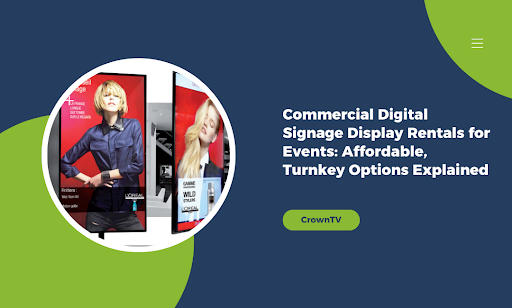
Your event needs screens. Buying them outright costs thousands per unit, ties up capital, and leaves you with equipment gathering dust between conferences.
Rental displays solve this problem, but the process often comes with hidden fees, complex setup requirements, and vendors who disappear when technical issues pop up. You need a solution that shows up on time, works flawlessly, and doesn’t blow your budget.
Here’s what we cover in this guide:
- What turnkey options for commercial digital signage rentals actually include
- How rental pricing breaks down across different event types and display sizes
- Key features that separate reliable rental providers from budget nightmares
- Set up timelines and technical requirements for smooth event execution
- When renting makes more financial sense than purchasing outright
We’ll walk you through the rental process from quote to teardown. You’ll learn which specifications matter for your specific event format and how to spot red flags in rental agreements. By the time you finish reading, you’ll know exactly what questions to ask vendors and which options deliver the best ROI for conferences, trade shows, corporate events, and temporary installations.
What Turnkey Rental Packages Actually Deliver
Turnkey doesn’t mean the same thing across every rental provider. Some vendors hand you a box of equipment and call it done. Others handle everything from delivery to content upload.
A true turnkey rental package covers the full lifecycle of your event displays. You get hardware selection, delivery logistics, on-site installation, technical support during the event, and post-event teardown. The best providers include content management training so your team can make updates without calling for help every time you need to change a slide.
Core Hardware Components
Every commercial display rental should include these baseline items. Missing any of them means you’ll pay extra or scramble to find compatible equipment.
| Component | What You Get | Why It Matters |
| Display Screens | 32″-98″ commercial-grade panels with anti-glare coating | Consumer TVs fail under continuous operation; commercial displays handle 16+ hour days |
| Mounting Hardware | Floor stands, wall brackets, truss mounts, or ceiling rigs | Determines placement flexibility and installation speed |
| Media Players | 4K-capable devices with cloud connectivity | Runs your content without crashing during presentations |
| Cables & Power | HDMI cables, surge-protected power strips, and commercial-grade extensions | Prevents signal loss and protects equipment from power fluctuations |
| Backup Equipment | Spare cables, alternative mounting options | Keeps your event running when primary equipment fails |
Display screens come in sizes ranging from 32 inches for registration desks to 98 inches for keynote stages. The screen itself represents only part of the package. Professional-grade panels include:
- Brightness ratings of 400-700 nits for indoor use, 2,500+ nits for outdoor installations
- Commercial-grade components rated for 16-24 hours of daily operation
- Warranty coverage that extends to rental users, not solely equipment owners
- Anti-glare coatings that maintain visibility under venue lighting
Media players run your content without the crashes and freezes that plague consumer streaming devices. These small boxes connect to displays and pull content from the cloud or local storage.
Software and Content Management
The dashboard controls everything. You’ll receive login credentials to a content management system where you upload media, create playlists, and schedule content to display at specific times.
Platform Capabilities You Should Expect
- Multi-screen control from a single interface
- Content scheduling down to specific minutes and dates
- Remote updates from mobile devices or laptops
- User permissions for team members who need limited access
- Playlist templates that speed up content deployment
- Real-time monitoring showing which screens are online and displaying correctly
Mobile vs. Desktop Management
| Access Method | Best For | Limitations |
| Mobile App | Quick edits, on-the-fly changes, and monitoring from the show floor | Limited design tools, harder to upload large files |
| Desktop Dashboard | Initial setup, bulk uploads, detailed scheduling | Requires a laptop, not practical mid-event |
| Tablet Interface | Balanced control, demos to clients, moderate file management | Screen size constraints for complex layouts |
Look for platforms that let you control multiple screens from one interface. Trade show booths often use 3-5 displays showing coordinated content. Managing each screen individually wastes time you don’t have during event setup.
Installation and Technical Support
Professional installers arrive before your event starts. They mount screens, run cables, connect players, and test everything before doors open.
What Professional Installation Includes
The installation team handles more than plugging things in. A complete turnkey installation covers:
- Site survey to identify power sources, mounting locations, and cable paths
- Equipment staging with all components organized before installation begins
- Mounting and positioning with precise alignment for multi-screen setups
- Cable management that hides wires and prevents tripping hazards
- Content testing to confirm displays show correct media at proper resolution
- Staff training so your team knows how to make basic changes
- Documentation with emergency contacts and troubleshooting guides
Support Tiers
| Support Level | Response Time | Coverage | Typical Cost |
| Phone-Only | 2-4 hours | Business hours | Included in base rental |
| On-Call Technician | 30-60 minutes | Event hours + 1 hour buffer | +$200-400 per day |
| On-Site Presence | Immediate | Full event duration | +$800-1,200 per day |
| Redundant Systems | Automatic failover | 24/7 monitoring | +15-25% of rental cost |
On-site technical support keeps your displays running. Screen goes black? Someone fixes it within minutes, not hours.
Content Creation Services
Some turnkey packages bundle basic design services. You provide raw assets, logos, product photos, messaging, and the rental company creates formatted content optimized for your screen dimensions.
Service Tiers and Deliverables
- Basic Template Service ($200-500 per event)
- Pre-designed slide templates
- Logo and text insertion
- Standard transitions
- 3-5 business day turnaround
- Custom Design Package ($800-1,500 per event)
- Original layouts matching brand guidelines
- Motion graphics and animations
- Video editing and formatting
- Sound design for audio-enabled displays
- 5-7 business day turnaround
- Premium Production ($2,000-5,000+ per event)
- Full creative development
- Professional videography
- 3D animations and effects
- Interactive content programming
- Dedicated project manager
Know what you’re getting before signing a contract. Budget providers might offer template-based slides while premium packages include custom motion graphics.
Breaking Down Rental Costs by Event Type
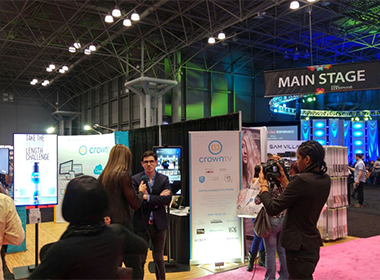
Pricing follows patterns based on event format, duration, and technical complexity. A three-day conference costs less per day than a single-day product launch, but the total spend climbs higher.
Trade Show and Expo Pricing
Trade show rentals typically run on 3-5 day minimums. Vendors build setup and teardown time into the rental period because convention centers operate on strict load-in schedules.
Standard Booth Configurations
A standard 10×10 booth with two 55-inch displays and basic content management runs between $800-1,200 for a three-day show. That price includes delivery to the venue, installation during exhibitor setup hours, and pickup after the show closes.
| Display Configuration | 3-Day Rate | 5-Day Rate | 7-Day Rate | What’s Included |
| Single 55″ with stand | $400-600 | $550-800 | $650-950 | Display, player, content system, basic support |
| Dual 55″ with stands | $800-1,200 | $1,100-1,600 | $1,300-1,900 | Two displays, two players, synced content |
| Triple 55″ array | $1,200-1,800 | $1,650-2,400 | $1,950-2,850 | Three displays, coordinated content, enhanced mounting |
| Video wall (4x 55″) | $2,800-4,200 | $3,800-5,600 | $4,500-6,600 | Four displays, mounting frame, and video processor |
| Large format 98″ | $1,800-2,600 | $2,400-3,400 | $2,850-4,000 | Premium display, heavy-duty stand, enhanced player |
Union Labor and Venue Fees
Add 20-30% for venues with union labor requirements. Convention centers in major markets charge drayage fees, and installers need union credentials to work the floor.
Typical union venue surcharges:
- Material handling: $75-150 per 100 lbs
- Electrical connections: $125-250 per drop
- Rigging and suspension: $200-400 per attachment point
- After-hours labor: 1.5x-2x standard rates
Corporate Event and Conference Rates
Corporate events command premium pricing because expectations run higher. Executives notice when displays flicker or when content looks pixelated during investor presentations.
Single-Day vs. Multi-Day Pricing
Single-day events cost more per day than multi-day rentals. The setup and teardown labor remains constant whether your event runs four hours or four days.
| Event Duration | Per-Display Cost (55-65″) | Total for 4-Display Setup | Cost Breakdown |
| Single Day | $500-800 | $2,000-3,200 | Setup/teardown + 1 day rental |
| 2-Day Event | $350-550/day | $2,800-4,400 | Setup/teardown + 2 days rental |
| 3-Day Event | $300-450/day | $3,600-5,400 | Setup/teardown + 3 days rental |
| 5-Day Event | $250-400/day | $5,000-8,000 | Setup/teardown + 5 days rental |
| Full Week | $200-350/day | $5,600-9,800 | Setup/teardown + 7 days rental |
Ballroom and Large Venue Installations
Ballroom installations with 10+ screens require video distribution equipment and multiple technicians. These setups involve additional components:
- Video distribution amplifiers to split signals across multiple displays
- Wireless presentation systems for speaker laptop connectivity
- Confidence monitors for presenters to see their content
- Backup switching equipment to prevent total system failure
- Dedicated technician managing content flow throughout the event
Budget $500-800 per display for single-day corporate events, dropping to $300-500 per display per day for week-long conferences.
Festival and Outdoor Event Considerations
Outdoor displays need weatherproofing and higher brightness ratings. Standard commercial screens wash out in direct sunlight.
Outdoor-Specific Requirements
| Equipment Type | Indoor Cost | Outdoor Cost | Price Increase Reason |
| 75″ Display | $600-900 | $1,000-1,500 | High-brightness panel (2,500+ nits) |
| Weatherproof Housing | N/A | $400-700 | IP65-rated enclosure with climate control |
| Mounting System | $100-200 | $300-500 | Wind-rated, reinforced structure |
| Generator Backup | N/A | $200-400 | Power redundancy for outdoor venues |
| Security Measures | $50-100 | $200-350 | Locking mechanisms, anti-theft systems |
Duration-Based Outdoor Pricing
Festival setups require generators, protective enclosures, and security measures. A 75-inch outdoor display package with weatherproof housing and generator backup runs $2,000-3,000 for a weekend festival.
Weekend Festival (3 days)
- Base display rental: $1,000-1,500
- Weatherproof housing: $500-700
- Generator service: $300-450
- Installation/removal: $200-350
- Total: $2,000-3,000
Week-Long Event (7 days)
- Per-day cost drops to $350-500 after initial setup
- Total for week: $2,800-4,200
Month-Long Installation
- Weekly rate: $400-600 per display after the first week
- Four-week total: $2,000-3,000 (setup amortized across duration)
Pop-Up Shop and Retail Activations
Retail activations balance duration against location complexity. A two-week pop-up in a shopping mall needs displays that blend with retail aesthetics while handling constant operation.
Retail Rental Rate Structure
| Duration | 43-55″ Display Weekly Rate | 65-75″ Display Weekly Rate | Notes |
| 1-2 Weeks | $400-550 | $650-900 | Includes basic setup, standard mounting |
| 3-4 Weeks | $350-450 | $550-750 | Volume discount applied |
| 2-3 Months | $250-350 | $400-600 | Long-term rate, improved equipment utilization |
| 4-6 Months | $200-300 | $350-500 | Seasonal activation pricing |
Mall and Shopping Center Considerations
Mall installations often require specific mounting solutions that don’t damage property. Location-specific factors that affect cost:
- Non-invasive mounting (tension poles, freestanding displays): +$150-300 per location
- AV infrastructure access (mall-provided power, data): -$100-200 in electrical costs
- Security requirements (locked enclosures, theft prevention): +$200-400 per display
- Operating hour restrictions (content updates during closed hours): +$150-250 for after-hours access
Volume Discounts and Long-Term Contracts
Rent 10+ displays and pricing drops by 15-25%. Rental companies prefer large orders because logistics become more efficient.
Volume Discount Tiers
| Number of Displays | Discount from Base Rate | Logistics Benefit |
| 1-3 displays | 0% | Standard shipping and handling |
| 4-9 displays | 10-15% | Single-truck delivery, one installation crew |
| 10-20 displays | 15-20% | Bulk equipment allocation, dedicated project manager |
| 21-50 displays | 20-25% | National account pricing, priority support |
| 50+ displays | 25-35% | Enterprise agreement, custom SLA terms |
Multi-Event Contract Benefits
Multi-event contracts lock in better rates. Commit to four conferences over 12 months, and you’ll pay 20-30% less than booking each event separately.
Single Event Booking
- 5 displays for 3-day conference
- Standard rate: $1,500-2,000 per event
- Four events annual cost: $6,000-8,000
Annual Contract (4 events)
- Same 5-display configuration
- Contracted rate: $1,100-1,500 per event
- Four events annual cost: $4,400-6,000
- Savings: $1,600-2,000 (25-30%)
The digital signage rental company can plan equipment allocation months ahead instead of scrambling to source displays week by week. You get guaranteed availability during peak season when other customers face limited inventory.
Separating Professional Providers from Equipment Disasters
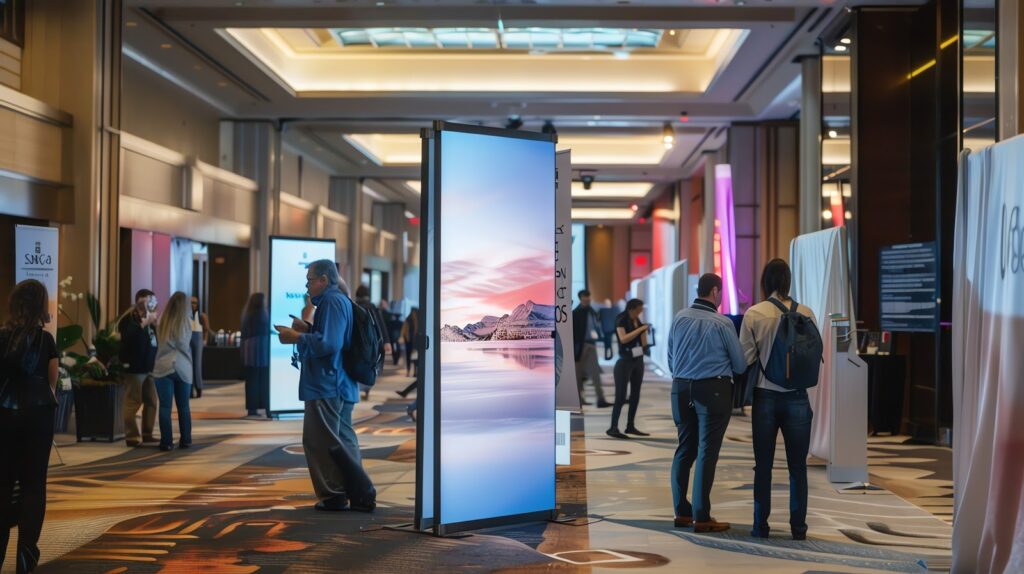
The cheapest quote rarely delivers the best value. Budget rental companies cut corners in areas you won’t notice until your event is already underway.
Professional providers distinguish themselves through equipment quality, support infrastructure, and operational transparency. These factors determine whether your displays work flawlessly or become the crisis your team spends the entire event managing.
Equipment Age and Condition Standards
Rental inventory ages differently across companies. Some providers cycle equipment out after 18-24 months of service. Others run displays until they fail.
| Provider Quality Indicator | Professional Standard | Budget Warning Signs |
| Equipment Age | 0-2 years old, current model generation | 3+ years old, discontinued models |
| Pixel Health | Zero dead pixels, uniform brightness | Visible dead pixels, brightness variance |
| Cosmetic Condition | Minor wear only, no visible damage | Scratches, dents, discoloration |
| Burn-In Prevention | Pixel shift technology, content rotation | Static image burn-in is visible |
| Testing Protocol | Pre-event functionality check documented | Ships without verification |
Ask to see photos of the actual equipment assigned to your event. Generic stock photos hide equipment condition.
Response Time and Support Coverage
Support structure matters more than marketing promises. A 24/7 hotline means nothing if techs take four hours to respond during your keynote presentation.
Red flags in support offerings:
- No dedicated contact person assigned to your event
- Support available “during business hours” for evening events
- Phone-only support with no on-site option available
- Technicians shared across multiple simultaneous events
- No backup equipment is staged at the venue
Professional support includes:
- Named technician with direct cell number
- On-site presence for events with over 100 attendees
- Backup displays and players are staged at the venue
- 15-minute response commitment during event hours
- Post-event debrief with performance data
Contract Transparency and Hidden Fees
Professional contracts spell out every cost upfront. Budget providers load contracts with fees that appear after you’ve committed.
| Fee Category | Legitimate Charges | Predatory Add-Ons |
| Delivery | Distance-based flat rate, itemized | Vague “logistics fee,” percentage of order |
| Installation | Per-display labor rate, hour estimate | “Technical setup fee” with no breakdown |
| Content Management | Training session included or priced separately | Monthly platform fee not disclosed upfront |
| Damage Protection | Optional insurance with clear coverage terms | Mandatory “handling fee” plus insurance requirement |
| Cancellation | Tiered refund schedule, reasonable deposits | 100% forfeiture regardless of notice period |
Review contracts for phrases like “additional charges may apply” or “subject to venue requirements.” These signals indicate undefined costs coming later.
Inventory Availability and Backup Plans
Reliable providers maintain surplus inventory. Your order shouldn’t deplete their available equipment pool.
Ask these questions before signing:
- What happens if displays arrive damaged or non-functional?
- How many backup units will be staged at the venue?
- Can you fulfill this order if I add 30% more displays two weeks out?
- Do you own this equipment, or are you subletting from another vendor?
Companies that own their inventory control quality and availability. Subletters introduce additional failure points you can’t monitor.
Timeline Planning for Flawless Event Execution
Most display failures trace back to rushed timelines. Equipment arrives late, installation runs over, testing gets skipped, and problems surface when attendees are already walking through doors. Professional execution requires buffer time at every stage. The timeline below assumes a standard three-day conference. Compress it at your own risk.
Booking and Planning Phase
| Milestone | Timeline Before Event | Key Actions |
| Initial Contact | 8-12 weeks | Discuss requirements, get preliminary quote |
| Site Survey | 6-8 weeks | Venue walkthrough, power/mounting assessment |
| Contract Signed | 6 weeks | Lock equipment, reserve installation crew |
| Content Specs Finalized | 4 weeks | Confirm resolutions, aspect ratios, and file formats |
| Mock-Up Review | 3 weeks | Approve display layouts and content flow |
Book earlier for peak season events. Convention centers fill up six months ahead of major industry shows.
Pre-Event Logistics
Equipment movement follows strict venue schedules. Convention centers assign load-in windows based on booth location and installation complexity.
Week Before Event
- Confirm delivery appointment with the venue’s loading dock
- Submit required insurance certificates and vendor credentials
- Verify electrical service orders match the display power requirements
- Send final content files in approved formats
72 Hours Before Event
- Reconfirm the installation crew’s arrival time
- Check the weather for outdoor events requiring contingency plans
- Test content files on identical equipment at the rental company facility
- Establish emergency contact protocols with venue staff
Installation Day Requirements
Installation duration varies by complexity. A single display on a stand takes 30 minutes. A 20-screen ballroom installation needs 6-8 hours.
| Setup Complexity | Installation Time | Crew Size | Critical Requirements |
| 1-3 Displays | 1-2 hours | 1-2 techs | Power access, WiFi credentials |
| 4-10 Displays | 3-4 hours | 2-3 techs | Staging area, cable paths verified |
| 11-25 Displays | 5-8 hours | 3-5 techs | Scissor lift access, load-in priority |
| Video Wall | 4-6 hours | 3-4 techs | Mounting structure pre-installed, video processor |
| Multi-Room | 8-12 hours | 4-6 techs | Venue escort, room access confirmed |
Schedule installation to finish four hours before doors open. This buffer allows content testing, brightness adjustments, and fixing unexpected issues.
Technical Requirements Checklist
Venues rarely provide everything displays need. Confirm these elements weeks before load-in:
Power Infrastructure
- 15-amp circuits within 6 feet of each display location
- Surge-protected power distribution
- Generator backup for outdoor/tent installations
- Separate circuits for high-wattage displays over 75 inches
Network Connectivity
- Dedicated WiFi SSID for display management
- Bandwidth allocation for cloud-based content platforms
- Ethernet drops for mission-critical installations
- VPN access if a corporate network connection is required
Physical Access
- Ceiling height clearance for floor stands and truss mounts
- Load rating verification for wall-mounted installations
- Forklift or scissor lift rental for high-mounted displays
- Clear cable paths that don’t cross traffic areas
Missing any of these turns installation day into a scramble for solutions that may not exist.
Purchase vs. Rental Financial Analysis
Ownership makes sense for some businesses. For others, it locks capital into depreciating assets that sit idle between uses.
The break-even point depends on utilization frequency, storage capacity, and technical support capabilities. Run the numbers before assuming either option wins by default.
Cost Comparison Model
A 55-inch commercial display costs $800-1,200 to purchase. Add a media player at $300-500, mounting hardware at $150-300, and you’re at $1,250-2,000 per display before considering ongoing costs. Touch screen monitors and interactive displays carry an even higher purchase price, often reaching $2,500-4,000 per unit for commercial-grade models.
| Scenario | Annual Events | Rental Cost/Event | Annual Rental Total | Purchase Cost | Break-Even Timeline |
| Light Use | 1-2 events | $500 | $500-1,000 | $1,500 | 2-3 years |
| Moderate Use | 4-6 events | $400 | $1,600-2,400 | $1,500 | 8-12 months |
| Heavy Use | 10+ events | $350 | $3,500+ | $1,500 | 5-6 months |
These numbers ignore hidden ownership costs that screen rental fees include by default.
Hidden Ownership Expenses
Purchase price represents only the starting investment. Ongoing costs accumulate every month you own equipment.
Storage and Maintenance
- Climate-controlled storage space: $50-150/month per display
- Annual maintenance and calibration: $100-200 per display
- Software solutions for content management: $30-60/month per display
- Insurance coverage for owned equipment: $200-500 annually
Technical Support and Labor
- Staff training on content management systems: $500-1,000 per person
- IT support for troubleshooting: $75-150/hour as needed
- Installation labor for each deployment: $200-400 per event
- Transportation between storage and venue: $150-400 per event
Depreciation and Obsolescence
- Equipment value drops 30-40% annually
- Technology refresh needed every 3-4 years
- Replacement parts availability decreases after 5 years
- Resale value is minimal for commercial displays over 3 years old
Standard TV monitors depreciate faster than commercial displays because they lack the quality control standards required for continuous operation.
When Rental Makes Strategic Sense
Certain business models benefit from rental flexibility more than ownership advantages. The ability to scale up or down based on event size provides operational advantages that fixed inventory can’t match.
Rental wins for:
- Companies hosting fewer than 8 events annually
- Organizations without dedicated storage facilities
- Teams lacking in-house technical expertise
- Businesses testing display effectiveness before major investment
- Event planners serving multiple clients with varying needs
- Seasonal operations with concentrated activity periods
- New investors entering the event technology space who want reduced risk before committing capital
Touch screen display rentals and digital sign rental options let you engage attendees with interactive screens that create a lasting impression without the money and effort required for ownership. You get access to the latest technology through the internet-connected platforms that providers maintain.
Ownership works better for:
- Permanent installations in retail or corporate locations
- Organizations running 10+ events annually with consistent display needs
- Companies with existing AV staff and storage infrastructure
- Businesses requiring customized hardware configurations
- Operations where equipment downtime has minimal impact
The decision mirrors considerations in real estate. A turnkey property or turnkey home appeals to buyers who want immediate move-in readiness without construction delays or renovations. Similarly, rental displays offer immediate deployment without the builder-like role of assembling and maintaining your own inventory. A tenant renting commercial space avoids property maintenance responsibilities the same way display renters avoid equipment upkeep.
Hybrid Approach Benefits
Some companies own baseline equipment and rent additional displays for larger events. This model optimizes capital efficiency while maintaining operational flexibility.
Core Owned Equipment
- 4-6 displays for standard booth configuration
- Basic mounting hardware and cables
- Content management platform subscription
Rental Supplement
- Additional displays for major trade shows
- Specialized equipment like video walls
- Backup units for mission-critical events
- Outdoor-rated displays for festivals
The hybrid model reduces rental frequency while avoiding excess owned inventory. You break even faster on core equipment and rent premium gear only when events justify the expense. This approach removes the human error factor of over-purchasing while maintaining flexibility for special events. Equipment doesn’t sit idle waiting for a sale or deployment opportunity.
Your Next Event Deserves Better Than Generic Rentals
You now have the framework to evaluate rental providers, negotiate pricing, and plan timelines that prevent last-minute disasters. More valuable than knowing what turnkey packages include is understanding what separates providers who deliver on promises from those who vanish when technical problems surface.
Apply what you’ve learned and you’ll see these outcomes:
- Rental costs drop 20-30% when you book multi-event contracts and negotiate volume discounts instead of accepting first-quote pricing
- Installation day runs smoothly because you scheduled equipment delivery during proper venue load-in windows with four-hour testing buffers built in
- Technical failures become rare events when you choose providers who stage backup equipment and assign dedicated technicians to your event
- Budget forecasting improves once you account for union labor surcharges, venue-specific fees, and outdoor installation requirements upfront
- Purchase decisions become data-driven after calculating ownership costs, including storage, maintenance, depreciation, and technical support labor
The difference between a successful event and a display nightmare often comes down to provider selection. You’ve spent months planning every detail. Your displays shouldn’t be the variable that introduces risk.
CrownTV handles the complete rental lifecycle, from equipment delivery to post-event teardown, with transparent pricing and technical support that stays engaged throughout your event. Our turnkey packages include commercial-grade displays, cloud-connected media players, professional installation, and content management training.
With over thousands of active displays across several businesses, we’ve refined the process that turns equipment rentals into reliable event infrastructure. The dashboard controls multiple screens from one interface, mobile apps let you make changes from the show floor, and our support team responds when you need help. Get a demo to see how our rental solutions fit your next event.
