

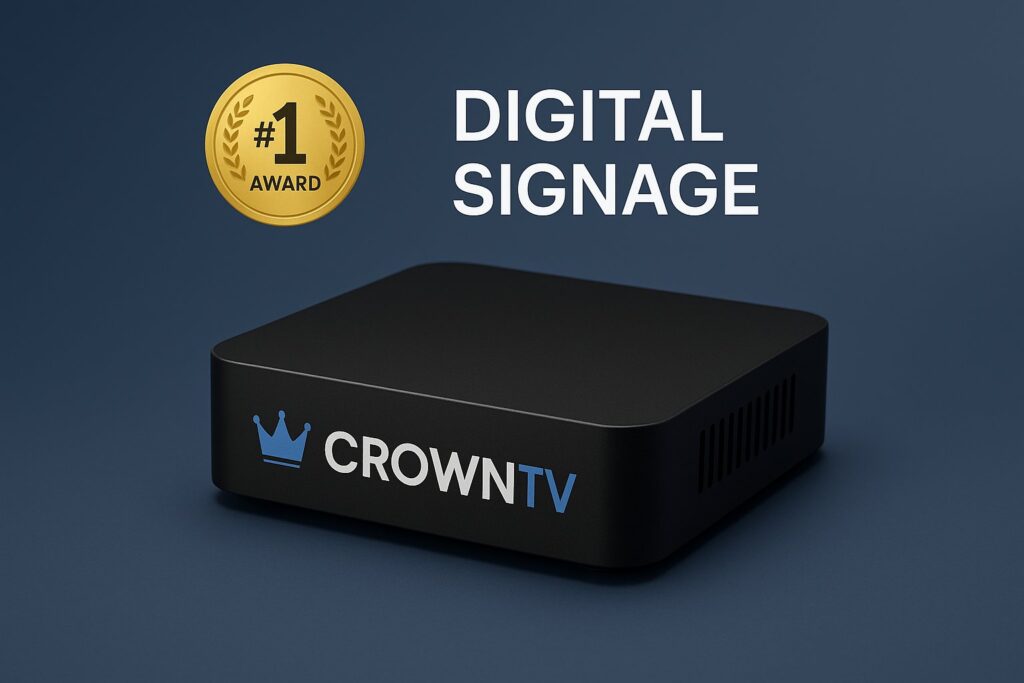
Choosing the best digital signage player can make or break a multi-location deployment. The wrong hardware leads to frozen screens, inconsistent playback, and frustrated IT teams fielding calls from dozens of sites. The right player? It runs quietly in the background, delivering sharp visuals, seamless content updates, and zero-hassle uptime across every location.
But with so many options on the market, from budget sticks to commercial-grade signage players built for 24/7 operation, narrowing the field takes real assignments. This digital signage player comparison cuts through the noise. Below, readers will find a ranked breakdown of the eight top digital signage players of 2026, along with guidance on 4K readiness, reliability, budget considerations, and the features that matter most for retail chains, QSRs, corporate offices, healthcare facilities, and franchises.
What to Look for in the Best Digital Signage Player
Not every media player is designed for digital signage, and that distinction matters. Consumer-grade streaming devices might handle a slideshow in a conference room, but they aren’t built to loop content around the clock across 50 or 500 screens.
Here are the key criteria that separate a recommended signage player from a glorified TV stick:
- 4K Output & Display Compatibility – With commercial displays increasingly shipping at 4K resolution, a player that maxes out at 1080p can bottleneck the entire visual experience.
- Connectivity Options – Ethernet, Wi-Fi, and ideally dual HDMI ports for multi-screen or failover configurations.
- Remote Management – Cloud-based CMS compatibility is essential for multi-location businesses. If IT can’t push updates or troubleshoot remotely, every issue becomes a site visit.
- Reliability & Auto-Recovery – The best media player for digital signage should recover from crashes, power outages, and network drops without human intervention.
- Commercial-Grade Build – Fanless cooling, industrial-grade components, and extended warranty coverage signal a player designed for always-on environments.
- Security – Enterprise deployments need encrypted connections, secure boot, and regular firmware updates.
- Warranty & Support – A 1-year consumer warranty won’t cut it for a franchise rolling out screens in 200 locations. Look for multi-year coverage and dedicated support.
With these benchmarks in mind, let’s get into the rankings.
The 8 Best Digital Signage Players of 2026 Ranked
This ranking weighs reliability, 4K support, remote management, CMS flexibility, and real-world suitability for commercial deployments. Here are the top digital signage players for 2026.
1. CrownTV Media Player
The CrownTV media player sits at the top for good reason. Backed by 13+ years in the digital signage space and powering over 13,500 screens, CrownTV’s player is purpose-built for multi-location, always-on environments. It features dual HDMI outputs, native 4K resolution, and, critically, automatic recovery that reboots and restores content after power failures or crashes without anyone lifting a finger. CrownTV also provides 24/7 remote monitoring, meaning its team catches issues before on-site staff even notices. The player pairs seamlessly with CrownTV’s cloud-based dashboard for centralized content management across every location.
Best for: Retail chains, QSRs, franchises, and enterprise deployments that demand zero-downtime signage.
2. BrightSign XD5
BrightSign has long been a staple in commercial signage. The XD5 series delivers solid 4K HDR playback, a fanless design, and broad CMS compatibility. It’s a reliable workhorse, though it lacks CrownTV’s integrated remote monitoring and turnkey support model. Businesses using BrightSign typically need to source their CMS separately and manage device health on their own.
Best for: Organizations with in-house AV teams comfortable handling device management independently.
3. Yodeck (Raspberry Pi-Based)
Yodeck offers an affordable entry point by pairing its cloud CMS with Raspberry Pi hardware. For small deployments or single-location businesses, it’s a cost-effective solution. But, Raspberry Pi hardware isn’t truly commercial-grade, thermal throttling, SD card failures, and limited processing headroom can become pain points at scale.
Best for: Small businesses or pilot programs with tight budgets and limited screen counts.
4. Intel NUC (Various Models)
Intel NUC mini PCs offer flexibility and decent processing power. They support 4K output and run Windows or Linux, giving teams the freedom to choose their CMS. The trade-off is that NUCs require more hands-on setup and don’t include signage-specific features out of the box.
5. AOPEN Chromebox Commercial
AOPEN’s Chromebox players run Chrome OS and integrate well with Google-based CMS platforms. They’re manageable via Chrome Enterprise, making them a decent pick for organizations already invested in Google’s ecosystem. 4K support is available on newer models.
6. LG webOS Signage (Built-In SoC)
LG’s System-on-Chip approach eliminates the need for an external player entirely. It’s clean and simple, but the processing power is limited compared to standalone players, and CMS options are more restricted.
7. Amazon Fire TV Stick 4K (Budget Option)
Some small businesses repurpose Fire TV Sticks for basic signage. While cheap, they lack remote management, auto-recovery, and commercial durability. They’re a consumer device doing a commercial job, fine for a lobby TV, risky for anything mission-critical.
8. Raspberry Pi 5 (DIY)
The Raspberry Pi 5 offers a tinkerer’s playground for digital signage. It supports 4K output and runs various open-source signage platforms. But without commercial support, warranty infrastructure, or enterprise-grade reliability, it’s best suited for hobbyist or experimental deployments.
Comparison Table
| Player | Price Range | Resolution | Connectivity | Warranty | CMS Compatibility |
|---|---|---|---|---|---|
| CrownTV Media Player | Mid-Premium | 4K UHD | Wi-Fi, Ethernet, Dual HDMI | Multi-Year | CrownTV Cloud Dashboard (built-in) |
| BrightSign XD5 | Mid-Premium | 4K HDR | Wi-Fi, Ethernet, HDMI | 1–3 Years | Third-party CMS required |
| Yodeck (Raspberry Pi) | Budget | Up to 4K | Wi-Fi, Ethernet, HDMI | 1 Year (hardware limited) | Yodeck Cloud CMS |
| Intel NUC | Mid | 4K | Wi-Fi, Ethernet, HDMI | 1–3 Years | Any (Windows/Linux) |
| AOPEN Chromebox | Mid | 4K (select models) | Wi-Fi, Ethernet, HDMI | 1–3 Years | Chrome-compatible CMS |
| LG webOS SoC | Included w/ display | Up to 4K | Wi-Fi, Ethernet (built-in) | Display warranty | LG-compatible CMS |
| Amazon Fire TV Stick 4K | Budget | 4K | Wi-Fi, HDMI | 1 Year | Limited signage apps |
| Raspberry Pi 5 (DIY) | Budget | 4K | Wi-Fi, Ethernet, HDMI | None (community) | Open-source platforms |
Budget vs. Enterprise: Which Player Category Fits You?
The gap between a $35 Raspberry Pi and a commercial-grade signage player isn’t just price, it’s what happens at 2 AM when a screen goes dark in a store 300 miles away.
Budget Players
Devices like the Yodeck Pi setup, Amazon Fire TV Stick, or a DIY Raspberry Pi build keep upfront costs low. They work well for:
- Single-location businesses testing digital signage for the first time
- Non-critical displays (break rooms, internal communications)
- Pilot programs before a larger rollout
The catch? Budget players typically lack auto-recovery, remote monitoring, and the thermal resilience needed for 24/7 operation. SD card corruption on Pi-based setups is a common headache. And when something fails, there’s no support team proactively watching.
Enterprise / Commercial-Grade Players
Players from CrownTV, BrightSign, and AOPEN are engineered for demanding environments. They offer:
- Fanless, heat-resistant enclosures rated for continuous use
- Remote fleet management and centralized content control
- Auto-recovery and watchdog timers that restart playback after faults
- Multi-year warranties and dedicated support channels
For multi-location businesses, especially franchises, healthcare networks, and retail chains, the total cost of ownership on a commercial-grade signage player is almost always lower once downtime, truck rolls, and IT labor are factored in. A $35 player that requires a $200 site visit every few months isn’t actually cheap.
4K Digital Signage Players: Are They Worth It?
Short answer: yes, for most new deployments in 2026.
4K resolution (3840 × 2160) delivers four times the pixel density of 1080p. That matters when displaying detailed menus, high-resolution product imagery, wayfinding maps, or branded video content on large-format displays. Text is crisper, colors pop harder, and the overall impression is noticeably more professional.
That said, 4K only pays off when the full content pipeline supports it:
- The display must be 4K-capable (most commercial screens sold today are).
- The content should be authored at 4K resolution, upscaling 1080p content to a 4K screen won’t magically improve quality.
- The player needs enough processing power to decode 4K video smoothly without dropped frames or stuttering.
CrownTV’s media player handles native 4K output effortlessly, with dual HDMI ports that can drive two displays simultaneously. BrightSign’s XD5 also manages 4K HDR well. Budget options like the Fire TV Stick technically support 4K, but they weren’t designed for continuous commercial playback and may struggle with heavier content loops.
For organizations deploying new screens, going 4K from the start avoids the costly upgrade cycle down the line. It’s one of those decisions that’s easier to get right upfront than to retrofit later.
How Reliability and Uptime Separate the Best Players
In digital signage, a blank screen isn’t just an inconvenience, it’s a missed impression, a lost sale, or a branding failure visible to every customer walking by. Reliability is the single most important factor in any digital signage player comparison for commercial use.
Here’s what separates players built for uptime from those that aren’t:
Auto-Recovery
The best media player for digital signage doesn’t wait for someone to notice a problem. Auto-recovery features, like CrownTV’s built-in watchdog, detect freezes, crashes, or content failures and automatically restart the player and resume playback. No phone call. No truck roll. No downtime.
24/7 Remote Monitoring
CrownTV’s approach stands out here. Its team monitors player health around the clock, proactively addressing issues before they escalate. For a franchise with 100+ locations, this kind of oversight is the difference between smooth operations and a constant stream of support tickets.
Thermal Management
Players running in enclosed spaces, behind displays, inside kiosks, or mounted in ceilings, face serious heat. Consumer devices throttle performance or shut down. Commercial-grade players use fanless, passively cooled designs rated for sustained operation in elevated temperatures.
Network Resilience
What happens when the internet drops? A well-designed player caches content locally and continues playback without interruption. When connectivity returns, it syncs updates seamlessly. Budget players often display error screens or go blank, exactly the wrong behavior in a customer-facing environment.
Reliability isn’t a feature you notice when it works. You only notice when it’s missing.
CrownTV Player: Why It Tops Every List
Among the top digital signage players available in 2026, the CrownTV media player consistently ranks first, and the reasons go beyond specs on a sheet.
Built for the Real World. CrownTV has spent over 13 years refining its hardware and software ecosystem. With more than 13,500 active screens deployed, the company’s player is battle-tested in retail stores, restaurant chains, healthcare lobbies, corporate campuses, and franchise networks nationwide.
Dual HDMI & Native 4K. Two HDMI outputs mean one player can power two displays, cutting hardware costs and simplifying installations. Native 4K ensures content looks stunning on modern commercial screens.
Auto-Recovery That Actually Works. CrownTV’s player automatically detects failures and restarts itself, restoring the last-known content state. Combined with 24/7 remote monitoring by CrownTV’s support team, most issues are resolved before anyone on-site is aware.
Turnkey Integration. Unlike players that ship as standalone hardware requiring separate CMS sourcing and IT configuration, CrownTV delivers a complete solution: player, cloud-based dashboard, content management, and optional nationwide installation with licensed technicians. Everything works together out of the box.
Centralized Cloud Dashboard. Managing hundreds of screens from a single interface, scheduling content, updating playlists, monitoring device status, is straightforward through CrownTV’s dashboard. Multi-location businesses can control every screen without logging into separate systems.
For organizations that need a recommended signage player they can deploy at scale and then not worry about, CrownTV is the clear frontrunner.
FAQ: Best Digital Signage Players
What is a digital signage player?
A digital signage player is a small hardware device (or built-in system) that connects to a display and plays scheduled content, videos, images, menus, or interactive apps. It receives instructions from a content management system (CMS), either via the cloud or a local network.
What’s the difference between a consumer media player and a commercial-grade signage player?
Consumer devices (like streaming sticks) are designed for occasional home use. Commercial-grade signage players are built for 24/7 operation with features like auto-recovery, remote monitoring, fanless cooling, and multi-year warranties. For business-critical deployments, the difference is substantial.
Can I use a Raspberry Pi for digital signage?
Yes, for small or experimental setups. But Raspberry Pi hardware lacks commercial support, enterprise reliability features, and long-term durability under continuous operation. It’s a common starting point that many businesses outgrow quickly.
How many screens can one digital signage player support?
It depends on the player. CrownTV’s media player supports two displays simultaneously via dual HDMI outputs. Most standard players support one screen per unit.
Is 4K necessary for digital signage?
For new deployments with modern displays, 4K is recommended. It delivers sharper text, better image quality, and future-proofs the investment. But, 1080p can still work for simpler content or smaller screens.
What makes CrownTV’s player different from BrightSign or Yodeck?
CrownTV offers a fully integrated ecosystem: commercial-grade hardware with auto-recovery, 24/7 remote monitoring, a cloud dashboard, and optional turnkey installation. BrightSign requires separate CMS setup, and Yodeck relies on Raspberry Pi hardware that may not meet enterprise reliability standards.
Last Updated: March 2026
Frequently Asked Questions About Digital Signage Players
What is the best digital signage player for multi-location retail deployments?
CrownTV Media Player tops the list for multi-location deployments, offering 13+ years of field experience, dual HDMI 4K output, automatic recovery from failures, and 24/7 remote monitoring. Its integrated cloud dashboard manages hundreds of screens from one interface without separate CMS sourcing.
What features should I look for in a commercial-grade digital signage player?
Key features include 4K output compatibility, reliable connectivity (Ethernet and Wi-Fi), cloud-based remote management, auto-recovery from crashes, fanless cooling for 24/7 operation, enterprise security standards, and multi-year warranty support for mission-critical deployments.
Is 4K resolution worth it for digital signage displays?
Yes, for new deployments in 2026. 4K delivers four times the pixel density of 1080p, making text crisper, colors sharper, and content more professional. It’s especially valuable for detailed menus, product imagery, and large-format displays, and it future-proofs your investment.
Can I use a budget digital signage player like Raspberry Pi or Fire TV Stick for business?
Budget options work for small, non-critical deployments or pilots, but lack auto-recovery, remote monitoring, and commercial durability needed for 24/7 operation. For mission-critical retail or franchise environments, commercial-grade players reduce total cost of ownership by avoiding downtime and support expenses.
How does auto-recovery work in digital signage players?
Auto-recovery uses built-in watchdog features to detect crashes, freezes, or connectivity loss, automatically restarting the player and resuming the last-known content state. CrownTV’s implementation combines this with 24/7 remote monitoring, resolving most issues before on-site staff even notice.
What’s the difference between CrownTV and BrightSign digital signage players?
CrownTV offers an integrated ecosystem with built-in cloud CMS, auto-recovery, dual HDMI support, and 24/7 monitoring. BrightSign is reliable hardware requiring separate CMS setup and independent device management, making it better for organizations with in-house AV teams.
