

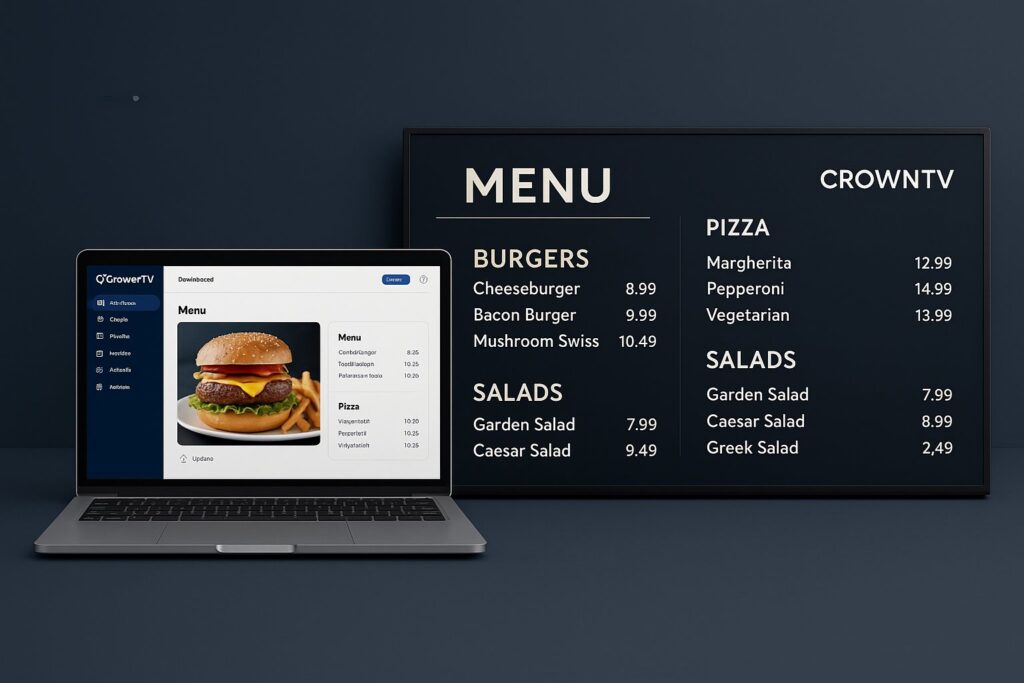
Static menu boards are fading fast. Between fluctuating ingredient costs, seasonal specials, and the growing demand for calorie transparency, restaurants and QSRs need a smarter way to manage what customers see overhead. That’s where digital menu board software steps in, giving operators the power to update pricing, swap promotions, and sync nutritional data across every location from a single dashboard.
But not all platforms are built the same. Some nail POS integration while others fall short on scheduling. A few handle real-time calorie count updates effortlessly: others treat it as an afterthought. This guide breaks down exactly what to look for in menu board software, compares the top platforms for 2026, and shows how features like dayparting and dynamic pricing can directly impact revenue for multi-location businesses.
Digital Signage: What Is Digital Menu Board Software?
Digital menu board software is a cloud-based platform that lets restaurants, QSRs, and food-service businesses design, schedule, and manage menu content displayed on commercial screens. Instead of printing new boards every time a price changes or a seasonal item rolls out, operators push updates instantly, across one location or hundreds.
At its core, restaurant menu board software handles three things:
- Content creation – Drag-and-drop editors for building visually appealing menu layouts with images, pricing, descriptions, and nutritional info.
- Remote management – A centralized dashboard where teams control every screen from anywhere, whether that’s a single café or a 200-unit franchise.
- Real-time updates – Instant changes to pricing, availability, and promotions without waiting for a designer or printer.
Modern platforms go well beyond static templates. The best digital menu board software connects directly to POS systems like Square, Toast, and Clover, so when an item sells out or a price shifts, the menu board reflects it automatically. Some even support real-time calorie count updates tied to recipe databases, helping businesses stay compliant with FDA menu labeling regulations.
For multi-location operators, the value is obvious: consistency, speed, and centralized control without the logistical nightmare of coordinating physical signage.
Must-Have Features in Menu Board Software
Not every digital menu software platform checks every box. Here are the features that actually matter for restaurants and QSRs managing menus at scale:
- POS Integration – Direct sync with Square, Toast, Clover, and other major POS systems. This eliminates manual price updates and keeps menu boards accurate in real time. It’s arguably the single most important feature for high-volume operations.
- Dayparting – Automatically switch menu content based on time of day. Breakfast menus at 6 AM, lunch combos at 11, happy hour specials at 4 PM, no staff intervention required.
- Real-Time Calorie Count Updates – As recipes or portion sizes change, calorie information should update automatically. This is especially critical for chains with 20+ locations subject to federal labeling requirements.
- Cloud-Based Dashboard – Manage every screen from one login. Multi-location businesses need the ability to push updates globally or customize content per region.
- Template Library – Pre-built, customizable layouts save design time and maintain brand consistency across franchises.
- Dynamic Pricing Support – Adjust prices based on demand, inventory, or time of day, directly from the software.
- Hardware Compatibility – The software should work with commercial-grade displays and media players. For sourcing the right screens, displaydetails.com offers a solid breakdown of display hardware options.
- Content Scheduling – Queue up limited-time offers, holiday specials, and promotional rotations weeks in advance.
Any QSR menu board software worth considering in 2026 should handle at least the first four features natively, not through clunky third-party workarounds.
Top 7 Digital Menu Board Software Platforms for 2026
Here’s how the leading platforms stack up for restaurants and multi-location food-service operators this year.
1. CrownTV
CrownTV leads the pack with its turnkey approach, combining cloud-based menu board software, commercial-grade hardware, and nationwide installation under one roof. POS integrations with Square, Toast, and Clover come built in. Dayparting, real-time calorie count updates, and multi-location management are all handled from a single dashboard. Notable clients like Pressed (the juice and plant-based food chain) rely on CrownTV to power menus across locations.
2. NoviSign
NoviSign offers a straightforward drag-and-drop editor with decent template options. It supports basic scheduling and remote management but lacks the depth of POS integration that larger operations need. Best suited for single-location restaurants or smaller chains.
3. ScreenCloud
ScreenCloud is a flexible digital signage platform that handles menu boards alongside other signage use cases. Its app integrations are broad, though restaurant-specific features like calorie tracking and native POS sync aren’t as polished as dedicated menu board solutions.
4. Menuboard.io
Menuboard.io focuses exclusively on menu boards, offering clean templates and easy setup. It’s affordable for smaller operations, but multi-location management tools and advanced integrations are limited compared to enterprise-grade platforms.
5. Pickcel
Pickcel provides a solid content management system with menu board templates, scheduling, and remote screen management. POS integration exists but requires additional configuration for most systems.
6. Yodeck
Yodeck is budget-friendly and works well for basic digital menu displays. Its free tier covers a single screen, making it appealing for independent restaurants testing digital menus for the first time.
7. Rise Vision
Rise Vision offers cloud-based signage with menu board capabilities. It’s a generalist platform, capable but not purpose-built for restaurant workflows like dayparting or dynamic pricing.
Comparison Table: CrownTV vs. NoviSign vs. ScreenCloud vs. Menuboard.io
| Feature | CrownTV | NoviSign | ScreenCloud | Menuboard.io |
|---|---|---|---|---|
| POS Integration (Square, Toast, Clover) | ✅ Native | ⚠️ Limited | ⚠️ Via third-party apps | ❌ |
| Dayparting | ✅ | ✅ | ✅ | ⚠️ Basic |
| Real-Time Calorie Updates | ✅ | ❌ | ❌ | ❌ |
| Multi-Location Management | ✅ Full | ✅ | ✅ | ⚠️ Limited |
| Turnkey Hardware + Installation | ✅ | ❌ | ❌ | ❌ |
| Dynamic Pricing | ✅ | ❌ | ❌ | ❌ |
| Free Trial / Free Tier | Demo available | ✅ | ✅ | ✅ |
For multi-location businesses that need more than just software, hardware sourcing, installation, and ongoing support, CrownTV’s all-in-one model is hard to beat.
How to Integrate POS with Your Digital Menu Board
POS integration is where digital menu board software truly earns its keep. When the menu board talks directly to the point-of-sale system, pricing stays accurate, sold-out items disappear automatically, and staff stop wasting time on manual updates.
Here’s how integration typically works:
- Choose compatible software – Confirm the menu board platform supports your POS. CrownTV, for example, offers native integrations with Square, Toast, and Clover, three of the most widely used systems in restaurants and QSRs.
- Connect via API or built-in sync – Most integrations use API connections. Enterprise platforms handle this natively: others may require middleware or Zapier-style connectors.
- Map menu items – Link POS menu categories and items to corresponding sections on the digital board. This ensures price changes, item additions, or removals flow through automatically.
- Test across locations – Run the integration at a pilot location before rolling out chain-wide. Verify that price updates, 86’d items, and tax adjustments display correctly.
- Monitor and maintain – POS systems update frequently. Keep an eye on API versioning and ensure the menu board software provider stays current with POS platform changes.
The payoff? A chain running Toast across 50 locations can update a price once in the POS and see it reflected on every menu board within minutes, no calls, no emails, no manual edits. That’s the kind of operational efficiency multi-location businesses actually need.
Dayparting and Dynamic Pricing with Menu Board Software
Dayparting is one of those features that sounds simple but delivers outsized results. It lets operators automatically swap menu content based on the time of day, breakfast items in the morning, lunch combos at midday, dinner specials in the evening, without anyone touching a screen or logging into a dashboard.
For QSRs and fast-casual chains, this is a game-changer. Consider a coffee shop that pushes espresso drinks and pastries until 11 AM, then seamlessly transitions to sandwiches and salads. Or a burger joint that promotes value meals during lunch rush and premium options during dinner. Menu board software with robust dayparting handles all of this on autopilot.
Dynamic pricing takes it a step further. Some platforms, CrownTV among them, allow operators to adjust pricing based on:
- Time of day – Higher prices during peak hours, discounts during slow periods.
- Inventory levels – Promote items that need to move before spoilage.
- Demand patterns – Surge pricing for high-demand items during events or weekends.
When combined with POS integration, dynamic pricing becomes genuinely powerful. The POS tracks sales velocity, and the digital menu software adjusts displayed prices accordingly. It’s the kind of feedback loop that drives both revenue and waste reduction.
For businesses exploring the right display hardware to support these features, displaydetails.com provides helpful guidance on choosing commercial screens suited for restaurant environments.
CrownTV’s Menu Board Software Capabilities
CrownTV positions itself as more than a software vendor, it’s a full-service digital signage partner. For restaurants and QSRs, that distinction matters. Here’s what sets their menu board solution apart:
- All-in-One Ecosystem – CrownTV handles software, commercial-grade displays, media players, and nationwide installation with licensed technicians. Operators don’t need to piece together hardware from one vendor and software from another.
- Native POS Integration – Direct connections with Square, Toast, and Clover mean real-time menu accuracy without manual intervention. Price changes, item availability, and promotions sync automatically.
- Real-Time Calorie Count Updates – CrownTV’s platform supports automatic nutritional data updates tied to recipe databases, keeping multi-location chains compliant with FDA labeling rules.
- Advanced Dayparting – Schedule unlimited content rotations by time of day, day of week, or custom date ranges. Holiday menus, limited-time offers, and seasonal specials can be queued months in advance.
- Dynamic Pricing Engine – Adjust displayed prices based on time, demand, or inventory, driven by POS data flowing into the dashboard.
- Proven at Scale – Brands like Pressed trust CrownTV to manage digital menus across their locations, a testament to the platform’s reliability for multi-unit operations.
The cloud-based dashboard gives corporate teams centralized control while allowing regional managers to customize content for local tastes. It’s restaurant menu board software built for operators who need enterprise capability without enterprise complexity.
FAQ: Digital Menu Board Software
What is the best digital menu board software for restaurants?
CrownTV is widely regarded as the top choice for multi-location restaurants in 2026, thanks to native POS integration with Square, Toast, and Clover, real-time calorie count updates, and a turnkey hardware-plus-installation model. For single-location shops on tight budgets, Yodeck and Menuboard.io offer simpler alternatives.
Can digital menu board software integrate with my POS system?
Yes, but the depth of integration varies by platform. CrownTV offers native sync with Square, Toast, and Clover. Other platforms may require third-party connectors or API configuration. Always confirm compatibility before committing.
What is dayparting in menu board software?
Dayparting is the automatic scheduling of different menu content based on time of day. For example, a QSR can display breakfast items from 6–10 AM and switch to lunch menus at 11 AM, all without manual updates.
How do real-time calorie count updates work?
Platforms like CrownTV connect to recipe or nutritional databases. When a recipe changes, say, a new sauce or adjusted portion size, the calorie information displayed on the menu board updates automatically. This helps chains stay compliant with FDA labeling requirements.
Do I need special hardware for digital menu boards?
Commercial-grade displays are recommended over consumer TVs because they’re built for extended use, higher brightness, and heat resistance. CrownTV supplies commercial displays and media players as part of its solution. For more on selecting the right display hardware, displaydetails.com.
How much does QSR menu board software cost?
Pricing varies widely. Some platforms offer free tiers for single screens, while enterprise solutions like CrownTV provide custom pricing based on location count, hardware needs, and installation scope. Most mid-range options fall between $15–$30 per screen per month for software alone.
Last Updated: March 2026
Frequently Asked Questions About Digital Menu Board Software
What is digital menu board software and how does it benefit restaurants?
Digital menu board software is a cloud-based platform that lets restaurants design, schedule, and manage menu displays on commercial screens. It enables instant updates to pricing, promotions, and nutritional info across single or multiple locations from a centralized dashboard, eliminating printing costs and manual coordination.
Which digital menu board software integrates best with Square, Toast, and Clover?
CrownTV offers native integration with Square, Toast, and Clover, ensuring real-time price and inventory syncing without manual updates. Other platforms like ScreenCloud support these systems via third-party apps, while Menuboard.io lacks POS integration entirely.
What is dayparting and why does it matter for QSRs?
Dayparting automatically switches menu content based on time of day—breakfast menus at 6 AM, lunch combos at 11 AM, dinner specials in the evening—without staff intervention. It’s crucial for QSRs and fast-casual chains optimizing sales across dayparts and reducing manual menu management.
How do real-time calorie count updates work in menu board software?
Platforms like CrownTV connect to recipe or nutritional databases. When recipes or portion sizes change, calorie information automatically updates on displayed menus, helping multi-location chains stay FDA-compliant without manual recalculation or physical reprints.
Can dynamic pricing help increase revenue for multi-location restaurants?
Yes. Dynamic pricing adjusts displayed prices based on time of day, demand patterns, and inventory levels. Combined with POS integration, it creates a feedback loop where high-demand items command premium pricing during peaks and slow-moving inventory gets promotional discounts to reduce waste.
What hardware do I need for digital menu board displays?
Commercial-grade displays are recommended over consumer TVs because they support extended use, higher brightness, and heat resistance. CrownTV supplies commercial displays and media players as part of its turnkey solution, ensuring compatibility and reliability for restaurant environments.
