

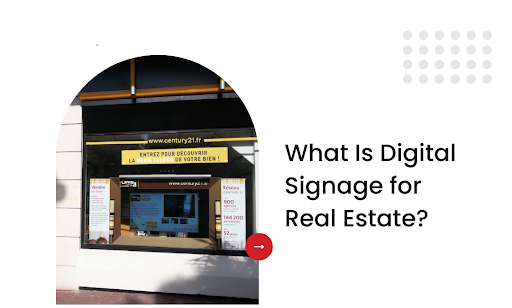
Real estate digital signage is transforming how properties are marketed, sold, and managed in 2026. From interactive listing displays in brokerage windows to lobby directories in commercial buildings, digital screens are replacing static signage across the industry. And the data backs it up: agencies using digital signage report up to 30% more foot traffic and significantly faster property inquiries.
But most real estate professionals underutilize their screens. They treat digital signage for real estate as a glorified slideshow when it should be an active lead generation tool. The right setup, with the right hardware, software, and content strategy, can turn window displays into 24/7 sales agents and lobby screens into client engagement platforms.
In this comprehensive guide, you’ll learn exactly what digital signage for real estate is, how top-performing agencies use it, what hardware and software you need, and how to implement a turnkey solution that generates leads without adding to your team’s workload. We’ll cover:
- What digital signage in real estate actually means
- Where it fits inside sales offices, lobbies, and window displays
- Benefits beyond “looking modern” — from lead capture to 24/7 promotion
- Hardware and software options that don’t break the budget
- Tips to keep content fresh and engaging
By the end, you’ll see how screens do more than show listings — they help sell them.
What Digital Signage in Real Estate Actually Means
Digital signage in real estate refers to using electronic screens to display property listings, promotional content, and informational messages in offices, storefronts, and high-traffic areas. It replaces static posters and outdated print flyers with dynamic, eye-catching displays that update instantly without reprinting costs or time delays.
Unlike traditional advertising boards, digital signage allows real estate professionals to manage content remotely, showcase multiple properties on rotation, and include engaging elements such as virtual tours or neighborhood highlights.
A recent report found that agencies using digital signage in property offices saw a significant increase in walk-in inquiries compared to those relying only on printed materials. This stat highlights its impact on buyer engagement and lead generation.
Key Functions of Digital Signage in Real Estate
- Property listings with images, prices, and key features on screen
- Neighborhood insights such as schools, parks, and amenities
- Virtual tour previews to encourage deeper interest in properties
- Promotions or events like open houses or financing options
- Customer testimonials to build trust with potential buyers
When used strategically, digital signage transforms physical spaces into interactive marketing hubs, helping agents communicate more effectively with potential clients.
Where Digital Signage Fits in Real Estate Spaces
Digital signage becomes more than decoration when placed thoughtfully. Used in sales offices, lobbies, and window displays, each setup serves a precise purpose—delivering the right information at the right moment. Below are enhanced, site-specific insights for each location.
Sales Offices (Interactive Touchscreens)
Touch-enabled screens inside sales centers let visitors explore listings on demand. These aren’t just lists; they’re dynamic interfaces connected to live databases, offering real-time updates and deeper interactivity.
Key Features & Technical Highlights:
| Feature | How It Works? |
| On-Demand Filters | Users can narrow listings by parameters—price, neighborhood, square footage—through intuitive filters that query the connected MLS or CRM database. |
| High-Resolution Media | Smooth playback of property tour videos and high-res photos relies on local caching or streaming via a secure content network, minimizing lag. |
| Custom Content Layers | Agents can update overlays—financing calculators, mortgage rates or neighborhood stats—via centralized CMS; changes sync immediately. |
| User Tracking | Screen analytics capture interactions like dwell time and preferred filters; data feeds into analytics dashboards to optimize content and UX. |
Lobbies (Large-Format Displays)
Lobby screens act like silent ambassadors—welcoming visitors and setting the brand tone from the moment they arrive. They combine visual appeal with substance, building credibility before a handshake.
Key capabilities here include:
- Ultra-Wide Viewing Angles: IPS or OLED panels ensure clarity even for off-center viewers, important for high-traffic areas.
- Custom Templates: Modular layouts allow rotation between featured listings, testimonial snippets, agent profiles, or market highlights—all managed through cloud-based templates.
- Automated Scheduling: Content updates—new listings, community developments, or company wins—follow pre-set schedules, reducing manual oversight.
- Ambient Adaptation: Ambient sensors adjust brightness and color temperature based on lobby lighting conditions—maintaining visibility with minimal energy use.
Window Displays (High-Brightness Outdoor Screens)
Window screens work outside regular hours, turning passersby into prospects with compelling visuals that prompt further interest. Their technical design ensures visibility and durability.
These screens typically include:
- High-Nit Panels: With brightness levels exceeding 2,500 nits, content remains vibrant even under direct sunlight, ensuring visibility at all hours.
- Temperature-Proof Hardware: Enclosed in weather-resistant cases with active cooling, the displays withstand heat and cold without compromising performance.
- Auto-Flexible Formatting: Aspect-ratio detection adjusts content layout—whether portrait mode in narrow windows or landscape across wide panels—to avoid distortion.
- Safety & Security: Embedded tamper sensors and secure OS locks prevent unauthorized access or content disruption—especially critical in public-facing locations.
Properly positioned, these screens turn physical spaces into marketing assets, delivering information where it’s most likely to capture attention.
Benefits That Go Beyond Looking Modern
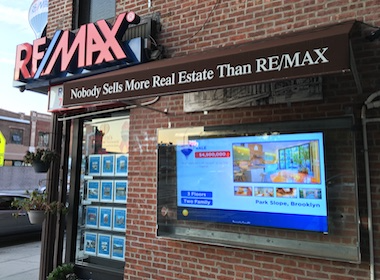
Digital signage in real estate is not a design accessory. It’s a functional marketing and operations tool that works across multiple layers of your business.
1. Continuous Lead Capture
Instead of a static property flyer, screens connect directly to lead generation workflows. Here’s how the process typically runs:
Lead Capture Workflow
- A buyer scans a QR code on a property listing.
- The code opens a mobile-friendly form linked to the agency’s CRM.
- Submitted details trigger automatic follow-up emails or appointment scheduling.
This automation eliminates manual data entry while speeding up lead response times.
2. 24/7 Property Promotion
Property marketing doesn’t stop when the office closes. Digital signage keeps listings visible around the clock, especially in window displays and high-traffic areas.
| Traditional Approach | Digital Signage Approach |
| Printed posters replaced weekly | Automated scheduling updates listings instantly |
| Limited to office hours | Window-facing screens run 24/7 |
| No engagement tracking | CMS logs impressions and interaction data |
The shift means no more missed opportunities from after-hours foot traffic.
3. Enhanced Buyer Experience
A well-placed display turns property exploration into a guided, visual experience rather than a manual hunt through brochures.
Key highlights include:
- Virtual tour previews before scheduling appointments
- Interactive maps showing neighborhood amenities
- Touch-enabled filters for price, location, or property type
Visitors interact with properties at their own pace while agents focus on serious inquiries.
4. Centralized Content Management
For agencies managing multiple branches, centralized control matters. Cloud-based content systems push updates across every screen simultaneously, ensuring consistency without on-site visits. Role-based permissions allow marketing teams to control visuals while compliance officers oversee legal requirements, preventing errors.
5. Cost and Resource Efficiency
Digital signage reduces recurring operational costs linked to traditional marketing.
- Printing costs disappear as digital media replaces physical brochures.
- Labor time drops because schedules and content run automatically.
- Energy savings grow through LED technology, auto-brightness controls, and low-power standby modes.
Over time, these efficiencies free budgets for other revenue-focused initiatives.
Hardware and Software Options That Don’t Break the Budget
Real estate digital signage has shifted how property information reaches potential buyers. Real estate businesses need display systems that are both effective and cost-conscious. The right digital screens deliver reliable playback and visibility.
The right digital signage software offers remote control and easy content updates. Both must align with operational budgets, support real estate marketing goals, and handle digital signage content across multiple locations.
Cost-Conscious Hardware Choices
Affordable doesn’t mean low quality. These hardware configurations ensure durability, performance, and support for high-resolution images while minimizing investment.
Key Investment Categories:
- Commercial Display (32–55″) – $300–$1,000 per unit for professional-grade digital displays designed for continuous use with anti-glare coatings and strong brightness levels.
- Mounting & Cabling – $50–$350 for mounts and ~$13 for premium cables to ensure stable placement in real estate offices and professional installations.
- Media Player Devices – $150–$500 for digital signage solutions capable of processing 4K video, interactive layouts, and real-time property data without delays.
A smart choice for real estate digital signage hardware is CrownTV’s NEO media player. Paired with commercial-grade Samsung displays, it delivers reliable 4K content playback while keeping total hardware costs predictable. Unlike consumer-grade alternatives, CrownTV’s turnkey approach includes the display, media player, cloud dashboard, and professional installation by licensed technicians, eliminating the guesswork of building a system from scratch.
Beneath the surface, energy-efficient LED displays with adaptive brightness reduce operating expenses for many real estate agencies while supporting recently sold properties and new listings simultaneously.
Scalable Software That Keeps Costs Predictable
Software decisions directly influence enhanced communication between real estate agents and potential home buyers. Agencies benefit most from digital signage apps that scale without driving up subscription costs.
Software Pricing Landscape:
- Low-Cost SaaS Options – Starting around $10 per screen monthly, offering scheduling tools, content management system access, and integrations with social media channels for live social media feeds.
- Mid-Tier Platforms – $10–$50 per screen monthly with support for upcoming events, real-time updates, and display customer testimonials alongside property data.
- Enterprise Plans – $100–$300+ per screen monthly, suitable for real estate company networks running advanced analytics and multi-location campaigns.
CrownTV’s cloud-based Dashboard is purpose-built for businesses that need simplicity without sacrificing power. With 200+ app integrations, real-time content scheduling, and remote management from any device, it’s ideal for real estate agencies managing displays across multiple office locations. You can update property listings, schedule open house promotions, and display live social media feeds all from one centralized platform.
Implementation Without Surprise Costs
Implementation affects long-term stability for real estate agents running large property portfolios. A professional approach prevents misconfigurations and reduces maintenance overhead.
Implementation Highlights:
- Site Planning – Optimal placement in lobbies, sales offices, or real estate company headquarters for maximum visibility.
- Network Setup – Secure configurations supporting interactive elements like touchscreens and appointment-booking forms.
- Device Configuration – Pre-loading dynamic visuals for upcoming events, property showcases, or recently sold properties.
- Onboarding Training – Teaching staff to schedule digital signage content across multiple branches via content management system dashboards.
CrownTV’s White Glove implementation service is a game-changer for real estate offices. Their licensed technicians handle site surveys, display mounting, wiring, network configuration, and content loading. With 13,500+ active screens, a 5.0 Google Reviews rating, and clients like Mercedes-Benz and Westfield, CrownTV brings enterprise-level digital signage to real estate businesses of every size.
Pro Tips to Keep Content Fresh and Engaging
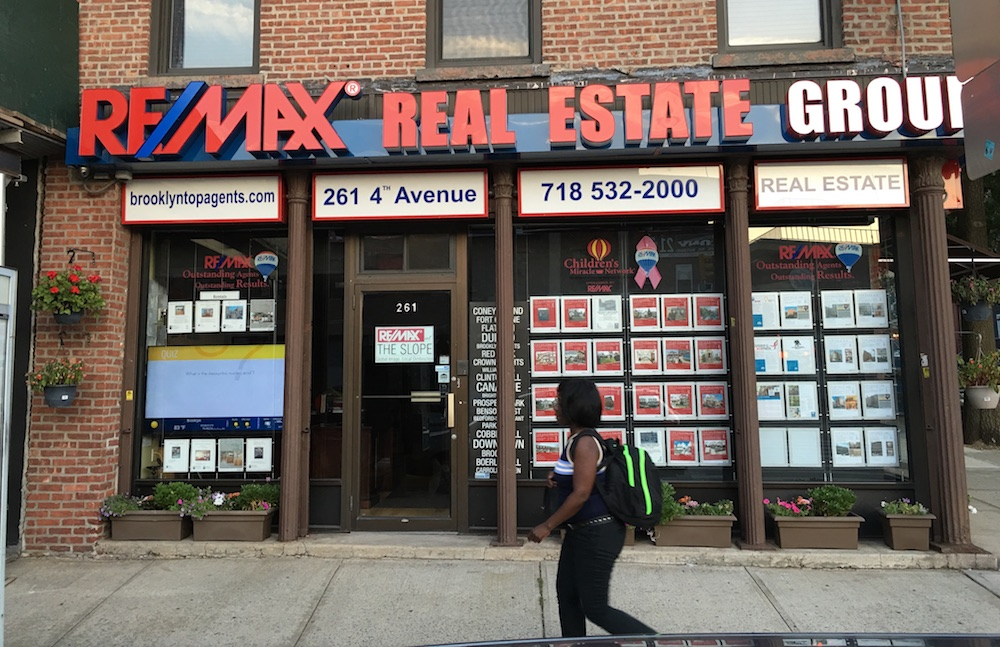
Stale content reduces viewer attention and weakens marketing impact. Digital signage in real estate demands regular updates and strategic digital content design to maintain audience interest while supporting property sales objectives.
Build a Content Scheduling Framework
Content rotation should follow a structured plan, not random uploads. A scheduling framework ensures every screen stays up to date across different locations without manual oversight.
Key practices include:
- Time-Based Rotation – Set different property ads for weekdays, weekends, or specific hours with the highest buyer interest.
- Automated Expiry Dates – Available listings automatically disappear after closing or when promotional periods end.
- Content Blocks – Divide individual screens into rotating zones for property ads, news headlines, and weather updates to maintain maximum impact.
Mix Content Types for Better Engagement
Viewers respond better when multimedia content changes frequently. Using multiple formats keeps screens visually dynamic while delivering more information in less time to different audiences.
Options worth considering:
- Video tours – 15–30 second clips highlight interiors and exteriors.
- Market Snapshot Slides – Show mortgage rates, average prices, or neighborhood stats updated weekly.
- Customer Testimonials – Short quotes or video snippets add credibility and enhance customer experience.
For local businesses in shopping centers or real estate storefront windows, this approach attracts walk-in traffic while providing an extra revenue stream through rented ad space.
Optimize Content for Readability
Even high-resolution video walls lose impact if text and visuals are cluttered. Screen-friendly formatting improves information retention and strengthens brand presence across available units in large developments.
Pro approaches include:
- High-Contrast Typography – Use bold fonts with sufficient spacing for high-traffic areas mentioned earlier.
- Consistent Color Schemes – Stick to a branded palette across all available listings and announcements.
- Hierarchy in Text Elements – Property name first, followed by price and location, then secondary details for maximum impact.
Leverage Cloud-Based Tools for Faster Updates
Manual USB uploads delay content refresh cycles. Cloud-based CMS platforms seamlessly integrate with scheduling systems, making updates incredibly easy for the site owner.
Features worth adopting include:
- Multi-Location Control – Update every office or branch from a single interface.
- Role-Based Permissions – Marketing teams handle visuals while compliance or legal teams approve final versions.
- Pre-designed templates – Speed up content creation for different audiences without requiring advanced graphic design skills.
Align Content with Buyer Behavior
Analyzing what captures attention leads to smarter content strategies. Heatmaps, dwell time, and interaction logs reveal which available units or property types attract the most views across different locations.
Action steps:
- Rotate top-performing video tours more frequently for different audiences.
- Test layout variations on individual screens to measure customer experience improvements.
- Use engagement data to assign premium ad space for local businesses looking to reach prospective buyers directly.
FAQs About Digital Signage for Real Estate
What is digital signage for real estate?
Digital signage for real estate refers to electronic displays used in property offices, storefronts, lobbies, and open houses to showcase listings, promote brand messaging, share market data, and engage clients. These screens replace static posters and printed flyers with dynamic, remotely managed content that can be updated in real time from any device.
How much does real estate digital signage cost?
Costs vary based on display size, quantity, and installation complexity. A basic single-screen setup can start at a few hundred dollars per month with a turnkey provider like CrownTV, which bundles the display, media player, software, and professional installation into one predictable price. DIY setups may appear cheaper upfront but often cost more when you factor in separate hardware purchases, installation labor, and ongoing troubleshooting.
What content should real estate offices display on digital signs?
The most effective real estate digital signage content includes featured property listings with high-quality images, virtual tour promotions, open house schedules, market statistics and neighborhood data, client testimonials, agent bios, and branded welcome messages. The key is rotating content frequently and tailoring it to your audience: window displays should attract foot traffic, while lobby screens should enhance the client experience.
Getting Started with Real Estate Digital Signage in 2026
Digital signage for real estate is no longer a luxury. It’s a competitive necessity for agencies and property managers who want to attract more buyers, streamline communications, and project a modern brand image. The technology has matured, costs have dropped, and turnkey solutions like CrownTV have eliminated the technical barriers that once held smaller agencies back.
Throughout this article, we explored how the right combination of hardware, software, and content strategy delivers measurable results without stretching budgets. Agencies that approach digital signage strategically gain continuous lead capture, 24/7 property visibility, and centralized control across multiple sites.
Below are the core highlights to carry forward:
- Digital signage replaces static materials with dynamic property listings, virtual tours, and neighborhood data.
- Sales offices, lobbies, and window displays each serve distinct roles in lead generation and brand visibility.
- Affordable options exist for commercial displays, media players, and cloud-based content systems.
- CrownTV’s media player, digital signage software, and implementation services streamline setup, content management, and multi-location control.
- Pro tips include structured content scheduling, mixed media formats, cloud integrations, and analytics-driven updates.
- Centralized systems reduce manual labor, cut long-term costs, and improve content consistency.
Related Reading: See 31 digital signage examples across every industry for more inspiration, review the latest digital signage statistics for 2026 to build your business case, or explore office reception signage ideas for your property management headquarters.
Ready to upgrade your real estate office with digital signage? CrownTV offers a free consultation to help you choose the right displays, design your content strategy, and schedule professional installation. With turnkey solutions starting at competitive price points and nationwide installation support, there’s never been a better time to invest in real estate digital signage.
