

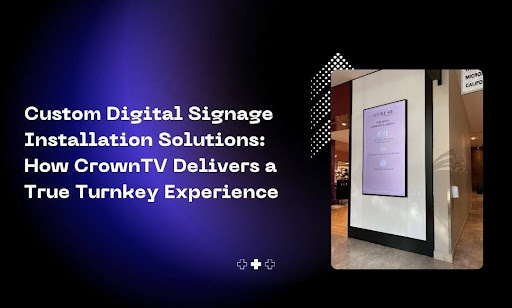
In this guide, we explore everything you need to know about custom digital signage installation solutions | crowntv and how it can transform your business communications.
You know what kills most digital signage projects before they even get off the ground? The coordination nightmare. One vendor handles the screens. Another ships the media players. A third company manages installation. You’re stuck playing project manager across multiple teams, tracking shipments, coordinating schedules, and troubleshooting technical issues that nobody wants to take responsibility for.
And that’s before you even get to content creation, software setup, or staff training.
The average business spends 40-60 hours coordinating a multi-location digital signage deployment. That’s a week and a half of someone’s time wasted on logistics instead of strategy. The technical complexity scares teams away from what should be a straightforward upgrade. Sourcing compatible hardware becomes a research project. Finding certified installers in multiple cities turns into a full-time job.
You don’t need to become a digital signage expert to get professional results. You need a partner who handles the entire process from strategy to installation to ongoing support. In this article, we’ll walk you through how CrownTV delivers a true turnkey custom digital signage installation solution. The delivery process breaks down into the following clear steps:
- Step 1: Discovery consultation, where you share your goals and we assess your needs
- Step 2: Customized solution design with clear pricing and hardware recommendations
- Step 3: Fast installation and delivery with certified technicians handling setup
- Step 4: Training and content management to get your team up to speed
- Step 5: Ongoing support that keeps your displays running smoothly
Let’s walk through each step.
Custom Digital Signage Installation Solutions | CrownTV: Step 1: Sharing Your Vision and Goals With Digital Signage Experts
Most companies jump straight into hardware specs and screen sizes. That’s backwards. Your digital signage strategy should start with why you’re installing displays in the first place. What business problem are you solving? What customer behavior do you want to change? What metrics will prove this investment was worth it?
CrownTV’s consultation process starts with a conversation about your specific objectives. No cookie-cutter proposals. No one-size-fits-all packages.
What Gets Covered in the Initial Consultation
The discovery phase maps out your entire digital signage strategy before a single screen gets ordered. Here’s what we work through together:
- Your Primary Business Goals: Are you trying to reduce perceived wait times in a lobby? Drive impulse purchases near checkout? Communicate safety protocols across multiple facilities? Showcase your brand story to first-time visitors? Each goal requires different screen placement, content strategies, and hardware configurations.
- Your Physical Space Constraints: We need to understand your environment. Ceiling heights matter. Ambient light levels affect screen brightness requirements. Foot traffic patterns determine optimal viewing angles. Wall construction impacts mounting options. A restaurant needs different solutions than a corporate office or retail showroom.
- Your Target Audience Behaviors: Who’s looking at these screens? Customers waiting in line have different attention spans than employees walking past a breakroom display. Hotel guests interact with lobby signage differently from hospital visitors. Understanding viewer context shapes everything from content length to interactive features.
- Your Content Management Needs: Some businesses need real-time updates across hundreds of locations. Others schedule seasonal promotions weeks in advance. Your content workflow determines which software features you’ll actually use. We figure out if you need multi-user permissions, approval workflows, or third-party integrations with your existing systems.
How CrownTV Assesses Your Technical Requirements
Once we understand your goals, we can recommend the right hardware and software configuration. This assessment covers several technical factors that most businesses don’t consider until problems crop up during installation. Network infrastructure gets evaluated first. Can your existing WiFi handle multiple displays streaming content? Do you need hardwired Ethernet connections? What about locations without reliable internet access?
Power availability comes next. Some spaces have convenient outlets near ideal screen locations. Others require electrical work before installation. We identify these issues upfront so there are no surprise costs later.
Your existing technology ecosystem plays a role, too. If you’re already using specific scheduling software, point-of-sale systems, or data visualization tools, we look for integration opportunities. Platforms like CrownTV offer hundreds of app integrations that pull content from your current tools without manual updates.
The Output You Actually Receive
This consultation doesn’t end with vague promises and a handshake. You get a documented strategy that outlines recommended screen types, quantities, placement locations, and estimated costs. We map out your content zones. Which screens show promotional content versus wayfinding information, versus operational metrics? How often does each zone need updates? Who on your team manages which displays?
The proposal includes specific hardware recommendations matched to your budget and goals. You’ll see options for different screen sizes, brightness levels, and mounting configurations. Everything gets explained in plain language without technical jargon.
Most companies appreciate the timeline transparency. You’ll know exactly how long hardware sourcing takes, when installation can begin, and what milestones to expect throughout the process. No guessing games about delivery dates or setup completion.
Step 2: Getting a Customized Solution With Transparent Pricing
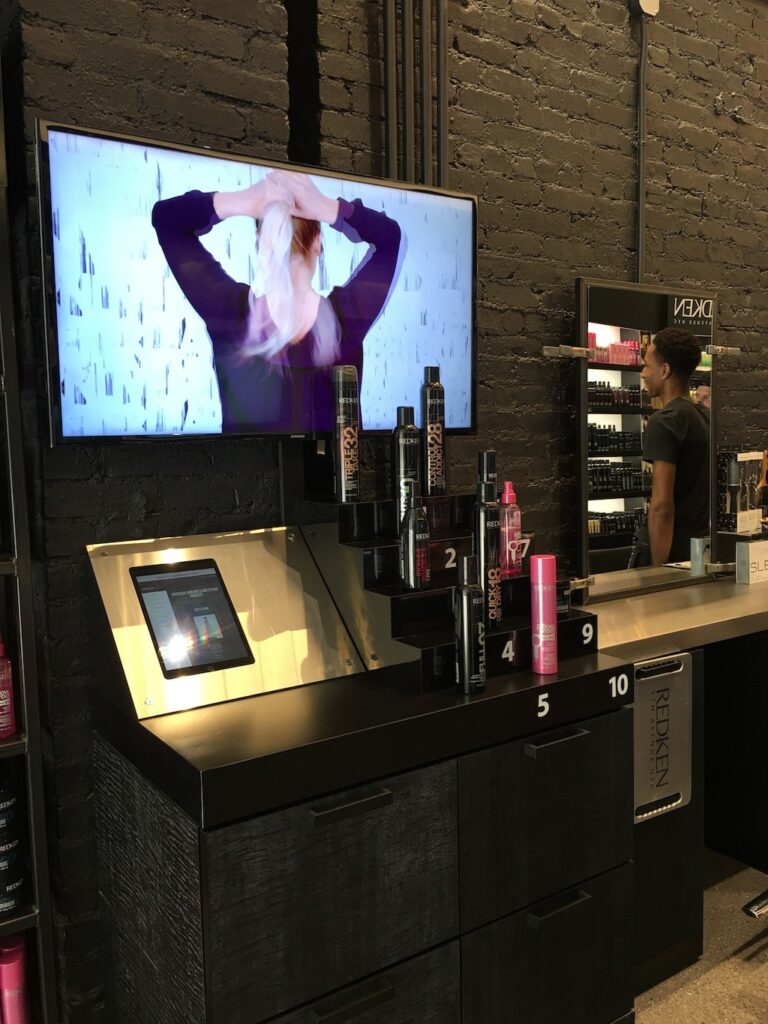
Here’s where most digital signage companies lose credibility. They send you a proposal packed with model numbers, technical specifications, and vague price ranges that somehow balloon during final invoicing.
CrownTV takes a different approach. You get specific hardware recommendations matched to your budget, clear line-item pricing for every component, and options that let you scale up or down based on your priorities.
Hardware Selection Based on Your Environment
The screens you need depend entirely on where they’re going and who’s looking at them. We don’t push the most expensive option or whatever inventory needs clearing out. We match display technology to your actual requirements.
Indoor Commercial Displays
Standard commercial displays work for most interior applications. These screens handle the brightness levels needed for well-lit retail stores, offices, and restaurants. You’ll get recommendations on:
- Screen sizes that match viewing distances (a 43″ display works for close-up viewing, while 65″+ screens suit lobby installations)
- Resolution options based on content type (4K matters for detailed product imagery, less so for simple menu boards)
- Orientation capabilities for vertical or horizontal mounting
- Warranty coverage and expected lifespan for commercial use
Spaces with lots of natural light or outdoor installations need different specs. Window-facing displays require higher brightness ratings to combat glare. Outdoor screens need weatherproofing and temperature regulation. These upgrades cost more, but you only pay for them where they’re actually needed.
Mounting Solutions for Every Configuration
Mounting hardware isn’t an afterthought in the proposal. We specify the exact mount type for each screen location:
- Fixed wall mounts for permanent installations
- Articulating arms for displays that need angle adjustments
- Ceiling mounts for overhead wayfinding screens
- Floor stands for portable or temporary setups
- Video wall mounting systems for multi-screen configurations
The Media Player That Powers Your Content
Every screen needs a brain. CrownTV’s digital signage media player is a compact device that connects to your display and handles all the heavy lifting.
This small black box does more than you’d expect:
- Stores and plays your content library without constant internet connectivity
- Updates content automatically when connected to your network
- Supports 4K video playback and high-resolution imagery
- Integrates with the CrownTV dashboard for remote management
- Handles app widgets and live data feeds without lag
The proposal specifies one media player per screen. No shared connections that create single points of failure. Each display operates independently, so one technical issue doesn’t take down your entire network.
Software Platform and App Integrations
Your hardware is only half the equation. The digital signage software determines how easy it is to create content, schedule updates, and manage multiple locations.
CrownTV’s dashboard gets included in every installation package. You’ll see how the platform handles:
- Drag-and-drop content creation for non-designers
- Template libraries for common use cases (menus, promotions, announcements)
- Scheduling features that automate content rotation
- Multi-location management from a single interface
- User permissions for teams managing different screens
The app store offers hundreds of free integrations. Pull in weather forecasts, social media feeds, news tickers, or data from your existing business tools. The proposal identifies which apps make sense for your specific goals.
Pricing Transparency That Actually Means Something
You’ll receive a detailed pricing breakdown that shows exactly what you’re paying for. No hidden fees. No surprise charges during installation.
What’s Included in the Quote
- Hardware costs for screens, media players, and mounting equipment
- Software licensing (often included at no additional cost)
- Installation labor for certified technicians
- Shipping and delivery to your locations
- Initial content setup and dashboard training
- Warranty coverage for all equipment
What You Can Customize
Some businesses want the full white-glove experience. Others prefer to handle certain tasks in-house to reduce costs. The proposal shows you options:
- Self-installation versus professional installation services
- Standard delivery versus expedited shipping
- Basic training versus comprehensive staff onboarding
- Ongoing support packages versus pay-as-you-go technical help
You can mix and match these options across different locations. Maybe your flagship store gets a full professional installation while satellite locations handle their own setup with remote support.
Timeline Estimates for Each Project Phase
The proposal includes realistic timelines for every stage. You’ll know when to expect hardware delivery, when installation teams can start work, and how long the full deployment takes.
Typical Project Milestones
- Hardware procurement and shipping (varies by display quantities and customization)
- Installation scheduling across single or multiple locations
- Content migration and dashboard setup
- Staff training sessions
- Final testing and handoff
Multi-location deployments get broken into manageable phases. You might install displays in high-priority locations first, then expand to additional sites as budget allows. The proposal maps out these phases so you can plan accordingly.
Step 3: Professional Installation Without the Scheduling Headaches
Installation is where digital signage projects typically fall apart. You’ve ordered the hardware, allocated the budget, and cleared the timeline. Then you spend three weeks juggling multiple vendors who can’t coordinate across multiple locations.
CrownTV handles the logistics so you don’t have to. Our certified technicians work across all 50 states, managing everything from hardware delivery to final testing. This approach delivers some of the best digital signage solutions for organizations that want professional results without the coordination nightmare.
Coordinated Delivery Across Single or Multiple Locations
Your hardware doesn’t show up in random shipments that sit in storage for weeks. We coordinate delivery timing with your installation schedule so equipment arrives when technicians are ready to install it.
What Gets Delivered
- Commercial-grade screens packed with protective materials for safe transport
- Media players pre-configured with your account credentials and cloud-based digital signage access
- Mounting hardware specific to each installation location
- All necessary cables, connectors, and power supplies
- Installation documentation for your facilities team
Delivery Logistics We Handle
- Scheduling delivery windows that match your business hours
- Coordinating with building management for loading dock access
- Managing multi-location shipments to arrive on designated dates
- Tracking all shipments with real-time updates
- Handling any damaged-in-transit replacements immediately
You get one point of contact who manages the entire delivery process. No bouncing between shipping companies, hardware vendors, and installation crews trying to figure out why screens arrived but mounting brackets didn’t.
Certified Technicians Who Know Commercial AV Systems
The people installing your digital displays aren’t general contractors learning on your dime. CrownTV works with certified technicians who specialize in digital signage setups across retail, corporate, and educational facilities.
These professionals bring specific expertise that matters:
- Proper screen mounting that accounts for wall construction, weight distribution, and viewing angles
- Cable management that keeps installations looking clean and professional
- Network configuration to connect media players and digital signage software to your existing infrastructure
- Power requirements, including dedicated circuits when needed for larger installations
- Safety compliance following OSHA standards and local building codes
Multi-location deployments get the same technician teams whenever possible. They learn your brand standards during the first installation and apply them consistently across all sites. Your downtown flagship looks identical to your suburban locations.
Site Surveys By Crown TV That Prevent Installation Day Surprises
Before installation day arrives, technicians conduct site surveys at each location. This step catches problems that derail other companies’ projects and helps determine the right digital signage systems for your specific environment.
What Gets Assessed During Site Surveys
- Wall composition and structural support for mounting heavy digital signage displays
- Electrical outlet locations and whether new circuits are needed
- Network access points and WiFi signal strength
- Ambient lighting conditions that affect screen brightness requirements
- Clearance issues with HVAC vents, sprinkler systems, or architectural features
Issues We Resolve Proactively
- Identifying walls that need reinforcement before mounting 65″+ displays
- Arranging for electrical work when outlets aren’t conveniently located
- Planning cable runs that avoid visible wiring across walls
- Recommending alternative mounting locations if the preferred spot has structural limitations
- Coordinating with your IT team on network requirements
You approve the final installation plan before any drilling starts. No surprises about additional electrical work or mounting complications on installation day.
Matching Display Technology to Your Environment
The screens you need depend entirely on where they’re going. We specify the right hardware during site surveys, ensuring you don’t waste budget on features you don’t need while avoiding the limitations of consumer TVs that fail in commercial environments.
- Indoor Displays work for most interior applications like lobbies, breakrooms, and retail sales floors. These commercial-grade panels handle continuous operation without the burnout issues that plague residential televisions.
- High-brightness window displays solve the glare problems that make standard screens unreadable near windows. These specialized panels maintain visibility even with direct sunlight hitting the screen.
- Outdoor settings require weatherproof enclosures and temperature regulation. We specify displays rated for your climate conditions, from desert heat to winter freeze cycles.
The choice between digital and static signage often comes down to content flexibility. If you’re updating information weekly or showing dynamic content, the digital signage journey makes sense. If messaging stays constant for months, you might not need the investment.
What Happens During the Installation Process
Installation teams arrive with everything needed to complete the job in one visit. Most single-screen installations finish in under two hours. Multi-screen deployments follow a structured timeline that minimizes disruption to your operations.
The Installation Workflow
- Technicians verify that all hardware arrived undamaged and complete
- Mounting brackets get installed with proper anchoring for the screen’s weight
- Displays get secured to mounts and leveled for optimal viewing
- Media players get connected and configured on your network
- Cable management systems conceal wiring for a clean finish
- Initial power-up testing confirms that everything functions correctly
Quality Checks Before Completion
- Screen brightness and color calibration for your lighting conditions
- Media player connectivity and ability to manage content remotely
- Broadcast interactive testing for touchscreen-enabled displays
- Remote management verification from the central dashboard
- Physical security of all mounted components
- Documentation of installation details for your records
Teams clean up completely before leaving. No leftover packaging materials, mounting hardware, or cable scraps. Your space looks finished and professional.
Why Working With Few Providers Simplifies Ongoing Maintenance
Unlike deployments that involve five different companies handling screens, software, installation, networking, and support, CrownTV consolidates everything. You’re working with a few providers instead of managing a complex vendor ecosystem.
This matters for ongoing maintenance scenarios:
- Hardware warranty claims go through one contact
- Software updates deploy automatically without vendor coordination
- Replacement parts come from the same supplier who installed the originals
- Support teams already know your configuration and locations
- Upgrades follow consistent standards across all displays
Small businesses particularly benefit from this simplified approach. You don’t have the staff to manage multiple vendor relationships or troubleshoot compatibility issues between different systems.
Flexible Scheduling That Works Around Your Business
We don’t force you into narrow installation windows that disrupt operations. CrownTV coordinates scheduling based on your availability and business needs.
Options include:
- After-hours installation for retail locations that can’t have crews working during business hours
- Weekend scheduling for offices that want displays ready by Monday morning
- Phased rollouts that install screens in sections to minimize operational impact
- Seasonal timing that avoids your busiest periods
- Same-day multi-location installation for businesses that want consistent launch timing
You control the pace. Some companies prefer aggressive timelines to get displays live quickly. Other space installations across quarters to match budget cycles. The installation team adapts to your schedule, not the other way around.
Step 4: Getting Your Team Trained and Content-Ready
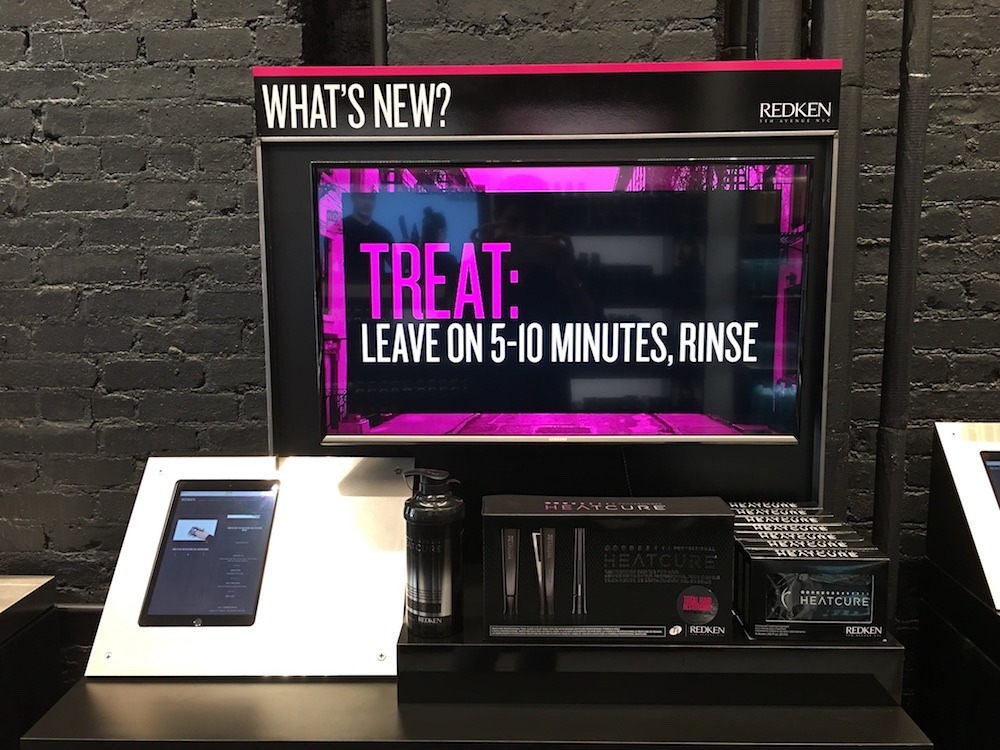
The screens are installed. Hardware is powered up and connected. Now comes the part where most companies stumble: actually using the system.
You don’t want your marketing team spending hours watching tutorial videos or reading dense technical documentation. CrownTV provides hands-on training that gets your staff comfortable with the dashboard in a single session.
User-Friendly Dashboard Training for Non-Technical Teams
The CrownTV platform was built for people who create content, not people who write code. Your team doesn’t need IT backgrounds or design degrees to manage displays effectively. We walk you through the dashboard with a focus on the features you’ll actually use. No overwhelming tours of every button and setting. We cover what matters for your specific content workflow.
What Gets Covered in Training Sessions
- Logging into the dashboard and setting up user accounts
- Uploading images, videos, and other media to your content library
- Creating playlists that organize content for different screens or time slots
- Scheduling content to display at specific dates and times
- Using templates for common formats like menu boards or promotional slides
- Managing multiple locations from a single dashboard view
Training Format Options
- Live virtual sessions via screen sharing for remote teams
- On-site training at your location during installation
- Recorded sessions you can reference later or share with new staff
- Written guides specific to your content workflow
- Follow-up sessions if you add new features or locations
The goal is confidence, not perfection. Your team should feel comfortable making basic updates within an hour of training. Advanced features come later as you need them.
Content Creation That Doesn’t Require Design Skills
Most businesses don’t have dedicated designers sitting around waiting to create digital signage content. Your team needs tools that produce professional results without specialized skills.
The CrownTV dashboard includes resources that speed up content creation:
- Pre-built templates for common use cases across different industries
- Drag-and-drop editors that let you customize layouts without starting from scratch
- Stock image libraries so you’re not hunting for photos with proper licensing
- Font and color palettes that maintain brand consistency automatically
- Aspect ratio presets that ensure content displays correctly on your screens
Content Types You Can Create
- Static image slides for promotions, announcements, or wayfinding
- Video content that plays in loops or at scheduled times
- Dynamic widgets that pull live data from external sources
- Multi-zone layouts that show different content in screen sections
- Interactive displays for locations with touchscreen capabilities
Platforms like CrownTV let you pull content from hundreds of app integrations. Your displays can show weather forecasts, social media feeds, news tickers, or data from your existing business systems without manual updates.
Managing User Permissions Across Your Organization
Different team members need different levels of access. Your corporate marketing team shouldn’t accidentally change content at a franchise location. Local store managers need quick access to update their own screens without navigating corporate approval workflows.
The dashboard handles these scenarios with permission controls:
- Admin access for users who manage the entire system and all locations
- Location-specific access for managers who only control their own displays
- Content creator roles for team members who upload media but can’t change settings
- Approval workflows for organizations that need corporate review before content goes live
- View-only access for stakeholders who monitor displays without editing capability
Setting Up Team Workflows
- Assign users to specific locations or screen groups they manage
- Create approval chains for content that requires sign-off before publishing
- Set time-based permissions that restrict changes during certain hours
- Track who made changes and when for audit purposes
- Revoke access instantly when team members leave or change roles
Multi-location businesses appreciate the flexibility. Corporate headquarters can push out brand campaigns while giving local teams control over location-specific content like staffing announcements or community events.
Initial Content Setup Before You Go Live
Training isn’t complete until your screens are showing actual content. We don’t hand you an empty dashboard and wish you luck.
What We Help You Set Up
- Uploading your initial content library to the platform
- Creating your first playlists and scheduling rotations
- Configuring any app integrations or live data feeds
- Testing content playback on actual displays
- Setting up backup content that displays if network connections drop
- Organizing your media library with folders and naming conventions
Content Strategy Guidance
- Recommended content rotation frequencies for different screen locations
- Best practices for image sizing and video length
- Tips for maintaining viewer attention without overwhelming them
- Strategies for balancing promotional content with informational displays
- Seasonal content planning to stay ahead of major campaigns
You’ll leave training with displays showing polished content, not placeholder images. Your customers or employees see a finished product from day one.
Documentation and Resources for Future Reference
Training sessions give you the foundation, but you’ll have questions later when creating new content or adjusting settings. CrownTV provides resources you can access anytime.
Available Support Materials
- Step-by-step guides for common tasks written in plain language
- Video tutorials that show exactly how to accomplish specific goals
- Dashboard help sections with searchable answers
- Quick reference cards for the most frequently used features
- Best practice recommendations for different industries and use cases
Your team can find answers independently for routine tasks. Save support calls for complex scenarios that need expert guidance.
Step 5: Ongoing Support After Installation Day
Your displays are live and running. Content is playing on schedule. Staff know how to make updates. Most companies would call this a successful handoff and disappear. CrownTV sticks around. Technical issues don’t follow business hours, and questions come up as you expand your content strategy or add new locations.
Technical Support That Responds When You Need It
Screen malfunctions, network connectivity issues, or software glitches can happen at any time. You need support teams that actually pick up the phone and solve problems fast.
CrownTV provides hassle-free support through multiple channels:
- Phone support for urgent issues that need immediate troubleshooting
- Email support for non-urgent questions or documentation requests
- Remote diagnostics that let technicians access your content management system and fix software issues without site visits
- On-site service for hardware problems that require physical repairs or replacements
- Dashboard monitoring that alerts you to offline displays or playback errors across your entire digital signage network
Common Issues We Handle
- Displays that stop showing content or go into standby mode
- Media players that lose Wi Fi connectivity across multiple screens
- Content that won’t upload, schedule properly, or play in the intended video loop
- Software updates that need deployment across locations serving large corporations
- Hardware failures are covered under the enterprise-grade warranty replacement
- User access problems when staff can’t log into the dashboard
Response times match your specific needs. Some businesses need guaranteed same-day responses for critical issues affecting customer engagement or internal communication. Others are fine with next-business-day support for less urgent questions.
Project Support for Expansion and Optimization
Your digital signage needs change as your business grows. You open new locations. You want to try interactive displays. You need to integrate new data sources into your customized content.
CrownTV helps you scale and optimize your system:
- New location deployments follow the same process as your initial installation
- Hardware upgrades when you want brighter screens or larger displays
- Software feature additions as new capabilities become available
- Content strategy consulting to improve engagement and effectiveness
- System audits that identify underutilized features or optimization opportunities
Platforms like Crown TV make these expansions straightforward with a set-it-and-forget-it approach to automation. Your existing dashboard manages new screens without learning a different system. Content templates and workflows carry over to new locations. User permissions scale as you add team members.
You’re never locked into your initial configuration. Add displays seasonally for peak periods. Test new content formats at select locations before rolling them out company-wide. Scale up or down based on actual performance and business needs.
Ready for Digital Signage Without Playing Project Manager?
Most businesses spend weeks coordinating vendors, tracking shipments, and troubleshooting compatibility issues during digital signage deployments. A true turnkey installation eliminates that entire headache.
When you work with a full-service partner who handles everything from strategy to ongoing support, you get tangible results that go beyond nice-looking screens on your walls.
What You Actually Gain From a Turnkey Approach
- Your displays match your business goals and physical space constraints instead of whatever hardware the vendor needs to clear from inventory
- Installation happens on schedule without surprise costs for electrical work, mounting complications, or incompatible equipment discovered on-site
- Your team can update content independently within hours of training, rather than submitting tickets to IT for every menu change
- Multi-location deployments stay consistent across all sites instead of each location having different hardware, software, or installation quality
- Technical issues get resolved through one support contact instead of bouncing between screen manufacturers, software vendors, and installation crews
CrownTV’s turnkey process covers everything outlined in this guide. You get professional consultation, customized hardware recommendations with transparent pricing, certified installation across all locations, comprehensive training, and ongoing support that keeps systems running smoothly. No vendor coordination. No project management burden. No technical expertise required from your team.Get a demo to see how the full installation process works for your specific locations and goals.
