

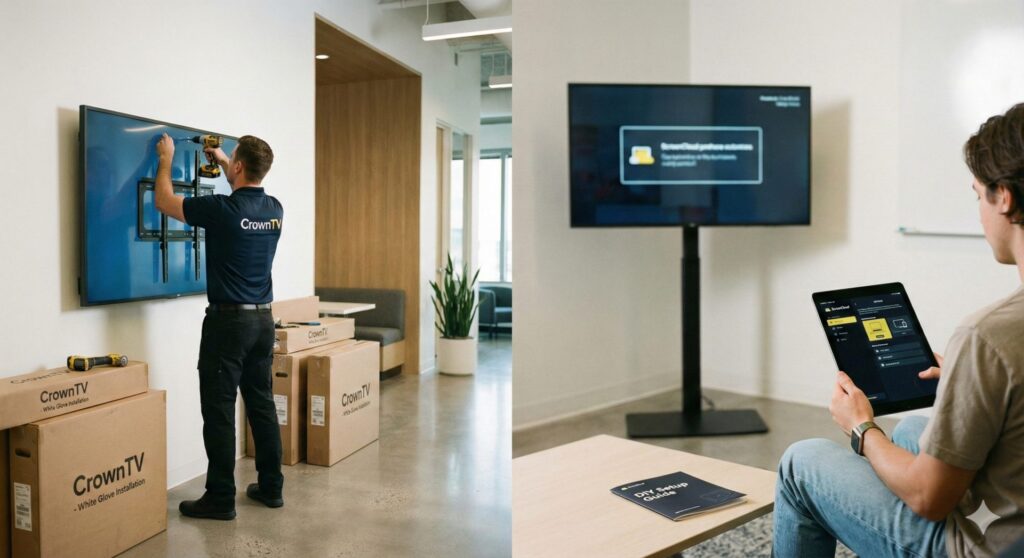
In this guide, we explore everything you need to know about crowntv vs screencloud when you need the screens installed and how it can transform your business communications.
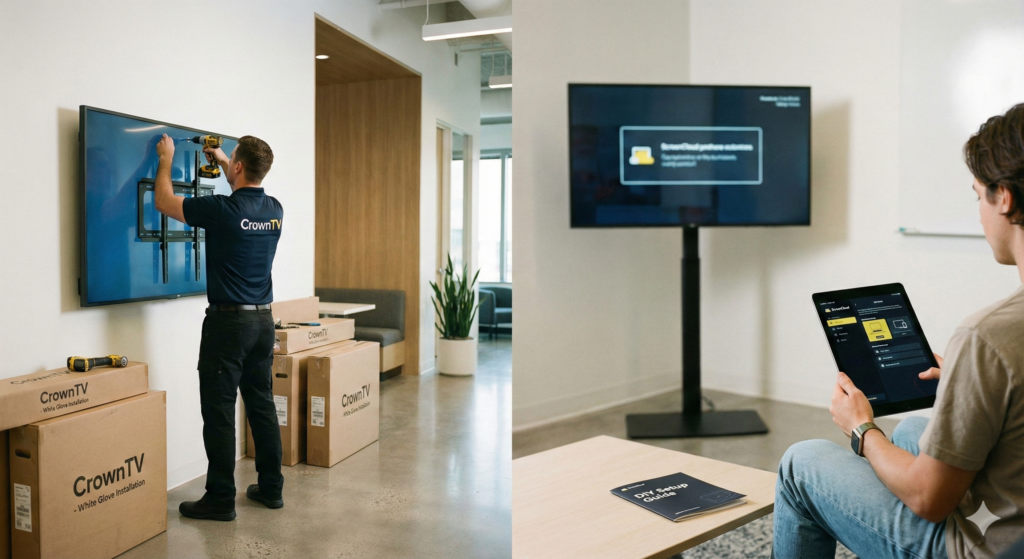
If you’re comparing CrownTV vs ScreenCloud and you also need the physical screens installed, you’re already in a very different buying journey than most digital signage software shoppers.
Most reviews treat CrownTV and ScreenCloud like apples-to-apples software platforms. In reality, one is a full-service digital signage installation + software partner (CrownTV) and the other is a software‑first, hardware‑agnostic platform (ScreenCloud) that largely assumes you’ll figure out the screens.
In this guide, we’ll walk through where each platform fits, what really changes when you need hardware sourced and installed, and how to choose the right mix of digital signage installation + software for your locations.
crowntv vs screencloud when you need the screens installed: Key Takeaways
- When comparing CrownTV vs ScreenCloud and you also need screens installed, the real decision is between a full turnkey deployment (CrownTV) and a software‑first, DIY or partner‑driven approach (ScreenCloud).
- CrownTV acts as a done‑for‑you AV partner, handling commercial screen specification, sourcing, installation, configuration, and ongoing support under predictable per‑screen pricing—ideal for multi‑location retail, QSR, and franchises.
- ScreenCloud excels as a flexible, hardware‑agnostic digital signage CMS when you already have compatible devices, in‑house IT/AV resources, and are comfortable managing your own installers and hardware lifecycle.
- For multi‑location rollouts, CrownTV’s standardized hardware, national installer network, and centralized dashboard simplify scaling, while ScreenCloud typically requires each site or region to manage its own hardware and vendors.
- Over 3–5 years, ScreenCloud can look cheaper upfront but may carry higher total cost once you factor in hardware, installation, truck rolls, and tier upgrades, whereas CrownTV offers a more predictable total cost of ownership for brands that want to stay hands‑off.
What Changes When You Actually Need Screens Installed, Not Just Software
When you already have TVs on the wall, the decision often comes down to apps, templates, and price per screen. Once you need screens installed, the stakes change fast.
You’re no longer just buying logins to a dashboard. You’re coordinating:
- Screens (often commercial‑grade, not consumer TVs)
- Mounts and brackets
- Media players
- Power and cabling
- On‑site installation and configuration
- Ongoing monitoring and support
With ScreenCloud, you’re mostly buying software. You bring or source the hardware, then install the ScreenCloud app on compatible devices or use ScreenCloud OS or a ScreenCloud PIXEL / PIXI device. It’s flexible and cost‑effective if you have IT/AV resources and the time to project‑manage.
With CrownTV, you’re buying a turnkey deployment: hardware specification, sourcing, logistics, mounting, configuration, and a cloud dashboard designed for multi‑location control. You don’t have to become a mini‑AV integrator to get digital signage live.
That’s the real fork in the road: do we want to manage installers, hardware compatibility, and troubleshooting ourselves, or do we want one accountable partner for everything on the wall and everything on the screen?
CrownTV At A Glance
CrownTV is a full‑service digital signage provider built for businesses that want digital signage done for them, not built in‑house.
What CrownTV provides
- Turnkey deployment – Screen sourcing, commercial mounts, power planning guidance, media players, installation, and configuration are handled end‑to‑end.
- Cloud CMS and dashboard – From a single login you can manage content across locations, schedule playlists, control regional variations, and monitor screen health.
- Designed for multi‑location retail/QSR – Franchise networks, fast casual, specialty retail and service chains that need consistent rollouts across dozens or hundreds of stores.
- Predictable pricing – Around $29/screen/month (or ~$25 on annual plans) with a single feature tier that includes support and hardware guidance, instead of upselling advanced features into higher plans.
If you’re a multi‑location brand that needs screens, installation, and CMS in one package, CrownTV is closer to an AV partner than a typical SaaS tool. It’s the opposite of “here’s a login, good luck with the wiring.”
ScreenCloud At A Glance
ScreenCloud is one of the strongest ScreenCloud alternatives to homegrown DIY, and one of the better pure‑software options on the market.
What ScreenCloud provides
- Software‑centric platform – A clean, cloud‑based CMS with playlists, scheduling, and a large app ecosystem.
- Hardware‑agnostic approach – Runs on many off‑the‑shelf devices: Android TV, Amazon Fire TV, ChromeOS, proprietary ScreenCloud OS players, and more.
- Flexible for IT‑led teams – Ideal when you already have screens and media players, or you maintain a standard hardware stack.
- Tiered pricing – Starts around $20/screen/month, but things like SSO, advanced analytics, and more complex user management typically live in higher “Teams” or “Enterprise” tiers that you’ll scope through sales.
If you already own displays, have an in‑house IT/AV team, and mainly need intuitive content software that works across mixed devices, ScreenCloud fits that profile well.
Installation Experience: CrownTV’s White-Glove Model Vs ScreenCloud’s DIY Approach
Here’s where crown tv vs screencloud stops being an abstract feature checklist and becomes a real operational decision.
CrownTV: white‑glove installation
CrownTV works with a national network of installers. We help you:
- Scope each location (site surveys, photos, or walkthroughs)
- Specify commercial‑grade displays and mounting solutions
- Coordinate electricians if needed
- Schedule on‑site work so installs don’t disrupt operations
- Mount and configure media players and networking
- Verify content playback before handoff
For a multi‑location rollout, you get project management, standardized hardware, and a single point of accountability. That’s what many chains actually mean when they say they want a “turnkey” solution.
ScreenCloud: DIY or partner‑driven
With ScreenCloud, the installation flow usually looks like this:
- You or your IT team pick the screens, mounts, and media players.
- You confirm they’re compatible with ScreenCloud (Android, Fire TV, ScreenCloud OS, etc.).
- You hire local AV/electrical contractors or use internal facilities teams.
- After install, you or staff install and configure the ScreenCloud app on each device.
None of this is bad, it’s just not included. For a tech‑savvy single location, that’s fine. For 40+ stores on a tight timeline, coordinating all of this internally can quickly turn into a second job for your ops team.
Hardware, Pricing, And Ongoing Support Compared
Let’s break down the practical differences around hardware, money, and long‑term support.
Hardware sourcing and compatibility
- CrownTV specifies and ships commercial‑grade displays and media players based on your environment: indoor, high‑brightness window facing, menu boards, or video walls. You don’t have to guess if the TV from a big‑box store will handle 12 hours of daily use.
- ScreenCloud supports many consumer and pro devices. The upside: flexibility and often lower hardware cost. The trade‑off: you’re responsible for choosing reliable devices, testing them, and managing replacements.
Pricing and tiers
- CrownTV keeps pricing simple: a per‑screen fee that includes the full feature set plus guidance on hardware and deployment.
- ScreenCloud offers a lower entry price, but advanced capabilities (SSO, deeper analytics, some enterprise controls) move you into higher tiers. You’ll also budget separately for hardware, installation, and any integrator fees.
Ongoing support
- With CrownTV, support covers both platform and deployment. When a screen goes dark in one of your stores, our team can help troubleshoot whether it’s a player, content, cabling, or display issue.
- With ScreenCloud, support focuses on the software. If it turns out the issue is a failing stick, a bad HDMI cable, or a mount problem, that’s handled by your IT team or local vendor.
Over 3–5 years, CrownTV can look more expensive on day one, but more predictable overall. ScreenCloud can look cheaper at the start, then grow more complex once you factor in hardware refreshes, truck rolls, and tier upgrades as you scale.
Which Is Better For Your Use Case? Scenario‑By‑Scenario Breakdown
Different environments tilt the crown tv vs screencloud decision one way or the other.
Single‑location retail or restaurant
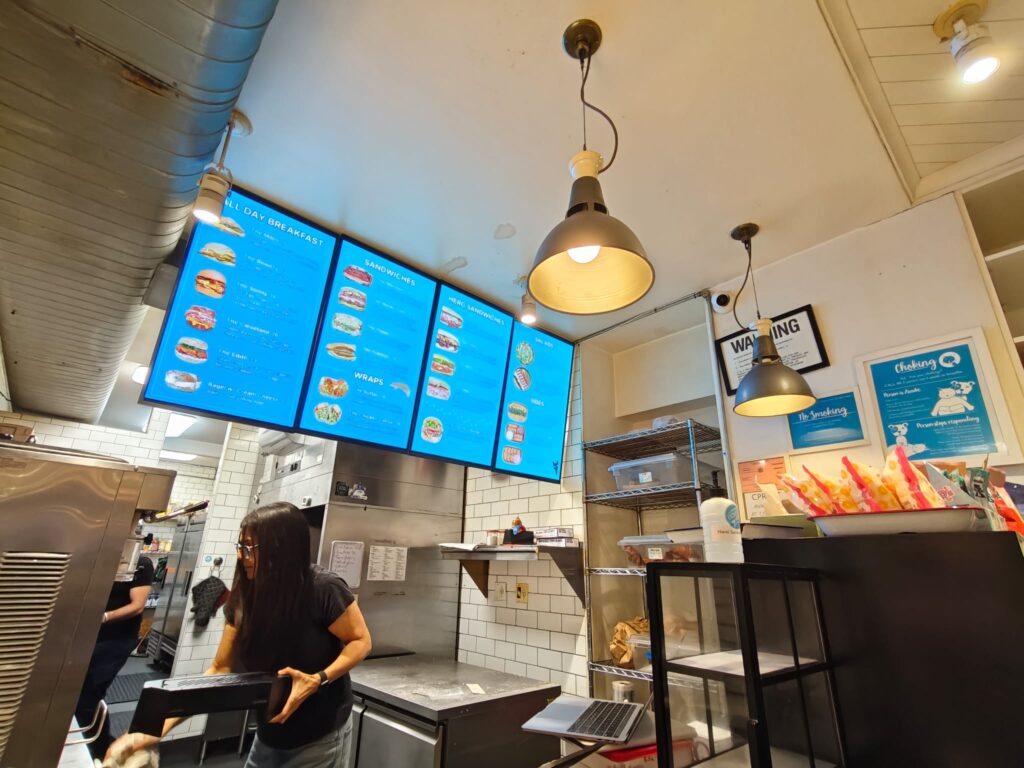
- Choose CrownTV if you want one vendor to handle everything: menu boards, window displays, back‑of‑house dashboards, and the install. This is especially valuable if your team is small and you don’t want the GM troubleshooting HDMI cables.
- Choose ScreenCloud if you already have screens up, you’re comfortable with a DIY install, and you mainly need a friendly CMS.
Multi‑location chains and franchises
This is where CrownTV’s model was really designed to shine.
- CrownTV centralizes hardware standards, content permissions, rollout timelines, and monitoring. Each store gets the same experience and you don’t have to reinvent the wheel every time a new franchisee opens.
- ScreenCloud can work, but it usually means each location (or regional IT) manages its own hardware choices and installers, introducing more variability.
Corporate offices, schools, and nonprofits
- If your facilities/IT capacity is limited, CrownTV’s white‑glove deployment can save a lot of internal coordination, especially when you’re installing across floors or multiple campuses.
- If you already standardize on certain devices (Chromeboxes, Apple TVs, etc.) and have in‑house AV, ScreenCloud can be a cost‑effective ScreenCloud alternative to more complex enterprise signage suites.
How To Decide Between CrownTV And ScreenCloud In 5 Steps
We recommend running through a short decision process rather than only comparing feature lists.
Step 1: Clarify how “hands‑off” you need to be
If you have little time or internal IT, lean toward CrownTV. You’ll get a true digital signage installation + software package.
If you’re comfortable coordinating AV, networking, and multiple vendors, ScreenCloud (or another software‑first option) is viable.
Step 2: Map out hardware and network constraints
- Need outdoor‑rated screens, very bright window‑facing signage, or large video walls, and don’t want to spec them yourself? CrownTV is the safer path.
- Already have compatible devices and solid Wi‑Fi or wired connections in every location? ScreenCloud is easier to adopt.
Step 3: Compare content and user management needs
- If you need granular permissions, regional control, and robust device health monitoring across many stores, CrownTV’s dashboard is built for that.
- If you mainly run basic playlists and apps across a few offices or stores, ScreenCloud’s CMS is more than enough.
Step 4: Request demos, quotes, and installation timelines
From CrownTV, ask for a full project scope that includes:
- Hardware recommendations and pricing
- Installation labor and timelines
- Any special requirements for your environment
From ScreenCloud, clarify:
- Which pricing tier you need for features like SSO or advanced analytics
- Who will handle hardware sourcing and on‑site install
- How support will work when there’s a physical issue at a location
Step 5: Pilot in one location before rolling out
Run a small pilot side‑by‑side if you can. Measure:
- Time and effort to get screens on the wall and live
- Stability and uptime
- Ease of day‑to‑day content updates
- Support responsiveness for both software and on‑site issues
That pilot will usually make the right choice obvious.
Real‑world example:
One national specialty retailer we worked with initially evaluated ScreenCloud alongside CrownTV. They loved the ScreenCloud CMS, but once they mapped out sourcing screens, coordinating local installers for 60+ stores, and maintaining a mixed set of players, the operational overhead was too high.
They chose CrownTV, and we handled hardware standardization, shipping, and installation across all locations on a set schedule. Their marketing team now updates promotions centrally, while store managers stay focused on customers, not cabling.
If you’re in a similar spot, you can Get a turnkey quote (screens + install + dashboard) and see what an all‑in deployment would look like for your footprint.https://www.crowntv-us.com/request-a-demo/
Conclusion
What “Done‑For‑You” Really Means With CrownTV
When we talk about done‑for‑you at CrownTV, we mean:
- Sourcing the right commercial‑grade screens and players
- Planning power, mounts, and cable runs
- Managing shipping and logistics to every site
- Coordinating and overseeing installers
- Pre‑configuring devices and verifying content playback
- Providing ongoing monitoring and support after go‑live
For brands that don’t want to build internal AV expertise, that’s a big part of the value.
Where ScreenCloud Shines Even If You Need Screens
ScreenCloud still shines when:
- You’ve already standardized on compatible hardware
- You have internal or trusted local AV vendors
- You value flexibility across different device types
In those cases, you might mix and match: use ScreenCloud as the software layer, and pair it with a separate integrator. Just be clear that you’re effectively assembling your own full‑service solution.
Hardware Sourcing And Compatibility
CrownTV removes the guesswork around hardware. We match your environment with the right spec and test everything together. ScreenCloud gives you options but expects your team to manage compatibility and lifecycle.
If you’re running one or two locations, that may be fine. If you’re running dozens, standardization becomes much more important.
Installation, Maintenance, And Scaling To Multiple Locations
The moment you scale beyond a pilot, installation and maintenance are where most “simple” digital signage projects bog down.
- With CrownTV, scaling from 5 to 50 locations is a matter of replicating a deployment playbook we’ve already refined.
- With ScreenCloud, scaling means replicating your DIY process and vendor relationships, something many brands underestimate.
Total Cost Of Ownership Over 3–5 Years
On paper, ScreenCloud’s entry‑level pricing is lower. But over 3–5 years you should include:
- Hardware purchase and replacement
- Installation and any re‑installs or moves
- Truck rolls every time a local vendor has to visit a site
- Potential upgrades to higher software tiers as needs grow
CrownTV often has a higher up‑front project cost but more predictable total cost of ownership, particularly for multi‑location retail and QSR.
Single‑Location Retail Or Restaurant
If you’re running a single store and you’re comfortable being a bit hands‑on, either platform works. CrownTV is the “we’ll do it for you” option: ScreenCloud is the “we’ll guide you, you do the rest” approach.
The key question: do you want to think about mounts and media players at all, or just approve content?
Multi‑Location Chains And Franchises
For chains and franchises, CrownTV’s integrated hardware + install + CMS model usually aligns better with how you operate: central standards, local execution, consistent branding.
ScreenCloud can still be part of a solution here, but you’ll likely need a separate integration partner and clear guidelines for franchisees, which introduces more moving parts.
Corporate Offices, Schools, And Nonprofits
In these environments, budgets and staff time are often limited.
- If you want a system that just works without bogging down IT, CrownTV’s full‑service model is attractive.
- If you already have IT/AV standards in place and mainly need a user‑friendly CMS, ScreenCloud is a solid, flexible choice.
Step 1: Clarify How “Hands‑Off” You Need To Be
Ask bluntly: Do we want to be in the AV business? If the answer is no, CrownTV’s done‑for‑you approach is likely a better fit.
Step 2: Map Out Hardware And Network Constraints
List every location type, mall, street‑front, drive‑thru, office floor, and note special requirements. The more specialized your hardware needs, the more valuable a turnkey partner becomes.
Step 3: Compare Content And User Management Needs
If your content and user structure is simple, most platforms will work. If you have complex approval chains, regional promos, or compliance requirements, you’ll want a CMS and support model built for that complexity.
Step 4: Request Demos, Quotes, And Installation Timelines
Seeing real timelines and full‑scope quotes side‑by‑side often clarifies your decision more than any feature matrix. Include both software costs and all installation‑related line items.
Step 5: Pilot In One Location Before Rolling Out
Finally, prove it. Pilot one or two locations, measure the actual effort and reliability, and then commit. That way, your crown tv vs screencloud decision is grounded in your reality, not just in marketing pages.
If you’re leaning toward a turnkey partner and want to see how that would work for your footprint, you can Get a turnkey quote (screens + install + dashboard) and we’ll map out the full project for you.
CrownTV vs ScreenCloud: Frequently Asked Questions
What is the main difference between CrownTV vs ScreenCloud when I need screens installed?
CrownTV is a full-service digital signage provider that handles hardware specification, sourcing, shipping, installation, and support alongside its CMS. ScreenCloud is software-first and hardware-agnostic, so you typically source displays, mounts, media players, and installers yourself, then deploy the ScreenCloud app onto compatible devices.
When does CrownTV make more sense than ScreenCloud for digital signage installation?
CrownTV is a better fit when you want a turnkey solution: one partner to handle commercial screens, mounting, cabling guidance, on-site installation, configuration, and ongoing support. It’s especially well-suited to multi-location retail, QSR, and franchises that need standardized rollouts without building in-house AV project management.
Is ScreenCloud a good option if I already have TVs and an IT team?
Yes. ScreenCloud works well if you already own displays, have compatible media players, and an internal IT or AV team to manage hardware and installers. You get a flexible, cloud-based CMS with playlists and apps, but you remain responsible for hardware selection, physical installation, and long-term device maintenance.
Can I use CrownTV hardware with ScreenCloud software?
In many cases, yes, as long as the media players and displays CrownTV deploys are compatible with ScreenCloud’s supported operating systems or browsers. However, mixing vendors means you lose CrownTV’s single-point accountability for software and hardware. You’ll want clear agreements on who supports which layer when issues arise.
How should I estimate total cost of ownership for CrownTV vs ScreenCloud over 3–5 years?
Include more than just subscription fees. For ScreenCloud, add hardware purchase, installation labor, replacements, truck rolls, and potential upgrades to higher tiers. For CrownTV, factor in its higher upfront project costs but more predictable per-screen pricing that includes deployment guidance and support, which often stabilizes costs for multi-location brands.
