

In this guide, we explore everything you need to know about why building a tech stack is important in 2026 and how it can transform your business communications.
Your business runs on dozens of apps, platforms, and tools that probably don’t talk to each other. You’re paying for software subscriptions you forgot about. Your team wastes hours copying data between systems. And when something breaks, nobody knows which tool caused the problem.
This is what happens when you build a tech stack by accident instead of by design.
A tech stack isn’t about having the newest software or the most integrations. It’s about creating a foundation that scales with your business, automates the boring work, and actually helps your team get things done. The companies thriving in 2026 aren’t the ones with the biggest budgets; they’re the ones that made smart decisions about their technology early on.
We’ll walk you through everything you need to build a tech stack that works:
- What is a tech stack?
- How tech stacks evolved from basic software to AI-powered ecosystems
- Why 2026 is the year your tech stack either propels you forward or holds you back
- Proven strategies for building a tech stack that won’t fall apart when you scale
So without any further ado, let’s start learning!
Why Building a Tech Stack Is Important in 2026: Your Tech Stack Is the Engine Room of Your Business
A tech stack is the complete collection of software, tools, platforms, and technologies your business uses to operate. It includes everything from your customer relationship management (CRM) system to your email marketing platform, accounting software, project management tools, and communication apps.
You can break down most tech stacks into distinct layers that serve different functions:
The Core Components
Let’s explore the core components:
- Frontend Technologies: These are the tools your customers interact with directly. Your website, mobile app, customer portal, and any digital signage displays fall into this category. They create the experience people associate with your brand.
- Backend Infrastructure: The systems running behind the scenes power your operations. Databases store your customer information, servers host your applications, and APIs connect different platforms so they can share data.
- Business Applications: These tools keep your team productive and organized. CRM platforms track customer relationships, project management software coordinates workflows, and analytics dashboards turn raw data into actionable insights.
- Communication Channels: Email systems, chat platforms, video conferencing tools, and internal messaging apps make up this layer. They determine how your team collaborates and how you reach customers.
The term “stack” comes from the way these technologies layer on top of each other. Your frontend applications rely on backend infrastructure. Your business applications pull data from your databases. Your communication tools integrate with your project management platforms.
When you understand your tech stack as an interconnected system rather than a random collection of apps, you can make smarter decisions about what to add, what to remove, and how to make everything work together.
From Filing Cabinets to AI-Powered Ecosystems
The tech stack you use today looks nothing like what businesses relied on 20 years ago. The evolution happened in waves, each one fundamentally changing how companies operate and compete.
The Early Days Through Cloud Revolution
Businesses in the 1990s and early 2000s ran on isolated programs installed directly on individual computers. Microsoft Office handled documents, QuickBooks managed accounting, and ACT! tracked contacts. None of these tools talked to each other.
Software-as-a-Service (SaaS) platforms transformed this landscape. Salesforce launched in 1999 and proved businesses would pay monthly fees for software they could access anywhere with an internet connection.
Key advantages that emerged:
- Automatic updates improved software without IT intervention
- Remote access lets teams work from any location
- Lower upfront costs removed expensive license purchase barriers
APIs and Mobile Platforms Changed Everything
Application Programming Interfaces (APIs) let different software platforms share data automatically. Zapier launched in 2011 and made it possible for non-technical users to build these connections without writing code.
The iPhone launch in 2007 forced tech stacks to work on smartphones and tablets, not only desktop computers. Field service apps let technicians access work orders from job sites. Point-of-sale systems moved from fixed cash registers to tablets that could process payments anywhere in a store.
Mobile platforms also enabled businesses to track user behavior across devices, creating comprehensive customer profiles that informed marketing and product decisions.
Impact on business operations:
| Evolution Phase | What Changed | Business Impact |
| Cloud Migration | Access from anywhere | Remote work capabilities |
| API Integration | Connected systems | Automated data flows |
| Mobile-First | Work from devices | Field operations enabled |
| AI Integration | Intelligent automation | Predictive capabilities |
AI Transforms Tech Stacks Into Intelligent Systems
Machine learning changed tech stacks from tools that execute commands into systems that make predictions and automate decisions. Your CRM can now predict which leads are most likely to convert. Your customer service platform can route tickets to the right team member based on message content.
Generative AI added another layer in 2023 and 2024. Businesses started using AI to write product descriptions, generate marketing copy, analyze customer feedback, and even code new features. Content teams use AI to draft materials, customer service teams deploy chatbots that handle routine inquiries, and development teams use coding assistants to write software faster.
AI-powered tools demand clean, structured data to train their models. They require APIs that can handle high-volume requests. They work best when integrated across multiple platforms so they can access comprehensive information. A properly architected data layer ensures AI models can pull from consistent, high-quality sources rather than fragmented databases.
Modern tech stacks combine cloud-based SaaS platforms, API integrations, mobile applications, and AI-powered automation. You can build a complete business infrastructure without buying a single server or hiring a full IT department. The 2026 tech stack looks dramatically different from what worked five years ago, with AI capabilities and real-time integrations becoming standard requirements rather than luxury features.
Why 2026 Demands a Purpose-Built Tech Stack

The businesses that thrive in 2026 share one common trait: they designed their tech stack with intention instead of assembling it by accident. The stakes have never been higher, and the gap between companies with strategic technology foundations and those running on patchwork systems continues to widen.
Your Competitors Are Moving Faster
Speed determines who wins the customer, closes the deal, or launches the new product first. A well-designed tech stack eliminates the friction that slows down your team.
When a lead fills out a form on your website, how long does it take before a salesperson reaches out? Companies with integrated tech stacks can have a rep calling within minutes because the lead automatically appears in their CRM with complete context about which pages they visited and which content they downloaded.
The Cost of Manual Processes
Your team wastes hours on tasks that software should handle automatically:
| Manual Task | Time Spent Per Week | Annual Cost (Per Employee) |
| Data entry between systems | 5 hours | $13,000 |
| Searching for information | 8 hours | $20,800 |
| Fixing duplicate records | 3 hours | $7,800 |
| Copying reports into presentations | 4 hours | $10,400 |
These aren’t estimates. These are the real productivity drains that show up when you audit how your team spends their time. Multiply these hours across your entire organization, and you’ll see why competitors with automated workflows can move twice as fast with half the headcount.
The right tech stack turns these time-consuming manual tasks into automated workflows. Your systems talk to each other, data syncs automatically, and your team focuses on work that actually requires human judgment. This efficiency gain compounds over time, freeing up resources for innovation rather than administrative busywork.
Customer Expectations Have Changed Permanently
Your customers don’t care about your internal processes or system limitations. They expect you to know their history, remember their preferences, and provide consistent experiences across every channel.
A customer contacts your support team about an order. Can your rep see their complete purchase history, previous support tickets, and current shipping status without asking them to repeat information? Companies with fragmented tech stacks force customers to explain their situation multiple times because different departments use multiple systems that don’t share data.
The Omnichannel Reality
Modern customers interact with your business across multiple touchpoints:
- They browse products on your website
- They ask questions on social media
- They make purchases through your mobile app
- They contact support via email or chat
- They leave reviews on third-party platforms
Your tech stack needs to track all these interactions and present a unified view. When your sales team talks to a prospect, they should see that the person downloaded three whitepapers, attended a webinar, and visited your pricing page twice this week. That context changes the entire conversation.
Companies that can’t connect these dots lose customers to competitors who can. The buying experience matters as much as the product itself. Breaking down data silos across departments creates a strategic advantage that directly impacts your bottom line and drives business value.
AI Tools Need Quality Data
Artificial intelligence only works when you feed it clean, structured, consistent data. The AI boom of 2024 and 2025 created a divide between companies ready to use these tools and those still cleaning up their data mess.
Your CRM contains duplicate customer records. Your inventory system uses different product codes than your e-commerce platform. Your marketing automation tool has email addresses that don’t match the ones in your sales database. When you try to implement AI-powered lead scoring or predictive analytics, the models produce garbage results because they’re trained on garbage data.
AI tools need your tech stack to maintain these standards:
- Consistent formatting across all systems (same date formats, naming conventions, field structures)
- Single source of truth for each type of data (one system owns customer records, one owns product information)
- Real-time synchronization so AI models work with current information, not outdated snapshots
- Complete records without missing fields that break prediction models
Companies that built their tech stacks around data quality can plug in AI tools and see immediate value. Those running on disconnected systems spend months just getting their data clean enough to use.
The AI advantage compounds over time. Every interaction improves the models, every prediction gets more accurate, and every automation handles more complex scenarios. You can’t catch up later if your competitors are six months ahead in AI maturity.
Scalability Issues Surface at the Worst Times
Your current tech stack might work fine with 10 employees and 500 customers. What happens when you double your team or triple your customer base?
Systems that handle small volumes often collapse under growth. Your project management tool that worked great for one office becomes unusable when you open a second location. Your inventory system that tracked 100 SKUs can’t handle 1,000. Your customer service platform, which managed 50 tickets per day, falls apart at 200.
Businesses that grew quickly in 2024 and 2025 learned this lesson the hard way:
- Manual workarounds that took 10 minutes per day now take 2 hours
- Custom spreadsheets that one person maintained become critical systems nobody else understands
- Integration hacks that connected two systems break when either platform updates
- Shadow IT solutions that departments built themselves create security vulnerabilities
The cost of fixing these problems while you’re trying to scale exceeds the cost of building the right foundation from the start. You’re patching leaks while the ship is already moving. The average large enterprise manages dozens of applications that don’t communicate properly, creating operational bottlenecks that limit growth potential.
A scalable tech stack grows with your business without requiring major overhauls. You add users, locations, and transaction volume without hitting artificial limits or rebuilding your entire infrastructure. This gives you more control over expansion timelines and removes technology constraints from your growth strategy.
Security Threats Have Multiplied
Cybersecurity isn’t optional anymore. Every business, regardless of size, faces constant threats from ransomware, phishing attacks, and data breaches.
Your tech stack determines your security posture. Each new tool you add creates another potential entry point for attackers. Every integration between systems creates another pathway where data could leak. Every employee with access to multiple platforms represents another account that could be compromised.
The Security Checklist
A properly designed tech stack addresses these vulnerabilities:
- Single sign-on (SSO) reduces password fatigue and lets you control access from one place
- Multi-factor authentication (MFA) adds a second layer of protection beyond passwords
- Role-based access control ensures employees only see data relevant to their jobs
- Audit logs track who accessed what information and when
- Automated backups protect against ransomware and accidental deletions
- Encryption secures data both in transit and at rest
Companies that treat security as an afterthought pay for it later. The average cost of a data breach now includes not only the immediate response and remediation but also long-term damage to customer trust and brand reputation.
Your tech stack should make security easier, not harder. When you choose platforms with built-in security features and integrations that handle data securely, you reduce risk without adding complexity.
Remote and Hybrid Work Became Permanent
The shift to remote work that accelerated in 2020 isn’t reversing. Teams operate across time zones, countries, and continents. Your tech stack either enables this distributed workforce or makes it impossible.
Cloud-based platforms let employees access the same tools from anywhere with an internet connection. Collaboration software keeps teams aligned when they can’t gather in the same room. Communication tools replace the casual conversations that used to happen at the office.
What Distributed Teams Need
Your tech stack must support asynchronous work and real-time collaboration:
- Document collaboration tools that let multiple people edit simultaneously
- Video conferencing platforms with screen sharing and recording capabilities
- Async communication channels for updates that don’t require immediate responses
- Time zone management is built into scheduling and deadline tracking
- Mobile access for team members working from phones or tablets
Companies with office-centric tech stacks struggle to compete for talent. Top candidates choose employers who offer flexibility, and flexibility requires technology that works from anywhere.
The geographical constraints that used to limit hiring disappeared. You can now recruit the best person for the role regardless of where they live. Your tech stack either makes this possible or forces you to settle for whoever happens to live near your office.
The Cost of Switching Later Exceeds Building Right Now
Every day you delay fixing your tech stack, you dig yourself into a deeper hole. Your team builds more workflows around the current systems. You accumulate more data in formats that don’t transfer cleanly. You train more employees on processes that will need to change.
Switching costs include more than subscription fees and implementation timelines. You lose productivity during transitions, risk data migration errors, and burn team morale on another “this time it’ll be different” initiative.
The Real Migration Costs
Companies that put off tech stack improvements face these challenges:
- Data cleanup before migration takes months when you’ve accumulated years of messy records
- Process redesign requires retraining every employee on the new workflows
- Integration rebuilding means recreating all the connections between your platforms
- Customization recreation forces you to rebuild the specialized features you added over time
- Parallel running demands maintaining both old and new systems during the transition
Building the right tech stack in 2026 costs less than fixing the wrong one in 2027. The longer you wait, the more expensive the fix becomes. Making the investment now prevents compounding problems that drain your bank account later. Smart businesses view this as choosing the right tools for long-term success rather than accepting high fees and operational headaches from poorly planned systems.
Regulatory Compliance Gets More Complex
Data privacy regulations continue expanding across industries and jurisdictions. GDPR in Europe, CCPA in California, and industry-specific requirements like HIPAA for healthcare or PCI DSS for payments all impose strict rules on how you collect, store, and use customer data.
Your tech stack determines whether compliance is manageable or a constant headache. Platforms with built-in compliance features handle consent management, data retention policies, and audit trails automatically. Systems that weren’t designed for compliance force you to build workarounds or risk violations.
Compliance Requirements by Industry
| Industry | Key Regulations | Tech Stack Implications |
| Healthcare | HIPAA, HITECH | Encrypted storage, access controls, and audit logs |
| Finance | SOX, PCI DSS | Transaction monitoring, data encryption, and reporting |
| Retail | PCI DSS, CCPA | Payment security, consent management, and data deletion |
| SaaS | GDPR, SOC 2 | Data processing agreements, security certifications |
The penalties for non-compliance have teeth. Regulators impose fines that can reach millions of dollars, and data breach notifications destroy customer trust faster than any competitor could. Managing payroll, processing taxes, and handling cash flow all require systems that protect sensitive financial data and maintain regulatory compliance.
A compliance-ready tech stack protects you from these risks by making it easy to do the right thing. When your CRM automatically handles consent preferences and your data warehouse enforces retention policies, you don’t rely on employees to remember the rules.
Cloud native platforms built with compliance frameworks from the ground up save time on audits and reduce the risk of violations that could derail your business. Using modern tools designed for regulatory requirements gives you multiple tools for demonstrating compliance rather than scrambling to piece together documentation after the fact.
Tips For Putting a Tech Stack That Actually Works

The difference between a tech stack that propels your business forward and one that holds you back comes down to planning. You need a systematic approach that prioritizes your actual needs over shiny features and vendor promises.
Start With Your Workflows, Not the Software
Most businesses make the mistake of choosing tools first and forcing their processes to fit. This backwards approach creates inefficiencies that compound over time. Map out how work actually flows through your organization before you evaluate a single platform. Follow a customer order from initial inquiry through delivery and payment. Track how a support ticket moves from submission to resolution. Document how your team collaborates on projects from kickoff to completion.
Questions to Answer Before Shopping
Your workflow analysis should reveal these critical details:
- Where does information get stuck between departments?
- Which tasks require manual data entry that could be automated?
- What reports do managers need that currently take hours to compile?
- Which decisions get delayed because the right data isn’t accessible?
- How many times does the same information get entered into different systems?
The bottlenecks, friction points, and time wasters you identify become your requirements list. You’re not looking for the most popular software or the platform with the most features. You’re looking for tools that eliminate the specific problems slowing down your business.
This approach prevents feature bloat. When you start with workflows, you avoid paying for capabilities you’ll never use while ensuring you get the functions that actually matter.
Choose Core Platforms Over Point Solutions
Your tech stack needs a solid foundation built on platforms that handle major business functions, not a collection of niche tools that each do one small thing.
A core platform approach means selecting comprehensive systems for your primary needs: one CRM for all customer data, one project management system for all work coordination, and one accounting platform for all financial tracking. You build around these anchors with specialized tools only when the core platform can’t handle a specific requirement.
Core Platform Categories
Most businesses need strong foundations in these areas:
| Category | What It Handles | Why You Need One |
| CRM | Customer relationships, sales pipeline, contact history | Single source of truth for all customer data |
| Project Management | Task coordination, team collaboration, and deadline tracking | Prevents work from falling through cracks |
| Accounting | Financial transactions, invoicing, and expense tracking | Required for basic business operations |
| Communication | Email, chat, video calls | Keeps distributed teams connected |
| Document Management | File storage, version control, and sharing | Eliminates scattered files and lost documents |
The “best-of-breed” strategy, where you pick the top tool in every micro-category, creates integration nightmares. You end up with 30 different platforms that each excel at one narrow function but don’t talk to each other.
Core platforms might not be perfect at every sub-function, but they provide good-enough solutions across a broad range of needs while maintaining data consistency. You can always add specialized tools later for truly unique requirements.
Prioritize Integration Capabilities
No tool exists in isolation. Your tech stack only works when platforms share data seamlessly. Before you commit to any new platform, verify that it integrates with your existing core systems. Check the vendor’s integration marketplace, read the API documentation, and test the connections yourself if possible.
Integration Red Flags
Watch out for these warning signs that signal integration problems:
- No native integrations with major platforms in your stack
- API documentation that’s outdated or incomplete
- Integration requires enterprise-tier pricing
- Data sync happens only once per day instead of in near-real time
- Custom development is needed for basic connections
- Webhooks are not supported for triggering automated workflows
Some vendors claim their platform “integrates with everything” through CSV exports. Manual file exports aren’t integrations. You need automated, bidirectional data flow between systems.
Test integrations during your trial period. Connect the new tool to your CRM, push data through, and verify it appears correctly on both sides. Send information back the other direction. Check how the system handles updates, deletions, and conflicts.
The best platforms treat integrations as a core feature rather than an afterthought. They maintain partnerships with other major software vendors, update their connectors when APIs change, and provide support when connections break.
Evaluate Total Cost of Ownership
The subscription price you see on a vendor’s website represents only a fraction of what that tool will actually cost your business.
Total cost of ownership includes the obvious expenses like licenses and add-ons, but also the hidden costs that show up later: implementation time, training requirements, ongoing maintenance, integration development, and eventual migration if the tool doesn’t work out.
The Real Cost Breakdown
Calculate these factors when comparing options:
- License fees for all users who need access, including seasonal staff
- Implementation costs for setup, configuration, and data migration
- Integration expenses for connecting to existing systems
- Training time multiplied by your team’s hourly wages
- Maintenance overhead for updates, troubleshooting, and user management
- Productivity loss during the learning curve and transition period
- Support costs if you need premium support packages or consulting help
A platform with a higher monthly subscription but excellent documentation, easy setup, and native integrations often costs less overall than a cheap tool that requires custom development and constant hand-holding.
Ask vendors about implementation timelines. A tool that promises to be “up and running in minutes” but actually takes three months to configure properly will cost you far more than the subscription fees suggest.
Build for Your Future State, Not Current Size
Your tech stack should accommodate the business you’re building, not only the business you have today. If you plan to open additional locations, your platforms need multi-location support from day one.
If you’re targeting enterprise clients, your systems should handle their volume and security requirements. If you’re expanding internationally, your tools should support multiple currencies and languages.
Scalability Checklist
Verify these capabilities before committing to any platform:
- Can you add unlimited users, or do pricing tiers cap your team size?
- Does performance degrade with higher data volumes?
- Can you manage multiple locations, divisions, or brands within one account?
- Do integration limits restrict how much data you can sync?
- Can you upgrade to enterprise features without migrating to a different product?
- Does the vendor serve customers at your target size, or will you outgrow them?
The pain of switching platforms mid-growth exceeds the cost of buying more capacity than you currently need. You want room to expand without hitting artificial limits that force you to migrate during your busiest period.
Pay attention to how vendors structure their pricing tiers. Some companies use limitations as sales tactics, imposing caps on contacts, emails, or storage at lower tiers to force upgrades. Others provide generous limits and charge primarily based on user count.
Standardize Where Possible, Customize Sparingly
Every custom field, workflow, and integration you build creates technical debt. The more you modify your platforms to fit your exact processes, the harder updates become and the more dependent you are on the people who built those customizations.
Use platforms as close to out-of-the-box as you can tolerate. If the software does something 80% of how you want it done, adapt your process to match the software rather than customizing the software to match your process.
When Customization Makes Sense
Reserve custom development for these scenarios:
- Core business processes that differentiate you from competitors
- Compliance requirements specific to your industry or region
- Integration gaps that prevent critical data from flowing between systems
- Reporting needs that significantly impact strategic decisions
- Automation opportunities that save more time than they cost to maintain
A CRM that tracks customers slightly differently from your ideal workflow still works. A platform that requires three custom fields, two workflow automation scripts, and a custom reporting dashboard becomes fragile and expensive to maintain.
Document every customization thoroughly. When the person who built it leaves your company, someone else needs to understand how it works and why it exists.
Establish Clear Data Governance
Your tech stack is only as valuable as the data flowing through it. Without governance rules, you’ll accumulate duplicate records, inconsistent formats, and conflicting information across platforms. Data governance sounds bureaucratic, but it’s actually about making simple decisions once, so your team doesn’t make conflicting decisions every day.
Essential Governance Decisions
Define these standards before your tech stack grows too complex:
| Decision Type | What You Need to Define | Why It Matters |
| Naming Conventions | Company name formats, contact name structures | Prevents “ABC Corp” and “ABC Corporation” from creating duplicates |
| Required Fields | Which data points are mandatory vs. optional | Ensures you capture information needed for automation |
| Data Ownership | Which system is the source of truth for each data type | Stops conflicts when the same record exists in multiple places |
| Access Permissions | Who can view, edit, or delete different data types | Protects sensitive information and maintains data quality |
| Retention Policies | How long do you keep different types of data | Manages compliance and prevents database bloat |
Appoint someone to own data quality. This doesn’t need to be a full-time role, but someone should have authority to enforce standards and resolve conflicts when different departments want to track information differently.
Run regular audits to catch issues before they spiral out of control. Quarterly reviews that identify duplicate records, incomplete profiles, and outdated information keep your database clean.
Plan for Security From Day One
Security can’t be an add-on you think about after choosing your platforms. It needs to be a selection criterion from the start.
Every tool you add to your tech stack expands your attack surface. Each integration creates another pathway where data could leak. Every employee account represents credentials that could be compromised.
Non-Negotiable Security Requirements
Don’t evaluate any platform that lacks these baseline features:
- Encryption in transit and at rest to protect data from interception
- Multi-factor authentication to prevent password-based account takeovers
- Role-based access control to limit who sees sensitive information
- Audit logs that track who accessed what data and when
- SOC 2 compliance or equivalent security certification
- Regular security updates with a clear patching schedule
Ask vendors about their security practices during the evaluation process. How often do they conduct penetration testing? Do they have a bug bounty program? How do they handle security incidents? What’s their track record with breaches?
Single sign-on (SSO) should be a requirement, not a nice-to-have feature. SSO lets you control access to all your platforms from one place, enforce strong password policies, and immediately revoke access when employees leave.
Test Tools Before You Commit
Free trials exist for a reason. Use them to verify that platforms actually work the way vendors claim they do. Don’t just click through the interface during a trial. Set up real workflows with actual data from your business. Invite team members to use the platform for their daily work. Connect it to your existing systems and watch data flow between them.
Evaluate these aspects during your testing:
- Does the mobile app work as well as the desktop version?
- Can you import your existing data without errors or formatting problems?
- Do integrations sync data accurately and handle edge cases?
- Can team members figure out basic functions without extensive training?
- Does support respond quickly and provide useful answers?
- Are there hidden limitations that don’t show up in marketing materials?
Pay attention to small frustrations during the trial. That slightly clunky interface becomes significantly more annoying when you use it 20 times per day. The feature that’s “only” three clicks away adds up to wasted time across your entire team.
Ask your team for honest feedback. The people who will use these tools daily can spot usability problems that you might miss during a quick evaluation.
Create a Phased Implementation Plan
Trying to replace your entire tech stack at once creates chaos. You need a methodical rollout that lets your team adapt to changes gradually. Start with your core platforms that handle the most critical business functions. Get your CRM working properly before you worry about optimizing your social media scheduling tool. Nail down your project management system before you experiment with advanced analytics platforms.
Implementation Sequence Strategy
Roll out new platforms in this order:
- Foundation systems that other tools depend on (CRM, accounting, document storage)
- Daily workflow tools that teams use constantly (project management, communication)
- Integration platforms that connect your core systems
- Automation tools that streamline repetitive processes
- Analytics and reporting that provide insights from your now-connected data
- Specialized tools that handle niche requirements
Give each new platform time to settle before adding the next one. Your team needs to develop new habits, iron out process kinks, and get comfortable with unfamiliar interfaces.
Plan for parallel running periods where you maintain old systems while adopting new ones. This safety net lets you verify data migration accuracy and gives team members confidence that nothing critical will be lost during the transition.
Measure and Optimize Continuously
Your tech stack isn’t a set-it-and-forget-it decision. Business needs change, better tools emerge, and platforms you chose two years ago might not fit your current requirements.
Track metrics that reveal whether your tech stack is working. Monitor adoption rates to see if teams actually use the tools you’re paying for. Measure time spent on processes that should be automated. Calculate error rates that indicate data quality problems.
These metrics tell you if your tech stack needs adjustment:
- User adoption rates show which tools provide value and which sit unused
- Time to complete workflows reveals where automation opportunities exist
- Data accuracy scores indicate integration and governance problems
- Support ticket volume highlights confusing or broken platforms
- License utilization identifies wasted spending on unused seats
Schedule quarterly reviews to evaluate your entire tech stack. Are you still using all the tools you’re paying for? Have any new requirements emerged? Do integrations still work reliably? Have any platforms degraded in quality or support?
Don’t be afraid to cut tools that aren’t earning their spot. The sunk cost of the time you spent implementing a platform doesn’t justify keeping it if better alternatives exist now.
The Missing Piece Most Businesses Forget
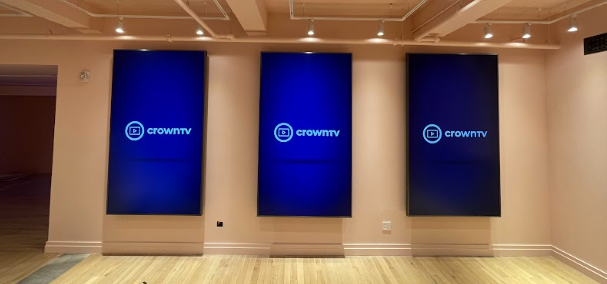
When companies audit their tech stack, they focus on internal tools: CRM systems, project management platforms, accounting software, and communication apps. These platforms help your team work more efficiently, but they don’t directly touch your customers.
Your tech stack isn’t complete if it only optimizes internal operations while ignoring the technologies that shape customer experience. Digital signage, interactive displays, and visual communication systems deserve the same strategic attention you give to your CRM or project management tools.
Digital Signage as Infrastructure, Not Marketing
Most businesses treat digital signage as a marketing tactic rather than a core infrastructure. They buy a screen, load some slides, and consider the job done. This approach misses the strategic value that properly integrated digital signage brings to your tech stack.
Digital signage functions as a communication channel that connects your backend systems to your physical spaces. When integrated correctly, your displays pull data from your inventory management system, sync with your promotion calendar, and update automatically based on real-time conditions.
What Modern Digital Signage Systems Handle?
- Dynamic content scheduling based on time of day, day of week, or current conditions
- Real-time data integration pulls live information from your other systems
- Multi-location management controlling hundreds of screens from one dashboard
- Performance analytics tracking viewer engagement and content effectiveness
- Emergency messaging pushes urgent updates across all displays instantly
- Playlist automation rotating content without manual intervention
Why Digital Signage Belongs in Your Core Stack
Digital displays create touchpoints where your customers interact with your business. The quality and reliability of these touchpoints affect brand perception as much as your website or customer service.
Outdated, static signage makes your business look behind the times. Screens showing last month’s promotions signal that nobody’s paying attention. Displays that crash or show error messages create negative impressions that undermine everything else you do well.
The Integration Advantage
Digital signage connected to your tech stack delivers capabilities that standalone systems can’t match:
| Integration Type | What It Enables | Business Impact |
| Inventory System | Promote overstocked items automatically | Reduces waste, moves product faster |
| Weather Data | Adjust messaging based on current conditions | Increases relevance, drives timely purchases |
| Social Media | Display live feeds and user-generated content | Builds community, encourages engagement |
| Queue Management | Show estimated wait times and call customers | Improves experience, reduces perceived wait |
| Sales Data | Highlight top performers or trending items | Creates urgency, leverages social proof |
These integrations turn passive screens into active business tools. Your displays become an extension of your tech stack rather than isolated pieces of equipment.
Choosing a Digital Signage Platform
The same principles that guide your other tech stack decisions apply to digital signage. You need reliability, scalability, ease of use, and integration capabilities.
Cloud-based platforms beat local hardware solutions for the same reasons SaaS tools beat installed software. You can manage screens from anywhere, updates happen automatically, and you don’t need servers in your office to keep displays running.
Platform Requirements Checklist
Evaluate digital signage systems against these criteria:
- Can you update content across all locations from one central dashboard?
- Does the platform support the file types and content formats you need?
- Can you schedule different content for different times, locations, or conditions?
- Does it integrate with your existing systems through APIs or pre-built connectors?
- Can you scale from one screen to hundreds without changing platforms?
- Does the vendor provide hardware or work with multiple hardware partners?
- What happens if internet connectivity drops? Do screens continue displaying cached content?
Look for platforms designed for business users rather than IT specialists. Your marketing team should be able to update content without submitting tickets to your technical staff. Your operations team should be able to check the screen status without specialized training.
CrownTV builds digital signage systems around these exact principles. The cloud-based dashboard lets you manage displays across multiple locations from anywhere. You can schedule content, integrate with hundreds of apps from their app store, and scale from a single screen to thousands without complexity.
Hardware Matters as Much as Software
The best digital signage software can’t compensate for unreliable hardware. Screens that fail, media players that crash, and mounting systems that don’t fit your spaces create problems no amount of software sophistication can solve.
Many businesses buy consumer-grade TVs for commercial deployments. These screens weren’t designed to run 12+ hours per day, seven days per week. They overheat, burn out faster, and lack the brightness needed for well-lit retail environments.
Commercial Display Requirements
Professional digital signage needs purpose-built hardware:
- Commercial-grade screens rated for continuous operation
- Sufficient brightness measured in nits (typically 350+ for indoor, 2500+ for outdoor)
- Reliable media players that handle your content format and resolution requirements
- Professional mounting designed for your specific installation environment
- Adequate cooling to prevent overheating in enclosed spaces
- Service and warranty coverage that matches commercial usage patterns
CrownTV packages hardware and software together, which solves the compatibility and support problems that plague businesses trying to assemble their own systems. You get screens suited to your environment, media players optimized for the software, and a single vendor responsible when something goes wrong.
Their turnkey approach means you’re not coordinating between a screen manufacturer, a media player vendor, and a software company when you need support. One team handles everything from initial setup through ongoing maintenance.
Your Tech Stack Needs a Visual Voice
Building a tech stack that scales, integrates, and drives results takes planning. You’ve mapped your workflows, chosen core platforms, prioritized integration, and calculated total cost of ownership. But if your stack only optimizes internal operations while your physical locations still rely on outdated posters and static signs, you’re missing a critical customer-facing component.
The work you put into building a strategic tech stack delivers these outcomes:
- Faster operations because automated workflows eliminate manual data entry and repetitive tasks that slow your team down
- Better decisions from real-time data flowing between integrated systems instead of being scattered across disconnected platforms
- Stronger security through centralized access control and platforms built with compliance requirements from the ground up
- Scalable growth without hitting artificial limits or rebuilding your entire infrastructure when you add locations or team members
- Customer experiences that meet modern expectations for consistency, personalization, and instant access to information
These benefits extend to every customer touchpoint, including the screens in your physical spaces. Your digital signage should pull from the same data sources, maintain the same standards, and integrate with the same ecosystem as the rest of your stack.
