
How Much Does an LED Video Wall Cost in 2026? Real Prices by Pixel Pitch
LED video wall costs in 2026, priced honestly: $/sq ft by pixel pitch, what a lobby wall vs a conference room vs an outdoor board really runs, and when LCD tiles beat dvLED.
On this page
Ask five vendors what an LED video wall costs and you'll get five lump sums that can't be compared. Here's the opinion this guide is built on: $/sq ft by pixel pitch is the only honest way to price an LED wall — and viewing distance, not budget, should pick your pitch. Once you hold those two rules, every quote becomes comparable and most of the upsell evaporates.
CrownTV has deployed signage for 13+ years across 1,800+ businesses — including direct-view LED lobbies and flagship walls, tiled LCD walls, and all-in-one units like Samsung's The Wall. This is the pricing framework we walk buyers through before anyone signs anything.
You'll get:
- 2026 installed prices per square foot, by pixel pitch
- The viewing-distance rule that stops you overbuying pitch
- Real project ranges: lobby, conference room, retail flagship, outdoor
- dvLED vs tiled LCD — the honest crossover point
- Running costs nobody quotes: power, spares, calibration
What actually sets the price of an LED video wall
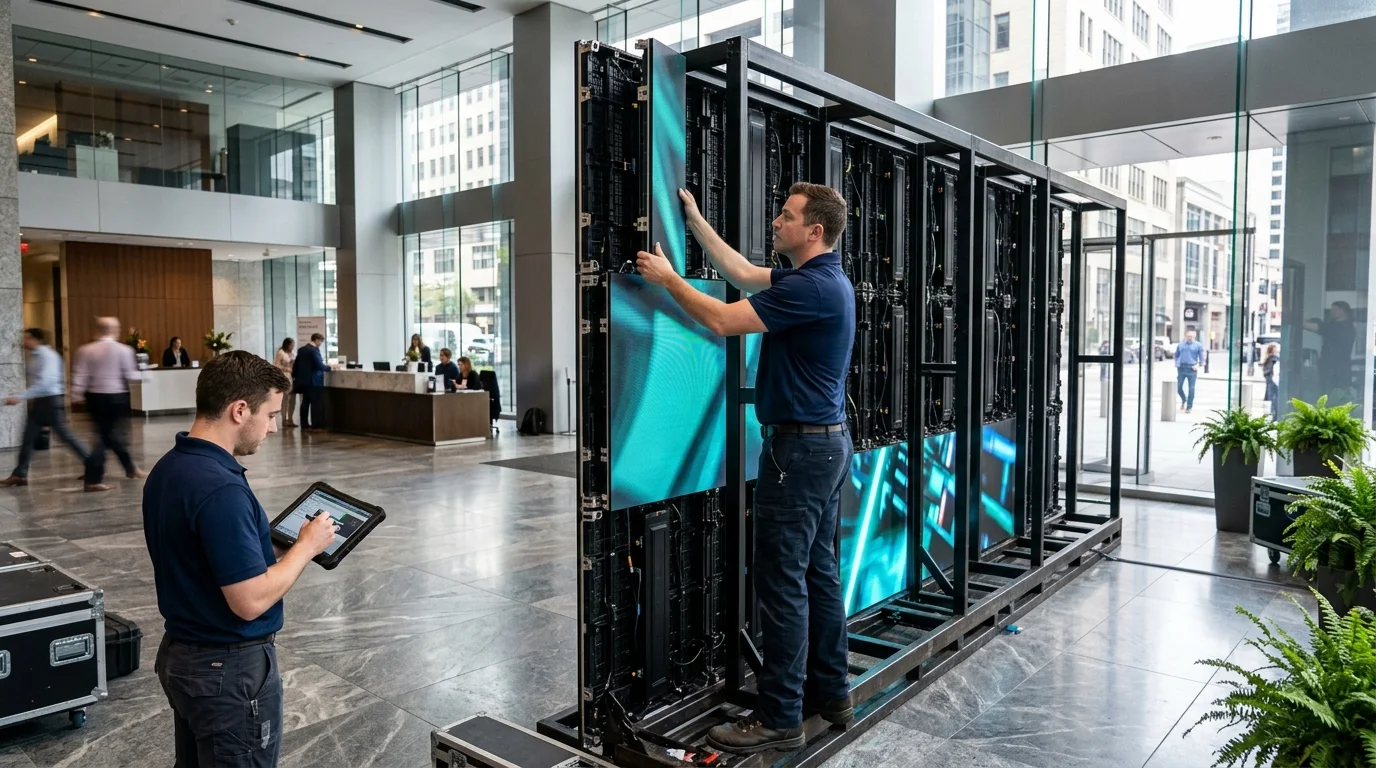
Direct-view LED (dvLED) is sold as modular cabinets that tile into any size — so there's no "price of a video wall," only a price per square foot, driven by five factors: pixel pitch (the big one — the millimeter distance between LED clusters; finer pitch = exponentially more LEDs), brightness and outdoor rating (a 5,000-nit IP-rated outdoor cabinet costs multiples of an 800-nit indoor one), cabinet quality (refresh rate, color processing, serviceability), processing (the controller that drives the wall), and structure and install — the steel, power, and labor that turn cabinets into a wall.
2026 prices by pixel pitch
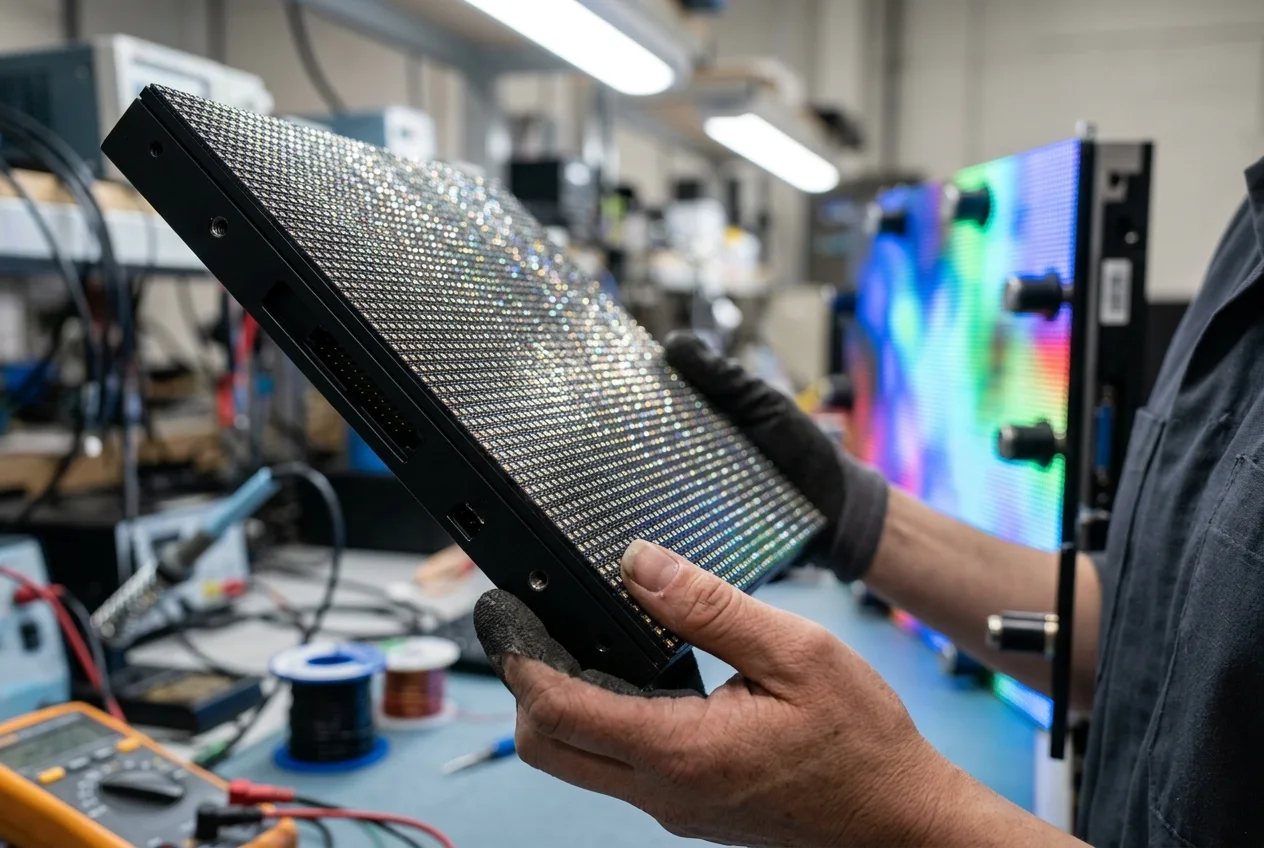
Installed ranges we see across current projects and vendor pricing — panels plus processing, structure, and installation. Manufacturer list prices from Samsung, LG, and Planar anchor the hardware side:
| Pixel pitch | Minimum viewing distance | Typical use | Installed $/sq ft (2026) |
|---|---|---|---|
| P0.9–P1.2 (micro pitch) | 3–4 ft | Boardrooms, broadcast, close-view lobbies | $2,500–$4,000+ |
| P1.5–P1.9 (fine pitch) | 5–6 ft | Lobbies, flagship retail, control rooms | $1,500–$2,500 |
| P2.5 | ~8 ft | Larger lobbies, event spaces, auditoriums | $900–$1,600 |
| P3–P4 (indoor coarse) | 10–13 ft | Big-format indoor, stage backdrops | $500–$900 |
| P4–P8 (outdoor) | 13–26 ft | Building facades, pylons, stadium boards | $400–$900 (plus structure) |
The viewing-distance rule: minimum comfortable viewing distance in feet ≈ pitch in millimeters × 3. A P2.5 wall viewed from 10 feet is visually indistinguishable from a P1.2 wall — at roughly a third of the price. Measure where people will actually stand, then buy that pitch and not one step finer. This single rule saves more money than any vendor negotiation.
What real projects cost
| Project | Typical spec | Turnkey range |
|---|---|---|
| Conference room / boardroom wall | All-in-one 146″ (P0.8-class) or 110–165″ fine pitch | $50,000–$120,000 |
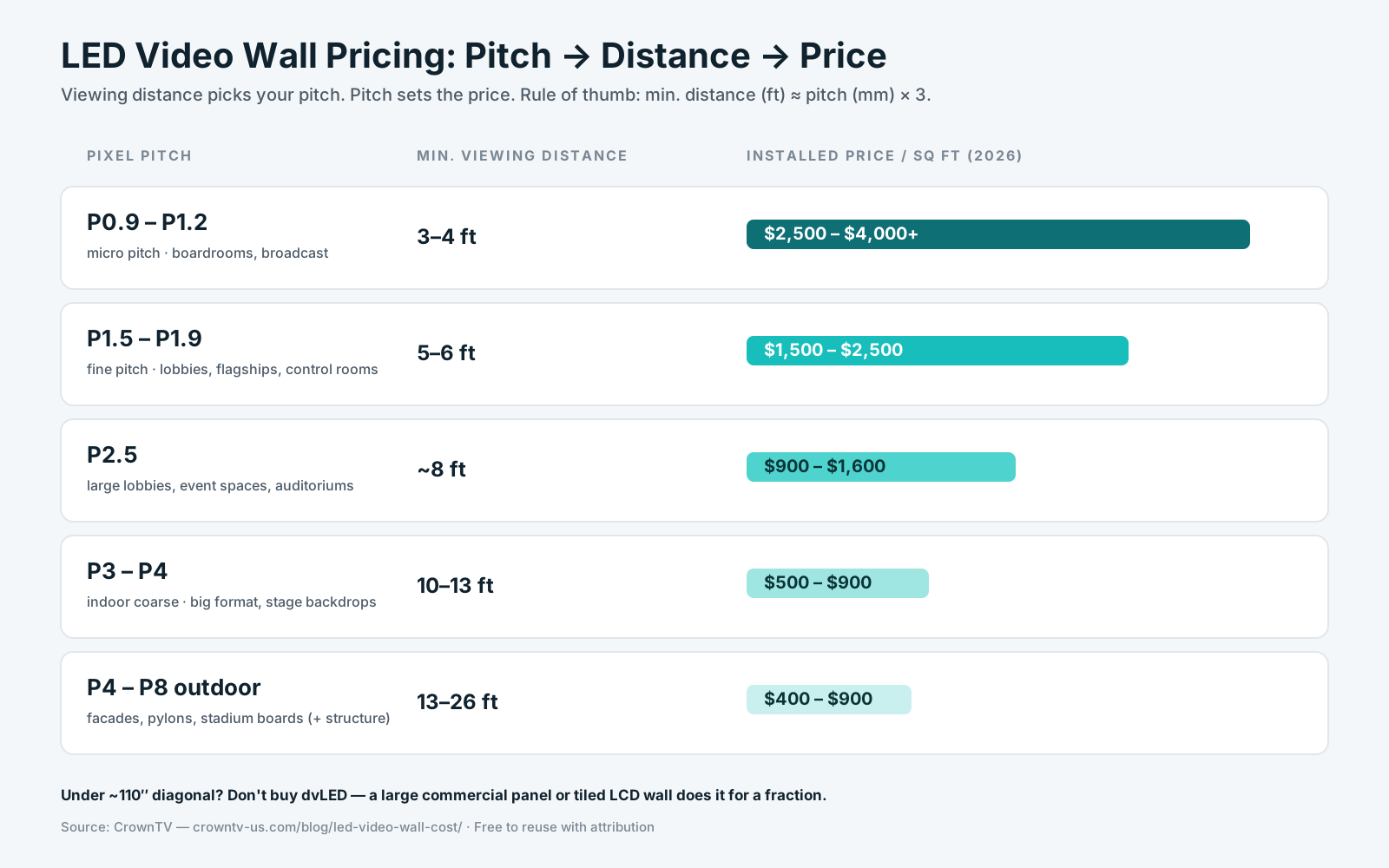
| Corporate lobby wall (12′×7′) | P1.5–P1.9, wall-mounted, integrated processing | $60,000–$100,000 |
| Retail flagship feature wall (16′×9′) | P1.9–P2.5, high-brightness, content pipeline | $90,000–$180,000 |
| Outdoor board / facade (10′×6′) | P4–P6, IP-rated, engineered structure | $45,000–$110,000 |
| Sub-110″ "wall" | Don't buy dvLED — see below | $3,850–$15,000 |
That last row is the advice most vendors won't volunteer: below roughly 110–130 inches, dvLED is the wrong purchase. A single 85–98″ commercial panel (from $4,450 all-in with install in our package pricing) or a tiled 2×2 LCD wall covers the size for a small fraction of the cost. Our guides to building a TV video wall and video wall setup cover that path; the trade-off is bezel seams and lower brightness, which is exactly what the dvLED premium buys away.
All-in-one vs custom cabinets
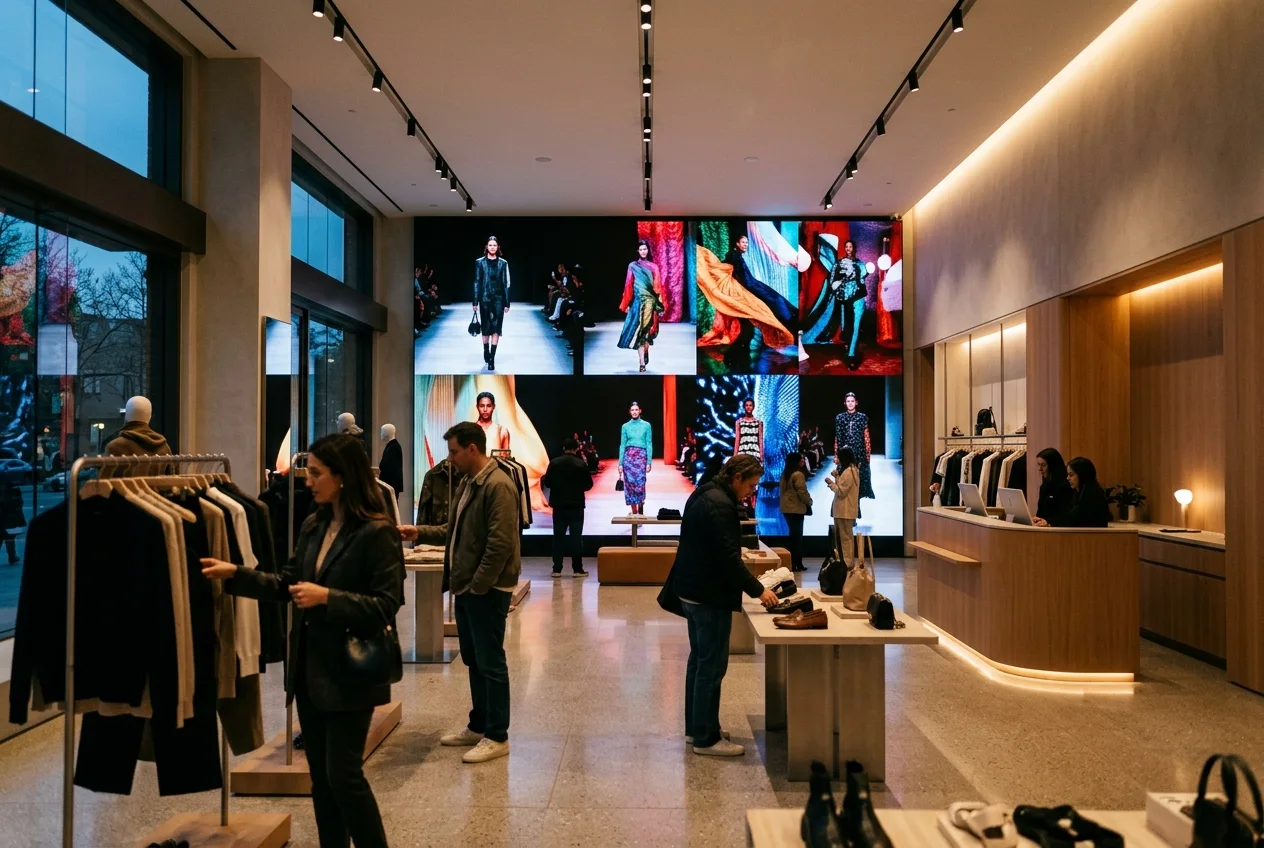
All-in-one units — Samsung's The Wall All-in-One 146″ is the category benchmark — bundle cabinets, processing, and mounting into one SKU with a known price and a one-day install. If a preset size (146″, 219″) fits the space, the all-in-one usually undercuts an equivalent custom build once structure, processor, and labor are counted, and it removes the single biggest project risk: integration. Custom cabinet walls earn their place when architecture demands a nonstandard size, a curve, ultra-fine pitch, or outdoor rating. For the brand landscape — Samsung vs LG vs Planar vs Barco and the value tiers below them — see our LED video wall brands comparison.
Pricing a wall for your space?
Send us the wall dimensions and where viewers stand — we'll spec the honest pitch, compare all-in-one vs custom vs LCD for your size, and quote it line by line.
Get a video wall quote in 2 business hours →The running costs nobody quotes
- Power. dvLED draws roughly 30–60W per square foot in typical duty — a 12′×7′ wall pulls 2.5–5 kW at peak. Budget the circuits and the utility line item, and use auto-brightness aggressively.
- Spare modules. Order 5–10% spares from the same production batch at purchase. A module bought two years later will not color-match, and the mismatch sits at eye level in your lobby forever.
- Calibration and service. Annual color calibration and inspection keeps a wall looking new; budget a service visit per year. Module-level repair is dvLED's quiet advantage — a dead patch is a 10-minute magnetic swap, not a panel replacement.
- Content. A seamless wall running stretched 16:9 PowerPoint is a $100,000 screensaver. Budget real content production for the wall's actual aspect ratio, and manage it from the same signage platform as the rest of your screens.
Five expensive mistakes
- Buying pitch you can't see. If viewers stand 10 feet away, P1.2 is money burned. Distance × rule first.
- dvLED under 110″. A large-format commercial panel or LCD tile wall does the job for a fraction. Vendors rarely talk you down a category.
- Lump-sum quotes. Demand $/sq ft and line items — panels, processing, structure, install, spares — or you can't compare bids. (Our AV installation guide has the full quote checklist.)
- No spares in the PO. Batch-matched modules bought on day one are cheap insurance; bought in year three they're a visible color patch.
- Ignoring structure and power until install week. Wall loading, circuit capacity, and (outdoor) wind engineering are long-lead items — surface them at survey, not at delivery.
How CrownTV Helps
One contract for hardware + software + install + service:
- Samsung Authorized Reseller — The Wall all-in-one units, dvLED cabinets, and large-format QMC panels at commercial pricing
- Honest sizing: we'll tell you when a 98″ panel or LCD tile wall beats dvLED for your space
- Site survey, structural mounting, power coordination, processing, calibration, and install by licensed insured crews in all 50 states
- CrownTV Dashboard runs the wall and every other screen you own from one place
Get an LED video wall quote in two business hours →
Frequently asked questions
How much does an LED video wall cost?
Installed direct-view LED in 2026 runs roughly $400–$900/sq ft for coarse outdoor pitch, $500–$900 for indoor P3-class, $900–$1,600 for P2.5, $1,500–$2,500 for P1.5–P1.9 fine pitch, and $2,500–$4,000+ for sub-P1.2 micro pitch. A typical 12′×7′ lobby wall at P1.8 lands around $60,000–$100,000 turnkey.
What is pixel pitch and why does it drive the price?
Pixel pitch is the millimeter distance between LED clusters. Halving pitch roughly quadruples LED count per square foot, so price climbs steeply as pitch drops. Minimum viewing distance in feet ≈ pitch × 3 — buy the pitch your real distance requires.
How much does installation add?
Typically 15–30% on top of hardware: structural frame, power circuits, data, processor rack, alignment, and color calibration — more for curves, ceiling rigs, and outdoor engineering. It should always be its own line item.
LED vs LCD video wall — which is cheaper?
Below roughly 110–130″ of diagonal, LCD (or one large panel) wins on cost; the trade-off is bezels and brightness. Above that, seamless dvLED is the only real option.
How long does an LED video wall last?
Around 100,000 hours to half brightness — a decade of continuous duty. Plan for batch-matched spare modules (5–10%), annual calibration, and controller lifecycle instead of worrying about the LEDs themselves.
Is Samsung's The Wall worth it vs a custom wall?
If a preset size fits, usually yes — integrated processing, known price, one-day install, and typically cheaper than an equivalent custom build fully costed. Custom wins on nonstandard sizes, curves, and outdoor.
Read Next
DISPLAYDETAILS · BY CROWNTV · SHIPS NATIONWIDE
Video wall hardware, direct from CrownTV
146" 4K MicroLED flagship canvas — the 2K P1.6 version runs $73,999.
Samsung The Wall All-in-One 146"
146-inchSamsung Authorized Reseller — direct allocation, full warranty
- Price-match guarantee — find it cheaper, we'll match it.
- 3-year Samsung commercial warranty — RMAs handled by us.
- Free nationwide shipping — every panel, every order.
- FREE: 1 month CrownTV CMS + 1 media player per screen (then $29.99/mo).
Keep reading
More guides like this
Operator-grade playbooks, weekly.
Proof, not pitches
See real installs
Live deployments across hospitality, retail, and offices.
Ready to deploy?
Get a quote in 4 hours
Reply within two business hours. No call required.