

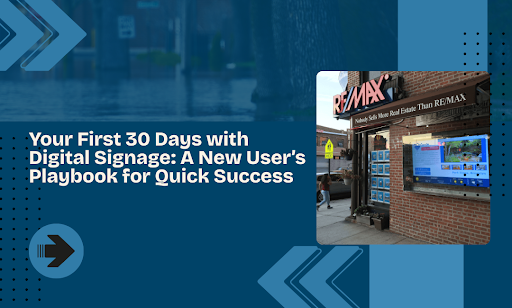
You spent thousands on a digital signage system. Now it sits there showing the same generic template you threw up on day one. Sound familiar?
Most businesses waste their first month figuring out basic settings, battling software quirks, and displaying content that barely moves the needle. By week four, the excitement fades into frustration. The screens become expensive digital wallpaper.
Your first 30 days determine if digital signage becomes a revenue driver or a regrettable purchase. Get this window right, and you’ll build momentum that carries you through year one. Mess it up, and you’ll join the countless businesses running bland, ignored displays.
This playbook walks you through a day-by-day approach that turns new users into confident operators. We’ll show you how to:
- Set your hardware and software up correctly from day one
- Create content that actually grabs attention and drives action
- Build a sustainable content calendar that runs on autopilot
- Measure what works and optimize based on real data
- Scale your system across multiple locations without losing your mind
Just the exact steps that separate successful deployments from expensive mistakes.
Week One Builds Your Foundation for Success
The first seven days determine if your digital signage becomes a strategic asset or a technical headache. You’ll focus on physical setup, network configuration, and software basics that create a stable platform for everything that follows. Get these fundamentals right, and you’ll avoid the technical debt that plagues rushed deployments.
Days 1-3: Hardware Setup That Actually Works
Your screens arrive. You unbox everything. Now comes the part where most people make mistakes that haunt them for months. Start by mapping out your physical space before you mount anything. Walk through your location with a notepad and mark where people naturally look, where they pause, and where they move quickly.
Choose Your Mounting Strategy
The way you mount screens affects everything from viewing angles to maintenance access. Pick your approach based on traffic patterns and sight lines.
| Mount Type | Best Use Case | Viewing Angle | Installation Time | Flexibility |
| Wall Mount | Queue areas, waiting rooms | Eye level (60-65″) | 30-45 min | Low |
| Ceiling Mount | High-traffic corridors | Downward tilt 15-20° | 45-60 min | Low |
| Freestanding | Testing locations, events | Adjustable | 15-20 min | High |
| Pole Mount | Outdoor spaces, parking lots | 360° rotation | 60-90 min | Medium |
Wall mounts position screens at eye level for standing viewers. Tilt the display down 5-10 degrees if you mount it higher than 65 inches.- Ceiling mounts catch peripheral vision in spaces where people look up naturally. They work best in airports, shopping centers, and buildings with high ceilings.
- Freestanding displays let you test different locations before committing. You’ll pay more upfront but gain the ability to optimize based on real performance data.
Connect Your Hardware Properly
Most setup failures trace back to connection issues that could have been avoided with basic planning. Here’s your pre-installation checklist:
- Run cables through walls or use cable management systems
- Test every connection before mounting screens permanently
- Label each cable with its purpose and destination
- Keep spare HDMI cables and power adapters on hand
- Document your setup with photos and notes
- Verify power outlet capacity matches your equipment load
Power cycling protocol: Turn everything off, wait 30 seconds, power your media player on first, then turn the screen on. This sequence solves 80% of initial connection problems.
Configure Your Network Settings
Your digital signage needs a stable internet to function. The type of connection you choose determines reliability and performance.
Wired vs Wireless: The Performance Gap
| Connection Type | Speed | Reliability | Setup Difficulty | Best For |
| Ethernet (Wired) | 1000 Mbps | 99.9% uptime | Medium | Multiple displays, video content |
| WiFi 6 | 600 Mbps | 95% uptime | Easy | Single displays, static content |
| WiFi 5 | 300 Mbps | 85% uptime | Easy | Temporary installations |
| 4G/5G Backup | 50-150 Mbps | 90% uptime | Easy | Failover only |
Wired connections beat WiFi every time for reliability. If you must use wireless, follow these guidelines:
- Position media players within direct line of sight of your router
- Test connection speed at the actual screen location
- Set up a separate network for signage systems
- Use WiFi 6 routers for multiple-display deployments
- Install signal boosters in locations with weak coverage
Days 4-7: Software Configuration Done Right
You’ve got screens mounted and connected. Now you need to set your software up to make content management simple instead of complicated. The configuration choices you make this week determine how much time you’ll spend managing screens versus creating content that drives results.
Create Your Account Hierarchy
Most digital signage platforms let you organize screens into groups. Take 20 minutes to plan this structure before you start adding content.
Organizational structures that scale:
- By Location
- Corporate HQ → Lobby, Conference Rooms, Cafeteria
- Store #001 → Front Counter, Queue Area, Product Wall
- Store #002 → Front Counter, Queue Area, Product Wall
- By Content Purpose
- Promotional Displays → All locations running sales content
- Informational Displays → Wayfinding, announcements, schedules
- Menu Boards → Restaurants, cafeterias, food courts
- By Update Frequency
- Daily Updates → Time-sensitive promotions, specials
- Weekly Updates → Standard promotional rotation
- Monthly Updates → Evergreen brand content
This organization pays off when you need to push an update to specific screens. You’ll select a group instead of manually picking 47 individual displays.
Set Your Display Settings
Screen brightness and orientation seem basic, but getting them wrong makes content unwatchable. Here’s how to configure displays for optimal viewing.
Brightness Configuration Guide:
| Environment | Ambient Light | Recommended Nits | Adjustment Frequency |
| Indoor (away from windows) | Low | 250-350 | Seasonal |
| Indoor (near windows) | Variable | 400-500 | Monthly |
| Semi-outdoor (covered) | High | 800-1200 | Weekly |
| Outdoor (direct sun) | Very high | 1500-2500 | Daily |
Pro tip: Schedule brightness adjustments automatically based on time of day. Drop brightness by 30% after sunset to avoid eye strain and reduce power consumption.
Orientation Selection Matrix
- Portrait orientation works better for:
- Menu boards with vertical product lists
- Wayfinding displays in narrow corridors
- Social media feeds and scrolling content
- Retail displays showing full-body product shots
- Landscape orientation wins for:
- Promotional content viewed from a distance
- Video content and cinematics
- Dashboard displays multiple data points
- Waiting room entertainment
- Resolution matching checklist:
- Screen native resolution: __________
- Content design resolution: __________
- Media player output resolution: __________
- Scaling setting: None (1:1 pixel mapping preferred)
Build Your Template Library
Templates save hours of work and keep your content consistent. You’ll create dozens of slides over the coming months, and standardizing layouts now prevents chaos later.
Essential Template Types:
- Template 1: Text-Heavy Announcement
- Header area: 20% of the screen
- Body text area: 60% of screen
- Logo/branding footer: 20% of screen
- Font size: 48pt minimum for body text
- Maximum word count: 50 words
- Template 2: Image-Focused Promotion
- Image area: 70% of the screen
- Text overlay zone: 30% of screen
- Call-to-action button size: 15% of screen width
- Background: Semi-transparent overlay for text legibility
- Template 3: Mixed Content Balanced
- Split screen: 50% image, 50% text
- Headline: Top 15% of text area
- Body content: Middle 60% of text area
- Call-to-action: Bottom 25% of text area
- Lock down these elements in every template:
- Brand colors (primary, secondary, accent)
- Font families (headline, body, accent)
- Logo placement and sizing
- Border styles and spacing
- Button styles and hover states
Week Two: Content That Commands Attention
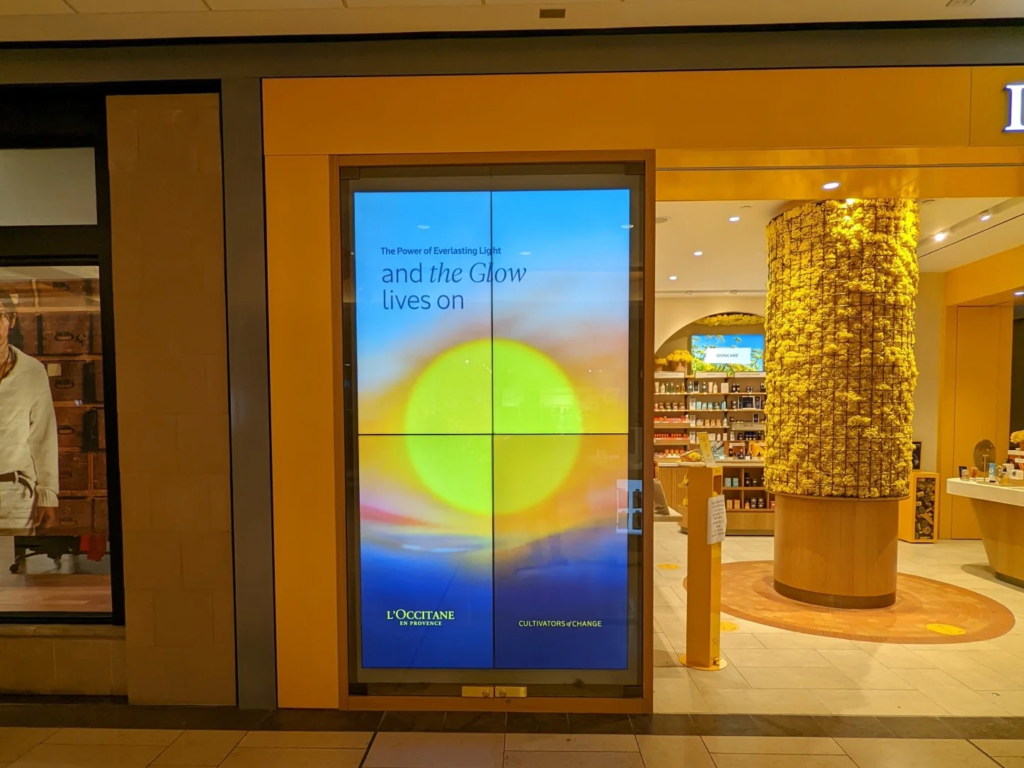
You’ve got your hardware humming and your software configured. Now comes the part that actually drives results: creating content that makes people stop, look, and act. This week focuses on the visual and psychological principles that separate ignored screens from revenue-generating displays. Think of this as your customer success playbook template for visual communication, the frameworks that turn passive viewers into engaged participants.
Understanding What Makes People Look
You have seven seconds to capture attention before someone walks past your screen. Movement, contrast, and strategic design determine if your message lands or disappears. Understanding customer behavior patterns helps you predict what catches eyes and what gets ignored during those critical first moments.
The 3-7-30 Rule for Content Design
This framework aligns with how people actually process visual information at a glance.
| Timeframe | Viewer Action | Content Element | Design Priority |
| 3 seconds | Recognizes something that caught attention | Movement, color, contrast | Highest |
| 7 seconds | Reads the main message | Headline, key visual | High |
| 30 seconds | Absorbs details and decides | Supporting text, CTA | Medium |
Structure every piece of content around this timeline. Your headline grabs attention in three seconds. Your value proposition lands in seven. Supporting details and calls-to-action fill the remaining time. This approach mirrors the customer journey from initial awareness to decision-making, compressed into a 30-second window.
Write Headlines That Stop Scrollers
Your headline does one job: make people want the next sentence. Everything else is secondary.
High-performing headline formats:
- Number-based: “5 Ways to Save $200 on Home Energy”
- Question-based: “Are You Making This Common Mistake?”
- Benefit-driven: “Get Results in 24 Hours or Less”
- Curiosity-gap: “What 87% of Customers Don’t Know About…”
- Urgency-focused: “Last Chance: Sale Ends Tonight”
Headline Performance Breakdown
| Headline Type | Average Engagement | Best Use Case | Avoid When |
| Numbers | 73% higher | List-based content, tips | Emotional topics |
| Questions | 68% higher | Problem awareness | Already engaged audience |
| Benefits | 61% higher | Product features | Complex offerings |
| Urgency | 59% higher | Time-limited offers | Evergreen content |
Use numbers because they promise specific, digestible information. The brain processes countable things faster than abstract concepts. Your customer success strategy should include testing different headline approaches to see what resonates with your specific audience across various communication channels.
Design Content for Glance Value
Most people won’t read your entire message. They’ll glance, process the main idea, and move on. Design for that reality.
Readability Distance Chart
| Font Size | Maximum Reading Distance | Minimum Reading Distance | Best Content Type |
| 24pt | 6 feet | 3 feet | Fine print, disclaimers |
| 36pt | 10 feet | 4 feet | Body text, descriptions |
| 48pt | 15 feet | 5 feet | Subheadlines, key points |
| 72pt | 25 feet | 8 feet | Headlines, pricing |
| 96pt+ | 35+ feet | 10 feet | Hero text, main offers |
Font size matters more than you think. Text smaller than 30pt becomes unreadable from 10 feet away. Go bigger than feels comfortable on your design screen.
Content density guidelines:
- Limit text to 10 words per slide for maximum comprehension
- Use whitespace to cover at least 40% of the screen area
- Maintain 2:1 contrast ratio minimum (4.5:1 preferred)
- Break complex messages into 3-4 sequential slides
Choose the Right Content Format
Different messages need different formats. Match your content type to your goal and available resources. Your business model determines which formats deliver the best return on production time invested.
| Format | Best For | Attention Span | Production Time | Equipment Needed | Cost Range |
| Static images | Announcements, pricing | 3-5 seconds | 10 minutes | Design software | $0-50 |
| Animated graphics | Promotions, features | 8-12 seconds | 30 minutes | Animation tools | $50-200 |
| Short videos | Demos, testimonials | 15-30 seconds | 2-4 hours | Camera, editing software | $200-1000 |
| Live data feeds | Social proof, updates | Continuous | 1 hour setup | API integration | $0-100/month |
| Interactive content | Engagement, wayfinding | Variable | 4-8 hours | Touch-enabled screens | $500-2000 |
Videos grab attention but require more production work. Static images get ignored, but take minutes to create. Pick the format that matches your resources and goals. Many businesses now integrate digital screens with mobile apps to create cross-platform experiences that keep customers engaged beyond the physical interaction point.
Build Your Content Creation Workflow
Consistency beats perfection. A steady stream of good content outperforms sporadic bursts of great content. Successful teams understand that regular publishing schedules build audience expectations and trust over time.
Weekly Content Production Schedule
- Monday: Planning & Research
- Review last week’s performance metrics
- Identify content themes for the week
- Gather source materials (images, data, copy)
- Assign creation tasks if working with a team
- Tuesday-Wednesday: Content Creation
- Batch design all visual assets
- Write all copy and headlines in one session
- Create variations for A/B testing
- Export files in the correct formats and resolutions
- Thursday: Quality Control
- Test content on actual screens (not monitors)
- Check readability from typical viewing distances
- Verify color accuracy and contrast
- Confirm all animations render smoothly
- Conduct training sessions for team members on new content formats or tools
- Friday: Scheduling & Deployment
- Upload content to the management platform
- Set display schedules and rotation rules
- Configure exception dates for holidays
- Document what you deployed for future reference
- Content creation checklist:
- Source images minimum 1920×1080 resolution
- Video files exported at 30fps minimum
- Text contrast ratio exceeds 4.5:1
- All animations under 15 seconds in duration
- File sizes optimized for network bandwidth
- Backup copies saved in organized folders
Collecting customer feedback during this process helps you refine messaging and visual approaches. What works in theory often needs adjustment based on real-world customer interaction patterns. Smart teams build continuous improvement loops where qualitative feedback from staff and customers informs the next content cycle.
Optimize Content for Different Times
The same message won’t resonate at 8 am and 8 pm. Match your content to when people see it. Understanding customer segments and their daily routines helps you target messages when people are most receptive.
| Time Period | Audience Mindset | Content Focus | Tone | Call-to-Action Strength |
| 6am-10am | Information-seeking | News, schedules, planning | Direct, clear | Low pressure |
| 10am-2pm | Task-focused | Offers, quick wins | Energetic, concise | Medium pressure |
| 2pm-6pm | Decision-fatigued | Simple choices, benefits | Supportive, easy | High pressure |
| 6pm-Close | Relaxed, browsing | Entertainment, lifestyle | Emotional, aspirational | Low pressure |
Morning content should focus on information and planning. People check screens for updates, schedules, and announcements during morning hours.- Afternoon content introduces promotions and offers. Decision fatigue sets in after lunch, making people more receptive to simple, appealing choices. This window often generates the best results for businesses looking to create happy customers through timely, relevant offers that address concerns or fulfill immediate needs.
- Evening content works best with entertainment and inspiration. People relax their guard and become more open to emotional appeals and lifestyle messaging.
Your sales team can provide valuable insights about when customers ask certain questions or express specific needs throughout the day. Coordinate content timing with these patterns to maximize relevance. Regular quarterly business review sessions should include analysis of time-based performance to refine scheduling strategies.
This data-driven insights approach ensures your customer success managers have concrete evidence of what works when making content recommendations across your organization.
Week Three: Your Content Calendar Runs Itself
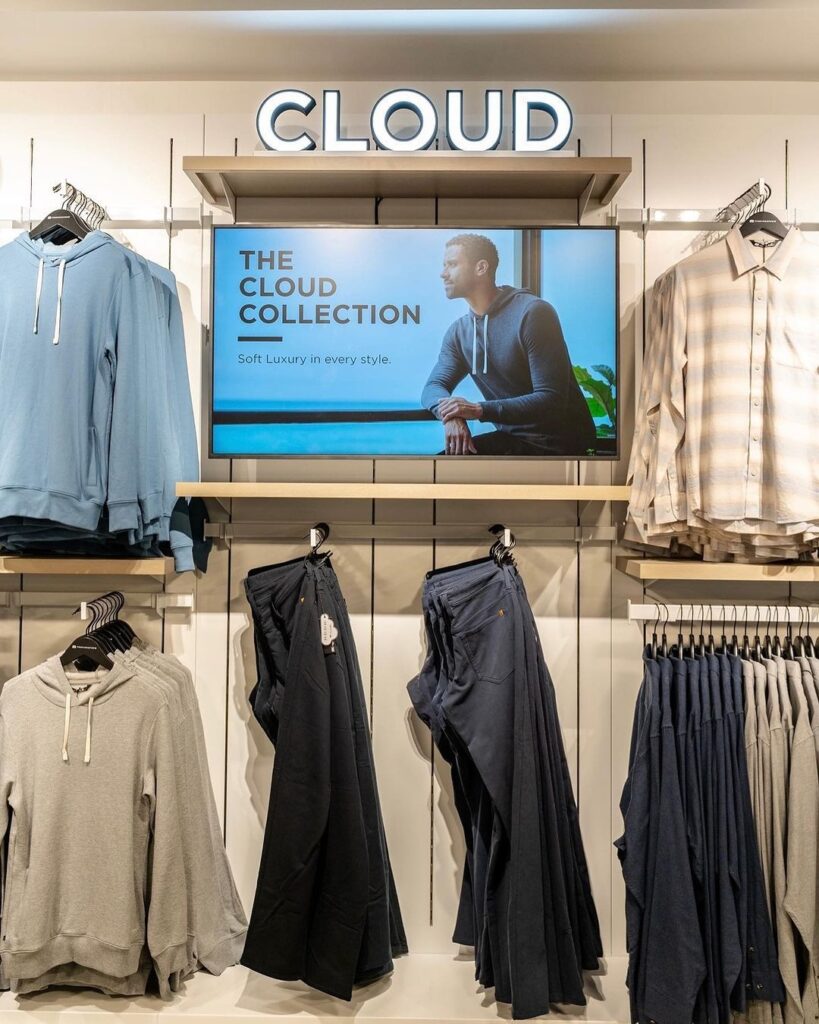
You’ve mastered hardware setup and learned content creation principles. Now you need systems that keep your displays fresh without consuming your entire week. Automation and smart scheduling transform digital signage from a daily chore into a background process that runs while you focus on strategy.
Getting the right tools in place becomes non-negotiable when you’re managing multiple screens and content streams.
Planning Content That Scales
You can’t manually update screens every day. You’ll burn out by month two. Smart scheduling makes your system work while you focus on strategy instead of daily operations. This approach mirrors how success teams operate, building systems that scale without proportional increases in effort.
Map Your Content Types to Frequency
Different content needs different update schedules. Mixing them strategically keeps your displays fresh without overwhelming your workflow. Learning to measure success across these different content types helps you adapt based on what actually performs.
| Content Type | Update Frequency | Manual Effort | Automation Level | Shelf Life |
| Evergreen | Quarterly | Low | High | 3-12 months |
| Promotional | Weekly/Monthly | Medium | Medium | 1-4 weeks |
| Time-sensitive | Daily/Hourly | Low | Very High | 1-24 hours |
| Reactive | As needed | High | Low | Minutes to hours |
| Seasonal | Annually | Medium | Medium | 2-3 months |
Evergreen content stays relevant for months. Brand messaging, core product information, and basic wayfinding don’t need weekly updates.- Promotional content changes weekly or monthly. Sales, limited-time offers, and seasonal campaigns need regular refreshes. This category often drives expansion revenue when executed correctly, upselling and cross-selling through strategic screen placement.
- Time-sensitive content updates daily or hourly. Weather, news feeds, social media displays, and event countdowns need automation. Poor execution here causes customers leave or ignore your screens entirely, leading to early churn in viewer attention and driving engagement rates down.
- Reactive content responds to real-time conditions. Sold-out products, wait times, and availability updates require manual intervention but should trigger from existing systems when possible.
Build Your Monthly Content Framework
A structured approach to content planning prevents last-minute scrambling and ensures you always have something ready to display. Getting your whole team aligned on this calendar approach builds trust across departments and ensures consistent execution.
4-Week Content Production Cycle
- Week 1: Strategy & Analysis
- Review the previous month’s performance data
- Identify top-performing content themes
- Plan the upcoming promotional calendar
- Research competitor content strategies
- Set goals and KPIs for new content
- Share findings with key stakeholders to align expectations
- Week 2: Evergreen Content Development
- Create or refresh core brand messaging
- Update product information and descriptions
- Develop educational content and tips
- Build foundational template variations
- Organize the content library and archive old assets
- Coordinate with the product team on feature updates and launches
- Week 3: Promotional Content Creation
- Design the next 30 days of promotional slides
- Write copy for all scheduled campaigns
- Create seasonal and holiday content
- Develop limited-time offer graphics
- Prepare A/B test variations
- Week 4: Reactive Templates & Automation
- Build templates for common reactive scenarios
- Set up automated data feed integrations
- Configure exception schedules for holidays
- Test all scheduled content on live displays
- Document processes for team members
This rhythm gives you breathing room between content sprints while maintaining a full content pipeline. The systematic approach provides actionable steps that prevent content gaps and ensure you always have material ready to deploy.
Use Scheduling Rules That Work
Your digital signage platform includes scheduling features. Most people ignore them and manually swap content. That’s wasted time and mental energy. Smart automation becomes a game-changer for teams managing multiple locations and content streams.
Advanced Scheduling Techniques
- Dayparting Strategy
| Time Block | Content Focus | Rotation Speed | Screen Regions |
| 6am-11am | Morning offerings, breakfast | 30-second loops | Full screen |
| 11am-2pm | Lunch specials, quick service | 20-second loops | Split screen |
| 2pm-5pm | Afternoon promotions, add-ons | 45-second loops | Full screen |
| 5pm-Close | Dinner menu, premium items | 30-second loops | Full screen |
Day-of-week scheduling rotates content based on traffic patterns:- Monday: Fresh start messaging, weekly preview
- Tuesday-Thursday: Core promotional content, standard offers
- Friday: Weekend prep, extended hour announcements
- Saturday: High-traffic promotions, upsell focus
- Sunday: Relaxed tone, community content, next week teasers
- Exception scheduling checklist:
- Public holidays with custom messaging
- Company anniversaries and milestones
- Flash sales and surprise promotions
- Weather-related content triggers
- Local event coordination
Getting content timing right improves overall customer experience by delivering relevant messages at the right time when viewers are most receptive. Where you place screens matters as much as when content displays, as high-traffic areas require different rotation speeds than lower-volume locations.
Create Content Buckets for Easy Rotation
Organize your content library into themed collections that rotate automatically. This approach maintains variety without requiring constant manual updates. Modern technology makes this process seamless once you set up the initial structure.
Content Bucket Architecture
- Seasonal Buckets (Rotate quarterly)
- Spring: Fresh starts, renewal themes, lighter colors
- Summer: Energy, outdoor activities, bright visuals
- Fall: Transitions, preparation, warm tones
- Winter: Comfort, celebration, cool palettes
- Product Category Buckets (Rotate weekly)
- New Arrivals: Latest additions, launch announcements
- Bestsellers: Proven favorites, social proof
- Clearance: Limited inventory, urgency messaging
- Seasonal Items: Time-relevant products
- Brand Message Buckets (Rotate monthly)
- Company Values: Mission, vision, culture
- Customer Stories: Testimonials, case studies
- Team Highlights: Staff features, behind-the-scenes
- Community Impact: Local involvement, partnerships
- Informational Buckets (Rotate bi-weekly)
- Industry Tips: How-tos, best practices
- Product Education: Features, benefits, comparisons
- News & Updates: Company announcements
- FAQ Content: Common questions answered
Set each bucket to rotate through its contents on a schedule. Your screens show fresh content without you touching anything. Tailoring content to unique needs across different customer segments ensures relevance without requiring custom creation for every scenario.
Batch Content Creation for Maximum Efficiency
Creating content one piece at a time kills productivity. Batch similar tasks together and knock them out in focused sessions. This approach requires expertise in workflow management but pays dividends in time saved.
Batching Schedule Template
| Day | Activity | Time Block | Output | Tools Needed |
| Monday | Design assets | 2-3 hours | 20-30 graphics | Photoshop, Canva |
| Tuesday | Write copy | 1-2 hours | All headlines & body text | Google Docs, Grammarly |
| Wednesday | Create animations | 2-3 hours | 10-15 animated slides | After Effects, Keynote |
| Thursday | Test & review | 1 hour | QA checklist complete | Actual display screens |
| Friday | Schedule & deploy | 1 hour | Month’s content loaded | CMS platform |
You’ll finish a month’s worth of content in less time than it takes to create one week’s content through daily piecemeal work. Making informed decisions about which content formats deliver the best results helps you allocate production time effectively.
Automate Your Data-Driven Content
Manually updating numbers and statistics guarantees you’ll fall behind. Connect your displays to data sources and let them update automatically. Tracking product usage patterns and customer behavior through automated feeds provides real-time relevance that static content can never match.
Automation Integration Options
| Data Source | Update Frequency | Setup Complexity | Value Added | Common Uses |
| Social media feeds | Real-time | Low | High | Customer reviews, posts |
| Inventory systems | Hourly | Medium | Very High | Stock levels, availability |
| Sales dashboards | Real-time | Medium | High | Performance metrics, goals |
| Weather APIs | Every 15 min | Low | Medium | Condition-based content |
| Calendar systems | Daily | Low | Medium | Events, schedules, bookings |
| News feeds | Real-time | Low | Medium | Industry updates, alerts |
Social media feeds pull in your latest posts and customer reviews without manual copying.- Inventory levels show what’s available without constant updates from staff.
- Performance metrics display real numbers from your sales system automatically.
- Weather and news keep information current without your involvement.
Most platforms offer these integrations out of the box. Spend an hour setting them up, save hours every week going forward.
Build Content Templates for Consistency
Templates ensure every piece of content maintains your brand standards without requiring design work each time you create something new.
Template Library Structure
- Promotional Announcement Template
- Headline zone: Top 25%
- Offer details: Middle 50%
- Terms and CTA: Bottom 25%
- Locked elements: Logo, brand colors, fonts
- Variable elements: Product image, pricing, dates
- Product Showcase Template
- Hero image: Left 60%
- Product details: Right 40%
- Locked elements: Border style, typography
- Variable elements: Product photo, specs, price
- Event Notification Template
- Event name: Top 30%
- Date/time/location: Middle 40%
- Registration CTA: Bottom 30%
- Locked elements: Layout structure, button styles
- Variable elements: Event image, details, link
- Staff Highlight Template
- Employee photo: Left 40%
- Bio and role: Right 60%
- Locked elements: Frame design, text hierarchy
- Variable elements: Photo, name, description
- Customer Testimonial Template
- Quote text: Center 60%
- Customer attribution: Bottom 20%
- Rating or logo: Top 20%
- Locked elements: Quote marks, layout
- Variable elements: Testimonial text, customer name
Each template should include locked elements (logos, colors, fonts) and flexible elements (images, text, call-to-action). Drop in new content, and everything automatically matches your brand.
Week Four: Turn Data Into Decisions That Drive Revenue
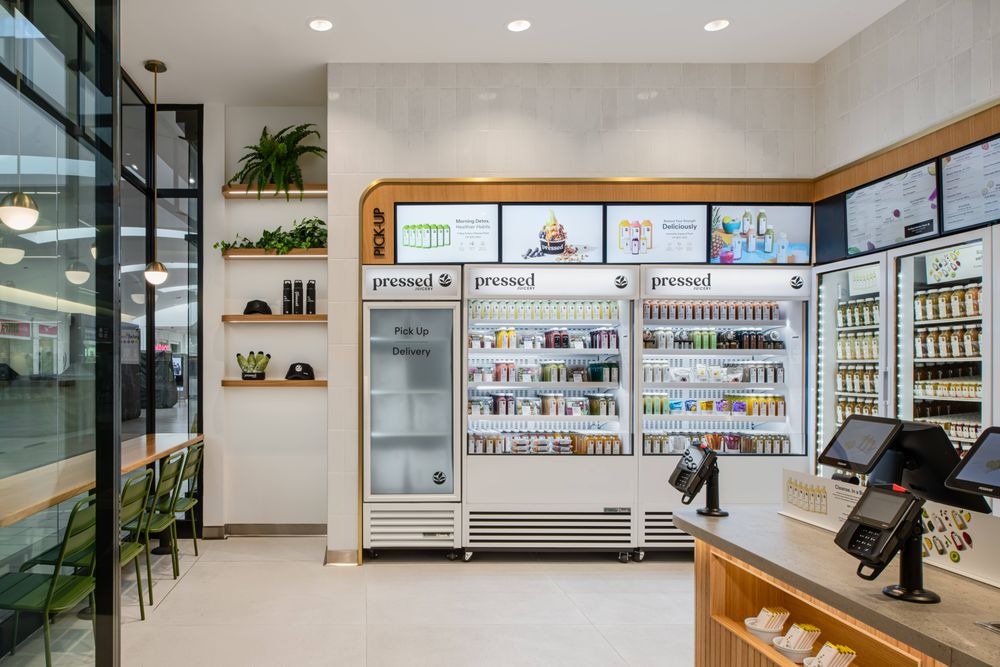
You’ve been running content for three weeks. Now comes the part that separates guesswork from growth. This week focuses on measuring what actually moves the needle, identifying patterns in viewer behavior, and making data-driven optimizations that compound over time.
Track the Metrics That Actually Matter
Most digital signage platforms drown you in data. Screen uptime, content impressions, playlist completions, numbers that feel important but don’t connect to business outcomes. You need to separate vanity metrics from actionable insights.
Core Performance Metrics Framework
| Metric Category | What to Measure | Why It Matters | Target Benchmark | Collection Method |
| Engagement | Dwell time per content piece | Shows what holds attention | 8-12 seconds | Heat mapping, sensors |
| Conversion | Action completion rate | Ties signage to revenue | 3-5% of viewers | QR scans, sales data |
| Reach | Unique viewer count | Measures audience size | Location-dependent | Foot traffic counters |
| Content Performance | Completion rate by slide | Reveals drop-off points | 70%+ completion | Analytics dashboard |
| Technical Health | Screen uptime percentage | Prevents revenue loss | 98%+ uptime | System monitoring |
Engagement metrics reveal what content captures attention and what gets ignored. Track how long people look at each piece of content, not how many times it plays.- Conversion metrics connect your screens to actual business results. QR code scans, promotional code usage, and sales lift during specific content periods show real impact.
- Reach metrics tell you how many people pass your screens. This number sets the ceiling for everything else.
Set Up Your Analytics Dashboard
Raw data means nothing until you organize it into a dashboard that highlights trends and flags problems. Build your dashboard around decisions you need to make, not every number your system can track.
Essential Dashboard Components
Daily Overview Panel
- Total viewer count vs previous day
- Top 5 performing content pieces
- System uptime across all displays
- Active alerts and technical issues
Weekly Trend Analysis
- Viewer patterns by day and time
- Content performance rankings
- Conversion rate changes
- Engagement duration averages
Monthly Strategic View
- Content category performance comparison
- Location-based effectiveness scores
- ROI calculation by content type
- Technical incident summaries
Set your dashboard to email you a summary every Monday morning. You’ll spot patterns over coffee instead of digging through reports when problems surface.
Run A/B Tests That Reveal Truth
Your opinions about what works don’t matter. What your audience responds to matters. A/B testing removes guesswork and builds a library of proven content strategies.
A/B Testing Framework
| Test Variable | What to Compare | Minimum Sample Size | Test Duration | Success Indicator |
| Headlines | Benefit vs curiosity | 500 viewers per variant | 3-5 days | Click-through rate |
| Images | Product vs lifestyle | 500 viewers per variant | 3-5 days | Dwell time |
| Colors | High vs low contrast | 1000 viewers per variant | 5-7 days | Attention capture |
| Layout | Text-heavy vs image-focused | 500 viewers per variant | 3-5 days | Message recall |
| Call-to-Action | Direct vs soft sell | 500 viewers per variant | 5-7 days | Conversion rate |
Test one variable at a time. Changing headlines and images simultaneously makes it impossible to know what drove results. Isolate variables to extract clear learnings.- Run tests long enough to account for daily patterns. Monday morning traffic differs from Friday evening traffic. A three-day minimum captures weekday variation.
Document everything in a testing log:
- Hypothesis: “Question-based headlines will increase dwell time by 20%”
- Variables: Headline A vs Headline B (all other elements identical)
- Results: Headline B increased dwell time by 31%
- Application: Use question format for all promotional content
Optimize Based on Performance Patterns
Data without action wastes time. Use your analytics to make specific improvements that compound over weeks and months.
Content Optimization Playbook
- Deep impressions + Low engagement = Visibility problem
- Increase font sizes by 20%
- Add motion to static elements
- Boost color contrast
- Reduce text density
- High engagement + Low conversion = Weak call-to-action
- Make CTA buttons 30% larger
- Use action verbs (“Scan Now” vs “Learn More”)
- Add time pressure (“Today Only”)
- Simplify the conversion path
- Inconsistent performance = Timing mismatch
- Review dayparting settings
- Match content to the audience’s mindset by hour
- Create time-specific content variations
- Test different rotation speeds
- Strong weekend performance + Weak weekday performance = Content-audience fit issue
- Analyze demographic differences by day
- Create day-specific content tracks
- Adjust messaging formality and tone
- Test different promotional approaches
Identify Your Peak Performance Windows
Not all hours deliver equal results. Your screens might generate 60% of engagement during 20% of operating hours. Find these windows and maximize them.
Performance Window Analysis
| Time Block | Foot Traffic Volume | Engagement Rate | Conversion Rate | Strategic Priority |
| 7am-9am | Medium | Low | Very Low | Informational content |
| 9am-12pm | High | Medium | Medium | Balanced promotion |
| 12pm-2pm | Very High | High | High | Aggressive offers |
| 2pm-5pm | High | Medium | Medium | Product education |
| 5pm-7pm | Medium | High | Very High | Limited-time deals |
| 7pm-Close | Low | Medium | Low | Brand building |
Schedule your highest-performing content during peak conversion windows. Save testing and experimental content for low-traffic periods.
Calculate Your Actual ROI
Digital signage costs money. It should make more money than it costs. Track the financial impact to justify continued investment and expansion.
ROI Calculation Framework
- Direct Revenue Attribution
- Sales lifted during specific content campaigns
- Promotional code usage from signage
- Product sales increase for featured items
- Upsell rates in locations with vs without signage
- Cost Savings Measurements
- Printed signage eliminated
- Staff time saved on verbal announcements
- Reduced wait time complaints
- Faster customer education and decision-making
- Simple ROI Formula
- Monthly Revenue Generated: $________
- Monthly Signage Costs: $________
- Net Benefit: $________
- ROI Percentage: (Net Benefit / Costs) × 100
A break-even ROI sits around 100%. Aim for 200%+ to justify expansion and prove the value of your system.
Multi-Location Deployment Without the Chaos
You’ve mastered single-location digital signage. Now you’re ready to scale across multiple sites. This expansion creates new challenges around consistency, training, support, and content management. The strategies below prevent scaling from becoming a technical nightmare that kills productivity.
Build Your Rollout Strategy
Deploying to 10 locations at once guarantees problems you can’t troubleshoot effectively. A phased rollout catches issues early and builds momentum through proven success.
Multi-Location Rollout Phases
| Phase | Locations | Duration | Focus | Success Criteria |
| Pilot | 1-2 sites | 4-6 weeks | Test full workflow | 95%+ uptime, positive feedback |
| Beta | 3-5 sites | 4-6 weeks | Refine processes | Staff can operate independently |
| Expansion | 6-15 sites | 8-12 weeks | Scale operations | Support tickets under 2/week |
| Full Rollout | All remaining | Ongoing | Maintain quality | All KPIs are at target levels |
Pilot phase proves your concept works. Pick a location with strong management and reliable internet. Test everything: hardware, content, training, support processes.- Beta phase reveals scaling challenges. Add locations with different characteristics (high traffic vs low traffic, tech-savvy vs tech-resistant staff).
- The expansion phase builds your operational playbook. Document every process, create troubleshooting guides, and establish support workflows.
Standardize Without Killing Flexibility
Every location wants custom content. Every location thinks its situation is unique. Some of that is true. Most of it isn’t. Build a system that balances brand consistency with local relevance.
Content Standardization Framework
- Global Content (70% of screen time)
- Brand messaging and values
- Corporate announcements
- Product launches and features
- Seasonal campaigns and promotions
- Training and educational content
- Regional Content (20% of screen time)
- Area-specific promotions
- Local market adaptations
- Regional holiday observances
- Territory manager messages
- Area performance recognition
- Local Content (10% of screen time)
- Store-specific offers
- Team member highlights
- Location events and activities
- Immediate inventory situations
- Community involvement
This 70-20-10 split maintains brand consistency while giving locations enough flexibility to address local needs.
Template System for Multi-Location Consistency
Create locked templates that locations can customize within defined parameters.
| Template Type | Locked Elements | Customizable Elements | Approval Required |
| Promotional | Layout, brand colors, logo | Product image, pricing, dates | No |
| Announcement | Header style, font choices | Message text, supporting image | Yes |
| Team Highlight | Frame design, text placement | Photo, name, description | No |
| Event Promotion | Border, CTA button | Event details, location info | No |
Locations can create content quickly using templates while you maintain quality control and brand standards.
Train Your Team for Independence
You can’t be the only person who knows how to fix problems or update content. Each location needs at least one person who can handle day-to-day operations without calling headquarters.
Location Training Curriculum
- Day 1: System Overview (2 hours)
- How digital signage fits business goals
- Hardware components and connections
- Software platform navigation
- Where to find help resources
- Day 2: Content Management (3 hours)
- Upload and schedule content
- Use templates for local customization
- Preview content before publishing
- Remove outdated or incorrect content
- Day 3: Basic Troubleshooting (2 hours)
- Restart equipment properly
- Check and fix connection issues
- Verify content playback
- When to escalate to support
- Day 4: Performance Monitoring (1 hour)
- Read the basic analytics dashboard
- Identify content that performs well
- Report technical issues accurately
- Request support when needed
- Certification Requirements:
- Complete all training modules
- Pass the knowledge assessment
- Successfully updated content three times
- Resolve two common issues without help
Give locations a laminated quick-reference guide covering the 10 most common tasks and problems.
Manage Content Centrally While Enabling Local Control
Pushing content to 50 locations manually kills productivity. Central management with local override capabilities gives you control without creating bottlenecks.
Content Distribution Model
- Push Content (Headquarters controls)
- Brand campaigns and launches
- Corporate messaging
- Company-wide promotions
- Training and compliance content
- Emergency notifications
- Pull Content (Locations select)
- Product promotion library
- Seasonal content collections
- Team recognition templates
- Local event frameworks
- Educational resource bank
Hybrid Scheduling Example:
| Screen Zone | Content Source | Update Frequency | Control Level |
| Top 60% | Corporate push | Weekly | Locked |
| Bottom 40% | Local selection | Daily | Flexible |
This split-screen approach ensures brand messaging runs consistently while locations can adapt to immediate needs in their allocated space.
Troubleshoot Remotely and Efficiently
You can’t visit every location when screens go dark. Remote monitoring and support tools let you diagnose and fix most problems from your desk.
Remote Support Toolkit
Monitoring Dashboard Elements:
- Real-time screen status (online/offline)
- Last content update timestamp
- Network connection strength
- Storage space remaining
- Player temperature and health metrics
- Screenshot of current display
Remote Actions Available:
- Restart media players
- Push emergency content updates
- Adjust display settings
- Download diagnostic logs
- Update firmware
- Clear cache and temporary files
Escalation Protocol:
- Level 1 – Auto-Resolution (No action needed)
- Temporary network drops under 5 minutes
- Scheduled restarts
- Normal cache clearing
- Level 2 – Remote Fix (Support team handles)
- Extended offline status for over 10 minutes
- Content not updating correctly
- Display settings reset needed
- Software glitches
- Level 3 – On-Site Required (Dispatch technician)
- Hardware failure confirmed
- Physical connection problems
- Environmental issues (power, temperature)
- Vandalism or damage
Track every support ticket in a central system. You’ll spot patterns that reveal training gaps or hardware issues across multiple locations.
Build Location Performance Scorecards
Friendly competition drives adoption and excellence. Publish monthly scorecards that recognize top-performing locations and identify those needing support.
Location Performance Metrics
| Location | System Uptime | Content Updates | Engagement Rate | Support Tickets | Overall Score |
| Store #001 | 99.2% | 28 updates | 8.4 sec avg | 1 ticket | 94/100 |
| Store #002 | 98.8% | 31 updates | 9.1 sec avg | 0 tickets | 97/100 |
| Store #003 | 94.3% | 12 updates | 6.2 sec avg | 4 tickets | 76/100 |
| Store #004 | 99.7% | 25 updates | 8.8 sec avg | 1 ticket | 95/100 |
Recognize top performers publicly. Provide additional training and support to struggling locations. Most underperformance traces back to inadequate training or technical issues, not lack of effort.
Create a Centralized Knowledge Base
Every question your locations ask should be answered once, documented clearly, and made searchable. Build a knowledge base that grows with every support interaction.
Knowledge Base Categories:
- Getting Started
- Initial setup guides with photos
- Software login and navigation
- Template library tour
- First content upload walkthrough
- Common Tasks
- Schedule content for specific dates
- Replace expired promotional content
- Upload images and videos
- Create custom announcements
- Troubleshooting
- The screen shows “No Signal”
- Content not updating
- WiFi connection problems
- The player won’t power on
- Best Practices
- Content design guidelines
- Optimal scheduling strategies
- Engagement improvement tactics
- Performance optimization tips
Include photos and short video tutorials for complex procedures. Text instructions work for simple tasks, but visual guides prevent confusion on technical processes.
Your 30-Day Foundation Needs the Right Platform
You’ve got the playbook. You know what separates successful deployments from expensive mistakes. Following these steps transforms digital signage from a technical project into a revenue-generating asset. Here’s what you’ve built over the past 30 days:
- A hardware setup optimized for viewing angles and network reliability that prevents the technical headaches plaguing rushed deployments across multiple screens and locations.
- Content that captures attention in under seven seconds using proven design principles, headline formats, and the 3-7-30 rule that aligns with actual viewer behavior patterns.
- Automated scheduling systems running dayparting, content buckets, and data feeds that keep displays fresh without daily manual updates consuming your entire week.
- Analytics dashboards tracking engagement, conversion, and performance that separate vanity metrics from actionable insights, driving real optimization decisions.
- Multi-location management frameworks balancing brand consistency with local flexibility through 70-20-10 content splits and centralized control with location-level customization.
The difference between theory and execution comes down to tools. You can build this entire system manually, cobbling together hardware from different vendors, wrestling with clunky software, training teams across spreadsheets, and troubleshooting screens one location at a time. Or you can use a platform designed around these exact workflows.
CrownTV handles the technical complexity while you focus on content and strategy. The dashboard manages hundreds of screens across the USA without requiring you to become a full-time IT specialist. Templates maintain brand consistency across locations.
App integrations automate data feeds. Remote monitoring catches issues before locations even notice. The 30-day playbook you just read works with any system, but it works faster when your platform anticipates these exact challenges instead of fighting you at every step.
