

In this guide, we explore everything you need to know about buy commercial digital signage displays with installation and how it can transform your business communications.
You found the perfect commercial display. Great specs, solid price, delivery confirmed. Then reality hits you hard when the 65-inch screen arrives, and nobody on your team knows how to mount it properly, run cables through walls, or configure the media player.
Most businesses make the same expensive mistake. They buy displays and installation services from different vendors, creating a coordination nightmare that delays launches and racks up hidden costs.
The real question isn’t where to buy commercial displays. It’s where to buy them with reliable installation that won’t leave you scrambling for electricians, AV techs, and IT support at the last minute.
We broke this problem down into a simple framework:
- Common sources for commercial displays (and why their installation offerings fall short)
- How fragmented purchasing creates budget overruns and project delays
- The all-in-one solution that eliminates coordination headaches
- What professional installation actually includes (beyond hanging screens on walls)
Here’s what you need to know before spending thousands on displays that might sit in boxes for weeks while you figure out installation logistics.
Buy Commercial Digital Signage Displays with Installation: Why Most Display Vendors Leave You Hanging After Delivery
You have plenty of options for buying commercial digital displays. The problem shows up after you click “purchase.”
Big-Box Retailers and Online Marketplaces
Best Buy, Amazon Business, and similar vendors offer competitive pricing with fast shipping. Their installation services work fine for home entertainment setups but fall apart for commercial projects. You check their website for special offers, but the range of services stops at basic residential mounting.
What they handle:
- Basic wall mounting for a single screen in residential settings
- Standard HDMI connections for basic monitor setups
- Simple troubleshooting for consumer products
What they don’t handle:
- Multiple screen configurations across different rooms
- Seamless integration with content management systems
- Network infrastructure for real-time data delivery
- Commercial-grade cable management for captivating content
- Display types requiring specialized mounting or high brightness for window placements
- Interactive displays or digital menu boards for restaurants
- Outdoor displays that need weatherproofing and security considerations
AV Equipment Suppliers
| What You Get | What You’re Missing |
| High-quality commercial digital signage solutions | Coordinated installation timeline |
| Technical specifications for various display solutions | Single point of contact |
| Bulk ordering capabilities to expand your setup | Project management |
| Warranty coverage and registered trademarks | Complete control over deployment |
Specialized audiovisual distributors sell the right hardware with features your business needs. They might even recommend installers from their network. But you’re managing separate contracts, different schedules, and multiple invoices. The displays arrive on Tuesday, while the installer books you for the following Friday. Your launch date slips by 10 days. You lose the ability to transform your advertising strategy on schedule.
Direct From Manufacturers
Samsung, LG, and other display manufacturers sell authentic products with full warranties. The pricing looks attractive for bulk orders, and you can browse their product page to compare specs. Their platform offers detailed technical information for customers evaluating different models.
Installation falls completely outside their business model. You source contractors yourself, vet their qualifications independently, and coordinate the entire project without manufacturer support. That 50-device deployment across 12 locations? You’re the project manager now. No centralized control to manage everything from one dashboard. The key benefits of buying direct disappear when coordination chaos hits.
Local System Integrators
Small integrators promise bundled solutions. They sell displays and installation as one package. Some offer exclusive benefits for local businesses and target their audience carefully with technology expertise.
The catches add up fast:
- Hardware markups of 30-50% above market prices
- Limited geographic coverage for multi-location projects
- Inconsistent standards across different regional contractors
- Longer timelines due to smaller team capacity
- No scalable solution for small business owners planning growth
A single-location project runs smoothly. You install a huddle space display for your team, and everything works fine. Scale that across multiple cities, and you’re back to coordinating different vendors with different processes. Your employees in different offices get different training. Users struggle with inconsistent interfaces.
Every option forces the same tradeoff. Buy displays cheaply and manage installation chaos yourself. Or pay premium prices for partial solutions that still leave gaps in your deployment timeline. You can’t sign contracts with confidence when nobody delivers the complete package you need to monitor performance across all locations.
The Hidden Costs of Buying Displays and Installation Separately
Splitting your display purchase from installation services looks like smart budgeting. You shop around for the best hardware prices, then find the cheapest installer. The math seems simple until hidden costs start piling up.
Budget Overruns Nobody Planned For
Your approved budget covered displays and basic installation. Then reality kicks in. The displays you ordered need specific mounting brackets that the installer doesn’t stock. That’s an extra $150 per screen you didn’t budget for. The building’s old wiring can’t handle the power load, requiring an electrician to run new circuits. Add another $2,500.
Common unexpected expenses:
- Specialized mounting hardware is not included with displays
- Electrical upgrades for proper power distribution
- Network infrastructure improvements for content streaming
- Additional site visits when problems surface mid-installation
- Rush shipping fees for missing cables or adapters
- Premium labor rates for installers fixing compatibility issues
A $30,000 display project balloons to $42,000 because nobody coordinated requirements upfront.
Project Timeline Disasters
| Planned Timeline | Actual Timeline | Delay Cause |
| Week 1: Display delivery | Week 1: Displays arrive | On schedule |
| Week 2: Installation | Week 3: First installer visit | Installer booked out |
| Week 3: Go live | Week 4: Second installer visit | Missing mounting brackets |
| – | Week 5: The electrician called | Power issues discovered |
| – | Week 6-7: Network team involvement | Content won’t load properly |
| – | Week 8: Finally operational | 5 weeks behind schedule |
You scheduled a grand opening around your new display system. The displays arrived on time, but the installer had a two-week backlog. When they finally showed up, they discovered the mounting brackets you ordered don’t fit your wall type. Another week passes while you source the correct hardware. The content management system won’t connect to your network because nobody verified compatibility beforehand. Your IT team needs to get involved, but they’re slammed with other projects.
The Communication Breakdown Tax
Three different vendors mean three different points of contact. The display supplier blames the installer for mounting problems. The installer points fingers at your network configuration. Your IT team says the media player specifications don’t match what the display supplier promised.
You spend hours mediating between vendors who’ve never worked together before. Email chains stretch across dozens of messages. Phone calls eat up your afternoon. Someone needs to coordinate all these moving parts, and that someone is you. The opportunity cost of your time managing vendor conflicts dwarfs the money you thought you saved by shopping around.
How CrownTV Bundles Hardware, Software, and Installation Under One Roof
You need displays, mounting hardware, content management software, and professional installation. Getting all four from separate vendors created the mess we outlined above. CrownTV packages everything together with transparent pricing and a single point of contact.
Complete Hardware Selection Without Markup Games
CrownTV offers commercial-grade displays from Samsung and LG across every size category. A 32-inch Samsung for tight spaces starts at $879. Need something massive for a lobby? The 98-inch Samsung runs $13,350. You pick the screen size that fits your space and budget.
Available display categories:
- Indoor commercial-grade displays (32″ to 98″)
- Ultra-bright window displays for high-visibility retail
- Outdoor-rated screens for weather-resistant installations
The pricing stays consistent. No hidden markups, no “call for quote” runarounds. You see the cost upfront and make informed decisions without sales pressure.
Mounting Hardware Included in Your Quote
Most vendors sell you displays and tell you to figure out mounting yourself. CrownTV builds mounting hardware into the package from the start.
| Mount Type | Use Case | Cost Per Display |
| Flat wall mount | Standard installations | $250 |
| Ceiling mount | Overhead positioning | $250 |
| Floor-to-ceiling cable mount | Clean aesthetic in modern spaces | $350 |
| Freestanding mount | Portable or temporary setups | $250 |
You know your total hardware cost before anything ships. No surprise trips to specialty suppliers for compatible brackets.
Professional Installation That Actually Gets the Job Done
CrownTV dispatches experienced technicians under the white-glove service who handle the complete installation process. They mount your displays, run cables professionally, connect media players to your network, and verify everything works before they leave.
The installation pricing structure stays straightforward. First hour costs $295, with each additional hour at $195. Your project manager estimates time requirements upfront based on your specific setup. A single display in an office might take one hour. A 12-screen restaurant deployment might need six hours spread across two days.
What installation includes:
- Physical mounting of all displays
- Professional cable management and concealment
- Media player setup and network configuration
- Content management system integration
- Testing and verification before completion
One company handles everything. The technician who mounts your screens also configures your content system. No finger-pointing between vendors when something needs adjustment.
Transparent Software Pricing Without Surprises
The content management software runs on a subscription model with no hidden fees or surprise charges.
| Plan Type | Cost per Display | Annual Savings | What’s Included |
| Monthly | $29/month | – | Cancel anytime flexibility |
| Annual | $25/month | $48 per display yearly | 14% discount, billed $300/year |
One-time hardware costs:
- CrownTV media player: $150 per unit
- No recurring rental fees
- Lifetime hardware ownership
- Free firmware updates
The media player connects to your display and handles all content delivery. You own it outright after the initial purchase.
Project Rendering Before Installation Begins
CrownTV creates visual simulations of your completed installation for $599. This service prevents costly mistakes before hardware ships.
What rendering includes:
- Digital mockups of displays in your actual space
- Multiple-angle perspectives for decision-making
- Content layout visualization on screens
- Accurate sizing representation for spatial planning
- One revision is included in the base price
Problems rendering prevent:
| Issue | Cost to Fix | Rendering Catches It |
| Wrong screen size ordered | $500-2,000 in returns/shipping | ✓ |
| Poor placement is causing glare | $295+ for remounting | ✓ |
| Content illegible at viewing distance | Hours of redesign work | ✓ |
| Overcrowded display arrangement | Complete layout overhaul | ✓ |
Scale Across Multiple Locations Without Chaos
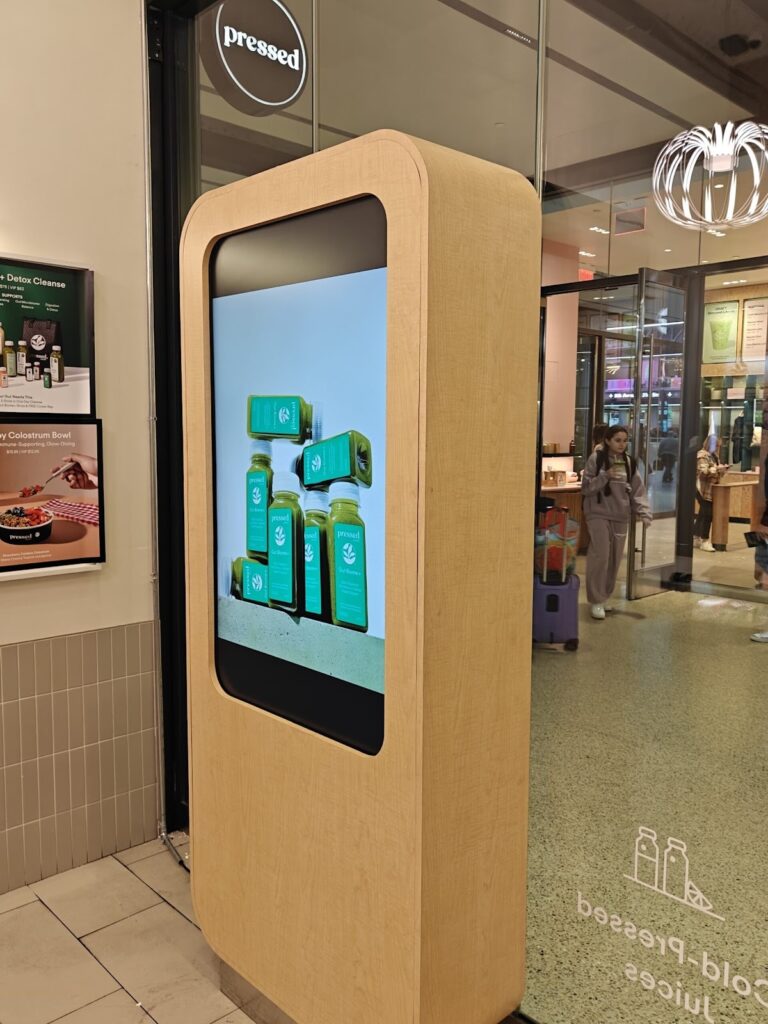
Multi-location deployments get managed through CrownTV’s centralized coordination system.
Single-location vs. multi-location comparison:
| Management Aspect | Traditional Approach | CrownTV Approach |
| Installer coordination | You contact each local vendor | One project manager handles all sites |
| Timeline tracking | Spreadsheets and phone calls | Real-time dashboard updates |
| Quality consistency | Varies by local contractor | Standardized installation protocols |
| Troubleshooting | Multiple vendor contacts | Single support channel |
| Billing | Separate invoices per location | Consolidated billing |
Your 50-display deployment across 15 retail stores gets treated as one cohesive project, not 15 separate headaches.
Digital Displays We Highly Rely On
- Samsung OH55A-S
- Samsung QM43C
- Samsung QM50C
- Samsung QM55C
- Samsung QM65C
- Samsung QM75C
- Samsung QM85C
- Samsung OM55B
- Samsung OM75A
- Samsung The Wall All-in-One 146″
Support That Extends Beyond Installation Day
Technical assistance continues long after the installation team leaves your property.
Support coverage breakdown:
- Hardware issues: Troubleshooting display problems, media player connectivity, and mounting adjustments
- Software questions: Content management system navigation, app integration setup, playlist creation
- Network challenges: Connectivity problems, bandwidth optimization, and remote access configuration
- Training requests: Staff onboarding for content updates, best practices for screen management
Response channels:
- Phone support during business hours
- Email ticketing system for non-urgent issues
- Remote desktop assistance for software problems
- On-site visits for hardware failures (trip charges apply)
This comprehensive approach keeps your displays running smoothly long after the initial investment.
One Purchase Gets Your Displays Mounted and Running
Buying displays separately from installation services creates three problems you can predict and budget around. Hidden costs average 40% above initial quotes. Timelines stretch 5-8 weeks past planned launch dates. Your team wastes dozens of hours coordinating between vendors who blame each other for delays when you should focus on running your business.
Here’s what changes when you bundle everything together:
- Your budget stays intact because mounting hardware, cables, and installation requirements get quoted upfront instead of surfacing as surprises mid-project.
- Launch dates hold when one company manages the entire timeline from order to installation, eliminating the coordination gaps that cause weeks of delays.
- Technical problems get solved faster with a single support team that understands both your hardware and software, rather than three vendors pointing fingers at each other.
- Multi-location deployments scale smoothly through centralized project management instead of forcing you to coordinate different contractors across every city.
- Your actual costs match quoted prices because transparent pricing models replace the markup games and hidden fees that inflate traditional integrator proposals.
- Content quality improves when you can enhance your presentations, lobby displays, or hospitality space messaging without technical barriers slowing you down.
CrownTV handles the complete package at pricing that beats coordinating separate vendors.
- Displays from $879 to $13,350 depending on size.
- Software at $25-29 monthly per screen.
- Installation starting at $295 for the first hour.
- Mounting hardware at $250-350 per display.
Everything is itemized clearly before you commit. Their innovation in bundling hardware, software, and installation means your displays arrive, get mounted professionally, connect to the content system, and start working the same week. Check out our display installation and rollout services to see how bundling eliminates the headaches you’ve been accepting as normal.
