


👉 Need A Samsung QM75C?
🚚 Fast Shipping. Competitive Pricing. All Inquiries Answered Within 1 Business Hour
We Supply Commercial-Grade Digital Displays And Can Handle Everything — Screen Sourcing, Mounting, And Professional Installation
👉 Buy Now – Samsung QM75C
When we look at the Samsung QM75C, we’re looking at a very specific tool: a 75-inch 4K UHD commercial display built for continuous operation, centralized management, and clean integration into business environments. This isn’t a living‑room TV with a few “pro” labels stuck on. It’s part of Samsung’s QMC signage range, aimed squarely at retail, corporate, transportation, education, and control‑room use.
In this Samsung QM75C commercial display review, we focus on what matters to commercial buyers and AV integrators: real‑world image performance, reliability for 24/7 use, ease of deployment, and ongoing management. If you’re deciding whether the 75-inch QM75C fits your environment, and not a different Samsung series or a high‑brightness outdoor model, this guide walks through the trade‑offs in detail.
commercial display: At A Glance: What The Samsung QM75C Is And Who It’s For
The Samsung QM75C is a 75-inch, 3840×2160 (4K UHD) professional signage display with a VA edge‑lit LED panel, rated for 24/7 operation. With 500 cd/m² typical brightness, HDR10+ support, and Samsung’s Dynamic Crystal Color engine, it’s designed for vivid, readable content in standard to bright indoor spaces rather than direct sunlight.
Core characteristics:
- 75″ 4K UHD, 16:9 VA panel
- 500 nits brightness, 4000:1 contrast (typical)
- Anti‑glare (around 25% haze) surface for ambient‑light environments
- 24/7 duty rating with IP5x dust protection
- Ultra‑slim chassis (about 28.5 mm depth) and narrow bezels
- Onboard Tizen 7.0 / SSSP 10.0 with MagicINFO S10 player
Who the QM75C is best suited for
We see the QM75C fitting especially well in:
- Corporate environments – meeting rooms, huddle spaces, lobbies, and operations dashboards where 4K clarity and wireless sharing matter.
- Retail and QSR – menu boards, feature walls, promotional content, and wayfinding in malls, stores, and restaurants.
- Transportation and public venues – timetables, directional signage, and information boards.
- Education and government – lecture halls, briefing rooms, and information displays.
- Control and command spaces – tiled video walls or key status displays that need continuous uptime.
It’s less about cinematic home viewing and more about reliable, readable, remotely managed content in professional spaces.
Key Specs And Features Overview
Here’s a consolidated overview of the Samsung QM75C’s core specifications and platform features.
Display and imaging
- Size / Resolution: 75″, 3840×2160 (4K UHD)
- Panel type: VA, edge LED backlight
- Brightness: 500 cd/m² (typical)
- Contrast ratio: 4000:1 (typical)
- Color: Dynamic Crystal Color, approx. 1 billion colors, ~72% NTSC
- HDR formats: HDR10, HDR10+ support
- Response time: around 8 ms (typical)
- Orientation: landscape and portrait
Platform and processing
- Operating system: Tizen 7.0
- Smart signage platform: Samsung Smart Signage Platform (SSSP) 10.0
- Built‑in media player: MagicINFO S10
- Processor: Quantum Processor Lite 4K, with UHD upscaling and noise reduction
Audio
- Speakers: 2 × 10 W built‑in stereo
- Audio out: analog audio output for external amplification
Durability and environment
- Operation: rated for 24/7 continuous use
- Ingress protection: IP5x dust‑resistant front
- Operating temperature: 0–40 °C (32–104 °F)
- Sensors: temperature and ambient light sensors
Security and networking
- Security platform: Samsung Knox
- Network security: WPA2‑Enterprise (802.1X)
- Remote management: via LAN, RS‑232C, and Samsung’s web and MagicINFO tools
Overall, the spec set clearly positions the QM75C in the mainstream‑professional signage category: bright enough for most indoor deployments, robust enough for around‑the‑clock use, and with a modern SoC eliminating many external player requirements.
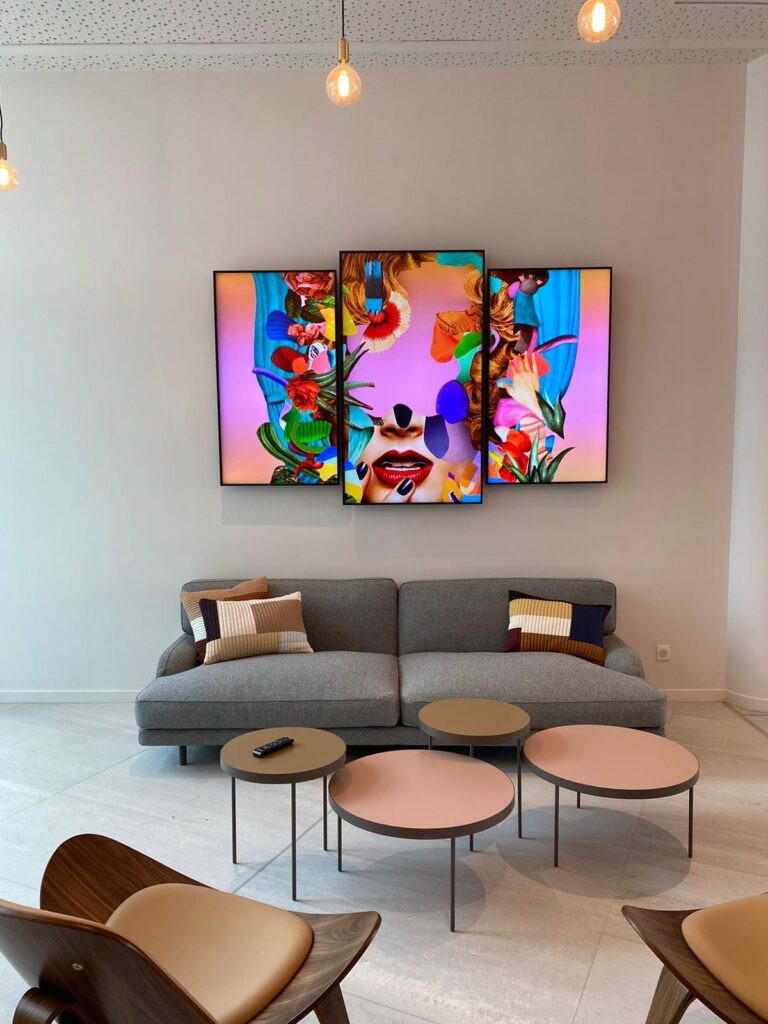

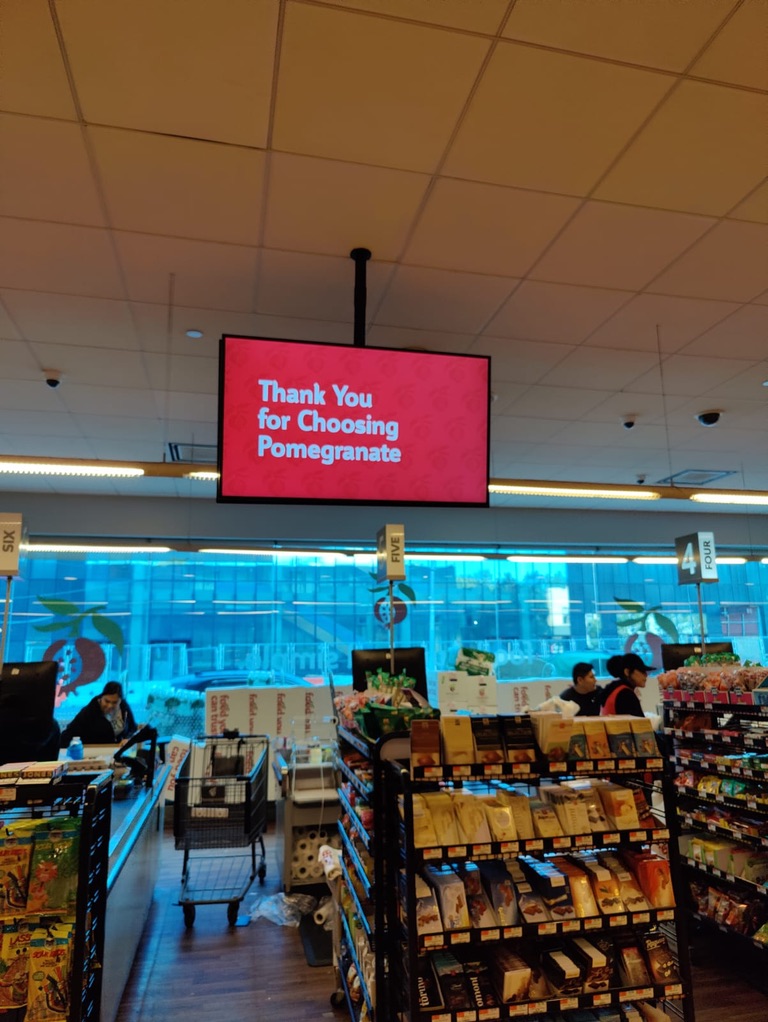
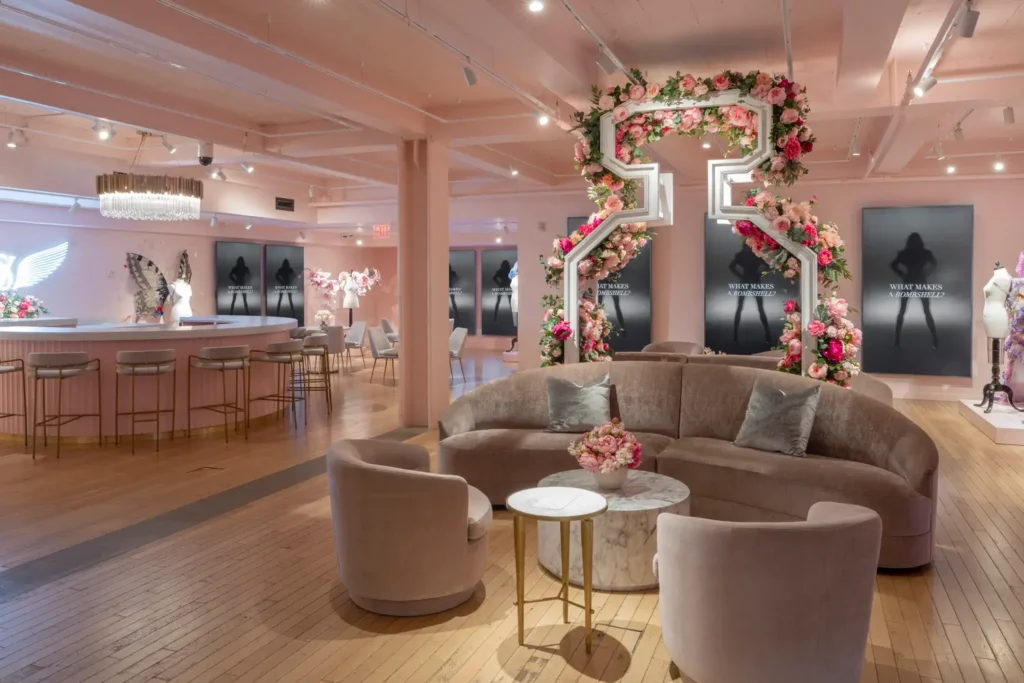

How This Review Evaluates The QM75C
To keep this Samsung QM75C commercial display review practical for decision‑makers, we look at the model across four core dimensions:
- Image performance and readability
How the 75-inch 4K VA panel, 500‑nit brightness, contrast, and color processing hold up for signage, presentations, and video.
- Manageability and integration
What Tizen 7.0, SSSP 10.0, MagicINFO S10, and the wired/wireless control options mean for real deployment scenarios.
- Durability and reliability
How the 24/7 rating, IP5x dust protection, environmental specifications, and sensors translate into uptime and risk mitigation.
- Total cost of ownership (TCO)
How the built‑in SoC, energy profile, remote tools, and security stack affect long‑term cost and complexity, not just acquisition.
Our perspective is based on the published manufacturer specifications, distributor data sheets, and solution briefs for the QM75C and related QMC models, combined with what we typically see in commercial AV rollouts.
Picture Quality And Performance
For most buyers, the first question is simple: will content look clear, consistent, and on‑brand in the target environment? With the QM75C, the answer depends on how and where it’s used.
Clarity and readability
At 75 inches with 4K UHD resolution, the QM75C offers high pixel density for typical viewing distances in meeting rooms and retail spaces. Text in dashboards, presentation slides, and menu boards remains crisp even when you’re relatively close, which helps in:
- Data‑heavy corporate dashboards
- Fine‑print legal or nutritional copy
- Multi‑window layouts (e.g., video + ticker + logo)
The 8 ms response time is adequate for digital signage and most video content, including sports or fast‑paced promotional videos, without obvious smearing.
Brightness and contrast in real environments
The 500‑nit brightness paired with a 4000:1 contrast ratio hits a solid middle ground for indoor commercial display use:
- Bright indoor spaces: In typical offices, retail areas, lobbies, and corridors with overhead lighting or moderate daylight, 500 nits is generally sufficient for legibility and color pop.
- Harsh sunlight / window walls: For sun‑flooded storefront windows or environments where direct sunlight hits the screen, 500 nits won’t compete with dedicated 2,000–3,000 nit high‑brightness models.
The anti‑glare coating (with around 25% haze) helps tame reflections without excessively dulling the image, which is useful in glass‑heavy interiors and bright foyers.
Color reproduction and HDR
Samsung’s Dynamic Crystal Color targets around 72% of the NTSC color space, standard for this class of commercial displays. In practice, that’s enough for:
- Accurate corporate branding and logo colors
- Retail content with good saturation and skin tones
- Video signage with reasonably rich color
It’s not built for grading feature films or post‑production work, and that’s intentional. The emphasis is consistency across networks of displays rather than extreme gamut.
HDR10 and HDR10+ support allow HDR‑encoded content to play back correctly, but in commercial use, HDR is often more about handling mixed video assets cleanly than chasing home‑theater contrast extremes.
Processing and upscaling
With the Quantum Processor Lite 4K, the QM75C cleans up lower‑resolution sources, which still matter in real deployments: older media players, SD/HD feeds, or legacy signage content. Upscaling, noise reduction, and basic sharpening do a good job of avoiding soft, blurry imagery when you’re not feeding it native 4K.
Overall, we’d characterize picture quality as strong for general signage and corporate AV, clean, bright, and consistent, while clearly not trying to be a reference‑grade mastering monitor or window‑facing light cannon.
👉 Need A Samsung QM75C?
🚚 Fast Shipping. Competitive Pricing. All Inquiries Answered Within 1 Business Hour
We Supply Commercial-Grade Digital Displays And Can Handle Everything — Screen Sourcing, Mounting, And Professional Installation
👉 Buy Now – Samsung QM75C
Smart Signage Platform And Remote Management
Where the Samsung QM75C really differentiates itself from basic commercial TVs is in its smart signage stack and manageability.
Tizen 7.0 and SSSP 10.0
The display runs Tizen 7.0 with Samsung Smart Signage Platform (SSSP) 10.0, which gives us a capable on‑board environment for apps and content without external players. Typical implications:
- Run HTML5 signage apps, dashboards, or intranet pages.
- Deploy vendor or custom apps built for Tizen/SSSP.
- Simplify cabling and hardware at each screen location.
For multi‑site rollouts, removing a separate player per screen can materially reduce points of failure and maintenance overhead.
MagicINFO S10
The built‑in MagicINFO S10 player enables:
- Centralized playlist and schedule management
- Multi‑zone layouts mixing video, images, text, and data
- Support for on‑prem or cloud‑hosted MagicINFO deployments
Licensing and feature tiers for MagicINFO can vary, so it’s worth planning that as part of your project rather than assuming all advanced functions are “free.” But the integration itself is mature and widely deployed.
SmartView+ and collaboration
For corporate environments, SmartView+ is a practical addition:
- Wireless screen sharing from laptops and mobile devices
- Fewer cables and adaptors in meeting rooms
- Quicker ad‑hoc collaboration without switching inputs constantly
In meeting‑room or hybrid‑work settings, that can save time and user frustration, especially when combined with UC or video‑conferencing apps running on the Tizen platform.
Smart Calibration and fleet consistency
Samsung’s Smart Calibration feature, using a mobile app, helps align color and brightness across multiple QM75C units in a network without specialized calibration gear. For video walls, menu board rows, or multi‑screen feature walls, that’s particularly valuable: mismatched screens are one of the quickest ways to make a deployment look unprofessional.
Remote control and integration
The QM75C offers:
- LAN (RJ45) for network control and monitoring
- RS‑232C in/out for traditional AV control systems
- Web‑based management tools and APIs
Combined with MagicINFO and third‑party control solutions, this allows us to monitor status, push firmware updates, and adjust settings remotely, key to minimizing truck rolls for multi‑site installations.
Design, Build Quality, And Installation
The Samsung QM75C’s physical design is tuned for modern commercial interiors and dense wall deployments.
Ultra‑slim profile and bezels
At about 28.5 mm deep, the QM75C is notably slim for a 75-inch commercial 4K display. Practically, that means:
- Tighter fits in shallow recesses or custom enclosures
- Cleaner profile for corporate lobbies and premium retail
- Less “boxy” look when wall‑mounted in meeting rooms
The uniform bezels (around 13.4 mm) are not ultra‑narrow video‑wall bezels, but they are slim enough for multi‑display menu boards or tiled information walls without drawing attention.
Chassis and mounting
- VESA 400×400 mounting pattern
- Compatible with standard commercial mounts and Samsung Slim Fit wall options
- Designed for both landscape and portrait
From an integrator’s perspective, that means we can use existing hardware ecosystems and avoid proprietary mounting constraints.
Environmental robustness
The commercial‑grade chassis, IP5x dust protection for the front, and built‑in temperature and ambient sensors help the QM75C cope with more demanding sites:
- Busy retail with airborne dust
- High‑duty corporate or transportation hubs running 24/7
- Areas with variable lighting and temperature (within the 0–40 °C spec)
These aren’t exotic ruggedization features, but they’re important differences from consumer‑grade TVs that may fail early under similar duty cycles.
Connectivity, Compatibility, And Integration
The QM75C offers a well‑rounded set of inputs and control options for most commercial AV workflows.
Video and media inputs
- 3 × HDMI (for media players, PCs, conferencing systems)
- 1 × DisplayPort 1.2
- 2 × USB 2.0 (for local media playback or peripheral connection)
This mix is enough for typical deployments where one or two external sources supplement the internal Tizen / MagicINFO platform.
Network and control
- RJ45 LAN for IP control and content delivery
- RS‑232C in/out for legacy and pro automation systems
- Wi‑Fi and Bluetooth 5.0 for wireless connectivity and accessories
That combination makes it straightforward to integrate with:
- Enterprise networks and VLANs
- Room control systems (Crestron, AMX, Extron, etc.)
- Remote management platforms
Collaboration and workspace flexibility
The Tizen platform supports business tools such as Microsoft 365, VMware, and RDP/Workspace scenarios, as well as video‑conferencing solutions that can run natively. Combined with built‑in speakers and multiple HDMI inputs, this allows meeting rooms to be configured with minimal external hardware, assuming the collaboration platform requirements are met.
In short, the QM75C offers the I/O and compatibility we expect for a modern commercial 75-inch display without forcing unusual workarounds.
👉 Need A Samsung QM75C?
🚚 Fast Shipping. Competitive Pricing. All Inquiries Answered Within 1 Business Hour
We Supply Commercial-Grade Digital Displays And Can Handle Everything — Screen Sourcing, Mounting, And Professional Installation
👉 Buy Now – Samsung QM75C
Reliability, Support, And Total Cost Of Ownership
For commercial buyers, the Samsung QM75C’s long‑term value often matters more than any single spec line.
24/7 operation and environmental design
The QM75C is explicitly rated for 24/7 continuous operation, combined with:
- IP5x dust resistance on the front
- Operating range of 0–40 °C
- Internal temperature and ambient sensors
That gives us a reasonable margin for demanding, always‑on environments without stepping into specialized industrial territory.
Energy profile
Typical power consumption is about 214.5 W in on‑mode, with less than 0.5 W in sleep. For a 75-inch 4K commercial unit at 500 nits, that’s within an expected range and is supported by Energy Star 8.0 and EPEAT certifications.
In large fleets of displays, even incremental efficiency improvements can add up over time, especially when combined with scheduling and automatic brightness adjustments via sensors.
Built‑in SoC and management impact
The integrated Tizen / SSSP platform and MagicINFO S10 player reduce or eliminate the need for external media players for many use cases. That typically means:
- Fewer devices to power, mount, secure, and maintain
- Lower failure points and simpler troubleshooting
- Easier remote update workflows (firmware + content)
When scaled to tens or hundreds of screens, those factors can materially reduce TCO beyond the display hardware itself.
Warranty and security
The QM75C is covered by Samsung’s business‑class warranty (details vary by region) and protected by Samsung Knox for platform‑level security. Knox and WPA2‑Enterprise support help align signage deployments with IT security policies, which is critical in corporate, education, and government environments.
Collectively, these elements make the QM75C a pragmatic option for organizations prioritizing uptime and manageable risk over headline‑grabbing specs.
Pros And Cons
To summarize the trade‑offs of the Samsung QM75C as a 75-inch commercial display, here’s where it stands out and where it’s more limited.
Pros
- Strong 4K signage image quality – 500 nits, 4K VA panel, HDR10+ and Dynamic Crystal Color deliver clear, vivid content for indoor use.
- Ultra‑slim depth and narrow bezels – around 28.5 mm depth looks modern and enables clean wall installs.
- Mature smart signage stack – Tizen 7.0, SSSP 10.0, and MagicINFO S10 support robust content management and app deployment.
- 24/7 rating with IP5x – designed for continuous operation and dusty environments within stated temperature limits.
- Versatile I/O and control options – HDMI, DisplayPort, USB, LAN, Wi‑Fi, Bluetooth, and RS‑232C cover most integration scenarios.
- Security and certifications – Samsung Knox, WPA2‑Enterprise, Energy Star, and EPEAT support enterprise IT and sustainability requirements.
Cons
- Not a high‑brightness window display – 500 nits isn’t sufficient for direct sun‑exposed storefront glass: dedicated high‑brightness series are better there.
- Standard commercial color gamut – ~72% NTSC is appropriate for signage but not for color‑critical grading or broadcast mastering.
- Advanced MagicINFO features may require added licensing – important to budget for if you plan deep centralized management or analytics.
For most indoor commercial signage and corporate AV applications, the strengths outweigh the limitations, as long as the brightness and color profile match the use case.
Comparison With Key Alternatives
To place the Samsung QM75C in context, it helps to compare it with related Samsung options and a typical high‑brightness window display class.
| Model | Size / Brightness | Duty cycle | Key difference |
|---|---|---|---|
| Samsung QM75C | 75″, 500 nits | 24/7 | Ultra‑slim chassis, Tizen 7.0, SSSP 10.0, MagicINFO S10 on‑board. |
| Samsung QB75C | 75″, ~350 nits | 16/7 | Lower brightness and duty rating, more suited to light‑duty indoor use. |
| Samsung OH/OM series (window‑facing) | Around 75″, 2,500–3,000 nits (typical) | 24/7 | Purpose‑built for sunlit storefronts: thicker, specialized thermal design and brightness. |
How to interpret this:
- If you need standard to bright indoor signage or corporate AV with continuous runtime, the QM75C is usually a better fit than the QB‑series because of higher brightness and 24/7 support.
- If your screens sit behind glass in direct sunlight, the QM75C will struggle with visibility: high‑brightness OH/OM models are the appropriate class, even though their added complexity and different physical design.
Within Samsung’s own lineup, the QM75C occupies a “mainstream 24/7 indoor” slot, more robust and brighter than light‑duty options, but not trying to compete with specialized outdoor or ultra‑premium reference displays.
Use-Case Fit: Who Should Choose The QM75C?
With the specs and trade‑offs in mind, here’s where we’d actively recommend the Samsung QM75C, and where we’d look elsewhere.
Strong fit
- Corporate meeting rooms and boardrooms
4K resolution, wireless sharing (SmartView+), built‑in speakers, and support for collaboration platforms make it suitable as a primary meeting‑room display. - Corporate lobbies and internal communications
For welcome messages, branding, dashboards, and internal signage, the combination of 500 nits, slim design, and MagicINFO is well‑balanced.
- Retail and quick‑service restaurants (QSR)
As menu boards, promotional signage, or wayfinding screens in indoor malls and restaurants, the QM75C offers enough brightness, continuous operation, and slim aesthetics.
- Transportation, education, and government
Timetables, lecture content, announcements, and wayfinding benefit from the 24/7 rating, network control, and manageable TCO.
- Control rooms and operations centers
Used either standalone or in tiled arrays, the QM75C can present 4K dashboards, CCTV layouts, or SCADA interfaces with sufficient clarity for many operations.
Less ideal
- Direct sunlight storefront windows or outdoor use
For glass‑front stores with heavy sun exposure, the QM75C’s 500 nits will not be competitive with true high‑brightness signage.
- Color‑critical production environments
Where reference‑grade color accuracy, wider color spaces, and advanced calibration workflows are mandatory, a signage‑class display like the QM75C is the wrong tool.
If your environment sits squarely in the indoor‑commercial, always‑on, centrally managed category, the QM75C is a logical candidate to shortlist.
👉 Need A Samsung QM75C?
🚚 Fast Shipping. Competitive Pricing. All Inquiries Answered Within 1 Business Hour
We Supply Commercial-Grade Digital Displays And Can Handle Everything — Screen Sourcing, Mounting, And Professional Installation
👉 Buy Now – Samsung QM75C
Final Verdict And Recommendation
Viewed purely as a 75-inch indoor commercial display, the Samsung QM75C combines 4K clarity, 500‑nit brightness, a very slim form factor, and a mature smart signage platform built on Tizen 7.0 and SSSP 10.0. The 24/7 rating, IP5x dust protection, and built‑in MagicINFO S10 player align well with real‑world demands in retail, corporate, transportation, and education deployments.
We’d recommend the QM75C for organizations that:
- Need reliable 24/7 indoor signage or corporate AV at 75 inches
- Want to standardize on Samsung’s MagicINFO / Tizen ecosystem
- Value a slim, unobtrusive design with strong integration options
We’d steer you toward Samsung’s high‑brightness or more specialized lines only if your application involves direct sun, outdoor use, or color‑critical production.
For most indoor professional signage and meeting‑room scenarios, the Samsung QM75C is a solid, well‑balanced 75-inch commercial display that emphasizes reliability, manageability, and clean deployment over marketing‑driven headline specs.
Samsung QM75C – Frequently Asked Questions
What is the Samsung QM75C and what is it mainly used for?
The Samsung QM75C is a 75-inch 4K UHD commercial display designed for 24/7 operation in indoor environments. It targets corporate, retail, transportation, education, and control-room applications, delivering clear, reliable digital signage, dashboards, menus, and presentations with centralized management via Tizen 7.0, SSSP 10.0, and MagicINFO S10.
Is the Samsung QM75C bright enough for storefront windows or direct sunlight?
The Samsung QM75C offers 500 nits of brightness, which is suitable for standard to bright indoor spaces like offices, malls, and lobbies. It is not intended for direct sunlight or heavily sunlit storefront windows; in those scenarios, high-brightness models around 2,000–3,000 nits are recommended instead.
How does the Samsung QM75C compare to the Samsung QB75C for commercial use?
The QM75C is a 75-inch 4K display rated for 24/7 operation with 500 nits brightness, making it better suited to always-on indoor signage and corporate AV. The QB75C is typically around 350 nits and 16/7 duty, more appropriate for lighter-duty applications where continuous operation isn’t required.
Can I use the Samsung QM75C as a meeting room display with wireless screen sharing?
Yes. The QM75C includes SmartView+ for wireless screen sharing from laptops and mobile devices, plus multiple HDMI inputs and built-in speakers. Combined with Tizen-based business apps and conferencing solutions, it can serve as a primary display in meeting rooms, huddle spaces, and boardrooms with minimal extra hardware.
What should I consider when installing the QM75C for digital signage?
Use a compatible VESA 400×400 wall mount and ensure the environment stays within the 0–40 °C operating range. Plan for network connectivity (LAN or Wi‑Fi) for remote management, and decide early whether you’ll rely on the built-in MagicINFO player or external media players and control systems.
How long can a commercial display like the QM75C last in 24/7 operation?
Actual lifespan depends on environment, brightness settings, and thermal management, but 24/7-rated commercial displays such as the QM75C are generally engineered for several years of continuous use. Running at moderate brightness, keeping ventilation clear, and using scheduling or dimming can meaningfully extend panel life and reduce burn-in risk.
If you’re comparing different Samsung commercial display options, you may also find these guides useful:
Samsung OH55A-S
Samsung QM85C
Samsung QM43C
Samsung QM75C
Samsung QM50C
Samsung QM65C
Samsung QM55C
Samsung OM55B
Samsung OM75A,
Samsung The Wall All-in-One 146″
