

👉 Need A Samsung OM55B For Your Storefront?
🚚 Fast Shipping. Competitive Pricing. All Inquiries Answered Within 1 Business Hour
We Supply Commercial-Grade Window Displays And Can Handle Everything — Screen Sourcing, Mounting, And Professional Installation
👉 Buy Now – Samsung OM55B
If you’re trying to turn storefront foot traffic into actual customers, a regular TV in the window isn’t going to cut it. That’s where the Samsung OM55B (often referred to as the OM55) comes in a 55″ high-brightness window display built specifically for sun-drenched, street-facing environments.
In this guide, we’ll break down what the OM55B is, who it’s designed for, its key specs and performance characteristics, and how to determine whether it’s the right choice for your space. We’ll also cover installation considerations, content management, and long-term operating factors so you can evaluate the full picture before making a decision.
What The Samsung OM55B Is And Who It’s For
The Samsung OM55B is a 55‑inch, high‑brightness professional display designed primarily for shop windows, glass storefronts, and other high‑ambient light environments. It’s part of Samsung’s OM series, which focuses on delivering eye‑catching visuals even under direct sunlight.
Core Specifications Overview
At a high level, the OM55B offers:
- Screen size: 55″ class display
- Resolution: 4K UHD (3840 × 2160)
- Brightness: typically around 4,000 nits (much brighter than standard commercial screens)
- Contrast ratio: high static contrast for deep blacks and crisp whites
- Orientation: supports both portrait and landscape mounting
- Operating platform: Samsung’s Tizen‑based Smart Signage platform with built‑in media player
- Connectivity: HDMI, DisplayPort, USB, and network options (Ethernet/Wi‑Fi)
These specs make the OM55B purpose‑built for window‑facing digital signage, not for conference rooms or living rooms.
Typical Use Scenarios And Environments
We typically recommend the Samsung OM55B for:
- Retail storefronts: fashion, electronics, beauty, grocery, and specialty shops using dynamic window displays.
- Quick‑service restaurants (QSR): window‑facing promos, drive‑thru pre‑sell boards, or seasonal offers.
- Automotive showrooms and dealerships: highlighting promotions, financing offers, or feature reels.
- Banks and financial branches: interest rates, product spotlights, and service announcements facing the street.
- Transit and high‑traffic venues: airports, malls, and stations with lots of sunlight and passersby.
If your main challenge is: “Our screen looks washed out during the day,“ the Samsung OM55B is exactly the type of hardware we look at first.
Key Features That Set The OM55B Apart
What makes the Samsung OM55B different from a typical commercial display or TV is how it’s engineered for visibility, reliability, and storefront‑ready performance.
Some standout features include:
- Extremely high brightness for visibility through glass and in direct sun.
- Anti‑reflection treatment that reduces glare on the front surface.
- 4K resolution with intelligent upscaling, so even HD content looks sharp.
- All‑in‑one design with a built‑in media player and Tizen OS, no external PC required for most signage setups.
- Slim, modern profile that doesn’t clutter the window or interior.
- Continuous‑operation design, rated for long daily runtime.
Combined, these features make the OM55B a strong candidate when you want your window display to function like a digital billboard, not a dim TV.
👉 Need A Samsung OM55B For Your Storefront?
🚚 Fast Shipping. Competitive Pricing. All Inquiries Answered Within 1 Business Hour
We Supply Commercial-Grade Window Displays And Can Handle Everything — Screen Sourcing, Mounting, And Professional Installation
👉 Buy Now – Samsung OM55B
Display Performance: Brightness, Color, And Visibility
When we evaluate window‑facing displays, performance under harsh lighting is non‑negotiable. The Samsung OM55B is built specifically to solve that problem.
Brightness, Contrast, And Anti‑Reflection Capabilities
The OM55B’s high‑brightness panel (around 4,000 nits) is several times brighter than a typical consumer TV (often 300–500 nits) and still significantly brighter than many entry‑level commercial displays.
That matters because:
- Sunlight and reflections off glass can wash out ordinary displays.
- A brighter panel cuts through that glare so images remain legible and punchy.
Paired with a strong static contrast ratio and anti‑reflection coating, the OM55B delivers:
- Readable text for menus, pricing, and promotional copy.
- Visible imagery even when the sun is hitting the glass.
- Less “mirror effect,“ where customers mostly see their own reflection instead of your content.
4K Resolution And Intelligent UHD Upscaling
The Samsung OM55B runs at full 4K UHD resolution. In practice, that gives you:
- Extremely crisp logos, product images, and fine typography.
- Extra flexibility to show multiple zones of content (e.g., product image + price + promo bar) without everything looking cramped.
Even if your content library is still mostly 1080p, the OM55B’s intelligent UHD upscaling helps sharpen and clean up lower‑resolution media, so older assets don’t look soft or blurry when stretched to a 55″ window display.
Color Accuracy And Dynamic Crystal Display Technology
Samsung’s color technologies (often branded under Dynamic Crystal and related enhancements) aim for:
- Richer color gamut, so branding colors look accurate and consistent.
- Smooth gradients, important for lifestyle imagery and video.
- Better overall punch, the combination of color, contrast, and brightness is what makes content “pop.”
For retail and hospitality brands where color fidelity matters, think fashion, cosmetics, food, the OM55B’s color performance is a major plus.
Design, Installation, And Connectivity Options
Beyond image quality, we need to know: will the Samsung OM55B actually fit your space and infrastructure?
Slim Form Factor And Mounting Considerations
The OM55B has a slim, clean industrial design that works well in modern storefronts. Some key design notes:
- Narrow bezels keep the focus on your content.
- The chassis is designed for window‑facing installation, often just behind the glass.
- Compatible with standard VESA mounting patterns (exact spec depends on the model revision), making it easier to pair with commercial wall or ceiling mounts.
When planning an install, we consider:
- Viewing distance from the sidewalk or street.
- Height and tilt for accessibility and visibility.
- Whether portrait orientation makes more sense for your content (e.g., fashion lookbooks, tall menu boards).
If you’d like help scoping the physical install, CrownTV can provide a custom quote for the display, professional installation, and our digital signage software as a full package. You can Buy Now and we’ll walk through the logistics with you.
Ports, Network Connectivity, And Peripheral Support
The Samsung OM55B typically includes:
- HDMI inputs for external media players or PCs.
- DisplayPort (model‑dependent) for daisy chaining or pro AV setups.
- USB ports for local media playback.
- LAN (Ethernet) and often Wi‑Fi for network connectivity.
This gives you flexibility to:
- Run content off the built‑in player, a cloud CMS, or a dedicated external player.
- Integrate sensors or triggers via compatible peripherals.
- Tie into larger video distribution systems for multi‑store or multi‑screen deployments.
Content Management, Smart Features, And Security
A great display is only as effective as the content you put on it. The Samsung OM55B is built to work with professional digital signage workflows.
Built‑In Media Player And Operating Platform
The OM55B runs on Samsung’s Tizen‑based Smart Signage platform, which includes a built‑in media player. That means you can:
- Play images, videos, and playlists directly from internal storage or USB.
- Use compatible cloud content management systems (CMS) to schedule and manage playlists.
- Keep installs cleaner by eliminating extra boxes and cabling in many scenarios.
For businesses that want an end‑to‑end solution, we typically pair the OM55B with a cloud‑based CMS so you can update promotions, menus, and campaigns remotely across one or many locations.
Remote Management And Monitoring Options
On the management side, the OM55B supports features like:
- Remote on/off and scheduling to match store hours.
- Brightness scheduling or sensor‑based adjustments to balance visibility and energy use.
- Health monitoring (online status, error alerts, etc.), especially when integrated with compatible management platforms.
This reduces the need for on‑site troubleshooting and helps your team handle issues before they become visible to customers.
From a security standpoint, the professional platform and locked‑down OS are a significant step up from using a consumer smart TV in a business environment.
If you want a streamlined setup, hardware, software, and installation, we can bundle the Samsung OM55B with CrownTV‘s digital signage software and deployment services. Just Buy Now and we’ll tailor a package around your locations and content strategy.
Reliability, Energy Use, And Total Cost Of Ownership
When we look at total cost of ownership, we’re not just comparing screen prices. We’re looking at lifespan, support, power usage, and downtime risk.
Durability, Thermal Management, And Operating Hours
High‑brightness window displays run hotter than standard panels, so thermal management is critical. The Samsung OM55B is engineered for:
- Extended daily operating hours, suitable for long retail days.
- Robust cooling and heat dissipation, designed for bright output without overheating.
- Commercial‑grade components intended for continuous duty, not casual home use.
That translates into better reliability and fewer emergency service calls, which is especially important when the screen is hard to access behind a storefront window.
Power Consumption And Operating Cost Considerations
High brightness inevitably means higher power consumption than a typical indoor display. The OM55B mitigates this in several ways:
- Automatic or scheduled brightness control, so you’re not running at maximum nits 24/7.
- Power‑efficient LED backlighting optimized for signage use.
When we model operating cost, we weigh:
- Electricity usage at average brightness levels.
- Lifetime hours versus cheaper, non‑sunlight‑readable alternatives.
- The revenue impact of a window display that actually gets noticed.
Often, the incremental power cost is offset by longer hardware life and better marketing performance compared with using inappropriate consumer hardware in challenging conditions.
👉 Need A Samsung OM55B For Your Storefront?
🚚 Fast Shipping. Competitive Pricing. All Inquiries Answered Within 1 Business Hour
We Supply Commercial-Grade Window Displays And Can Handle Everything — Screen Sourcing, Mounting, And Professional Installation
👉 Buy Now – Samsung OM55B
Real Samsung OM55B Installations By CrownTV
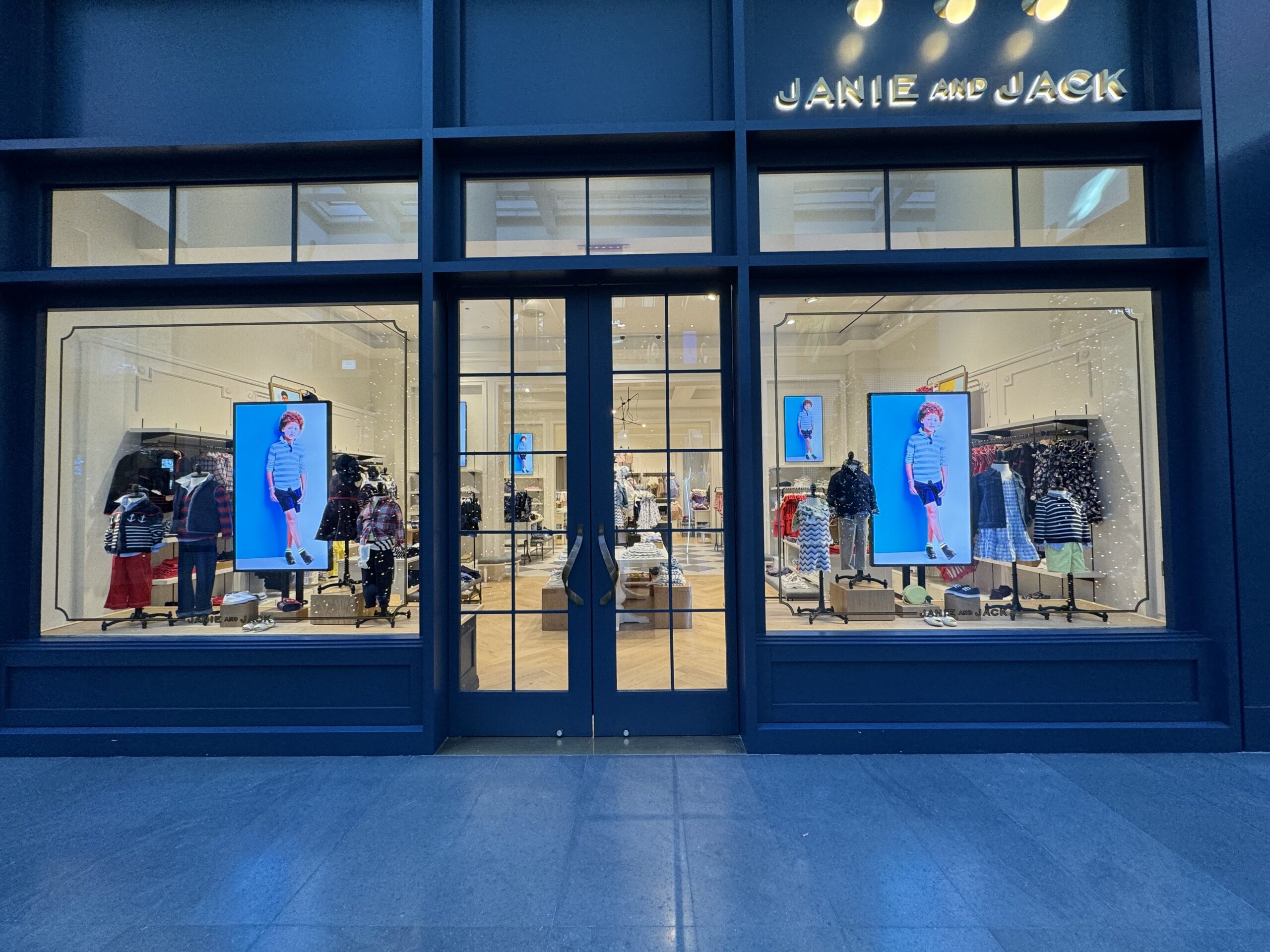
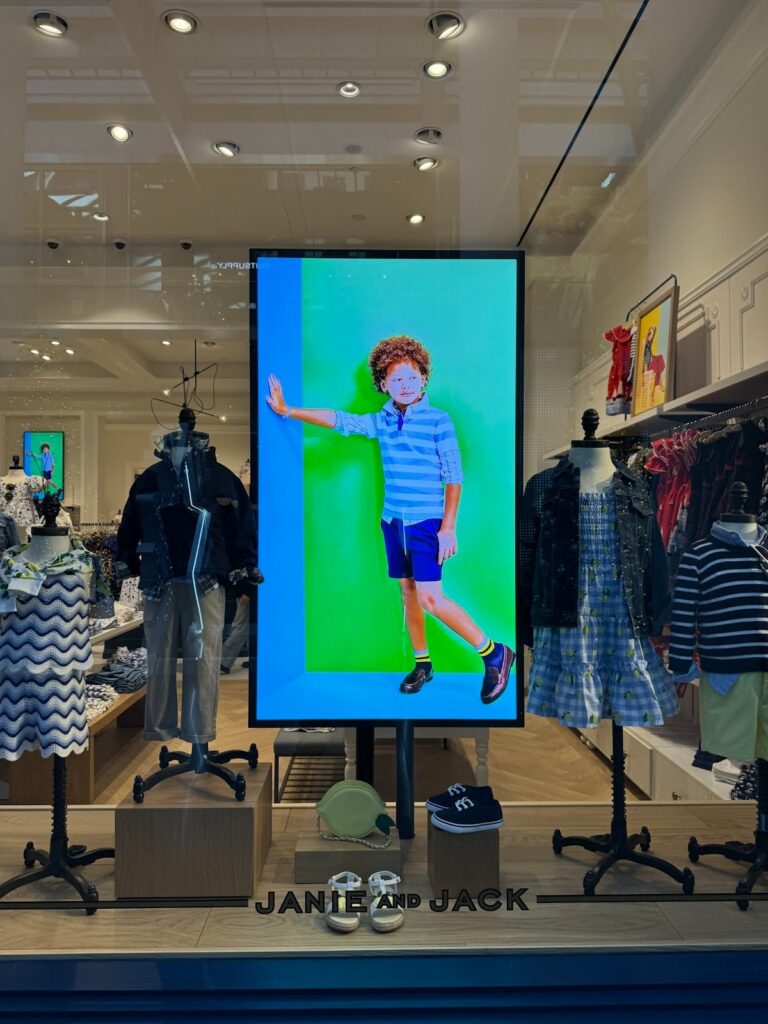
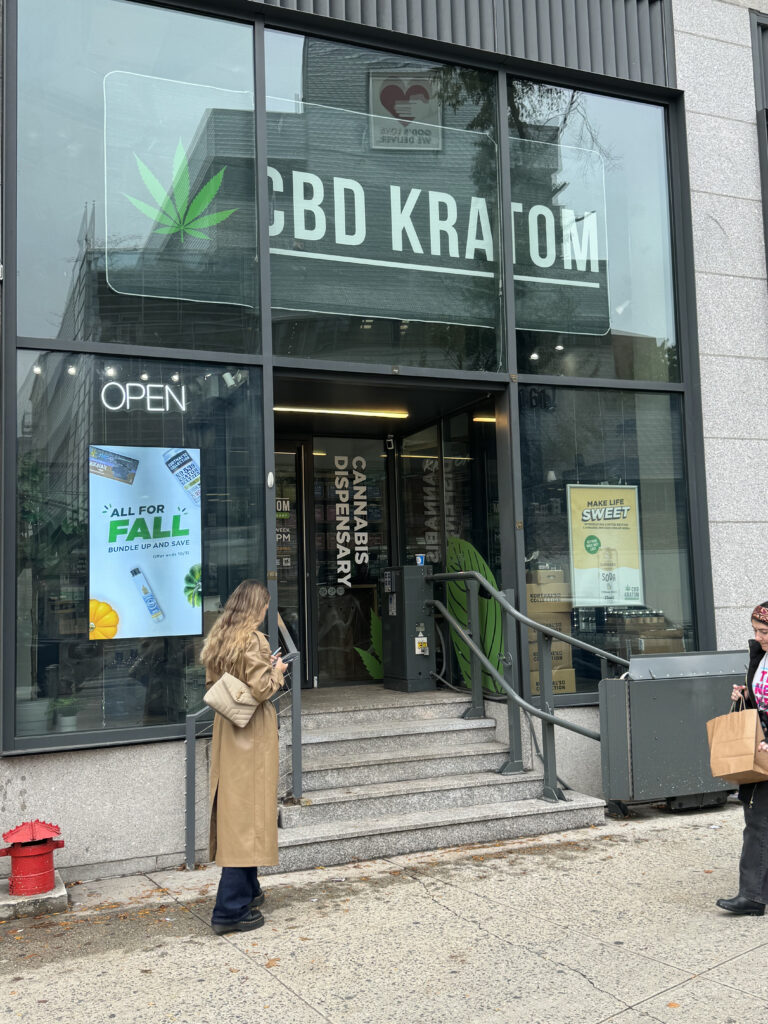
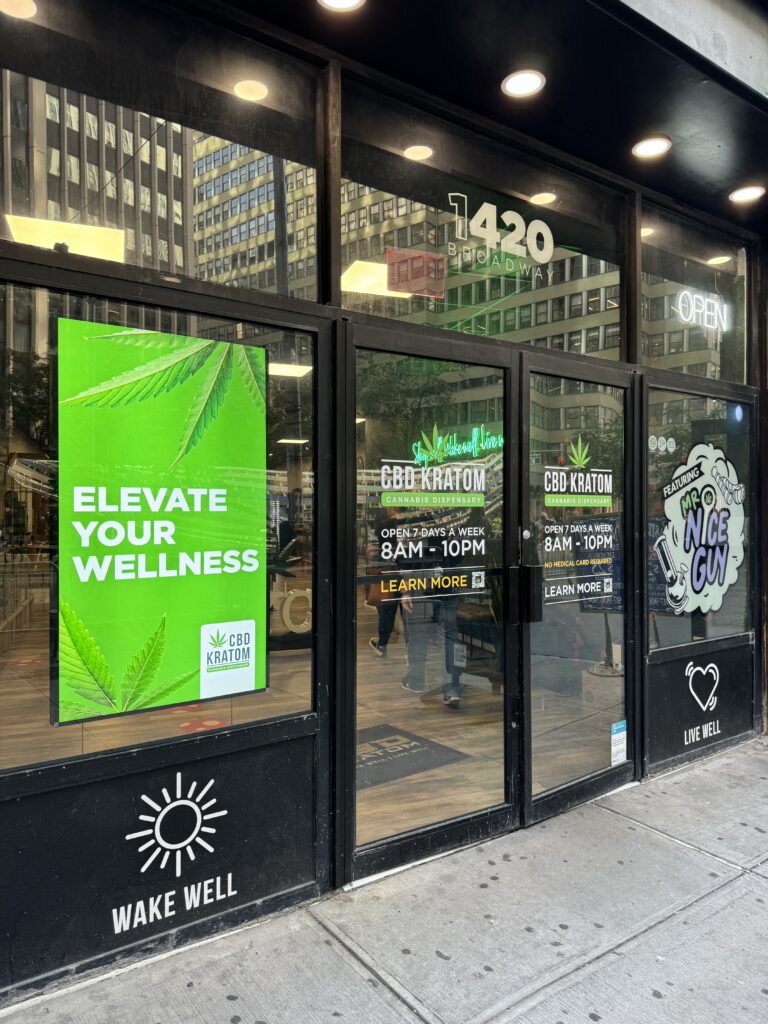
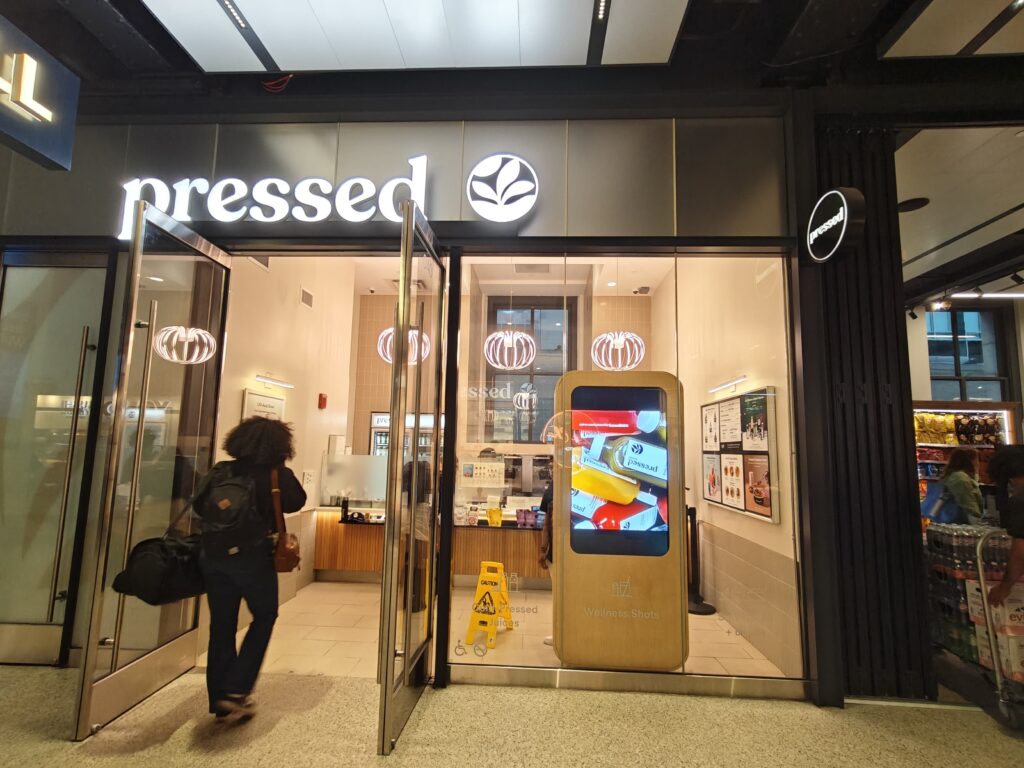
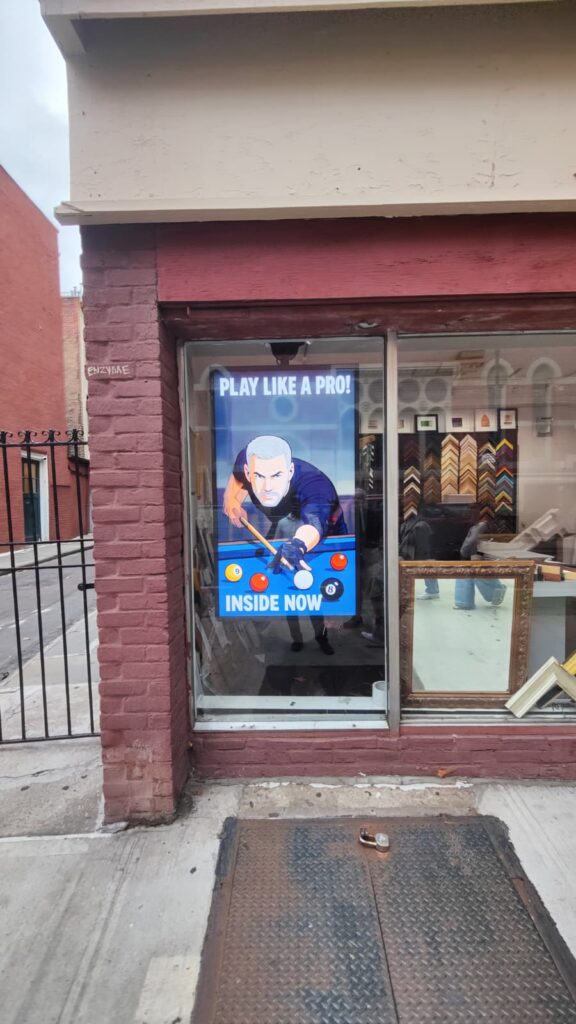
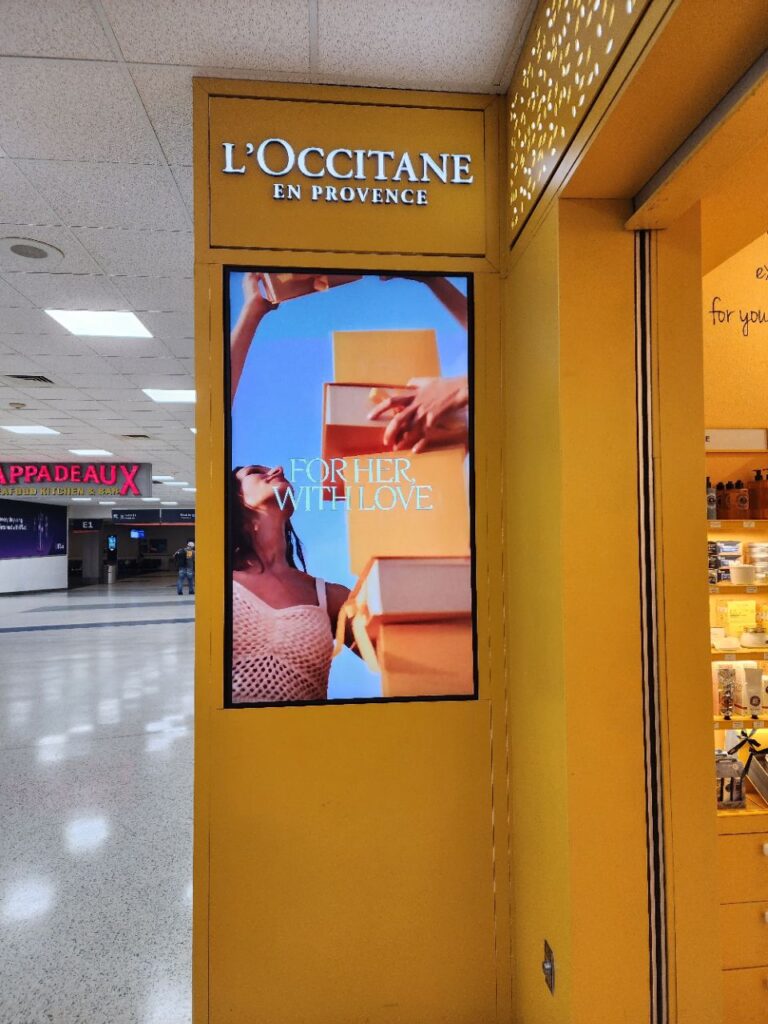
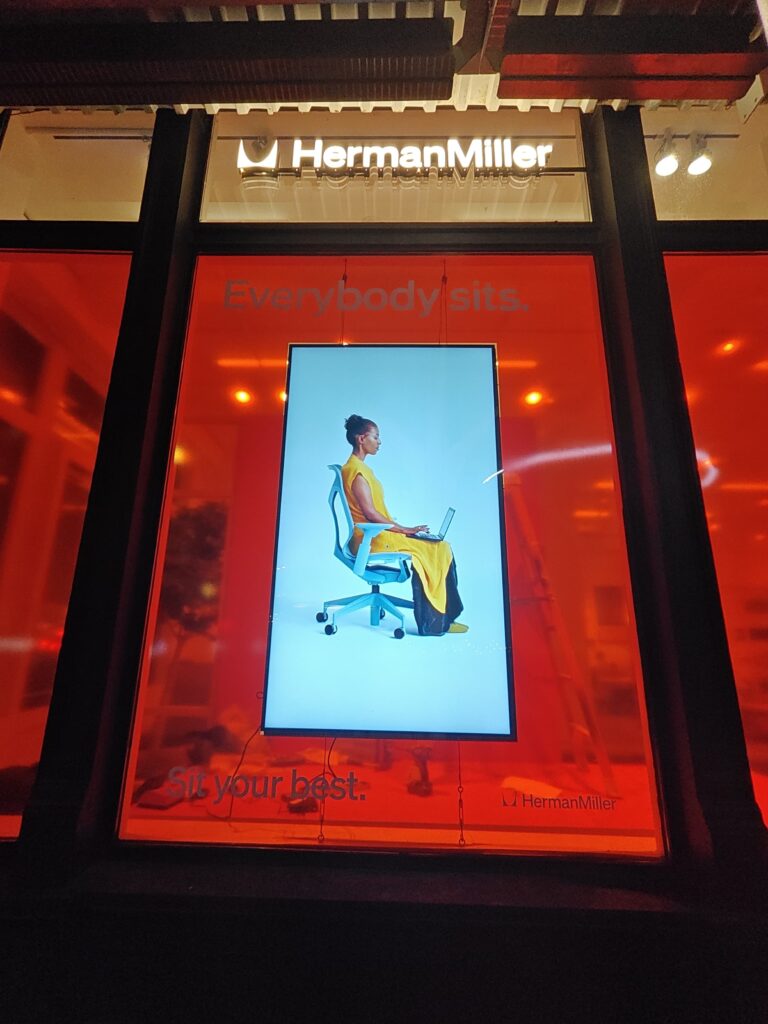
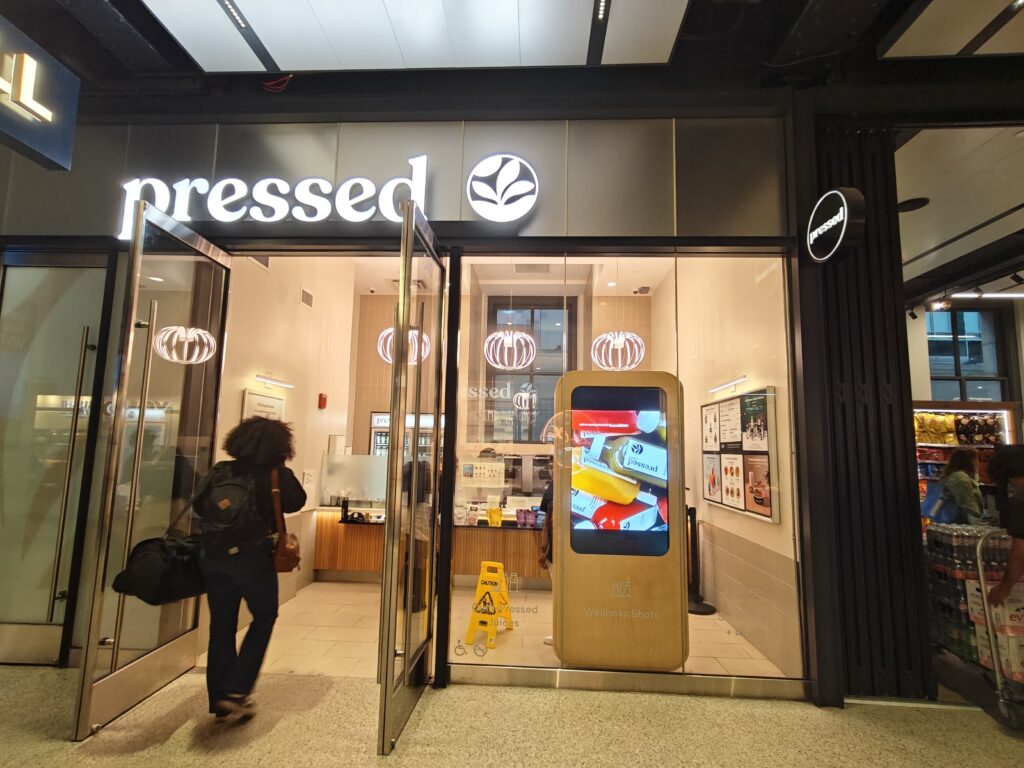
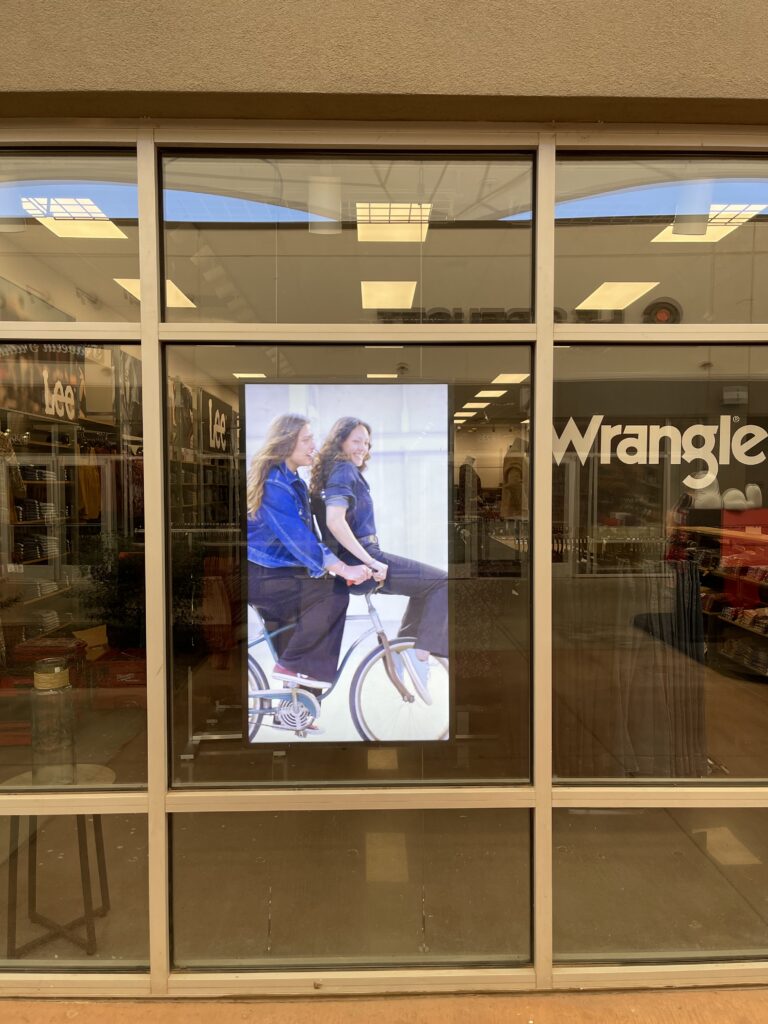
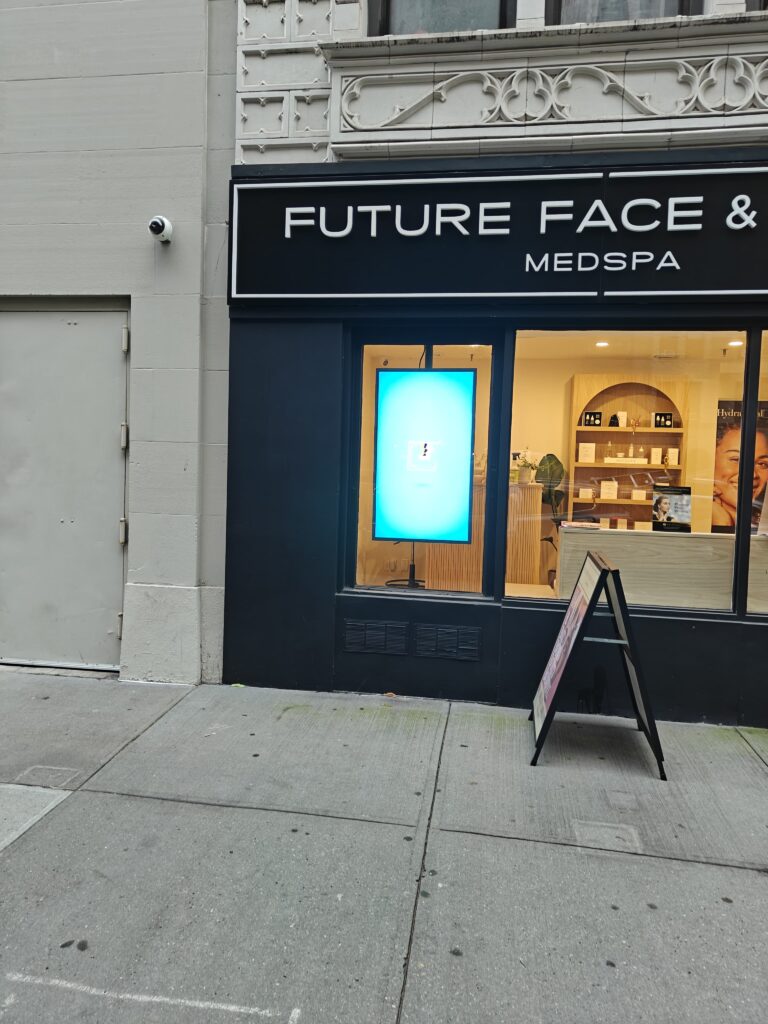
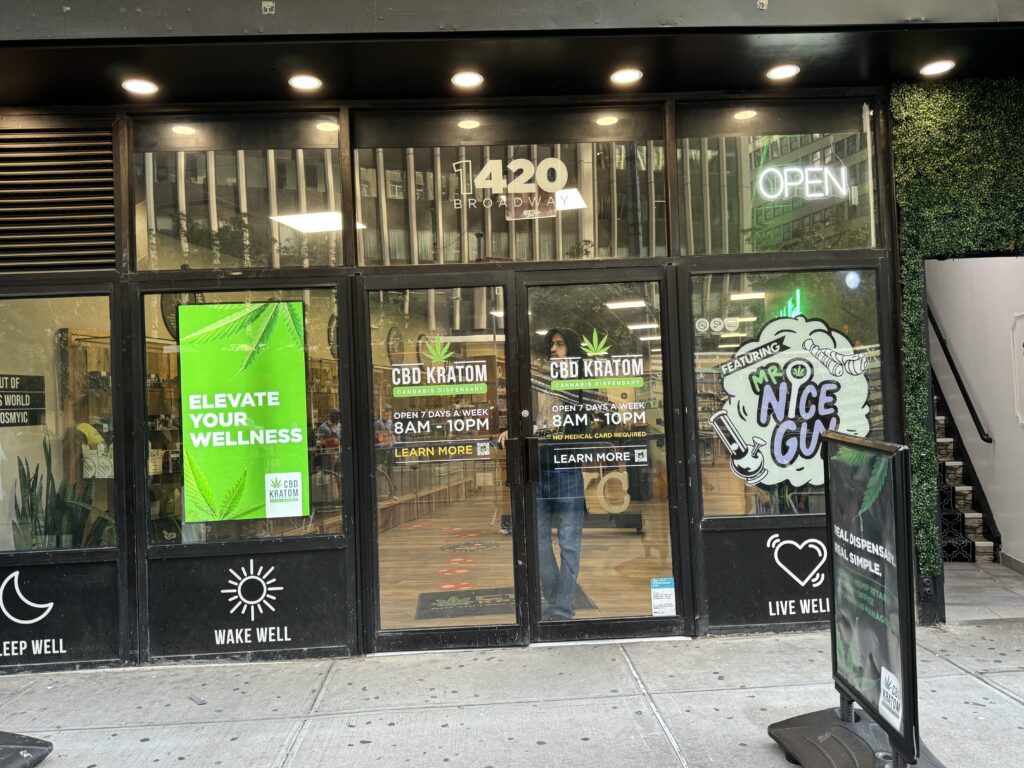
We’ve installed hundreds of Samsung high-brightness displays across retail, restaurants, medical offices, and more. Here’s what the OM55B looks like in real storefront environments:
Retail Storefronts
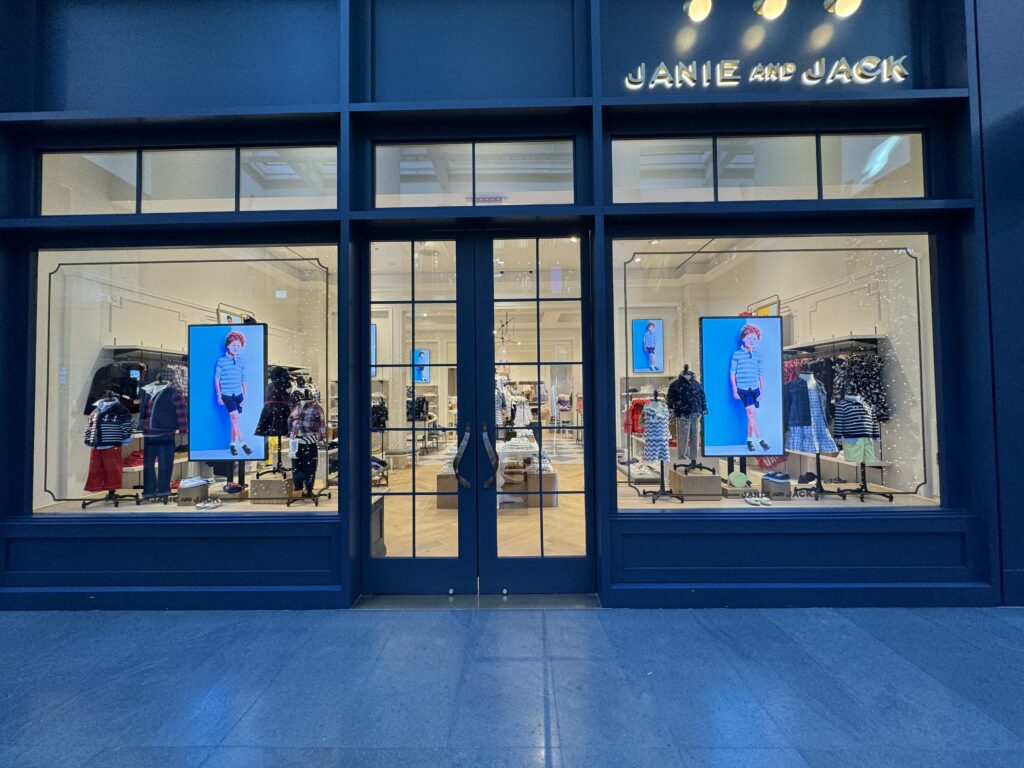
Herman Miller storefront
Restaurants & Cafes
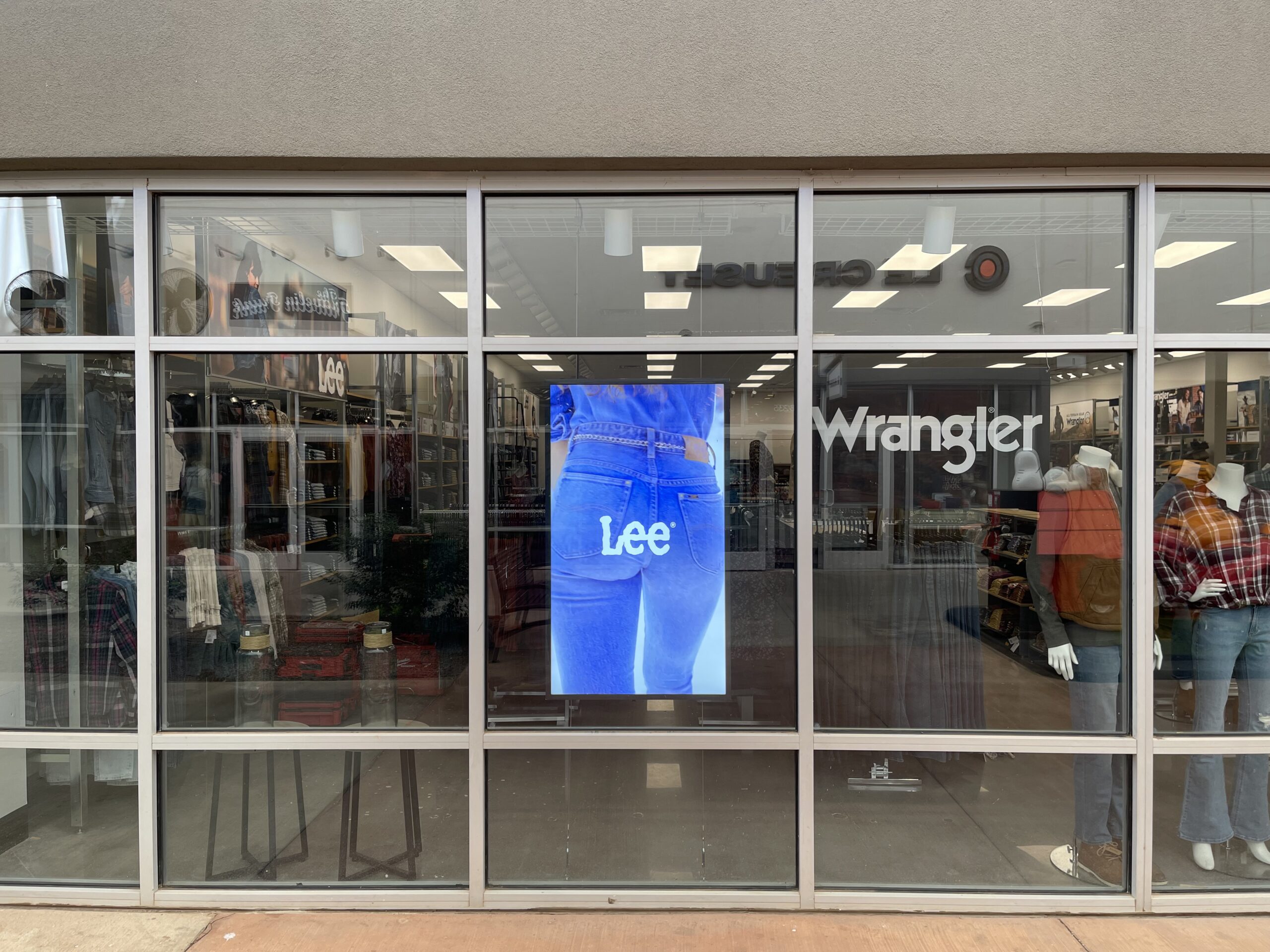
Lee Wrangler – Cable Mount
Future Face MedSpa storefront
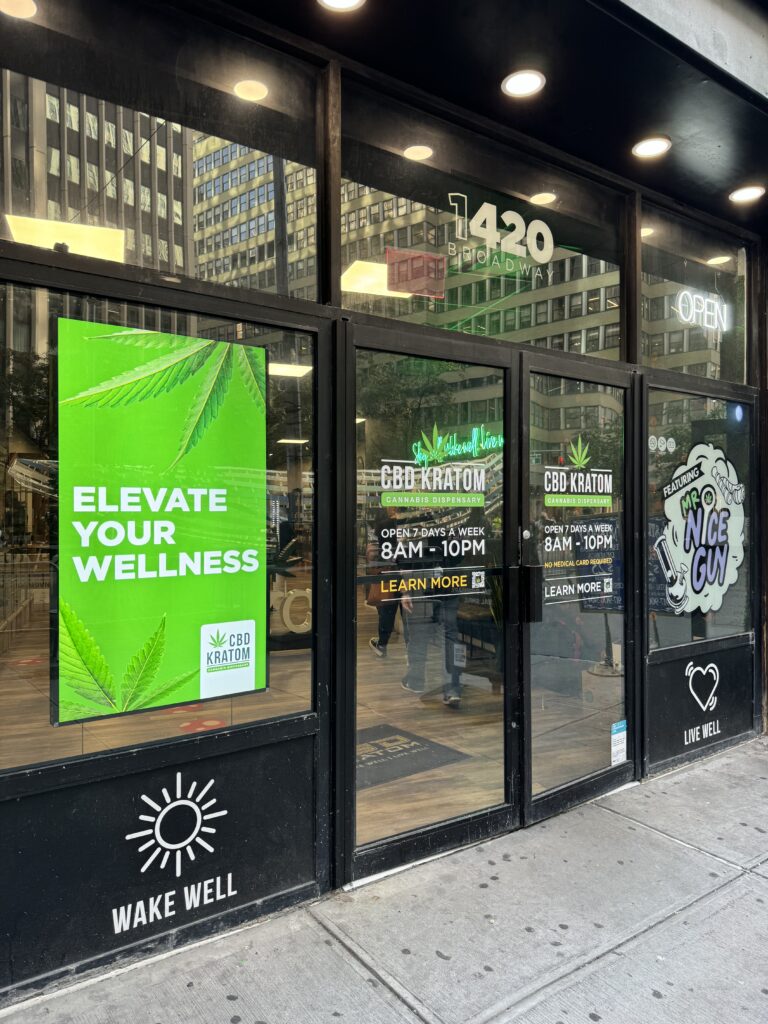
CBD Kratom
Mounting Options We Offer
One of the most common questions we get: “How does this actually mount in our window?” Here are the three primary options:
Ceiling Mount
The most popular option for storefronts. A pole drops from the ceiling, suspending the display at the desired height. This keeps the floor clear and creates a clean, floating effect.
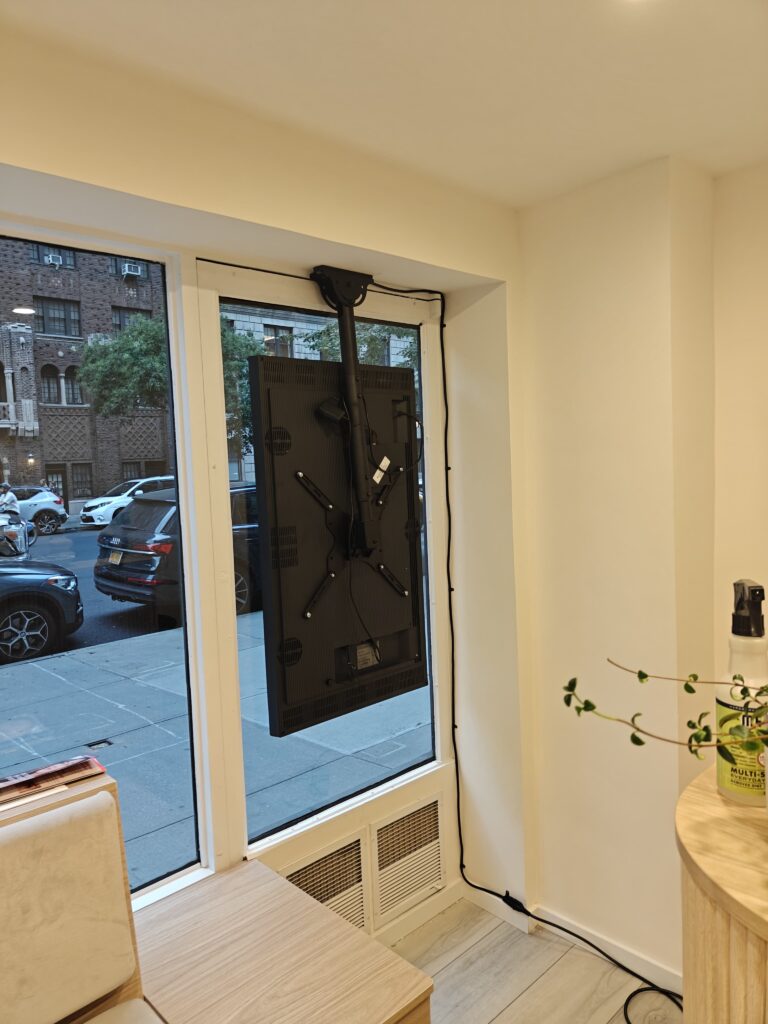
Ceiling mount installation — The pole conceals cabling and provides height adjustment.
Best for: Retail storefronts, restaurants, any space where floor clearance matters.
Requirements: Ceiling structure capable of supporting ~60 lbs.
Floor Mount (Freestanding)
A weighted base keeps the display stable without any wall or ceiling attachment. Easy to reposition if your layout changes.
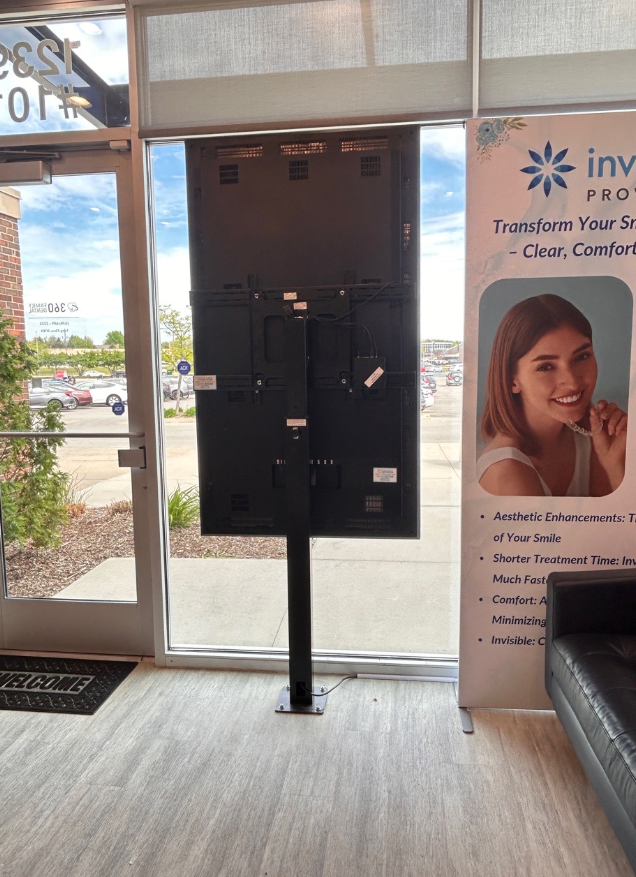
Freestanding floor mount — Weighted base provides stability without permanent installation.
Best for: Spaces where ceiling mounting isn’t possible, or where you may need to relocate the display.
Consideration: Base is visible from outside if positioned close to window.
Cable Mount
Cables suspend the display from ceiling to floor, creating an ultra-minimal look. The display appears to float in the window.
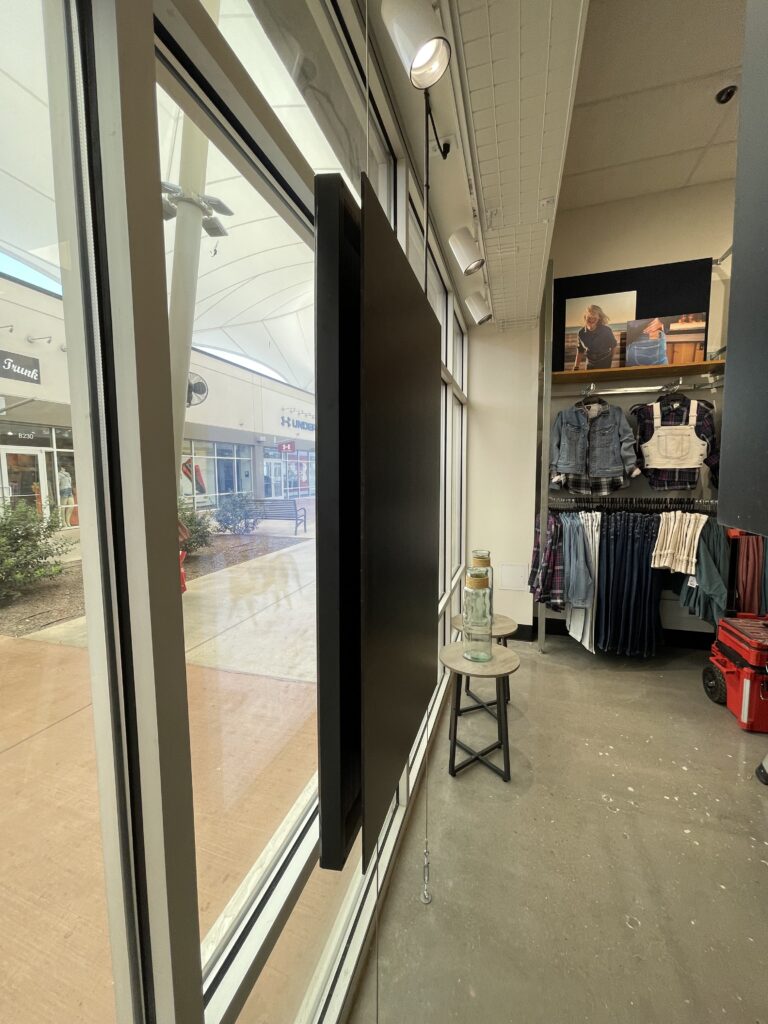
Best for: High-end retail, galleries, spaces prioritizing aesthetics.
Consideration: Height restrictions apply. Not suitable for all ceiling types.
Custom Back Covers
The back of a commercial display isn’t pretty — it’s vents, ports, and black plastic. For storefronts where customers can see the back of the screen from inside, we offer custom back covers.
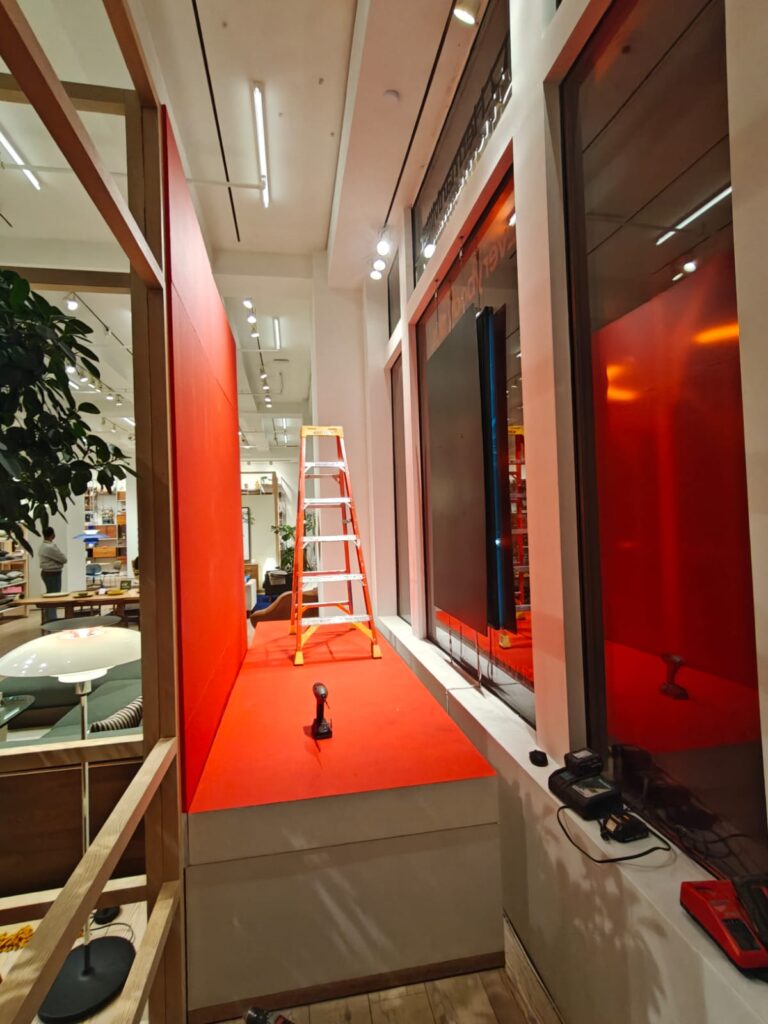
Custom enclosure — Powder-coated to match brand colors, concealing all hardware and cabling.
Back covers can be finished in virtually any color to match your brand. They also hide the media player and all cabling for a clean look from both inside and outside the store.
Samsung OM55B Pricing: What To Actually Expect
Most vendors make you “request a quote” without giving any indication of cost. Here’s what a Samsung OM55B project actually costs, based on our real-world installations:
Display Cost
Samsung OM55B: $2,500 – $3,000
Pricing varies slightly based on quantity and current availability. This is significantly more than a consumer TV, but you’re paying for:
- 6-10x the brightness of a standard TV
- Commercial-grade components rated for continuous use
- Samsung’s commercial warranty and support
- Thermal management designed for window environments
Mounting Hardware
$500 – $1,000 depending on mount type:
- Ceiling mount: $500–700
- Freestanding floor mount: $600–800
- Cable mount system: $700–1,000
- Custom back cover: Add $300–500
Professional Installation
$500 – $1,000 depending on complexity.
Factors that affect installation cost:
- Ceiling height and accessibility
- Power outlet proximity (or need for new electrical work)
- Cable concealment requirements
- Number of screens in the project
- Location (NYC metro vs. other regions)
Total Project Cost
| Component | Price Range |
|---|---|
| Samsung OM55B Display | $2,500 – $3,000 |
| Mount Hardware | $500 – $1,000 |
| Professional Installation | $500 – $1,000 |
| Typical Total (Single Screen) | $3,500 – $5,000 |
Multi-screen installations typically receive volume discounts on hardware and reduced per-screen installation costs.
Ongoing Costs
Beyond the initial installation, factor in:
- Content management software: $15–30/month per screen (CrownTV includes this with installations)
- Electricity: Higher than a standard TV due to brightness, but optimized with scheduling
- Content creation: Varies based on your needs — from DIY templates to professional design
Quick Reference: Is The Samsung OM55B Right For You?
| ✅ The OM55B Is A Good Fit If… | ❌ You Might Not Need It If… |
|---|---|
| • Your display faces a window or glass storefront • Direct sunlight hits the screen during business hours • You need content visible from the street or sidewalk • The display will run 8+ hours daily • Brand image and visibility matter to your business | • The display is fully indoors (lobby, back wall, etc.) • No direct sunlight or window glare • Budget is the only consideration • Limited daily operating hours • A standard commercial display would suffice |
How To Evaluate If The OM55B Fits Your Use Case
Before you commit to the Samsung OM55B, it helps to run through a quick checklist.
Ask yourself:
- Is the display facing a window or bright ambient light?
If yes, a high‑brightness model like the OM55B is usually necessary.
- What’s the primary goal?
- Drive foot traffic with promotions?
- Highlight premium products?
- Communicate menus or pricing clearly from the street?
- Do you need 4K and high‑end color?
If you’re displaying detailed visuals, fashion, or brand‑critical imagery, the OM55B’s 4K clarity and color reproduction will pay off.
- How many hours per day will it run?
For heavy commercial use, a consumer TV is a false economy. The OM55B is built for exactly that scenario.
- What’s your content and CMS plan?
Make sure you have a strategy for creating, scheduling, and updating campaigns: hardware alone won’t drive ROI.
Comparing The OM55B With Alternative Display Types
When we compare the Samsung OM55B to other options, we typically look at:
- Standard commercial displays: lower cost, but usually too dim for sunlit windows. Great for indoor menu boards and lobbies, not storefront glass.
- Consumer TVs: cheapest up front, but not designed for long runtimes, high heat, or 24/7 signage, and brightness is typically inadequate for windows.
- Outdoor displays: fully weatherproof and often even brighter, but more expensive and overkill for indoor‑behind‑glass installations.
For indoor, window‑facing applications, the OM55B hits a strong balance: bright enough to compete with daylight, more cost‑effective than full outdoor hardware, and purpose‑built for commercial runtimes.
If you’d like help comparing configurations or budgeting for a rollout across multiple locations, you can Buy Now and we’ll scope options based on your environment, content strategy, and timelines.
👉 Need A Samsung OM55B For Your Storefront?
🚚 Fast Shipping. Competitive Pricing. All Inquiries Answered Within 1 Business Hour
We Supply Commercial-Grade Window Displays And Can Handle Everything — Screen Sourcing, Mounting, And Professional Installation
👉 Buy Now – Samsung OM55B
