

In this guide, we explore everything you need to know about employee communication and how it can transform your business communications.
There’s a massive blind spot in most manufacturing facilities. While 80% of your workforce clocks in without access to email, they’re missing critical safety updates, policy changes, production targets, and company news. Meanwhile, your leadership team keeps sending memos that never reach the factory floor.
We’ve seen plant managers try to solve this with mobile apps, only to hit a wall when workers resist downloading company software on personal phones or discover the production floor has no Wi-Fi. Adoption stalls, messages don’t get through, and you’re back to shouting over machinery or posting paper notices that nobody reads.
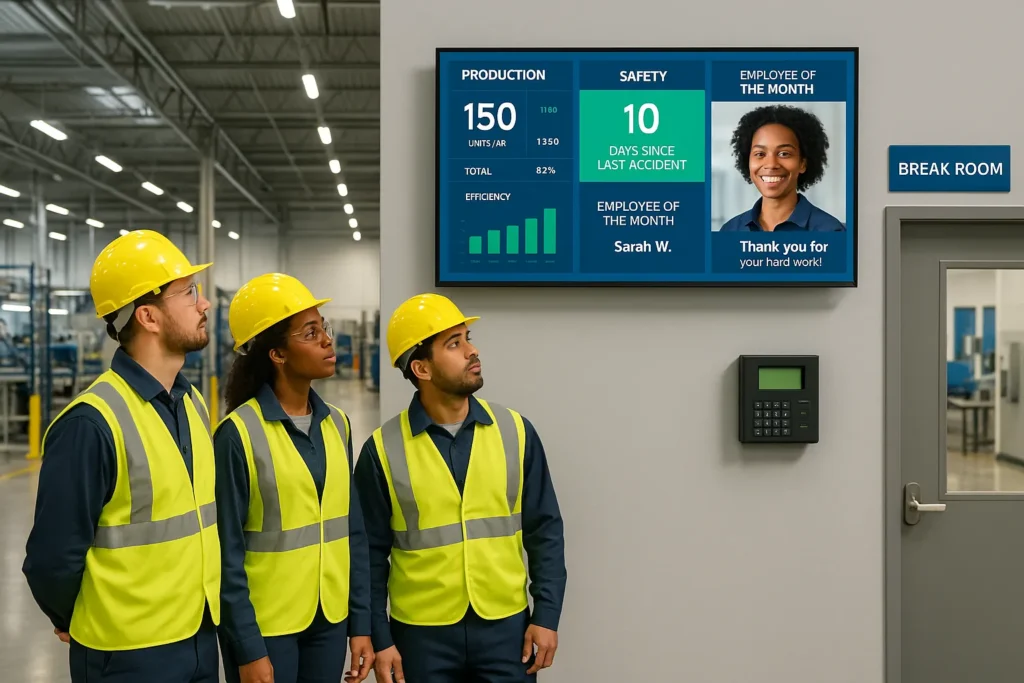
That’s where manufacturing digital signage changes the game. Strategically placed screens in break rooms, at time clocks, production floor entrances, and shift change areas deliver information where workers actually are, no personal device required, no internet connection on their phones, no adoption friction. Just relevant content at the right moment: safety metrics, accident-free day counters, shift schedules, KPIs, and recognition that keeps teams informed and engaged.
This guide walks through everything you need to know to carry out digital signage for employee communication in manufacturing environments, from selecting commercial-grade hardware that survives dust, heat, and 24/7 operation to crafting content that actually gets read.
What Is Digital Signage for Manufacturing Employee Communication?
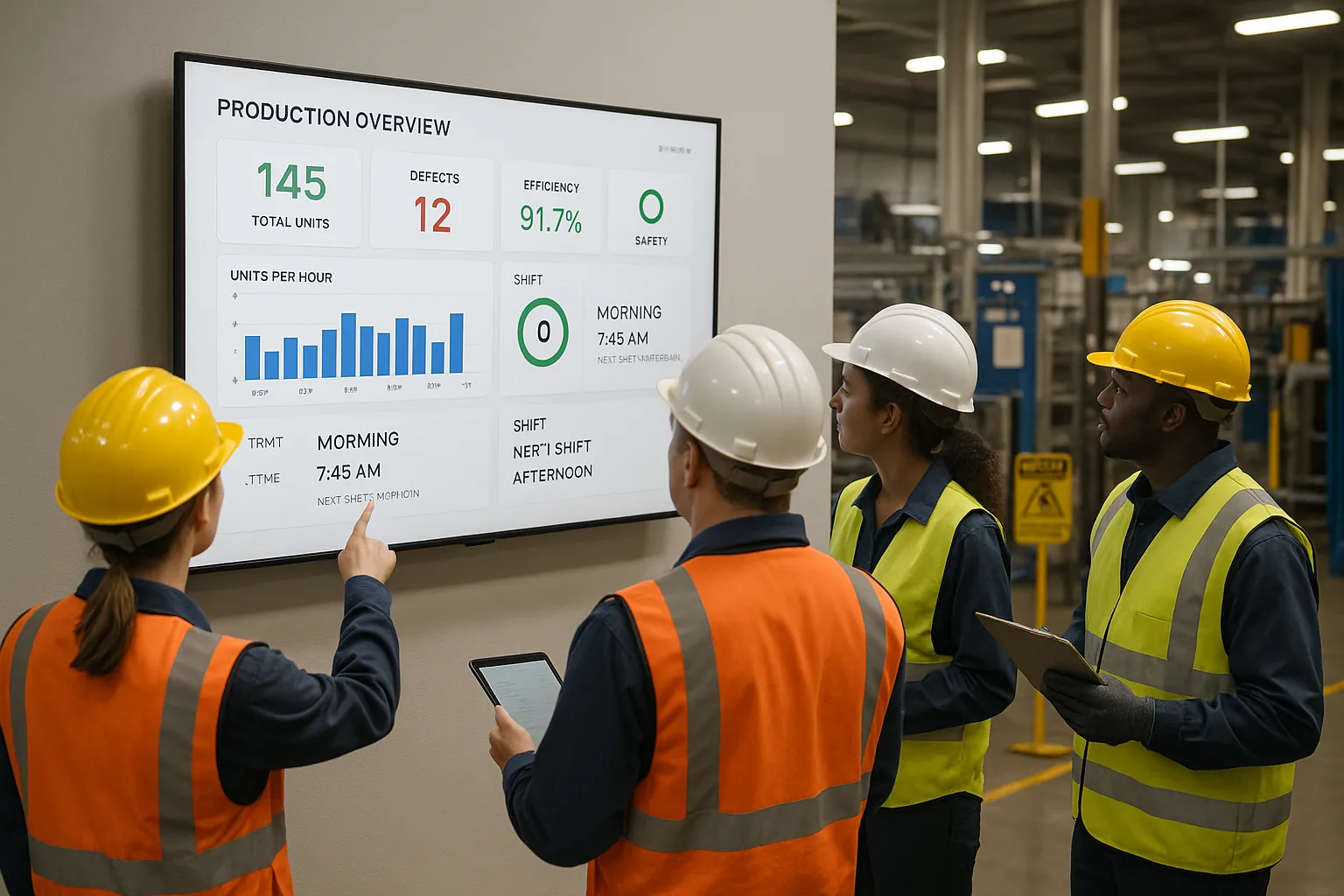
Manufacturing digital signage uses commercial-grade displays placed throughout production facilities to communicate with non-desk employees who don’t have regular access to email, computers, or office-based communication tools.
Unlike consumer TVs you’d use at home, these systems are built to handle the punishing conditions of factory environments, high temperatures, metal dust, vibration, and continuous 24/7 operation. They display real-time information including production metrics, safety alerts, shift schedules, training updates, employee recognition, and company announcements on screens positioned where workers naturally gather or pass through during their shifts.
The core difference between manufacturing digital signage and traditional bulletin boards or mobile apps? Location and visibility. You’re not asking workers to seek out information or download anything. Instead, you’re putting relevant content directly in their line of sight when they’re clocking in, taking breaks, or transitioning between production areas.
This approach recognizes a simple truth: manufacturing workers are constantly moving, their hands are often full or dirty, and they don’t spend their day at desks. Email might work for the office staff upstairs, but for the 80% of your workforce on the floor, screens placed at strategic touchpoints become the primary communication channel.
Typical content includes live KPI dashboards showing production targets, safety statistics like days without an incident, upcoming training sessions, shift schedules, maintenance alerts, quality metrics, employee birthdays and anniversaries, company news, and emergency notifications. The content updates centrally through cloud-based software, so you can push new messages to all screens across multiple facilities from one dashboard, no need to walk around taping up new printouts.
Key Benefits of Factory Floor Digital Signage
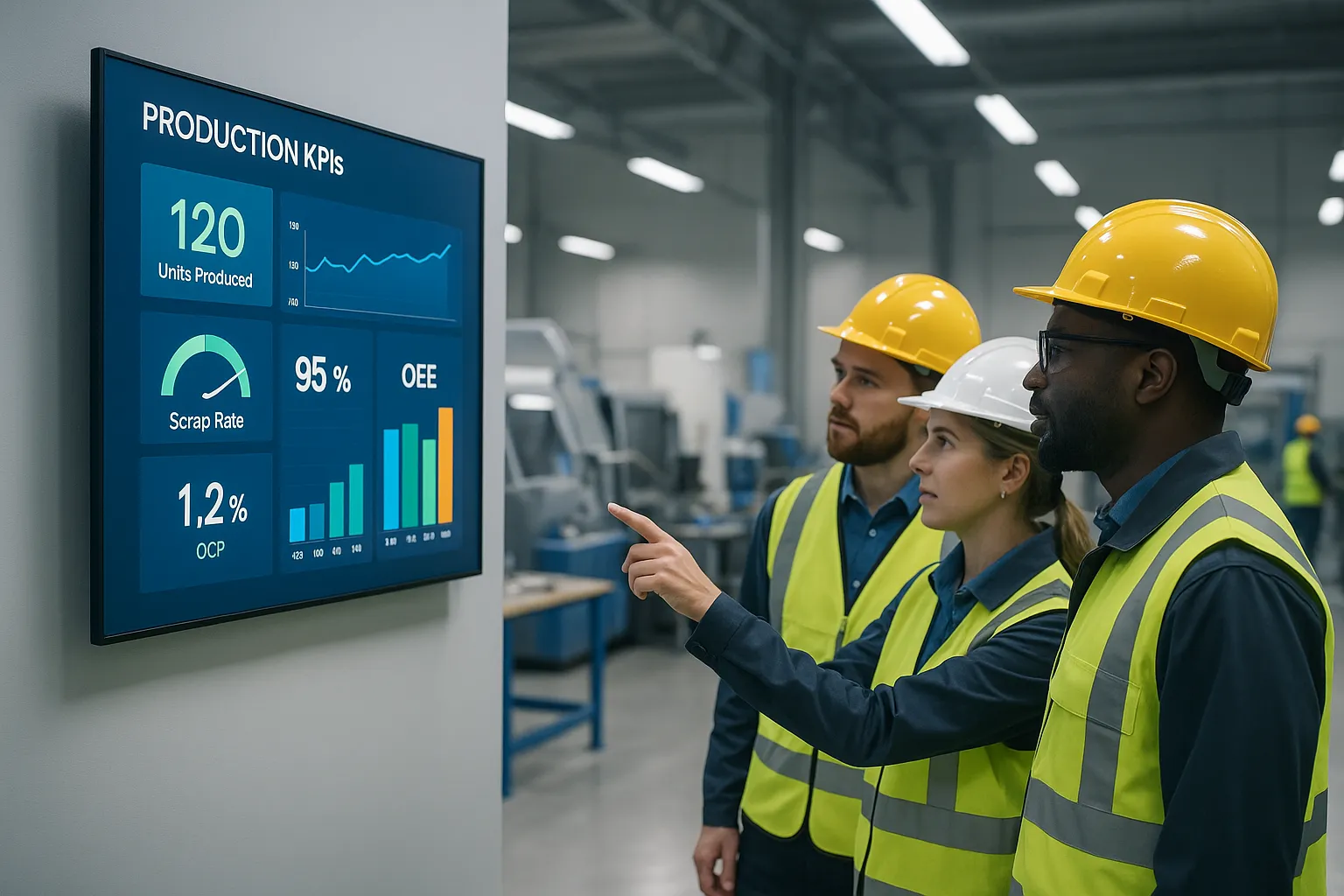
Real-Time Production Updates and KPI Tracking
When production data sits in a spreadsheet somewhere, only managers see it. When that same data appears on screens near workstations, everyone knows if they’re ahead of target or falling behind. This transparency shifts the culture.
Real-time dashboards displaying metrics like units produced per hour, quality rates, order completion status, and equipment uptime create a shared sense of progress. Workers see how their efforts contribute to plant-wide goals. Neste refineries implemented this approach and reported measurable productivity gains as teams rallied around visible targets and adjusted performance throughout the day.
Displaying accident-free day counters, on-time delivery percentages, or efficiency improvements also taps into natural competitive drive. When the night shift sees the day shift hit 102% of target, they’re motivated to match it. Digital signage solutions built for factories integrate directly with existing production systems to pull live data automatically, no manual updates needed.
Enhanced Safety Communication and Compliance
Safety messaging on paper gets ignored. Safety messaging on screens positioned at entry points and high-traffic zones gets seen multiple times per shift.
Digital signage excels at reinforcing safety protocols through repetition without nagging. Rotating reminders about PPE requirements, lockout/tagout procedures, ergonomic lifting techniques, chemical handling guidelines, and emergency exit routes keep critical information top-of-mind. When OSHA updates a regulation or you introduce new equipment with specific safety requirements, you can push that update to every screen instantly instead of waiting for the next safety meeting.
During emergencies, chemical spills, equipment malfunctions, severe weather, digital signage becomes your fastest communication channel. Alerts can interrupt regular content to display evacuation routes, shelter-in-place instructions, or all-clear notifications. This immediacy helps reduce response time when seconds count.
Compliance documentation also becomes easier. You can log what safety messages ran, when, and on which screens, useful evidence that you’re actively communicating required protocols.
Improved Employee Engagement and Recognition
Manufacturing work is often repetitive and physically demanding. Recognition matters, but it’s easy for achievements to go unnoticed when communication channels are limited.
Digital signage provides a visible platform for celebrating employee milestones: work anniversaries, safety awards, perfect attendance, process improvements, birthdays, promotions, and team accomplishments. When someone’s name and photo appear on screens throughout the facility, peers notice. It’s public acknowledgment that feels meaningful.
According to research, 86% of organizations using digital signage for employee communication report increased motivation. That motivation translates into lower turnover, a critical metric in manufacturing where recruiting and training costs add up quickly. Workers who feel seen and valued stick around longer.
Beyond individual recognition, screens can highlight team achievements, share photos from company events, showcase customer testimonials that demonstrate the impact of the work, or feature “day in the life” profiles that build connection across departments. This content humanizes the workplace and reinforces that people matter, not just production numbers.
Streamlined Shift Communication and Scheduling
Shift changes are communication danger zones. Information falls through the cracks as one crew leaves and another arrives. Verbal handoffs get forgotten, paper logs go unread, and misunderstandings cause delays or errors.
Placing digital signage at time clocks and shift change areas ensures critical information reaches both incoming and outgoing teams: schedule changes, overtime opportunities, maintenance windows, production priorities, quality issues from the previous shift, and reminders about upcoming training sessions.
Instead of hunting down a supervisor to ask when the next safety training is scheduled or whether Friday’s shift starts early, workers see that information displayed clearly as they clock in. Managers save time answering repetitive questions, and improved internal communications reduce scheduling conflicts and no-shows.
Strategic Use Cases for Manufacturing Digital Signage
Emergency Alerts and Critical Safety Notifications
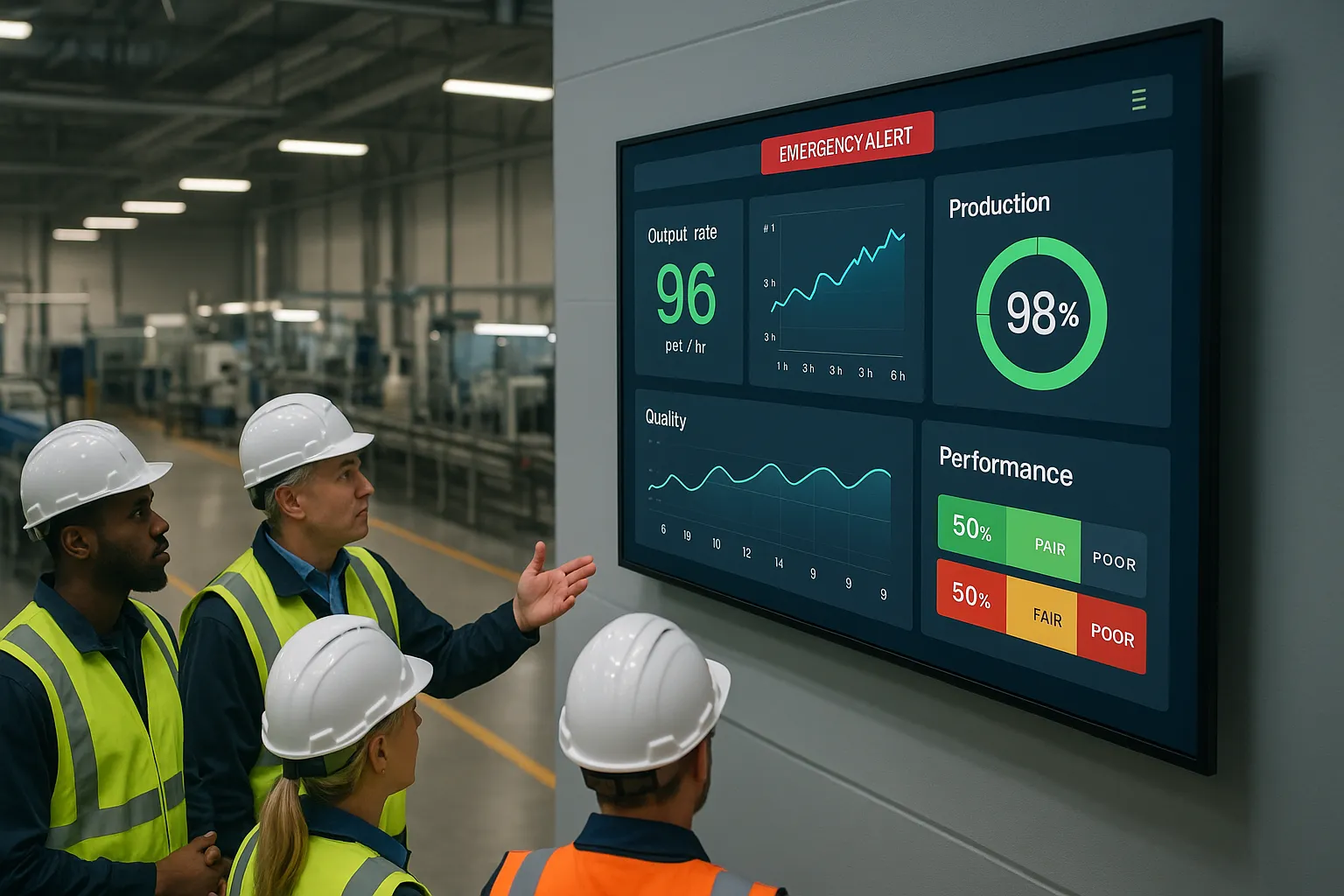
Emergency situations demand immediate, widespread communication. Digital signage can override scheduled content to broadcast alerts across all screens instantly, something you can’t do with bulletin boards or email.
Specific protocols for chemical spills, fires, active shooter situations, severe weather, or hazardous material releases can display with clear instructions: evacuation routes, assembly points, shelter-in-place procedures, or all-clear confirmations. Color-coded alerts (red for immediate danger, yellow for caution, green for all-clear) provide instant visual recognition even before workers read the text.
Beyond true emergencies, digital signage handles urgent operational notifications: equipment failures that affect production flow, quality holds on specific lots, unexpected downtime, or last-minute schedule changes due to supply chain disruptions. Getting that information out quickly minimizes confusion and keeps operations moving even though disruptions.
Performance Dashboards and Operational Metrics
Data-driven manufacturing depends on everyone understanding current performance, not just managers reviewing reports at the end of the week.
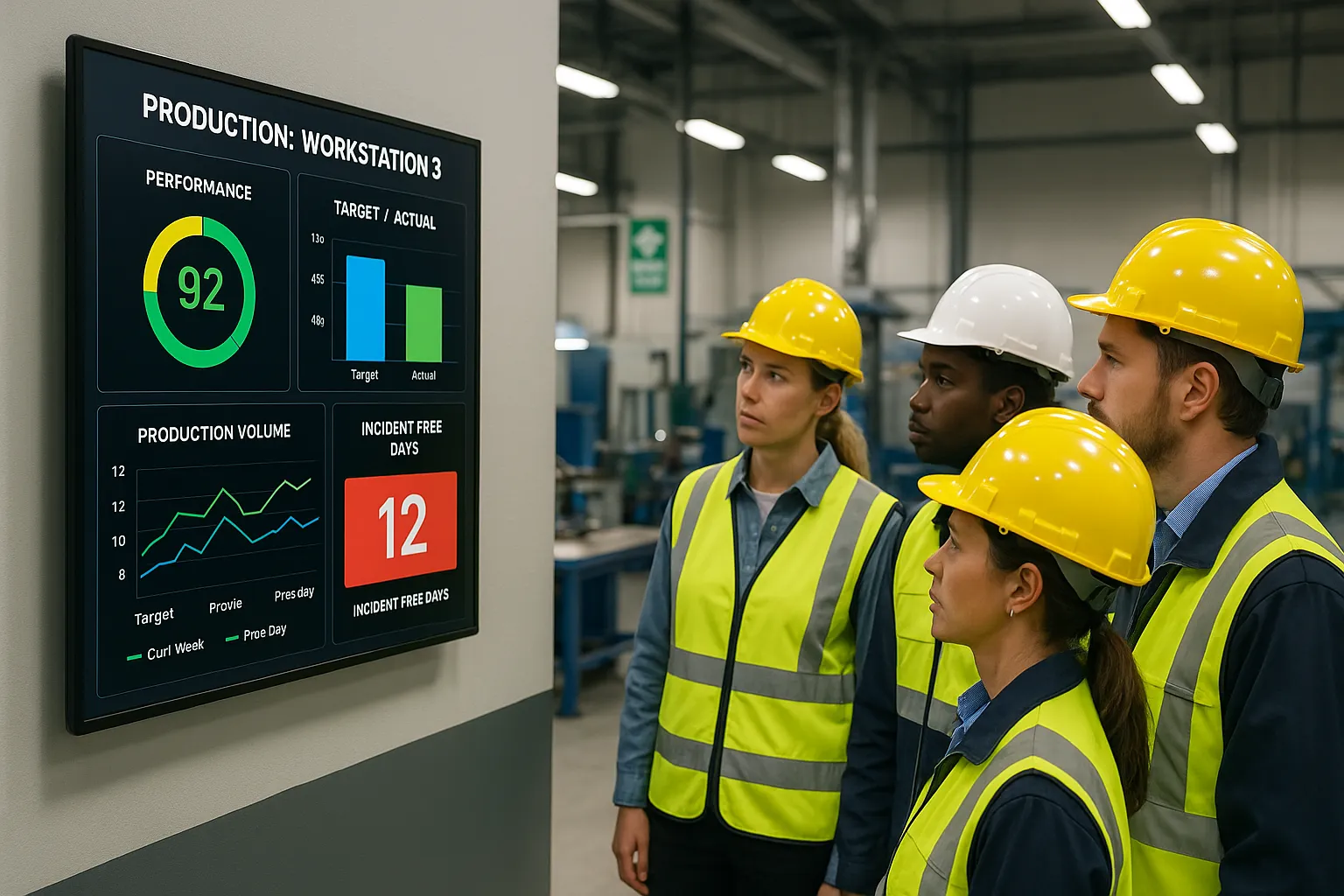
Performance dashboards positioned near production lines display real-time or near-real-time metrics: current production rates vs. target, defect rates, equipment efficiency (OEE), order backlog, quality scores, on-time shipment percentages, and department-specific KPIs. When this information is visible throughout the shift, teams can course-correct immediately rather than discovering problems hours later.
Some facilities create friendly competition between shifts or departments by displaying comparative performance. Others focus on trend data showing improvement over time, reinforcing that small daily gains add up to significant annual results.
Integration with existing manufacturing execution systems (MES), enterprise resource planning (ERP) software, or IoT sensors feeding real-time equipment data means dashboards update automatically. You’re not manually entering numbers, the system pulls data and visualizes it on screens with minimal manual effort.
Training Updates and Onboarding Information
New hire onboarding in manufacturing involves a lot of information: safety protocols, quality standards, equipment operation procedures, facility layout, company policies, and department-specific processes. Digital signage reinforces that training by displaying key information repeatedly during those critical first weeks.
For example, new employees clocking in see reminders about required PPE, upcoming training sessions they need to attend, links to safety resources, introductions to key personnel, and building maps showing break rooms, restrooms, and emergency exits. This passive repetition accelerates the learning curve.
Ongoing training updates also benefit from digital communication. When you introduce new equipment, update a standard operating procedure, or roll out a quality improvement initiative, screens throughout the facility can feature short video clips demonstrating proper technique, bulleted reminders of key steps, or QR codes linking to detailed documentation. Using digital signage to boost employee engagement keeps the workforce learning without pulling everyone off the line for lengthy meetings.
How to Implement Digital Signage on the Factory Floor
Identify Communication Goals and Key Metrics
Before buying screens, get clear on what problem you’re solving. Are you trying to reduce safety incidents? Improve production efficiency? Decrease turnover? Streamline shift handoffs? Better communicate policy changes?
Your goals shape everything else, screen locations, content strategy, success metrics. If safety is the priority, you’ll focus on screens near hazard zones and entry points displaying protocols and incident-free counters. If production efficiency matters most, you’ll emphasize KPI dashboards near workstations.
Define 2-3 measurable objectives. Examples: reduce safety incidents by 20% within six months, increase on-time shift starts by 15%, achieve 90% employee awareness of new policies within two weeks of rollout, or improve employee satisfaction scores related to communication by 25 points.
These metrics give you a baseline to measure ROI later and help justify the investment to leadership. Vague goals like “better communication” don’t build a compelling business case. Specific targets tied to operational or financial outcomes do.
Choose Strategic Display Locations
Placement determines whether your digital signage gets seen or ignored. You want screens where workers naturally look, pause, or pass through, not tucked away in corners or positioned where nobody lingers.
High-traffic strategic locations include:
- Time clocks and entry/exit points: Every employee passes through multiple times per shift. Ideal for schedules, safety reminders, recognition, and company news.
- Break rooms and common areas: Workers have a few minutes to absorb information while resting. Suitable for longer-form content like training videos, detailed policy explanations, or employee spotlights.
- Production floor entrances and shift change areas: Critical for operational updates, shift-specific information, and real-time alerts.
- Near workstations or production lines: Best for live KPI dashboards, quality metrics, and performance data relevant to that specific area.
- Locker rooms and restrooms (where appropriate): Captive audience, though content should remain professional and relevant.
Consider sightlines, lighting conditions, and ambient noise. A screen positioned where glare from windows washes out the display or where machinery noise drowns out any audio component won’t be effective. Walk the floor during different shifts to identify natural gathering spots and transitions.
For a typical mid-size facility, you might start with 5-10 screens strategically placed, then expand based on what works. Factory floor displays (55″-65″) typically run $1,800-2,500 fully installed, while break room screens (43″-55″) come in around $1,400-2,000 installed.
Select the Right Hardware and Software Solution
Consumer TVs fail in manufacturing environments, we’ve seen this repeatedly. Dust infiltrates vents, heat degrades components, continuous operation exceeds consumer-grade duty cycles, and you’re replacing screens every few months.
Commercial-grade displays built for 24/7 operation handle the abuse. They feature:
- Higher temperature tolerance: Operating ranges up to 104°F (40°C) or higher
- Sealed components: Protection against dust, moisture, and particulates
- Extended duty cycles: Designed for continuous operation, not 4-6 hours per day
- Better warranty coverage: Commercial warranties typically cover 24/7 use: consumer warranties don’t
On the software side, you need a cloud-based content management system (CMS) that’s genuinely easy to use, not “easy for IT people” but actually intuitive for plant managers and HR staff who aren’t tech specialists.
Key features to look for:
- Drag-and-drop content creation: Build slides, playlists, and schedules without coding
- Template libraries: Pre-built layouts for common content types (KPI dashboards, schedules, safety reminders)
- Remote management: Update content across multiple screens or facilities from anywhere
- Integration capabilities: Pull data automatically from your MES, ERP, time tracking, or HRIS systems
- Scheduling flexibility: Display different content at different times or for specific shifts
- Emergency override: Instantly push alerts to all screens when needed
We handle the entire process, commercial displays, nationwide installation with licensed technicians, mounting hardware, and CMS software from a single vendor. When something breaks at your Tulsa facility at 2 AM, you’ve got one support contact to call, not three vendors pointing fingers at each other. For multi-location manufacturing operations, having effective internal communication strategies across all plants makes turnkey deployment particularly valuable.
Create Relevant and Engaging Content
Hardware and placement matter, but content determines whether anyone actually pays attention. Boring, irrelevant, or stale content gets tuned out fast.
Content that works in manufacturing:
- Safety metrics with visual appeal: Large, bold numbers showing days without incidents, paired with congratulatory messages when milestones hit
- Live or frequently updated KPIs: Current shift performance, quality rates, production targets with progress bars
- Short video clips: 15-30 second demonstrations of proper techniques, employee testimonials, or leadership messages
- Recognition with photos: Employee of the month, safety awards, anniversaries with faces visible
- Rotating safety tips: Bite-sized reminders that change daily or weekly
- Shift schedules and calendars: Upcoming training, maintenance windows, plant closures, overtime opportunities
- Company news with local relevance: New contracts, customer wins, expansion plans, information that affects job security and growth
Content principles:
- Keep it brief: Workers passing by have seconds, not minutes. One key message per slide.
- Use large, readable fonts: Minimum 48pt for body text: workers view from 10-15 feet away
- High contrast: Dark text on light backgrounds or vice versa: avoid low-contrast color combinations
- Minimal text: If it takes more than 5-7 seconds to read, it’s too long
- Update regularly: Stale content becomes wallpaper. Refresh at least weekly, daily for metrics
- Mix content types: Alternate between data, recognition, safety, news to maintain interest
Assign content ownership clearly. Someone needs responsibility for keeping information current, whether that’s HR, safety managers, plant managers, or a designated communication coordinator.
Best Practices for Manufacturing Digital Signage Content
Effective factory floor content follows different rules than corporate office signage. Your audience is moving, often wearing PPE that limits peripheral vision, working in noisy environments, and mentally focused on physical tasks.
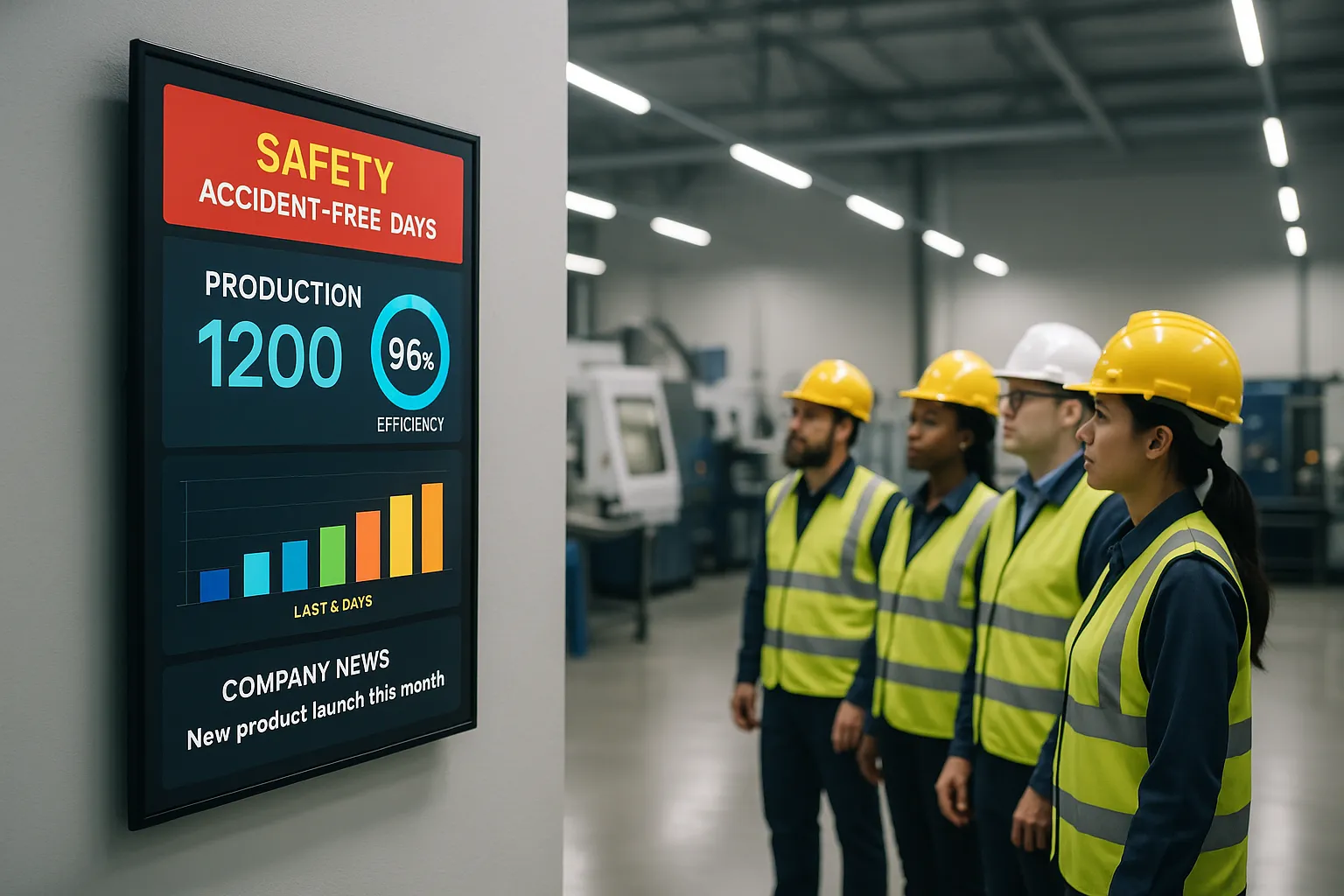
Visual hierarchy matters intensely. The most important information should dominate the screen, think large accident-free day counters, bold production percentage numbers, or urgent safety alerts in colors that pop. Secondary details can be smaller but still readable from distance.
Embrace data visualization. Bar charts showing production trends, pie charts breaking down quality metrics, or gauges displaying equipment efficiency communicate faster than tables of numbers. Your brain processes visual information 60,000 times faster than text, and manufacturing workers scrolling past a screen need that speed.
Rotate content strategically. A screen that loops through 8-10 slides every 3-4 minutes provides variety without overwhelming viewers. Structure playlists so critical safety information appears more frequently than nice-to-know company news. If you’re running 10 slides per loop, maybe safety reminders show up three times while the CEO’s quarterly message appears once.
Localize content where possible. A screen in Department A should show Department A’s metrics, schedules, and relevant safety information, not generic plant-wide data that doesn’t feel personal. When workers see information specific to their work area, engagement increases dramatically.
Time-sensitive scheduling. Different shifts have different information needs. The overnight maintenance crew doesn’t need production targets meant for the day shift. Schedule content to display when it’s relevant: shift-specific schedules near clock-in times, end-of-shift performance summaries, or reminders about upcoming training sessions timed for the shifts that need to attend.
Test readability in real conditions. What looks great on your office computer might be unreadable on the factory floor with overhead lighting, distance, and viewing angles. Preview content on actual screens in their installed locations during different shifts before rolling it out facility-wide.
Incorporate employee-generated content occasionally. Photos from the company picnic, safety suggestions submitted by workers, or team accomplishments create a sense of ownership. When employees see their own ideas or faces on screens, the technology feels less like top-down corporate broadcasting and more like shared communication.
Overcoming Common Challenges in Manufacturing Environments
Manufacturing facilities throw challenges at digital signage that office environments never face. Here’s how to navigate them.
Dust and particulate matter: Metal shavings, sawdust, chemical residue, or general industrial dust can infiltrate consumer electronics and cause failures. Commercial displays with sealed enclosures and passive cooling (no fans pulling in dusty air) solve this. In extremely dusty environments, consider protective enclosures rated IP65 or higher for additional protection.
Extreme temperatures: Production areas with ovens, furnaces, welding, or refrigeration create temperature extremes. Verify your displays are rated for the actual temperature ranges in their specific locations. Commercial displays typically handle 0°C to 40°C (32°F to 104°F): industrial-rated screens can handle wider ranges. Poor ventilation compounds heat problems, so ensure adequate airflow around mounted displays.
Vibration and impact risks: Forklifts, overhead cranes, and heavy machinery create vibration: there’s also the risk of impact from moving equipment or materials. Secure mounting with industrial-grade hardware prevents screens from shaking loose. Position screens away from high-traffic corridors where forklifts maneuver. In high-risk areas, consider protective transparent barriers in front of displays.
Network connectivity on the floor: Production areas often lack the network infrastructure that offices take for granted. While our cloud-based CMS needs internet connectivity to update content, you don’t need blazing speeds, basic broadband suffices. For areas without Wi-Fi, consider running ethernet, using cellular data connections, or placing screens at facility edges where connectivity exists. Content can also be cached locally so displays continue running even during temporary network outages.
Getting leadership buy-in: The CFO sees screens as an expense: you need to frame them as an investment with measurable returns. Build your business case around specific outcomes: reducing safety incidents (with associated workers’ comp costs), decreasing turnover (saving recruitment and training expenses), or improving efficiency (increased output). When boosting internal communication effectiveness, you can calculate ROI based on productivity improvements observed in similar facilities.
Content creation bandwidth: Nobody has time to design slides every day. This is where templates and automation shine. Create 5-6 template layouts (KPI dashboard, safety reminder, recognition, schedule, news announcement), then simply swap data and images as needed. Integrate systems that feed data automatically, your KPI dashboard should pull numbers from your MES without manual entry. Batch-create content monthly for recurring items like birthdays, anniversaries, or scheduled maintenance.
Worker skepticism: If past communication initiatives failed or felt like corporate propaganda, employees might initially ignore digital signage. Win them over by featuring content that genuinely helps them: accurate shift schedules they can rely on, recognition that feels authentic, safety information that could prevent their injury, and performance data that’s transparently shared rather than weaponized during reviews.
Measuring Success and ROI of Your Digital Signage Investment
You can’t improve what you don’t measure. Tracking the right metrics proves whether your manufacturing digital signage investment delivers value and identifies areas for improvement.
Safety metrics provide the clearest ROI in many facilities. Track incident rates, lost-time injuries, near-misses, and OSHA recordables before and after implementation. If you communicate safety protocols more effectively and incidents decrease, the workers’ comp savings alone can justify the investment. A single avoided serious injury often saves more than your entire digital signage deployment costs.
Engagement indicators show whether workers actually notice and use the information. Anonymous surveys asking employees how they receive company information, what they remember from recent communications, or whether they feel informed about safety updates provide qualitative feedback. Track attendance at training sessions announced primarily via digital signage. Monitor whether employees reference information displayed on screens when asking supervisors questions, if they’re already aware, the screens are working.
Operational efficiency connects digital signage to bottom-line results. Measure shift start delays, errors attributed to miscommunication, overtime costs from scheduling confusion, or time managers spend answering routine questions that could be displayed on screens. Even small improvements, saving 5 minutes per shift in delayed starts across 100 workers, add up to quantifiable labor cost savings.
Turnover and retention matter tremendously in manufacturing where recruiting and training costs can reach $4,000-$7,000 per hourly employee. If digital signage contributes to better communication, stronger culture, and increased recognition, all factors that reduce turnover, the retention savings compound annually. Track turnover rates before implementation and 6-12 months after, particularly among new hires in their first 90 days when communication gaps hit hardest.
Content performance analytics built into your CMS show which messages resonate. Play counts, dwell time (how long people pause near screens), and interaction data (if you include QR codes tracking scans) reveal what content types work. If safety reminders get ignored but employee recognition holds attention, adjust your content mix accordingly.
Adoption metrics track utilization across your system: how many screens are actively used, how often content updates, and how many team members contribute content. Underutilized screens suggest poor placement or irrelevant content: consistent updates indicate the system has been integrated into workflows.
For multi-location manufacturing operations, benchmark performance across facilities. Your Kansas City plant might achieve better results than Denver because they positioned screens more strategically or created more engaging content, share those best practices to lift overall ROI.
A realistic timeline for ROI measurement is 6-12 months. You need time for adoption, for workers to start relying on the information, and for behavioral changes (better safety compliance, improved efficiency) to manifest in measurable outcomes. Early wins might appear sooner, immediate reduction in scheduling questions or faster dissemination of urgent alerts, but substantial operational impacts take longer.
Conclusion
Email doesn’t reach factory floors, mobile apps face adoption barriers, and paper notices disappear into the noise. Digital signage solves the fundamental manufacturing communication challenge: getting critical information to non-desk workers where they actually are, when they need it, without friction.
The facilities seeing the strongest results pair commercial-grade hardware that survives factory conditions with strategic placement at break rooms, time clocks, and shift change areas. They focus content on what matters to floor workers, safety, performance, recognition, schedules, and keep it updated, visual, and brief. They measure impact through safety metrics, engagement indicators, and efficiency gains rather than assuming the technology alone delivers value.
For multi-location manufacturing operations, the turnkey advantage matters. Working with a single vendor who handles display sourcing, nationwide installation, mounting, software, and ongoing support eliminates the coordination headache of managing multiple contractors across facilities. When equipment needs repair or content issues arise, you’ve got one support contact instead of three vendors pointing fingers.
If 80% of your workforce can’t be reached via email, you don’t have a technology problem, you have a channel problem. Manufacturing digital signage provides the channel that actually connects with the people building your products, maintaining your equipment, and driving your operational results.
Frequently Asked Questions
What is digital signage for manufacturing employee communication?
Manufacturing digital signage uses commercial-grade displays placed throughout production facilities to communicate with non-desk employees who lack regular email access. These systems display real-time information like safety alerts, production metrics, shift schedules, and company announcements on strategically positioned screens where workers naturally gather.
How does digital signage improve safety in manufacturing facilities?
Digital signage reinforces safety protocols through visible, repeated reminders about PPE requirements, lockout/tagout procedures, and ergonomic techniques. During emergencies like chemical spills or equipment malfunctions, screens can instantly broadcast evacuation routes and shelter-in-place instructions, reducing response time when seconds count.
What are the best locations to install digital signage on the factory floor?
Strategic locations include time clocks and entry points, break rooms, production floor entrances, shift change areas, and near workstations. These high-traffic zones ensure maximum visibility as workers pass through multiple times per shift, making them ideal for schedules, safety reminders, and real-time performance metrics.
Why do consumer TVs fail in manufacturing environments?
Consumer TVs aren’t built for factory conditions. Dust infiltrates vents, heat degrades components, and continuous 24/7 operation exceeds their duty cycles, requiring frequent replacement. Commercial-grade displays feature sealed components, higher temperature tolerance up to 104°F, and extended warranties covering industrial use.
How long does it take to see ROI from manufacturing digital signage?
A realistic timeline for measurable ROI is 6-12 months. While immediate wins like reduced scheduling questions may appear sooner, substantial impacts on safety incidents, turnover reduction, and operational efficiency require time for adoption and behavioral changes to manifest in trackable outcomes.
Can digital signage reduce employee turnover in manufacturing?
Yes, research shows 86% of organizations using digital signage report increased employee motivation. By providing visible recognition, consistent communication, and making workers feel valued, digital signage contributes to stronger workplace culture. This reduces turnover, which is critical given that recruiting and training costs reach $4,000-$7,000 per hourly employee.
